![[Fabric] Enderporter](https://media.forgecdn.net/avatars/thumbnails/338/67/256/256/637476461524773365.png)
Community listing page, reviews may not be monitored by the author.
[Fabric] Enderporter


No reviews yet
Blocks and items which allow for teleportation within or between dimensions!

Community voices
Reviews
No reviews yet. Be the first to review this project!
Get it on
Available Platforms
Compatibility
Supported Environments
Must be installed on both the client and the server.
About
Project Details
For authors
Embed Badge
If you're the author of this project, you can embed a live badge anywhere that supports HTML or Markdown. It updates automatically whenever ratings change.
Use HTML for any page that supports it, or Markdown for README files and Markdown-based descriptions.
Identifiers
Platform IDs
About
Description
KnowYourKnot's Enderporter
Requires Fabric Loader and Fabric API (v0.30.0 or above).
This mod adds blocks and items which allow the player to teleport within or between dimensions!
New Items
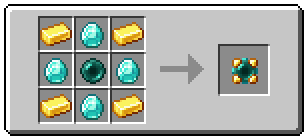
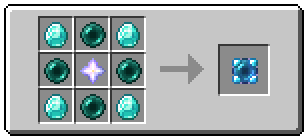
Enderporter adds two new teleportation items. These are the Stable Pearl and the Portable Porter.
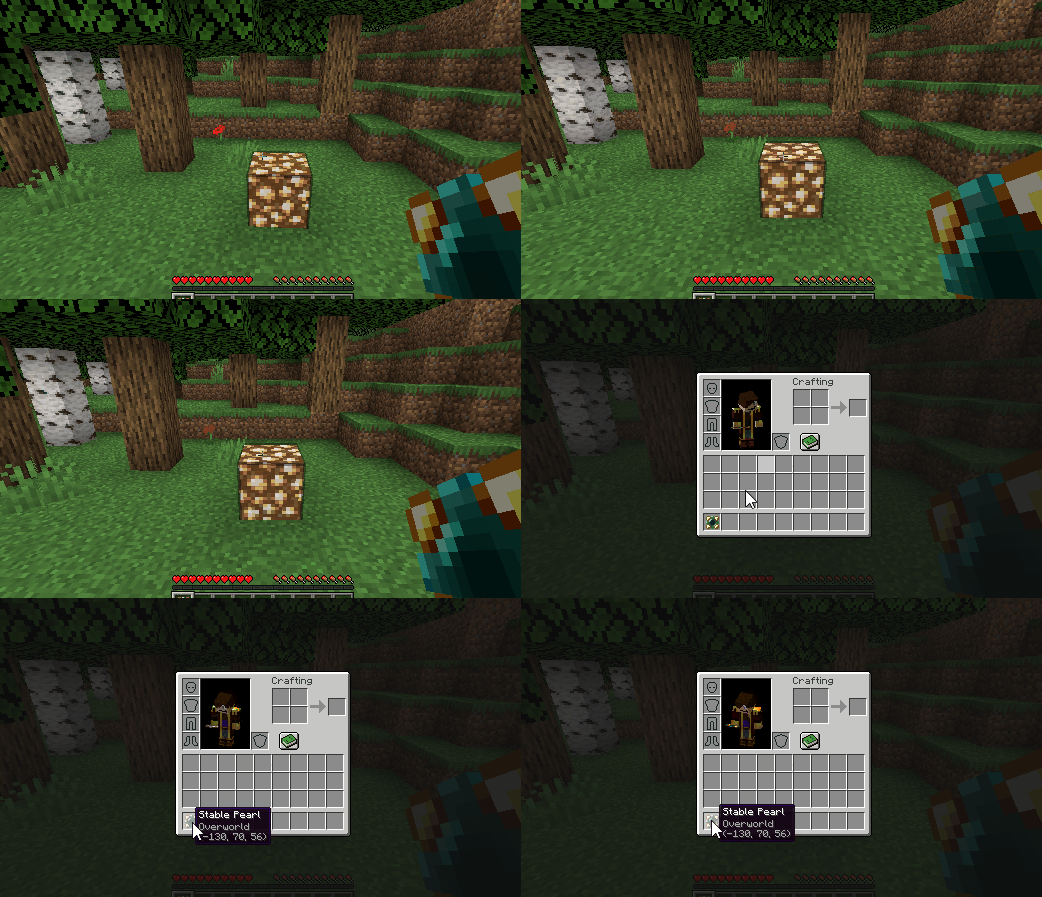
Shift + Right Cicking on a block will set the teleport location.
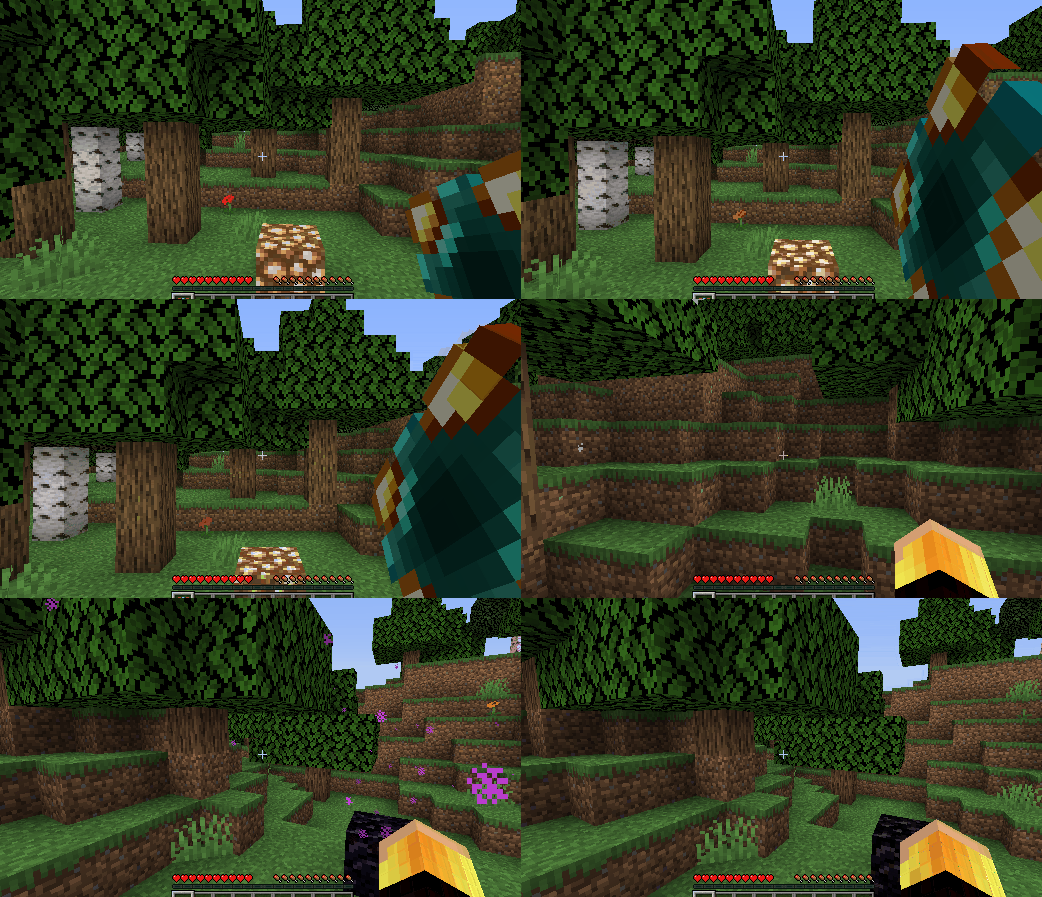
Holding the right mouse button and releasing when fully charged causes the player to teleport.
The Stable Pearl is a single-use item, but the Portable Porter is infinitely reusable! The teleport location of either can be set as many times as the player wants before teleporting. These items can be used to teleport between different dimensions.
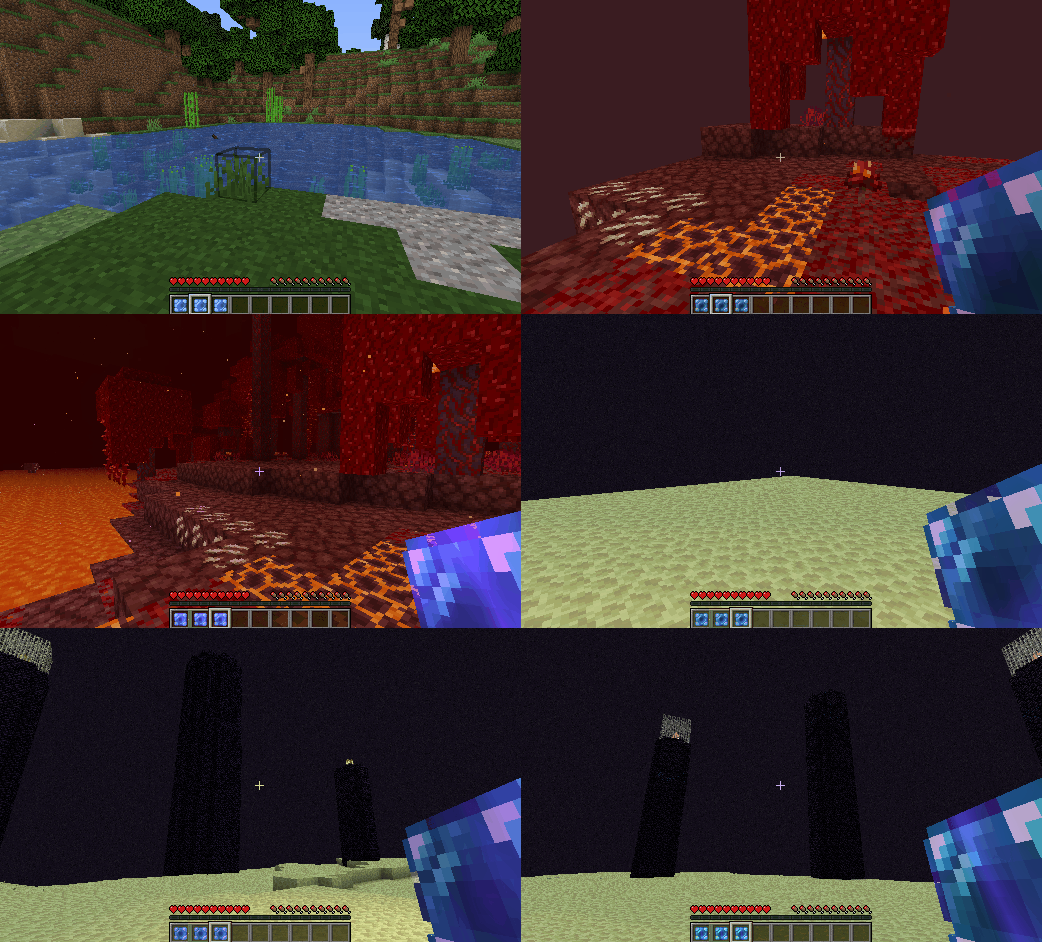
New Blocks
Enderporter adds... the Ender Porter!
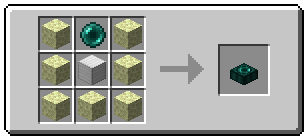
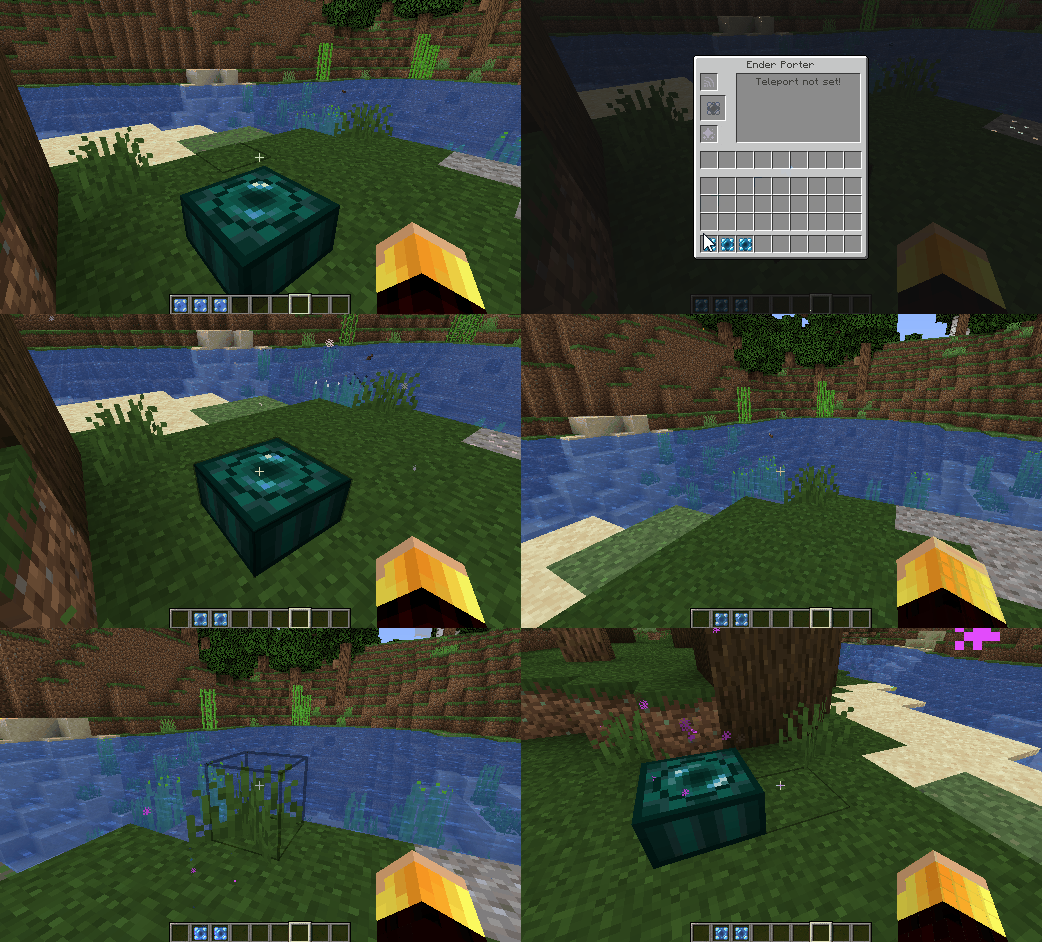
To set the Ender Porter's teleport location, simply place a Stable Pearl or Portable Porter into the middle slot. Then to teleport, simply stand on top of the Ender Porter and hold Shift.
The Ender Porter consumes ender pearls based on the distance it transports the player.

The ender pearl slot can be refilled from the sides using hoppers.
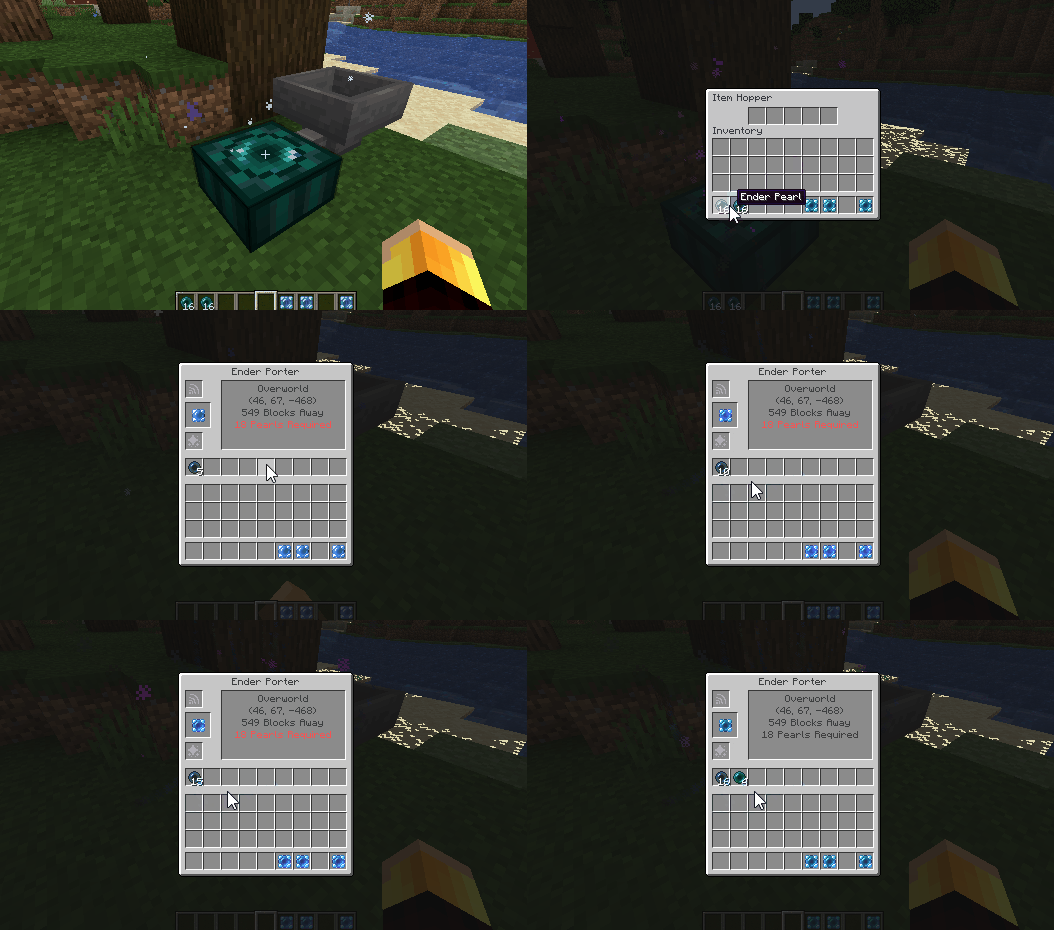
The number of ender pearls required per block travelled can be reduced by adding Range Upgrades to the top slot.
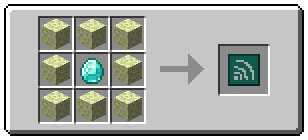
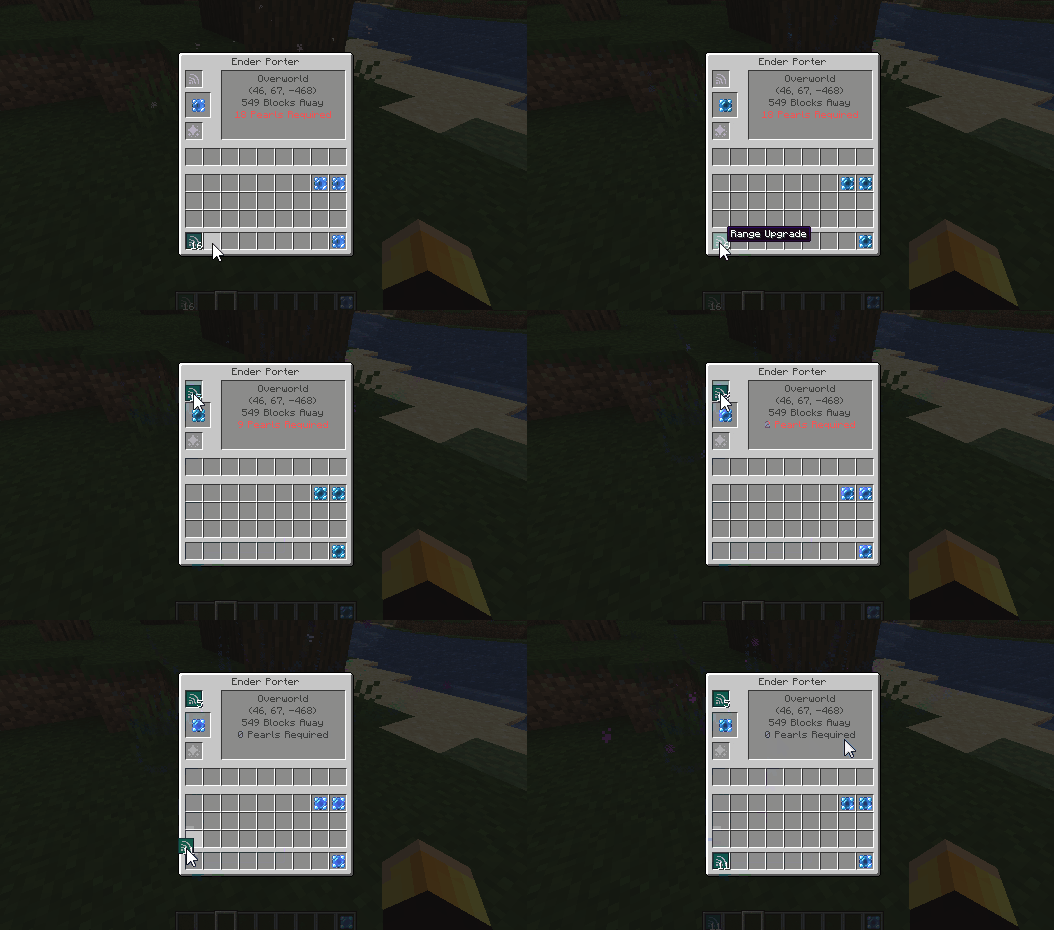
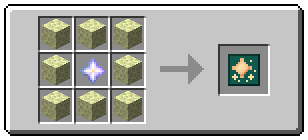
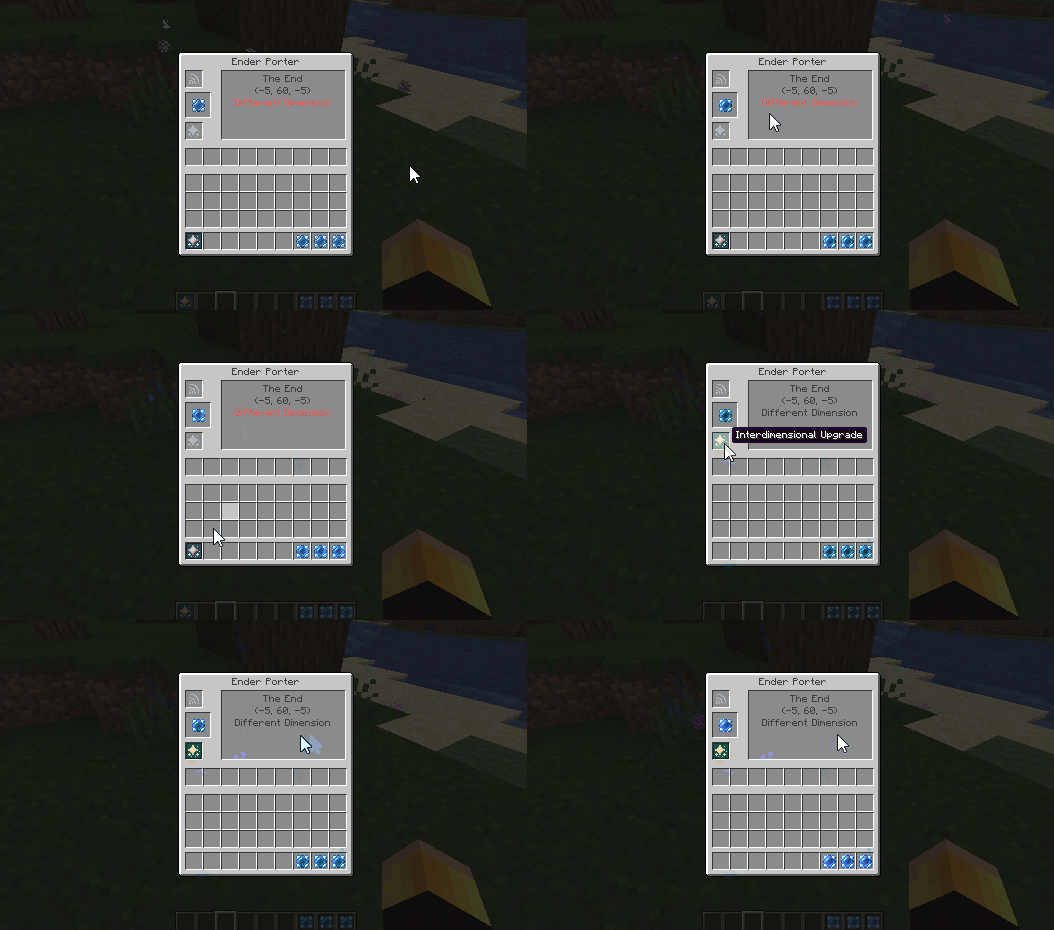
By default, the Ender Porter will not teleport the player to another dimension. To enable this, the player has to add an Interdimensional Upgrade to the bottom slot. This also makes the Ender Porter free to use (i.e. it doesn't consume ender pearls when used).
Config
- Ender Porter 'balancing' can be disabled in the config by setting
allow_free_travelto true. This makes all teleportation free and allows interdimensional travel without an interdimensional upgrade. - If free travel is disabled, then an Ender Porter with no upgrades can teleport the player 30 blocks per ender pearl. This quantity can be changed by setting
blocks_per_pearlto some value other than 30. - The Ender Porter has a default 'charge time' of 20 ticks. This means the player has to stand on top of the porter and press shift for 20 ticks before they teleport. This can be increased or decreased by changing
porter_charge_time, but the value should be kept above zero to avoid bugs. - A travel limit of x blocks can be imposed by changing the value of
travel_limitto x. Setting this value to -1 allows players to travel any distance. - Travel between different dimensions can be disabled by setting
allow_interdimensional_travelto false. Then, for instance, players will not be able to teleport directly between the overworld and the nether using the Ender Porter, Stable Pearl or Portable Porter. - Setting
allow_teleport_to_voidto false disables the ability to teleport below y=0 and above y=255. Then players will not be able to teleport to the nether ceiling, or to the top of structures which reach max build height.
Mod Compatibility
Enderporter works out of the box with custom Fabric dimensions, such as The Bumblezone.
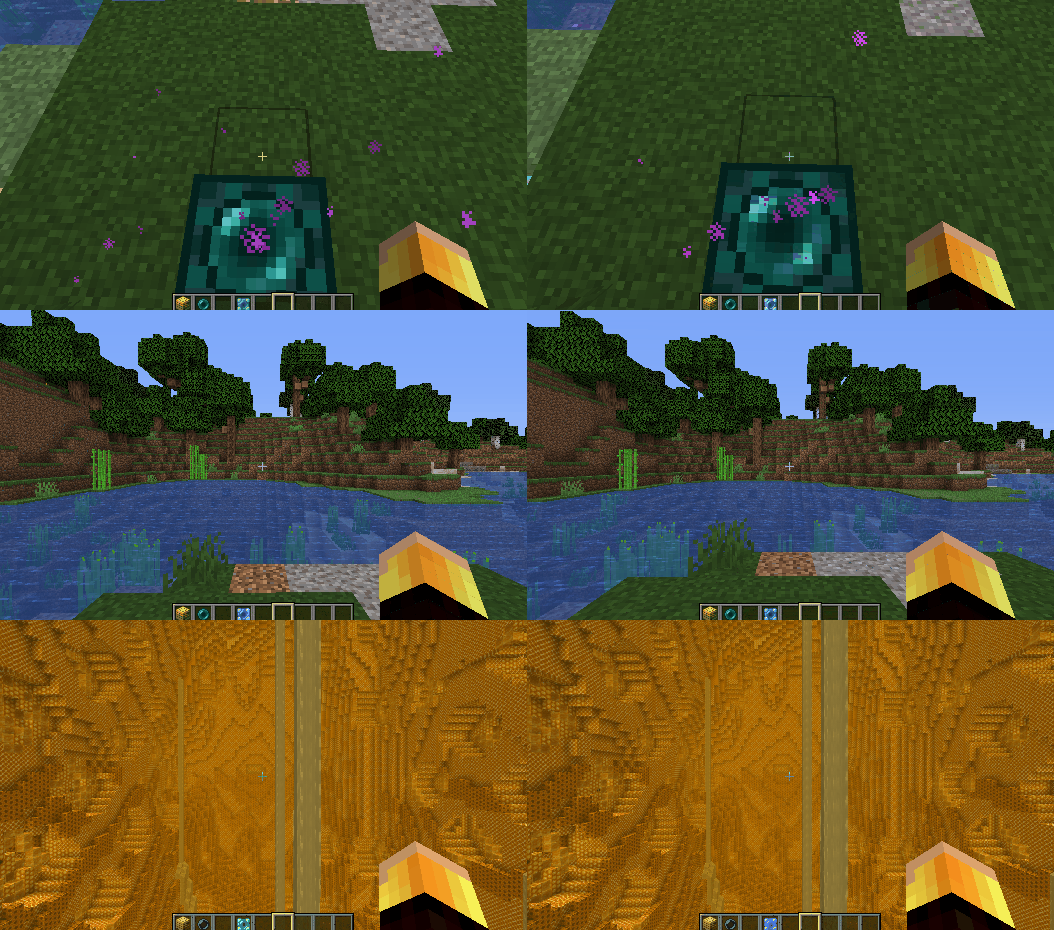
Note to Mod Authors: Custom dimension names might appear buggy in the Stable Pearl/Portable Porter tooltips. This is because there is no localisation for your dimension name. This can be fixed simply by adding a localisation for dimension.[MOD ID].[DIMENSION NAME] to your lang files.
Modpacks
Feel free to include Enderporter in any modpack.
Thanks for playing! Feel free to comment below with any feedback or feature requests!
KnowYourKnot's Enderporter
Requires Fabric Loader and Fabric API (v0.30.0 or above).
This mod adds blocks and items which allow the player to teleport within or between dimensions!
New Items
Enderporter adds two new teleportation items. These are the Stable Pearl and the Portable Porter.
Shift + Right Cicking on a block will set the teleport location.
Holding the right mouse button and releasing when fully charged causes the player to teleport.
The Stable Pearl is a single-use item, but the Portable Porter is infinitely reusable! The teleport location of either can be set as many times as the player wants before teleporting. These items can be used to teleport between different dimensions.
New Blocks
Enderporter adds... the Ender Porter!
To set the Ender Porter's teleport location, simply place a Stable Pearl or Portable Porter into the middle slot. Then to teleport, simply stand on top of the Ender Porter and hold Shift.
The Ender Porter consumes ender pearls based on the distance it transports the player.
The ender pearl slot can be refilled from the sides using hoppers.
The number of ender pearls required per block travelled can be reduced by adding Range Upgrades to the top slot.
By default, the Ender Porter will not teleport the player to another dimension. To enable this, the player has to add an Interdimensional Upgrade to the bottom slot. This also makes the Ender Porter free to use (i.e. it doesn't consume ender pearls when used).
Config
- Ender Porter 'balancing' can be disabled in the config by setting
allow_free_travelto true. This makes all teleportation free and allows interdimensional travel without an interdimensional upgrade. - If free travel is disabled, then an Ender Porter with no upgrades can teleport the player 30 blocks per ender pearl. This quantity can be changed by setting
blocks_per_pearlto some value other than 30. - The Ender Porter has a default 'charge time' of 20 ticks. This means the player has to stand on top of the porter and press shift for 20 ticks before they teleport. This can be increased or decreased by changing
porter_charge_time, but the value should be kept above zero to avoid bugs. - A travel limit of x blocks can be imposed by changing the value of
travel_limitto x. Setting this value to -1 allows players to travel any distance. - Travel between different dimensions can be disabled by setting
allow_interdimensional_travelto false. Then, for instance, players will not be able to teleport directly between the overworld and the nether using the Ender Porter, Stable Pearl or Portable Porter. - Setting
allow_teleport_to_voidto false disables the ability to teleport below y=0 and above y=255. Then players will not be able to teleport to the nether ceiling, or to the top of structures which reach max build height.
Mod Compatibility
Enderporter works out of the box with custom Fabric dimensions, such as The Bumblezone.
Note to Mod Authors: Custom dimension names might appear buggy in the Stable Pearl/Portable Porter tooltips. This is because there is no localisation for your dimension name. This can be fixed simply by adding a localisation for dimension.[MOD ID].[DIMENSION NAME] to your lang files.
Modpacks
Feel free to include Enderporter in any modpack.
Thanks for playing! Feel free to comment below with any feedback or feature requests!
Screenshots
Gallery
-
Interdimensional Upgrade Recipe
-
Range Upgrade Recipe
-
Ender Porter Recipe
-
Portable Porter Recipe
-
Stable Pearl Recipe
-
[GIF] Enderporter supports custom dimensions like The Bumblezone! Click to view GIF!
-
[GIF] The Ender Porter can be filled from the sides using hoppers Click to view GIF!
-
[GIF] Interdimensional teleportation can be enabled using an Interdimensional Upgrade Click to view GIF!
-
[GIF] The number of ender pearls consumed can be decreased using Range Upgrades Click to view GIF!
-
[GIF] Ender Porters consume ender pearls depending on the teleport distance Click to view GIF!
-
[GIF] Using an Ender Porter Click to view GIF!
-
[GIF] Teleporting between dimensions with a Portable Porter Click to view GIF!
-
[GIF] Teleporting using a Stable Pearl Click to view GIF!
-
[GIF] Setting the Teleport Location of a Stable Pearl Click to view GIF!
Versions
Files
Relations
Project Relations
More like this
Similar Mods
Suggestions use data such as tags, dependencies, dependents, descriptions, titles, and more to rank how much they overlap with this mod.
On ModDex
Community snapshot
By the numbers
Statistics

Get it on
Available Platforms
On ModDex
Community snapshot
By the numbers