
Community listing page, reviews may not be monitored by the author.
Landmark-map

No reviews yet
Map of Lands claims for fast /lands spawn teleporting. Client-side.

Community voices
Reviews
No reviews yet. Be the first to review this project!
Get it on
Available Platforms
About
Project Details
For authors
Embed Badge
If you're the author of this project, you can embed a live badge anywhere that supports HTML or Markdown. It updates automatically whenever ratings change.
Use HTML for any page that supports it, or Markdown for README files and Markdown-based descriptions.
Identifiers
Platform IDs
About
Description
Landmark
An in-game map of land claims for fast /lands spawn <land> teleporting. A client-side Fabric mod for Minecraft 1.21 to 26.2.
Not affiliated with or endorsed by Chillzone or the Lands plugin.
Press M (rebindable) in a world to open the map. Lands that currently have a public spawn are highlighted. Click one,
confirm, and the mod runs /lands spawn <name> for you. That is all it does.
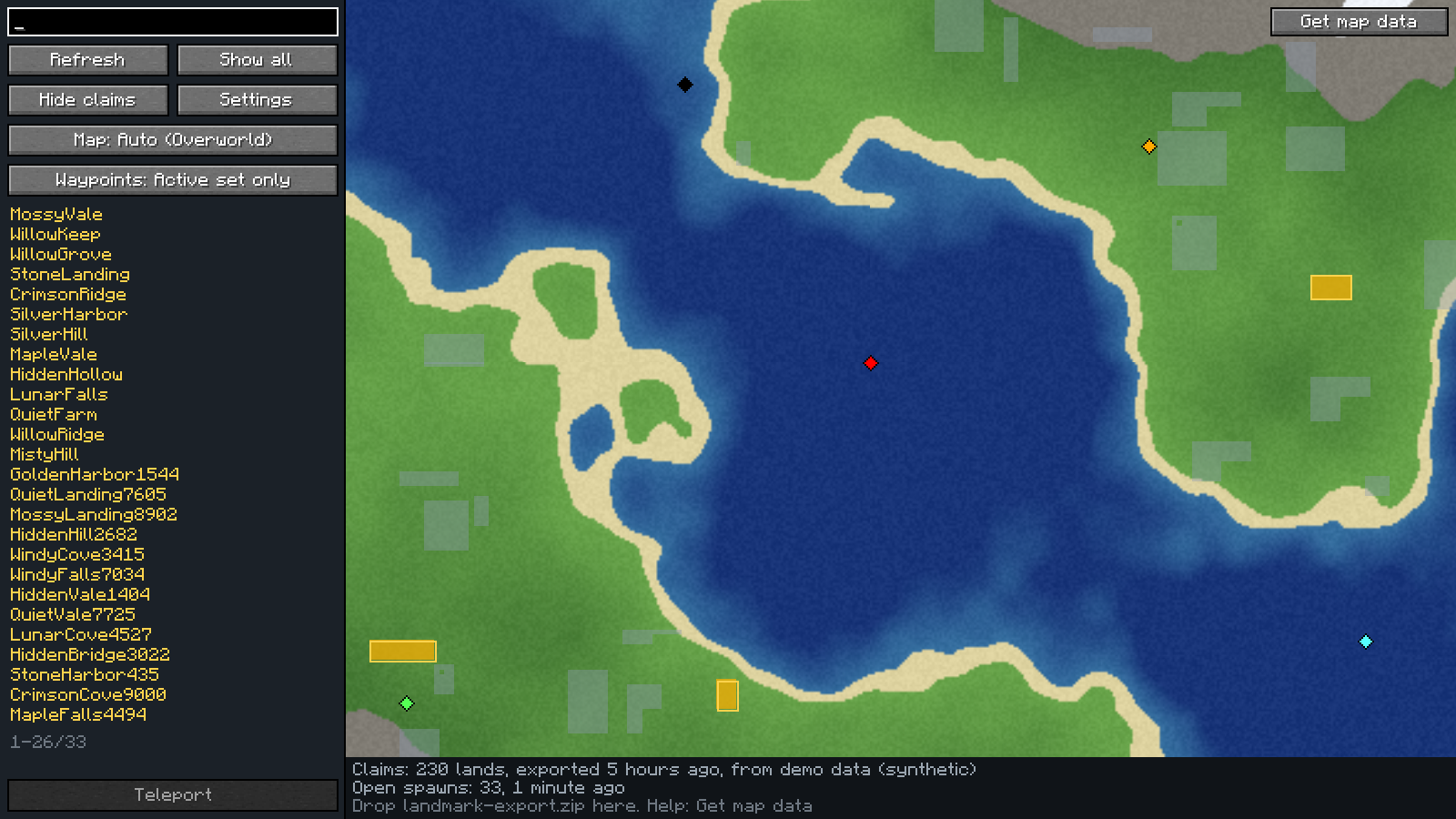
The screenshots on this page use synthetic data (fake lands, fake owners, generated terrain), made with
tools/make-demo-zip.js. They contain nothing from any real server.
What it does
- A full-screen map you can pan and zoom, with a marker for yourself.
- Claims drawn over a zoomed-out terrain background. Lands with an open spawn are amber and outlined; the hovered and selected lands get their own outline.
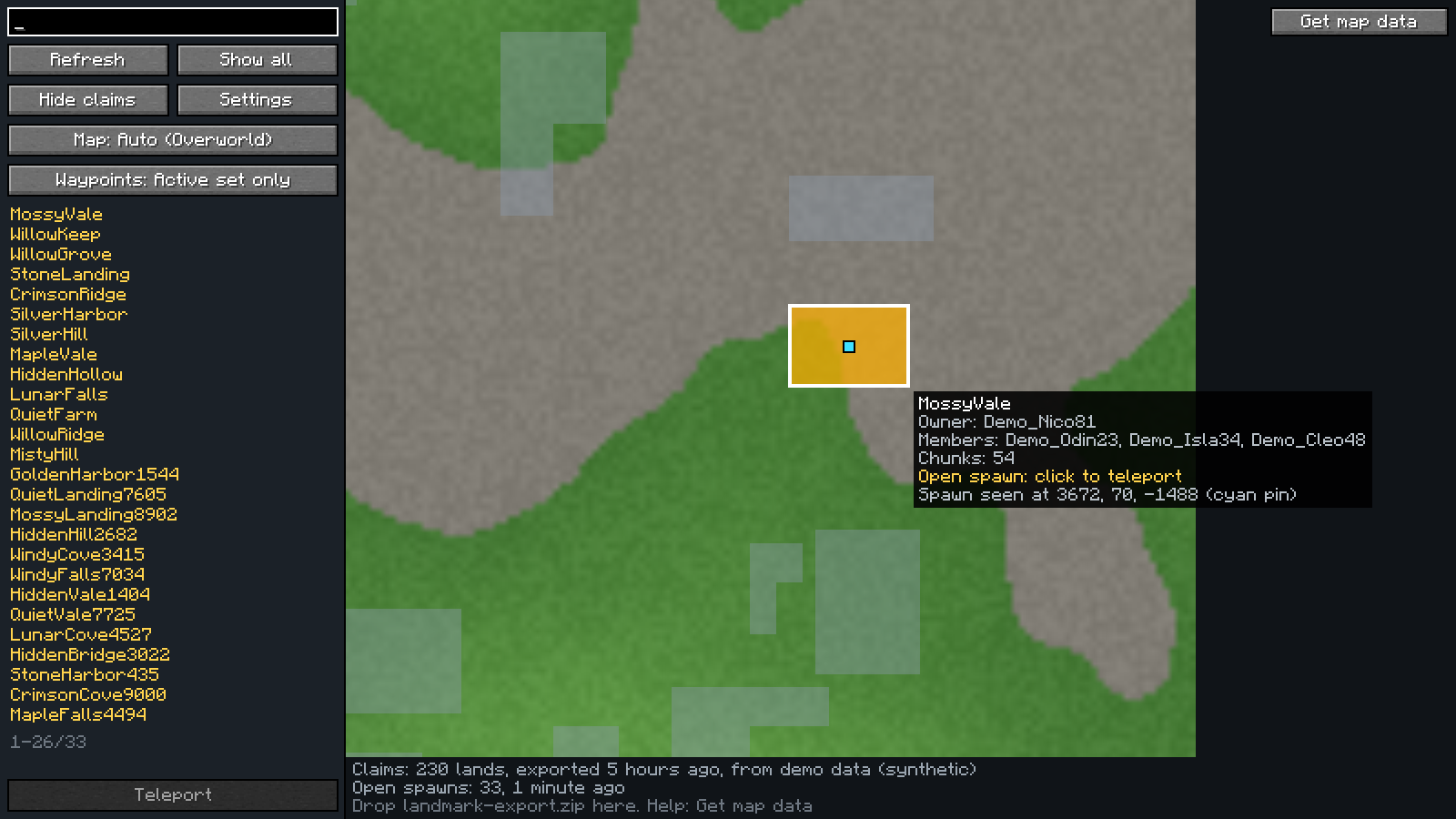
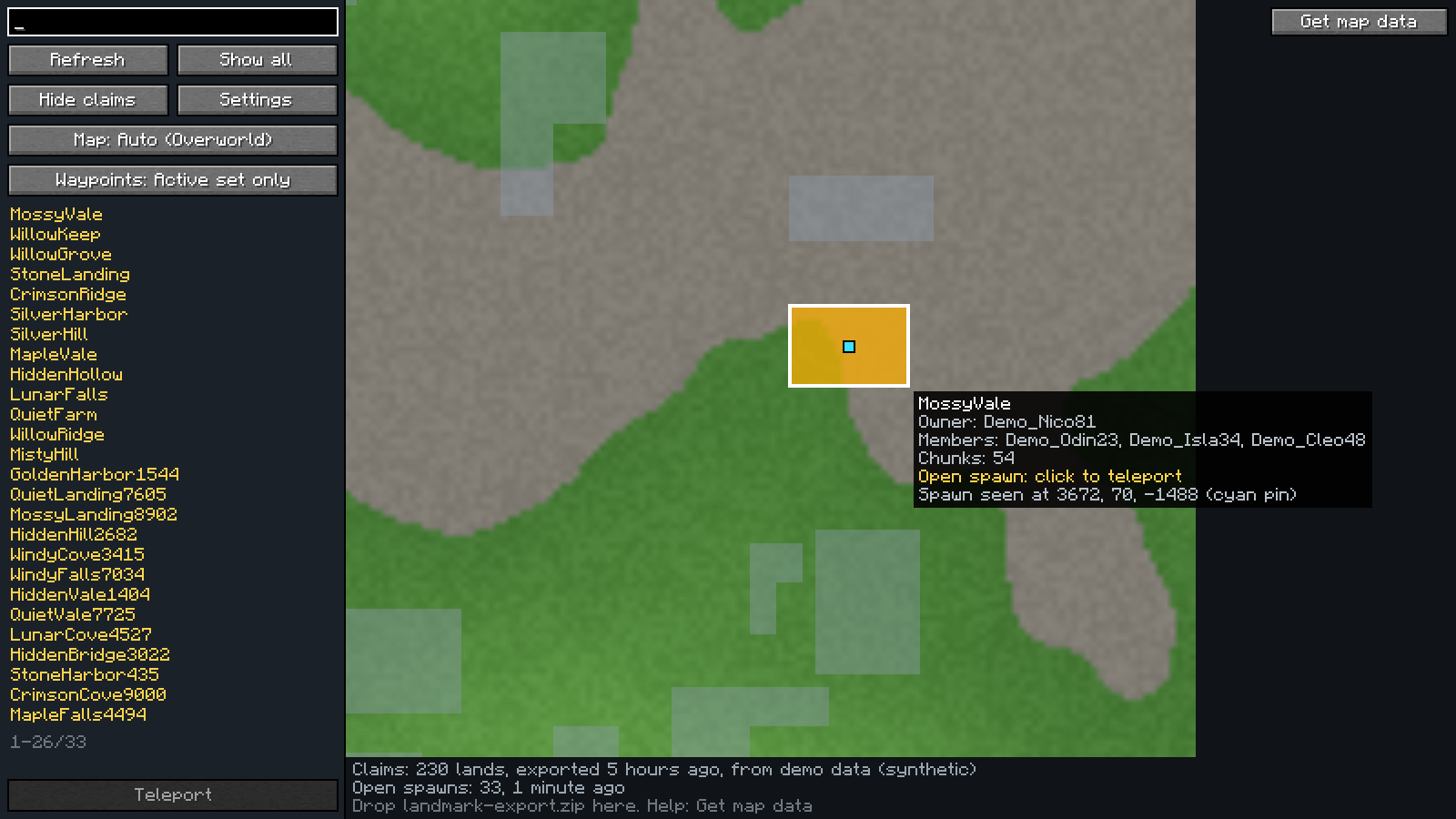
- Hover a land for its owner, members, size and whether it has an open spawn.
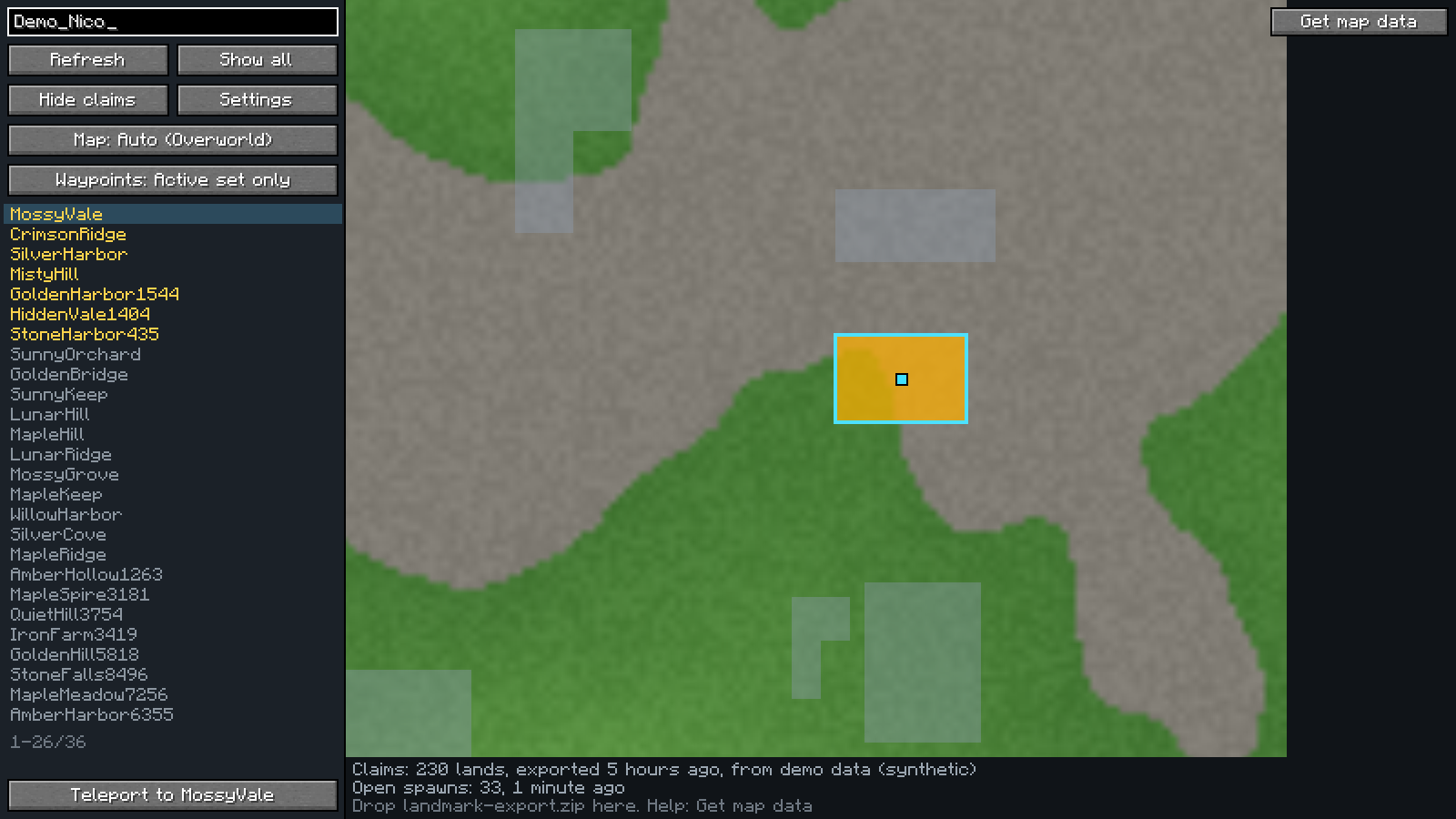
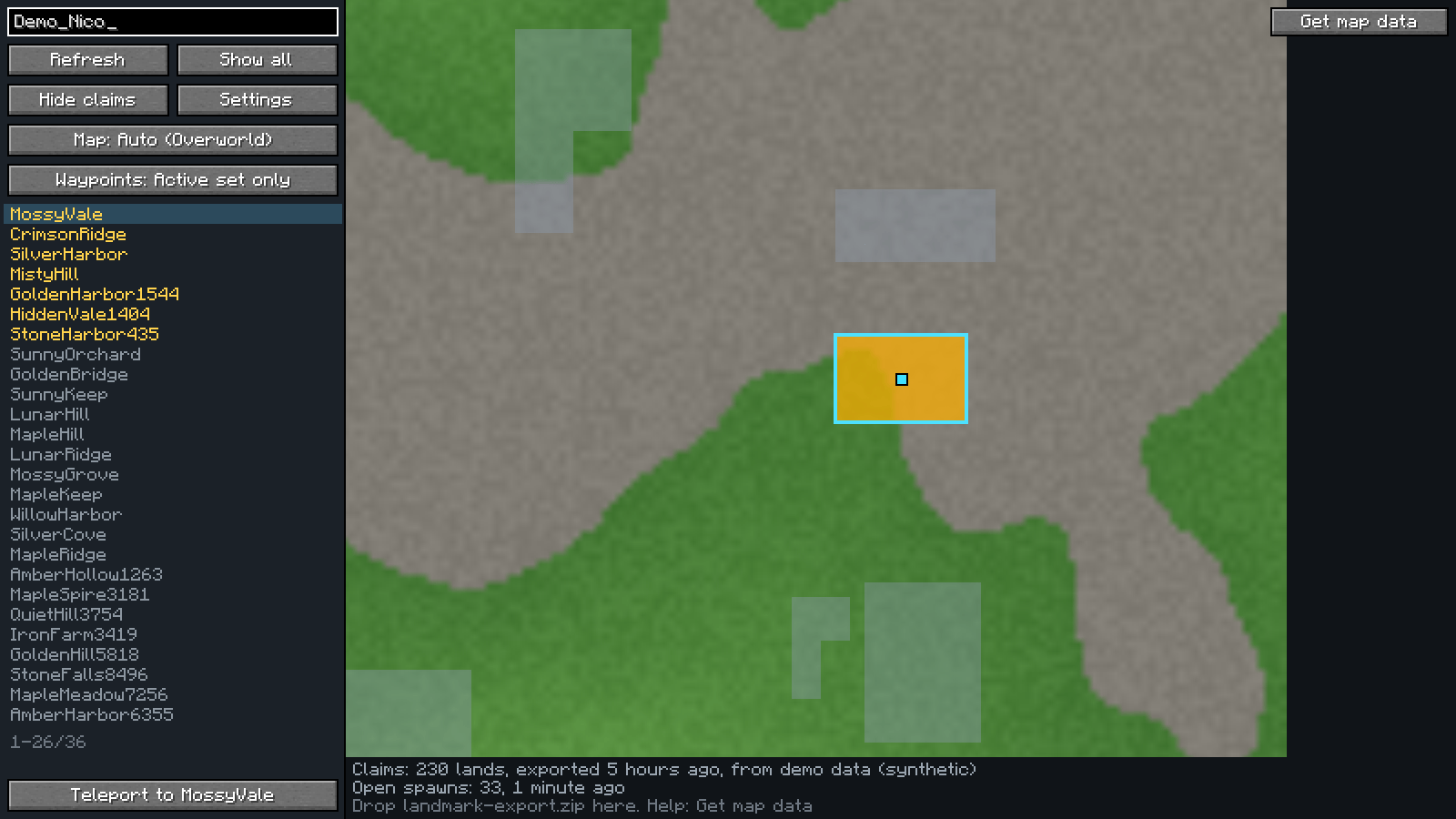
- Search by land name, owner or member. Press Refresh to re-request the live open-spawn list.
- Click an amber land (or select one in the list and press Teleport), confirm, and you are on your way.
- Dimension button cycles Auto (follows the dimension you are in), Overworld, Nether, The End, so you can view a dimension you are not in.
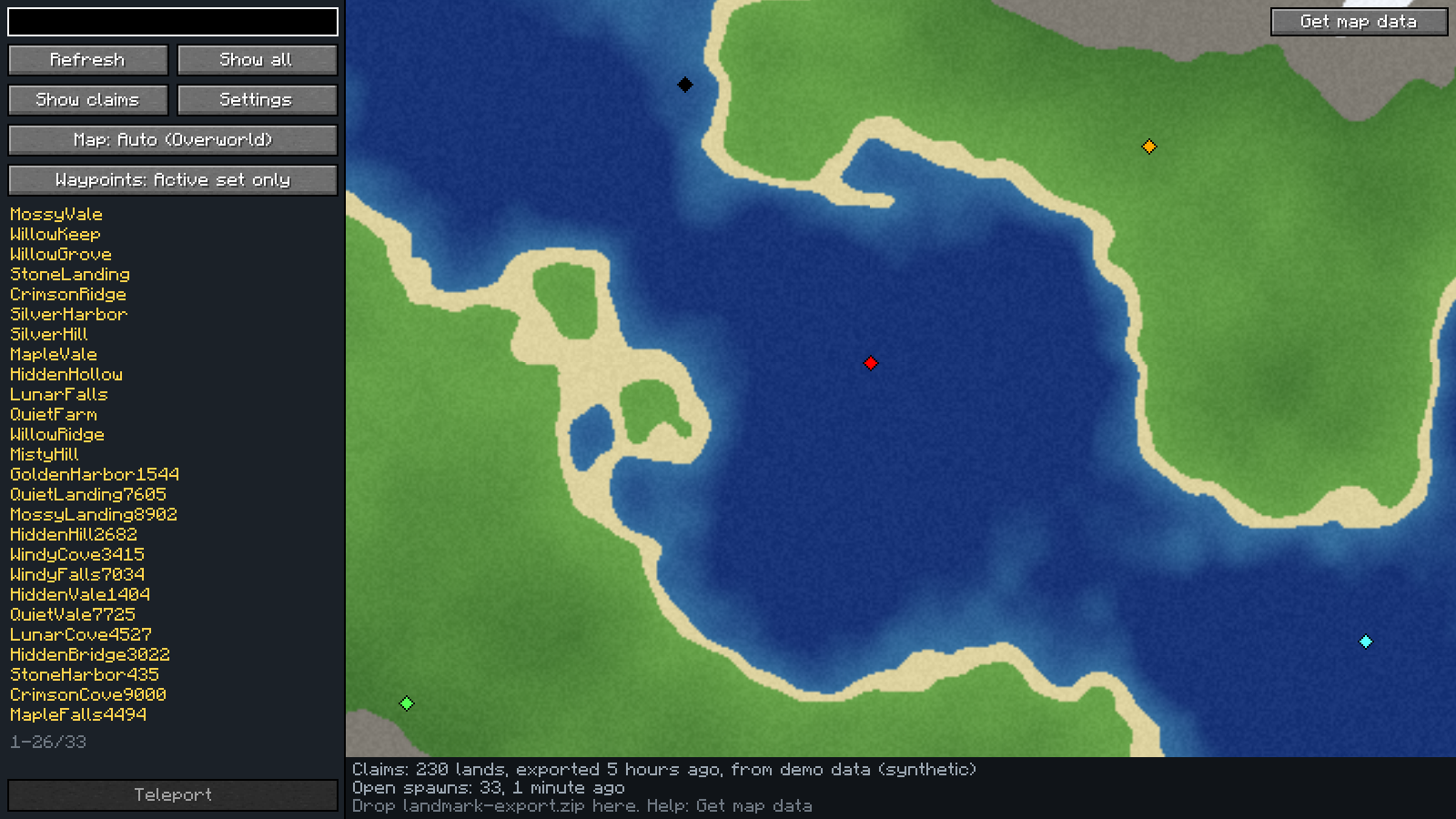
- Hide claims (button in the side panel) shows the bare terrain; it hides the claims and their spawn pins, and brings both back when you click it again.
- After you teleport, the mod remembers where you arrived and shows a cyan pin there, even for lands newer than your map data. Turn that off in Settings and the pins are hidden (and you can delete all of them there).
- Waypoints you made in Xaero's Minimap or JourneyMap show up as small diamonds in their own colour (hover for the name and position). On by default and optional; see below.
- It always tells you where its data comes from and how old it is.
Install
You need Fabric Loader and Fabric API for your Minecraft
version. Download the jar for your version from the releases page
and put it in your mods folder. It only loads on the client; nothing is needed on the server.
Each release has one jar per range of Minecraft versions. The Minecraft version is in the file name:
landmark-<version>+mc<first>-<last>.jar.
| Jar | Minecraft | Java | Fabric Loader | Fabric API |
|---|---|---|---|---|
…+mc1.21-1.21.1.jar |
1.21, 1.21.1 | 21 or newer | 0.15.11 or newer | any |
…+mc1.21.2-1.21.4.jar |
1.21.2, 1.21.3, 1.21.4 | 21 or newer | 0.16.9 or newer | any |
…+mc1.21.5.jar |
1.21.5 | 21 or newer | 0.16.10 or newer | any |
…+mc1.21.6-1.21.8.jar |
1.21.6, 1.21.7, 1.21.8 | 21 or newer | 0.16.13 or newer | any |
…+mc1.21.9-1.21.10.jar |
1.21.9, 1.21.10 | 21 or newer | 0.17.2 or newer | any |
…+mc1.21.11.jar |
1.21.11 | 21 or newer | 0.17.3 or newer | any |
…+mc26.1-26.1.2.jar |
26.1, 26.1.1, 26.1.2 | 25 or newer | 0.18.4 or newer | any |
…+mc26.2.jar |
26.2 | 25 or newer | 0.19.2 or newer | any |
- Use one Landmark jar. If you update Minecraft, replace the jar with the one for the new version, and delete the old one.
- Newer Fabric Loader and Fabric API versions are fine. The loader numbers are what Fabric API and the matching Mod Menu need, so a Mod Menu you have installed will not disagree with Landmark.
- Mod Menu, JourneyMap and Xaero's Minimap are optional.
- Snapshots, pre-releases and other mod loaders are not supported.
Getting the map data
The server's own command suggestions give the mod the list of open spawns live, with no setup. The claim shapes, names and terrain background come from the server's web map, which a program cannot read directly (it sits behind a browser check), so you export it once from your own browser:
- In the mod, open the map and press Get map data. It walks you through the steps and has buttons to open the web map and to copy the export script.
- Run the script in the browser console on the map page. It saves
landmark-export.zip. - Drag the zip onto the Minecraft window. You can do this right on the help page; there is no need to go back to the map
first. The data is stored in your game folder (
landmark/) and reused next time.
The copied script uses the export quality you chose in the settings (see below).
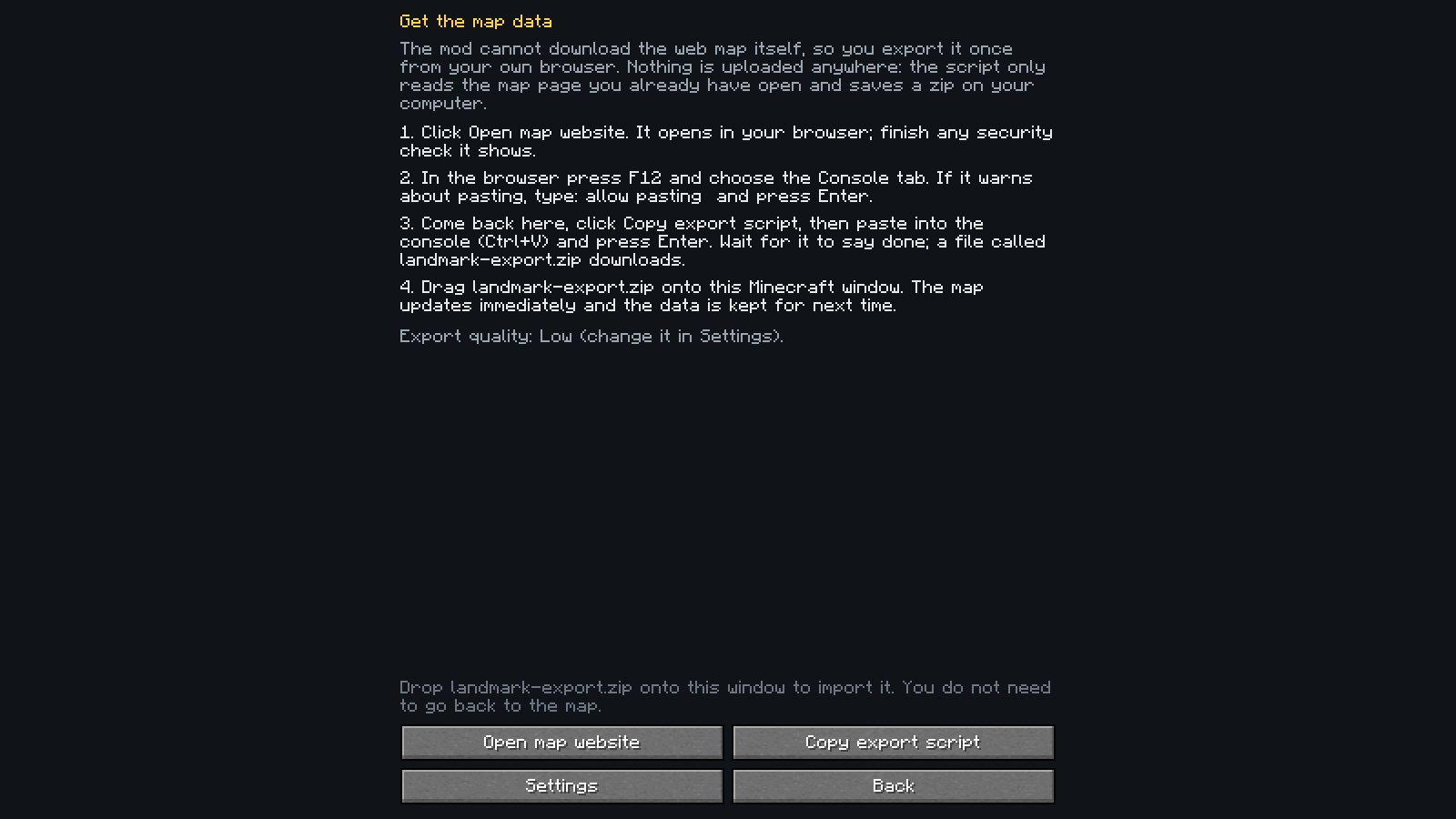
The script only reads the page you have open and saves a file on your computer. Nothing is uploaded, and the mod needs no account, key or token. Re-export now and then if the claims on the server have changed; the map shows how old its data is.
What works without what
| You have | You get |
|---|---|
| Nothing | A clear message, and you can still type an exact land name and teleport |
| The live open-spawn list (always available on the server) | A searchable list of open-spawn lands |
| Plus an imported export | The full map: claims, owners, highlights, terrain |
| Plus your own teleports | Cyan pins at spawn points the mod saw you arrive at, even for lands newer than your export |
Teleporting never depends on map or claim data. Claims are stored per dimension; only the overworld has data today, and nothing is drawn in a dimension without data.
Settings
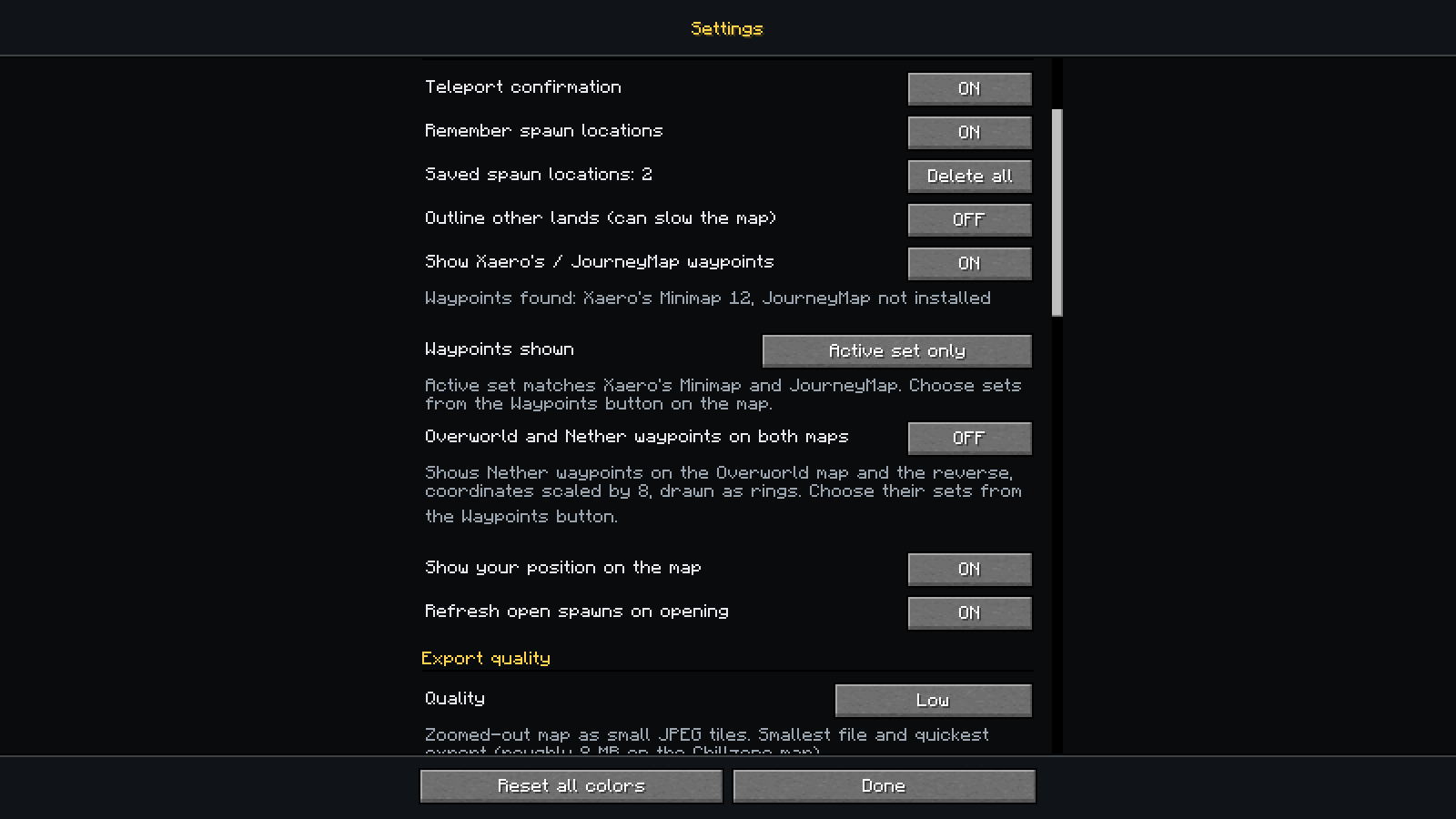
Open them with the Settings button on the map, or from the mod's entry in Mod Menu if you have it (it is optional). Everything applies immediately.
Keybinds. Click the key, press the new one (Esc cancels); if the key is already used the mod asks before binding it. It is the same setting as in Options > Controls, so it changes in both places.
Features. Teleport confirmation, remembering spawn locations after you teleport (with a count and a Delete all button), showing Xaero's / JourneyMap waypoints, showing your own position on the map, refreshing the open-spawn list when the map opens, and an optional outline around every non-open land. That outline is off by default because with thousands of lands it can slow the map down (it cost about 3-6 ms per frame at some zoom levels on the real map, against under 1.5 ms without it); its colour is editable once you turn it on.
Export quality. Decides what the copied export script fetches:
Preset Map detail Tile format Roughly, on the Chillzone map Low (default) zoomed out small JPEG 8 MB Medium zoomed out full-quality PNG 50 MB High 2x the detail full-quality PNG 170 MB Ultra 4x the detail full-quality PNG 300 MB or more Higher quality means larger file sizes on disk and longer export times. Only the tile detail and format change; the claims are identical in every preset. The mod picks the preset's values when it copies the script, so change it before copying.
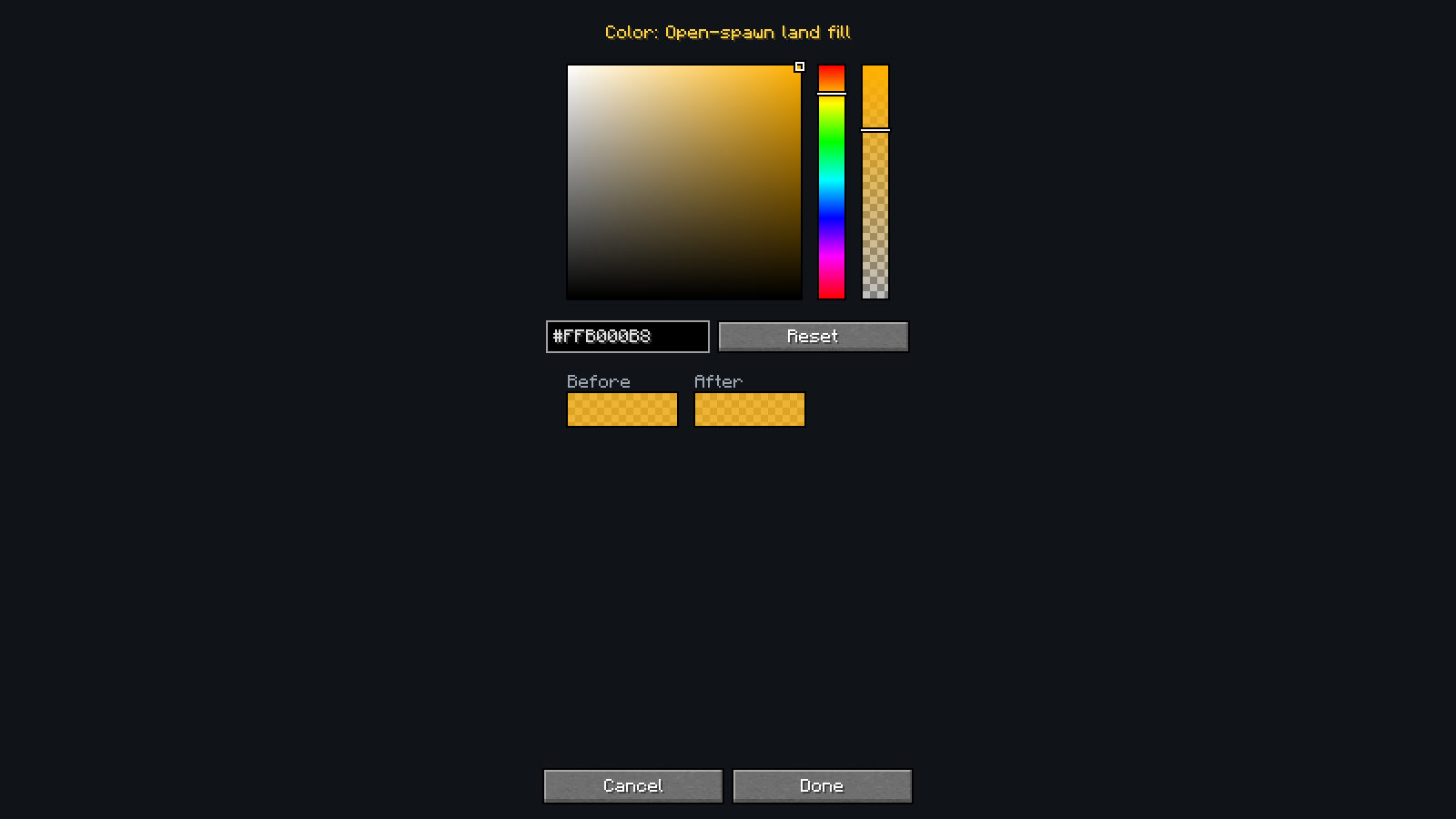
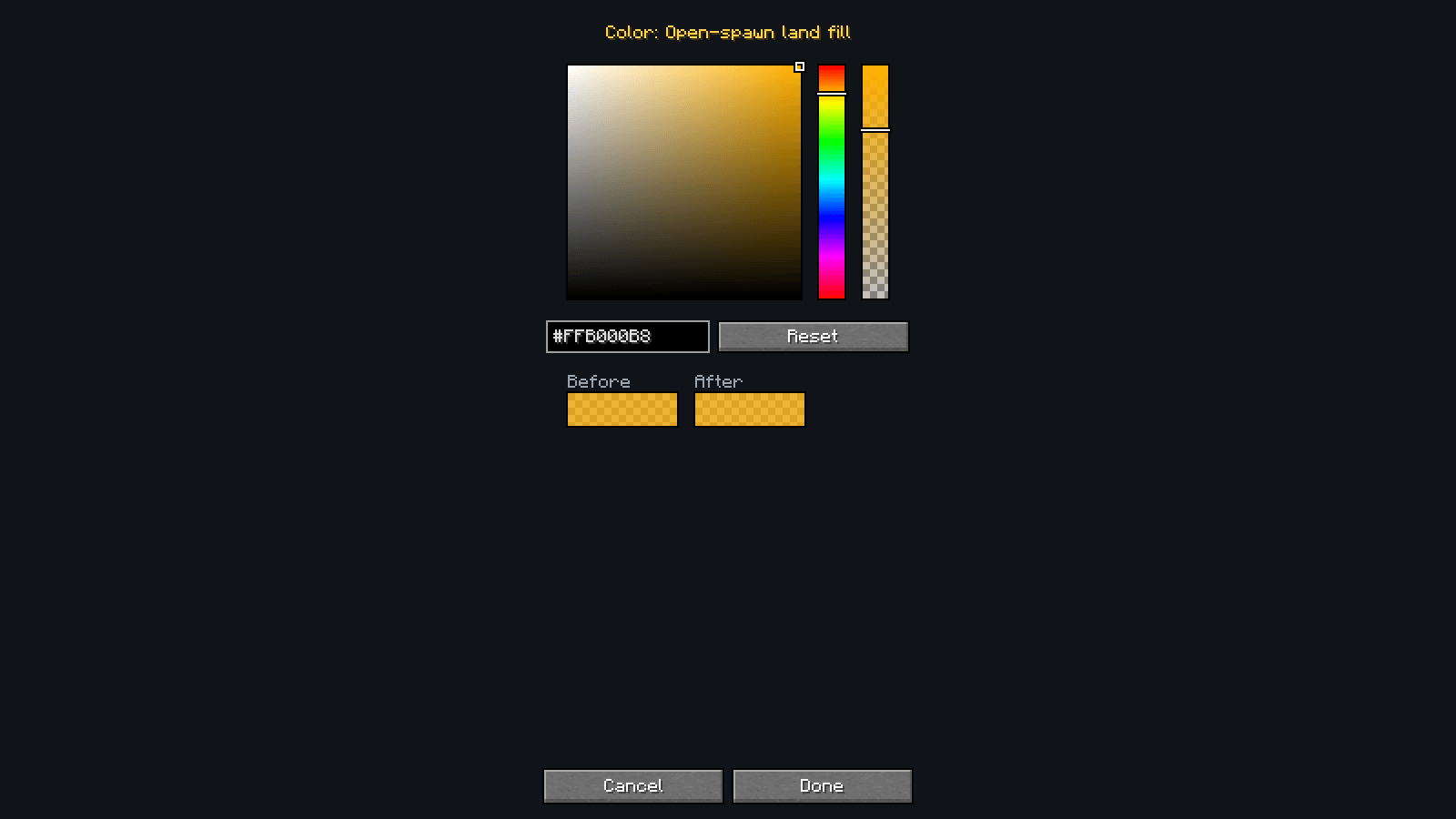
Colors. Every color the mod draws with: a picker plus a hex box that always match (
#RRGGBB, or#RRGGBBAAfor colors with opacity), a Reset for each color, and a Reset all.
config/landmark.json holds the same settings (created on first save):
| Key | Default | Meaning |
|---|---|---|
confirmTeleport |
true |
Ask before running /lands spawn |
saveSpawns |
true |
Remember where you arrive after a teleport and show a pin there |
showExternalWaypoints |
true |
Show waypoints from Xaero's Minimap and JourneyMap |
waypointSets |
active |
active (only the set or group the other mod shows), all, or pick (everything except hiddenWaypointSets) |
hiddenWaypointSets |
[] |
Sets switched off in pick mode, as xaero:<dimension>:<set> or journeymap:<group> |
crossDimensionWaypoints |
false |
Also show Nether waypoints on the Overworld map and Overworld ones on the Nether map, coordinates scaled by 8 |
showPlayerMarker |
true |
Show your own position on the map |
outlineOtherLands |
false |
Outline lands that are not open-spawn (can slow the map down) |
refreshOnOpen |
true |
Request the open-spawn list when the map opens |
viewDimension |
"" |
The dimension the map is pinned to (minecraft:overworld, minecraft:the_nether, minecraft:the_end); empty follows the dimension you are in. Set by the dimension button |
exportQuality |
low |
low, medium, high or ultra (see above) |
colors |
{} |
Colors you changed, by name, as hex; anything not listed uses its default |
mapUrl |
https://map.chillzone.cc/ |
The web map the help screen opens (https only) |
tileCacheSize |
48 |
Detail map tiles kept in memory (8 to 512; grows to fit what is on screen) |
Waypoints from Xaero's Minimap and JourneyMap
If you use either mod, the waypoints you made there appear on Landmark's map. Nothing to set up:
JourneyMap is read through JourneyMap's own plugin API, so it needs no files and works with the version you have. (On exactly Minecraft 1.21, JourneyMap's only build does not call plugins, so its waypoints are not shown there; 1.21.1 and newer are fine.)
Xaero's Minimap has no API, so Landmark reads its waypoint files from your game folder (
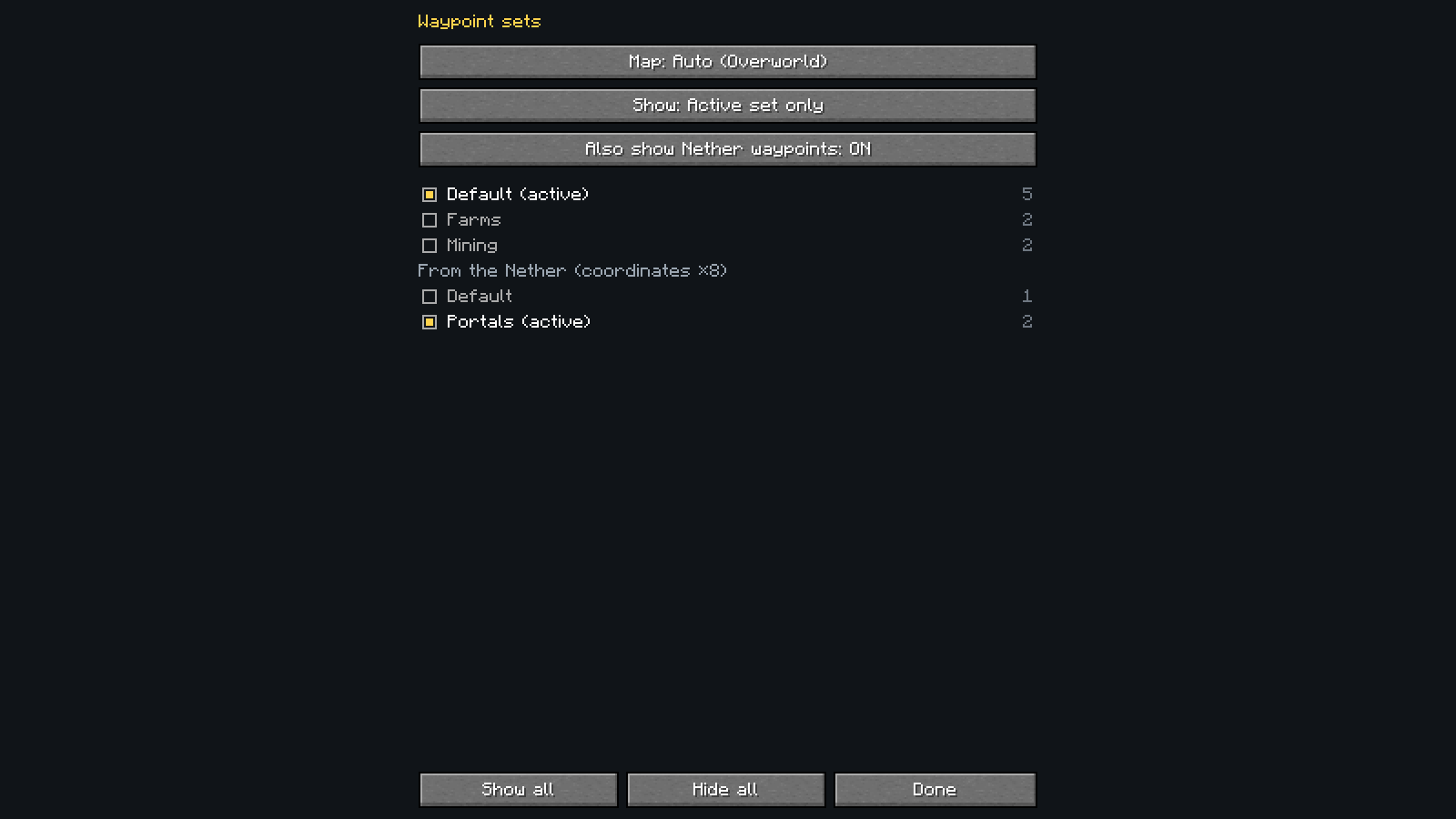
xaero/minimap/Multiplayer_<server>/). Only the folder for the server you are connected to is read, and only waypoints that are switched on in Xaero's. The server folder is matched by address, so if you joined with an unusual address and no waypoints appear, that is the first thing to check.Sets and groups. By default only the set Xaero's is showing (its active set, per dimension) or the JourneyMap groups that are switched on are drawn, as in those mods. The Waypoints button in the side panel (shown when a waypoint mod has waypoints) opens the sets that have waypoints in the dimension you are viewing, with counts: tick the ones you want, or choose All sets. It has the same Auto / Overworld / Nether / The End button as the map (one shared setting), so you can look through the sets of any dimension. The same choice is in Settings.
Other dimensions (off by default). Turn on Overworld and Nether waypoints on both maps (Settings, or the "Also show Nether waypoints" button on the sets screen) to see Nether waypoints on the Overworld map and the reverse, with coordinates scaled by 8. They are drawn as rings, and the tooltip gives their real position. Their sets are listed on the sets screen under their own heading ("From The Nether"), separate from the viewed dimension's sets, so same-named sets never mix. The End and modded dimensions are not converted.
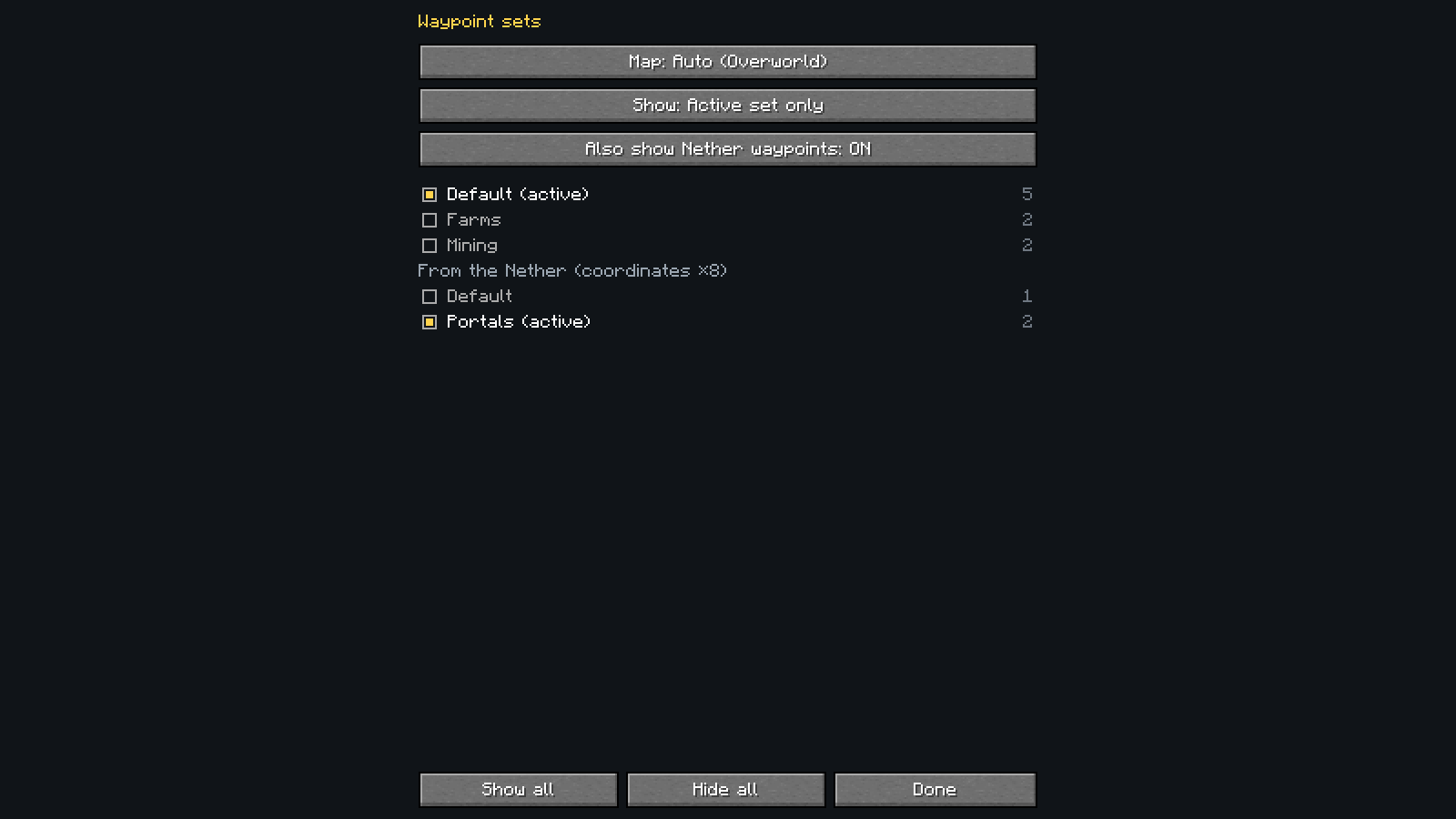
Waypoints stay visible when you hide claims, because they are not claims. Colours come from the other mod. Settings shows how many were found from each source, and you can turn the whole thing off there.
Both are read-only: Landmark never changes or uploads your waypoints. Neither mod is required, and none of their code is included in Landmark.
Privacy
Everything stays on your computer: imported data (landmark/ in the game folder), learned spawn points
(landmark/learned-spawns.json) and settings. Your Xaero's / JourneyMap waypoints are only read, never changed or sent anywhere. The mod makes no network requests of its own. The only thing it sends to the
server is the /lands spawn command you confirm, plus the same suggestion request the chat box makes when you type
/lands spawn.
About this project
Landmark was written with the help of Claude Code, an AI coding assistant, and is tested and reviewed by its maintainer. The unit tests, the CI build, and checks against a real game client are what the code is verified by.
Links
- Source and issue tracker: https://github.com/TrojanHorsePower/Landmark
- All releases and jars: https://github.com/TrojanHorsePower/Landmark/releases
- Changelog: https://github.com/TrojanHorsePower/Landmark/blob/main/CHANGELOG.md
- Wiki: https://github.com/TrojanHorsePower/Landmark/wiki
- Website: https://trojanhorsepower.github.io/Landmark/
License
MIT. Not affiliated with or endorsed by Chillzone or the Lands plugin; no game assets, server data or third-party code is bundled.
Screenshots
Gallery
-
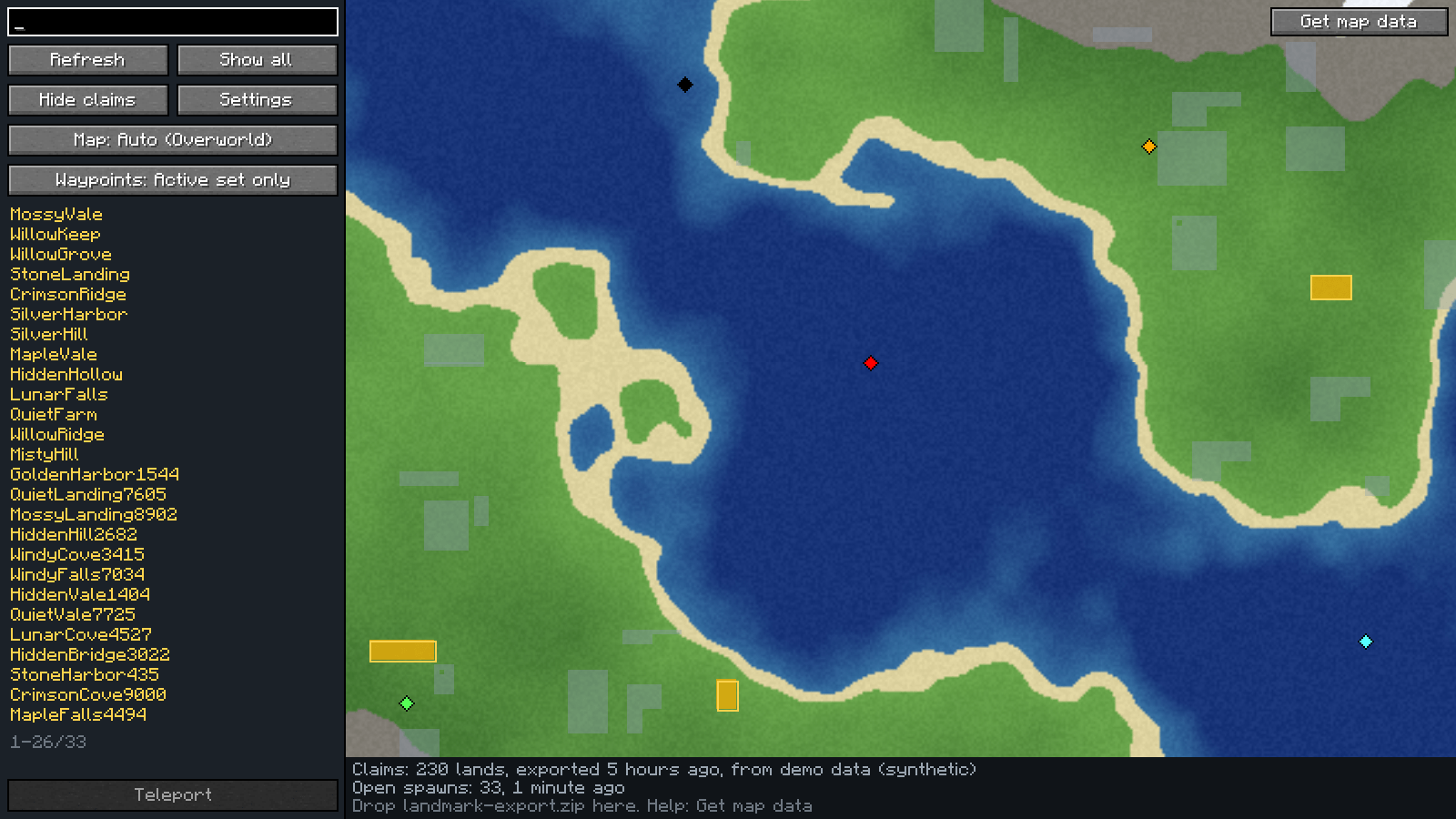 image-attachment_1ebb1092-dbd8-4eb7-8ec3-4719a4745fae.png
 -
 search.png search.png
 -
 tooltip.png tooltip.png
 -
 waypoint-sets.png waypoint-sets.png
 -
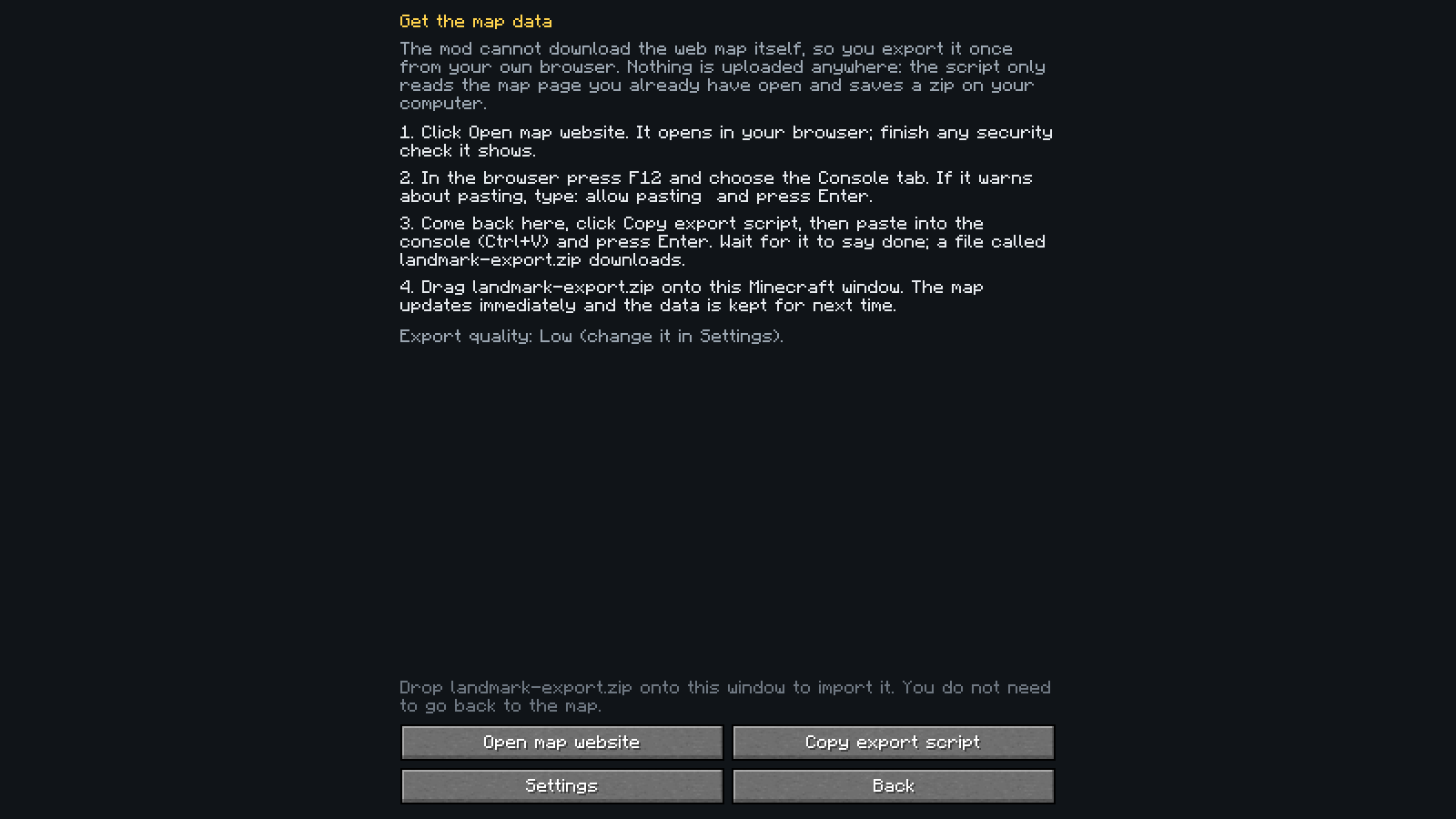 image-attachment_520f8850-40c4-46a5-8e1f-bc1437a17320.png
 -
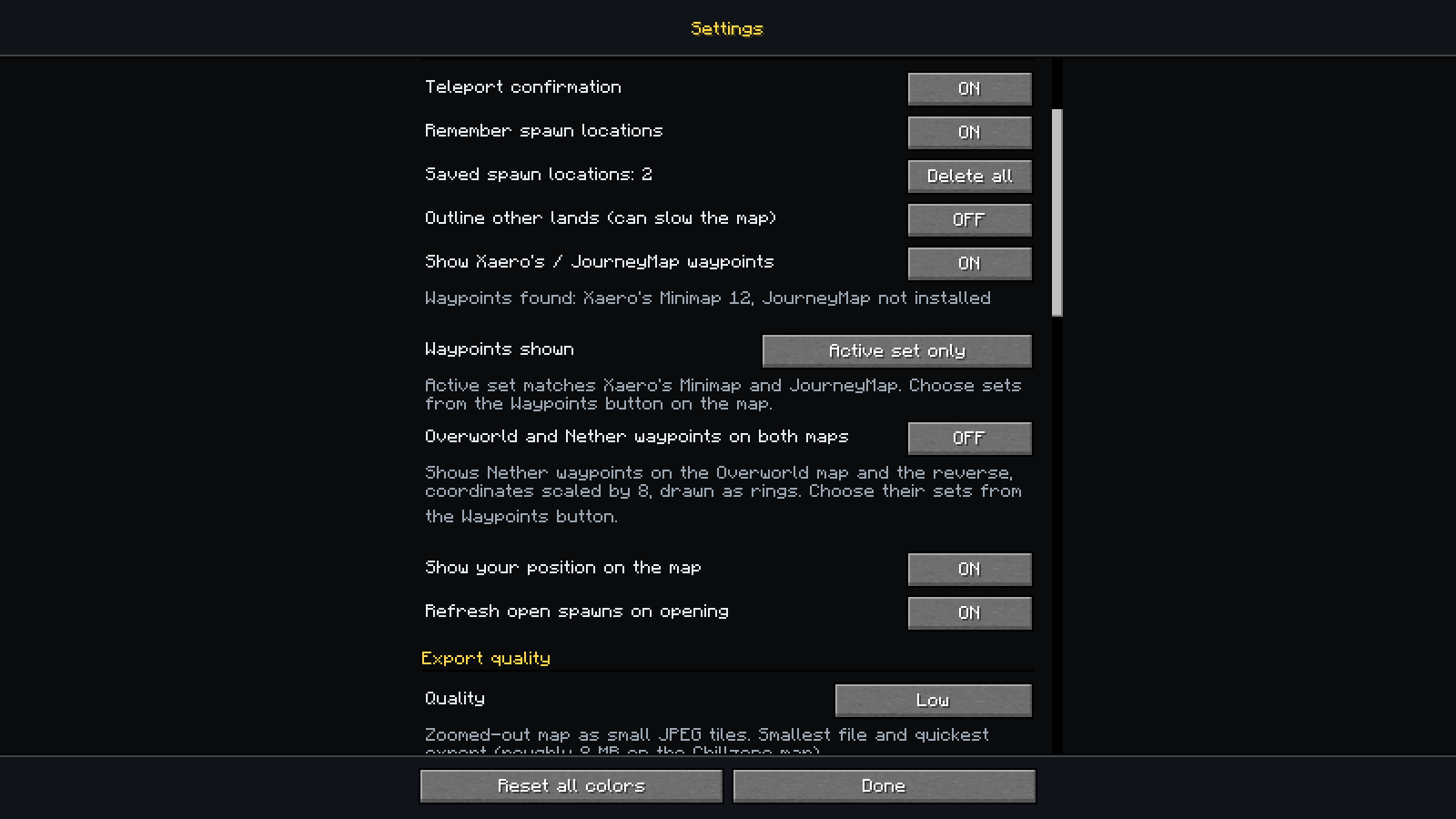 image-attachment_004b5394-a129-4670-afef-050e406c9e88.png
 -
 picker.png picker.png
Versions
Files
Relations
Project Relations
More like this
Similar Mods
Suggestions use data such as tags, dependencies, dependents, descriptions, titles, and more to rank how much they overlap with this mod.
On ModDex
Community snapshot
By the numbers
Statistics

Get it on
Available Platforms
On ModDex
Community snapshot
By the numbers