
Community listing page, reviews here may not be monitored by the author.
Lazy Recipes Editor


No reviews yet
Helps modpack and server makers to create, edit and disable crafting recipes in-game using a fancy custom GUI, without writing JSON files manually!
Community voices
Reviews
No reviews yet. Be the first to review this project!
Get it on
Available Platforms
Compatibility
Supported Environments
Works in singleplayer only; does not function in multiplayer.
About
Project Details
For authors
Embed Badge
If you're the author of this project, you can embed a live badge anywhere that supports HTML or Markdown. It updates automatically whenever ratings change.
Use HTML for any page that supports it, or Markdown for README files and Markdown-based descriptions.
Identifiers
Platform IDs
About
Description
Lazy Recipes Editor
A mod that allows modpack and server makers to create, edit and disable crafting recipes in-game, without writing JSON files manually, using a fancy custom GUI. This mod uses the classical datapack tree structure to store recipes.
Join Us on Discord
Recipe Creation
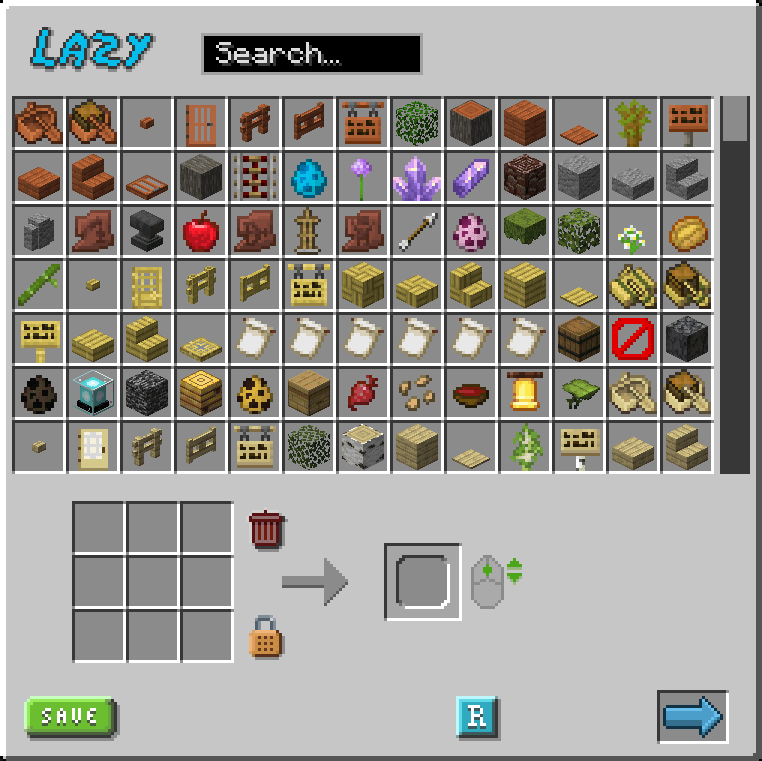
- Visual Crafting Grid: Drag and drop items to create recipes
- Item Search: Quick search through all available items and modids
- Recipes shape: Toggle between shaped and shapeless recipes
- Output Control: Set custom output amounts using mouse wheel
- Tag Support: Item tags supported as recipes ingredients! (shift + click on a crafting grid slot)
Recipe Management
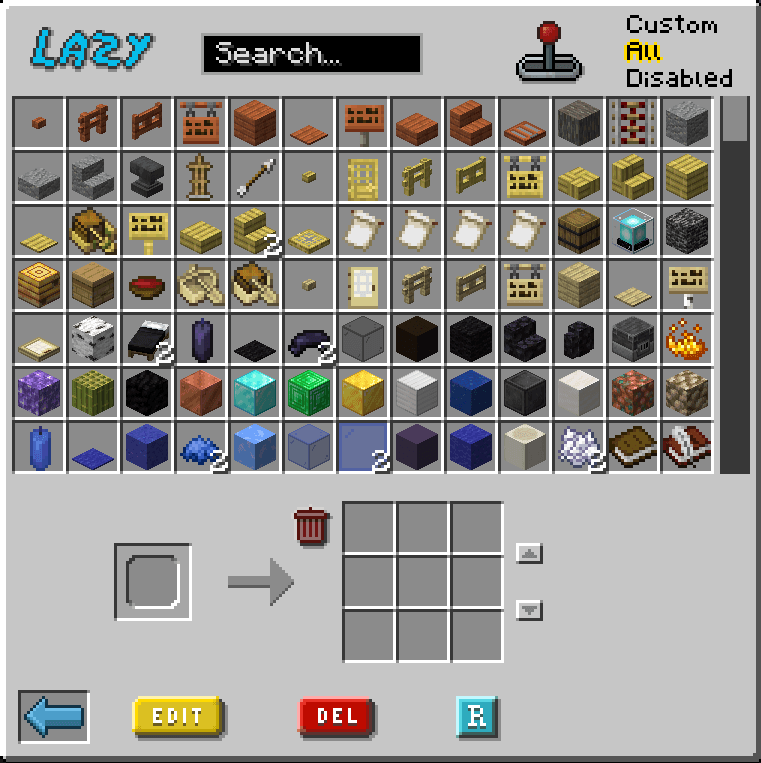
- Edit Recipes: Edit existing recipes both vanilla or custom
- Delete Recipes: Delete custom recipes or disable vanilla ones
- Readd Recipes: Readd deleted recipes
- Easy Reload: Reload datapacks pressing a button to see your changes applied (requires OP)
- Success Notifications: Visual feedback when action are actually applied
How to Use
- Press
Kin-game to open the recipe editor - Search for items or scroll through the list
- Drag items to the crafting grid
- Set output item and quantity (mouse wheel)
- Click the reload button to apply changes
Let Tooltips guide you through the interface
Please Note:
- Reloading is necessary for changes to take effect. Despite not necessary, it's reccomended to reload frequently. If you find yourself having issues, most of the time the solution is to press the reload button and reopen the GUI.
- Custom resource packs that heavily change GUIs could create minor graphic issues.
- Recipes are saved in the Datapack folder under
datapack/lazyrecipeseditor/ - Custom recipe saved will have
lazysuffix in their filename, to be handled properly
Leave a comment if you find any bug, encounter issues or simply you liked this mod!
Lazy Recipes Editor
A mod that allows modpack and server makers to create, edit and disable crafting recipes in-game, without writing JSON files manually, using a fancy custom GUI. This mod uses the classical datapack tree structure to store recipes.
Join Us on Discord
Recipe Creation
- Visual Crafting Grid: Drag and drop items to create recipes
- Item Search: Quick search through all available items and modids
- Recipes shape: Toggle between shaped and shapeless recipes
- Output Control: Set custom output amounts using mouse wheel
- Tag Support: Item tags supported as recipes ingredients! (shift + click on a crafting grid slot)
Recipe Management
- Edit Recipes: Edit existing recipes both vanilla or custom
- Delete Recipes: Delete custom recipes or disable vanilla ones
- Readd Recipes: Readd deleted recipes
- Easy Reload: Reload datapacks pressing a button to see your changes applied (requires OP)
- Success Notifications: Visual feedback when action are actually applied
How to Use
- Press
Kin-game to open the recipe editor - Search for items or scroll through the list
- Drag items to the crafting grid
- Set output item and quantity (mouse wheel)
- Click the reload button to apply changes
Let Tooltips guide you through the interface
Please Note:
- Reloading is necessary for changes to take effect. Despite not necessary, it's reccomended to reload frequently. If you find yourself having issues, most of the time the solution is to press the reload button and reopen the GUI.
- Custom resource packs that heavily change GUIs could create minor graphic issues.
- Recipes are saved in the Datapack folder under
datapack/lazyrecipeseditor/ - Custom recipe saved will have
lazysuffix in their filename, to be handled properly
Screenshots
Gallery
-
Creator GUI.png Creator GUI
-
Editor GUI.png Editor GUI.png
-
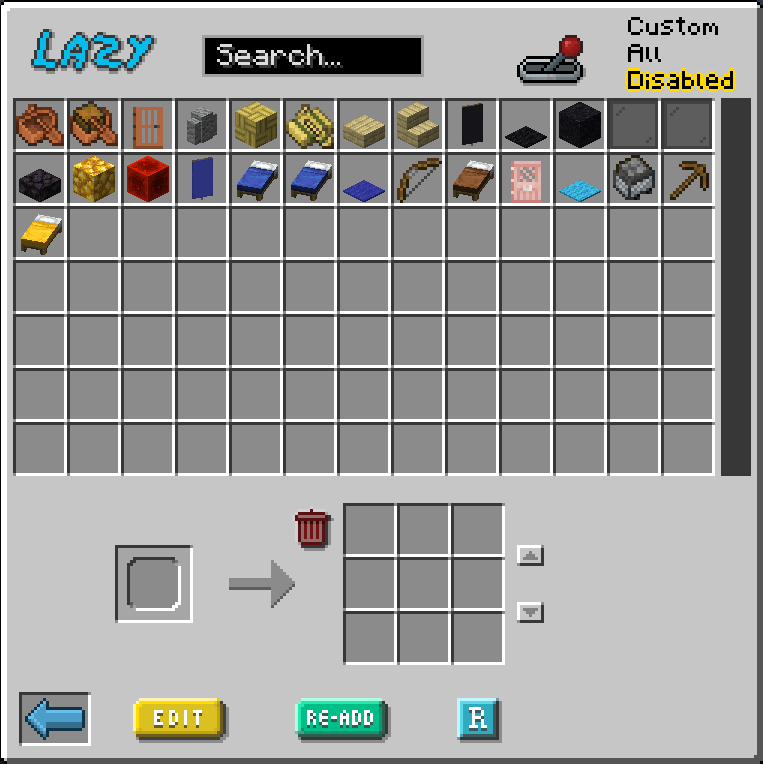 Disabled recipes tab Disabled recipes tab
-
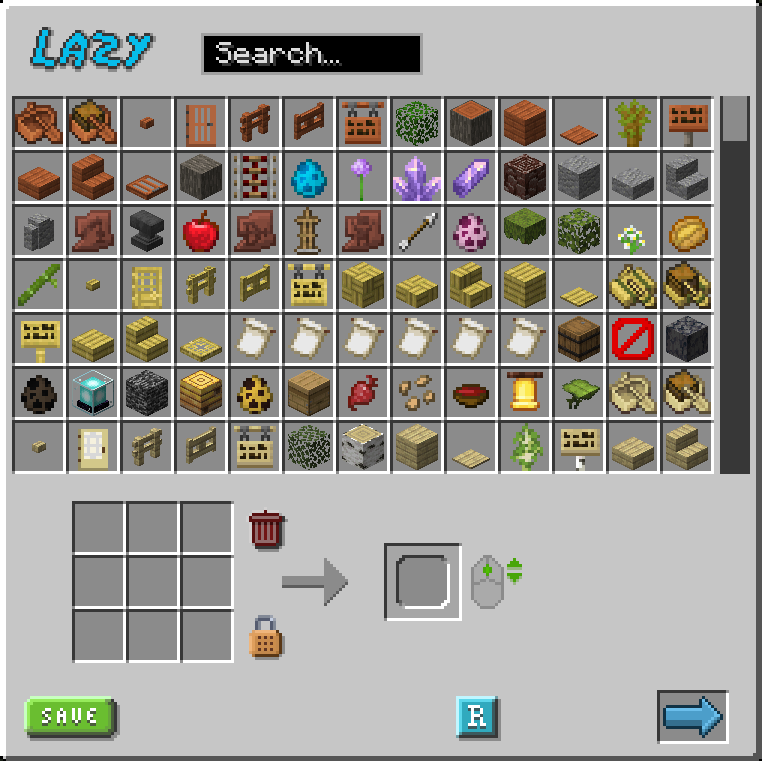 Creator GUI Creator GUI
 -
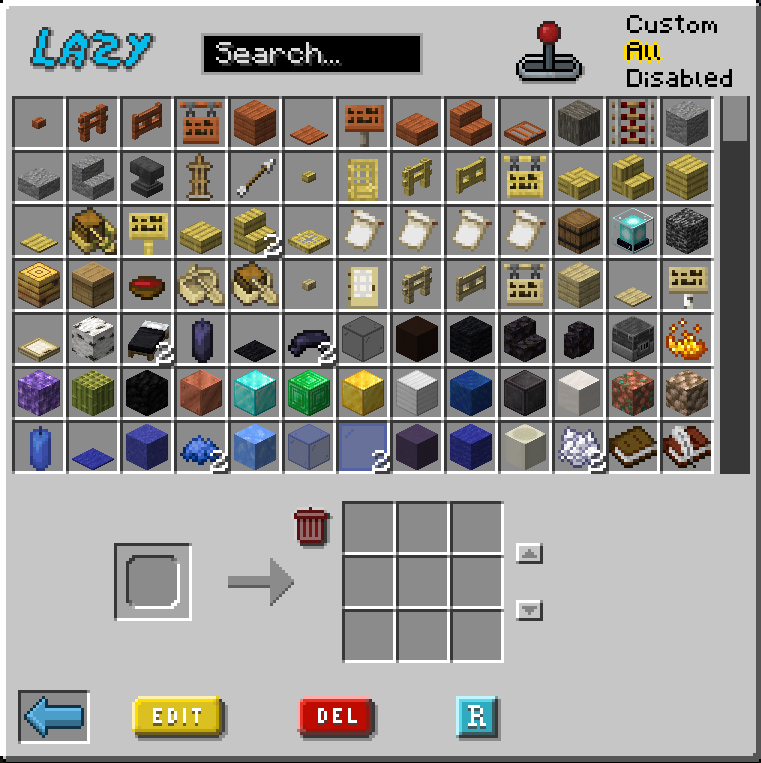 Editor GUI Editor GUI
 -
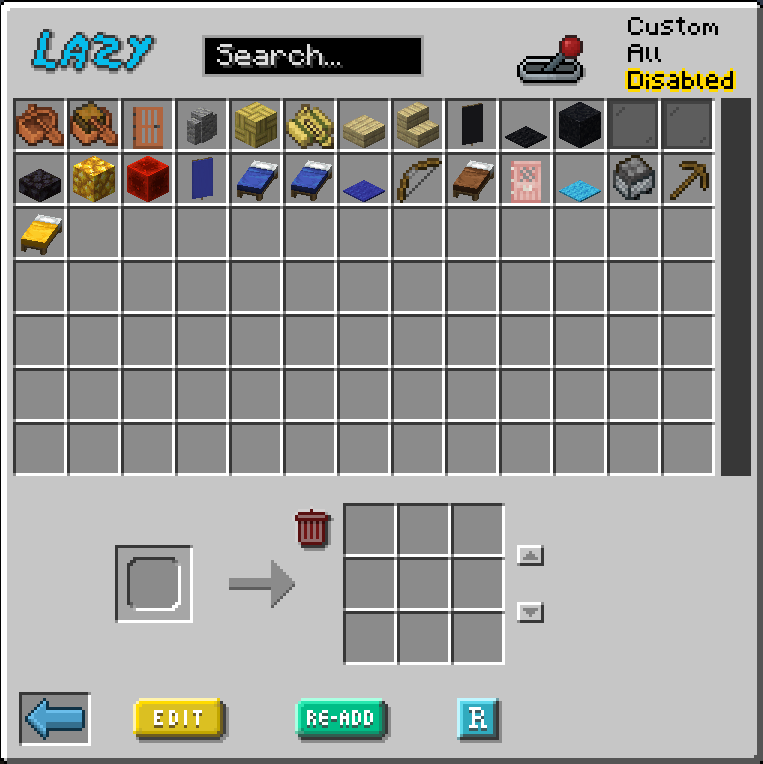 Disabled recipes tab Disabled recipes tab
Versions
Files
Relations
Project Relations
More like this
Similar Mods
Suggestions use data such as tags, dependencies, dependents, descriptions, titles, and more to rank how much they overlap with this mod.
On ModDex
Community snapshot
By the numbers
Statistics
Want to reach Minecraft players?
We're looking for a server hosting partner to feature here and other parts of the site. Interested? Send us a message!
Get in touchGet it on
Available Platforms
On ModDex
Community snapshot
By the numbers