
Community listing page, reviews here may not be monitored by the author.
Litematica Inventory Highlight


No reviews yet
A mod that makes it easier to visualize missing blocks when building schematics in Survival mode.
Community voices
Reviews
No reviews yet. Be the first to review this project!
Get it on
Available Platforms
Compatibility
Supported Environments
Runs entirely on the client. Works on vanilla servers.
About
Project Details
For authors
Embed Badge
If you're the author of this project, you can embed a live badge anywhere that supports HTML or Markdown. It updates automatically whenever ratings change.
Use HTML for any page that supports it, or Markdown for README files and Markdown-based descriptions.
Identifiers
Platform IDs
Resources
External Links
About
Description
Demonstration
ENG
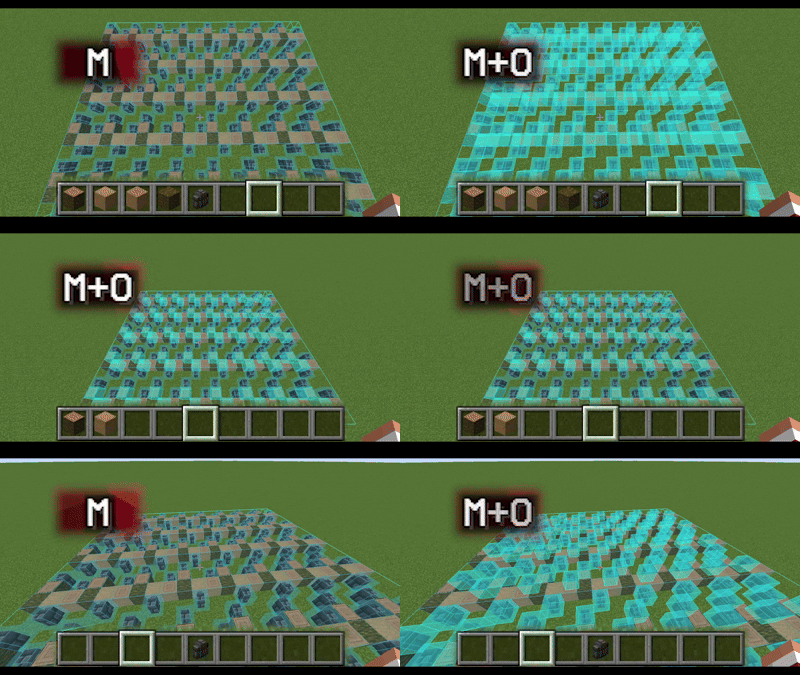
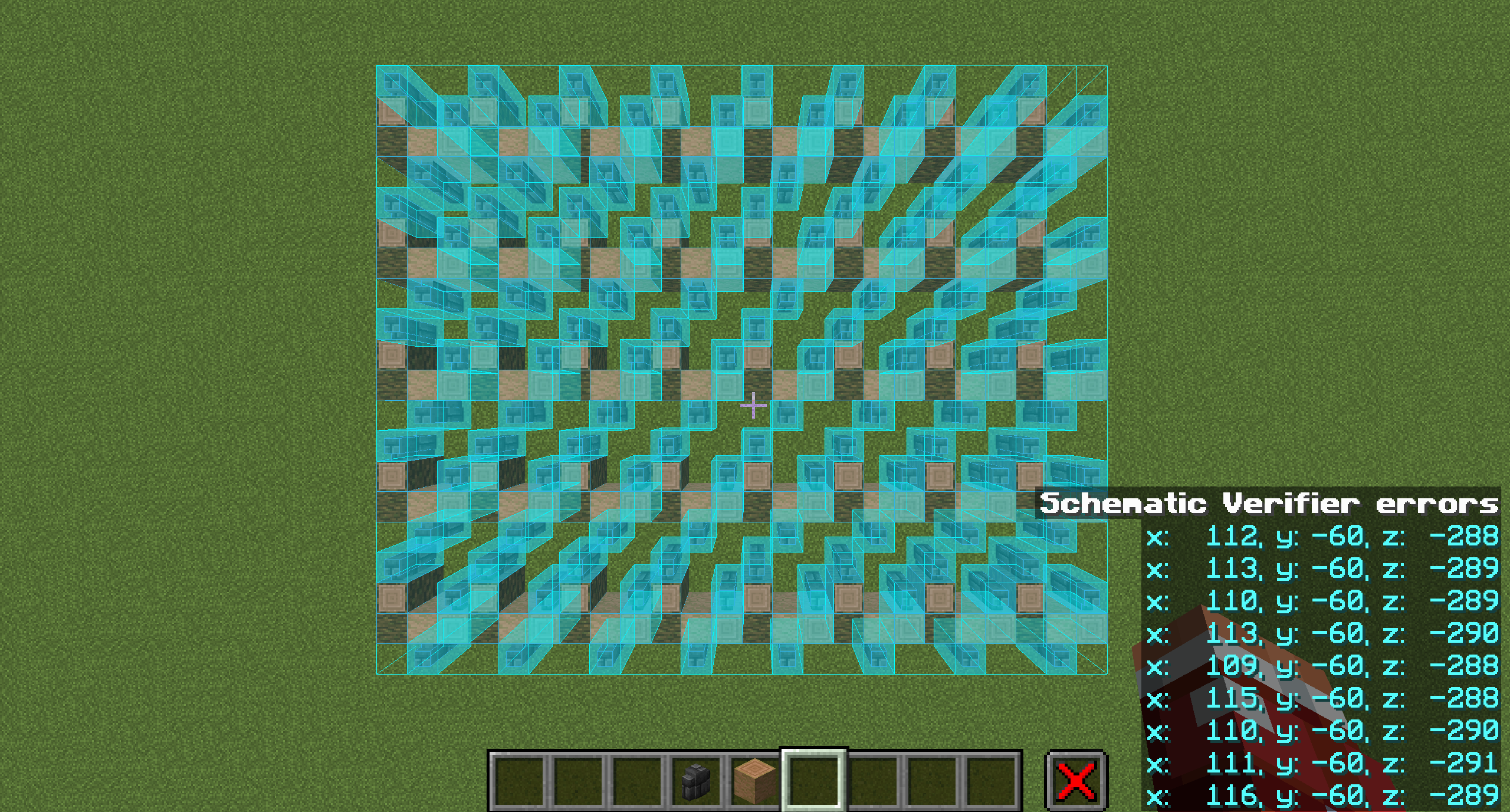
Litematica Inventory Highlight is a client-side addon for Litematica that, using a hotkey (default M+O), highlights all missing blocks based on the blocks available in your inventory (shulker box contents are not taken into account).
The mod highlights blocks in the same way as the built-in Schematic Verification, as if you were manually selecting each block and all of its states.
How to use:
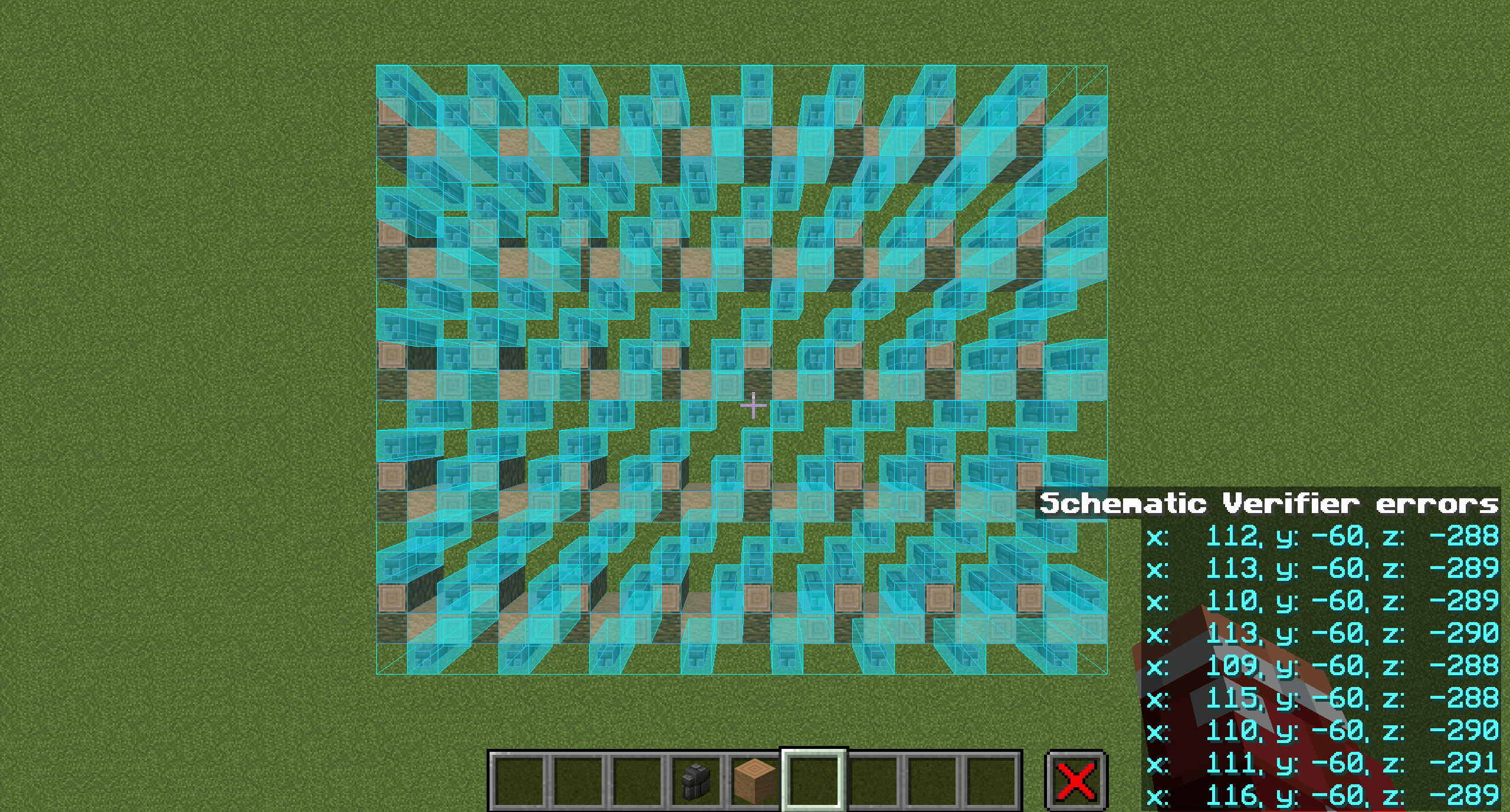
- Start Schematic Verification in Litematica (default M+V) and wait until the check is complete.
- Put the blocks you want to place into your inventory.
- Press M+O (default). All blocks that exist in your inventory will be highlighted, regardless of their quantity.
Dependencies:
- Litematica
- MaLiLib
- Mod Menu (required for configuration)
Configuration
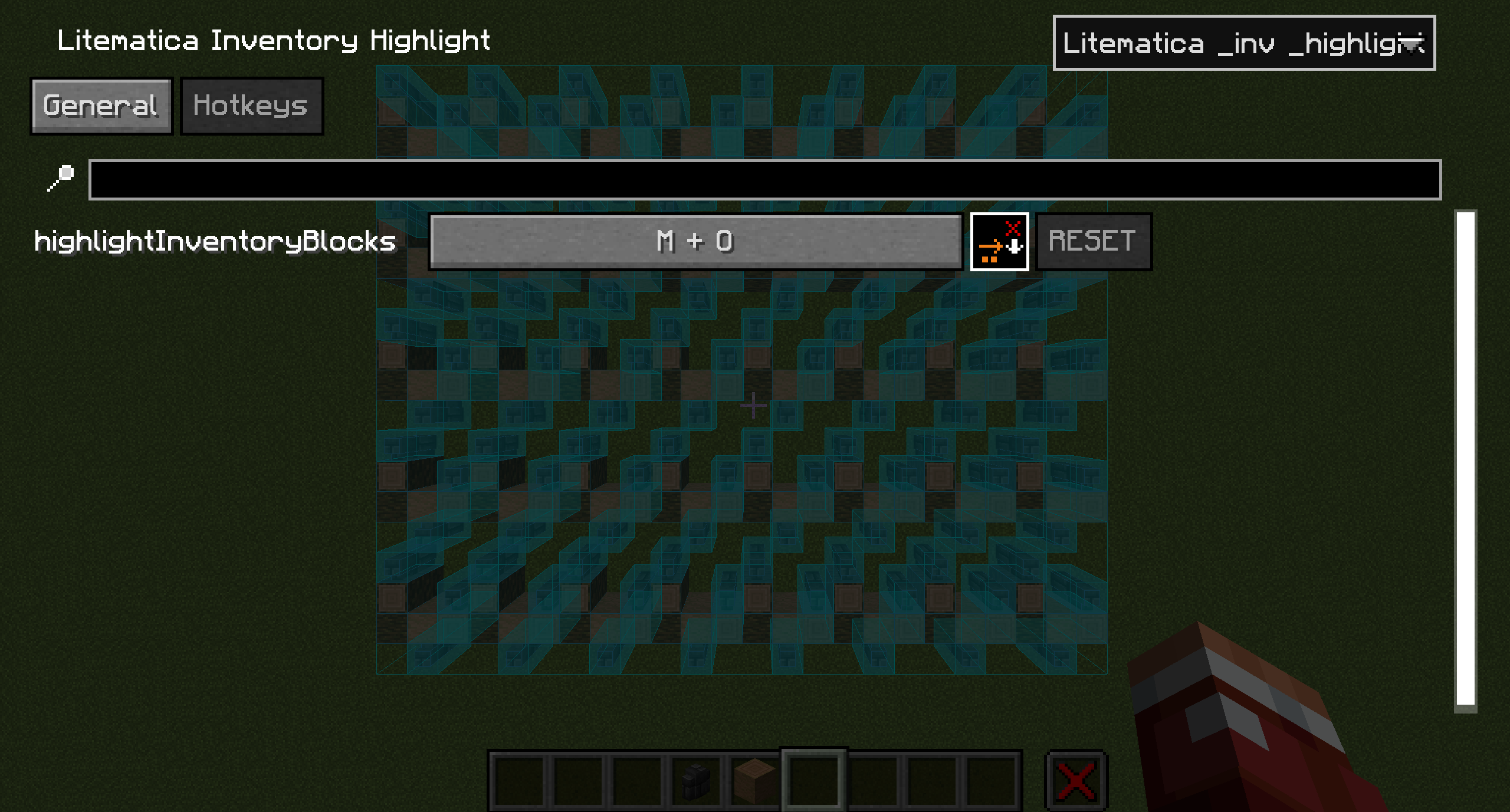
Open via Mod Menu → Litematica Inventory Highlight → Config.
General tab
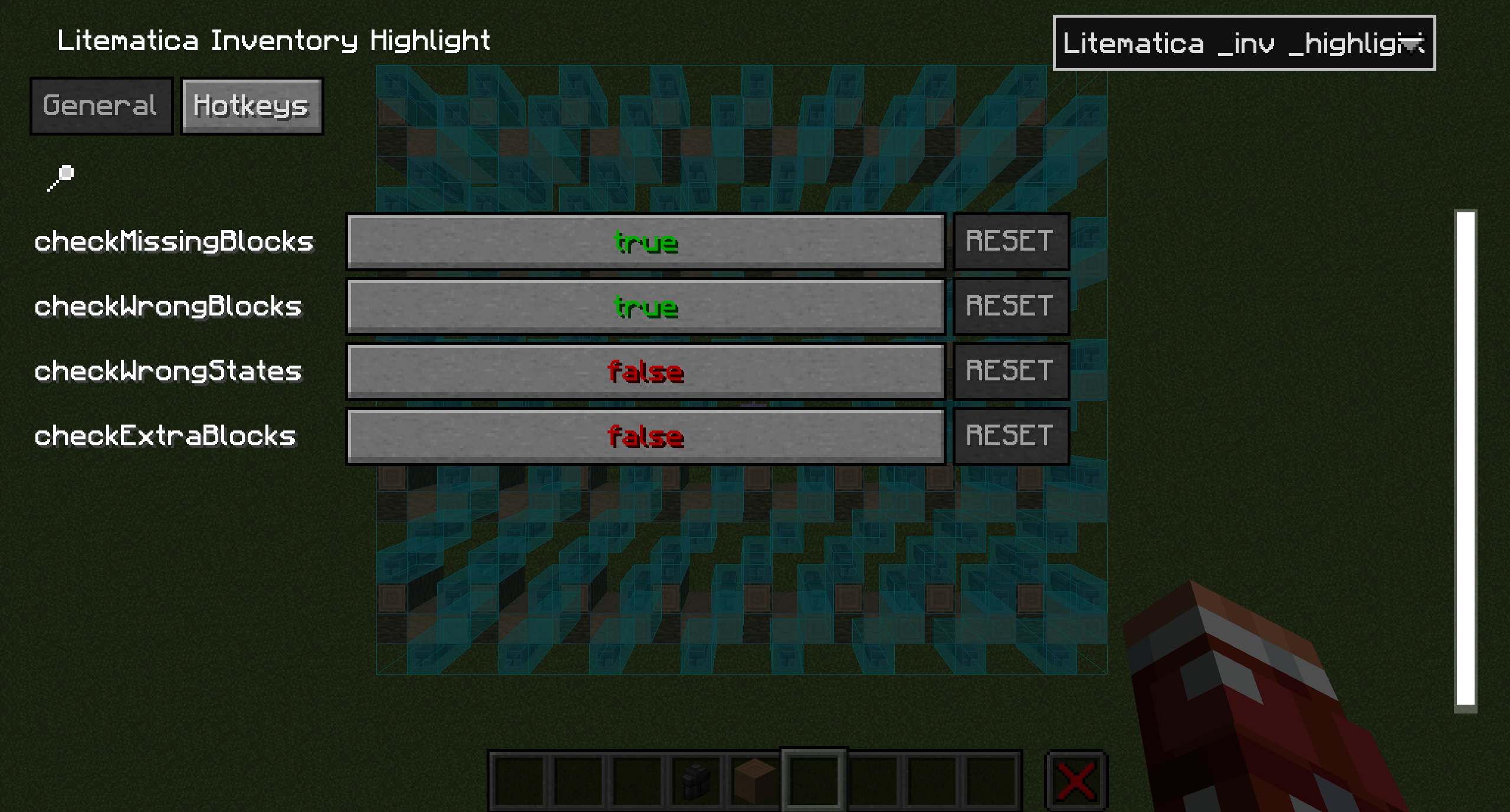
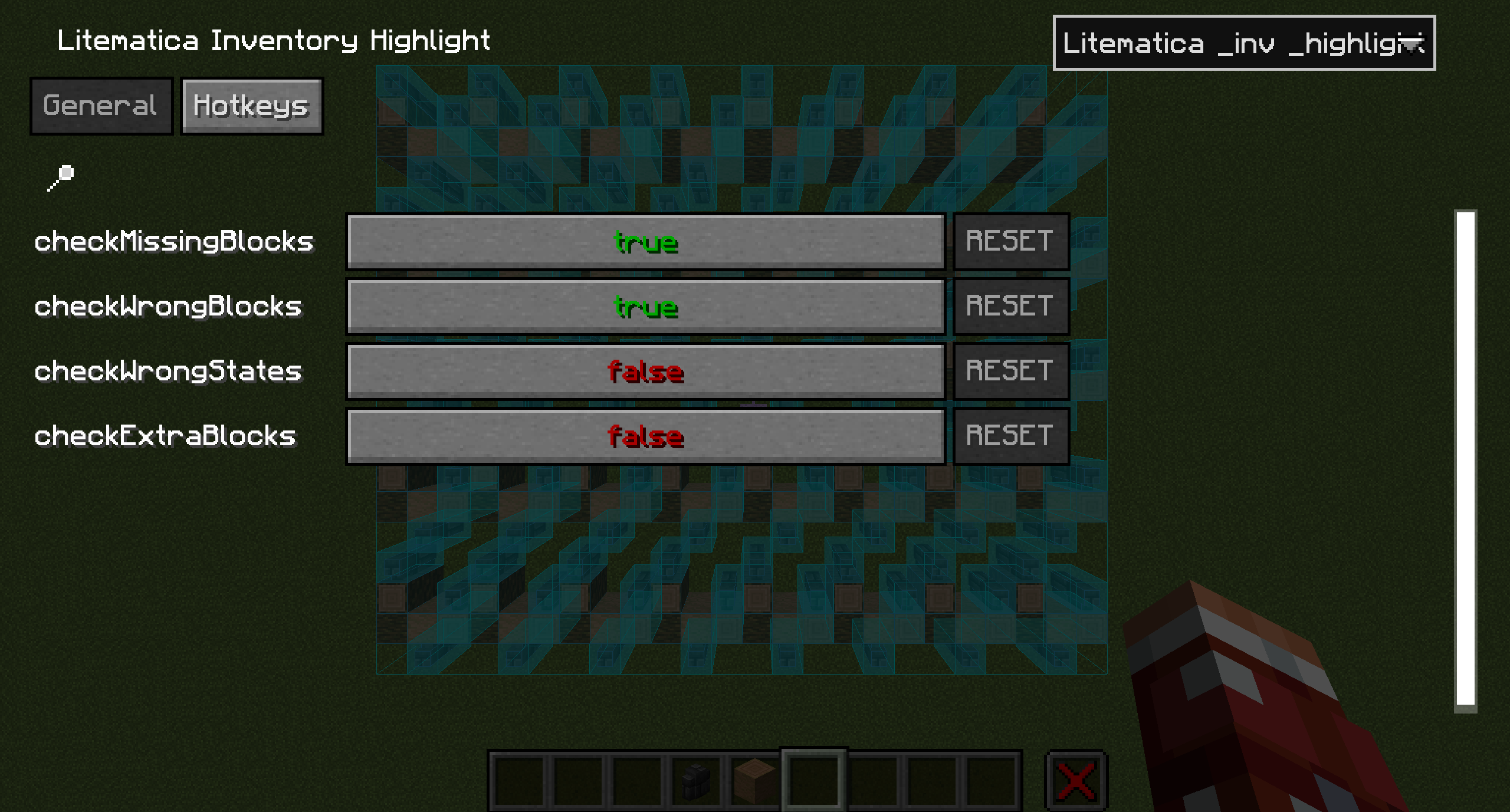
checkMissingBlocks (default: true) Checks and highlights missing blocks
checkWrongBlocks (default: true) Checks and highlights incorrect blocks
checkWrongStates (default: false) Checks and highlights incorrect block states
checkExtraBlocks (default: false) Checks and highlights extra blocks
Hotkeys tab
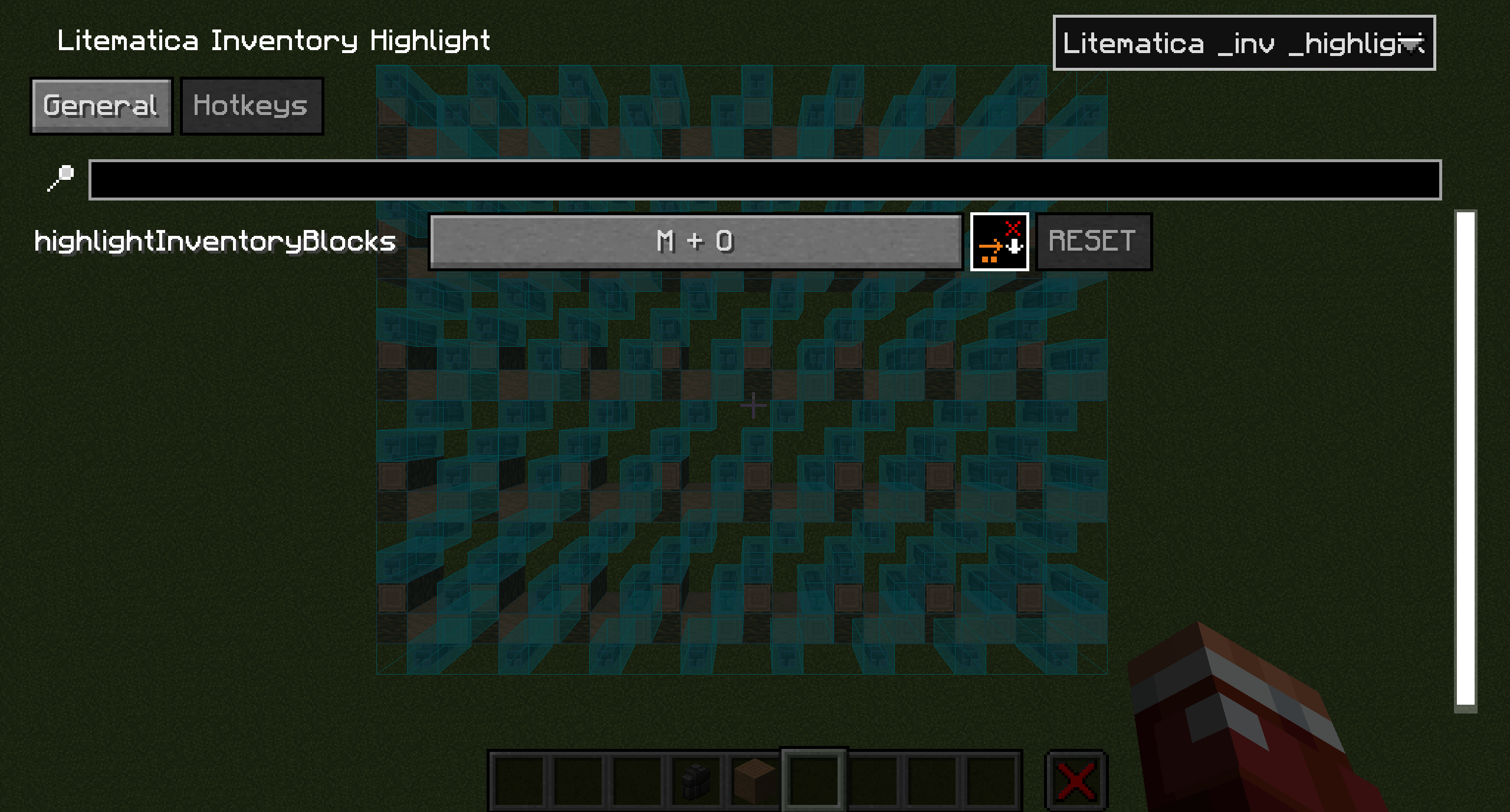
highlightInventoryBlocks (default: M+O) Highlights schematic blocks
RUS
Litematica Inventory Highlight - клиентский аддон для Litematica, который с помощью бинда (по умолчанию M+O) подсвечивает все пропущенные блоки на основе тех, которые есть в вашем инвентаре (без учёта предметов в шалкерах).
Мод подсвечивает блоки так же, как если бы вы делали это вручную через Проверку схемы, с выделением каждого отдельного блока и всех его состояний.
Как пользоваться:
- Запустите Проверку схемы в Litematica (M+V по умолчанию) и дождитесь окончания проверки.
- Положите в инвентарь блоки, которые хотите установить.
- Нажмите M+O (по умолчанию) после этого все блоки, имеющиеся в вашем инвентаре, будут подсвечены независимо от их количества.
Зависимости:
- Litematica
- MaLiLib
- Mod Menu (для настройки конфигурации мода)
Настройки
Открываются через Mod Menu → Litematica Inventory Highlight → Config.
Вкладка General
checkMissingBlocks (по умолчанию: true) Проверка и отображение пропущенных блоков
checkWrongBlocks (по умолчанию: true) Проверка и отображение неправильных блоков
checkWrongStates (по умолчанию: false) Проверка и отображение неверных состояний блоков
checkExtraBlocks (по умолчанию: false) Проверка и отображение лишних блоков
Вкладка Hotkeys
highlightInventoryBlocks (по умолчанию: M+O) Подсветка блоков схемы
Demonstration
ENG
Litematica Inventory Highlight is a client-side addon for Litematica that, using a hotkey (default M+O), highlights all missing blocks based on the blocks available in your inventory (shulker box contents are not taken into account).
The mod highlights blocks in the same way as the built-in Schematic Verification, as if you were manually selecting each block and all of its states.
How to use:
- Start Schematic Verification in Litematica (default M+V) and wait until the check is complete.
- Put the blocks you want to place into your inventory.
- Press M+O (default). All blocks that exist in your inventory will be highlighted, regardless of their quantity.
Dependencies:
- Litematica
- MaLiLib
- Mod Menu (required for configuration)
Configuration
Open via Mod Menu → Litematica Inventory Highlight → Config.
General tab
checkMissingBlocks (default: true) Checks and highlights missing blocks
checkWrongBlocks (default: true) Checks and highlights incorrect blocks
checkWrongStates (default: false) Checks and highlights incorrect block states
checkExtraBlocks (default: false) Checks and highlights extra blocks
Hotkeys tab
highlightInventoryBlocks (default: M+O) Highlights schematic blocks
RUS
Litematica Inventory Highlight - клиентский аддон для Litematica, который с помощью бинда (по умолчанию M+O) подсвечивает все пропущенные блоки на основе тех, которые есть в вашем инвентаре (без учёта предметов в шалкерах).
Мод подсвечивает блоки так же, как если бы вы делали это вручную через Проверку схемы, с выделением каждого отдельного блока и всех его состояний.
Как пользоваться:
- Запустите Проверку схемы в Litematica (M+V по умолчанию) и дождитесь окончания проверки.
- Положите в инвентарь блоки, которые хотите установить.
- Нажмите M+O (по умолчанию) после этого все блоки, имеющиеся в вашем инвентаре, будут подсвечены независимо от их количества.
Зависимости:
- Litematica
- MaLiLib
- Mod Menu (для настройки конфигурации мода)
Настройки
Открываются через Mod Menu → Litematica Inventory Highlight → Config.
Вкладка General
checkMissingBlocks (по умолчанию: true) Проверка и отображение пропущенных блоков
checkWrongBlocks (по умолчанию: true) Проверка и отображение неправильных блоков
checkWrongStates (по умолчанию: false) Проверка и отображение неверных состояний блоков
checkExtraBlocks (по умолчанию: false) Проверка и отображение лишних блоков
Вкладка Hotkeys
highlightInventoryBlocks (по умолчанию: M+O) Подсветка блоков схемы
Screenshots
Gallery
-
 2026-02-19 17-35-51_1.gif 2026-02-19 17-35-51_1.gif
 -
 2026-02-19_17.46.12.png 2026-02-19_17.46.12.png
 -
 2026-02-19_17.46.01.png 2026-02-19_17.46.01.png
 -
 2026-02-19_17.45.45.png 2026-02-19_17.45.45.png

Versions
Files
Relations
Project Relations
More like this
Similar Mods
Suggestions use data such as tags, dependencies, dependents, descriptions, titles, and more to rank how much they overlap with this mod.
On ModDex
Community snapshot
By the numbers
Statistics
Want to reach Minecraft players?
We're looking for a server hosting partner to feature here and other parts of the site. Interested? Send us a message!
Get in touchGet it on
Available Platforms
On ModDex
Community snapshot
By the numbers
Statistics
Resources