
Community listing page, reviews here may not be monitored by the author.
Litematica Material Filter

No reviews yet
Litematica addon: filtering materials in the Info HUD by search query
Community voices
Reviews
No reviews yet. Be the first to review this project!
Get it on
Available Platforms
Compatibility
Supported Environments
Runs entirely on the client. Works on vanilla servers.
About
Project Details
For authors
Embed Badge
If you're the author of this project, you can embed a live badge anywhere that supports HTML or Markdown. It updates automatically whenever ratings change.
Use HTML for any page that supports it, or Markdown for README files and Markdown-based descriptions.
Identifiers
Platform IDs
Resources
External Links
About
Description
Litematica Material Filter
Addon for Litematica
Allows filtering the material list by query and displaying only the necessary blocks in the Info HUD or in the Schematic Render in the world - without manually clicking "Ignore" on every extra material.
Usage
Load the schematic in Litematica, then select Material List, where you will find the Open Filter button, or simply press the N key by default.
The filter screen will appear:
- Enter a query, for example,
oak— the list will immediately show only blocks with "oak" in their name. You can apply the entire list to the filter at once by clickingApply to HUDorApply to Render. - You can also simply click to select what you need (
LMBselects the filter for the Material List,RMBselects the filter for rendering blocks in the world on the schematic). Render Filtertoggles the use of the filter for filtering schematic render blocks in the world.Render Modecan work as either a whitelist or a blacklist.Entitiestoggles the display of entities and fluid animations on the schematic. The screenshot shows the filter whitelist enabled for the redstone block.
Material HUD enables the hud with the Material List, while Raw HUD enables the hud with the Raw Material List that can be broken down into base crafting materials.
With Raw HUD enabled, pressing [+] breaks down the given material into its components. You can either fully expand all materials or collapse them.
To remove the filter, press ✕ Clear Filter.
Screenshots
Gallery
-
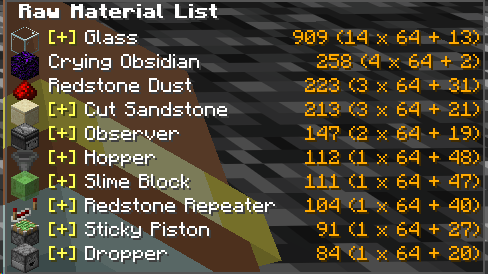 Raw material hud
 -
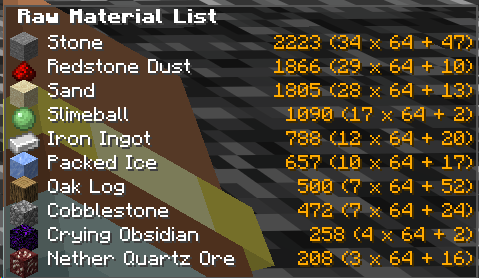 Raw material hud(expanded)
 -
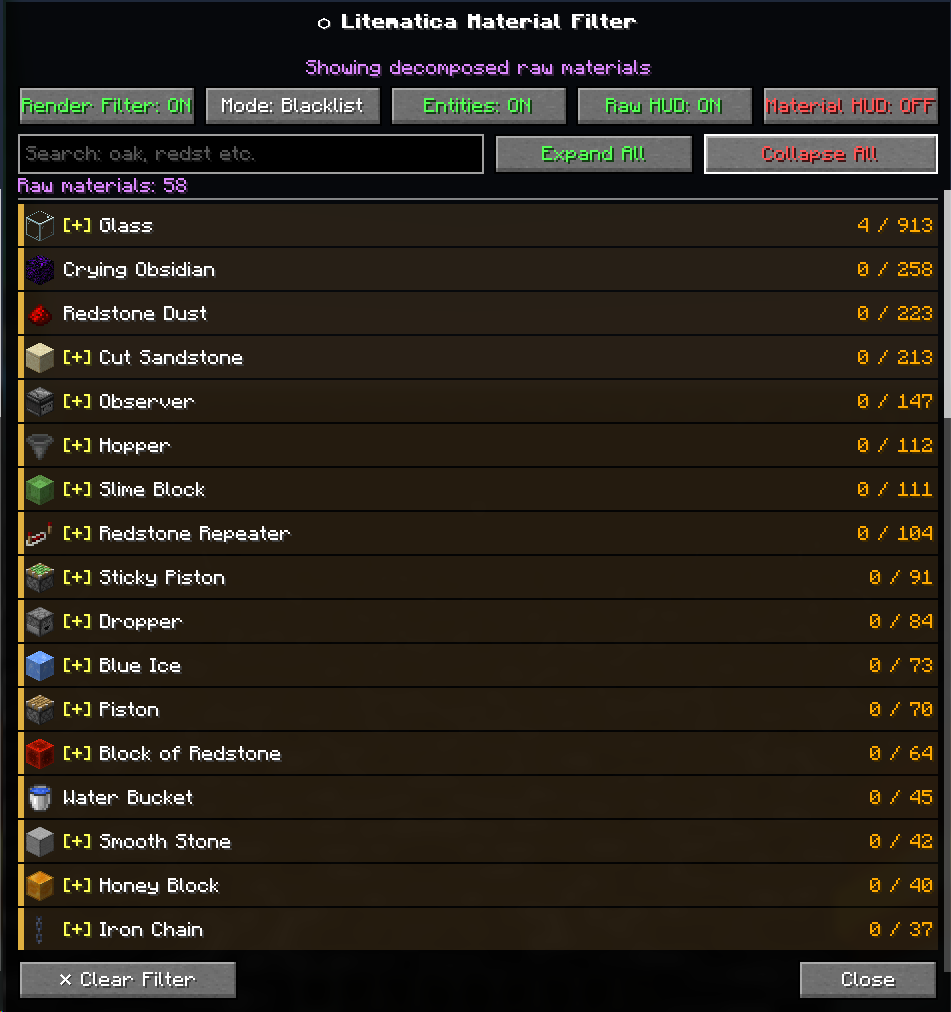 Raw material list
 -
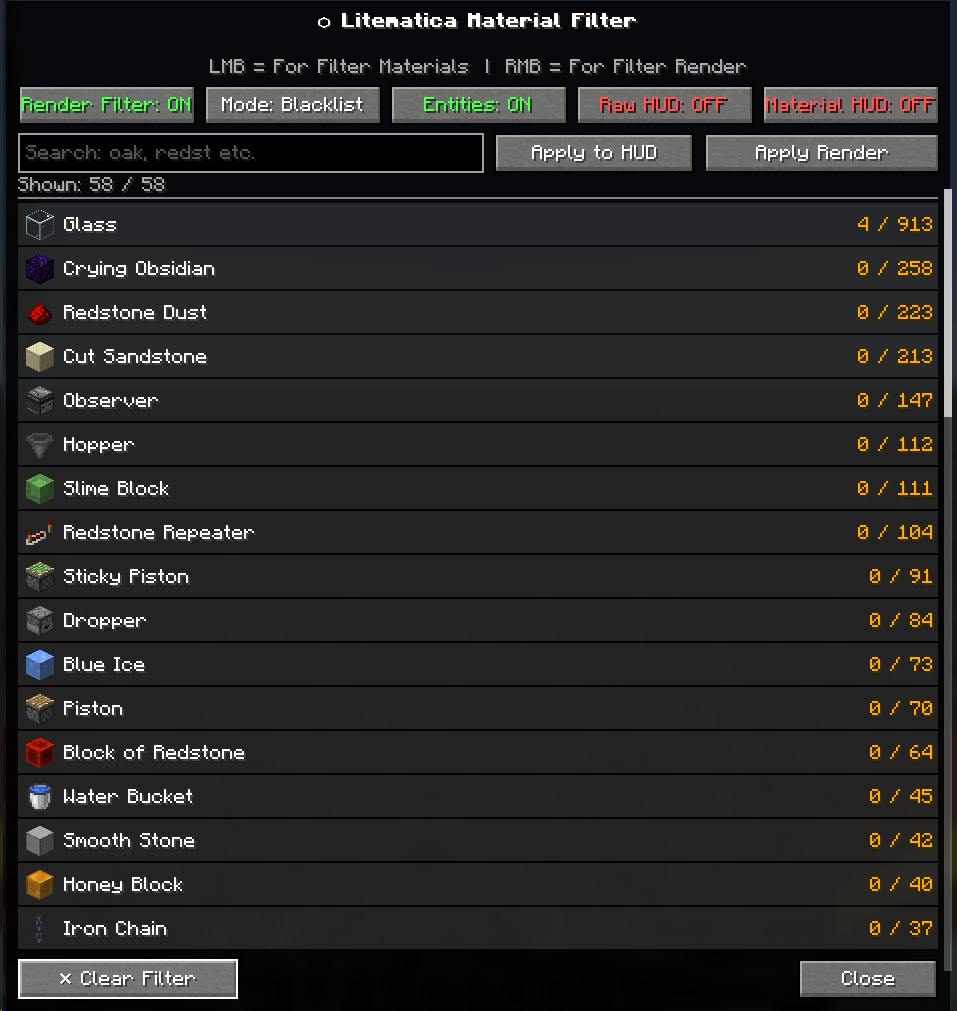 GUI material filter
Versions
Files
Relations
Project Relations
More like this
Similar Mods
Suggestions use data such as tags, dependencies, dependents, descriptions, titles, and more to rank how much they overlap with this mod.
On ModDex
Community snapshot
By the numbers
Statistics

Want to reach Minecraft players?
We're looking for a server hosting partner to feature here and other parts of the site. Interested? Send us a message!
Get in touchGet it on
Available Platforms
On ModDex
Community snapshot
By the numbers
Statistics
Resources