Community listing page, reviews here may not be monitored by the author.
Little Big Redstone


Compact your big redstone into a little block!
Community voices
Reviews
No reviews yet. Be the first to review this project!
Get it on
Available Platforms
Compatibility
Supported Environments
Must be installed on both the client and the server.
About
Project Details
For authors
Embed Badge
If you're the author of this project, you can embed a live badge anywhere that supports HTML or Markdown. It updates automatically whenever ratings change.
Use HTML for any page that supports it, or Markdown for README files and Markdown-based descriptions.
Identifiers
Platform IDs
About
Description
Little Big Redstone
This mod adds a new block called the Microchip that allows you to put together complex logic that interfaces with redstone and item/fluid/energy storages!
For any questions, please ask in the #little-big-redstone channel on my discord.
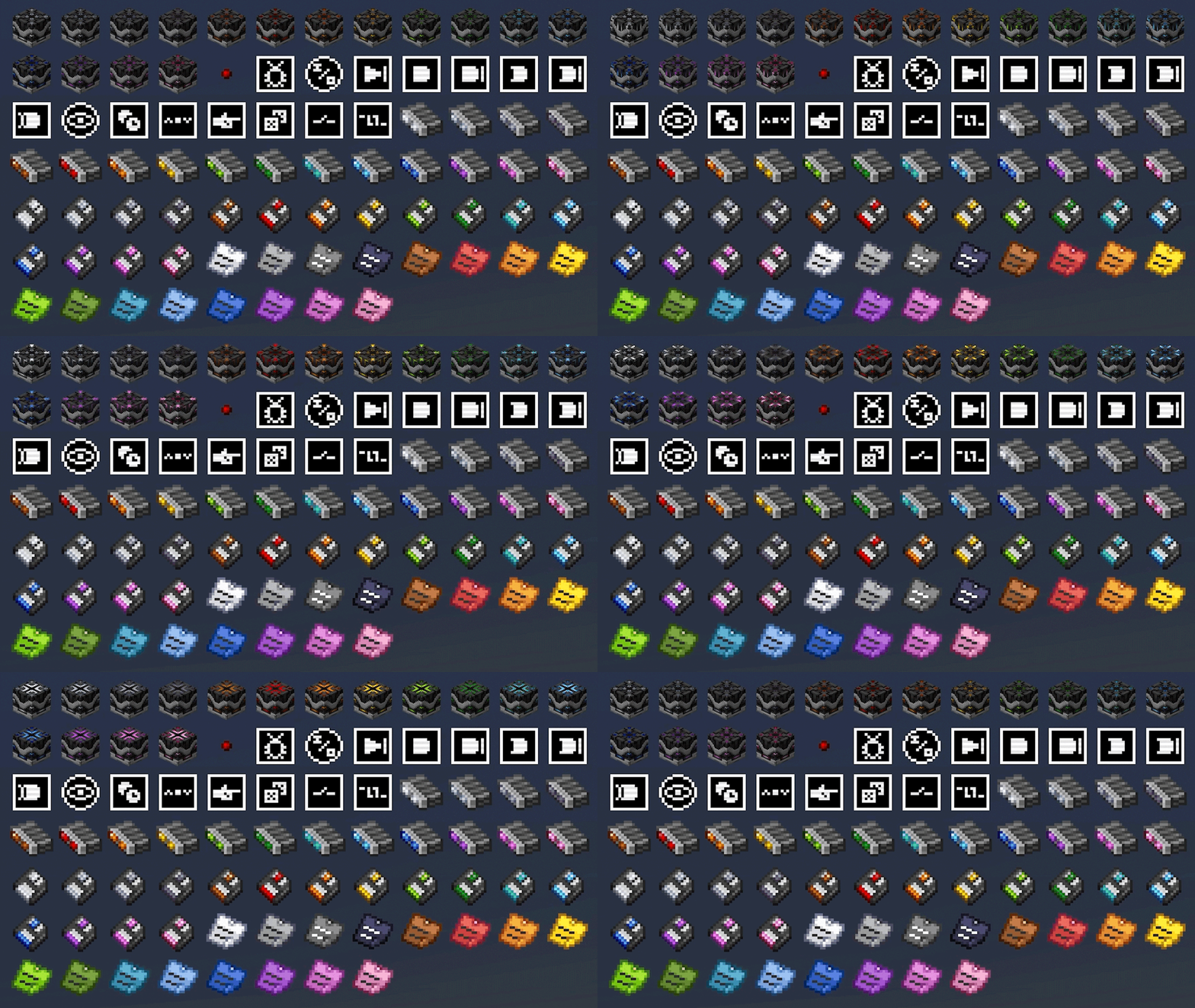
All items come in all dye colors to allow for personalization, expression, and organization!
Microchips
Mirochips are blocks that can have logic placed in their GUI in many different arrangements. Redstone bits are used to create connections between logic components in the GUI. All logic components have tooltips that describe what their functions are.
Below is a demonstration of how complex logic can get inside of the microchip GUI. This is a seven segment display created by bigfoott. While this microchip does not have a designated output, you can place any number of inputs and outputs as you may need.
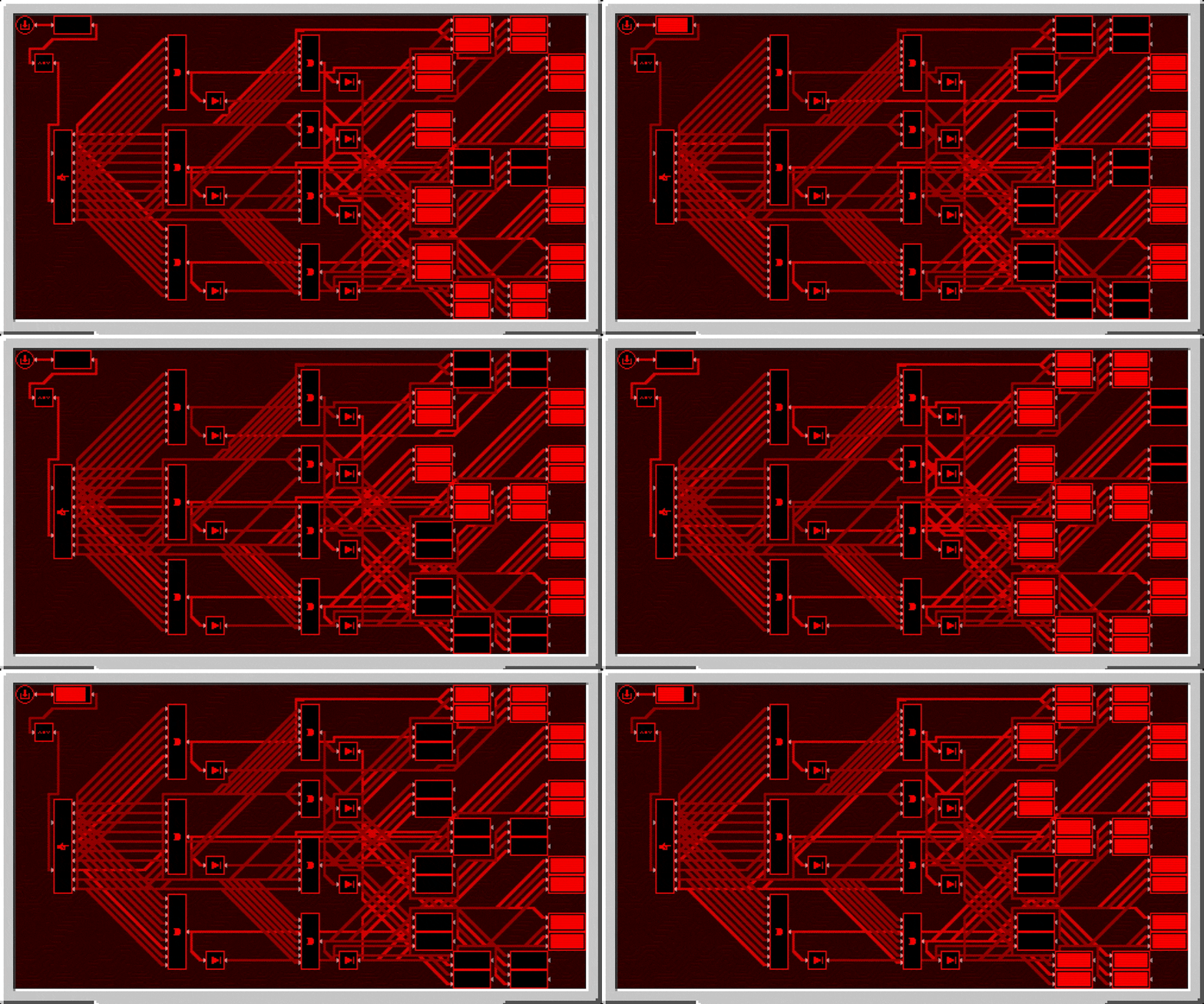
Logic can be colored separately from the color of the microchip by interacting with it in the gui with dye. You can remove the color from components with either snowballs (consumed) or a water bucket (not consumed).
Logic Arrays
Logic arrays are items that can store redstone bits and logic components. The contents can be opened both while in hand, or while in the GUI of a Microchip for ease of access.
Floppy Disks
Floppy disks are items that allow you to copy and store logic arrangements (and wire connections) from microchips. You then can take the stored circuit and install it into another microchip, however it does require that the items be present in your inventory for you to do so.
Sticky Notes
Sticky notes are items that you can place into the world similar to item frames. On each face of a block, you can place 4 sticky notes with any combination of colors and rotations. The text on sticky notes can also be colored by interacting with dye on a sticky note. Sticky notes retain their contents and colors when broken and placed.

When placed, you can interact with a sticky note to view what is written on it, or write your own text. Sticky notes support very rudimentary markdown formatting.

Sticky notes may also be placed inside of microchips to allow you to put notes in your logic.

All art (with exception of the logic components, wires, and redstone bit) are made by Facu.
Little Big Redstone
This mod adds a new block called the Microchip that allows you to put together complex logic that interfaces with redstone and item/fluid/energy storages!
For any questions, please ask in the #little-big-redstone channel on my discord.
All items come in all dye colors to allow for personalization, expression, and organization!
Microchips
Mirochips are blocks that can have logic placed in their GUI in many different arrangements. Redstone bits are used to create connections between logic components in the GUI. All logic components have tooltips that describe what their functions are.
Below is a demonstration of how complex logic can get inside of the microchip GUI. This is a seven segment display created by bigfoott. While this microchip does not have a designated output, you can place any number of inputs and outputs as you may need.
Logic can be colored separately from the color of the microchip by interacting with it in the gui with dye. You can remove the color from components with either snowballs (consumed) or a water bucket (not consumed).
Logic Arrays
Logic arrays are items that can store redstone bits and logic components. The contents can be opened both while in hand, or while in the GUI of a Microchip for ease of access.
Floppy Disks
Floppy disks are items that allow you to copy and store logic arrangements (and wire connections) from microchips. You then can take the stored circuit and install it into another microchip, however it does require that the items be present in your inventory for you to do so.
Sticky Notes
Sticky notes are items that you can place into the world similar to item frames. On each face of a block, you can place 4 sticky notes with any combination of colors and rotations. The text on sticky notes can also be colored by interacting with dye on a sticky note. Sticky notes retain their contents and colors when broken and placed.
When placed, you can interact with a sticky note to view what is written on it, or write your own text. Sticky notes support very rudimentary markdown formatting.
Sticky notes may also be placed inside of microchips to allow you to put notes in your logic.
All art (with exception of the logic components, wires, and redstone bit) are made by Facu.
Screenshots
Gallery
Versions
Files
Relations
Project Relations
More like this
Similar Mods
Suggestions use data such as tags, dependencies, dependents, descriptions, titles, and more to rank how much they overlap with this mod.
On ModDex
Community snapshot
By the numbers
Statistics
Want to reach Minecraft players?
We're looking for a server hosting partner to feature here and other parts of the site. Interested? Send us a message!
Get in touchGet it on
Available Platforms
On ModDex
Community snapshot
By the numbers