Community listing page, reviews may not be monitored by the author.
Local Multi Player

No reviews yet
Local split-screen for 2–4 players in one Minecraft window, with separate characters, views and inventories.

Community voices
Reviews
No reviews yet. Be the first to review this project!
Get it on
Available Platforms
About
Project Details
For authors
Embed Badge
If you're the author of this project, you can embed a live badge anywhere that supports HTML or Markdown. It updates automatically whenever ratings change.
Use HTML for any page that supports it, or Markdown for README files and Markdown-based descriptions.
Identifiers
Platform IDs
Resources
External Links
About
Description
local-multiplayer
Play Minecraft Java Edition together on one computer, in one game process and one window. local-multiplayer provides local split-screen for 2–4 real players in the same integrated-server world, with separate characters, views, inventories and personal menus.
Features
- Two players: side-by-side or top-and-bottom. Three players: one large view on the left and two on the right. Four players: a 2×2 grid.
- Independent cameras, first-person hands, crosshairs, basic health/hunger/hotbar/experience HUD and player names.
- Personal inventories, vanilla item interfaces, respawn and wake-up panels in each player's viewport.
- Persistent local identities and selectable vanilla default skins.
- Configure identities, skins, controller assignments and layouts from the title screen or pause menu.
Requirements
Verified setup: Minecraft Java Edition 26.3, NeoForge 26.3.0.77 and Java 25. The mod declares Minecraft and NeoForge version ranges of [26,27); compatibility with other 26.x combinations is unverified.
For controller play, install the matching NeoForge builds of Controllable (verified: 0.26.2) and its dependency Framework (verified: 0.13.27). These mods are not bundled.
Player 1 uses keyboard/mouse or keyboard/mouse plus a controller. Each additional player needs an exclusively assigned controller. Multiple physical keyboard/mouse sets are not supported.
Getting started
- Install the verified Minecraft/NeoForge setup and Java 25.
- Put local-multiplayer-1.0.0.jar, Controllable and Framework in the instance's mods folder. Remove older Local Split / localsplit builds to avoid duplicates.
- Connect controllers, open the configuration button beside Local Multiplayer on the title screen, assign devices and identities, enable player 3/4 as needed, then save.
- Choose Local Multiplayer and open a local world. Identity and skin changes take effect the next time you enter a world.
Controls follow your current Controllable bindings. Player 1 can use the normal keyboard bindings. In a local session, opening a personal inventory allows other players to keep playing.
Current limitations
This version is an experimental local integrated-server implementation. Guest views currently share the host's client world data. Independent distant world state, full cross-dimension play, complete item-use and HUD synchronization, third-party menus/rendering mods and shaders remain unverified or incomplete. Public servers and Realms are outside the verified scope. Simultaneous play with multiple physical controllers and a complete multiplayer gameplay acceptance pass are still pending. Gallery images demonstrate actual layouts; they do not certify those pending tests.
No new blocks, items or dimensions are added. Back up your worlds and config/localsplit-client.properties before changing installations; the configuration contains your persistent local identities. Do not distribute personal configs or saves with the mod.
Screenshots
Gallery
-
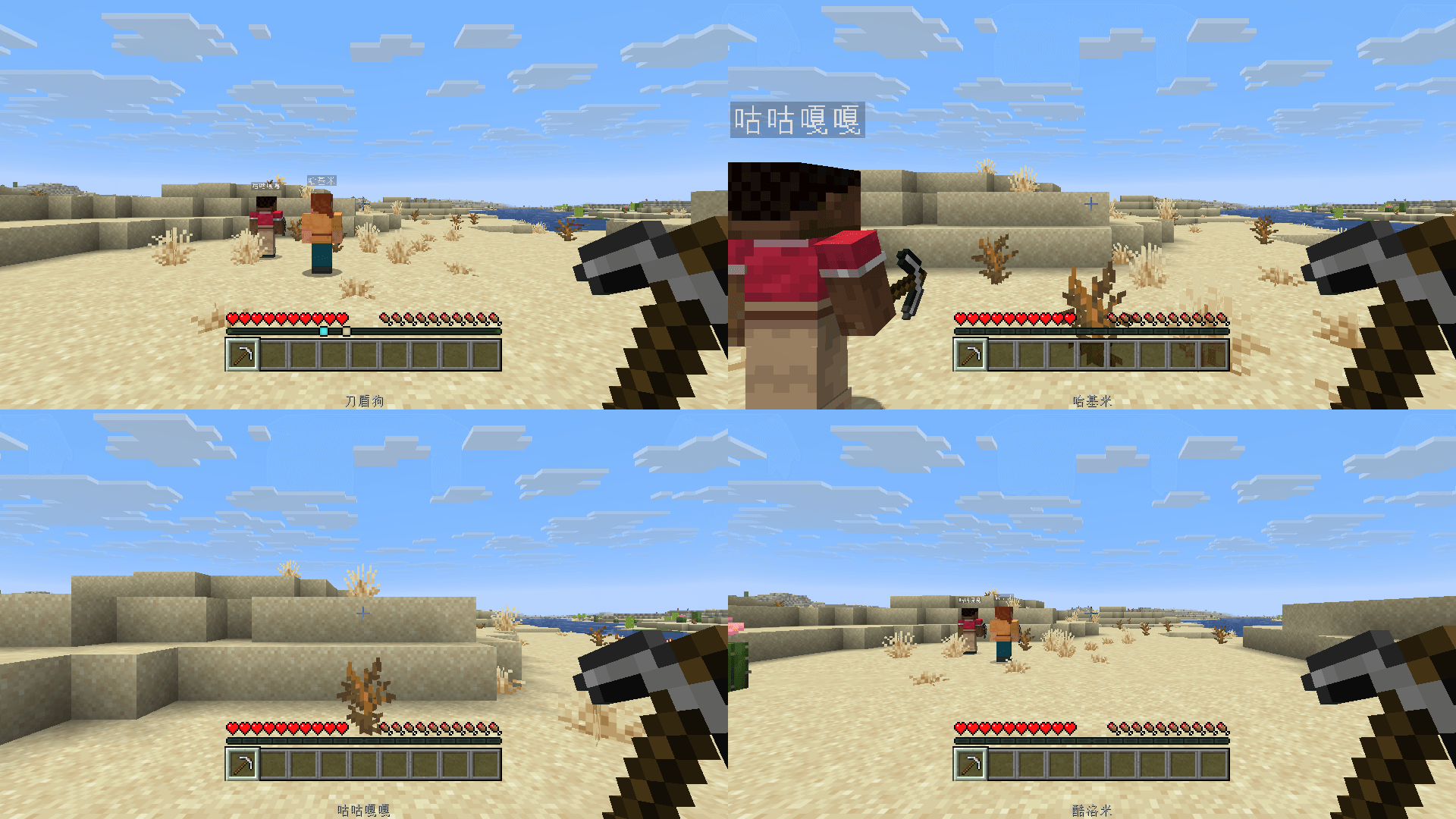 03-four-players.png 03-four-players.png
 -
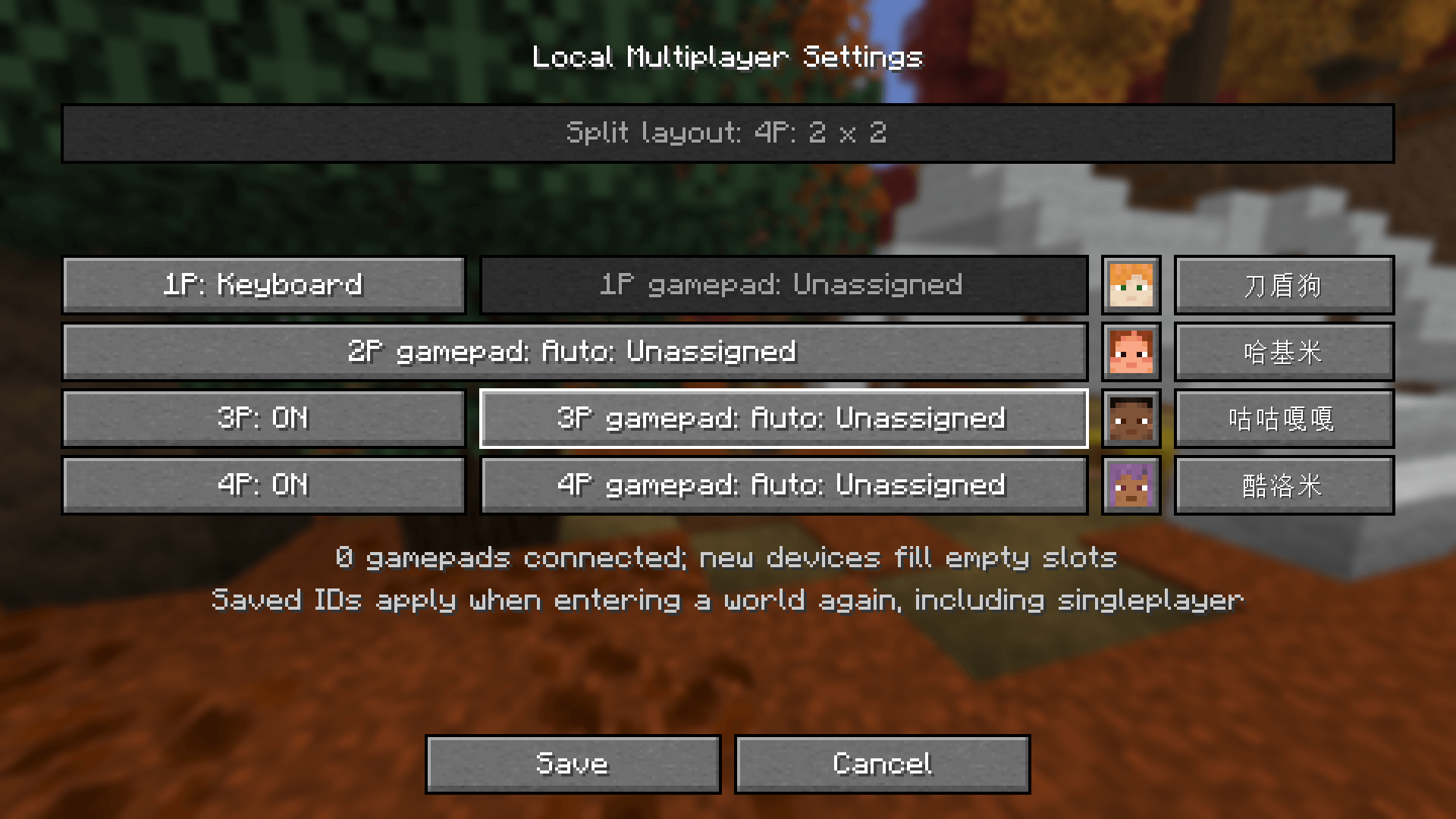 04-configuration.png 04-configuration.png
 -
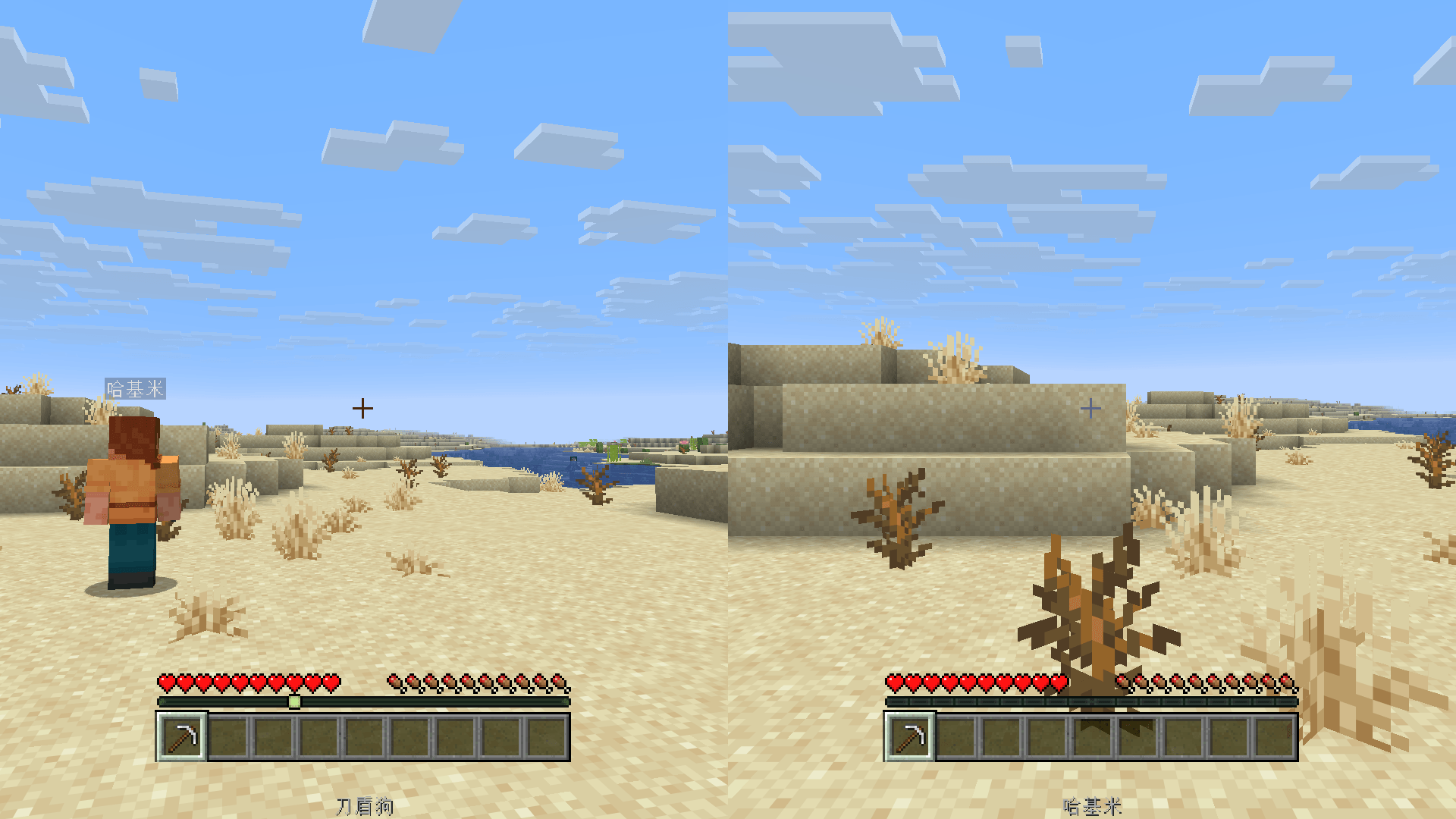 01-two-players.png 01-two-players.png
 -
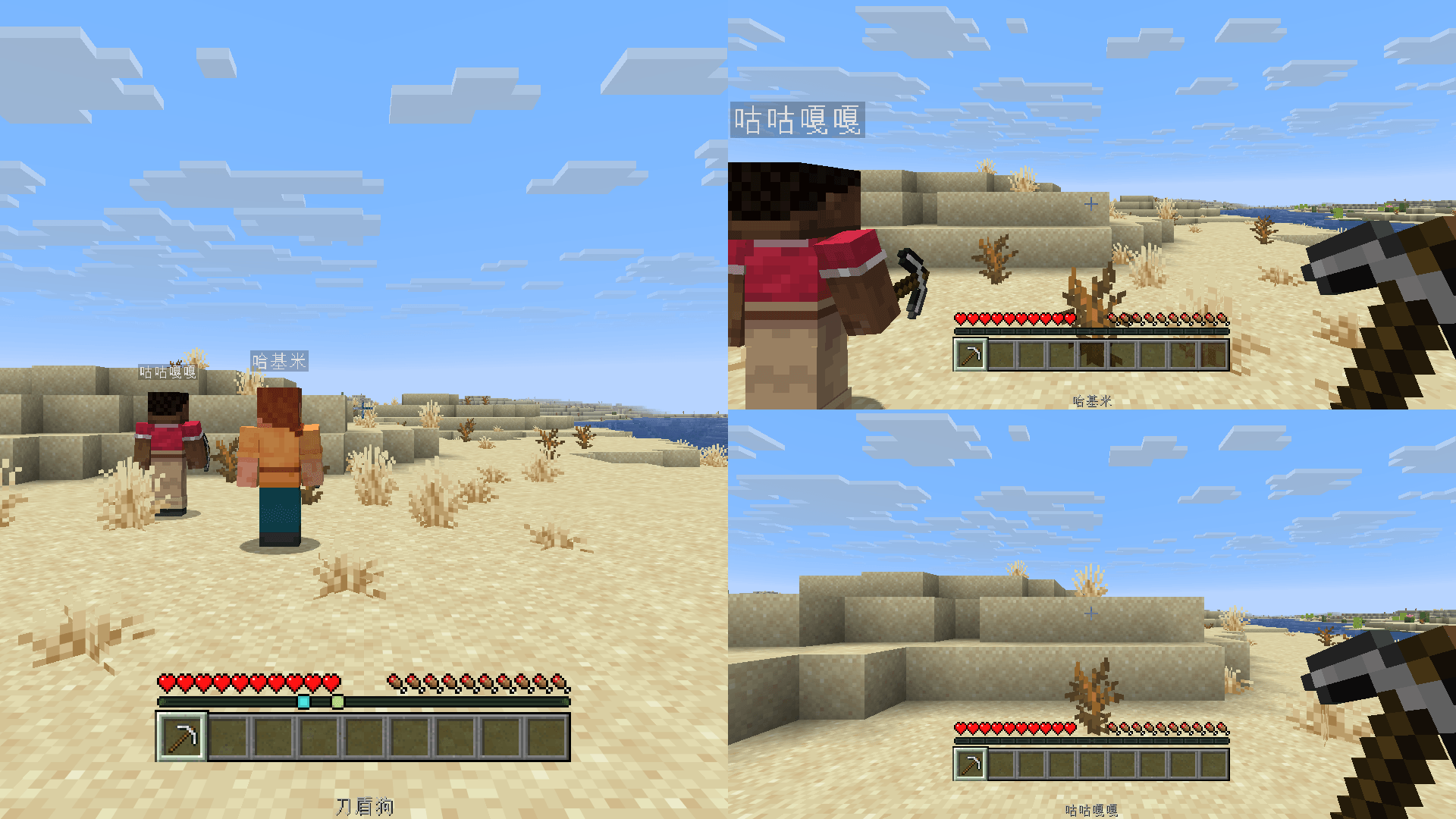 02-three-players.png 02-three-players.png
Versions
Files
Relations
Project Relations
More like this
Similar Mods
Suggestions use data such as tags, dependencies, dependents, descriptions, titles, and more to rank how much they overlap with this mod.
On ModDex
Community snapshot
By the numbers
Statistics

Get it on
Available Platforms
On ModDex
Community snapshot
By the numbers
Statistics
Resources