Community listing page, reviews here may not be monitored by the author.
LT-Hearts


No reviews yet
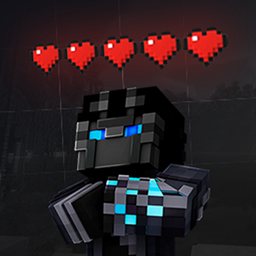
LT-Hearts adds clear heart bars above players’ heads and optional damage animations, allowing you to quickly assess the state of a PvP fight. The mod works client-side and provides a simple GUI for configuration.
Community voices
Reviews
No reviews yet. Be the first to review this project!
Get it on
Available Platforms
Compatibility
Supported Environments
Runs entirely on the client. Works on vanilla servers.
About
Project Details
For authors
Embed Badge
If you're the author of this project, you can embed a live badge anywhere that supports HTML or Markdown. It updates automatically whenever ratings change.
Use HTML for any page that supports it, or Markdown for README files and Markdown-based descriptions.
Identifiers
Platform IDs
Resources
External Links
About
Description
LT-Hearts
Description
LT-Hearts adds clear heart bars above players’ heads and optional damage animations, allowing you to quickly assess the state of a PvP fight. The mod works client-side and provides a simple GUI for configuration.
Features
- Display of hearts above other players with a clean, aligned layout.
- Support for full and half hearts, with compact rendering for higher heart counts.
- Animated damage indicators (fading labels) with critical hit markers.
- Render distance limit for hearts and adjustable vertical offset.
- Toggles: show hearts and damage animations.
- Settings GUI and client commands.
- Automatic configuration saving to a JSON file.
Commands
| Command | Description |
|---|---|
/lth |
Mod information |
/lth help |
List of commands |
/lth settings |
Opens the settings GUI |
/lth config save |
Saves the configuration |
/lth config reload |
Reloads the configuration |
Configuration
Configuration file:
.minecraft/config/LT-Mods/LT-Hearts/lth-config.json
Available settings include:
showHearts- enable/disable heart rendering.showDamageAnimation- enable damage animations.extraYOffsetPixels- additional vertical offset.maxRenderDistanceBlocks- maximum heart render distance.adsEnabled- optional server promotion feature.
"Bierzcie i korzystajcie z tego wszyscy - to jest bowiem praca moja, która dla was została wykonana" ~LordTricker
LT-Hearts
Description
LT-Hearts adds clear heart bars above players’ heads and optional damage animations, allowing you to quickly assess the state of a PvP fight. The mod works client-side and provides a simple GUI for configuration.
Features
- Display of hearts above other players with a clean, aligned layout.
- Support for full and half hearts, with compact rendering for higher heart counts.
- Animated damage indicators (fading labels) with critical hit markers.
- Render distance limit for hearts and adjustable vertical offset.
- Toggles: show hearts and damage animations.
- Settings GUI and client commands.
- Automatic configuration saving to a JSON file.
Commands
| Command | Description |
|---|---|
/lth |
Mod information |
/lth help |
List of commands |
/lth settings |
Opens the settings GUI |
/lth config save |
Saves the configuration |
/lth config reload |
Reloads the configuration |
Configuration
Configuration file:
.minecraft/config/LT-Mods/LT-Hearts/lth-config.json
Available settings include:
showHearts- enable/disable heart rendering.showDamageAnimation- enable damage animations.extraYOffsetPixels- additional vertical offset.maxRenderDistanceBlocks- maximum heart render distance.adsEnabled- optional server promotion feature.
"Bierzcie i korzystajcie z tego wszyscy - to jest bowiem praca moja, która dla was została wykonana" ~LordTricker
Screenshots
Gallery
Versions
Files
Relations
Project Relations
More like this
Similar Mods
Suggestions use data such as tags, dependencies, dependents, descriptions, titles, and more to rank how much they overlap with this mod.
On ModDex
Community snapshot
By the numbers
Statistics
Want to reach Minecraft players?
We're looking for a server hosting partner to feature here and other parts of the site. Interested? Send us a message!
Get in touchGet it on
Available Platforms
On ModDex
Community snapshot
By the numbers
Statistics
Resources