
Community listing page, reviews here may not be monitored by the author.
Tiers


No reviews yet
Official Tier Tagger of PvPTiers. Supports other Tierlists: MCTiers, Subtiers
Community voices
Reviews
No reviews yet. Be the first to review this project!
Get it on
Available Platforms
Compatibility
Supported Environments
Runs entirely on the client. Works on vanilla servers.
About
Project Details
For authors
Embed Badge
If you're the author of this project, you can embed a live badge anywhere that supports HTML or Markdown. It updates automatically whenever ratings change.
Use HTML for any page that supports it, or Markdown for README files and Markdown-based descriptions.
Identifiers
Platform IDs
About
Description
Tiers,
Official Display mod for PvPTiers. Also Supports other Tierlists: MCTiers and Subtiers
Mod showcase:
Switchable MCTiers, PvPTiers and Subtiers icons and colors
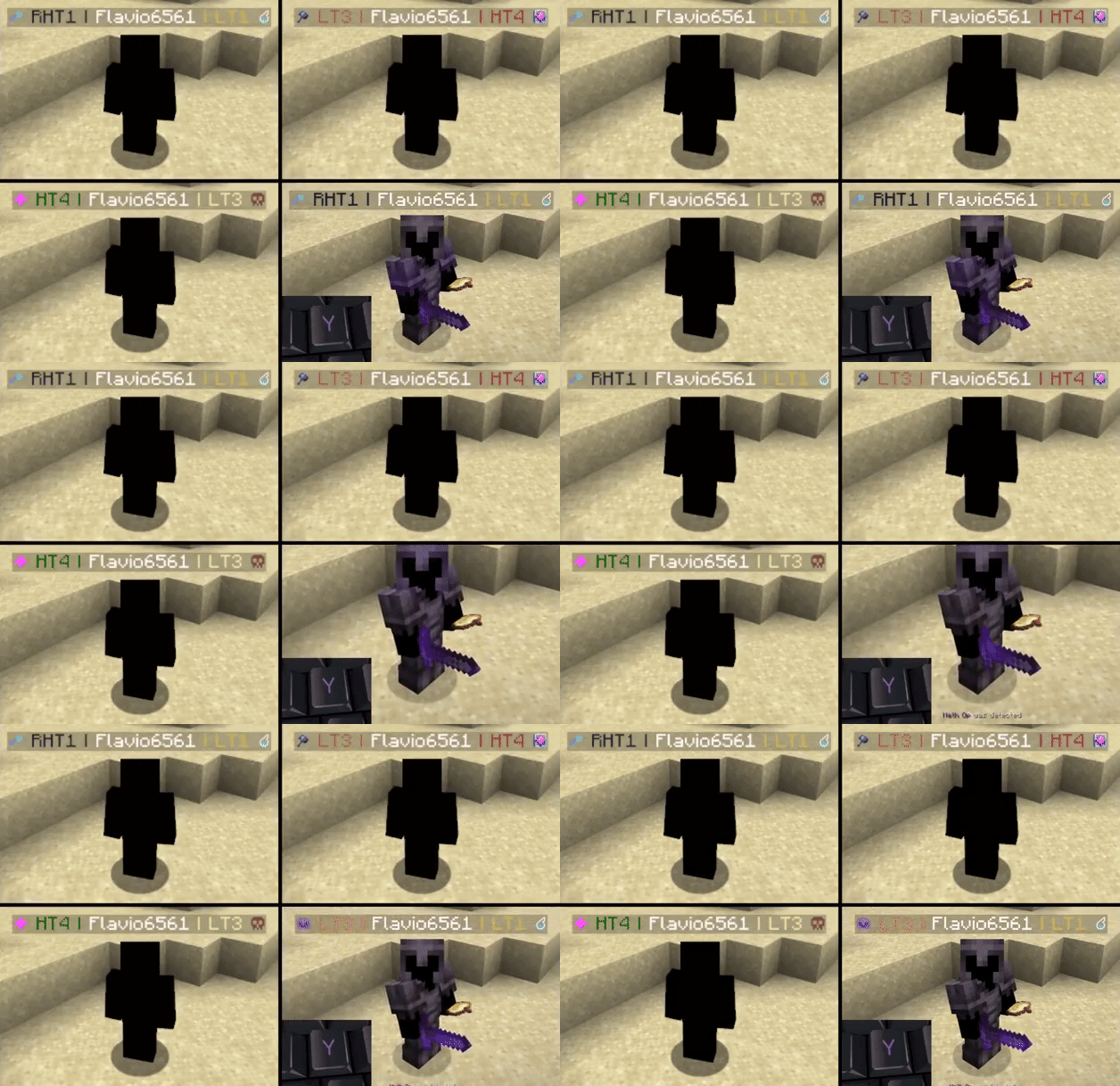
Auto detect kit: press 'Y' to autodetect the current gamemode
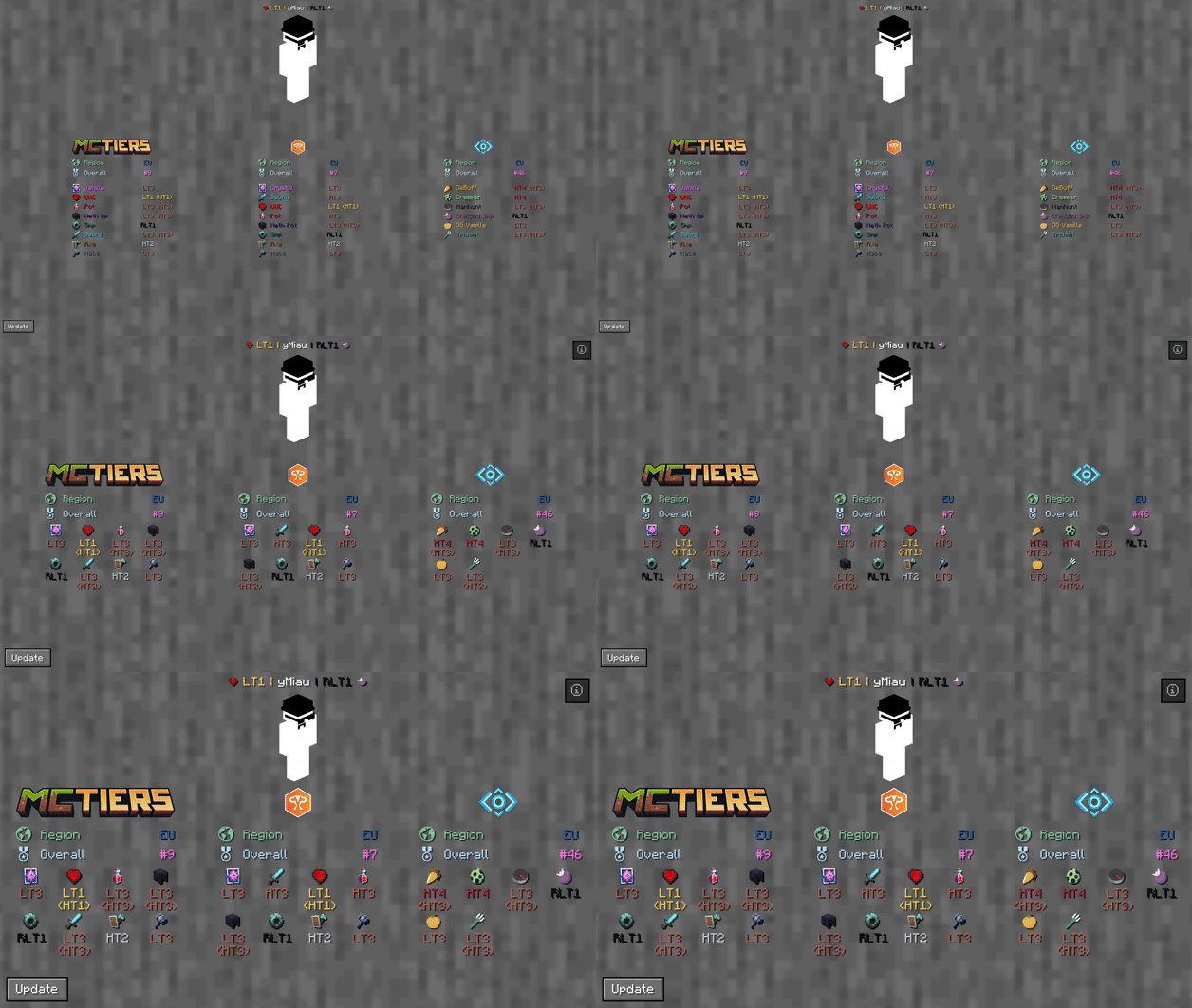
The profile search result screen with PvPTiers icons on different GUI scales
Tiers is still in beta. Report an issue
Mod features:
Auto detect kit:press Y (editable) to auto-detect the gamemode you are playing to easily switch and see opponents tiers in that gamemodeSee nearest player stats:press H (editable) to open the closest player search result screenSearch screen:see all tiers, peaks, regions, points, global rankings and skin with /tiers nameChange gamemodes and their position:choose a gamemode for each ranking site and decide whether to display it on the left or rightCycle keybinds:press U and I (editable) to easily cycle between the right and left displayed gamemodesChange preset styles:you can change icons and colors presets in the config screenDisplay gamemodes:whether to display selected mode, adaptive highest or absolute highest
Screen config (ModMenu or /tiers config):
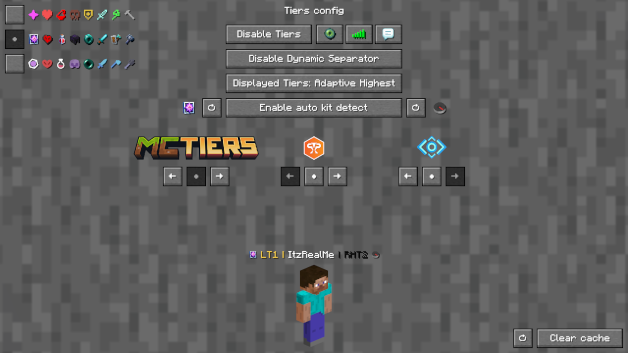
Toggle Tierstoggles TiersToggle Iconstoggles the icons next to the tiersToggle Tabtoggles Tiers on the tablistToggle Chattoggles Tiers in chatToggle Dynamic Separatordecides if the separator | is the same color as the tier or grayDisplayed Tierdecides whether to display selected mode, adaptive highest or absolute highestPreview Switcherdecides whether to preview the default profile (ItzRealMe) or your characterLeft and Right gamemode switcherswitches between gamemodes of the selected providerPosition Settingsdecides if the specific provider gamemodes are displayer on the right, left or neitherIcon and color presets:you can switch between classic, PvPTiers and MCTiers styled icons
The config screen on 3 GUI scale
Why Tiers?
All sites in one mod:
Tiers is able to track and display all rankings from the official tierlist PvPTiers and variant lists MCTiers, Subtiers
Customizable icons:
With Tiers, you can customize gamemodes icons and text colors, as well as choosing where and what gamemode to display; want to manually modify the icons or tiers colors? Edit and add in your pack folder the default texture pack
Other:
Settings will be saved in your config folder and updated at runtime
The mod is client side (works on multiplayer)
Links:

Tiers,
Official tier display mod for PvPTiers
Mod showcase:
Switchable PvPTiers, classic and legacy icons and colors
Auto detect kit: press 'Y' to autodetect the current gamemode
The profile search result screen with PvPTiers icons on different GUI scales
Tiers is still in beta. Report an issue
Mod features:
Auto detect kit:press Y (editable) to auto-detect the gamemode you are playing to easily switch and see opponent tiers in that gamemodeSee nearest player stats:press H (editable) to open the closest player search result screenSearch screen:see all tiers, peaks, regions, points, global rankings and skin with /tiers nameChange gamemodes and their position:choose a gamemode for each ranking site and decide whether to display it on the left or rightCycle keybinds:press U and I (editable) to easily cycle between the right and left displayed gamemodesChange preset styles:you can change icons and colors presets in the config screenDisplay gamemodes:whether to display selected mode, adaptive highest or absolute highest
Screen config (ModMenu or /tiers -config):
Toggle Tierstoggles TiersToggle Iconstoggles the icons next to the tiersToggle Tabtoggles Tiers on the tablistToggle Chattoggles Tiers in chatToggle Dynamic Separatordecides if the separator | is the same color as the tier or grayDisplayed Tierdecides whether to display selected mode, adaptive highest or absolute highestPreview Switcherdecides whether to preview the default profile (ItzRealMe) or your characterLeft and Right gamemode switcherswitches between gamemodes of the selected providerPosition Settingsdecides if the specific provider gamemodes are displayer on the right, left or neitherIcon and color presets:you can switch between classic, PvPTiers and MCTiers styled icons
The config screen on 3 GUI scale
Other:
You can customize gamemodes icons and text colors, as well as choosing where and what gamemode to display; want to manually modify the icons or tiers colors? Edit and add in your pack folder the default texture pack
Settings will be saved in your config folder and updated at runtime
The mod is client side (works on multiplayer)
Links:
Screenshots
Gallery
-
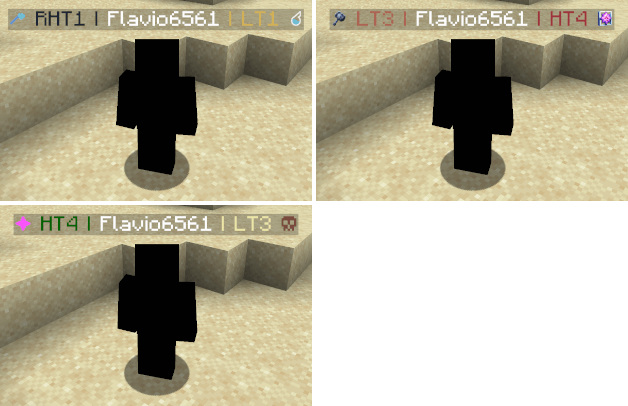 NameTags.png NameTags.png
 -
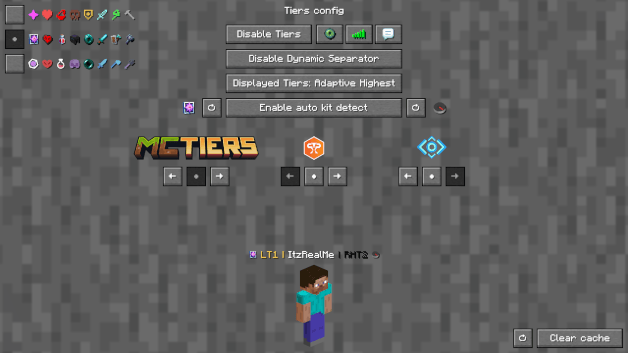 ConfigScreen.png ConfigScreen.png
 -
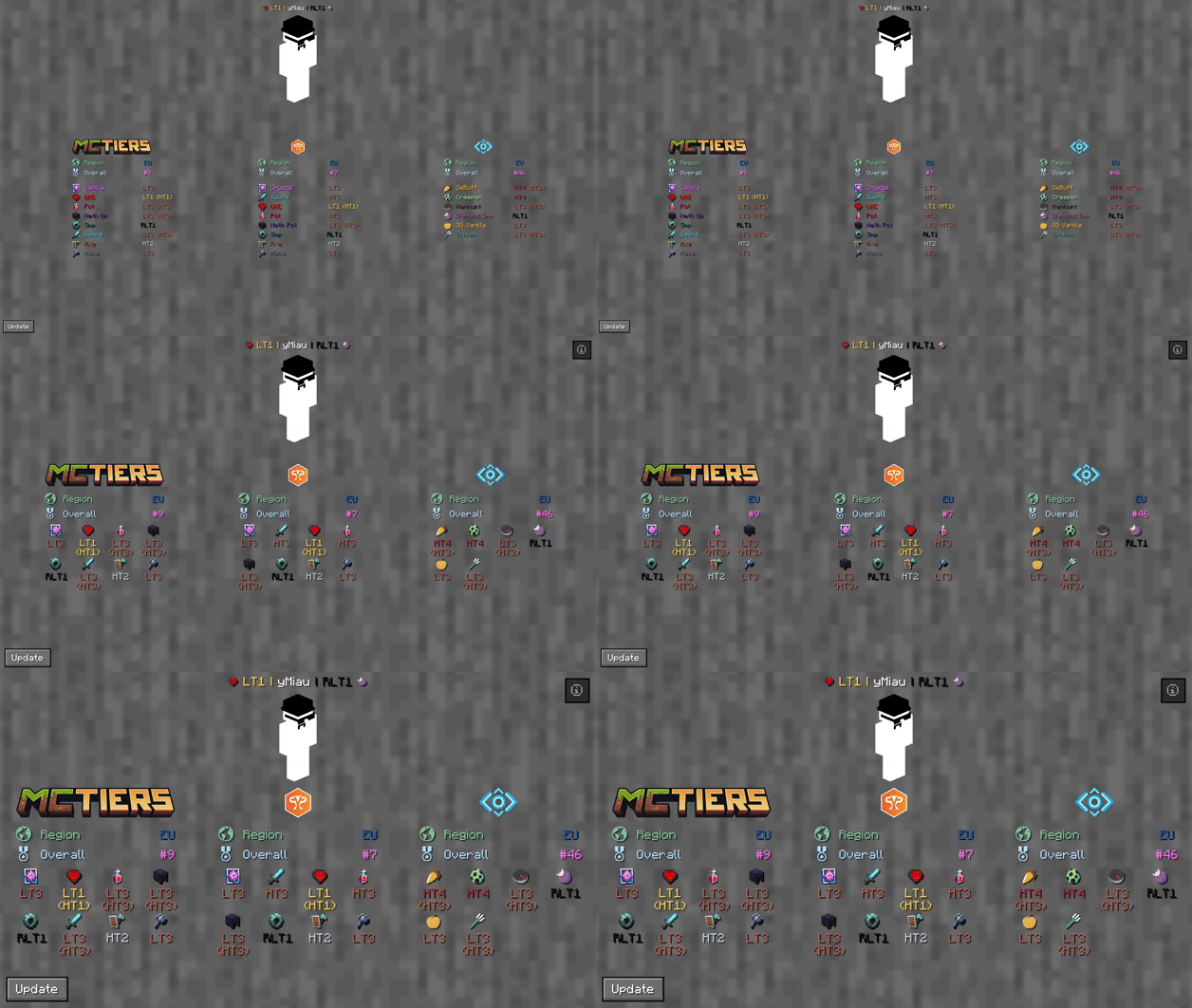 SearchResultScreen.gif SearchResultScreen.gif
-
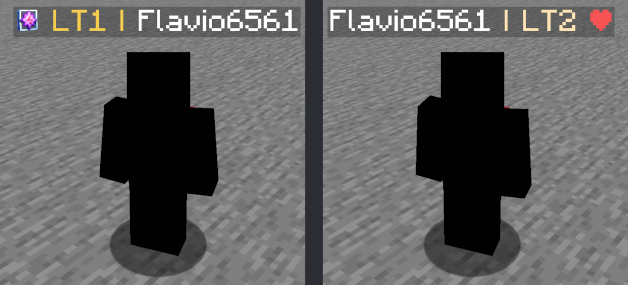
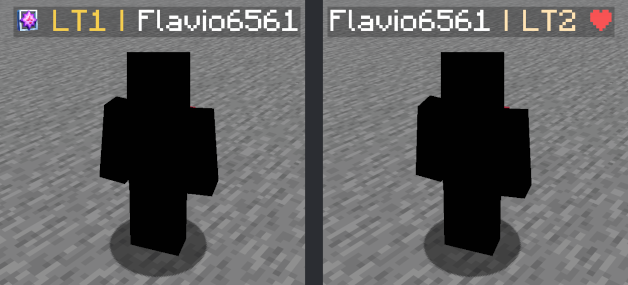 Nametags showcase PvPTiers (left) and Legacy (right) styled icons and colors
 -
 Player search result screen The screen that shows all player info. Accessible with /tiers name
 -
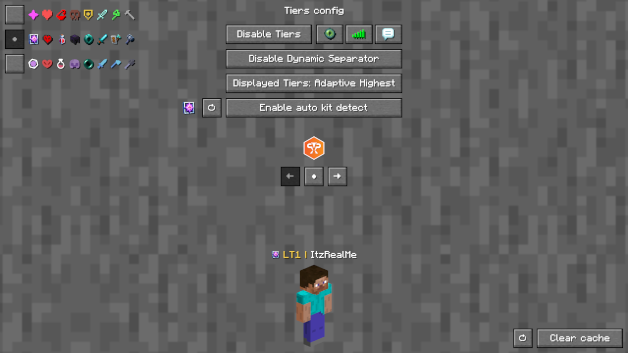 Config Screen The config screen in witch you can change the mod's settings
 -
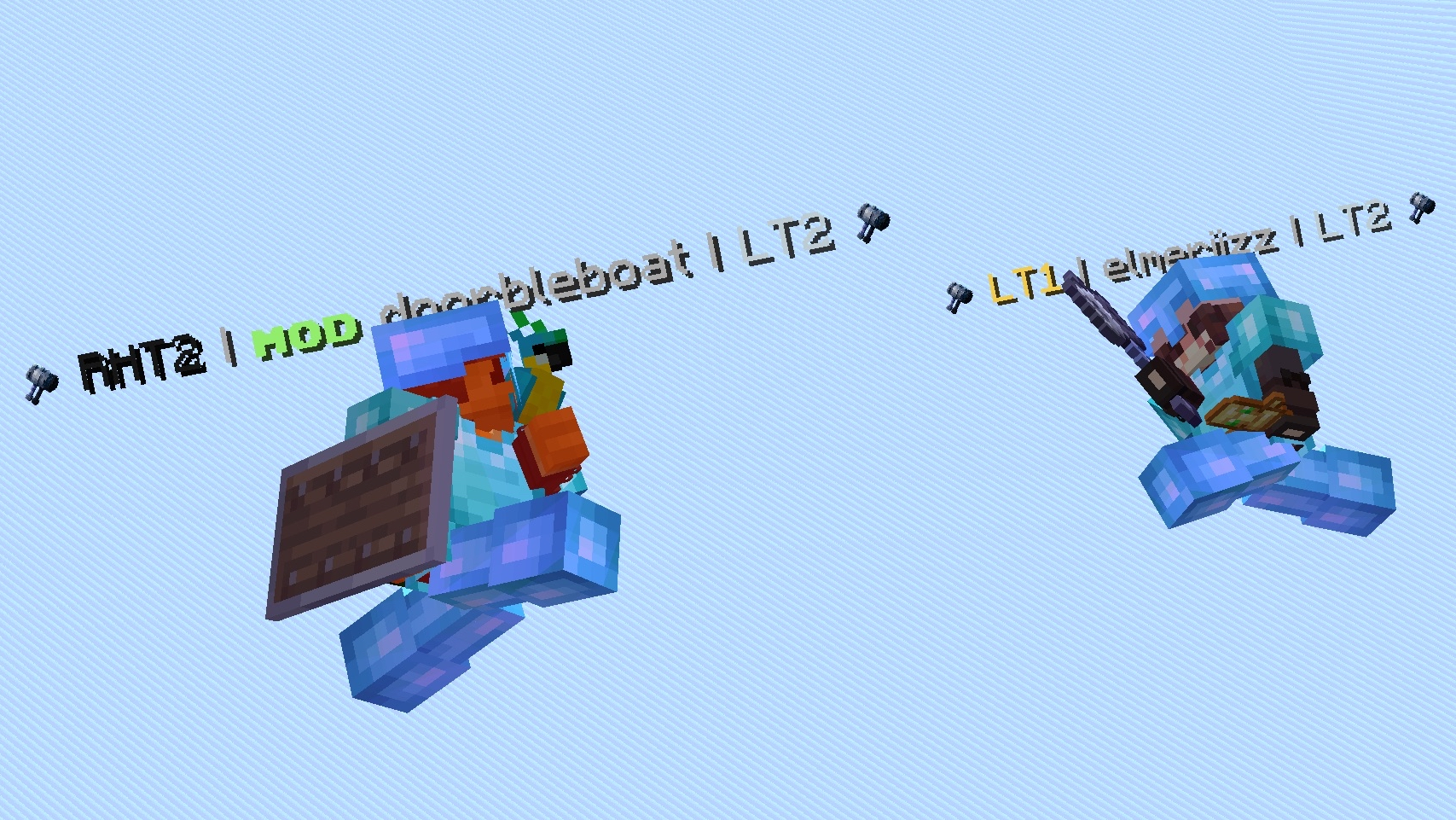 Tiers showcase A mace fight with Tiers. (Credits: @axotad / fishffa.gg)
 -
 Tiers Showcase A sword fight with Tiers. (Credits: @axotad / fishffa.gg)
 -
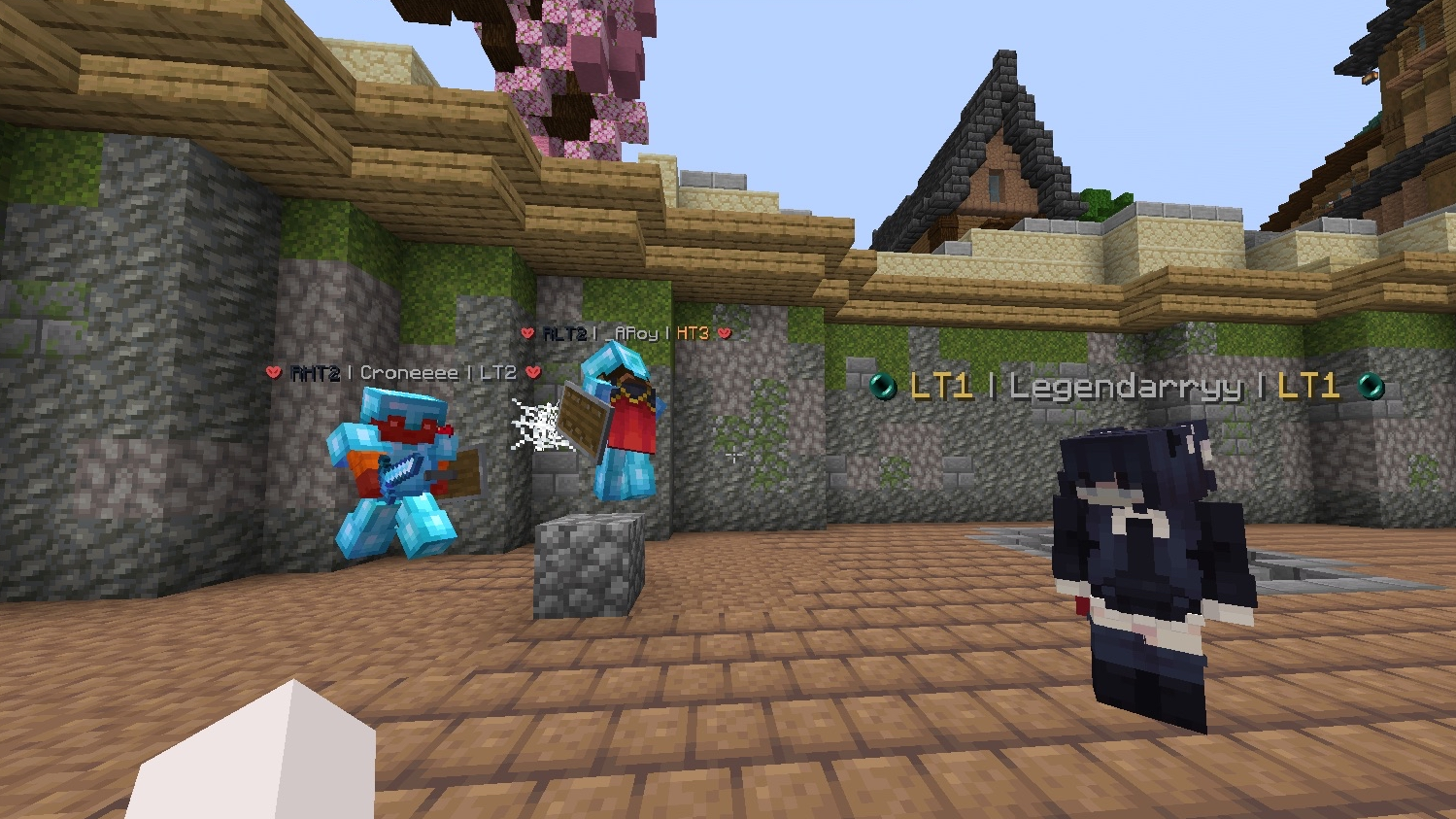 Tiers showcase An UHC fight with Tiers. (Credits: @axotad / fishffa.gg)
 -
 Tiers showcase An UHC fight with Tiers. (Credits: @axotad / fishffa.gg)
 -
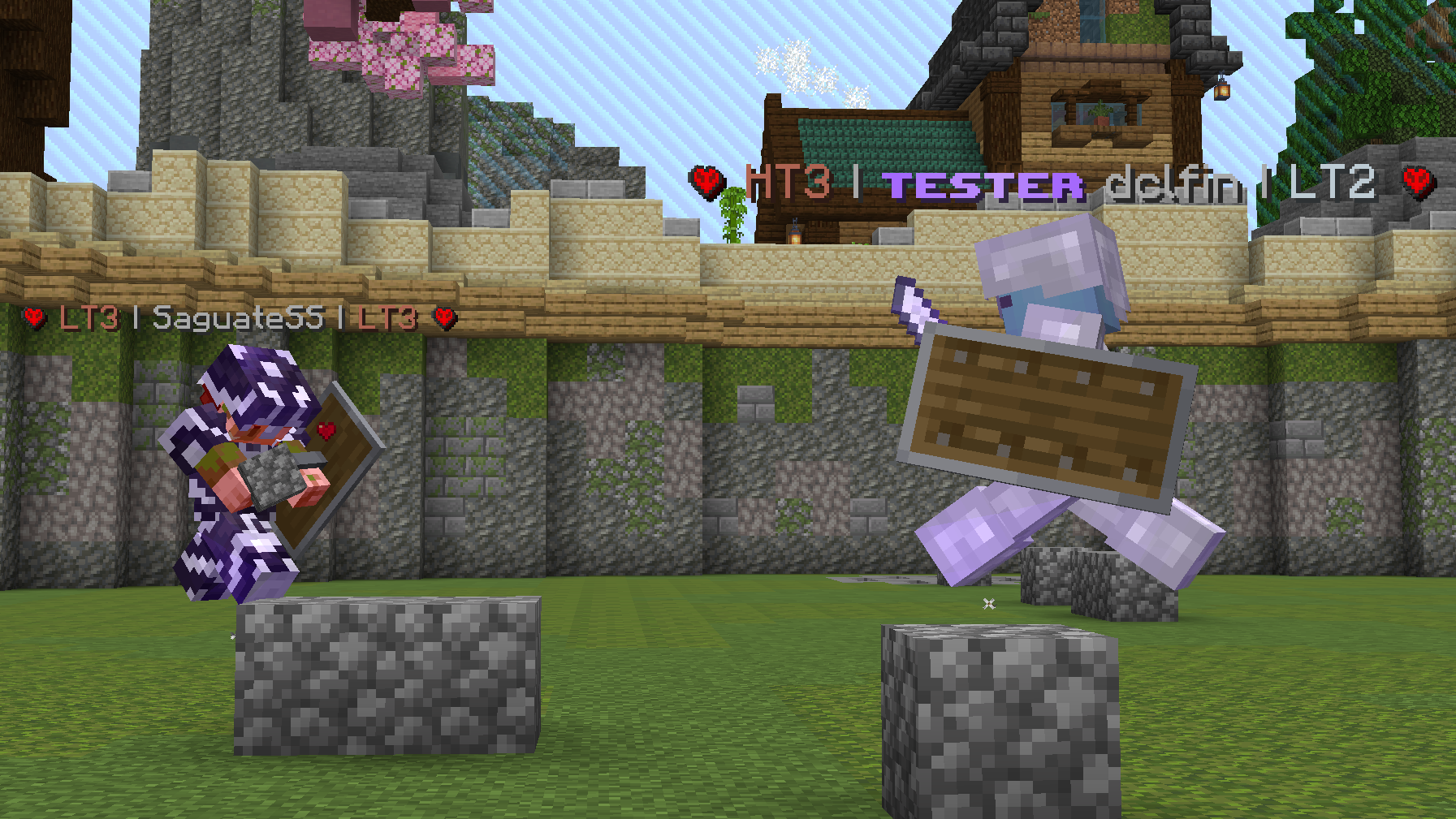 Tiers showcase An Iron UHC fight with Tiers. (Credits: @axotad / fishffa.gg)
Versions
Files
Relations
Project Relations
More like this
Similar Mods
Suggestions use data such as tags, dependencies, dependents, descriptions, titles, and more to rank how much they overlap with this mod.
On ModDex
Community snapshot
By the numbers
Statistics
Want to reach Minecraft players?
We're looking for a server hosting partner to feature here and other parts of the site. Interested? Send us a message!
Get in touchGet it on
Available Platforms
On ModDex
Community snapshot
By the numbers