Community listing page, reviews here may not be monitored by the author.
Lunar Pack Display


No reviews yet
Displays your current resource pack with thumbnail, name, and customizable HUD. Features draggable position, scalable size, and toggleable options.
Community voices
Reviews
No reviews yet. Be the first to review this project!
Get it on
Available Platforms
Compatibility
Supported Environments
Runs entirely on the client. Works on vanilla servers.
About
Project Details
For authors
Embed Badge
If you're the author of this project, you can embed a live badge anywhere that supports HTML or Markdown. It updates automatically whenever ratings change.
Use HTML for any page that supports it, or Markdown for README files and Markdown-based descriptions.
Identifiers
Platform IDs
Resources
External Links
About
Description
How to use it
just use /packdisplay to get UI
then you will get 3 option
1. Show HUD: if you turn it off, the mod will get turned off.
2. Show Background: if you turn it on, you will get a transparent black background in the back of your pack thumbnail and name and off for nothing behind your texture/resource pack.
3. Show Thumbnail: If you turn it on, you will get the thumbnail of your texture/resource pack.
How it Works
It just checks your texture pack files and check which texture/resource pack you are using.
Description
I was thinking about to make a new lunar client mod for forge 1.8.9 and watching some bedwars gameplay then I saw he had packdisplay from lunar client, So that's it, I was decided to make the mod and I made it. I hope you all like this mod. If there is any problem with English I'm so sorry I'm not that much good at English so if you face any problem with this mod contact with me on my discord Worst Boy#5804. Thank you...
Credits
HeightLight, AnikDas Gaming, __Tajbiul__
Again Thank you all
How to Use:
Use /packdisplay command to open settings GUI
- Toggle HUD visibility, background, and pack thumbnail
- Click and drag the HUD to reposition it
- In GUI, use the corner handle to resize the display
Features:
- Displays current resource pack with thumbnail and name
- Clean formatting removes pack color codes and file extensions
- Draggable HUD with position saving
- Scalable interface with resize handle
- Toggleable background and thumbnail display
- All settings automatically saved
Description:
A clean, customizable HUD that shows your current Minecraft resource pack. Inspired by Lunar Client's pack display feature, now available for Forge 1.8.9 with additional customization options.
Credits:
HeightLight, AnikDas Gaming, Tajbiul
Support:
For issues or suggestions, contact on Discord: Worst_Boy
Screenshots
Gallery
-
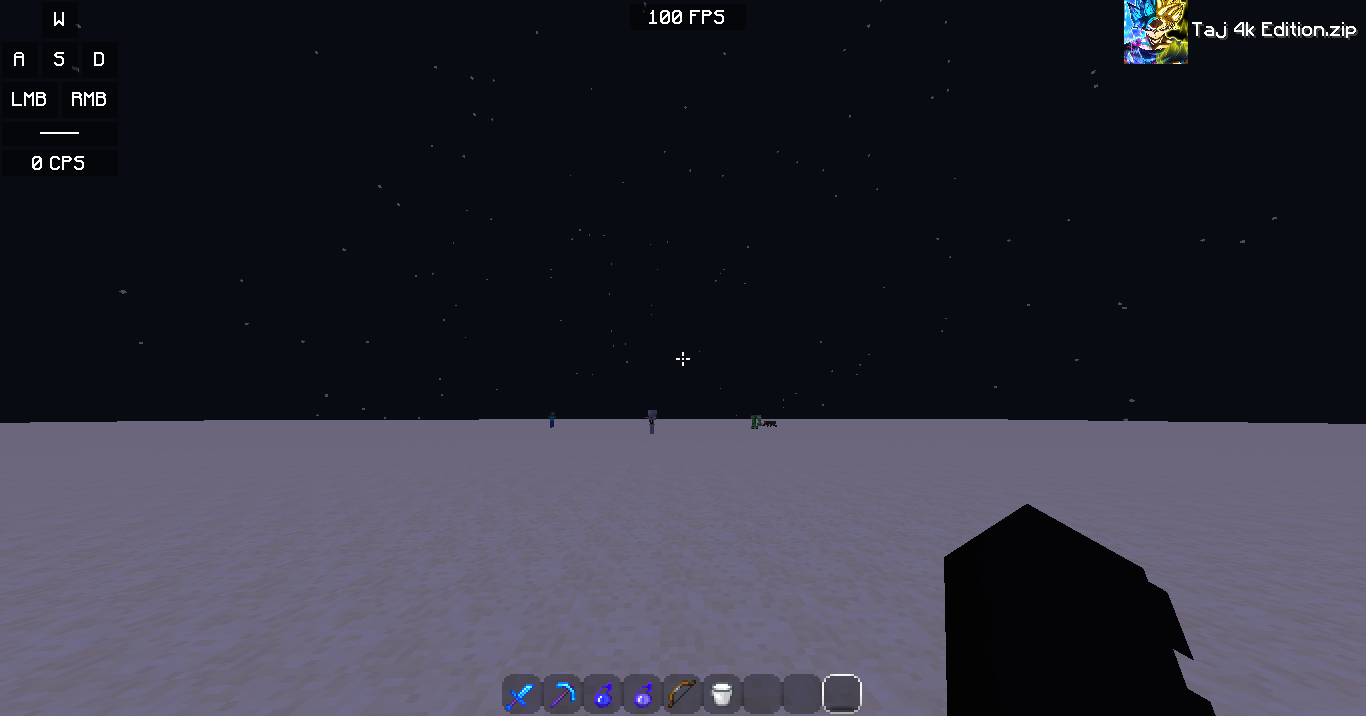 Main Look
 -
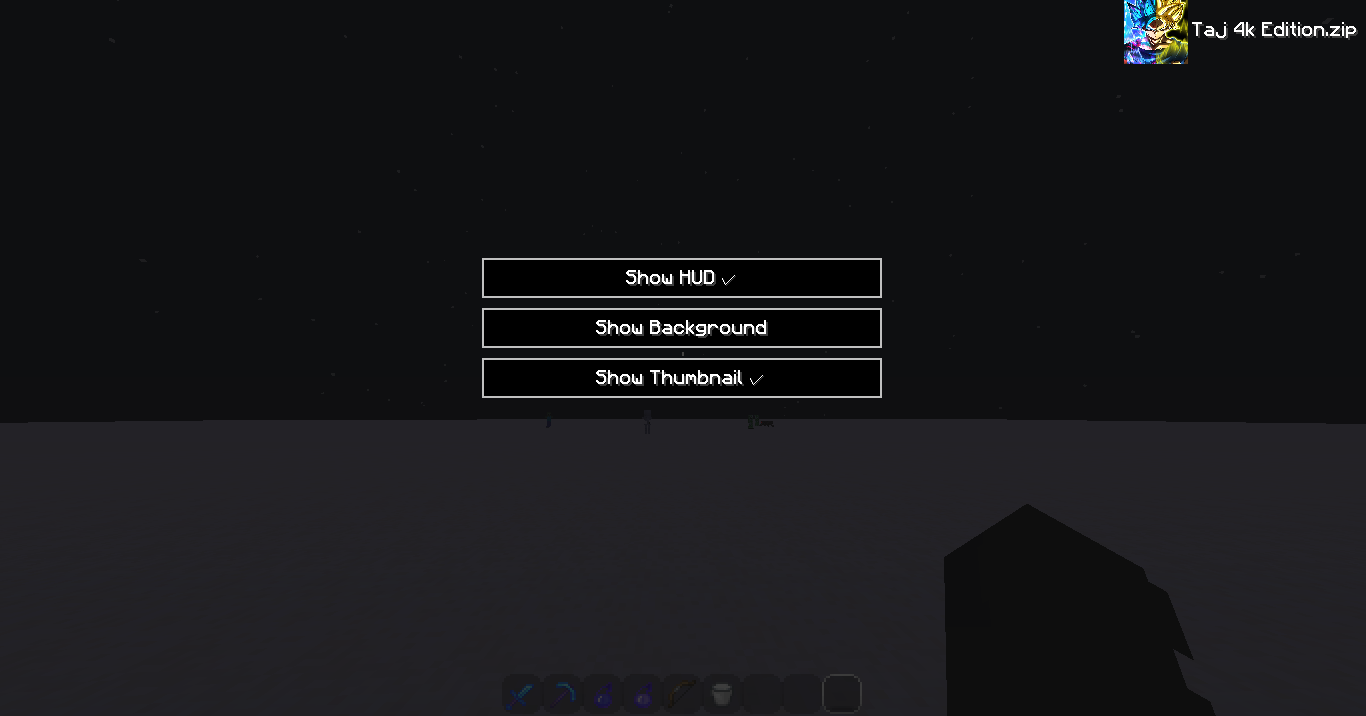 UI
UI
Versions
Files
Relations
Project Relations
More like this
Similar Mods
Suggestions use data such as tags, dependencies, dependents, descriptions, titles, and more to rank how much they overlap with this mod.
On ModDex
Community snapshot
By the numbers
Statistics
Want to reach Minecraft players?
We're looking for a server hosting partner to feature here and other parts of the site. Interested? Send us a message!
Get in touchGet it on
Available Platforms
On ModDex
Community snapshot
By the numbers
Statistics
Resources