Community listing page, reviews may not be monitored by the author.
Toggle Sneak/Sprint

No reviews yet
Toggle Sneak and Sprint adds configurable movement controls and a customizable status HUD

Community voices
Reviews
No reviews yet. Be the first to review this project!
Get it on
Available Platforms
About
Project Details
For authors
Embed Badge
If you're the author of this project, you can embed a live badge anywhere that supports HTML or Markdown. It updates automatically whenever ratings change.
Use HTML for any page that supports it, or Markdown for README files and Markdown-based descriptions.
Identifiers
Platform IDs
Resources
External Links
About
Description
Toggle Sneak and Sprint adds configurable movement controls and a customizable status HUD to Minecraft 1.8.9.
HOW TO USE
- Open the Minecraft Options menu.
- Select ToggleSneak Options at the top of the screen.
- Configure the mod using the available buttons:
- Toggle Sneak: Turn toggle sneak on or off.
- Toggle Sprint: Turn toggle sprint on or off.
- Double Tap Sprint: Automatically start sprinting when you press the forward key (W) twice. Sprinting continues as long as you keep moving forward.
- Show HUD Status: Show or hide the status HUD, which displays your current movement states, such as flying, running, sprinting, sneaking, and swimming.
- Creative Fly Boost: Enable or disable the Creative flight speed boost. It defaults to 2x speed and can be configured up to 10x through the Forge configuration file. Only works in Creative mode.
- Options Button: Choose where the ToggleSneak Options button appears in the Minecraft Options menu: above Skin Customization or above Super Secret Settings…
- Edit Status HUD: Open the HUD editor to reposition and resize your status HUD. Use Done to save your HUD changes or Cancel to discard them.
- After configuring the settings, click Save Settings to apply and save your changes. Click Cancel to discard unsaved settings changes.
Note: The HUD editor has its own Done and Cancel buttons. Its changes are handled separately and are not affected by the main settings screen's Save Settings or Cancel buttons.
FEATURES
- Toggle sneak and toggle sprint.
- Optional double-tap sprint.
- Movement status HUD with a draggable and resizable editor.
- Grid positioning with screen-edge and center magnet snapping.
- Optional Creative flight speed boost, configurable up to 10x through the config file.
- Settings saved to the Forge configuration file.
Screenshots
Gallery
-
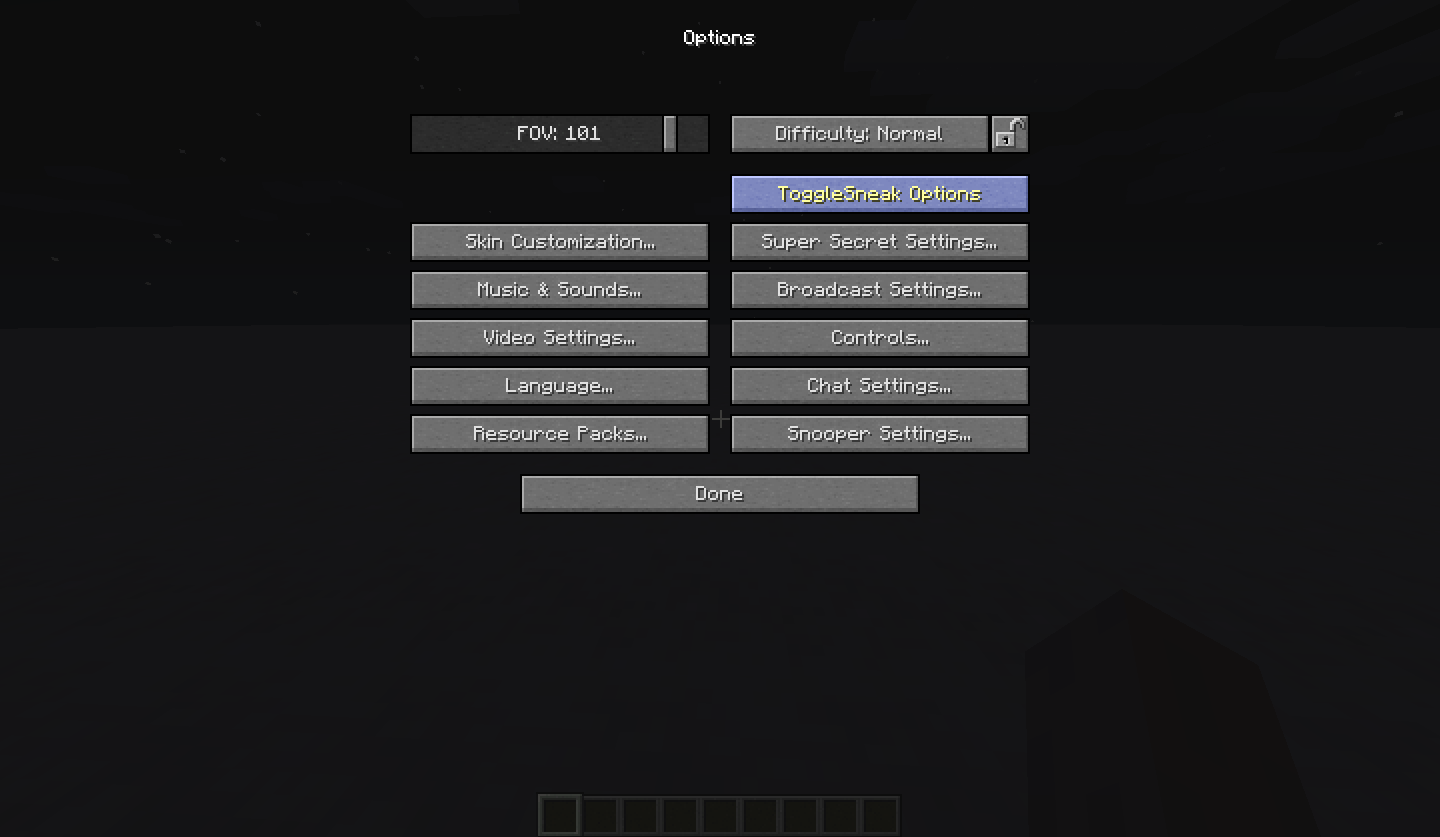 ToggleSneak Options
-
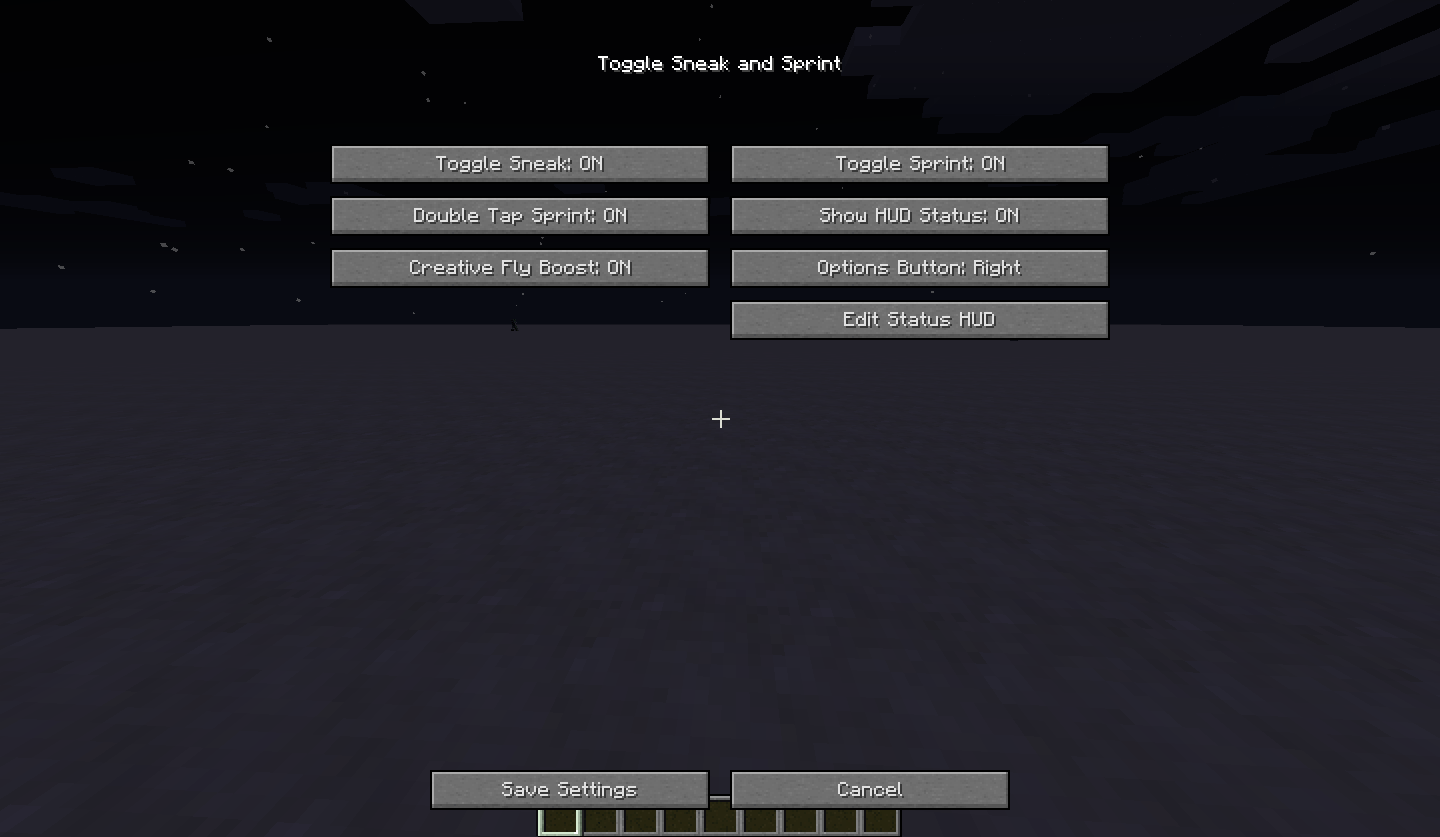 Toggle Sneak Main GUI
-
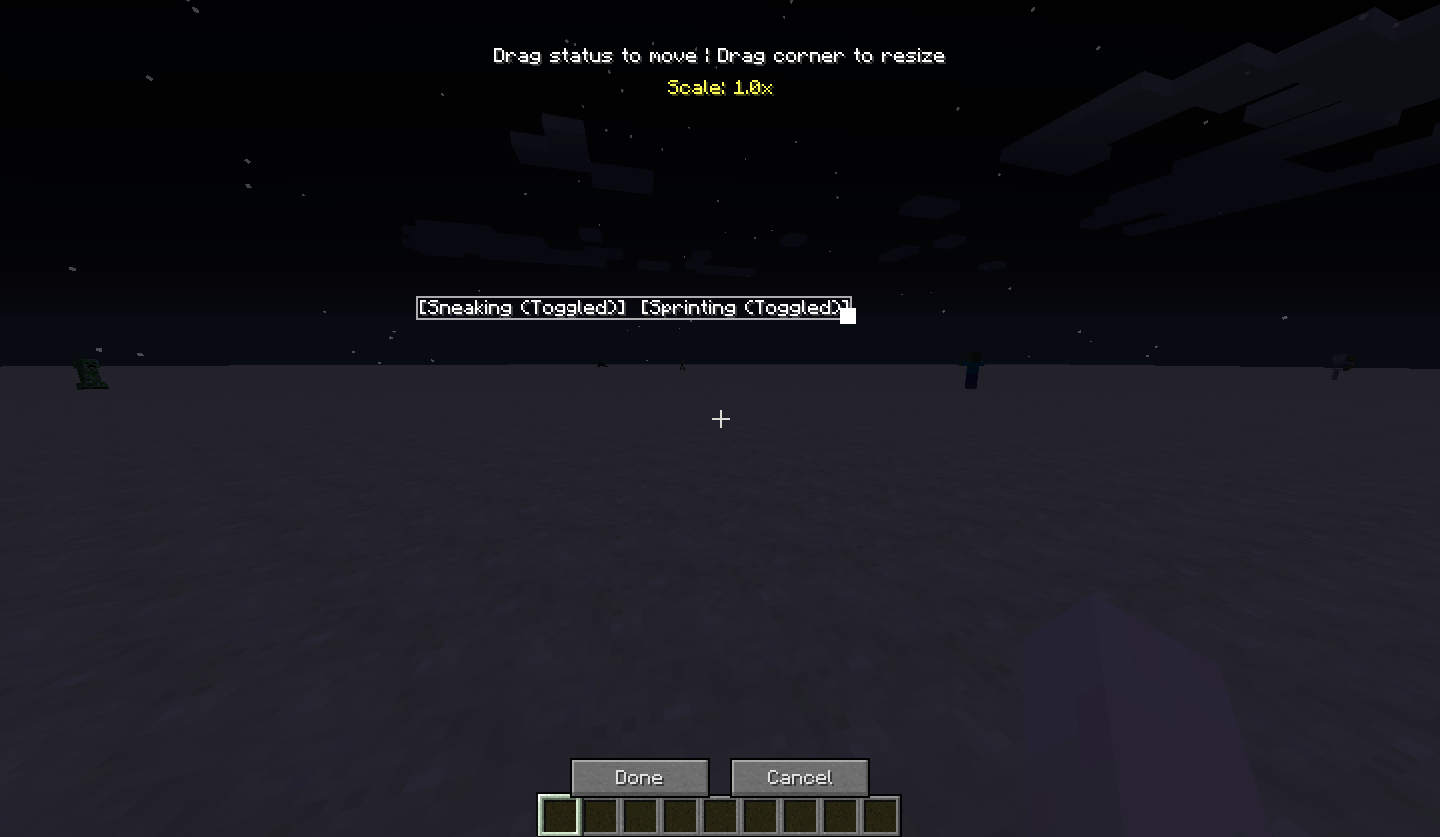 Hud Editior
Versions
Files
Relations
Project Relations
More like this
Similar Mods
Suggestions use data such as tags, dependencies, dependents, descriptions, titles, and more to rank how much they overlap with this mod.
On ModDex
Community snapshot
By the numbers
Statistics

Get it on
Available Platforms
On ModDex
Community snapshot
By the numbers
Statistics
Resources