
Community listing page, reviews may not be monitored by the author.
MaxMap


No reviews yet
Tracks Your Mapped areas and auto maps for you

Community voices
Reviews
No reviews yet. Be the first to review this project!
Get it on
Available Platforms
Compatibility
Supported Environments
Runs entirely on the client. Works on vanilla servers.
About
Project Details
For authors
Embed Badge
If you're the author of this project, you can embed a live badge anywhere that supports HTML or Markdown. It updates automatically whenever ratings change.
Use HTML for any page that supports it, or Markdown for README files and Markdown-based descriptions.
Identifiers
Platform IDs
About
Description
## 🗺️ What is MaxMap?
Ever started a huge mapping project and then lost track of which **128×128 map tiles** you’ve already covered?
**MaxMap** is a Fabric client-side mod that gives you a live coverage overlay showing which map tiles are mapped and which are still unexplored — making large-scale mapping projects simple and efficient.
MaxMap is a fork / continuation of *Map Coverage Tracker*, expanded with modern Fabric support and several quality-of-life improvements.

## ✨ Features
- Live overlay showing coverage of 128×128 map tiles
- Green cells = mapped tiles
- Red cells = unmapped tiles
- Auto-map mode (automatically creates and checks maps)
- Automatically moves scanned maps into your main inventory
- HUD coverage percentage display
- Red HUD warning when inventory is full
- Configurable overlay size & placement
- Clickable cells (jump focus / inspect area)
- Lightweight & client-side only
---
## ⌨️ Keybinds
| Key | Action |
|----|------|
| **M** | Open MaxMap configuration screen |
| **(Configurable)** | Toggle overlay |
| **(Configurable)** | Toggle auto-map mode |
> All keybinds can be changed in Minecraft Controls → MaxMap
---
## ⚙️ Configuration Options
Inside the MaxMap config screen you can:
- Change overlay size (cell scale)
- Move overlay position
- Enable / disable overlay
- Enable / disable auto-map
- Adjust scan area coordinates
- Fine-tune visual appearance
---
## 📦 Requirements
- Minecraft (Fabric)
- Fabric Loader
- Fabric API
---
## 📜 Credits
- Original mod: **fweigel-dev / MapCoverageTracker**
- Continuation & expansion: **MaxVulpes**
---
## 🧾 License
This project is released under the MIT License.
---
## 🐛 Issues & Suggestions
Found a bug or have an idea?
Open an issue on GitHub:
https://github.com/MaxVulpes/MaxMap
---
## ❤️ Support
If you enjoy MaxMap, consider starring the project on GitHub or sharing it with others!
Ever started a huge mapping project and then lost track of which 128×128 map tiles you’ve already covered?
MaxMap is a Fabric client-side mod that gives you a live coverage overlay showing which map tiles are mapped and which are still unexplored — making large-scale mapping projects simple and efficient.
MaxMap is a fork / continuation of Map Coverage Tracker, expanded with modern Fabric support and several quality-of-life improvements.##

✨Features
- Live overlay showing coverage of 128×128 map tiles
- Green cells = mapped tiles
- Red cells = unmapped tiles
- Auto-map mode (automatically creates and checks maps)
- Automatically moves scanned maps into your main inventory
- HUD coverage percentage display
- Red HUD warning when inventory is full
- Configurable overlay size & placement
- Clickable cells (jump focus / inspect area)
- Lightweight & client-side only
⌨️ Keybinds
| Key | Action |
|---|---|
| M | Open MaxMap configuration screen |
| (Configurable) | Toggle overlay |
| (Configurable) | Toggle auto-map mode |
All keybinds can be changed in Minecraft Controls → MaxMap
⚙️ Configuration Options
Inside the MaxMap config screen you can:
- Change overlay size (cell scale)
- Move overlay position
- Enable / disable overlay
- Enable / disable auto-map
- Adjust scan area coordinates
- Fine-tune visual appearance
📦 Requirements
- Minecraft (Fabric)
- Fabric Loader
- Fabric API
📸 Screenshots
📜 Credits
- Original mod: fweigel-dev / MapCoverageTracker
- Continuation & expansion: MaxVulpes
🧾 License
This project is released under the MIT License.
🐛 Issues & Suggestions
Found a bug or have an idea?
Open an issue on GitHub:
https://github.com/MaxVulpes/MaxMap
❤️ Support
If you enjoy MaxMap, consider starring the project on GitHub or sharing it with others!
Screenshots
Gallery
-
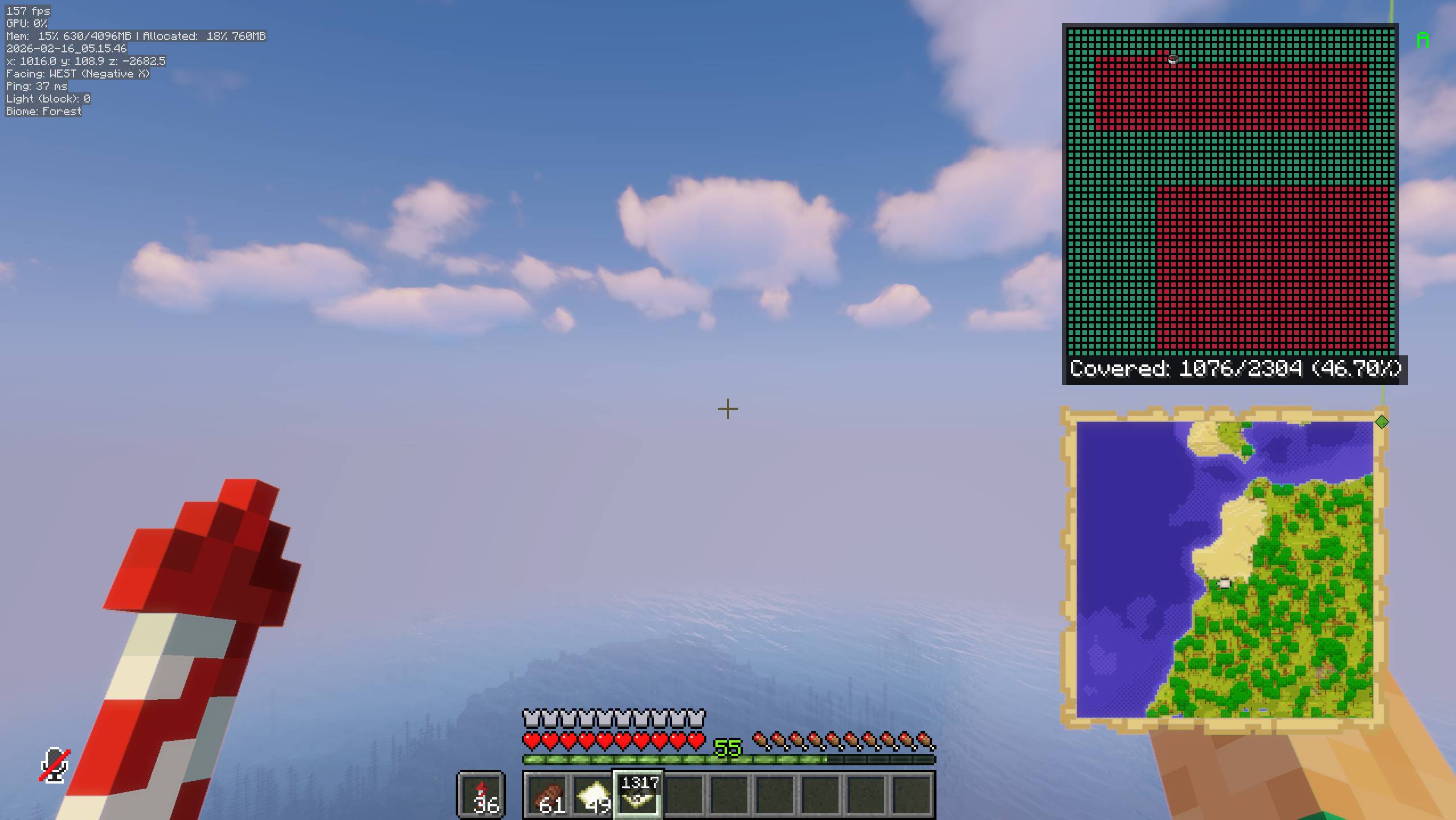 Overlay
 -
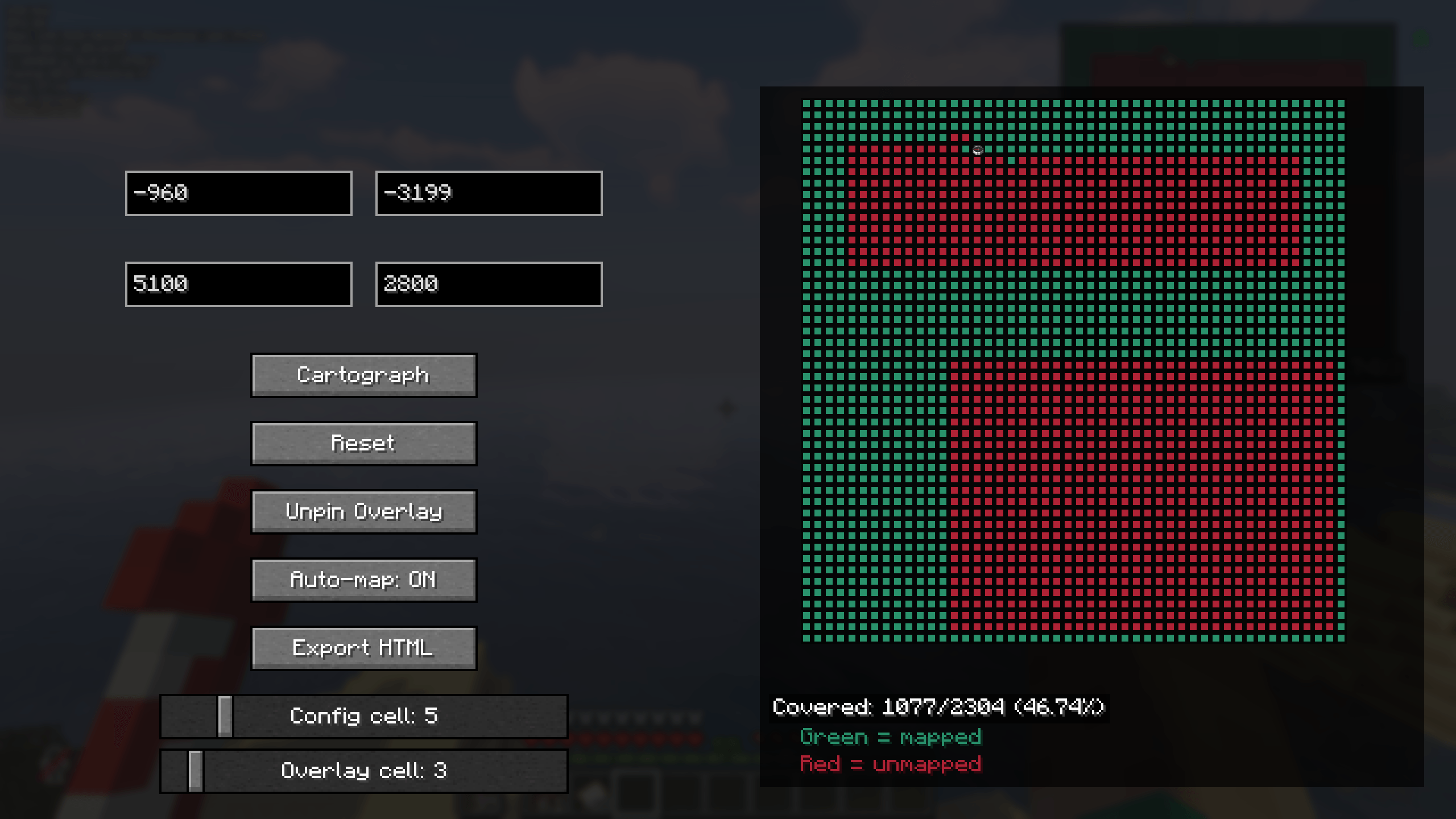 Config Screen
-
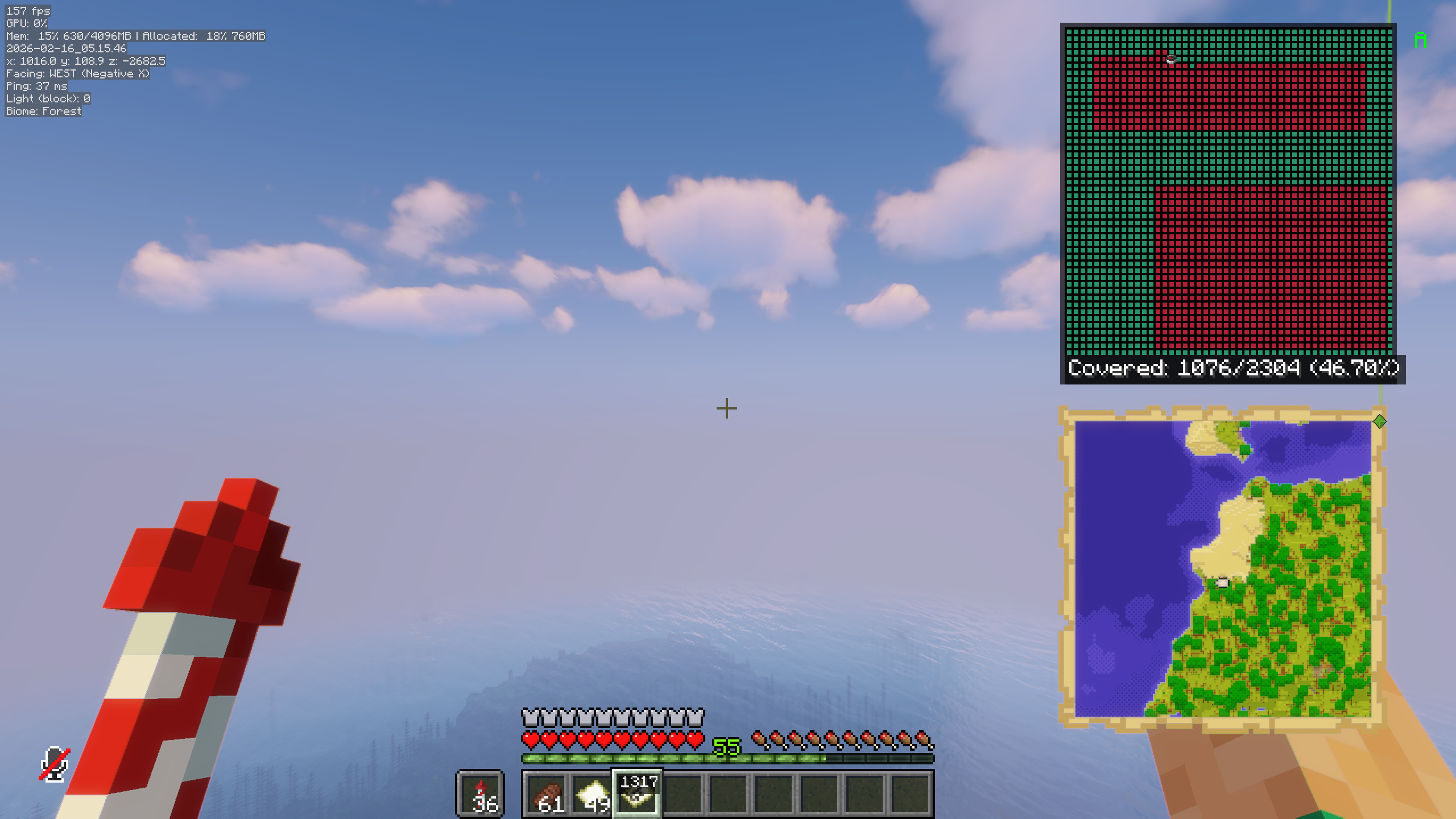 Coverage Overlay In Game
 -
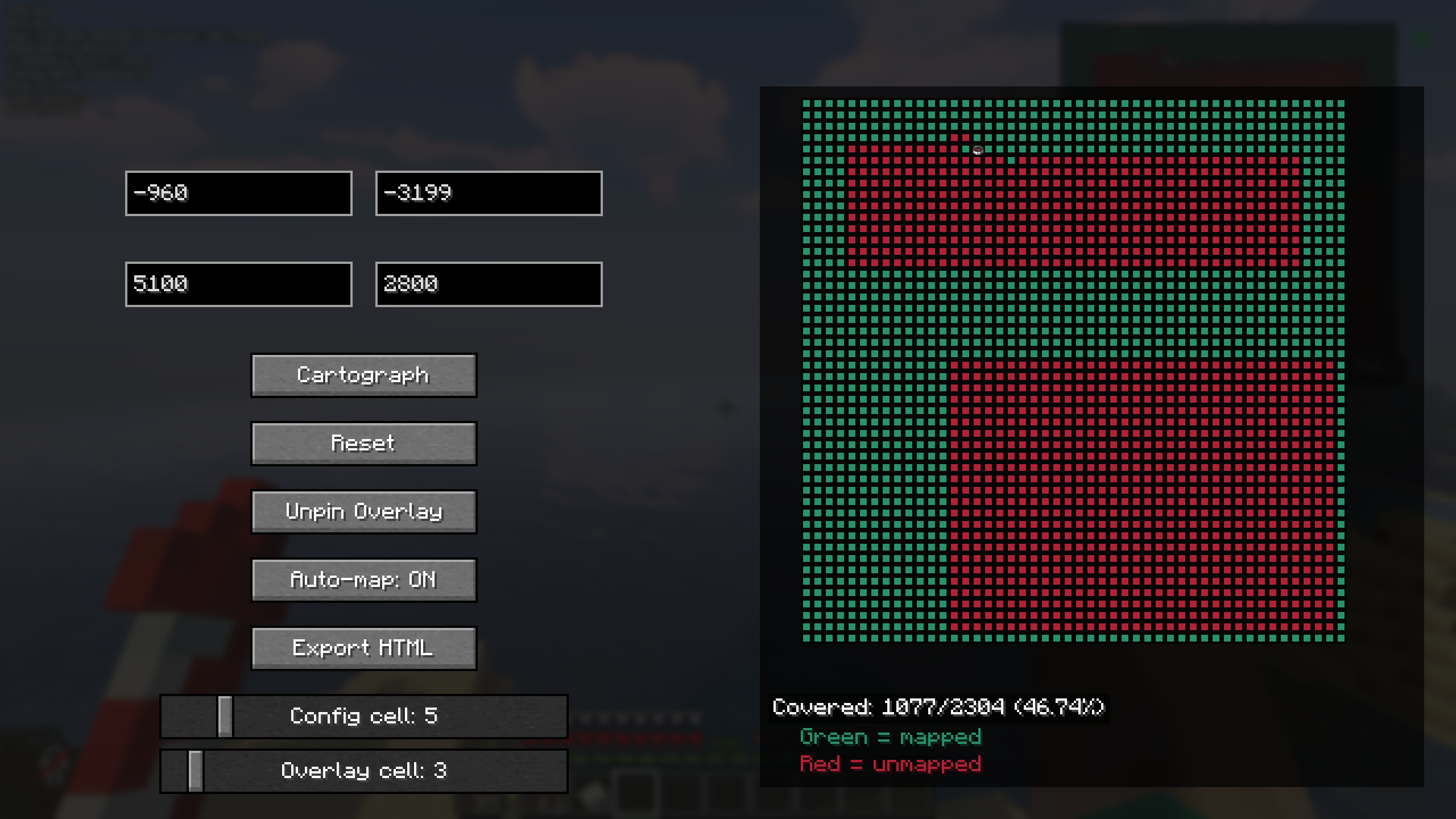 Config Screen
Versions
Files
Relations
Project Relations
More like this
Similar Mods
Suggestions use data such as tags, dependencies, dependents, descriptions, titles, and more to rank how much they overlap with this mod.
On ModDex
Community snapshot
By the numbers
Statistics

Get it on
Available Platforms
On ModDex
Community snapshot
By the numbers