Community listing page, reviews here may not be monitored by the author.
Chunk Editor - MCA-Selector


No reviews yet
Adds a chunk editor like MCASelector directly ingame! Select chunks by hand or rules (e.g. inhabit time), delete or extract them. Or just see your world in high speed!
Community voices
Reviews
No reviews yet. Be the first to review this project!
Get it on
Available Platforms
Compatibility
Supported Environments
Runs entirely on the client. Works on vanilla servers.
About
Project Details
For authors
Embed Badge
If you're the author of this project, you can embed a live badge anywhere that supports HTML or Markdown. It updates automatically whenever ratings change.
Use HTML for any page that supports it, or Markdown for README files and Markdown-based descriptions.
Identifiers
Platform IDs
Resources
External Links
About
Description
🗺️ ️Chunk Editor


An MCA-Selector like chunk map, in game.
Adds a Chunk Editor button to Minecraft's world edit screen (World Menu -> Edit -> Chunk Editor).
View the whole map & select chunks by hand or by criteria (playtime, staleness, distance from spawn), and delete them so
the game regenerates them on the next visit.
- Terrain rendering straight off the region files
- Respects data driven properties (biome tint, blocks, …)
- 3 LoD layers based on zoom
- Max-height slider to cut the view down (e.g. under Nether roof)
- Overlays/heatmaps (e.g. inhabit time, #(tile-)entity, custom NBT path, …)
- Markers (e.g. player markers)
- Every dimension the save has, including custom dimensions
- Deletes
region/,entities/andpoi/together (after backup)
📒 Wiki / Guide
Exporting
A selection & world-clip can be exported, containing all region, POI & entity data stored in vanilla format.
Selections are useful to export for later & repeated use.
Cross-compatible with standalone MCA-Selector tool
World Clips Storage: <instance>/chunkclips/
Selection Storage: <instance>/chunkclips/_selections/
Importing
All exports can be important in any world & any dimension (import may get cropped at Y).
The importer allows every version to be important, as long as it's lower than the target (e.g. 1.18→26.2) and chunks get auto upgraded.
❗ 1 Section = 16 Blocks
| Option | ??? |
|---|---|
| Sections | Range of sections that is imported (blank=all, -4:0=only deepslate layer) |
| Y-Offset | How much the import is shifted up/down (0=keep, -4=shift 4 sections down) |
| Existing Chunks | Keep=Existing chunks stay, Replace=New chunks override, Merge=Blocks merge |
Reminder: A chunk has many 16x16x16 sections from top to bottom, that we can control (not blocks)
| Sections | Y-Offset | Result |
|---|---|---|
| (blank) | 0 | Full copy |
| 0:3 | 0 | Only blocks y 0..63 go in. Everything above & below is untouched (merge) or empty (replace) |
| (blank) | 1 | Full clip 16 blocks shifted up |
| -4:-1 | 4 | Take deepslate layer (y -64..-1) and rise it to stone layer (y 0..63) |
| 19 | 0 | Only the top section (y 304..319) |
Overlays
See information directly on the map via Overlays.
Choose an Overlay in the menu View -> Overlays and it will scan the specific data and cache it for future toggles.
Number range overlays will show as heatmap in either manual set ranges or in automatic calculated ranges. Categoric overlays (e.g. biomes) render in hashed colors and show the current hovered region info (e.g. river)
Some overlays take additional arguments, like the block & custom NBT overlay. Those can be used to display everything that can be mapped to a numeric value.
Block Count: Input takes either (count all blocks), a block id minecraft:spawner or a block tag #minecraft:logs (tags resolve against installed datapacks)
NBT Path: Point at any NBT value from region/*.mca files. Arrays/Lists get resolved to their size.
Paths can be walked down with . & lists picked with [n] like sections[0].Y.
Read more about available data here: https://minecraft.wiki/w/Chunk_format
Directly integrated by Worlds with more useful world configurations & faster loading!
🗺️ ️Chunk Editor
An MCA-Selector like chunk map, in game.
Adds a Chunk Editor button to Minecraft's world edit screen (World Menu -> Edit -> Chunk Editor).
View the whole map & select chunks by hand or by criteria (playtime, staleness, distance from spawn), and delete them so
the game regenerates them on the next visit.
- Terrain rendering straight off the region files
- Respects data driven properties (biome tint, blocks, ...)
- 3 LoD layers based on zoom
- Max-height slider to cut the view down (e.g. under Nether roof)
- Overlays/heatmaps (e.g. inhabit time, #(tile-)entity, custom NBT path, ...)
- Markers (e.g. player markers)
- Every dimension the save has, including custom dimensions
- Deletes
region/,entities/andpoi/together (after backup)
📒 Wiki / Guide
Exporting
A selection & world-clip can be exported, containing all region, POI & entity data stored in vanilla format.
Selections are useful to export for later & repeated use.
Cross-compatible with standalone MCA-Selector tool
World Clips Storage: <instance>/chunkclips/
Selection Storage: <instance>/chunkclips/_selections/
Importing
All exports can be important in any world & any dimension (import may get cropped at Y).
The importer allows every version to be important, as long as it's lower than the target (e.g. 1.18→26.2) and chunks get auto upgraded.
❗ 1 Section = 16 Blocks
| Option | ??? |
|---|---|
| Sections | Range of sections that is imported (blank=all, -4:0=only deepslate layer) |
| Y-Offset | How much the import is shifted up/down (0=keep, -4=shift 4 sections down) |
| Existing Chunks | Keep=Existing chunks stay, Replace=New chunks override, Merge=Blocks merge |
Import Examples
Reminder: A chunk has many 16x16x16 sections from top to bottom, that we can control (not blocks)
| Sections | Y-Offset | Result |
|---|---|---|
| (blank) | 0 | Full copy |
| 0:3 | 0 | Only blocks y 0..63 go in. Everything above & below is untouched (merge) or empty (replace) |
| (blank) | 1 | Full clip 16 blocks shifted up |
| -4:-1 | 4 | Take deepslate layer (y -64..-1) and rise it to stone layer (y 0..63) |
| 19 | 0 | Only the top section (y 304..319) |
Overlays
See information directly on the map via Overlays.
Choose an Overlay in the menu View -> Overlays and it will scan the specific data and cache it for future toggles.
Number range overlays will show as heatmap in either manual set ranges or in automatic calculated ranges. Categoric overlays (e.g. biomes) render in hashed colors and show the current hovered region info (e.g. river)
Advanced Settings
Some overlays take additional arguments, like the block & custom NBT overlay. Those can be used to display everything that can be mapped to a numeric value.
Block Count: Input takes either (count all blocks), a block id minecraft:spawner or a block tag #minecraft:logs (tags resolve against installed datapacks)
NBT Path: Point at any NBT value from region/*.mca files. Arrays/Lists get resolved to their size.
Paths can be walked down with . & lists picked with [n] like sections[0].Y.
Read more about available data here: https://minecraft.wiki/w/Chunk_format
Directly integrated by Worlds with more useful world configurations & faster loading!
Screenshots
Gallery
-
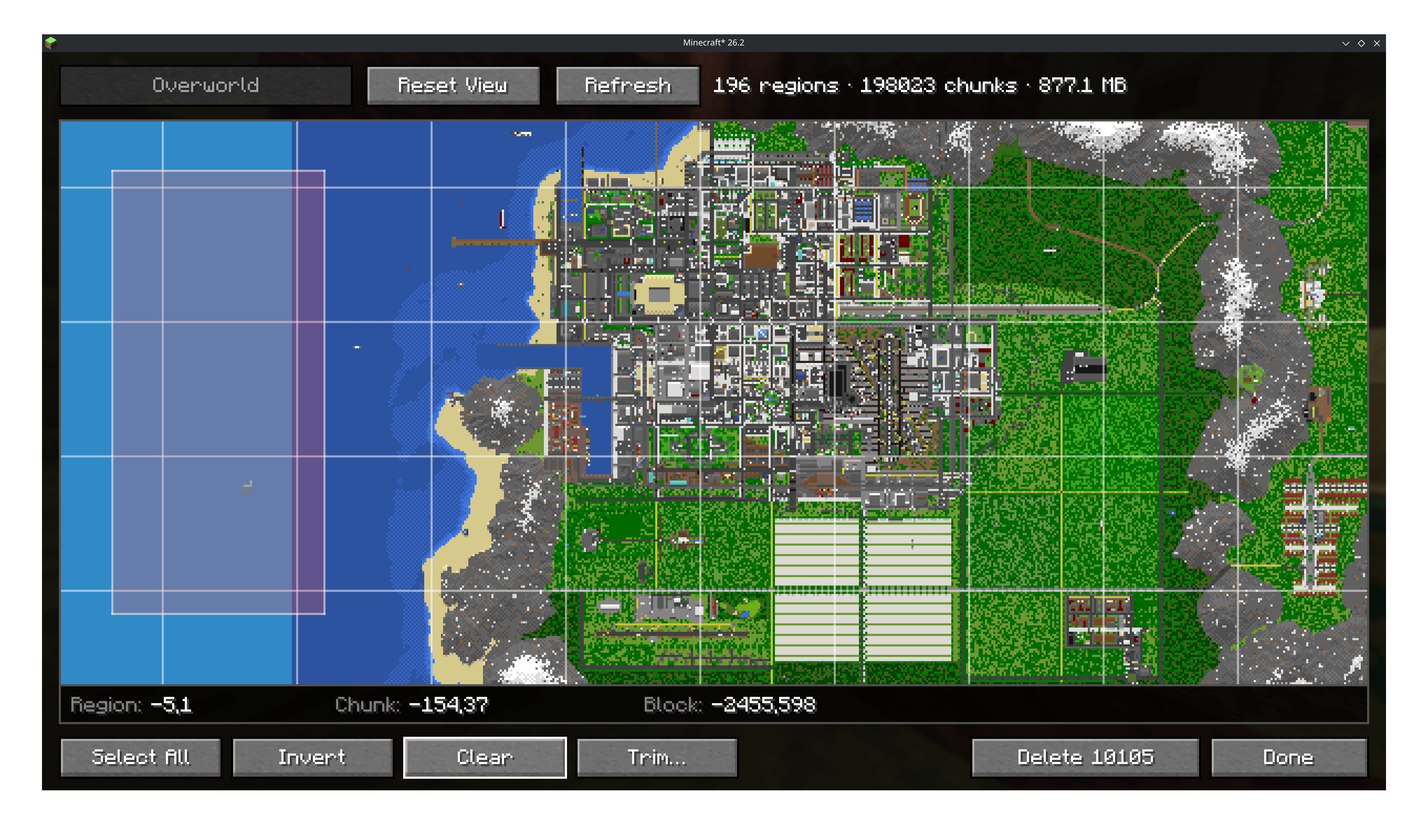 Edit World Select chunks on your large world to quick edit them (Los Perrito City by Uospag)
 -
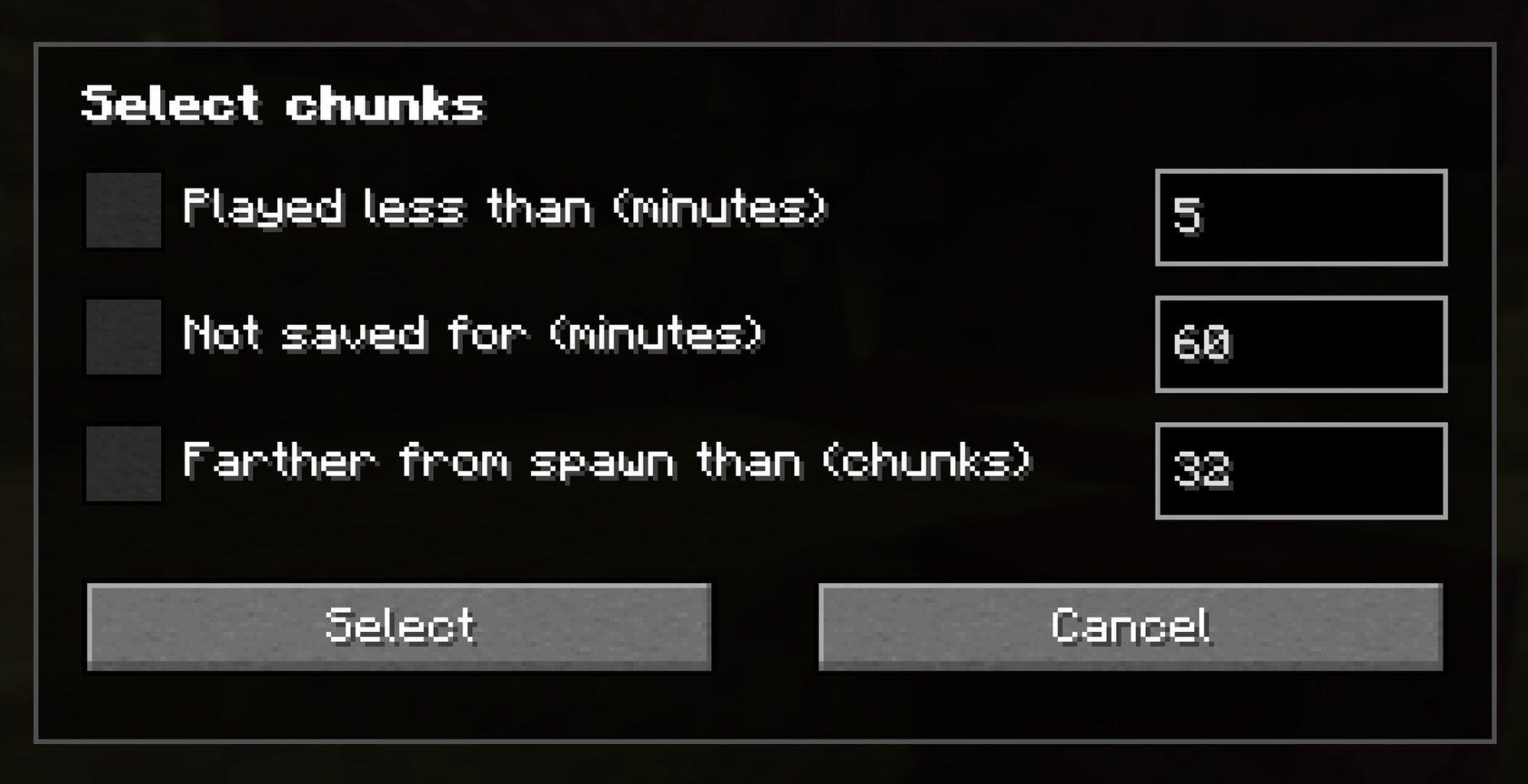 Smart Select Select chunks based on certain rules
-
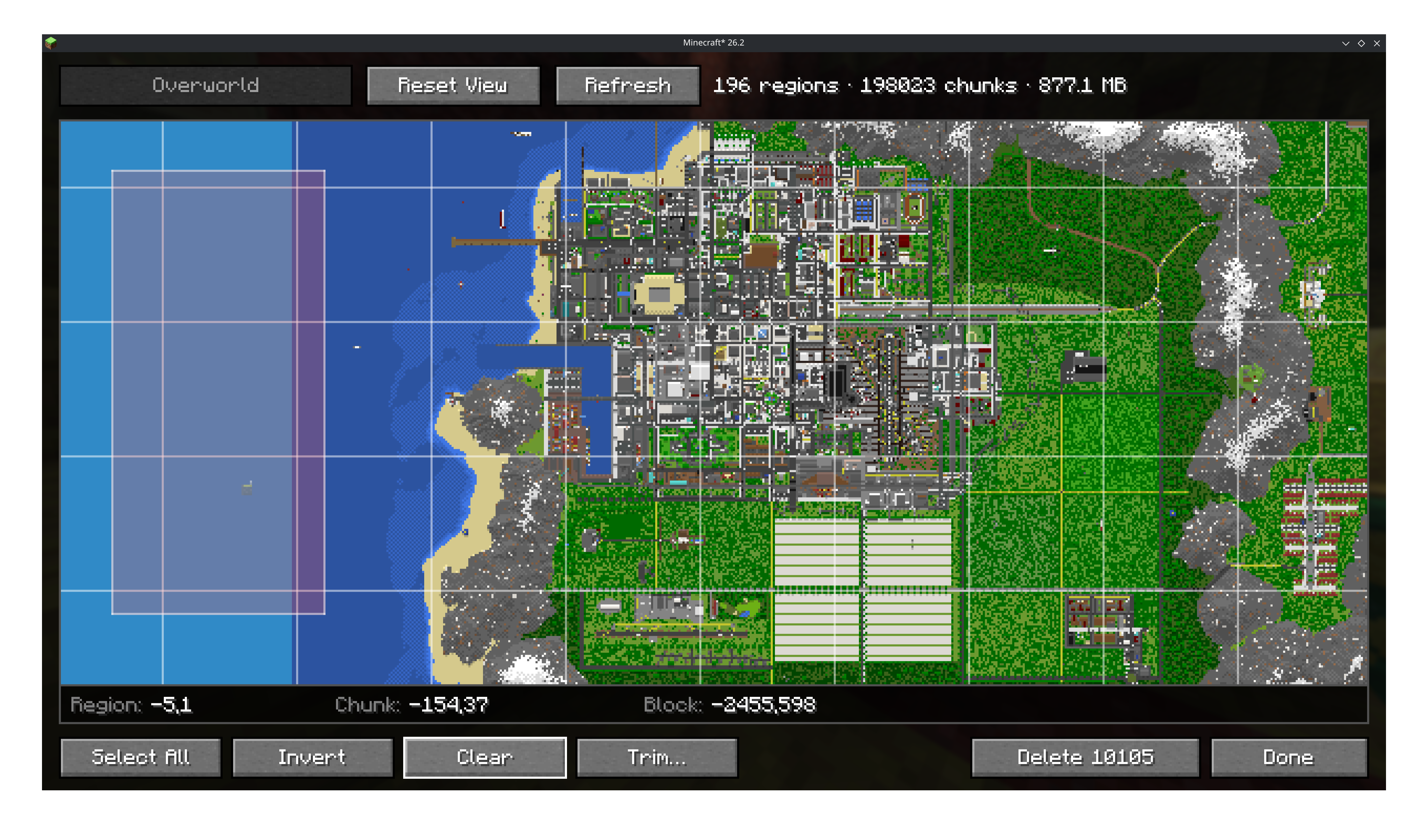 Edit World Select chunks on your large world to quick edit them (Los Perrito City by Uospag)
 -
Fast World Loading Even big complex worlds get loaded in seconds (61k chunks in 2.06s on Ryzen 9 9900X)
-
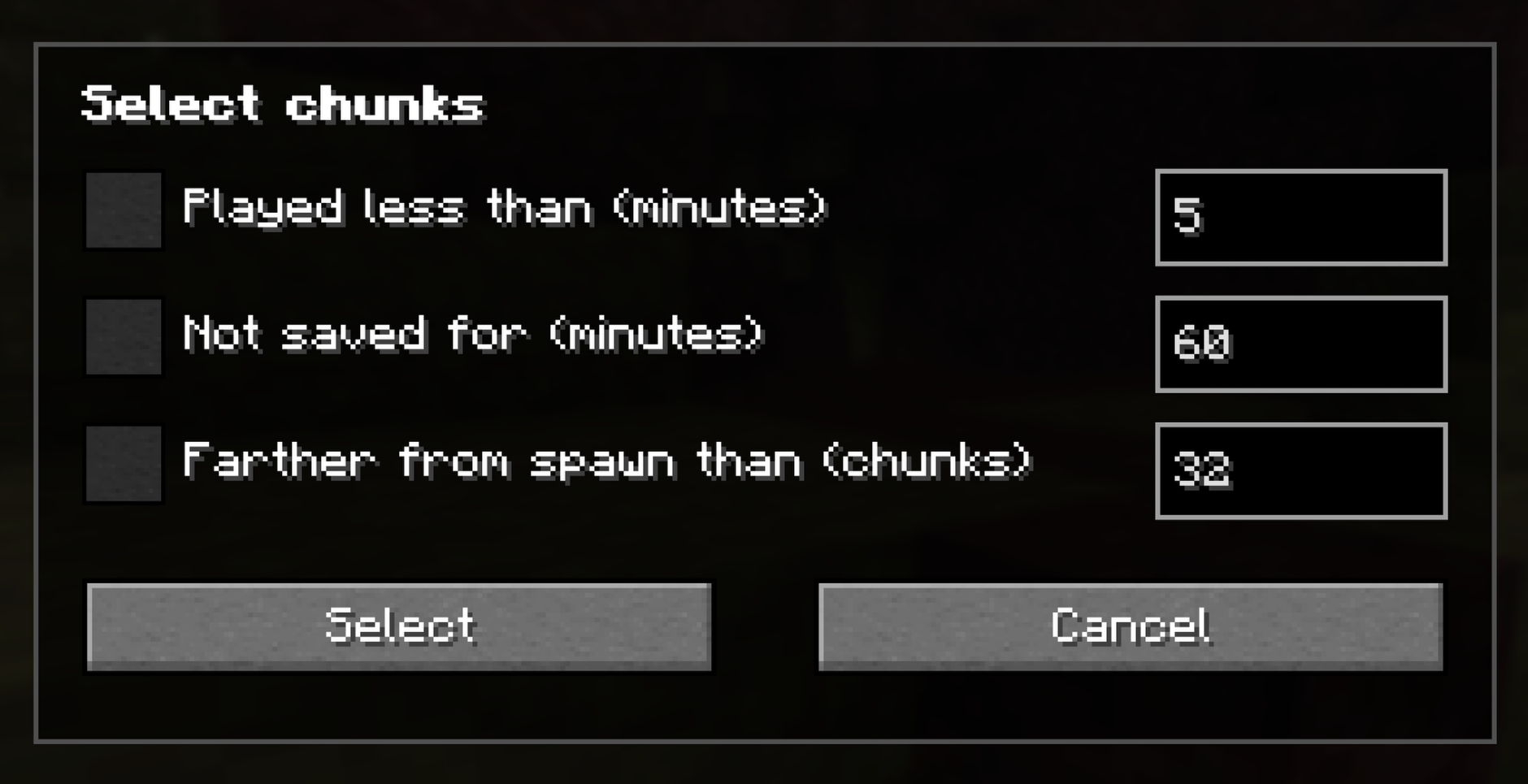 Smart Select Select chunks based on certain rules
Versions
Files
Relations
Project Relations
More like this
Similar Mods
Suggestions use data such as tags, dependencies, dependents, descriptions, titles, and more to rank how much they overlap with this mod.
On ModDex
Community snapshot
By the numbers
Statistics
Want to reach Minecraft players?
We're looking for a server hosting partner to feature here and other parts of the site. Interested? Send us a message!
Get in touchGet it on
Available Platforms
On ModDex
Community snapshot
By the numbers
Statistics
Resources