
Community listing page, reviews here may not be monitored by the author.
MCAI Assistant

No reviews yet
AI assistant mod for Minecraft server and client - connects to OpenAI-compatible API.
Community voices
Reviews
No reviews yet. Be the first to review this project!
Get it on
Available Platforms
Compatibility
Supported Environments
Required on the server. Installing it on the client adds functionality.
About
Project Details
For authors
Embed Badge
If you're the author of this project, you can embed a live badge anywhere that supports HTML or Markdown. It updates automatically whenever ratings change.
Use HTML for any page that supports it, or Markdown for README files and Markdown-based descriptions.
Identifiers
Platform IDs
Resources
External Links
About
Description
MCAI - Minecraft AI Assistant


MCAI is a Fabric mod that lets AI manage your Minecraft server. This entire project is AI-developed.
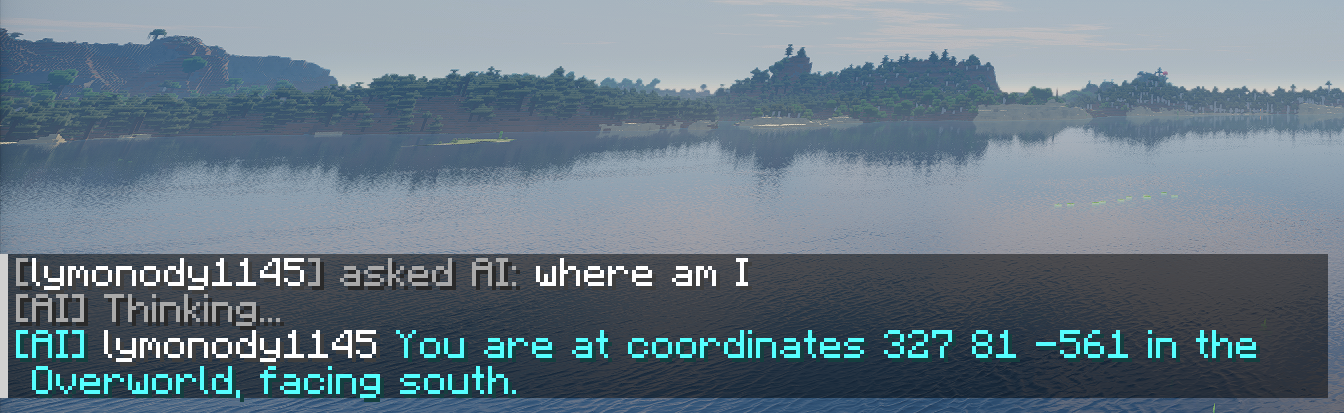
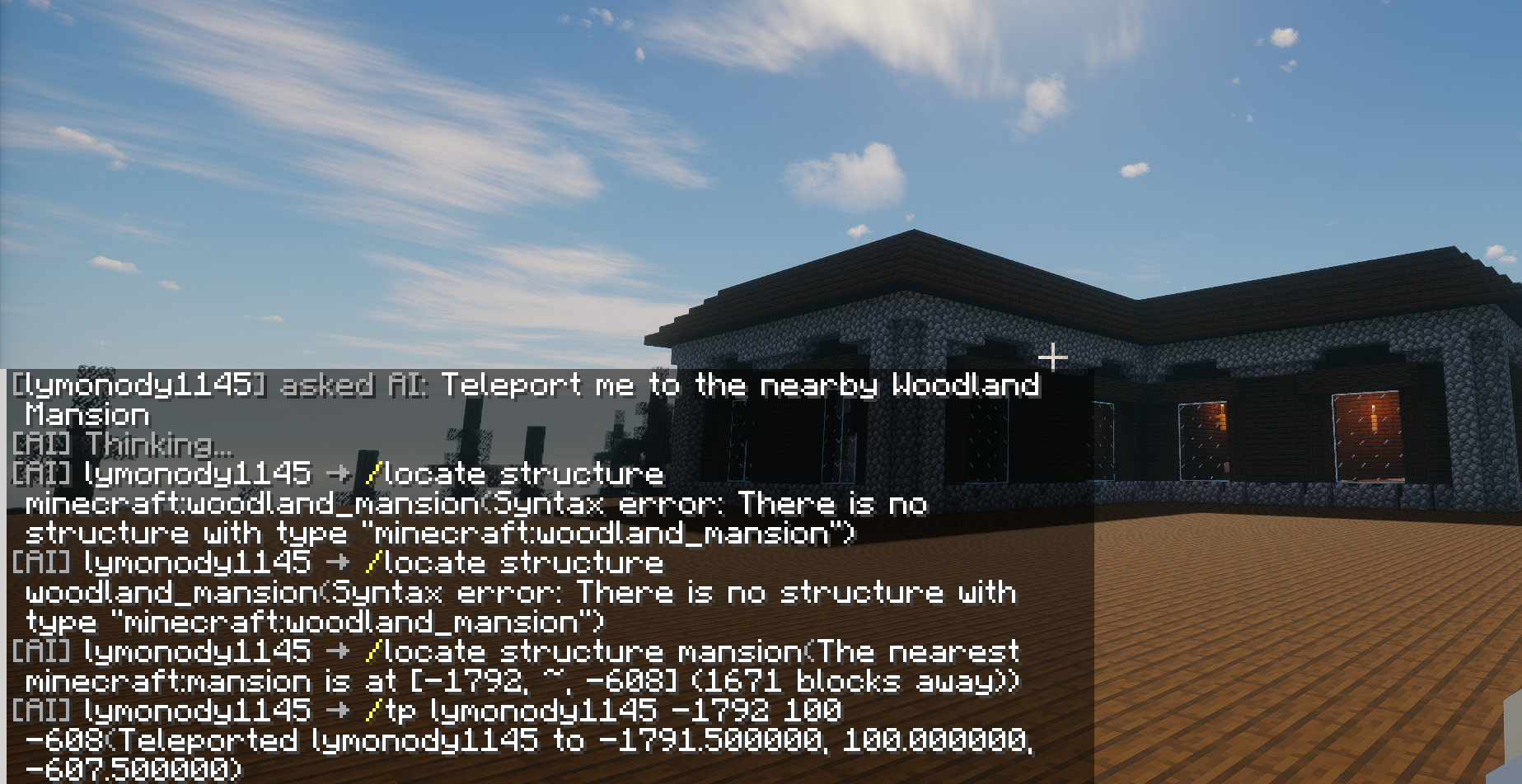
TL;DR: Players type /ai how do I enchant a diamond sword?, AI answers. Someone swears? AI warns or kicks. Dangerous ops need admin approval.
Quick Start
| What | How |
|---|---|
| Chat with AI | /ai <question> or !ai <question> |
| AI executes commands | /ai give me a diamond sword (admin approval) |
| AI batch commands | /ai build a redstone circuit (command chain, one approval) |
| Check behavior score | /aiscore |
| Search wiki | /aikb enchantment (online Wiki available) |
| Admin approve | /aiaccept <id> approve / /aireject <id> reject |
| Cancel pending | /aicancel cancel latest / /aicancel all cancel all |
Features
AI Chat
- Players use
!aior/aito chat with AI - AI has full server context (chat logs, weather, time, players)
- Multi-turn conversation with history
- Persona mode: switch AI persona with
/aipersona— built-in villager, piglin, ender dragon, creeper themes, bilingual (ZH/EN), admins can add custom personas inconfig/mcai/personas/
Auto Behavior Review
- AI analyzes chat every 30 minutes
- Three-tier penalty: score deduction -> yellow card -> red card (kick)
- Admin messages are trusted; admins can declare server rules
Admin Approval
- Dangerous commands (op, ban, kick) require manual admin approval
- 3-minute timeout auto-cancels pending approvals
- Strict mode: only whitelisted safe commands skip approval
- AI text starting with
/is blocked; all commands must go through the Tool system and the unified approval flow - Command Chain: AI can batch multiple commands into a single approval unit (
execute_command_chain), admin approves once to execute all, with configurable intervals between commands - Player Cancel: Players can use
/aicancelto cancel their own pending commands; AI receives cancellation notice and won't retry the same command
Game Knowledge Base
- AI searches minecraft.wiki / zh.minecraft.wiki online for up-to-date game knowledge (language via
wikiLanguage) - Supports Chinese and English search, returns summaries and full page links
Installation
Requirements
- Minecraft Fabric server 26.x
- Java 25
- A DeepSeek API Key (or any OpenAI-compatible API)
Steps
- Download the latest JAR
- Place it in
mods/folder - Start the server to auto-generate config
- Edit
config/mcai/config.json, fill in your API Key - Config auto-reloads; or run
/aireloadmanually
Single-Player Usage
The mod works in single-player too (no dedicated server required):
- Install Fabric client (same version 26.x)
- Place the JAR in
.minecraft/mods/folder - Launch the game and enter a single-player world
- Config and commands are identical to the server setup
- You are the world owner with full admin permissions by default
- (Optional) Install Mod Menu for in-game config editing
Tip: The behavior review system is auto-disabled in single-player (no need to review yourself).
Commands
Player Commands
| Command | Description |
|---|---|
!ai <msg> /ai <msg> |
Chat with AI |
/aiscore |
Check behavior score |
/aicancel [id/all] |
Cancel your own pending commands |
Admin Commands
| Command | Description |
|---|---|
/aiaccept <id> |
Approve pending action |
/aireject <id> |
Reject pending action |
/aiquery |
List pending approvals (shows unique ids) |
/aiclear |
Clear AI chat history |
/aireload |
Manually reload config (auto-reloads on file change) |
/airesetprompts |
Reset prompt files to current built-in defaults |
/aikb <keyword> |
Search Wiki knowledge base |
/aicontrol [chat/review] [on/off] |
Toggle AI chat/review |
/aikill |
Destroy all AI threads |
/aidebug start/stop/show/list/clear |
Debug logging |
/aipersona [list/set/current/view/reload] |
Switch/view/reload AI persona |
Review Management
| Command | Description |
|---|---|
/aireview start |
Trigger manual review |
/aireview approve <id> |
Approve kick |
/aireview reject <id> |
Reject kick |
/aireview last |
View last review result |
/aireview last reasoning |
View AI reasoning |
Test Commands (OP only)
| Command | Description |
|---|---|
/aitest score <player> |
Check player behavior score |
/aitest set <player> <score> |
Set player behavior score |
/aitest penalty <player> <points> |
Simulate penalty |
/aitest reset <player> |
Reset player behavior score |
/aitest review |
Trigger manual review |
/aitest chatlog |
View chat log |
Configuration
File: config/mcai/config.json. Auto-reloads on change (or use /aireload).
| Key | Default | Description |
|---|---|---|
apiEndpoint |
https://api.deepseek.com |
API endpoint (without /chat/completions, format varies by provider) |
apiKey |
"" |
API key |
model |
deepseek-v4-flash |
Model name |
triggerPrefix |
!ai |
Chat trigger prefix |
maxTokens |
2048 | Max response tokens |
temperature |
0.75 | Response randomness (0-1) |
thinkingLevel |
1 | Thinking level 0-3 |
strictMode |
true |
Strict mode |
aiCooldownSeconds |
60 |
Non-admin AI cooldown (seconds) |
aiMaxConcurrent |
3 |
Max concurrent non-admin AI calls |
compatibilityMode |
false |
Compatibility mode: send only basic fields for local APIs like LM Studio |
enableStream |
false |
Streaming output (SSE), some APIs only support streaming mode |
reviewIntervalMinutes |
30 |
Review interval (min) |
yellowCardThreshold |
-30 |
Yellow card threshold |
redCardThreshold |
-60 |
Red card threshold |
scoreRecoveryPerInterval |
5 |
Score recovery per cycle |
approvalTimeoutMinutes |
10 |
Approval timeout (min) |
wikiLanguage |
"zh_cn" |
AI online search language: zh_cn Chinese, en_us English (online search enabled by default) |
apiConnectTimeoutSeconds |
10 | API connect timeout (seconds) |
apiRequestTimeoutSeconds |
60 | API per-request timeout (seconds) |
apiLoopTimeoutSeconds |
300 | Tool-call loop total timeout (seconds) |
commandExecTimeoutSeconds |
30 | Per-command execution timeout (seconds) |
wikiConnectTimeoutSeconds |
5 | Wiki search connect timeout (seconds) |
wikiRequestTimeoutSeconds |
8 | Wiki search request timeout (seconds) |
maxChainCommands |
10 | Max commands per chain |
contextMaxChars |
20000 | Max context chars for AI (auto-truncated) |
maxToolCalls |
15 | Max tool calls per conversation turn |
activePersona |
"default" |
Current persona ID |
personaLanguage |
"" |
Persona language override, empty=follow client language |
promptLanguage |
"zh_cn" |
Built-in prompt language |
enableChatInterception |
true |
Intercept chat and forward to AI |
enableCommandExecution |
true |
Allow AI to execute commands |
enableAutoReview |
true |
Enable auto behavior review |
maxReviewCycles |
4 | Max review analysis cycles |
systemPromptPath |
"" |
System prompt file (under config/mcai/) |
reviewPromptPath |
"" |
Review prompt file |
reviewApiEndpoint |
"" |
Review system API endpoint, empty=follow chat config |
reviewApiKey |
"" |
Review system API key, empty=follow chat config |
reviewModel |
"" |
Review system model, empty=follow chat config |
Prompt files system_prompt.txt / review_prompt.txt are auto-created on first start. Run /airesetprompts to force-sync them to the current built-in versions.
Knowledge Base
AI knowledge search is done via online Wiki — no manual data import needed.
Links
License
MIT License
Screenshots
Gallery
Versions
Files
Relations
Project Relations
More like this
Similar Mods
Suggestions use data such as tags, dependencies, dependents, descriptions, titles, and more to rank how much they overlap with this mod.
On ModDex
Community snapshot
By the numbers
Statistics

Want to reach Minecraft players?
We're looking for a server hosting partner to feature here and other parts of the site. Interested? Send us a message!
Get in touchGet it on
Available Platforms
On ModDex
Community snapshot
By the numbers
Statistics
Resources