
Community listing page, reviews here may not be monitored by the author.
Milksnake

No reviews yet
Internal mod installer and library

Community voices
Reviews
No reviews yet. Be the first to review this project!
Get it on
Available Platforms
About
Project Details
For authors
Embed Badge
If you're the author of this project, you can embed a live badge anywhere that supports HTML or Markdown. It updates automatically whenever ratings change.
Use HTML for any page that supports it, or Markdown for README files and Markdown-based descriptions.
Identifiers
Platform IDs
About
Description

Introduction
If you wanted to install, update or remove Minecraft mods directly from the game, Milksnake is for you. It is a powerful integrated mod installer that lets you download mods directly from inside the game menu. If we were to advertise it like Discord, we'd say it's time to ditch the Twitch launcher and manual mod downloading, but let's try not to get kicked out of Curse Forge shall we?
Note: The mod also comes with LadyLib, Ladysnake's library necessary to run most if not all Ladysnake mods, and a special menu re-texture (you can disable this re-texture or choose another flavour / theme in the configuration options).
Demonstration:

Installation Note
Milksnake's mod bar requires a Java version higher than the one shipped with Minecraft in order to work. If you use a launcher that lets you choose the Java version, choose the latest. If you are using MultiMC, you should already be fine. If not, you need to install Java from this page and set your launcher to use it.
Vanilla launcher instructions:
1- Go into "Launch Options" and enable "Advanced settings".

2- Click on your profile of choice, check "Java executable" and input the path to your Java binary. If you are using Windows, it should be in C:\Program Files\Java\<installed_version>\bin\javaw.exe. If you are using Linux or Mac, you should be able to use the command whereis java to obtain that path.

3- Hit "save".
Frequently asked questions
What mods are we talking about?
As of now, Milksnake's mod bar only allows the installation of Ladysnake mods, as well as Ladysnake partner mods. To see the full list, please check it down below. If you wish to see a mod in Milksnake, please look at the Propose a Ladysnake partner mod section further down below.
Mod repost or...?
Milksnake downloads directly from the mod's author official download source, may that be Curse Forge or any other download link. It will always be from a safe and secure source, as mod links are verified by Ladysnake.
Propose your Mod for the bar
Do you wish to see your mod or a specific mod on Milksnake's mod list? If you are the mod author, please tell us about your mod in our discord server and we will be glad to add it! If you are not the mod author, you will have to convince the mod's author to propose their mod. Please note that we don't accept low effort mods, as we want to keep an interesting selection. However, if your mod fits our style, it might even be featured in the Ladysnake favorites category!
If you have any questions, propositions or ideas, please submit them in the Minecraft Curse Forge Project page comment section! Or, you could...
Join us on Discord!

Screenshots
Gallery
-
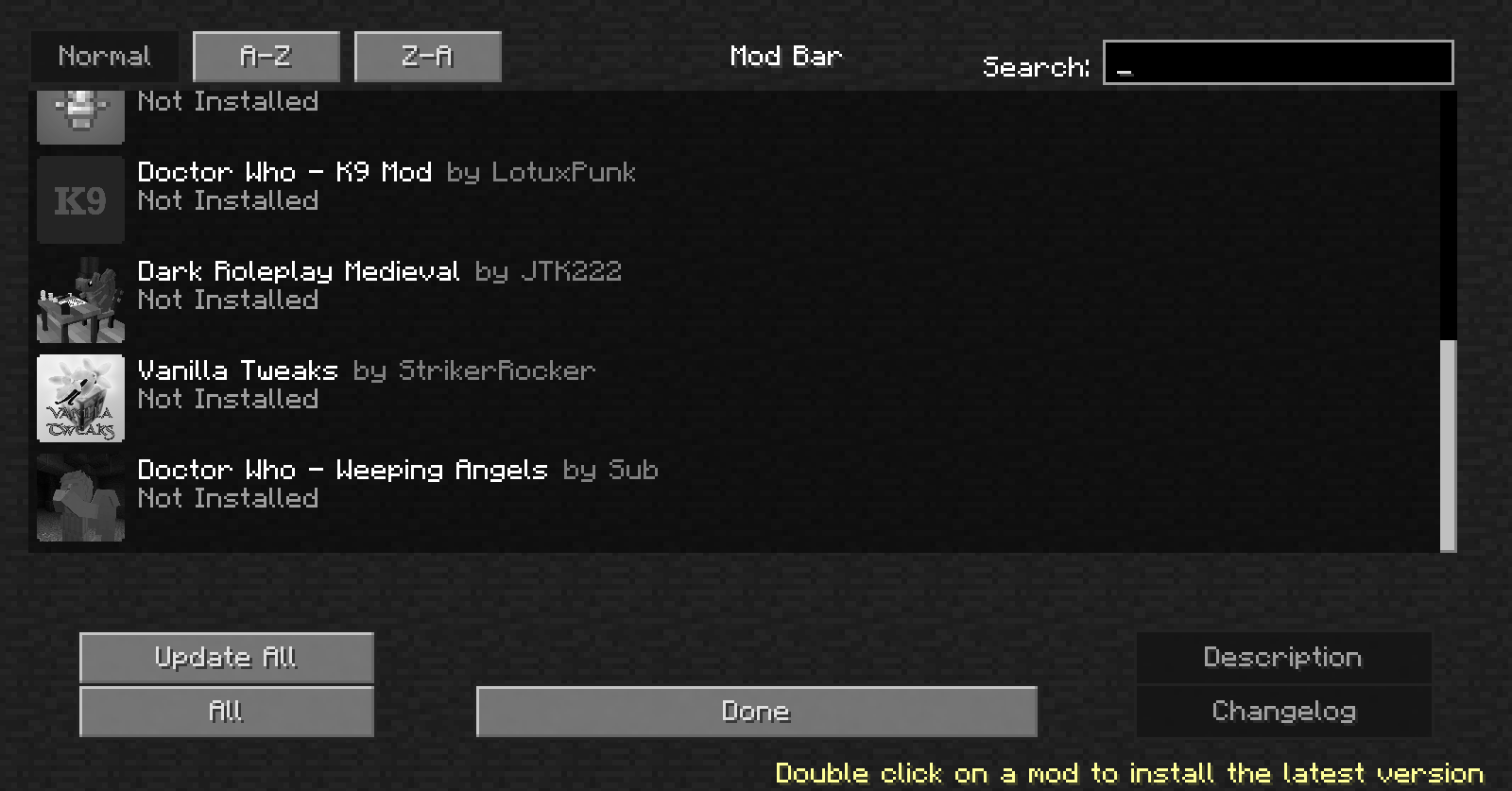 The mod bar The menu from which you manage your modpack
Versions
Files
Relations
Project Relations
More like this
Similar Mods
Suggestions use data such as tags, dependencies, dependents, descriptions, titles, and more to rank how much they overlap with this mod.
On ModDex
Community snapshot
By the numbers
Statistics
 (opens in a new tab)
Get it on
Available Platforms
On ModDex
Community snapshot
By the numbers