Community listing page, reviews here may not be monitored by the author.
Mindful Darkness


No reviews yet
Turning all the lights off! Automatic dark mode for guis; as configurable as possible.
Community voices
Reviews
No reviews yet. Be the first to review this project!
Get it on
Available Platforms
Compatibility
Supported Environments
Runs entirely on the client. Works on vanilla servers.
About
Project Details
For authors
Embed Badge
If you're the author of this project, you can embed a live badge anywhere that supports HTML or Markdown. It updates automatically whenever ratings change.
Use HTML for any page that supports it, or Markdown for README files and Markdown-based descriptions.
Identifiers
Platform IDs
About
Description








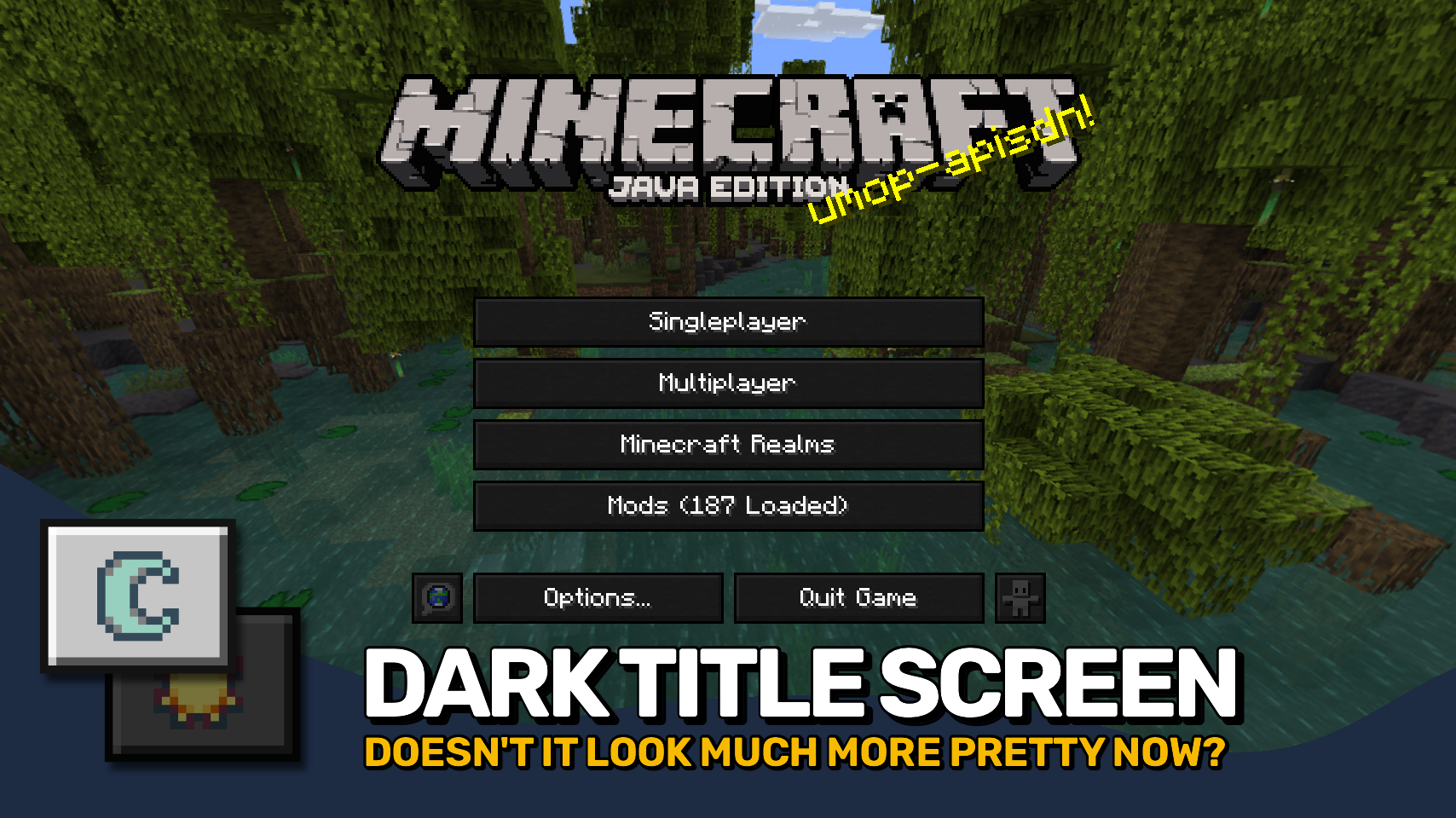
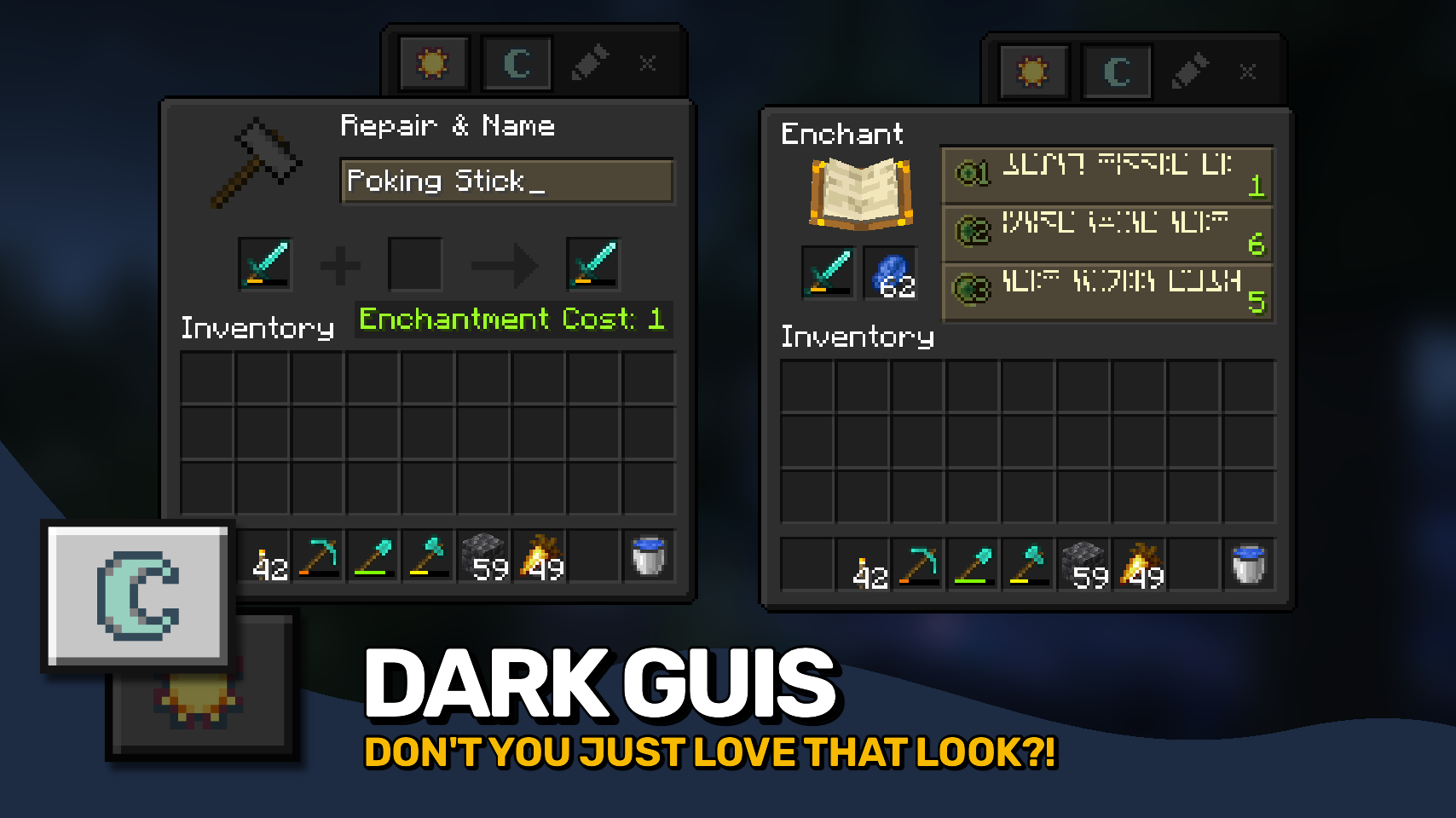
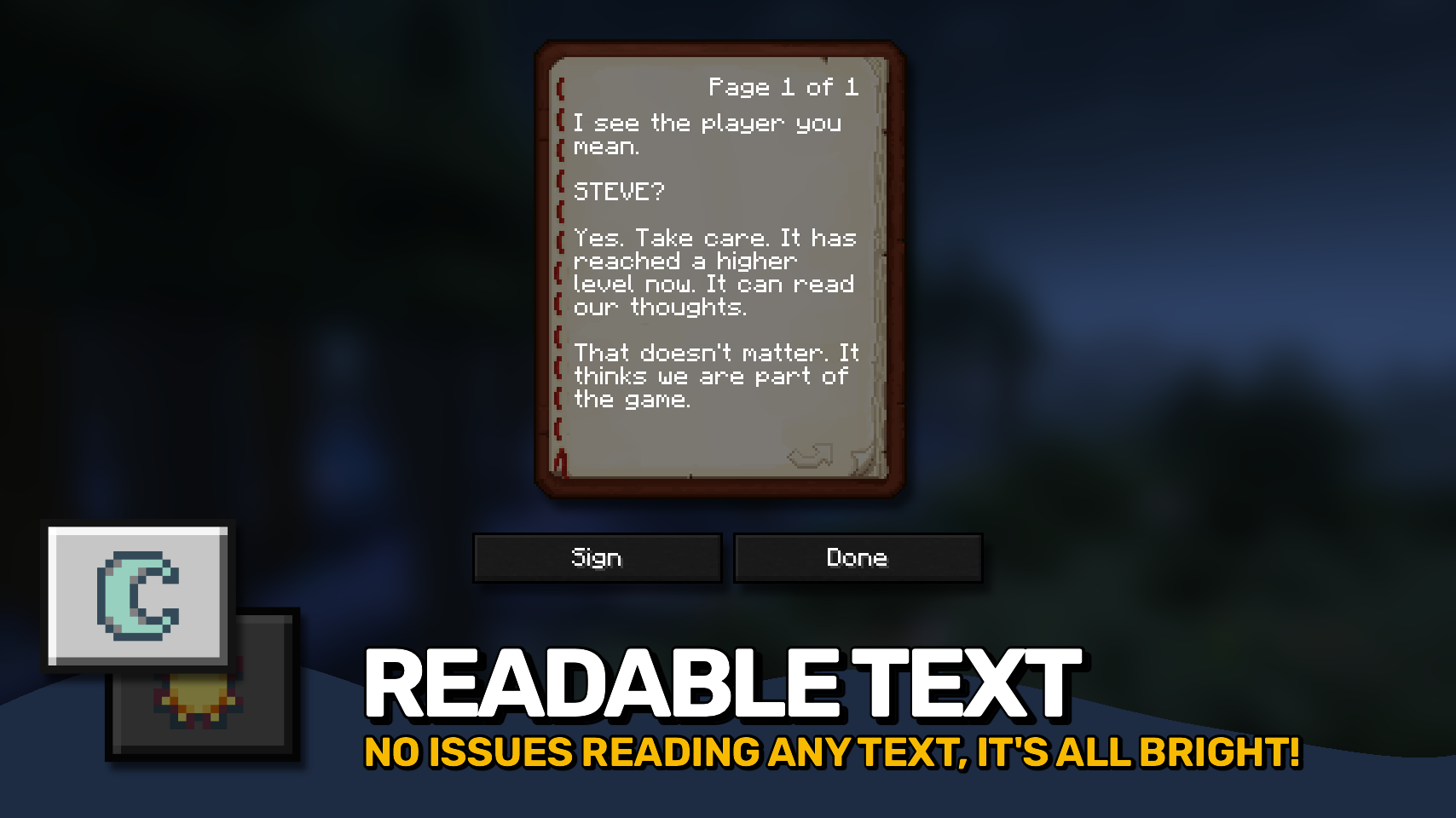
Mindful Darkness adds a fully automatic dark mode to your game. 🌙 Darken menus and interfaces instantly without requiring any texture changes or resource packs.
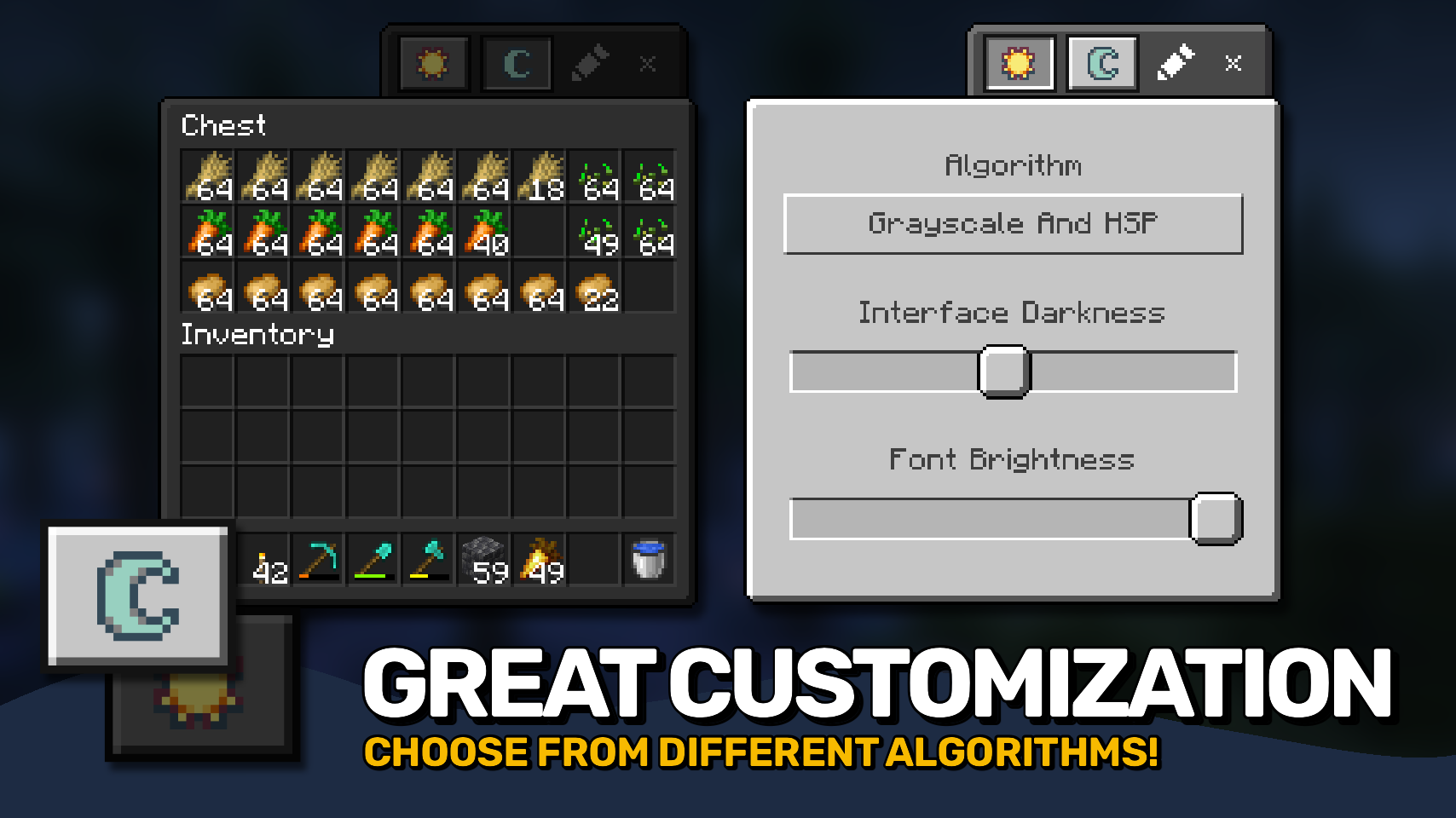
Toggle it on or off directly in game and customize the look to match your preferences. 🎨 Choose from different darkening algorithms, adjust the darkness intensity, and fine tune the effect with ease.
A simple texture control system is also included, letting you decide exactly which textures are affected. ⚙️ Comfortable, flexible, and easy on the eyes. ✨


⏩ INSTALLATION REQUIRED ON CLIENT
⏩ REQUIRES PUZZLES LIB TO BE INSTALLED (FABRIC & NEOFORGE)
⏩ REQUIRES FABRIC API TO BE INSTALLED (FABRIC)
⏩ REQUIRES FORGE CONFIG API PORT TO BE INSTALLED (FABRIC)

If available for a mod, configuration is possible directly from in-game using the mod menu (requires Mod Menu by Prospector to be installed on Fabric).
For manual configuration using an external text editor all files are found at .minecraft/config, named as MOD_ID-client.toml, MOD_ID-common.toml, or MOD_ID-server.toml, depending on the type of config. Not all types might exist for a mod, if any at all.
Mindful Darkness does not automatically darken every gui texture in the game, instead you have to manually specify in the config which textures are affected. Resources can be specified using '*' as wildcard char, can affect all or just a single namespace and you can use '!' to exclude resources.
By default, configuration looks like this: "textures/gui/*.png, !minecraft:textures/gui/icons.png". This will include all textures in the textures/gui directory from all namespaces (since this is where mods ususally put their gui textures). Specifically for the minecraft namespace icons.png is excluded though (indicated by adding '!' at the beginning). NOTE: The order of defining resources matters for exclusions! Excluded resources need to come after any entry that would otherwise include them.

🌟 Thanks to Buuz135 and their Dark Mode Everywhere mod, which I stole the idea for changing the font color from.
 |
 |
|
 |
 |
|
 |
 |
|
 |
 |
|
 |
 |
|

© 2026 @heyitsfuzs. All rights reserved. This page was last edited on 11 September 2026, at 06:44 (UTC).
Mindful Darkness adds a fully automatic dark mode to your game. 🌙 Darken menus and interfaces instantly without requiring any texture changes or resource packs.
Toggle it on or off directly in game and customize the look to match your preferences. 🎨 Choose from different darkening algorithms, adjust the darkness intensity, and fine tune the effect with ease.
A simple texture control system is also included, letting you decide exactly which textures are affected. ⚙️ Comfortable, flexible, and easy on the eyes. ✨
⏩ INSTALLATION REQUIRED ON CLIENT
⏩ REQUIRES PUZZLES LIB TO BE INSTALLED (FABRIC & NEOFORGE)
⏩ REQUIRES FABRIC API TO BE INSTALLED (FABRIC)
⏩ REQUIRES FORGE CONFIG API PORT TO BE INSTALLED (FABRIC)
If available for a mod, configuration is possible directly from in-game using the mod menu (requires Mod Menu by Prospector to be installed on Fabric).
For manual configuration using an external text editor all files are found at .minecraft/config, named as MOD_ID-client.toml, MOD_ID-common.toml, or MOD_ID-server.toml, depending on the type of config. Not all types might exist for a mod, if any at all.
Mindful Darkness does not automatically darken every gui texture in the game, instead you have to manually specify in the config which textures are affected. Resources can be specified using '*' as wildcard char, can affect all or just a single namespace and you can use '!' to exclude resources.
By default, configuration looks like this: "textures/gui/*.png, !minecraft:textures/gui/icons.png". This will include all textures in the textures/gui directory from all namespaces (since this is where mods ususally put their gui textures). Specifically for the minecraft namespace icons.png is excluded though (indicated by adding '!' at the beginning). NOTE: The order of defining resources matters for exclusions! Excluded resources need to come after any entry that would otherwise include them.
🌟 Thanks to Buuz135 and their Dark Mode Everywhere mod, which I stole the idea for changing the font color from.
|
 |
|
 |
 |
|
 |
 |
|
|
|
|
 |
 |
© 2026 @heyitsfuzs. All rights reserved. This page was last edited on 11 September 2026, at 06:44 (UTC).
Screenshots
Gallery
Versions
Files
Relations
Project Relations
More like this
Similar Mods
Suggestions use data such as tags, dependencies, dependents, descriptions, titles, and more to rank how much they overlap with this mod.
On ModDex
Community snapshot
By the numbers
Statistics
Want to reach Minecraft players?
We're looking for a server hosting partner to feature here and other parts of the site. Interested? Send us a message!
Get in touchGet it on
Available Platforms
On ModDex
Community snapshot
By the numbers