
Community listing page, reviews here may not be monitored by the author.
Minecraft Extra Keybinds


No reviews yet
Extra keybinds for commonly used Minecraft settings. Keybinds for distance, sound, zoom and more.
Community voices
Reviews
No reviews yet. Be the first to review this project!
Get it on
Available Platforms
Compatibility
Supported Environments
Runs entirely on the client. Works on vanilla servers.
About
Project Details
For authors
Embed Badge
If you're the author of this project, you can embed a live badge anywhere that supports HTML or Markdown. It updates automatically whenever ratings change.
Use HTML for any page that supports it, or Markdown for README files and Markdown-based descriptions.
Identifiers
Platform IDs
Resources
External Links
About
Description
A Minecraft Fabric mod that provides convenient hotkeys for quickly adjusting game settings without opening the settings menu.
⚙️ Features:
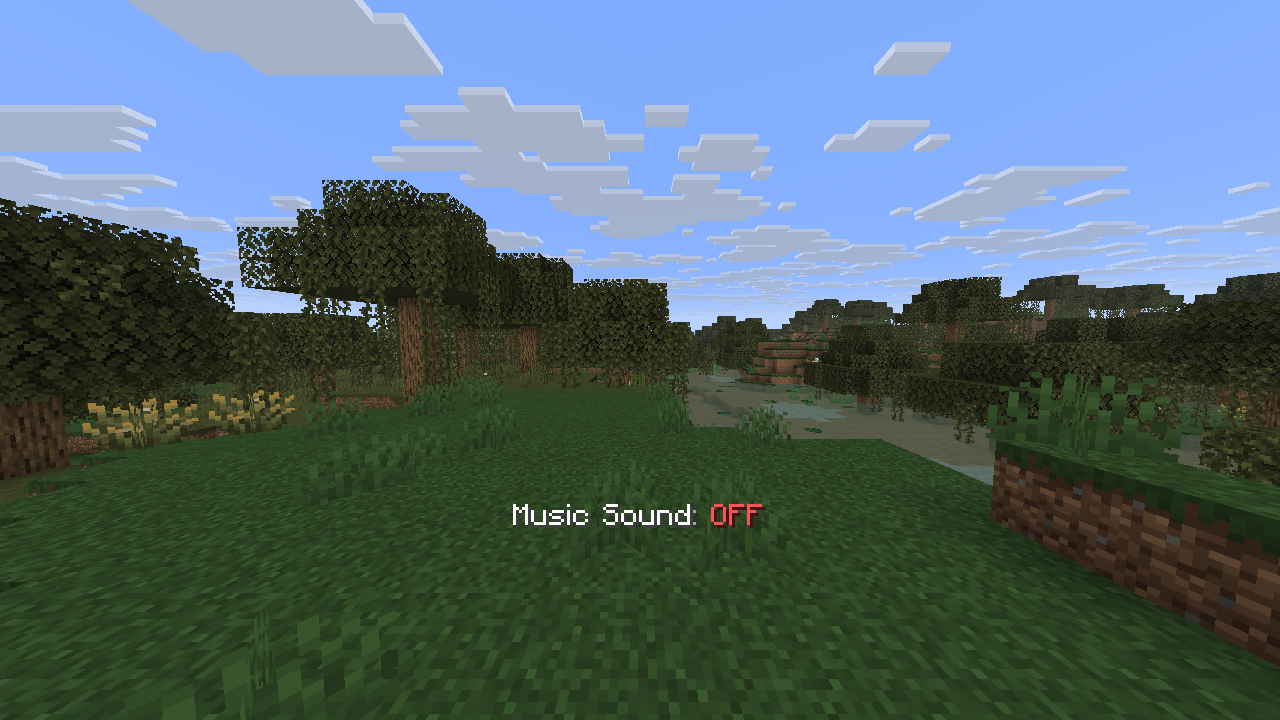
- 🎵 Sound Controls: Toggle hostile mobs, friendly mobs, music, and jukebox sounds with dedicated hotkeys
- 🌟 Brightness Control: Adjust gamma/brightness from 0% to 1200% with fullbright support
- 🔍 Zoom Feature: Hold-to-zoom functionality for better visibility
- 📏 Distance Settings: Quick adjustment of render distance (2-32 chunks) and simulation distance (5-32 chunks)
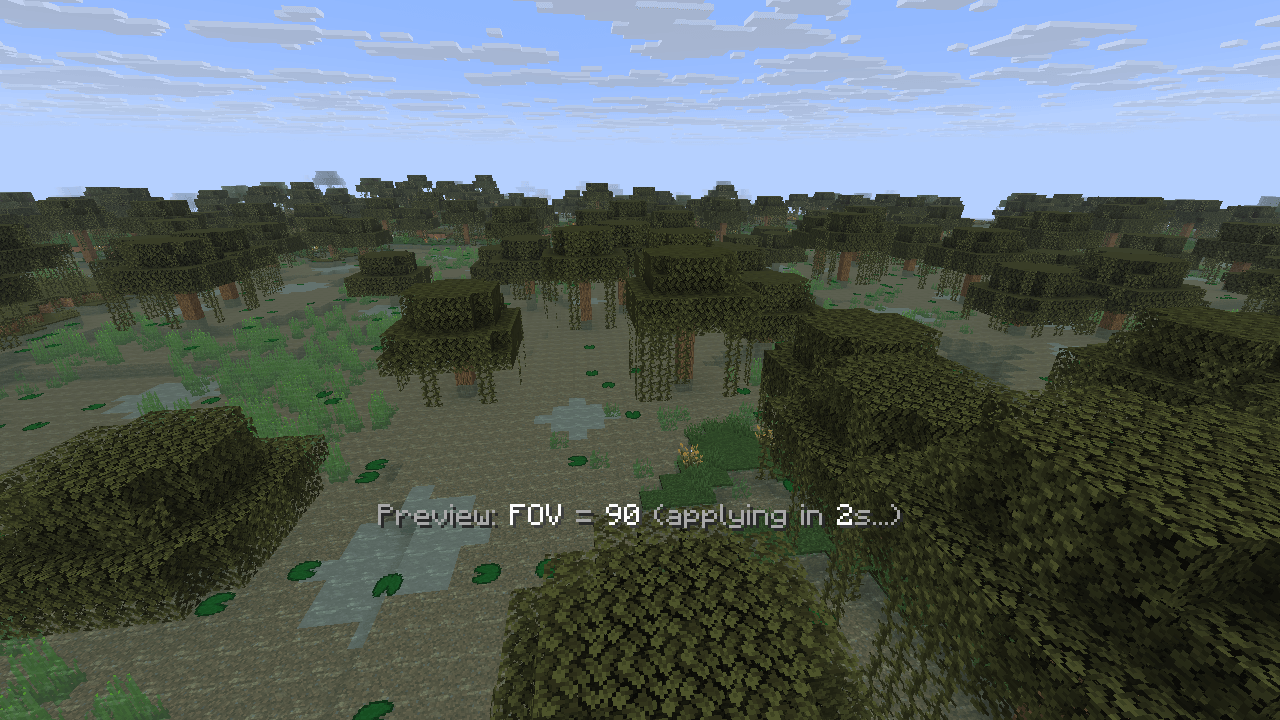
- 👁️ FOV Control: Field of view adjustment from 30° to 110° with 5° increments
- 💾 Smart Config: Automatically saves user preferences and restores them on game restart
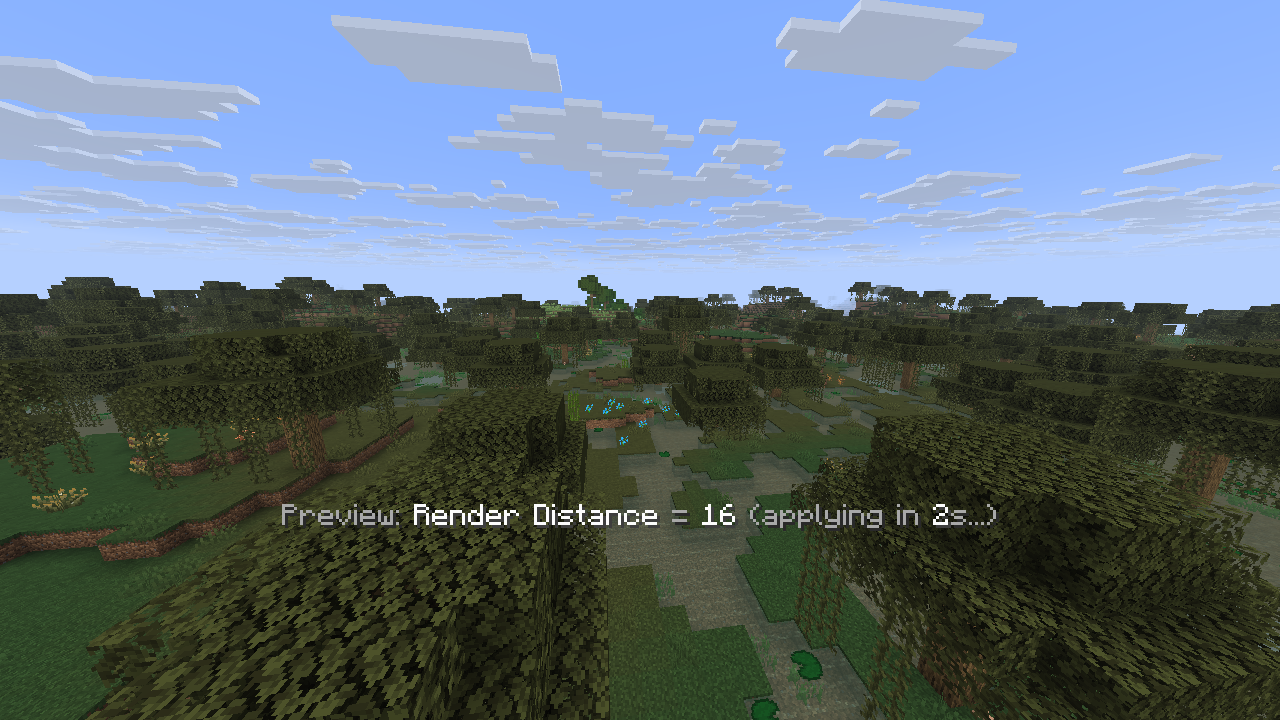
- ⏱️ Debouncing: Prevents setting spam with 2-second delay for distance/FOV changes
- 🎯 Real-time Feedback: Shows current values and countdown timers for pending changes
📦 Requirements:
- Minecraft: 1.21.6
- Fabric Loader: 0.16.9 or higher
- Fabric API: Compatible version for 1.21.6
- Java: 21 or higher
🌍 Available Languages:
- English (en_us): Full translation support
- Vietnamese (vi_vn): Complete localization
- Extensible: Easy to add more languages via resource packs
⌨️ Setting Up Keybindings:
Important: This mod does not set any default hotkeys. You need to configure them manually in Minecraft's settings.
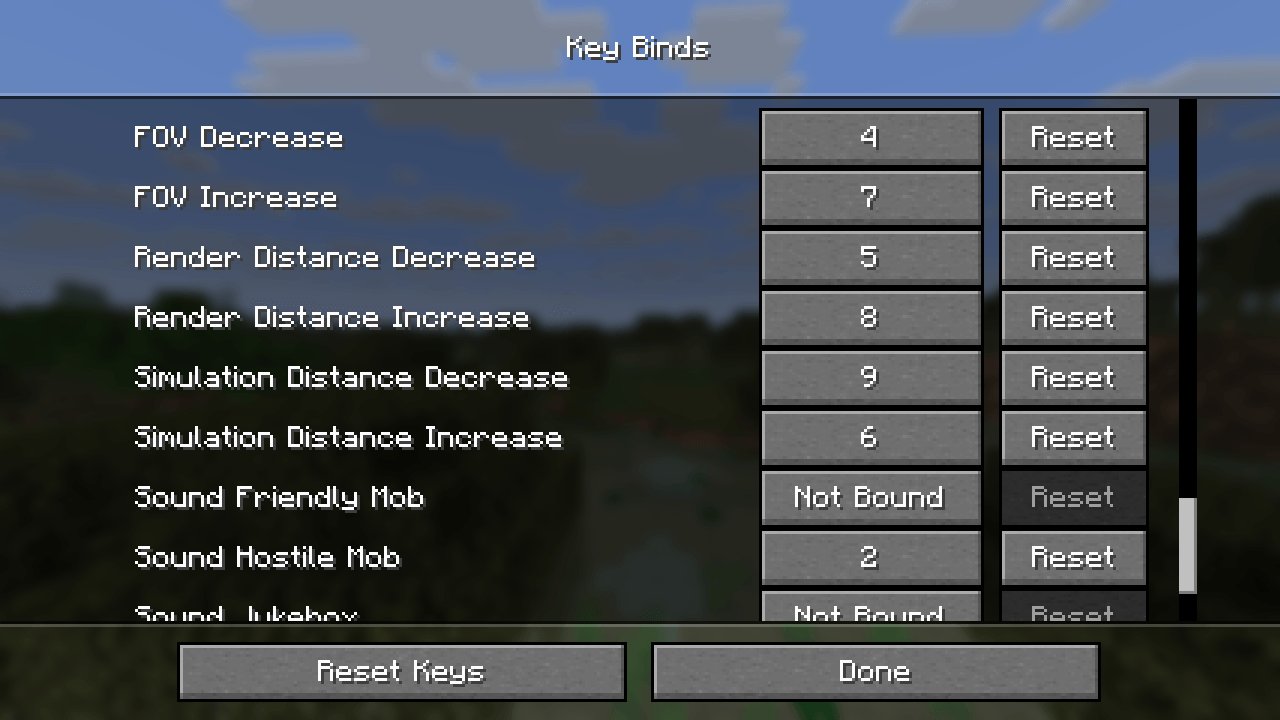
- Go to Options → Controls → Key Binds
- Scroll down to find the "Quick Setting Key Mod" category
- Assign your preferred keys to each feature:
- Brightness Increase/Decrease
- Render Distance Increase/Decrease
- Simulation Distance Increase/Decrease
- FOV Increase/Decrease
- Toggle Hostile Mob Sound
- Toggle Friendly Mob Sound
- Toggle Music Sound
- Toggle Jukebox Sound
- Zoom (Hold to activate)
All keybindings are fully customizable to your preference.
📥 Installation:
- Install Fabric Loader
- Download Fabric API
- Download the latest release of Quick Setting Key Mod
- Place both
.jarfiles in yourmodsfolder - Launch Minecraft and enjoy!
🔧 Configuration:
The mod automatically creates a config/quicksettingkey.json file to store your preferences. All settings are saved automatically when changed.
A Minecraft Fabric mod that provides convenient hotkeys for quickly adjusting game settings without opening the settings menu. Perfect for streamers, content creators, and players who frequently need to adjust their game settings on the fly.
⚙️ Features:
- 🎵 Sound Controls: Toggle hostile mobs, friendly mobs, music, and jukebox sounds with dedicated hotkeys
- 🌟 Brightness Control: Adjust gamma/brightness from 0% to 1200% with fullbright support
- 🔍 Zoom Feature: Hold-to-zoom functionality for better visibility
- 📏 Distance Settings: Quick adjustment of render distance (2-32 chunks) and simulation distance (5-32 chunks)
- 👁️ FOV Control: Field of view adjustment from 30° to 110° with 5° increments
- 💾 Smart Config: Automatically saves user preferences and restores them on game restart
- ⏱️ Debouncing: Prevents setting spam with 2-second delay for distance/FOV changes
- 🎯 Real-time Feedback: Shows current values and countdown timers for pending changes
📦 Requirements:
- Minecraft: 1.21.6
- Fabric Loader: 0.16.9 or higher
- Fabric API: Compatible version for 1.21.6
- Java: 21 or higher
🌍 Available Languages:
- English (en_us): Full translation support
- Vietnamese (vi_vn): Complete localization
- Extensible: Easy to add more languages via resource packs
⌨️ Setting Up Keybindings:
Important: This mod does not set any default hotkeys. You need to configure them manually in Minecraft's settings.
- Go to Options → Controls → Key Binds
- Scroll down to find the "Quick Setting Key Mod" category
- Assign your preferred keys to each feature:
- Brightness Increase/Decrease
- Render Distance Increase/Decrease
- Simulation Distance Increase/Decrease
- FOV Increase/Decrease
- Toggle Hostile Mob Sound
- Toggle Friendly Mob Sound
- Toggle Music Sound
- Toggle Jukebox Sound
- Toggle Subtitle
- Zoom (Hold to activate)
All keybindings are fully customizable to your preference.
📥 Installation:
- Install Fabric Loader
- Download Fabric API
- Download the latest release of Quick Setting Key Mod
- Place both
.jarfiles in yourmodsfolder - Launch Minecraft and enjoy!
🔧 Configuration:
The mod automatically creates a config/quicksettingkey.json file to store your preferences. All settings are saved automatically when changed.
Screenshots
Gallery
-
 2025-07-28_04.47.08.png 2025-07-28_04.47.08.png
 -
 2025-07-28_04.46.21.png 2025-07-28_04.46.21.png
 -
 2025-07-28_04.44.33.png 2025-07-28_04.44.33.png
 -
 2025-07-28_04.44.12.png 2025-07-28_04.44.12.png
-
Change Render Distance with hotkey Change Render Distance with hotkey applying in 2s
-
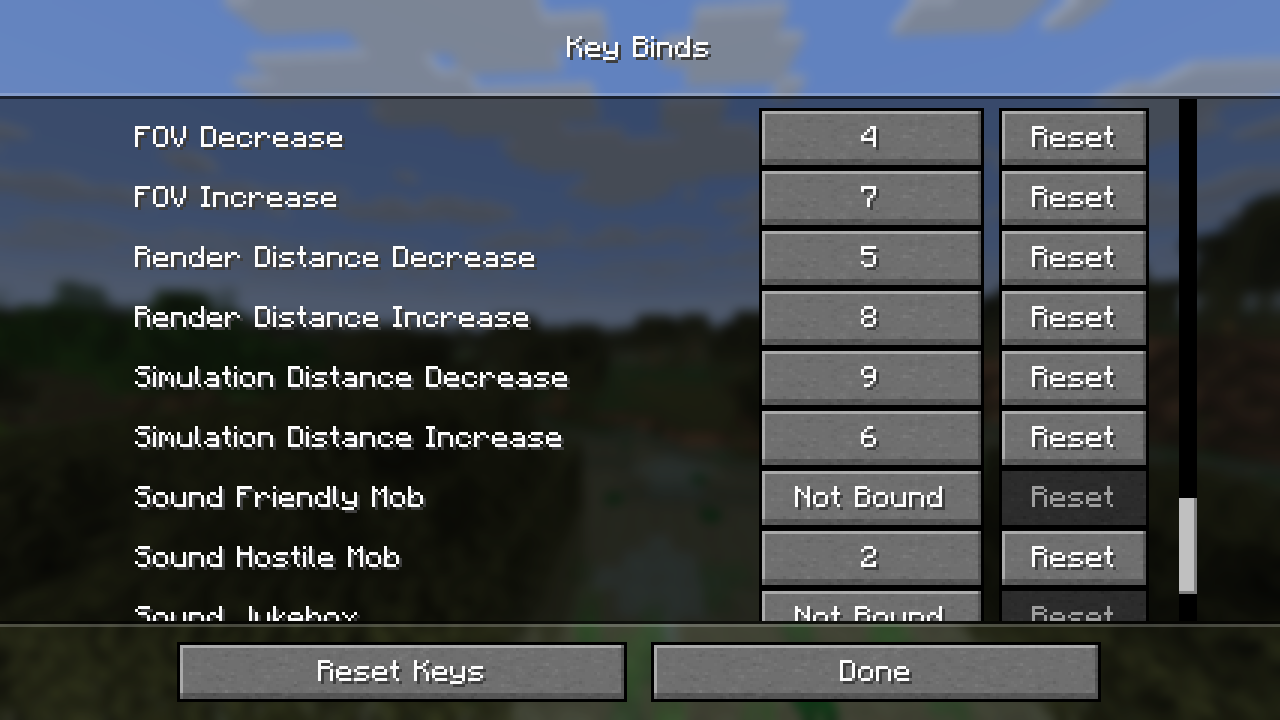 Keybinding Setup in Controls Accessible directly from Minecraft’s Controls menu.
 -
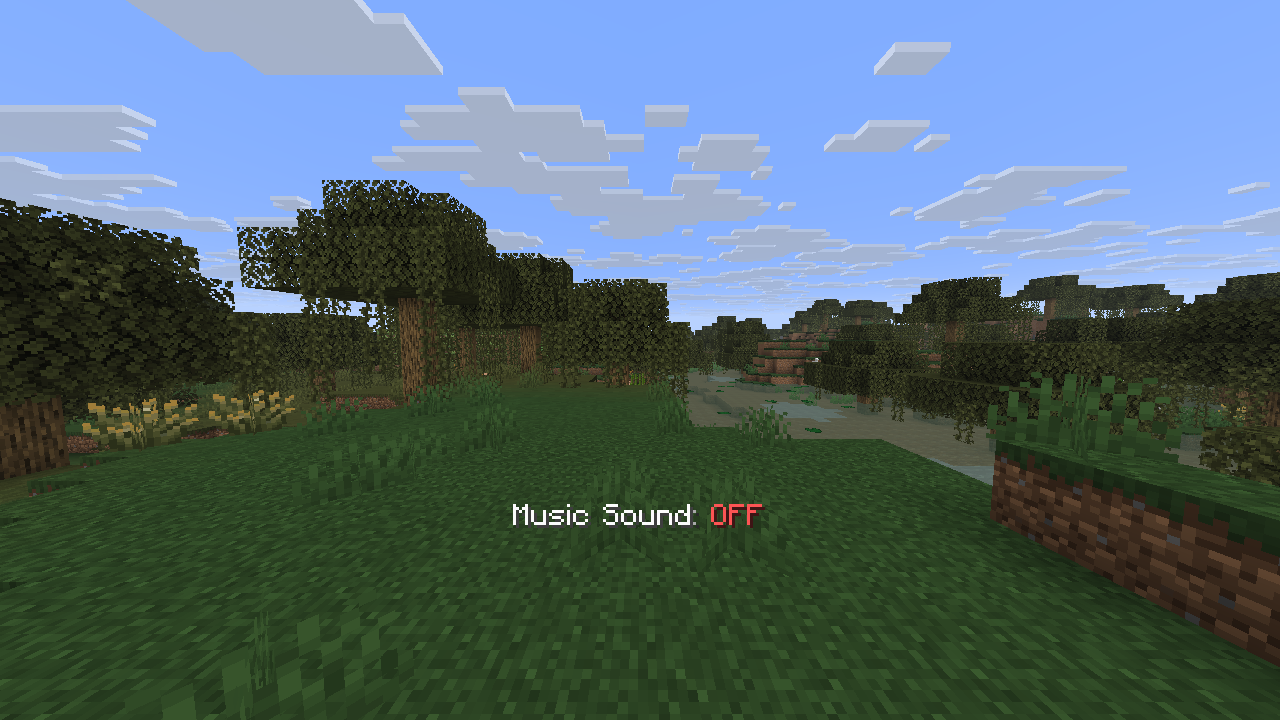 Quickly turn the sound on and off Quickly turn the sound on and off
Versions
Files
Relations
Project Relations
More like this
Similar Mods
Suggestions use data such as tags, dependencies, dependents, descriptions, titles, and more to rank how much they overlap with this mod.
On ModDex
Community snapshot
By the numbers
Statistics
Want to reach Minecraft players?
We're looking for a server hosting partner to feature here and other parts of the site. Interested? Send us a message!
Get in touchGet it on
Available Platforms
On ModDex
Community snapshot
By the numbers
Statistics
Resources