Community listing page, reviews here may not be monitored by the author.
Mining Session


No reviews yet
Shows real-time session statistics (mining, kills, deaths, distance) on a configurable HUD panel.
Community voices
Reviews
No reviews yet. Be the first to review this project!
Get it on
Available Platforms
Compatibility
Supported Environments
Runs entirely on the client. Works on vanilla servers.
About
Project Details
For authors
Embed Badge
If you're the author of this project, you can embed a live badge anywhere that supports HTML or Markdown. It updates automatically whenever ratings change.
Use HTML for any page that supports it, or Markdown for README files and Markdown-based descriptions.
Identifiers
Platform IDs
Resources
External Links
About
Description
Mining Session
A lightweight client-side HUD that tracks your mining session in real time.
Features
Default key bindings
What gets tracked
Settings (F9)
Exporting statistics (F7)
Compatibility
Notes on statistic accuracy
⛏ Mining Session
A lightweight client-side HUD that tracks your mining session in real time.
No menus to open, no stats hidden away — your session time, blocks broken and placed, ore counts, mob kills, deaths and distance walked are always visible right on your screen, updating instantly as you play.
Works in singleplayer and on any multiplayer server — no server-side installation required.
✨ Features
- 📊 Live HUD panel — updates instantly, no need to open a menu to check your progress.
- 🧱 Track any block in the game — search and pick from every registered block, not just a fixed ore list. Real item icons are shown next to each tracked block.
- 🎨 Fully customizable HUD — drag it anywhere with your mouse, pick a screen corner, scale, opacity, background on/off, and a one-click position reset. The panel can never be dragged off-screen.
- 👁 Per-line visibility — hide any stat you don't care about; the panel automatically shrinks.
- 📤 JSON export — save a snapshot of your session to a neatly formatted
.jsonfile with one keypress. - 🌍 Localized — English and Russian included.
- ⚡ Lightweight — event-driven, no per-frame world scanning.
⌨ Default Key Bindings
| Key | Action |
|---|---|
F8 |
Show / hide the HUD |
F9 |
Open settings |
F10 |
Reset session statistics (asks for confirmation) |
F7 |
Export current statistics to JSON |
All key bindings are fully rebindable in Options → Controls.
📋 What gets tracked
- Session duration
- Blocks broken (total) and blocks placed (total)
- Break count for every block you choose to track (diamond ore, iron ore, copper ore, coal ore, and any other block you add via the in-game picker)
- Mob kills
- Deaths
- Distance walked
⚙ Settings (F9)
- Drag the HUD panel directly with your mouse to reposition it
- One-click Reset Position button
- Choose which screen corner the panel anchors to
- Scale and opacity sliders
- Toggle the background box on/off
- Show/hide toggle for every individual stat line
- Manage Tracked Blocks — search all blocks in the game and add/remove any of them from tracking
📤 Exporting statistics (F7)
Writes a pretty-printed JSON file to .minecraft/mining-session/, named
mining_session_YYYY-MM-DD_HH-MM-SS.json, containing session duration,
general counters, and a per-block breakdown of everything you're tracking.
🧩 Compatibility
- Client-side only — do not install on servers
- Works in singleplayer and on any vanilla or modded multiplayer server
- Requires Fabric API
- Minecraft 1.21.1, Fabric Loader, Java 21+
❓ Notes on statistic accuracy
Fabric doesn't expose dedicated client-side events for "block placed" or "mob killed", so those two counters use lightweight, purely client-side heuristics (watching whether a targeted spot becomes solid after a placement attempt, and whether an attacked mob disappears shortly after being hit). This is accurate for the overwhelming majority of normal play, but isn't a guaranteed 100% precise count in every edge case.
Screenshots
Gallery
-
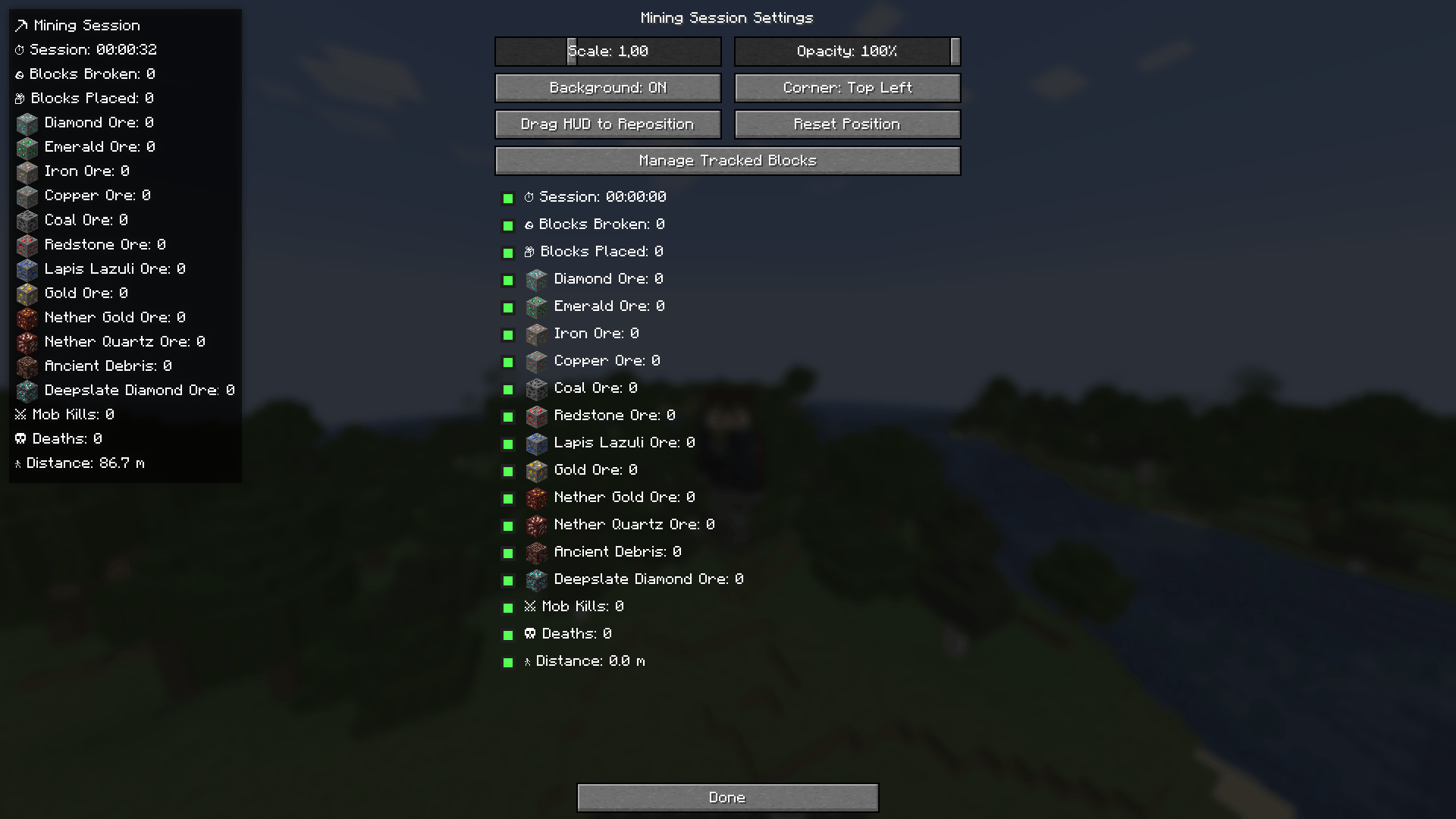 menu menu
 -
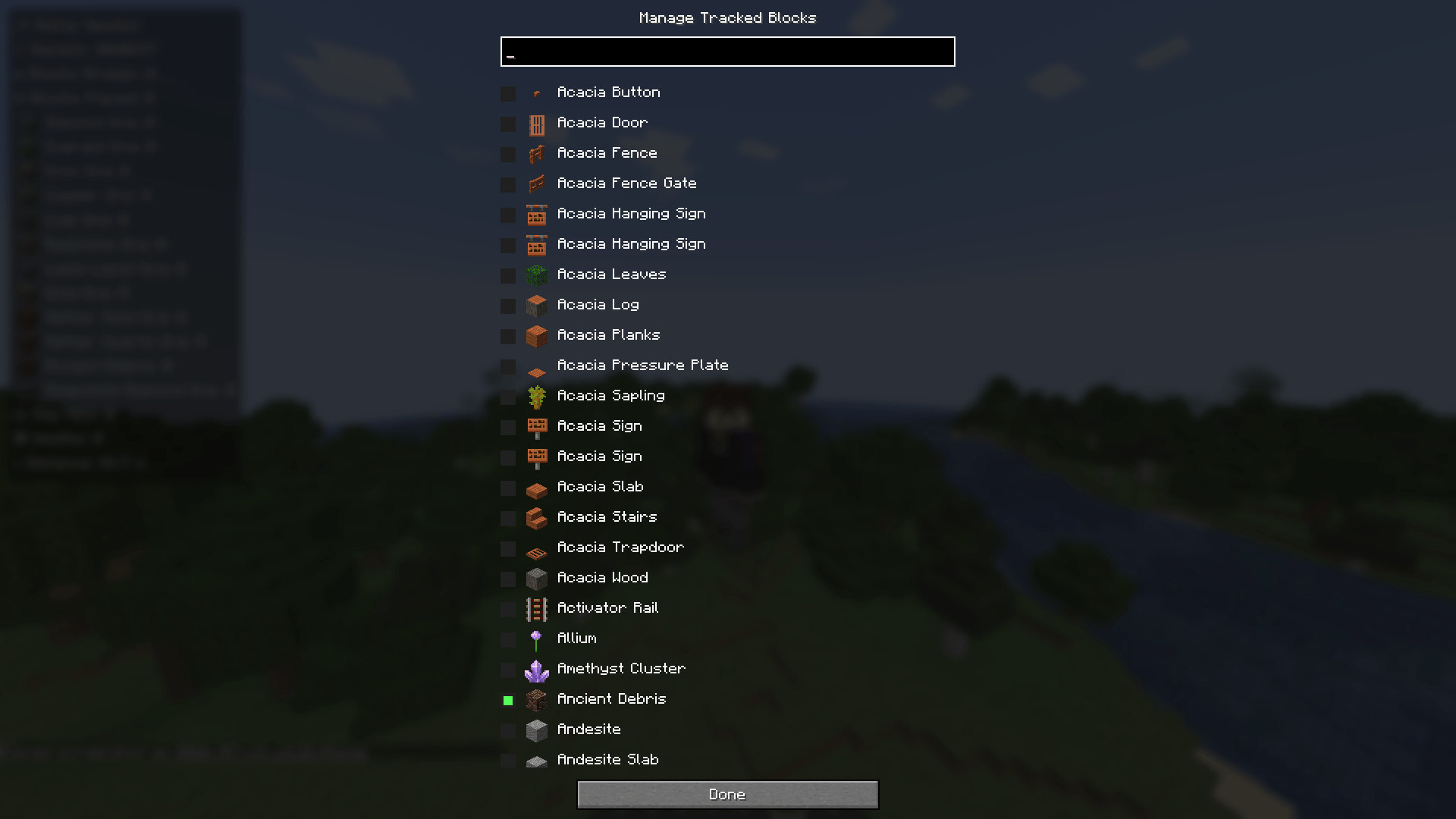 Manage Tracked Blocks Manage Tracked Blocks
 -
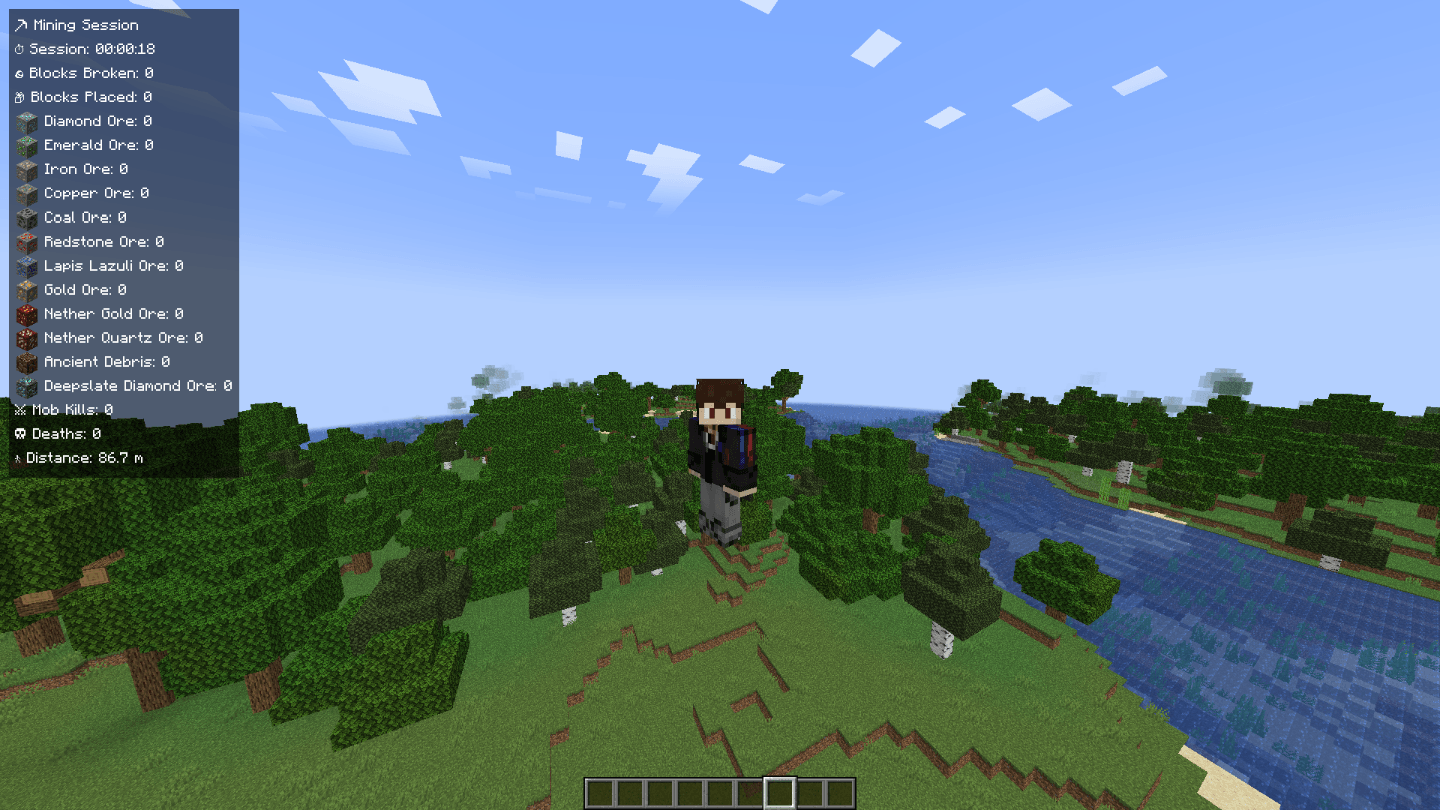 Menu HUD Menu HUD
-
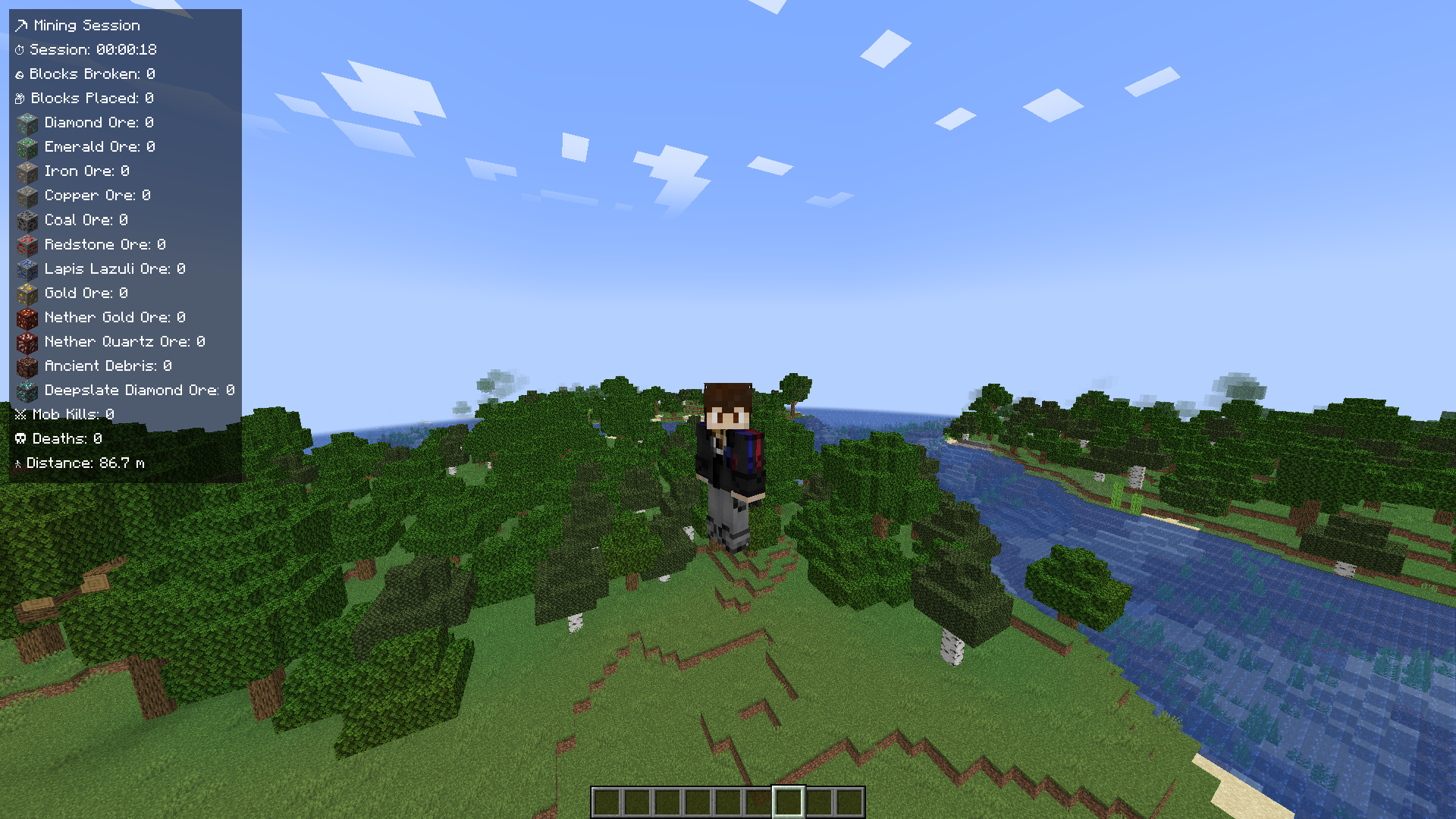 Menu HUD
 -
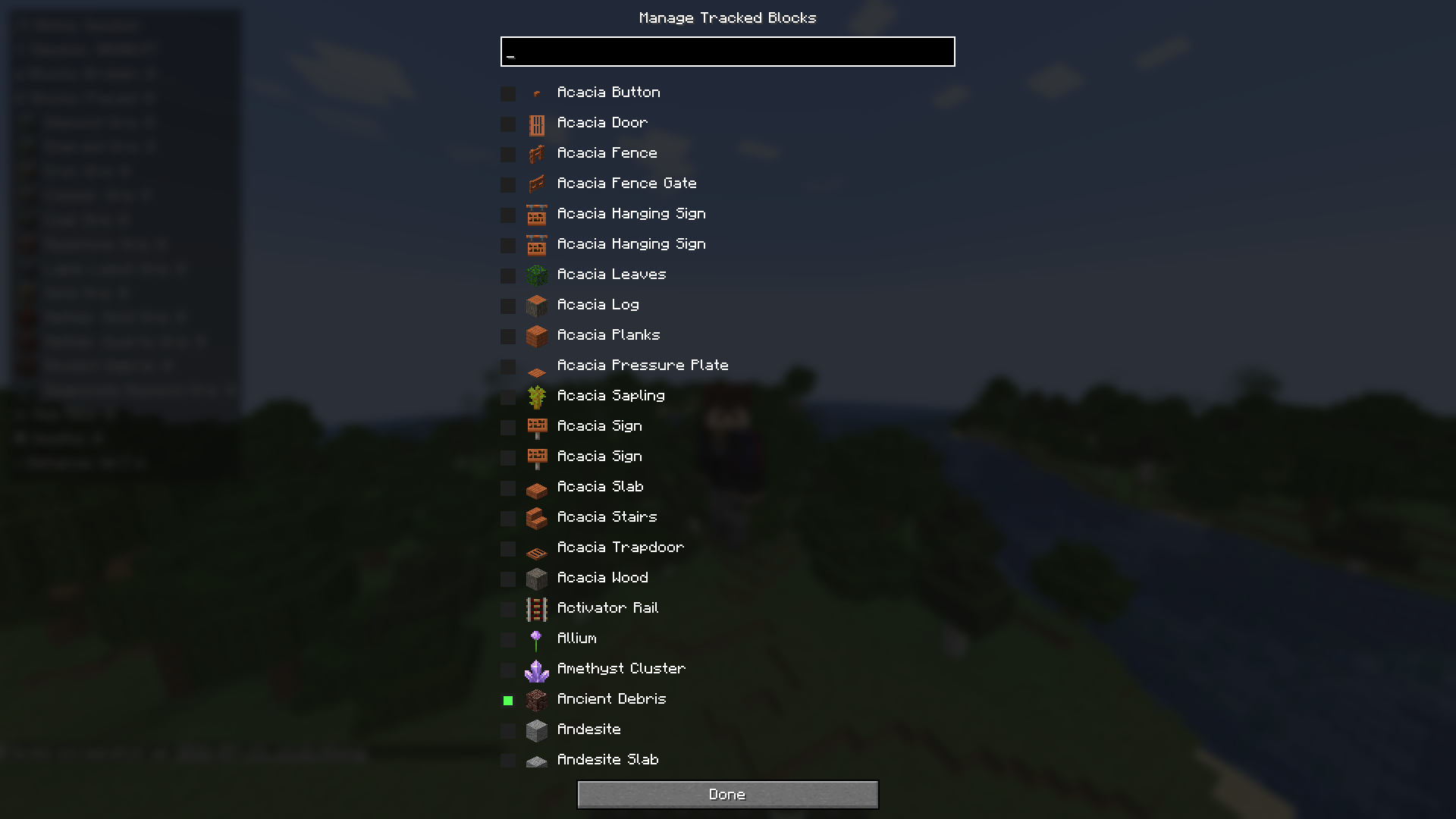 Manage Tracked Blocks
 -
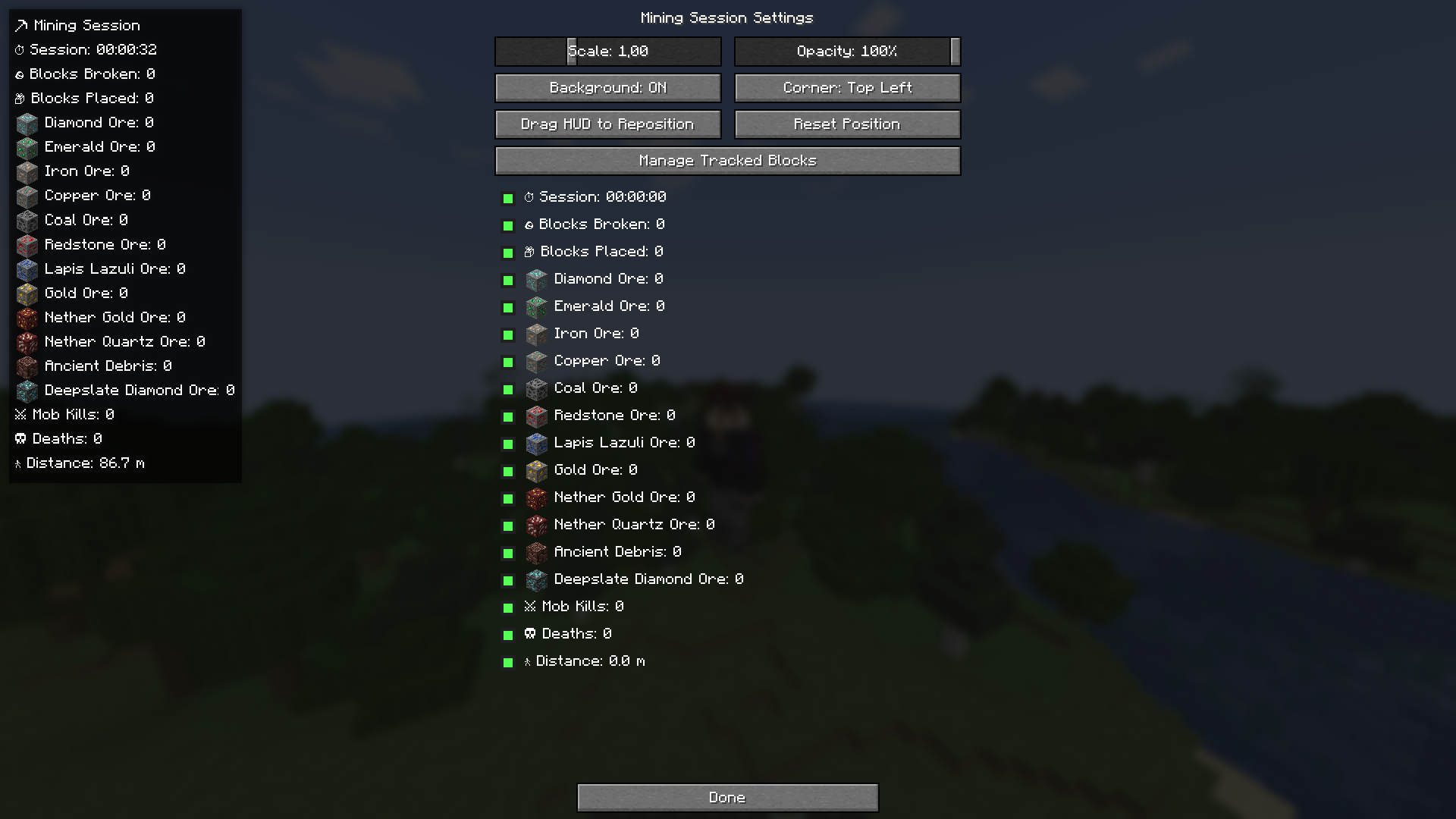 menu
menu
Versions
Files
Relations
Project Relations
More like this
Similar Mods
Suggestions use data such as tags, dependencies, dependents, descriptions, titles, and more to rank how much they overlap with this mod.
On ModDex
Community snapshot
By the numbers
Statistics
Want to reach Minecraft players?
We're looking for a server hosting partner to feature here and other parts of the site. Interested? Send us a message!
Get in touchGet it on
Available Platforms
On ModDex
Community snapshot
By the numbers
Statistics
Resources