Community listing page, reviews here may not be monitored by the author.
MMMMM (Server-Player version updater)


No reviews yet
This is a mod for updating the client mods from a list on the server. This allows for players to keep their client mods whilst updating server-required mods.
Community voices
Reviews
No reviews yet. Be the first to review this project!
Get it on
Available Platforms
Compatibility
Supported Environments
Must be installed on both the client and the server.
About
Project Details
For authors
Embed Badge
If you're the author of this project, you can embed a live badge anywhere that supports HTML or Markdown. It updates automatically whenever ratings change.
Use HTML for any page that supports it, or Markdown for README files and Markdown-based descriptions.
Identifiers
Platform IDs
About
Description
Depreciated due to CurseForge guidelines. Please use the Modrinth version instead
MMMMM — Many Minecraft Mods Made Manageable
Update server-required mods without replacing your entire modpack.
MMMMM allows servers to provide a downloadable mods.zip containing required mods. Clients can update directly from the multiplayer menu while keeping their own client-side mods (performance mods, shaders, UI mods, etc.).
No external launcher required.
Features
- Generate a server mod bundle with a single command
- Automatically download required mods from the server
- Preserve client-side mods
- One-click update from the multiplayer screen
- Configurable port
- Optional filtering of server-only mods
Server Setup
- Configure the port and server-only filtering in the
mmmmmconfig file. - Run the command:
/mmmmm save-mods- This generates:
MMMMM/shared-files/mods.zip- Ensure the configured port is accessible to players.
Client Setup
- Set the download URL to:
<server-ip>:<mmmmm-port>Example:
exampleserver.com:12345- In the Multiplayer menu, click the Update button on the right side of the server entry.
- Restart the client after the update completes.
Use Cases
- Servers that update mods frequently
- Communities where players use extra client-side mods
- Avoiding full modpack redistribution
- Simplifying mod updates for less technical players
Video Guide
YouTube guide:
Issues & Feedback
Please report bugs or request features here:
https://github.com/ImagineLevel69/MMMMM/issues
MMMMM — Many Minecraft Mods Made Manageable
Update server-required mods without replacing your entire modpack.
MMMMM allows servers to provide a downloadable mods.zip containing required mods. Clients can update directly from the multiplayer menu while keeping their own client-side mods (performance mods, shaders, UI mods, etc.).
No external launcher required.
Features
- Generate a server mod bundle with a single command
- Automatically download required mods from the server
- Preserve client-side mods
- One-click update from the multiplayer screen
- Configurable port
- Optional filtering of server-only mods
Server Setup
- Configure the port and server-only filtering in the
mmmmmconfig file. - Run the command:
to just save mods or/mmmmm save-mods
to save config, kubejs and mods for syncing if required/mmmm save-all - This generates:
MMMMM/shared-files/mods.zip - Ensure the configured port is accessible to players.
Client Setup
-
Set the download URL to:
<server-ip>:<mmmmm-port>Example:
exampleserver.com:12345 -
In the Multiplayer menu, click the Update button on the right side of the server entry.
-
Restart the client after the update completes.
Use Cases
- Servers that update mods frequently
- Communities where players use extra client-side mods
- Avoiding full modpack redistribution
- Simplifying mod updates for less technical players
Video Guide
YouTube guide:
Issues & Feedback
Please report bugs or request features here:
https://github.com/ImagineLevel69/MMMMM/issues
Screenshots
Gallery
-
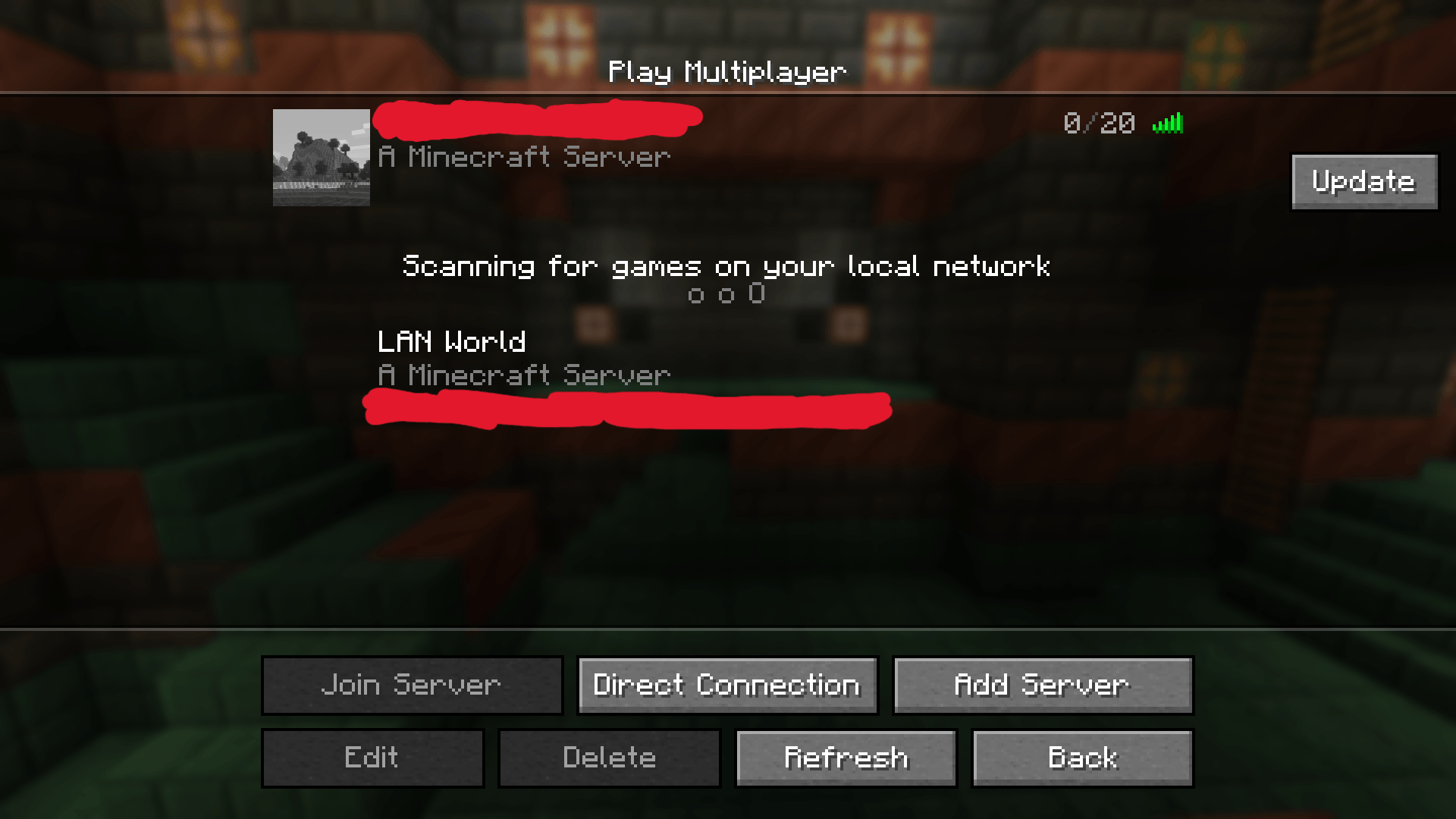 Menu screen with updated button for each server
 -
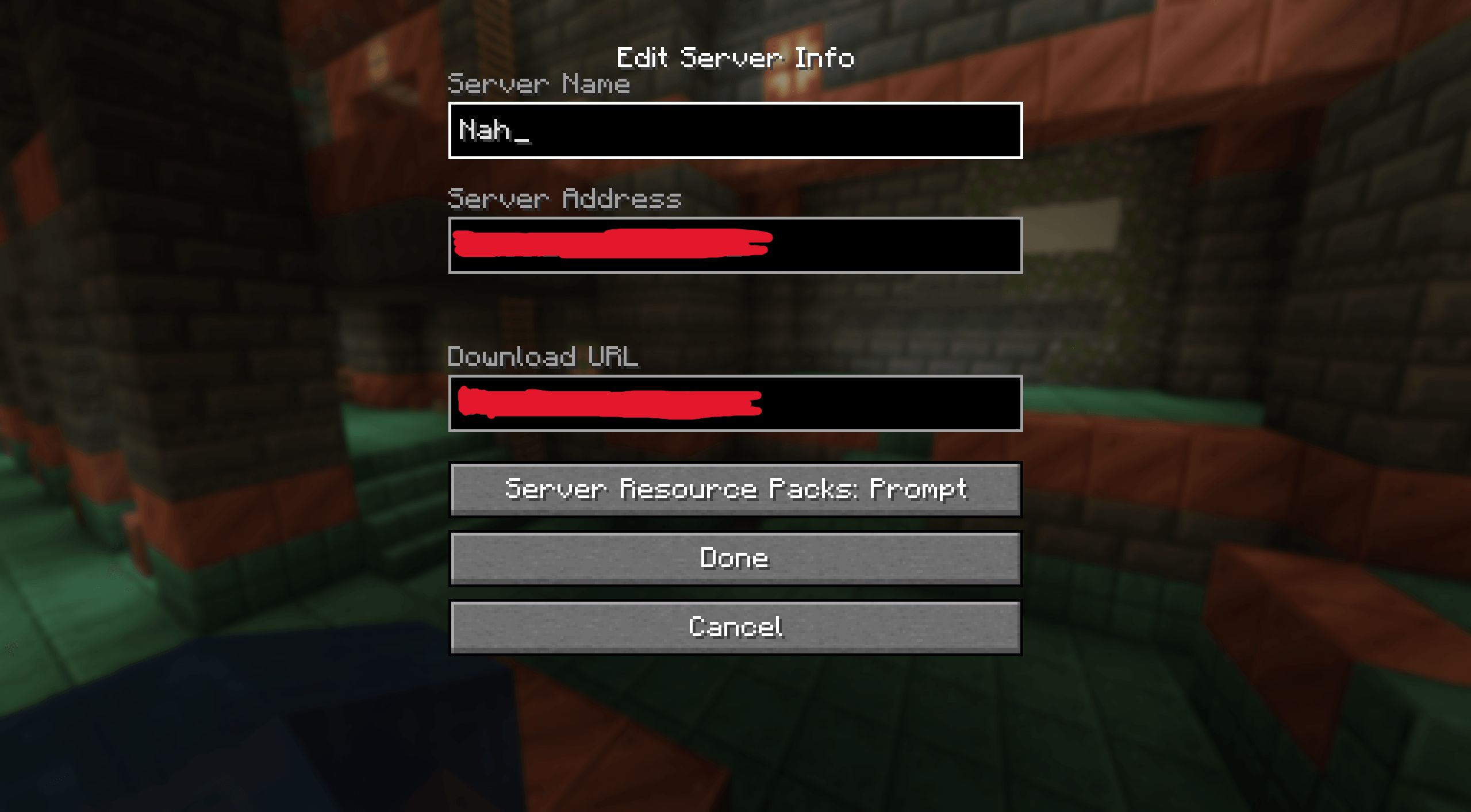 New server creation menu
 -
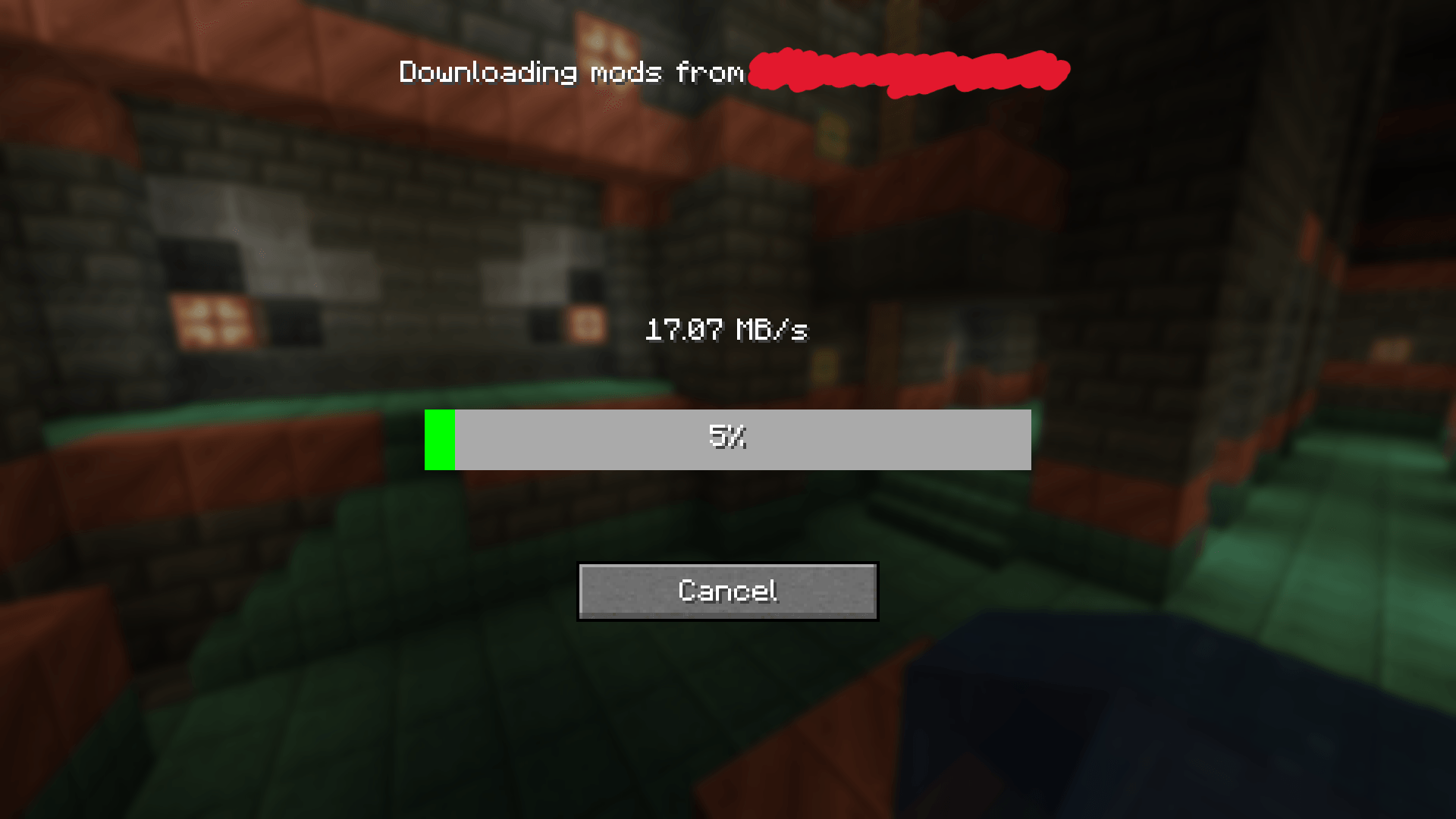 Screen when update button is clicked
-
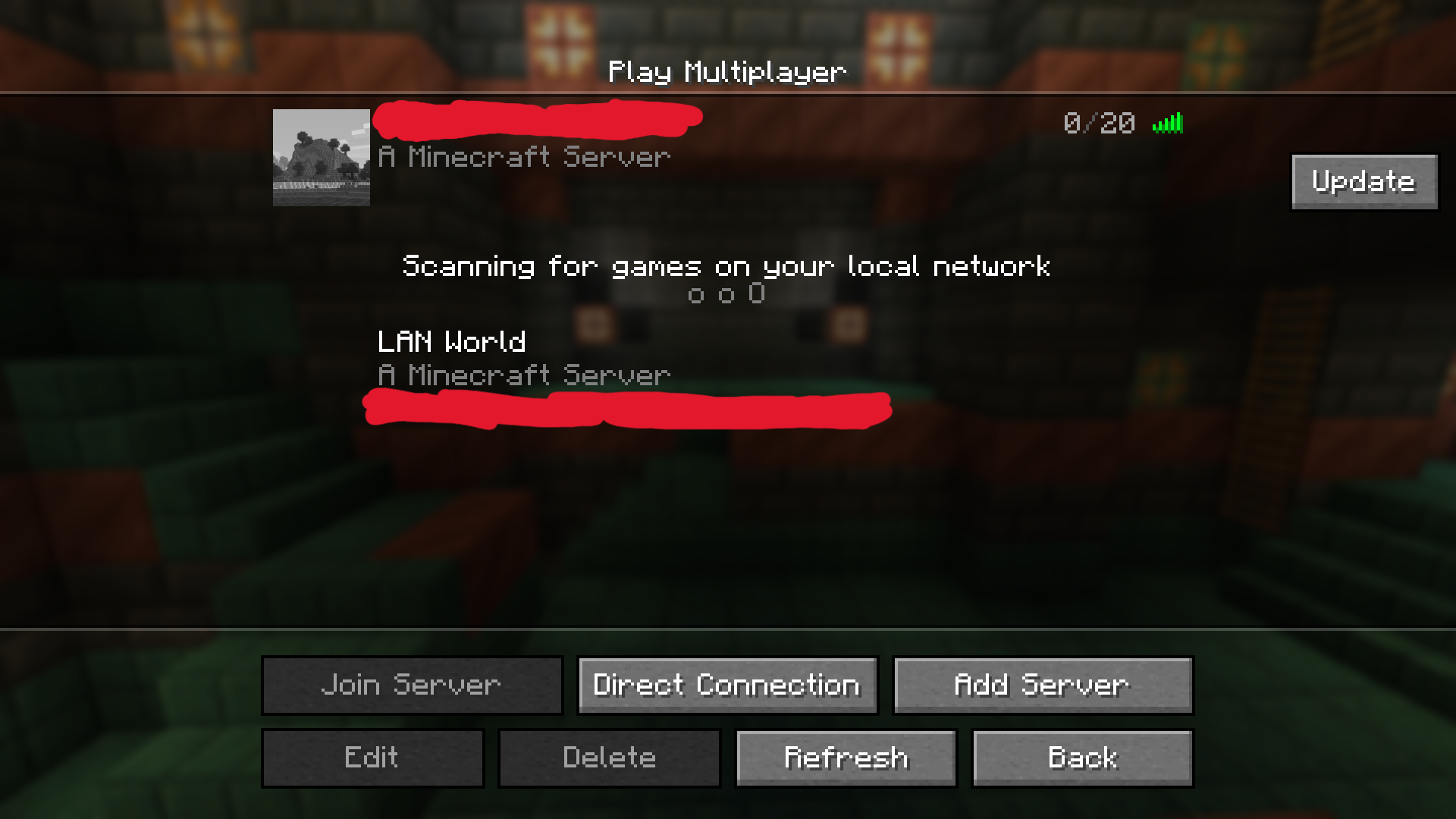 Menu screen with updated button for each server
 -
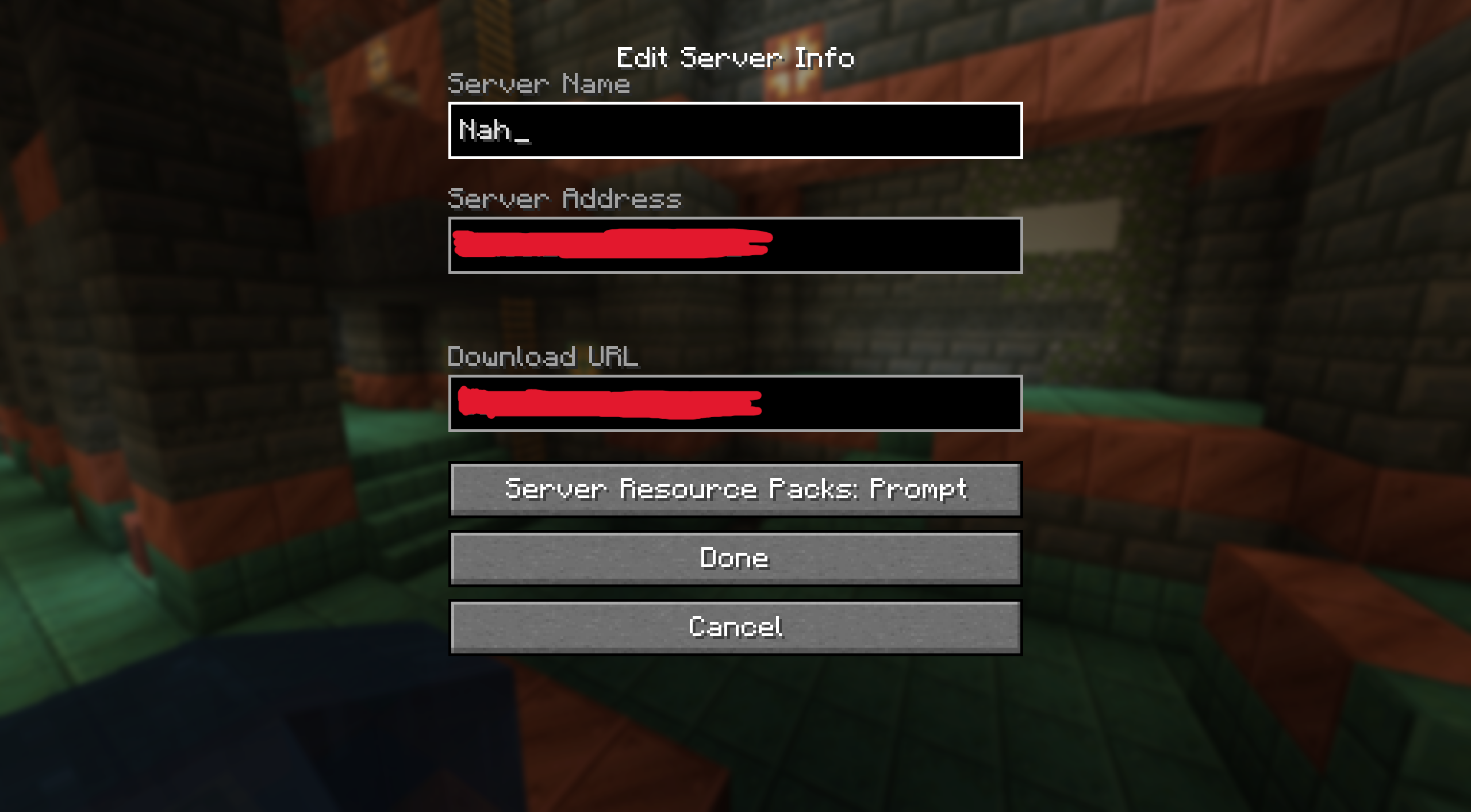 New server creation menu
 -
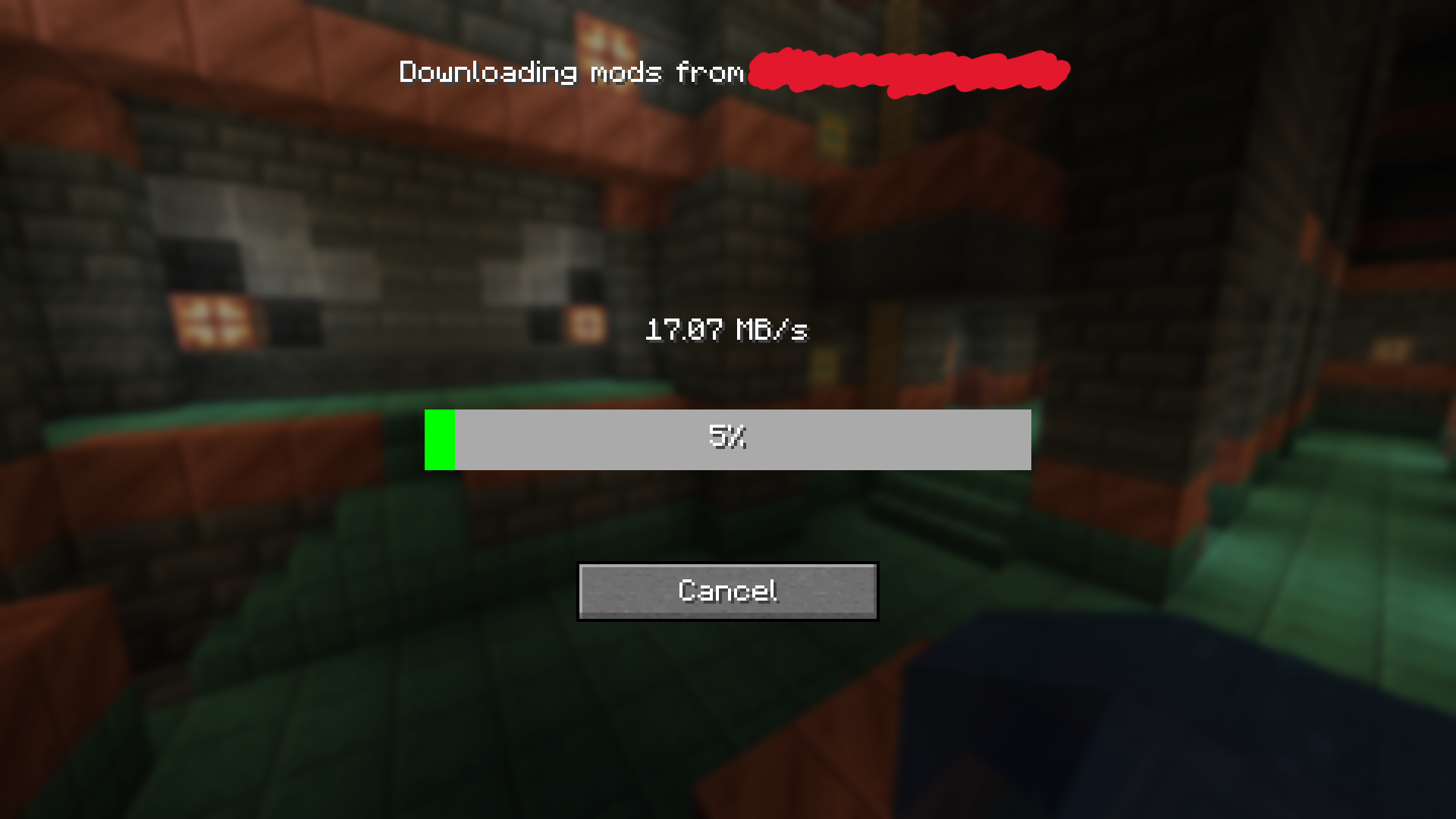 Screen when update button is clicked
Versions
Files
Relations
Project Relations
More like this
Similar Mods
Suggestions use data such as tags, dependencies, dependents, descriptions, titles, and more to rank how much they overlap with this mod.
On ModDex
Community snapshot
By the numbers
Statistics
Want to reach Minecraft players?
We're looking for a server hosting partner to feature here and other parts of the site. Interested? Send us a message!
Get in touchGet it on
Available Platforms
On ModDex
Community snapshot
By the numbers