
Community listing page, reviews here may not be monitored by the author.
ScreenEffects

No reviews yet
A small flexible library for showing animated screen overlays to the user.
Community voices
Reviews
No reviews yet. Be the first to review this project!
Get it on
Available Platforms
About
Project Details
For authors
Embed Badge
If you're the author of this project, you can embed a live badge anywhere that supports HTML or Markdown. It updates automatically whenever ratings change.
Use HTML for any page that supports it, or Markdown for README files and Markdown-based descriptions.
Identifiers
Platform IDs
About
Description

ScreenEffects by Trplnr
A small flexible library for showing animated screen overlays to the user.
Demo
Usage
Making Screen Effects using the builder Deno file:
IMPORTANT: Using this method requires the following to be installed in your system: Deno, ffmpeg. After getting those, restart your computer.
A screen effect is composed of multiple font frames that the datapack uses to show the animation.
A utility Deno JS file is provided with the resource pack inside the screen_effects folder to make this process easier.
1. Making the animation
NOTE:
- You can use any image editing software you like as long as it can export your animation into a spritesheet. Aseprite has this functionality.
- It is recommended to make a 256x256 .png file for the best results.
- Start by creating an animation.
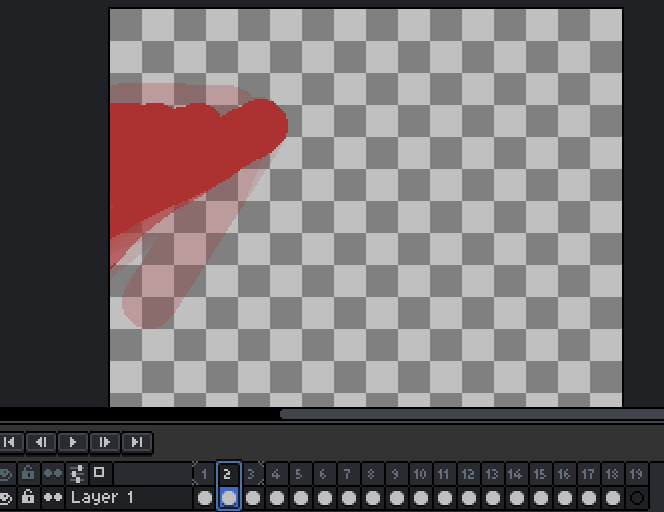
- Export your animation into a vertical spritesheet inside the
screen_effectsfolder.

- You can add more spritesheets inside the
screen_effectsfolder if you want more screen effects.
2. Building the animations
- To prepare for building the animations, go inside the
buildScreenEffects.jsfolder and adjust these configs.
// -------------CONFIGS---------------
// Replace with the namespace you use!
const NAMESPACE = "trplnr";

// If you want the font JSON files to be formatted, make this boolean true.
const prettyPrintFontFiles = false;

// If you want to see the ffmpeg logs, make this boolean true.
const showFFMPEGLogs = false;
// -----------------------------------
- To make your amazing animations usable by the datapack, You can run a command in your terminal to convert your spritesheets into frames!
- Open your preferred terminal and make sure you are inside the
screen_effectsfolder. - After that, run this command
deno run --allow-all .\buildScreenEffects.js

- After running that, if everything is successful, it should look like this:
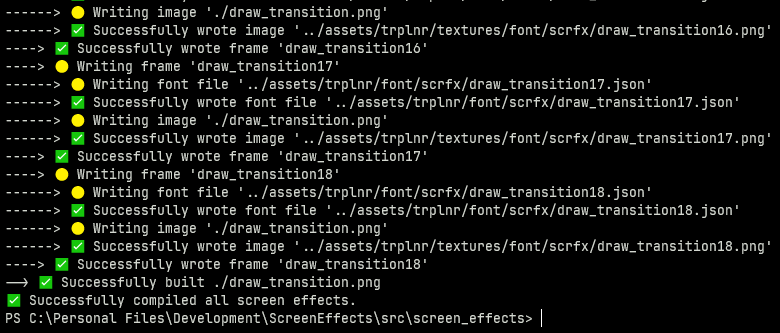
-
Congrats! You've successfully turned your wonderful animations into frames! :tada:
-
If you only want to to compile 1 spritesheet, simply run
deno run --allow-all .\buildScreenEffects.js filename.png
Registering the Screen Effects
The datapack needs to have data to know what a screen effect is so you have to register it.
Here is an example on how you can register one.
ScreenEffect schema shown below this section.
# To add your own screen effects to the global registry,
# simply copy what is shown here.

data modify storage example:scrfx_data screen_effects set value { \
   "examples:toast": { \
        tps: 1, \
        frame_count: 31, \
        path: "example:scrfx/exampletoast" \
    }, \
   "examples:transition": { \
        tps: 1, \
        frame_count: 69, \
        path: "example:scrfx/exampletransition", \
        callbacks: { \
            "26": "say This frame covers the whole screen" \
        } \
    }, \
}

function scrfx:add_screen_effects {storage: "example:scrfx_data", path: "screen_effects"}
The ScreenEffect Schema
This is the definition of a ScreenEffect.
{
    /**
     * The name of the screen effect,
     * preferrably namespaced.
     */
    "ns:identifier": {
        /**
         * How fast each frame
         * shows up measured in ticks.
         *
         * Just like fps but well in ticks.
         *
         * Must be above zero.
         */
        tps: <int>,

        /**
         * How many frames are in the animation.
         */
        frame_count: <int>,

        /**
         * The font resource location
         * of the animation with the
         * number at the end removed.
         */
        path: <resource_location>,
        /**
         * Defines what commands run in a certain frame.
         *
         * Optional.
         */
        callback?: {
            "<frame_number>": "<command>",
            ...
        }
    }
}
Running the Screen Effects
- Declare the animation to be played inside the
scrfx:in idstorage. - Then execute as a player and run
scrfx:play!
Example:
data modify storage scrfx:in id set value "ns:identifier"
execute as Trplnr run function scrfx:play
- You have successfully played a screen effect! 🎉
Screenshots
Gallery
-
 Screen Effects Banner
Versions
Files
Relations
Project Relations
More like this
Similar Mods
Suggestions use data such as tags, dependencies, dependents, descriptions, titles, and more to rank how much they overlap with this mod.
On ModDex
Community snapshot
By the numbers
Statistics

Want to reach Minecraft players?
We're looking for a server hosting partner to feature here and other parts of the site. Interested? Send us a message!
Get in touchGet it on
Available Platforms
On ModDex
Community snapshot
By the numbers