
Community listing page, reviews may not be monitored by the author.


Community voices
Reviews
No reviews yet. Be the first to review this project!
Get it on
Available Platforms
About
Project Details
For authors
Embed Badge
If you're the author of this project, you can embed a live badge anywhere that supports HTML or Markdown. It updates automatically whenever ratings change.
Use HTML for any page that supports it, or Markdown for README files and Markdown-based descriptions.
Identifiers
Platform IDs
Resources
External Links
About
Description
Multi-Skin
A Fabric mod for Minecraft 1.21.1 that adds custom skins, body part management, and player size adjustment.
Skins
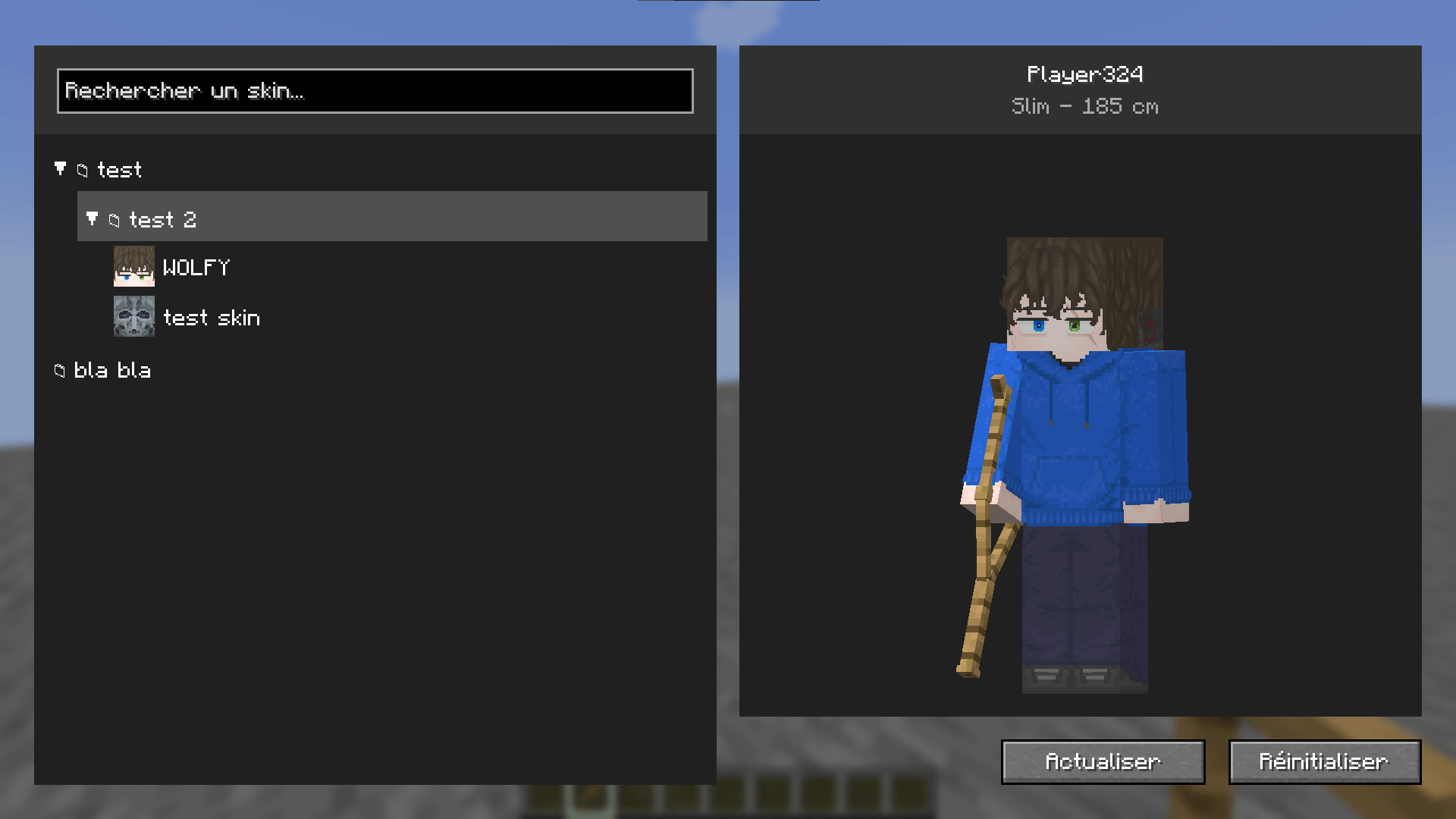
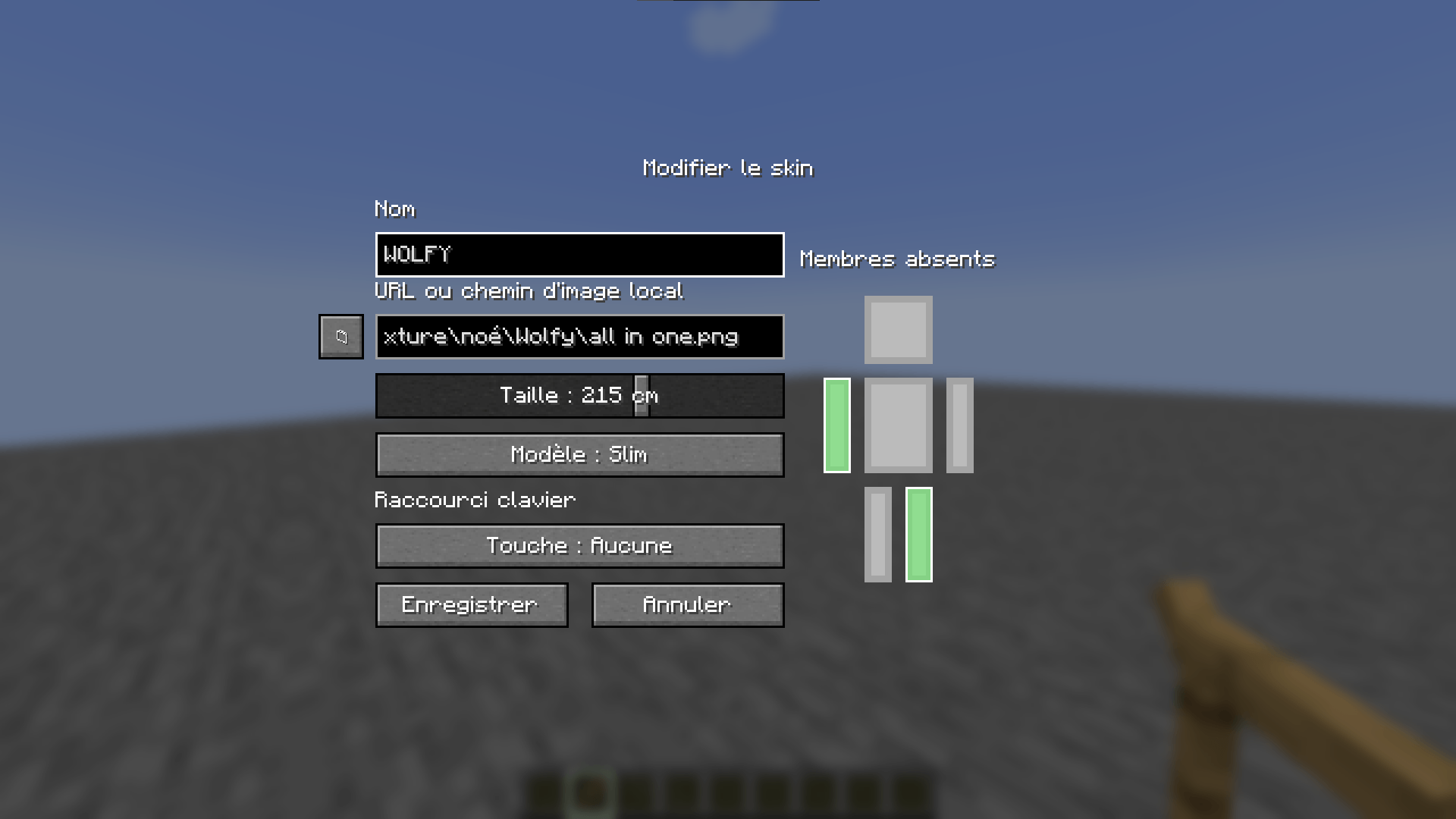
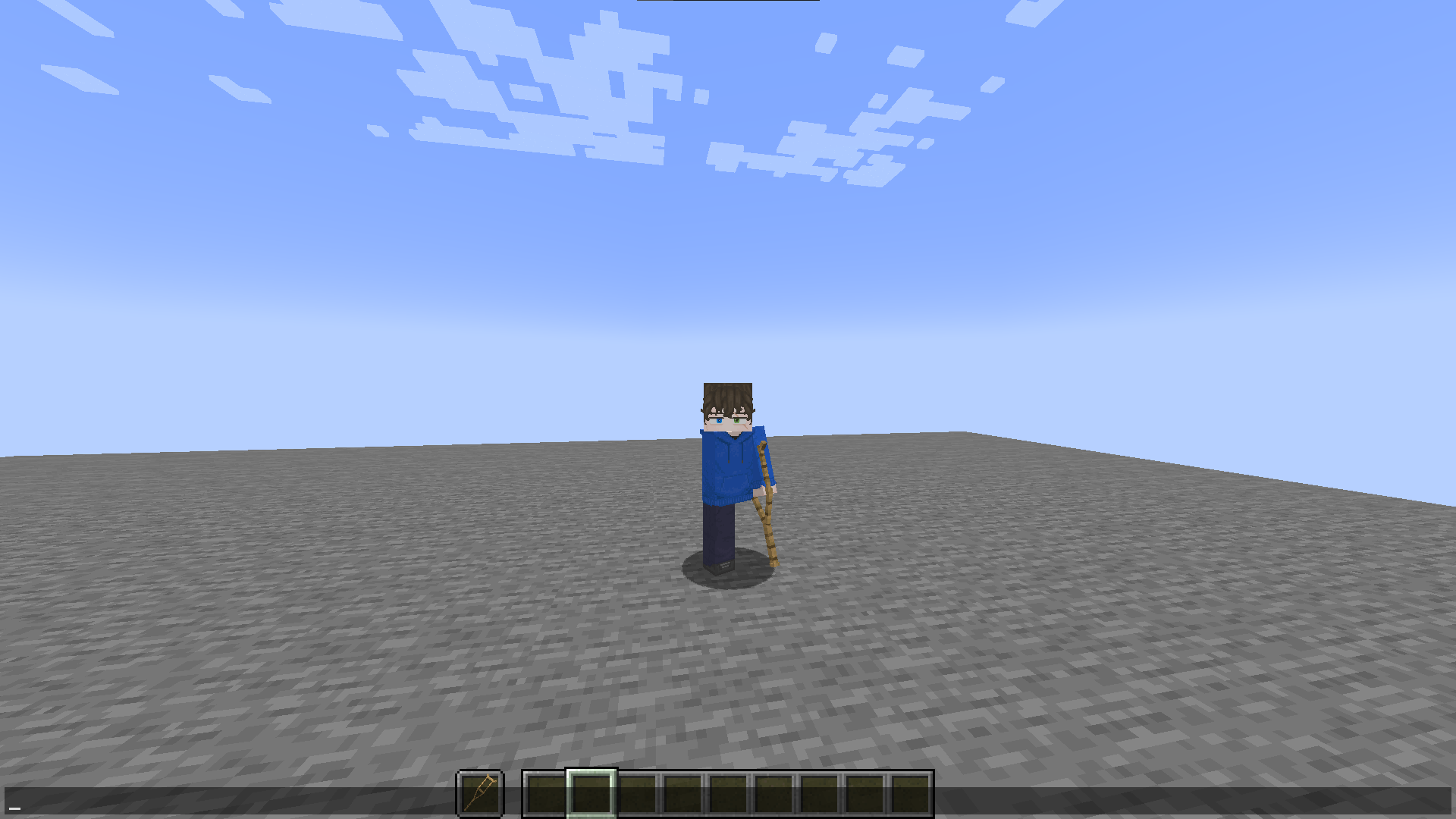
Open the skin menu by pressing F12. It allows you to create, edit, duplicate, and delete skins, organize them into folders, and customize their model (slim or steve), size, and hidden body parts. Skin images can be loaded from a URL or a local file.
The local skin library is stored in multi-skin/skins/ inside the game directory. Player height can be set between 50 and 300 cm, with a default value of 185 cm.
Skin commands apply to the player executing them:
/skin slim <url> [size_in_cm]
/skin steve <url> [size_in_cm]
/skin reset
Operators can also apply or reset skins for other players:
/skinadmin <players> slim <url> [size_in_cm]
/skinadmin <players> steve <url> [size_in_cm]
/skinadmin <players> reset
Body Parts
Operators can hide or restore players' arms and legs. The selected body parts configured in a skin are applied along with that skin.
/bodypart remove <players> arm right
/bodypart add <players> leg left
/bodypart reset <players>
Player Size
Player size changes the player's scale. Operators can configure how size affects movement speed and reach using the following commands:
/multiskinconfig get
/multiskinconfig size speed <coefficient>
/multiskinconfig size reach <coefficient>
/multiskinconfig reload
Coefficients range from 0.0 to 2.0. The configuration is stored in config/multi-skin/config.json.
Installation
Requires Minecraft 1.21.1, Fabric Loader, Fabric API, Java 21 or later, and Pehkui 3.8.3 or later.
Place the mod's .jar file and its dependencies in the mods folder of your Fabric installation.
Screenshots
Gallery
-
 Capture dâécran 2026-10-19 144755.png Capture dâécran 2026-10-19 144755.png
 -
 Capture dâécran 2026-10-19 144836.png Capture dâécran 2026-10-19 144836.png
 -
 Capture dâécran 2026-10-19 144941.png Capture dâécran 2026-10-19 144941.png
Versions
Files
Relations
Project Relations
More like this
Similar Mods
Suggestions use data such as tags, dependencies, dependents, descriptions, titles, and more to rank how much they overlap with this mod.
On ModDex
Community snapshot
By the numbers
Statistics

Get it on
Available Platforms
On ModDex
Community snapshot
By the numbers
Statistics
Resources