Community listing page, reviews here may not be monitored by the author.
My battle tools


No reviews yet
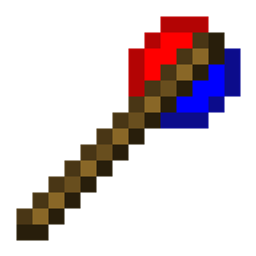
This mod lets you turn mobs from different mods into rival teams, manage their alliances, move them around, and track their health – all with simple wands and commands.
Community voices
Reviews
No reviews yet. Be the first to review this project!
Get it on
Available Platforms
Compatibility
Supported Environments
Must be installed on both the client and the server.
About
Project Details
For authors
Embed Badge
If you're the author of this project, you can embed a live badge anywhere that supports HTML or Markdown. It updates automatically whenever ratings change.
Use HTML for any page that supports it, or Markdown for README files and Markdown-based descriptions.
Identifiers
Platform IDs
Resources
External Links
About
Description
My Battle Mod
Three wands, endless battles.
My Battle Mod adds three simple yet powerful items to Minecraft 1.20.1 (Forge).
No dependencies – works with any Forge mod's mobs.
Features
Battle Wand – Make mobs from different mods fight each other
- Right-click any mob to create a team for its mod (team name = mod ID).
- Right-click the same leader mob again to disband that mod's team.
- Sneak + right-click to disband all teams.
- Right-click air to change modes.
- When a team is created, all existing mobs of that mod are automatically added to the team.
- Newly spawned mobs automatically join their mod's team.
- Mobs from different teams become hostile to each other (no range limit).
- Leader mobs receive a glowing effect while their team is active.
Boss Wand – Add a real-time health bar to any mob
- Right-click a mob to display a BossBar above the screen, showing its health.
- The bar updates automatically as the mob takes damage or heals.
- Right-click the same mob again to remove the BossBar.
- Right-click air to change the bossbar's color.
- Works on any living entity (including modded bosses).
- The BossBar is visible to all nearby players.
Move Wand – Move the mob
- Right-click mobs to select/deselect them (multiple selection allowed).
- Right-click the ground to move all selected mobs to that location.
- Right-click air to toggle between Teleport and Walk mode.
- Sneak + right-click air to clear all selections.
Multi-language support
All in-game messages are fully translatable via language files (English and Chinese included).
How to get the items
In Creative mode, find them under the Tools & Utilities tab.
Example commands:
Commands (/mybattlemod)
/mybattlemod team– Manage teams (add, remove, list, members, join, leave, friendly fire)/mybattlemod move– Move mobs (teleport, walk, manage selection)/mybattlemod ally– Manage alliances (add, remove, list, delete alliance)/mybattlemod information– Control mob head display (mod ID, alliance icon, both, clear all)/mybattlemod targetmode– Switch target selector mode (replace vanilla or merge)/mybattlemod sightrange– Set or get mob detection range
Compatibility
- Minecraft 1.20.1
- Forge 47.x
- Works with any Forge mod – no extra libraries needed.
My Battle Mod
Three wands, endless battles.
My Battle Mod adds three simple yet powerful items to Minecraft 1.20.1 (Forge).
No dependencies – works with any Forge mod's mobs.
Features
Battle Wand – Make mobs from different mods fight each other
- Right-click any mob to create a team for its mod (team name = mod ID).
- Right-click the same leader mob again to disband that mod's team.
- Sneak + right-click to disband all teams.
- Right-click air to change modes.
- When a team is created, all existing mobs of that mod are automatically added to the team.
- Newly spawned mobs automatically join their mod's team.
- Mobs from different teams become hostile to each other (no range limit).
- Leader mobs receive a glowing effect while their team is active.
Boss Wand – Add a real-time health bar to any mob
- Right-click a mob to display a BossBar above the screen, showing its health.
- The bar updates automatically as the mob takes damage or heals.
- Right-click the same mob again to remove the BossBar.
- Right-click air to change the bossbar's color.
- Works on any living entity (including modded bosses).
- The BossBar is visible to all nearby players.
Move Wand – Move the mob
- Right-click mobs to select/deselect them (multiple selection allowed).
- Right-click the ground to move all selected mobs to that location.
- Right-click air to toggle between Teleport and Walk mode.
- Sneak + right-click air to clear all selections.
Multi-language support
All in-game messages are fully translatable via language files (English and Chinese included).
How to get the items
In Creative mode, find them under the Tools & Utilities tab.
Example commands:
- /give @p mybattlemod:battle_wand
- /give @p mybattlemod:boss_wand
- /give @p mybattlemod:move_wand
Commands (/mybattlemod)
/mybattlemod team– Manage teams (add, remove, list, members, join, leave, friendly fire)/mybattlemod move– Move mobs (teleport, walk, manage selection)/mybattlemod ally– Manage alliances (add, remove, list, delete alliance)/mybattlemod information– Control mob head display (mod ID, alliance icon, both, clear all)/mybattlemod targetmode– Switch target selector mode (replace vanilla or merge)/mybattlemod sightrange– Set or get mob detection range
Compatibility
- Minecraft 1.20.1
- Forge 47.x
- Works with any Forge mod – no extra libraries needed.
Screenshots
Gallery
-
 Item2 boss wand
 -
 Item3 move wand
 -
 Item1 battle wand
Versions
Files
Relations
Project Relations
More like this
Similar Mods
Suggestions use data such as tags, dependencies, dependents, descriptions, titles, and more to rank how much they overlap with this mod.
On ModDex
Community snapshot
By the numbers
Statistics
Want to reach Minecraft players?
We're looking for a server hosting partner to feature here and other parts of the site. Interested? Send us a message!
Get in touchGet it on
Available Platforms
On ModDex
Community snapshot
By the numbers
Statistics
Resources