
Community listing page, reviews here may not be monitored by the author.
My Totem Doll


No reviews yet

Replaces vanilla totems with autogenerated 2D or 3D totems for EVERY player in Minecraft! Rename your totem to player's nickname to use it's skin.

Community voices
Reviews
No reviews yet. Be the first to review this project!
Get it on
Available Platforms
Compatibility
Supported Environments
Runs entirely on the client. Works on vanilla servers.
About
Project Details
For authors
Embed Badge
If you're the author of this project, you can embed a live badge anywhere that supports HTML or Markdown. It updates automatically whenever ratings change.
Use HTML for any page that supports it, or Markdown for README files and Markdown-based descriptions.
Identifiers
Platform IDs
About
Description


💬 Description
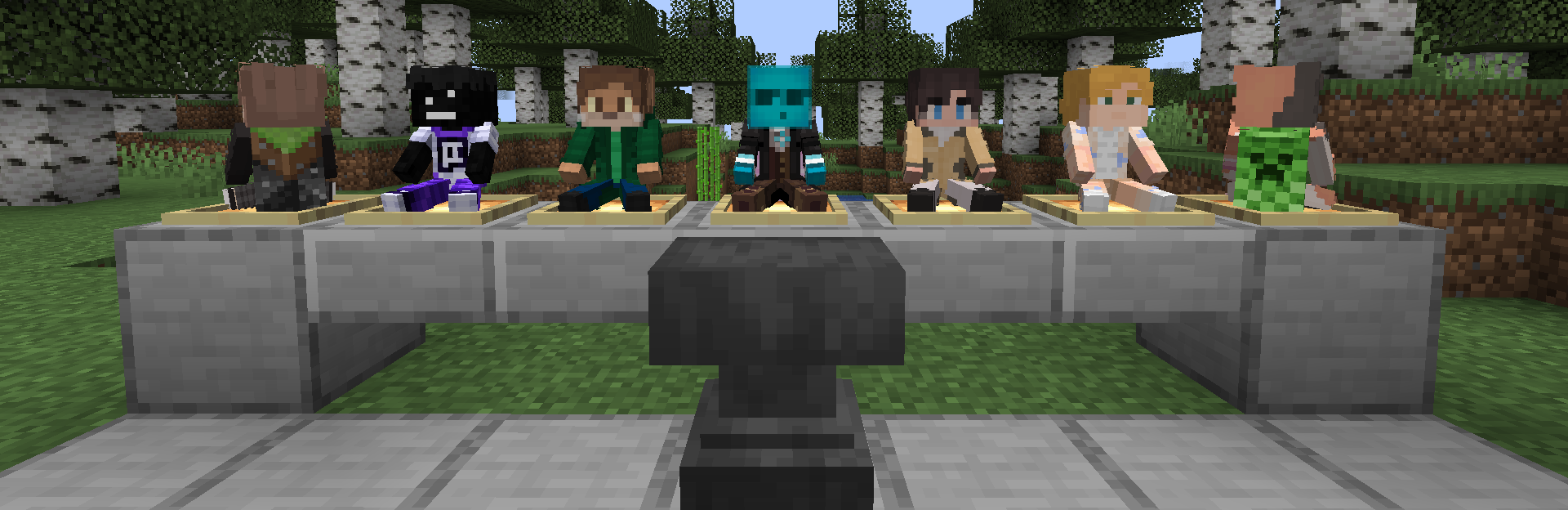
Your Totem Doll — Client-Side Fabric Mod which replaces all totems with player dolls. Rename your totem to player's nickname to use it's skin. Also supports capes and custom doll models!
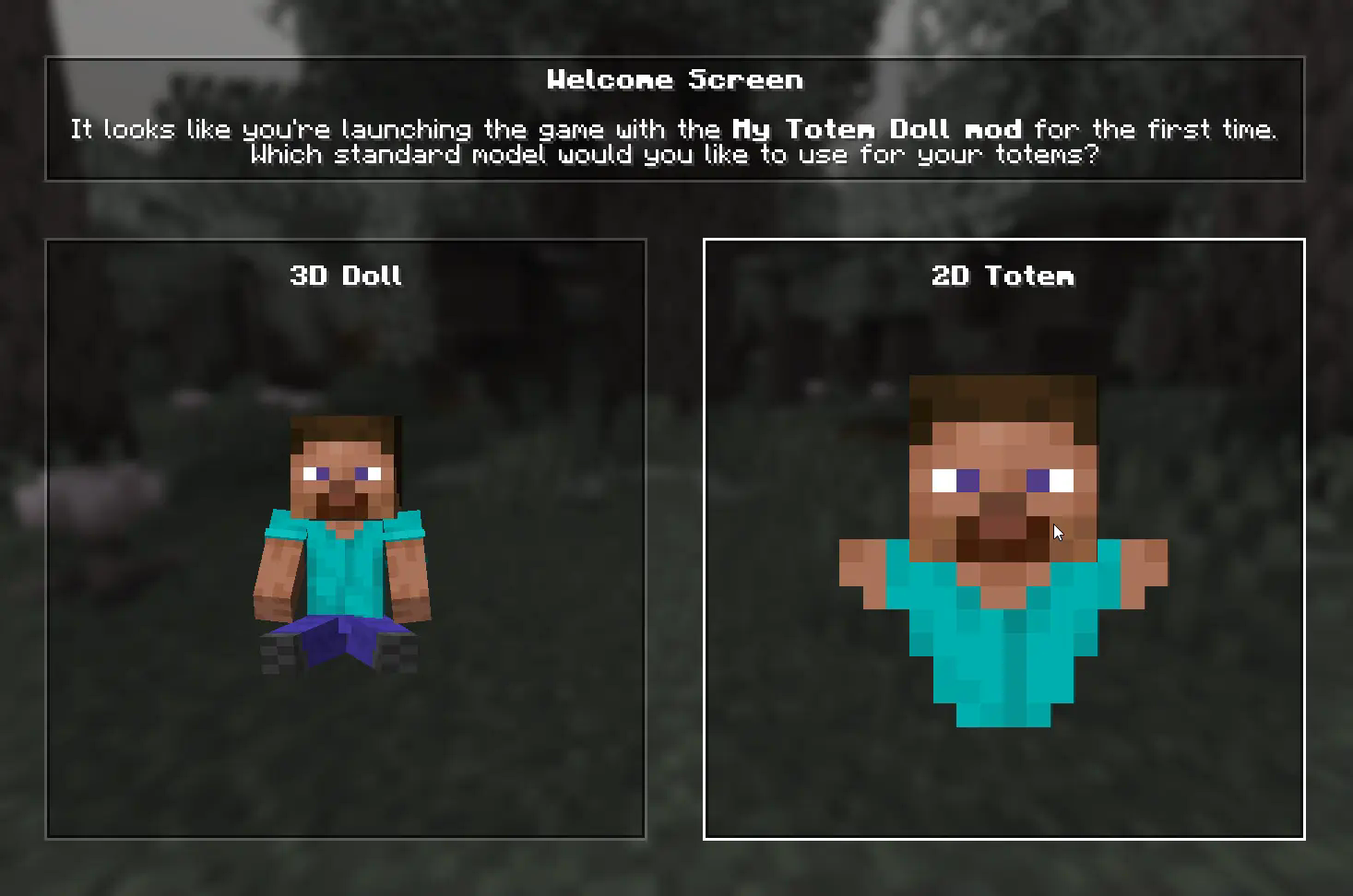
👋 Welcome Screen
When you launch game with mod for the first time, you will be greeted with a Welcome Screen. Here you will select your default totem:
⚙️ Configuration
1) Rendering
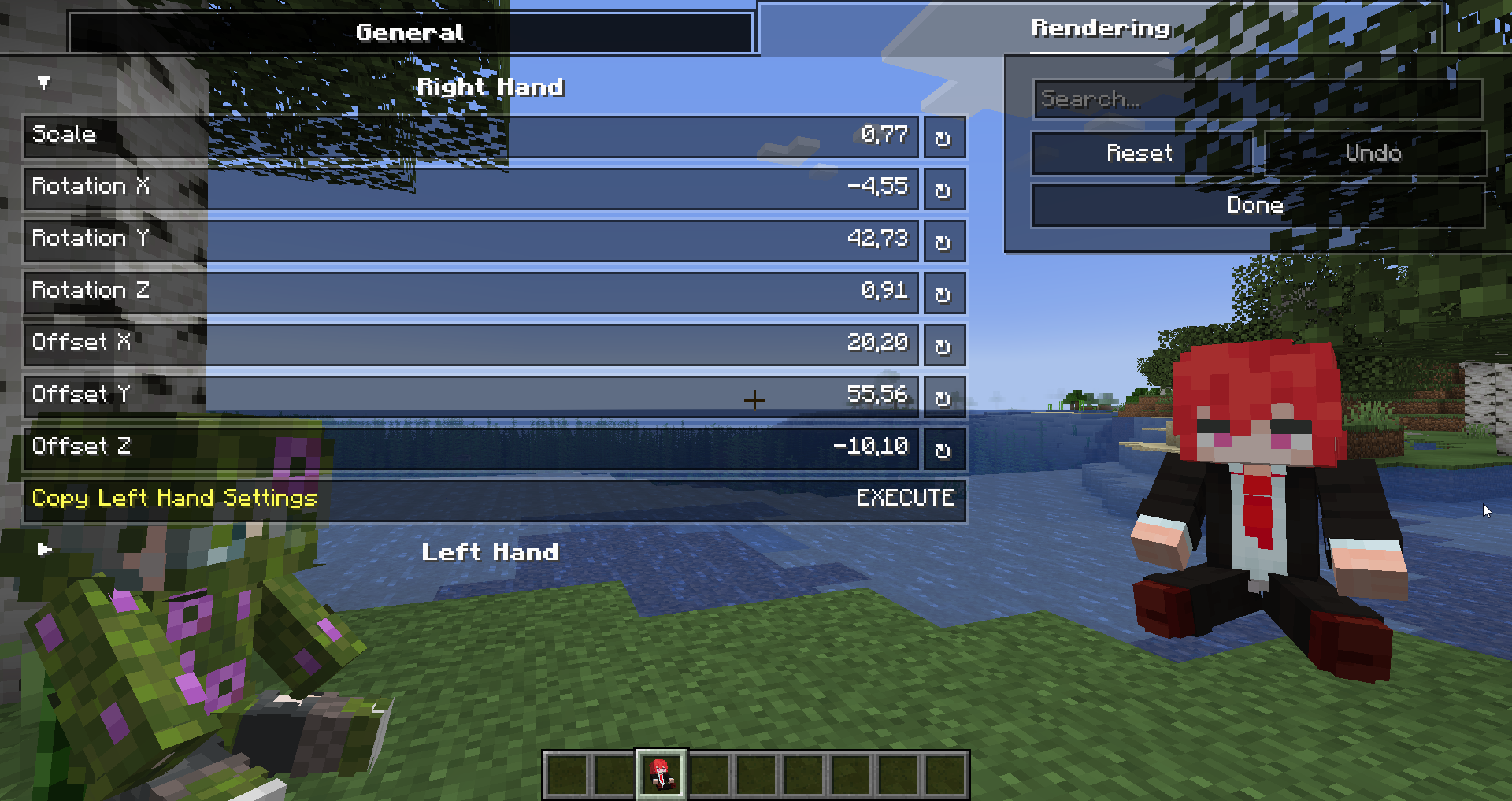
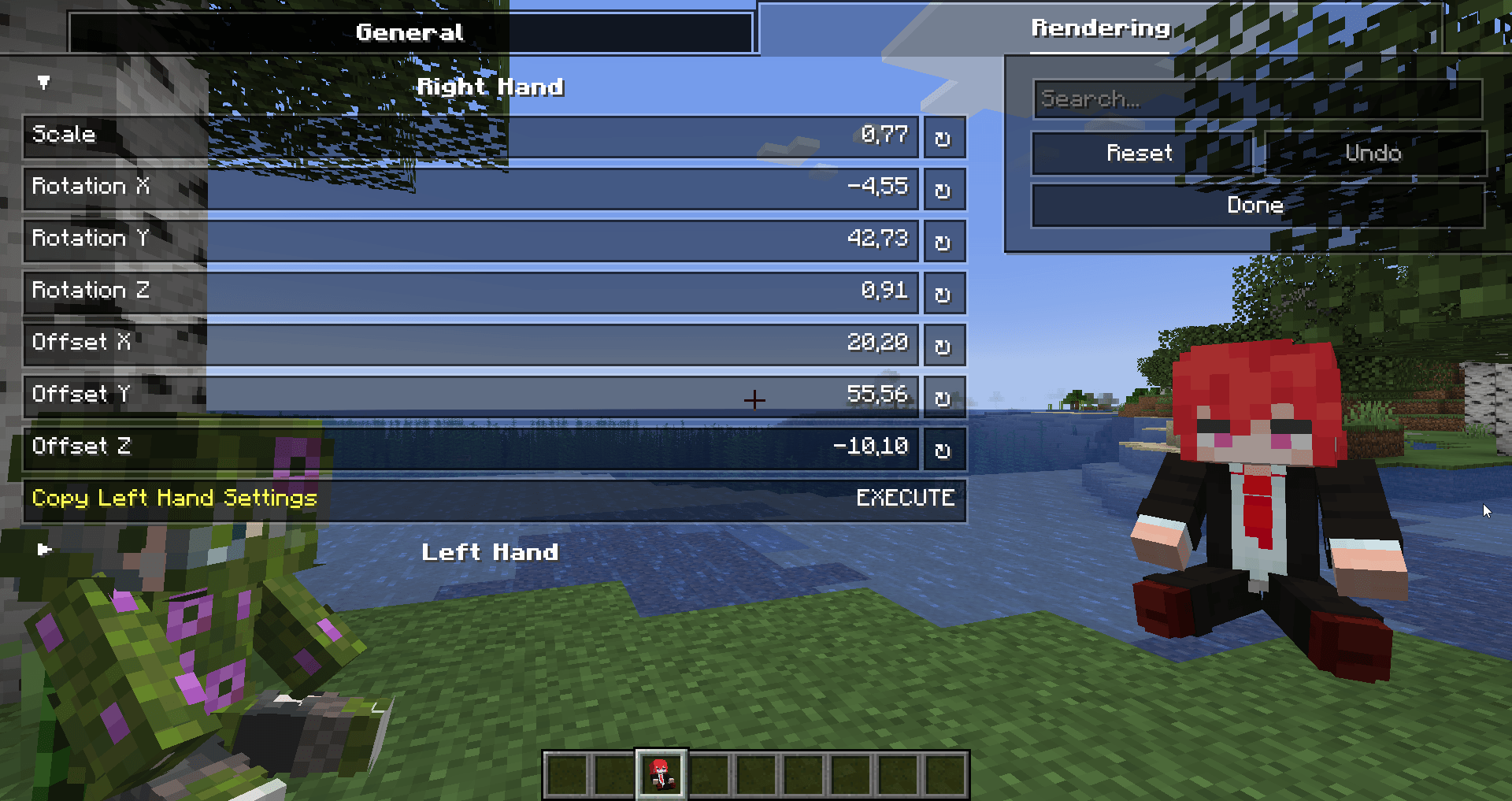
You can configure the rendering of totems in the first person. Open My Totem Doll configuration screen from Mod Menu and go to the Rendering tab, there you will find options for configuring the left and right hand:
2) Standard Doll
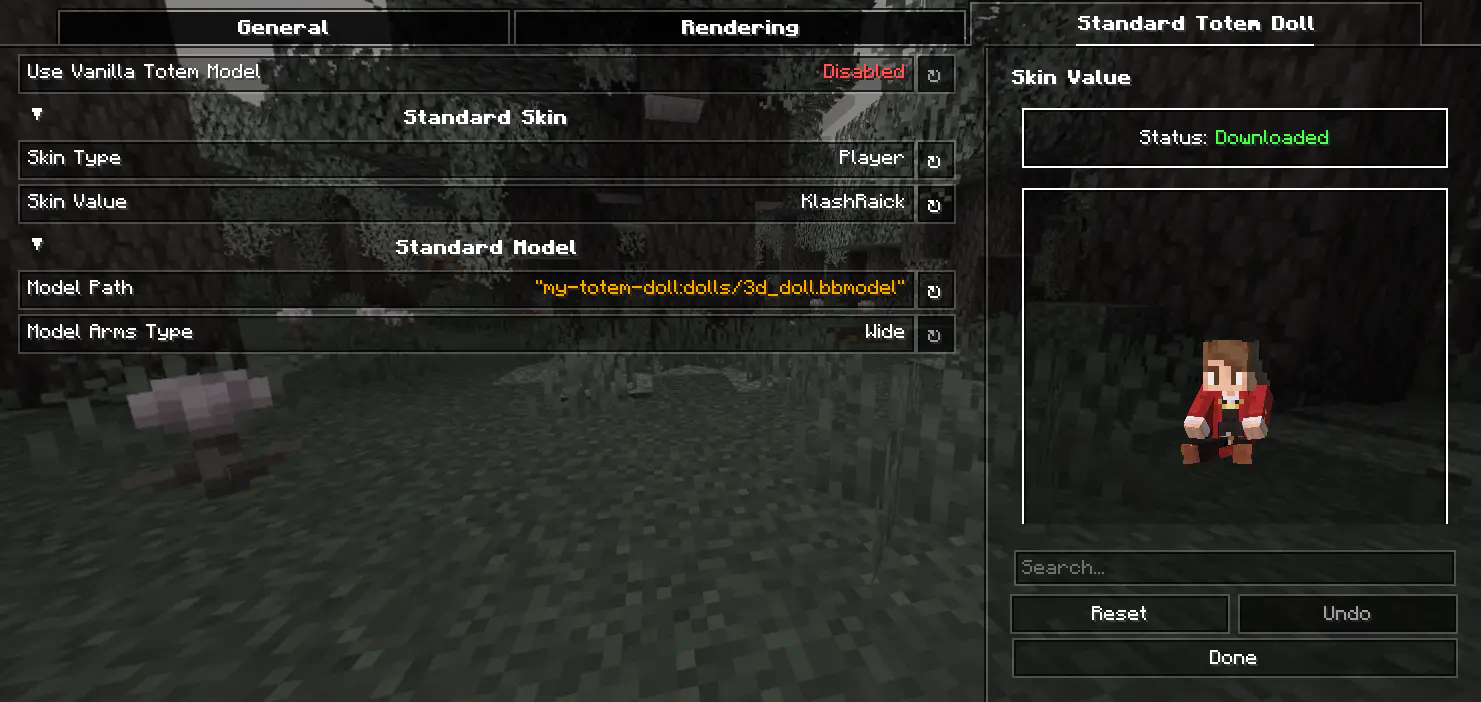

You can also customize the hands, model, skin textures for your standard totem!
3) Selecting Standard Doll Model
If you want to change your standard doll model, just hover to Model Path button and click on it. After that you will see Standard Model Selection Screen, there you can choose your standard doll model.
🍃 Refresh Player Skins

My Totem Doll also has some commands for refreshing the totem skins:
/my-totem-doll refresh all - To refresh skins for all loaded players.
/my-totem-doll refresh player [<NICKNAME>] - To refresh skin for specific player.
🧵 Totem Customization
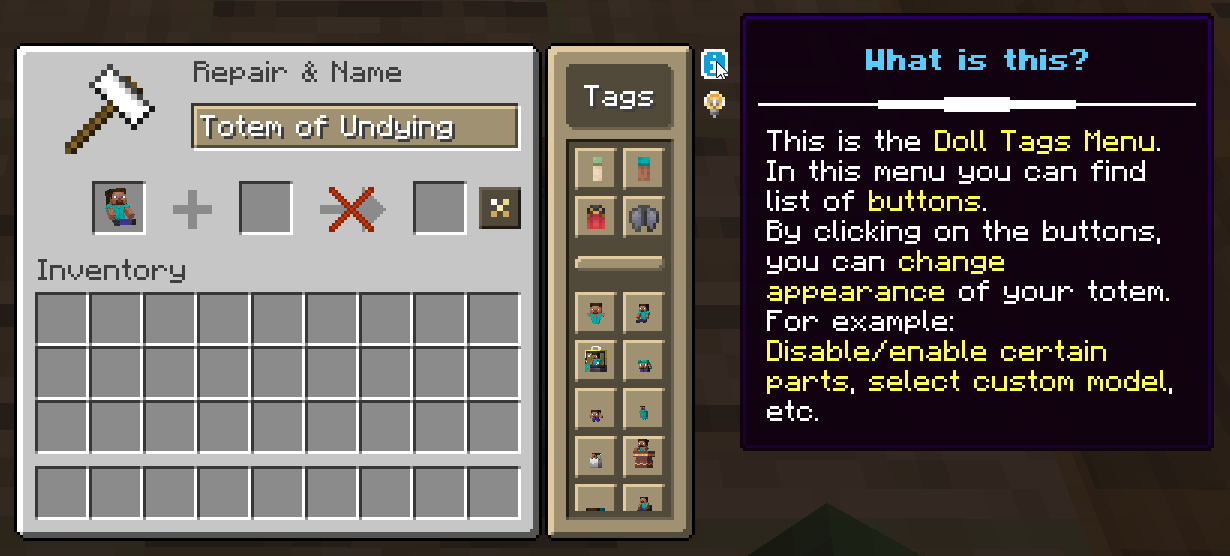
You can customize individual totems in the anvil! Put your totem in the anvil to the first slot to see the Tags menu button. Click on it to open the Tags menu.
🔥 Custom Models
You can even add your own models by following this wiki.
A good example is My Totem Doll Model Pack made by community. It has over 40 new models (some were even added to the mod!).

🎮 Multiplayer Support
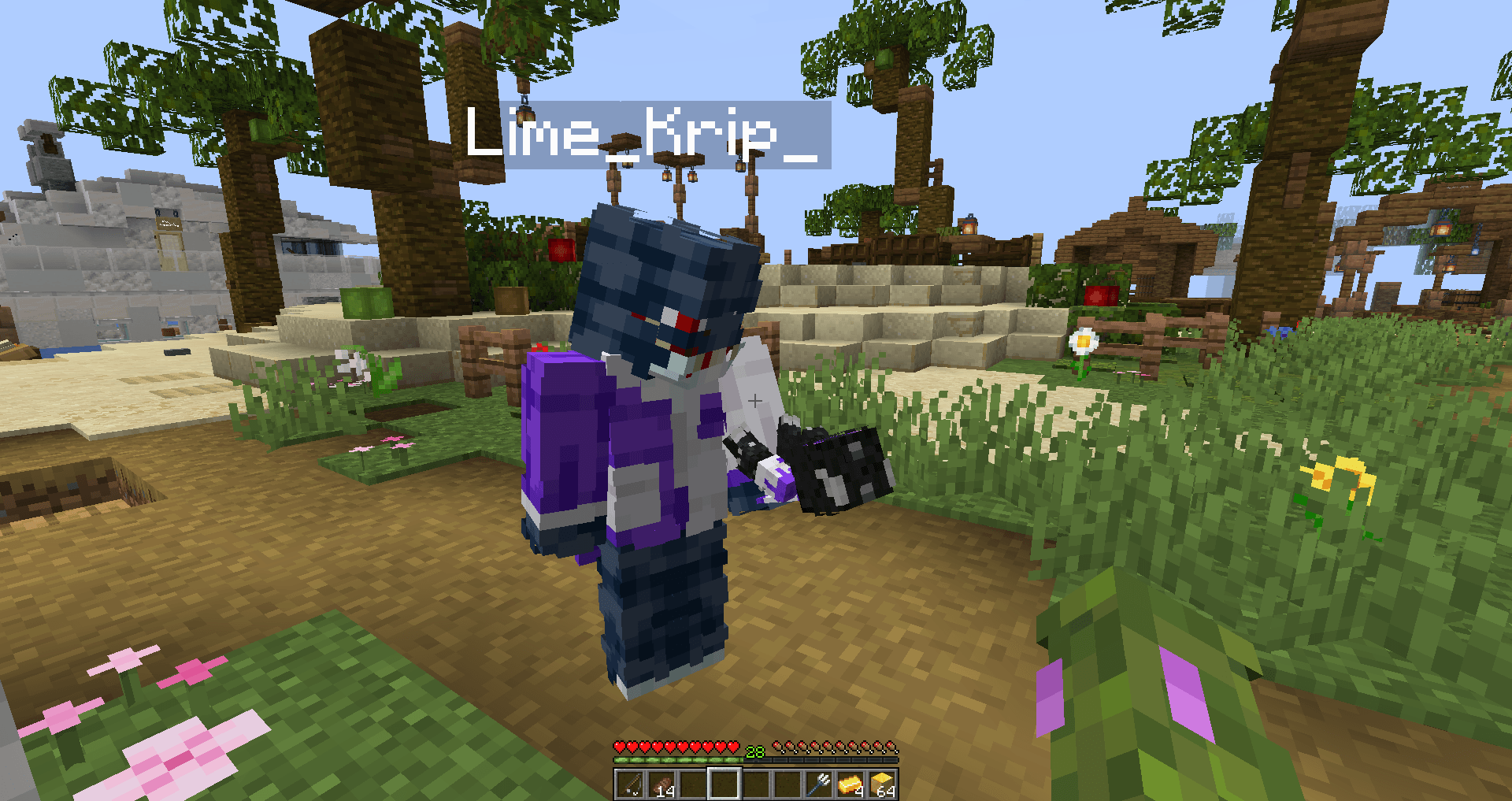
You can also see other players' totems! Without mod on the server.
🧥 Using NameMC Skins
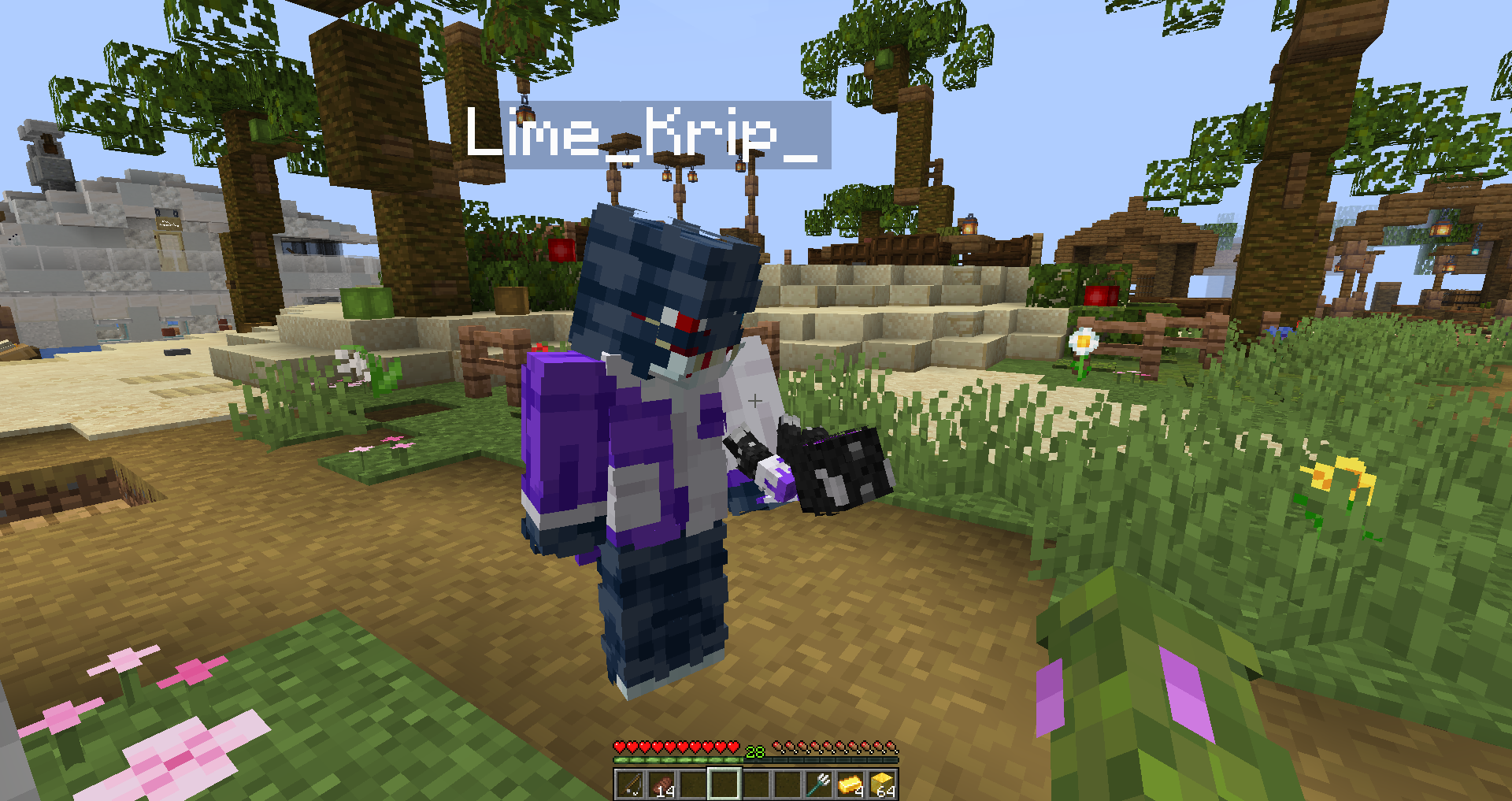
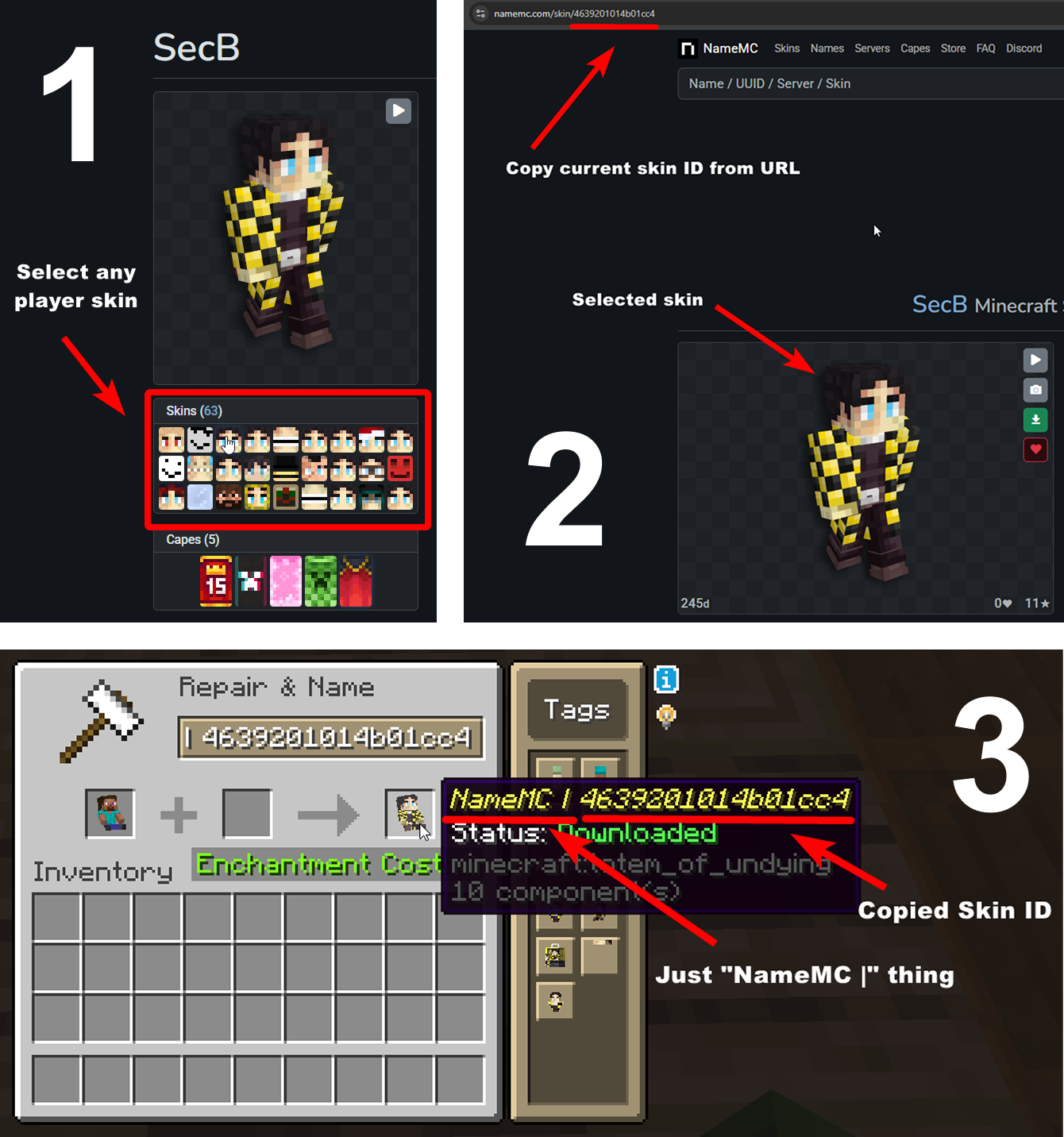
Yeah, you also can use NameMC skins on your totems. To use it, just select any player skin, copy skin id, rename your totem to NameMC | and paste copied skin id. And that's all!
💬 Description
My Totem Doll — Client-side mod which replaces all totems with player dolls. Rename your totem to any player's nickname to use it's skin. Also supports capes and custom models!
👋 Welcome Screen
When you launch game with mod for the first time, you will be greeted with a Welcome Screen. Here you will select your default totem:
⚙️ Configuration
1) Rendering
You can configure the rendering of totems in the first person. Open My Totem Doll configuration screen from Mod Menu and go to the Rendering tab, there you will find options for configuring the left and right hand:
2) Standard Doll
You can also customize the hands, model, skin textures for your standard totem!
3) Selecting Standard Doll Model
If you want to change your standard doll model, just hover to Model Path button and click on it. After that you will see Standard Model Selection Screen, there you can choose your standard doll model.
🍃 Refresh Player Skins
My Totem Doll also has some commands for refreshing the totem skins:
/my-totem-doll refresh all - To refresh skins for all loaded players.
/my-totem-doll refresh player [<NICKNAME>] - To refresh skin for specific player.
🧵 Totem Customization
You can customize individual totems in the anvil! Put your totem in the anvil to the first slot to see the Tags menu button. Click on it to open the Tags menu.
🔥 Custom Models
You can even add your own models by following this wiki.
A good example is My Totem Doll Model Pack made by community. It has over 40 new models (some were even added to the mod!).
🎮 Multiplayer Support
You can also see other players' totems! Without mod on the server.
🧥 Using NameMC Skins
Yeah, you also can use NameMC skins on your totems. To use it, just select any player skin, copy skin id, rename your totem to NameMC | and paste copied skin id. And that's all!
Screenshots
Gallery
-
 banner.webp banner.webp
 -
 multiplayer.png multiplayer.png
 -
 configuration.png configuration.png
 -
 refreshing_skins.webp refreshing_skins.webp
-
 Refreshing Skins Your doll have outated skin? Refresh it!
 -
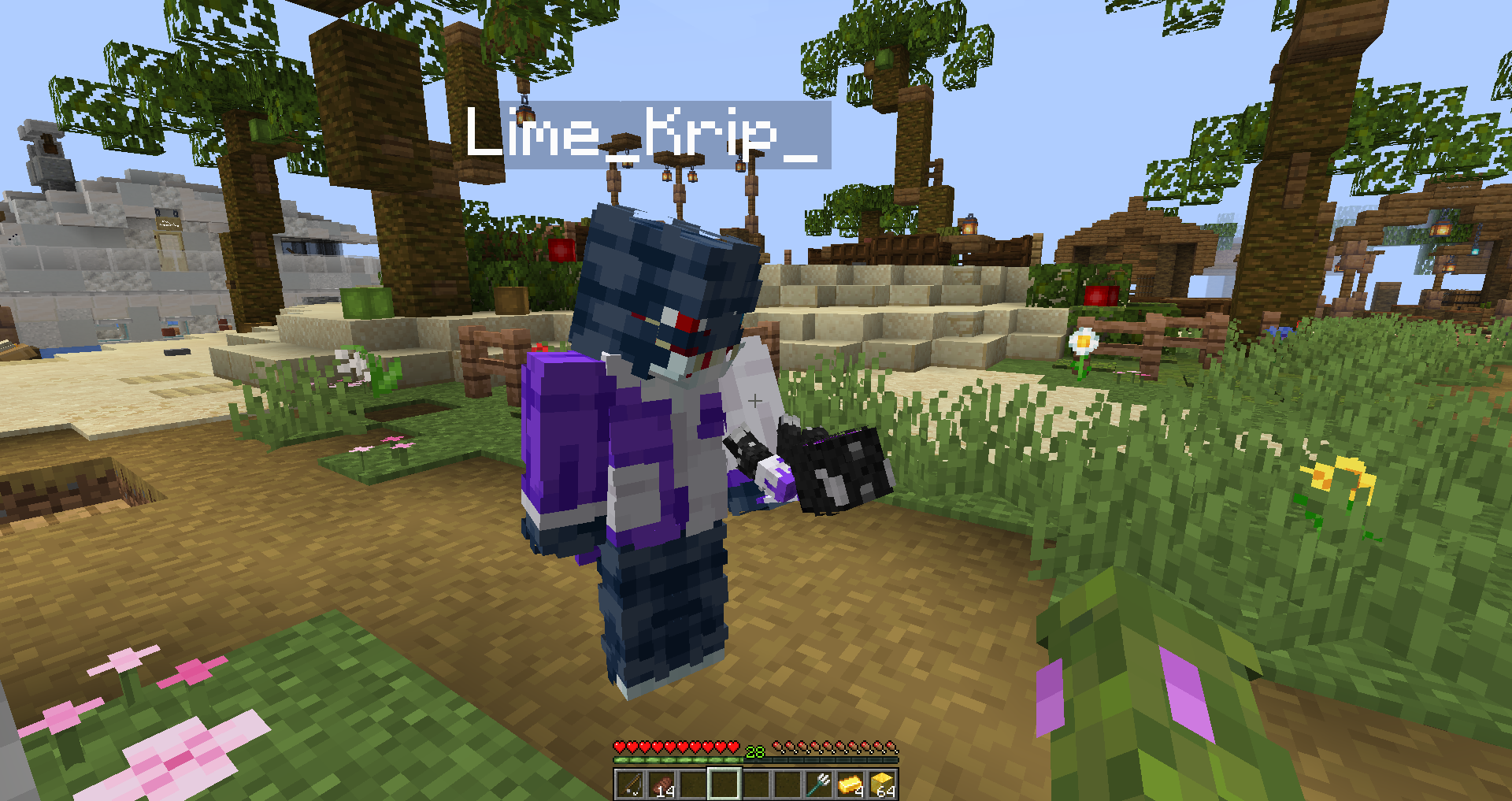 Multiplayer Dolls also in muliplayer!
 -
![Banner [GIF]](https://cdn.modrinth.com/data/ygYU16dG/images/8796732e73596bf2370d049a309bc30ae6c036b3.gif) Banner [GIF]
Banner [GIF] -
 Banner
 -
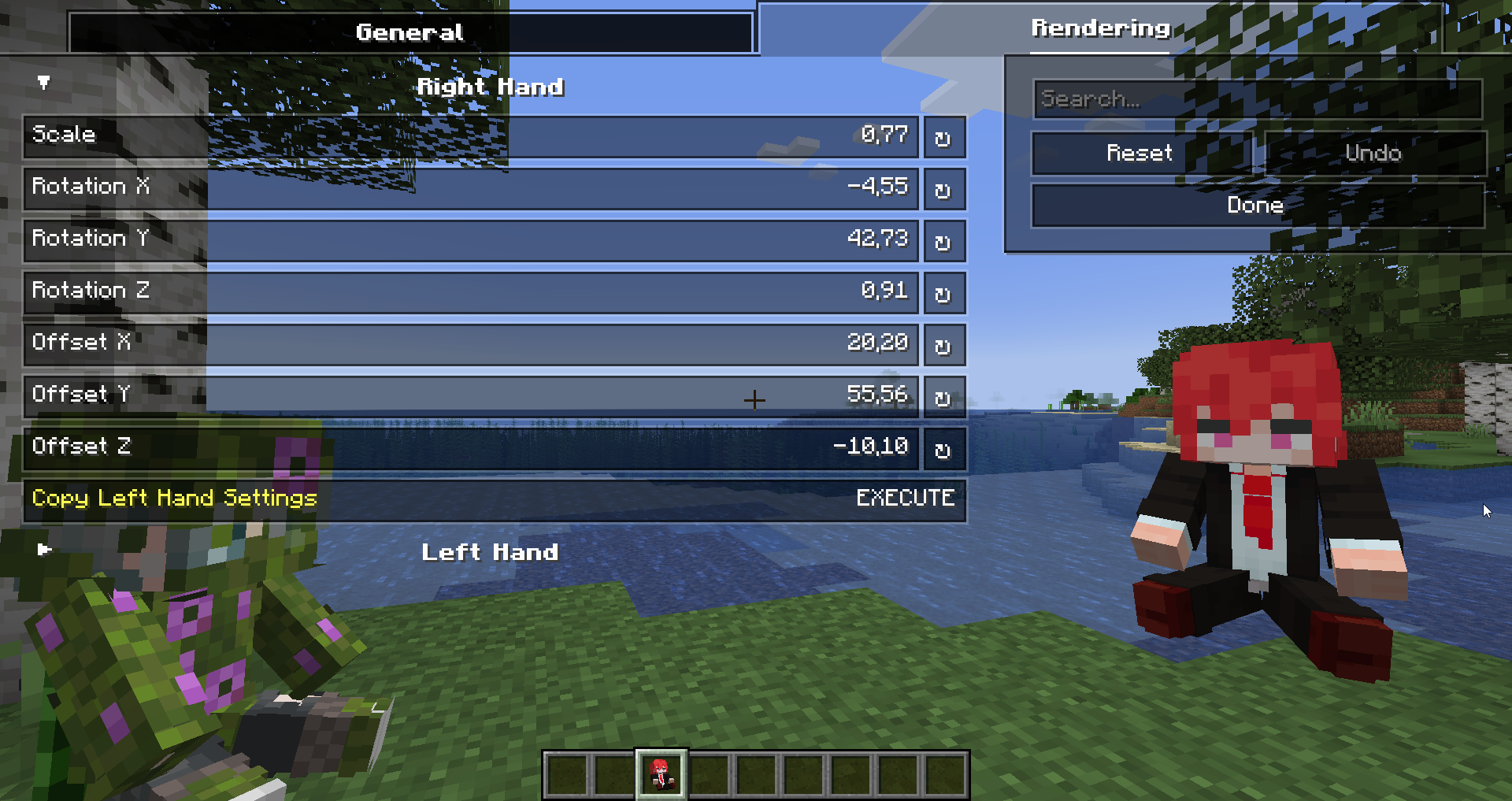 Configuration You can configure totem view!
Versions
Files
Relations
Project Relations
More like this
Similar Mods
Suggestions use data such as tags, dependencies, dependents, descriptions, titles, and more to rank how much they overlap with this mod.
On ModDex
Community snapshot
By the numbers
Statistics
 (opens in a new tab)
Get it on
Available Platforms
On ModDex
Community snapshot
By the numbers