
Community listing page, reviews here may not be monitored by the author.
Smelt Obsidian In To Crying Obsidian

No reviews yet
Smelt obsidian in to crying obsidian with a furnace ( Easy! )

Community voices
Reviews
No reviews yet. Be the first to review this project!
Get it on
Available Platforms
About
Project Details
For authors
Embed Badge
If you're the author of this project, you can embed a live badge anywhere that supports HTML or Markdown. It updates automatically whenever ratings change.
Use HTML for any page that supports it, or Markdown for README files and Markdown-based descriptions.
Identifiers
Platform IDs
Resources
External Links
About
Description
Smelt Obsidian into Crying Obsidian is a unique Minecraft mod that introduces a new smelting recipe, allowing players to convert regular Obsidian blocks into Crying Obsidian. This mod adds a practical and immersive way to obtain Crying Obsidian, making it easier to enhance your builds with this rare and visually striking block.
Features:
-
New Smelting Recipe: Transform Obsidian into Crying Obsidian using a furnace. providing a more accessible way to acquire this valuable block.
-
Enhanced Aesthetics: Crying Obsidian's unique texture and animation add a mystical and enchanting element to your structures and builds.
-
Survival Friendly: Designed to fit seamlessly into the survival gameplay experience, offering a balanced method to obtain Crying Obsidian without undermining the challenge of the game.
-
Versatile Usage: Use Crying Obsidian for decorative purposes, building respawn anchors, or simply to add a touch of the Nether to your world.
-
How It Works:
-
Gather Obsidian: Mine Obsidian blocks using a diamond or netherite pickaxe.
-
Smelt in Furnace: Place the Obsidian blocks into any furnace.
-
Receive Crying Obsidian: Each smelted Obsidian block will yield a Crying Obsidian block, ready for use in your builds and crafting recipes.
-
-
Installation:
-
Download the Mod: Ensure you have the correct version of the mod for your Minecraft installation.
-
Install Forge or Fabric or NeoForge: Depending on the mod version, install Minecraft Forge or Fabric or NeoForge.
-
Add to Mods Folder: Place the Smelt Obsidian into Crying Obsidian mod file into your Minecraft
modsfolder. -
Launch Minecraft: Start Minecraft with the Forge or Fabric profile to begin smelting Obsidian into Crying Obsidian.




-
This mod have been created with: intellij
-
Screenshots
Gallery
-
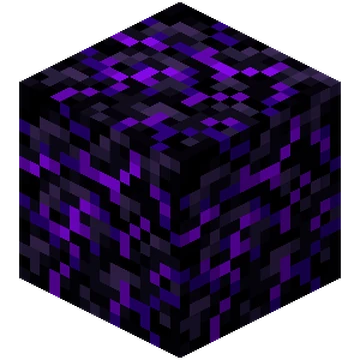 Crying_Obsidian_JE1_BE1.webp Crying_Obsidian_JE1_BE1.webp
 -
 right-arrow-png-gz9b00bbbt8krd2l.png right-arrow-png-gz9b00bbbt8krd2l.png
 -
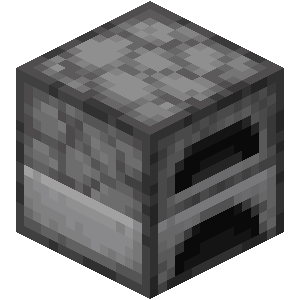 Furnace_29_BE2.webp Furnace_29_BE2.webp
 -
 right-arrow-png-gz9b00bbbt8krd2l.png right-arrow-png-gz9b00bbbt8krd2l.png
 -
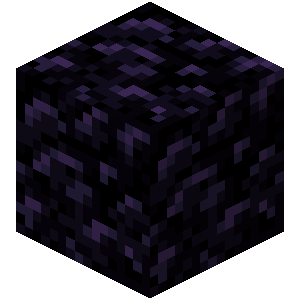 Obsidian_JE3_BE2.webp Obsidian_JE3_BE2.webp
Versions
Files
Relations
Project Relations
More like this
Similar Mods
Suggestions use data such as tags, dependencies, dependents, descriptions, titles, and more to rank how much they overlap with this mod.
On ModDex
Community snapshot
By the numbers
Statistics
 (opens in a new tab)
Get it on
Available Platforms
On ModDex
Community snapshot
By the numbers
Statistics
Resources