
Community listing page, reviews here may not be monitored by the author.
Nice Actions

No reviews yet
Adding a simple, user-friendly menu for actions like RTP, sitting, and setting a home - no complicated commands required. Perfect for Single and Multiplayer.
Community voices
Reviews
No reviews yet. Be the first to review this project!
Get it on
Available Platforms
Compatibility
Supported Environments
Required on the server. Installing it on the client adds functionality.
The author has not specified where this runs.
Varies by version.
About
Project Details
For authors
Embed Badge
If you're the author of this project, you can embed a live badge anywhere that supports HTML or Markdown. It updates automatically whenever ratings change.
Use HTML for any page that supports it, or Markdown for README files and Markdown-based descriptions.
Identifiers
Platform IDs
About
Description
📖 Description
Nice Actions is a lightweight and user-friendly Minecraft data pack that introduces an in-game menu (opened with the new hotkey - default G) for players to perform useful actions like teleporting, sitting, managing their home, toggling HUD elements, and sharing stats - all without typing commands. Admins and operators can easily configure features directly in-game, making setup and management quick and intuitive.
Command to open the Config Menu
/function nice_actions
📋 Features
Coordinates HUD
Displays your current coordinates and facing direction via a sleek bossbar HUD.
Time/Date HUD
Shows the in-game time and a fully-featured calendar system with custom days, months, years, and 12/24-hour time options.
Random Teleport (RTP)
Instantly teleport to a random location within a configurable radius.
Home Actions
Set and teleport to your personal home location with ease.
Spawn Teleportation
Allows players to teleport to a defined spawn point - by default, the location where the first player joined after the data pack was installed.
Sitting
Sit almost anywhere safely - only when there's solid ground beneath you.
Send Coordinates
Instantly share your current location in chat - no more messing with F3.
Show Death Coordinates
Quickly check where you last died to find your items again.
Villager Info
Get detailed info about the nearest villager, including job, job block location, and inventory.
Horse Info
Inspect the nearest horse’s speed, jump height, and health.
Share Player Stats
Compare and share gameplay stats with nearby players (within 32 blocks).
Random Daily Events
A configurable system of daily challenges (e.g., fishing or combat tasks) with rewards - great for encouraging players to get out of their comfort zones.
Extensive Admin/OP Config Menu
Easily adjust cooldowns, EXP Level costs, event settings, and more directly in-game.
🛠️ Technical Gibberish
Custom Dialogs/Menus were first introduced in Minecraft 1.21.6 - Therefore a backport to older versions is simply not possible!
For PaperMC users, it is recommended to set the paper.maxChatCommandInputSize property to a value between 512 and 1024. More information can be found in the PaperMC Docs. Also make sure to have allow-non-player-entities-on-scoreboards enabled in your paper configs.
📝 Translations
Want to play in your own language? You can help us out by contributing on our Website!
✍️ Feedback, Questions & Suggestions
We're here to help! If you happen to have questions, suggestions or just encountered a bug, then feel free to hop on our discord server to ask for help in our Data Pack Section. Click to join the server
🎮 Explorer's Eden SMP
Join A Realm Recrafted, our Minecraft SMP! Enjoy a world featuring all of our (actively maintained) data packs, as well as some exclusive ones. It’s completely free without any microtransactions. Come build, explore, and craft with us today!

Screenshots
Gallery
-
 Title Card Title Card
 -
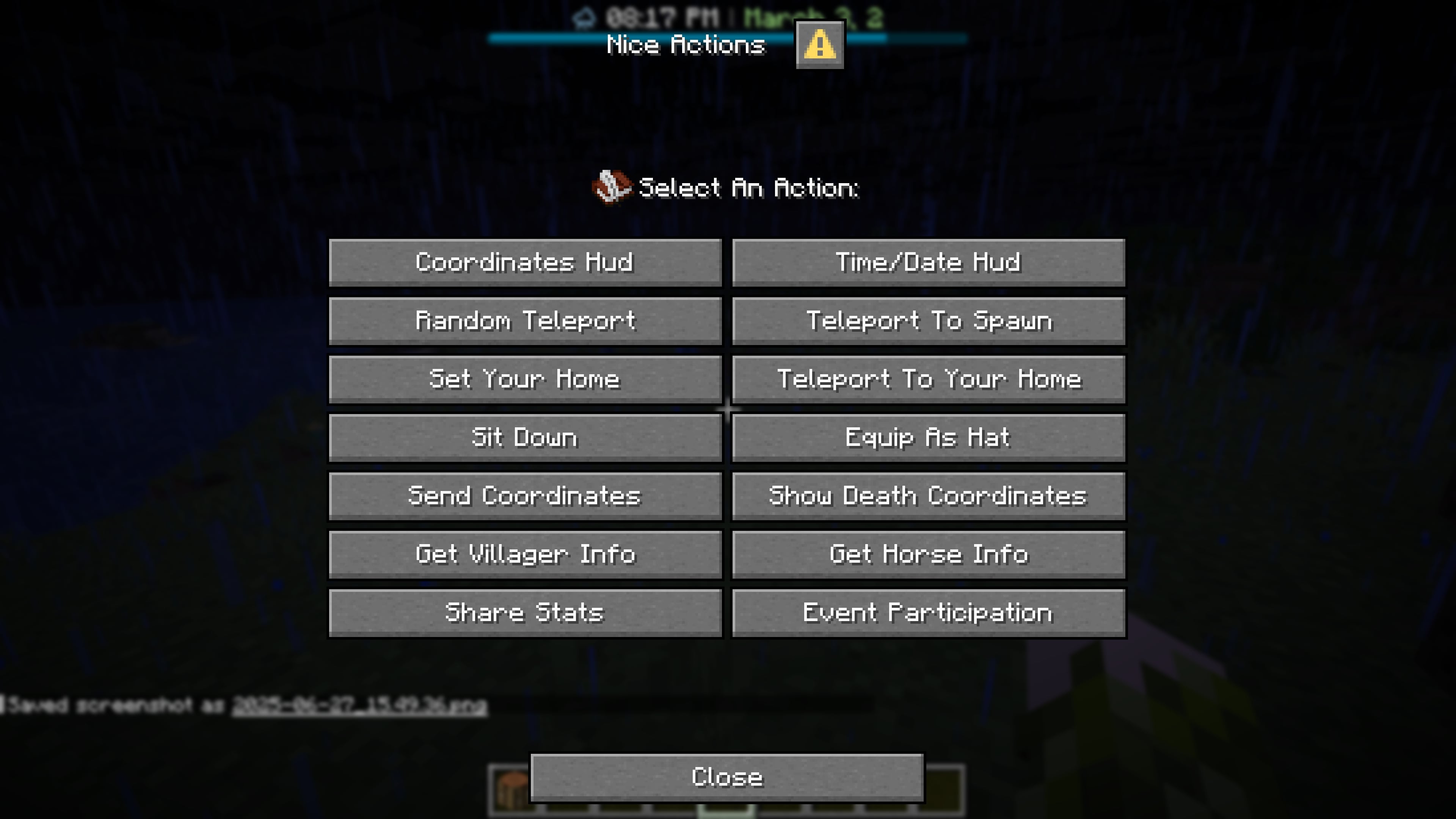 Main Player Menu this is how the main player menu looks
 -
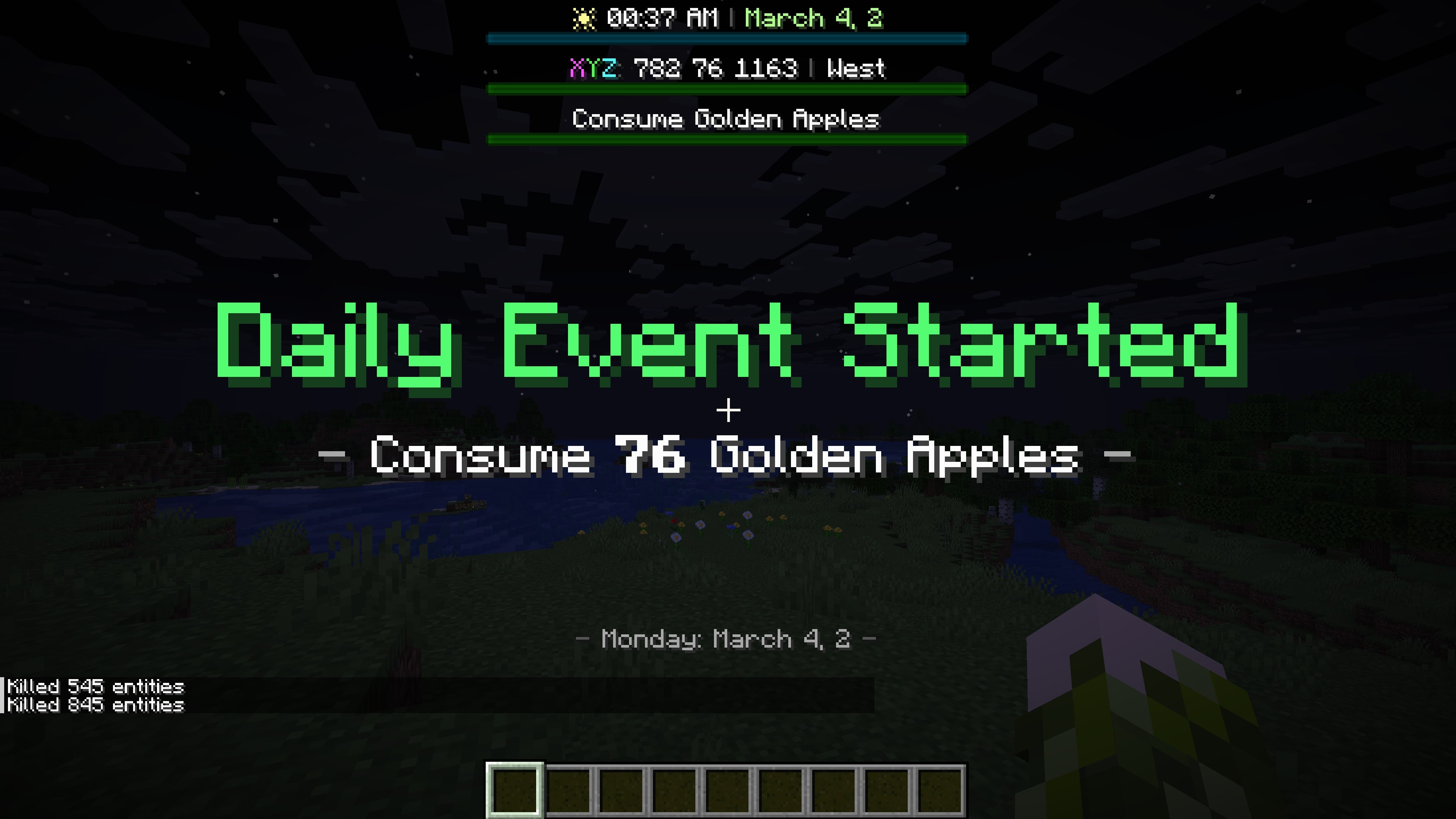 Hud Elements Picture showing examples of various hud elements for time/date, coords and random events
 -
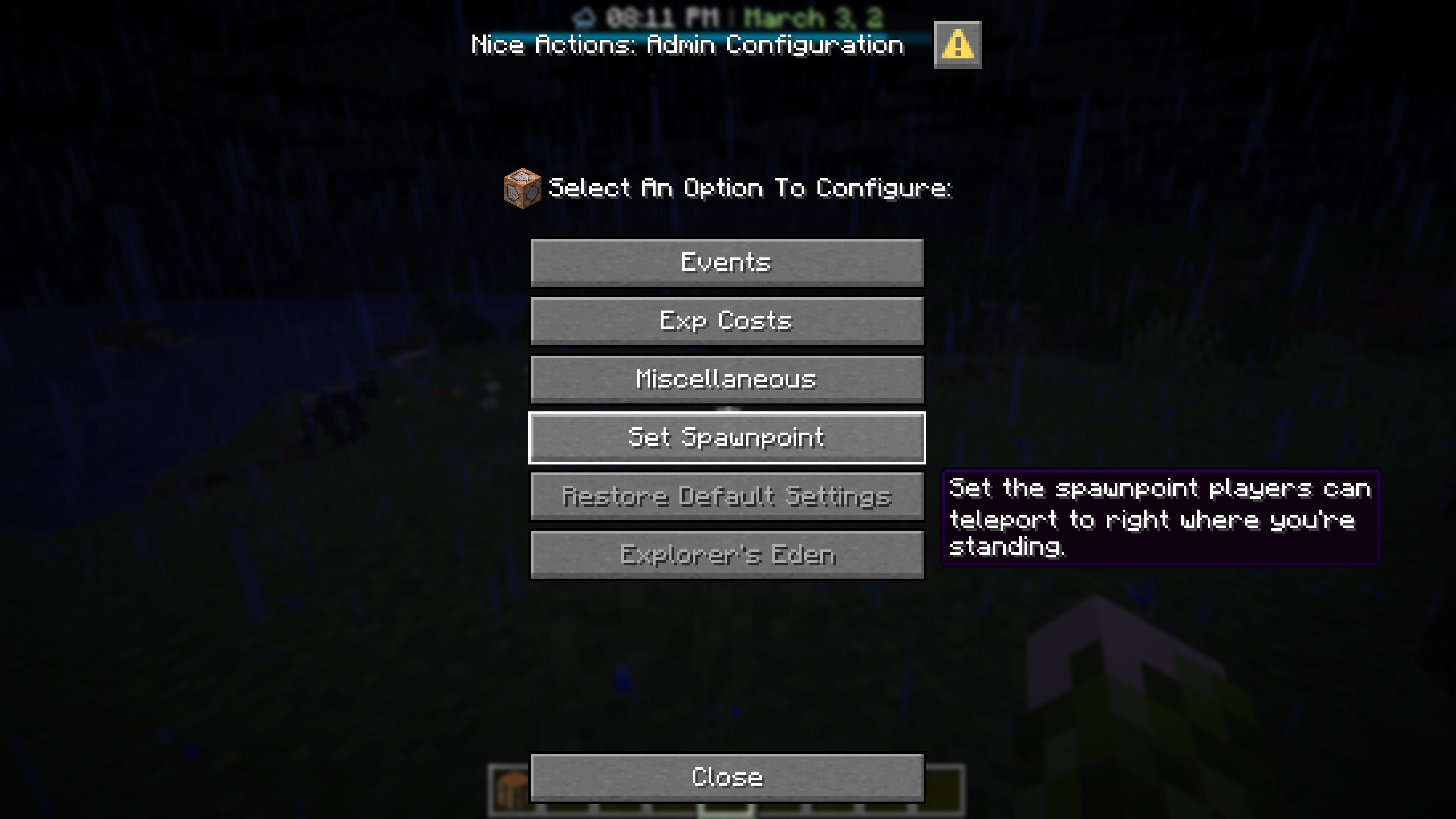 Main Config Menu This is how the main config menu for admins/ops looks like
 -
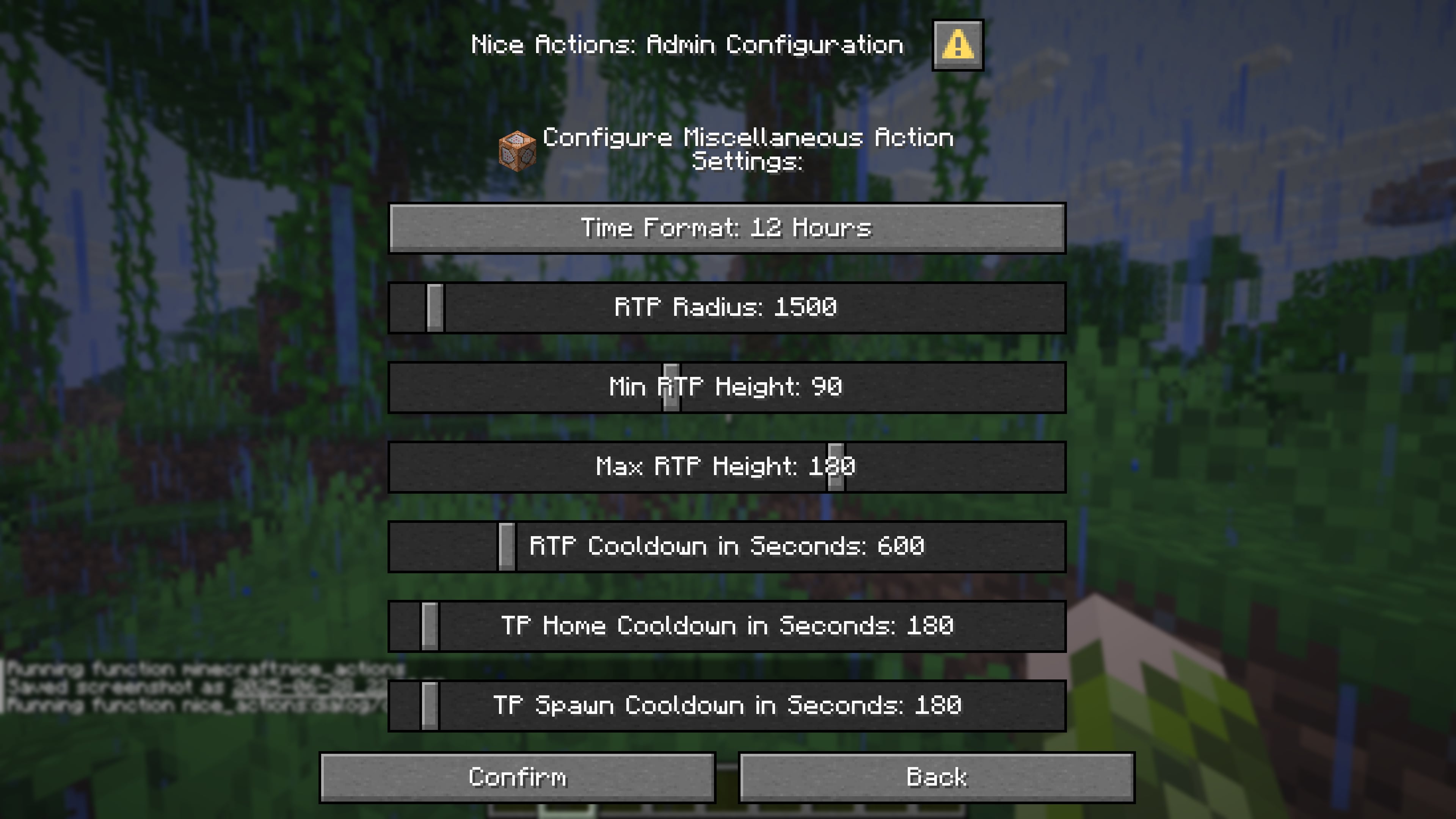 config options example example of some config options for adsmins/ops
 -
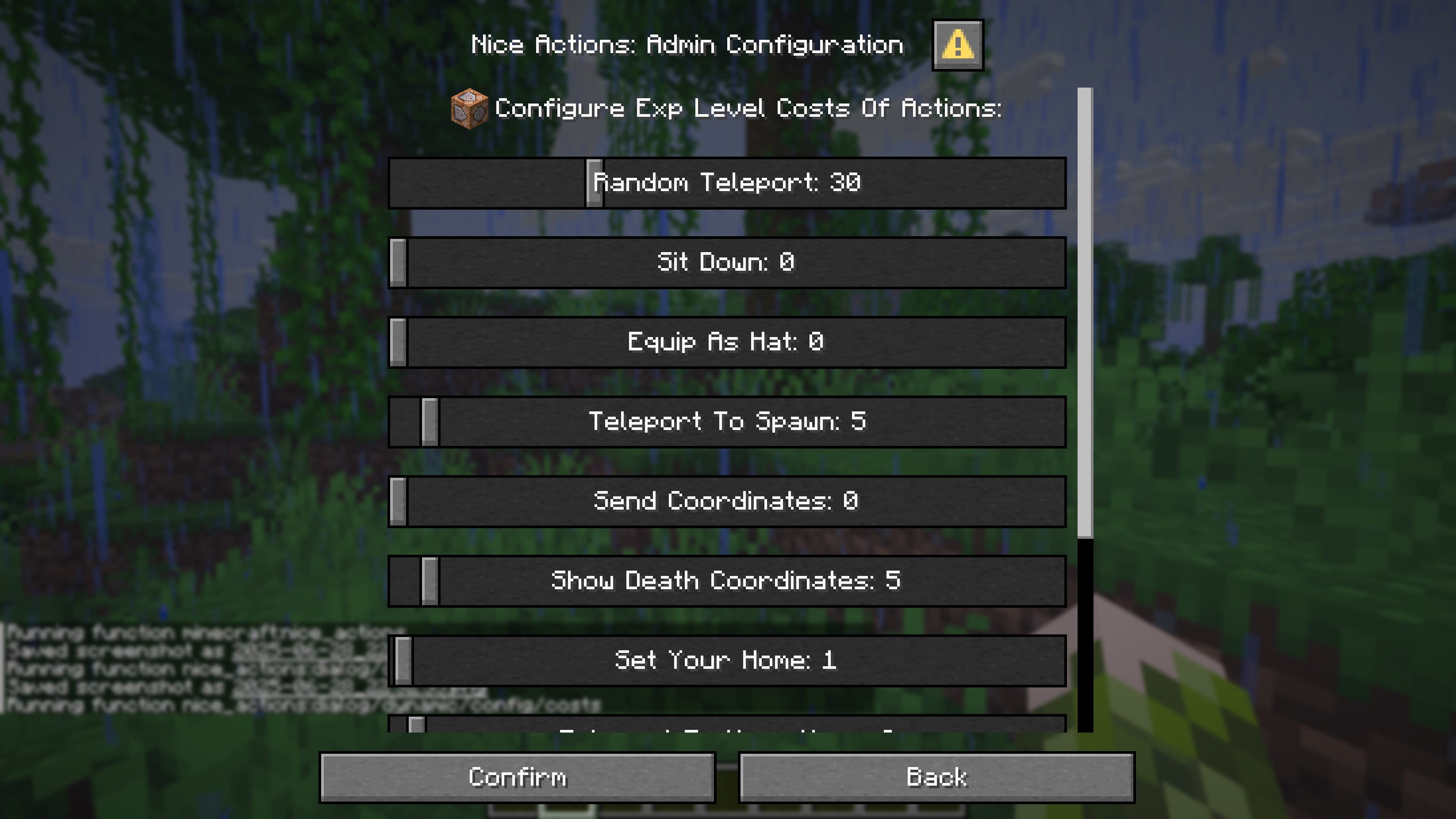 example options 2 example of some options admins/ops can configure
 -
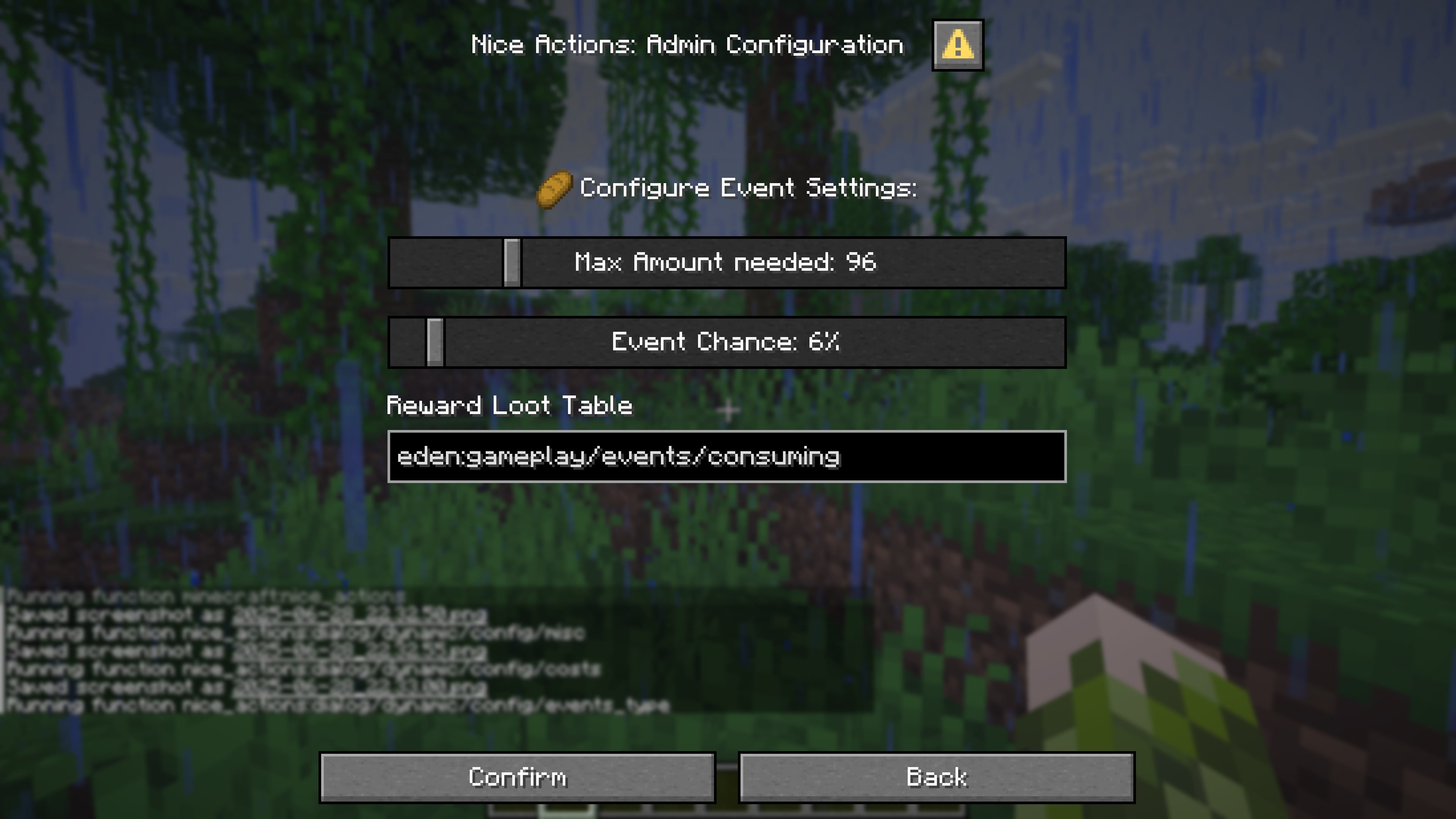 example options 3 example of some options admins/ops can configure
Versions
Files
Relations
Project Relations
More like this
Similar Mods
Suggestions use data such as tags, dependencies, dependents, descriptions, titles, and more to rank how much they overlap with this mod.
On ModDex
Community snapshot
By the numbers
Statistics

Want to reach Minecraft players?
We're looking for a server hosting partner to feature here and other parts of the site. Interested? Send us a message!
Get in touchGet it on
Available Platforms
On ModDex
Community snapshot
By the numbers