Community listing page, reviews here may not be monitored by the author.
Nicephore (better screenshots)


No reviews yet
Nicephore is a Minecraft mod which convert any screenshot taken to JPEG, and add some useful tools to share these screenshots

Community voices
Reviews
No reviews yet. Be the first to review this project!
Get it on
Available Platforms
Compatibility
Supported Environments
Runs entirely on the client. Works on vanilla servers.
About
Project Details
For authors
Embed Badge
If you're the author of this project, you can embed a live badge anywhere that supports HTML or Markdown. It updates automatically whenever ratings change.
Use HTML for any page that supports it, or Markdown for README files and Markdown-based descriptions.
Identifiers
Platform IDs


About
Description
Take better screenshots in Minecraft.
Nicephore enhances Minecraft's built-in screenshot system with a full-featured gallery, image optimization, and clipboard integration — all without leaving the game.
Gallery
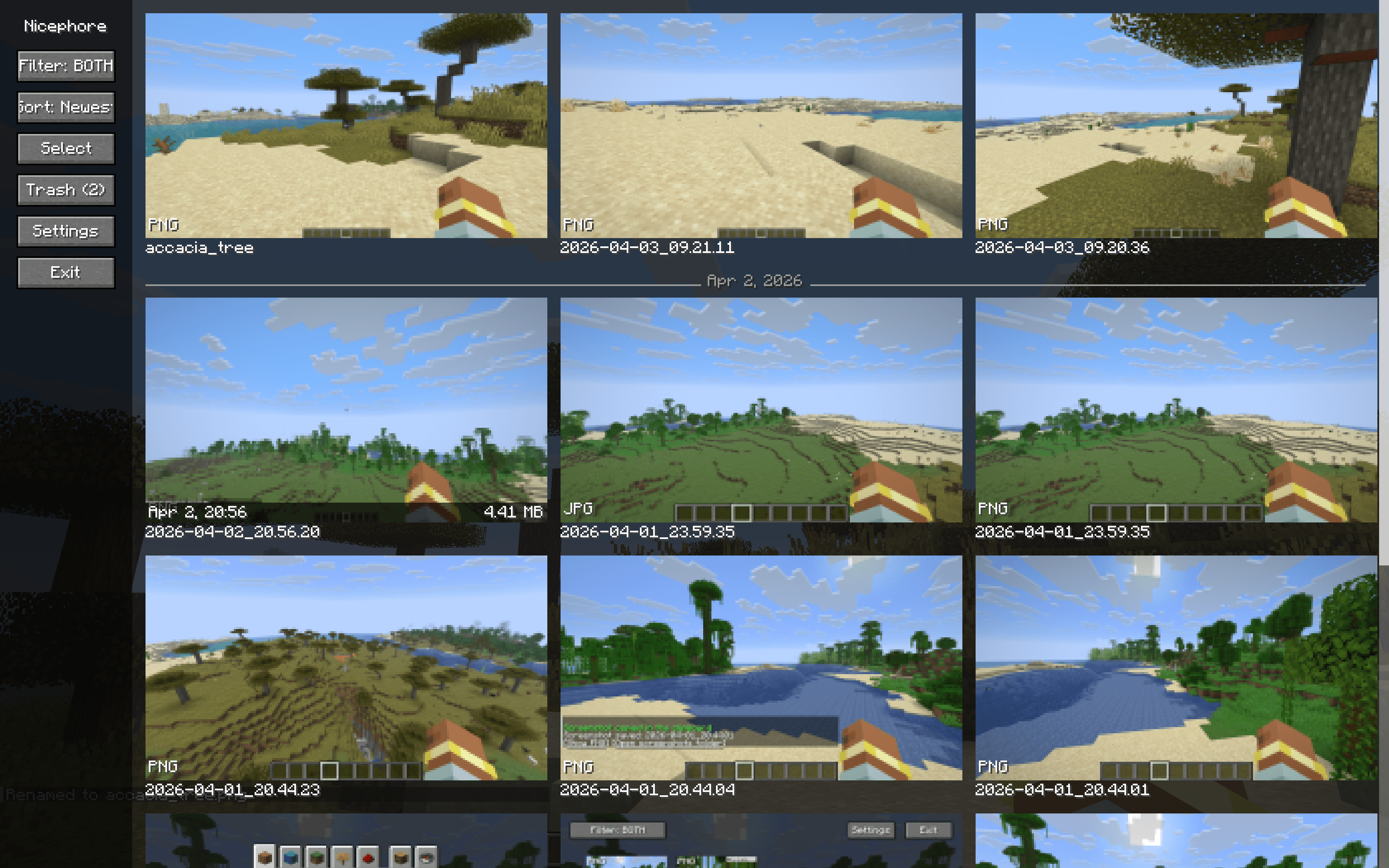
Browse all your screenshots in an infinite-scroll gallery with a clean sidebar layout. Thumbnails load on-the-fly, so it handles hundreds or even thousands of screenshots without breaking a sweat.
- Infinite scroll — no more clicking through pages
- Sort by date — newest or oldest first, with subtle day separator lines
- Filter by format — show PNG, JPEG, or both
- Hover info — date and file size on mouse-over
- Configurable grid — auto-fit or set 2–6 columns
Screenshot Management
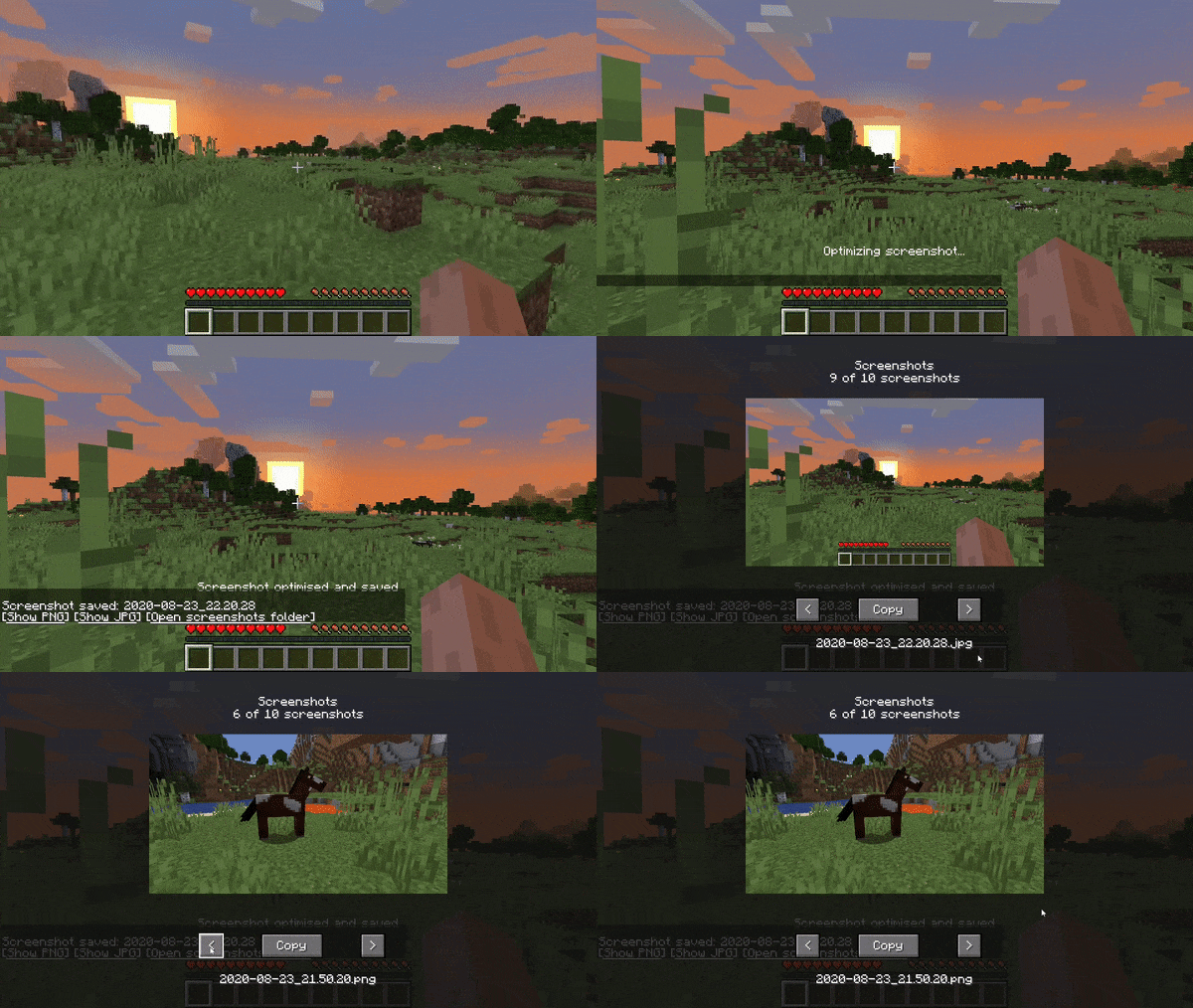
- Detail view — view any screenshot full-size with one click
- Copy to clipboard — copy screenshots directly (Windows & macOS)
- Rename — rename screenshots from the detail view
- Trash system — move screenshots to trash instead of deleting permanently, with restore and auto-cleanup after 30 days
- Bulk operations — select multiple screenshots and trash them at once
Image Optimization
Nicephore can automatically optimize your screenshots for smaller file sizes with no quality loss:
- PNG optimization via oxipng
- JPEG creation — optionally save a compressed JPEG copy alongside the PNG for easy sharing
- JPEG optimization via ECT
Keybindings
| Key | Action |
|---|---|
Ctrl+C |
Copy last screenshot to clipboard |
Ctrl+S |
Open screenshot detail view |
Ctrl+G |
Open gallery |
Configuration
All settings are accessible in-game via the gallery sidebar:
- Toggle JPEG creation
- Toggle optimization
- Toggle clipboard auto-copy
- Toggle custom screenshot message
- Adjust gallery column count
- Set PNG optimization level
- Set JPEG compression quality
Client-side only. No server required.
Do not hesitate to join our Discord here
⚠️ This page is no longer maintained
This project was originally created back when CurseForge didn't support multiple mod loaders on a single page. Development has since moved to the main Nicephore page, which now hosts both the Forge and Fabric versions.
👉 Get the Fabric version here
Nicephore on CurseForge
Make sure to select the Fabric version when downloading. Thanks for your support!
Take better screenshots in Minecraft.
Nicephore enhances Minecraft's built-in screenshot system with a full-featured gallery, image optimization, and clipboard integration — all without leaving the game.
Gallery
Browse all your screenshots in an infinite-scroll gallery with a clean sidebar layout. Thumbnails load on-the-fly, so it handles hundreds or even thousands of screenshots without breaking a sweat.
- Infinite scroll — no more clicking through pages
- Sort by date — newest or oldest first, with subtle day separator lines
- Filter by format — show PNG, JPEG, or both
- Hover info — date and file size on mouse-over
- Configurable grid — auto-fit or set 2–6 columns
Screenshot Management
- Detail view — view any screenshot full-size with one click
- Copy to clipboard — copy screenshots directly (Windows & macOS)
- Rename — rename screenshots from the detail view
- Trash system — move screenshots to trash instead of deleting permanently, with restore and auto-cleanup after 30 days
- Bulk operations — select multiple screenshots and trash them at once
Image Optimization
Nicephore can automatically optimize your screenshots for smaller file sizes with no quality loss:
- PNG optimization via oxipng
- JPEG creation — optionally save a compressed JPEG copy alongside the PNG for easy sharing
- JPEG optimization via ECT
Keybindings
| Key | Action |
|---|---|
Ctrl+C |
Copy last screenshot to clipboard |
Ctrl+S |
Open screenshot detail view |
Ctrl+G |
Open gallery |
Configuration
All settings are accessible in-game via the gallery sidebar:
- Toggle JPEG creation
- Toggle optimization
- Toggle clipboard auto-copy
- Toggle custom screenshot message
- Adjust gallery column count
- Set PNG optimization level
- Set JPEG compression quality
Client-side only. No server required.
Screenshots
Gallery
-
 2026-04-03_14.59.33.png 2026-04-03_14.59.33.png
 -
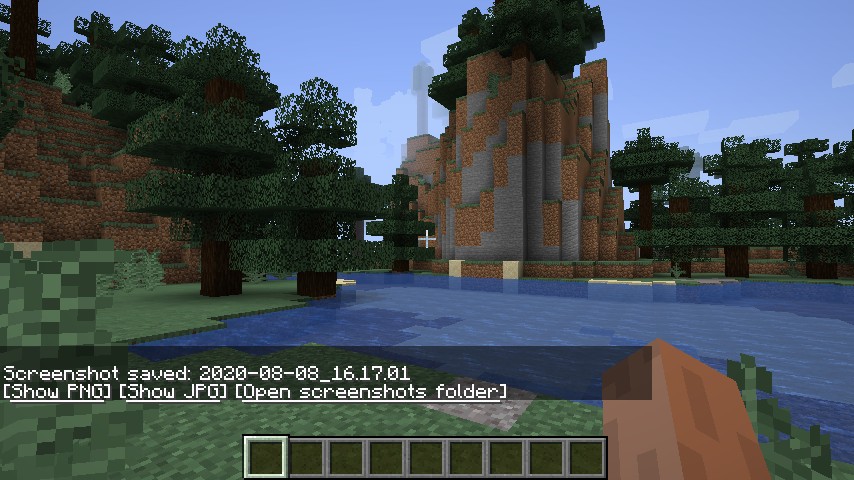 Example
 -
 Screenshots GUI
-
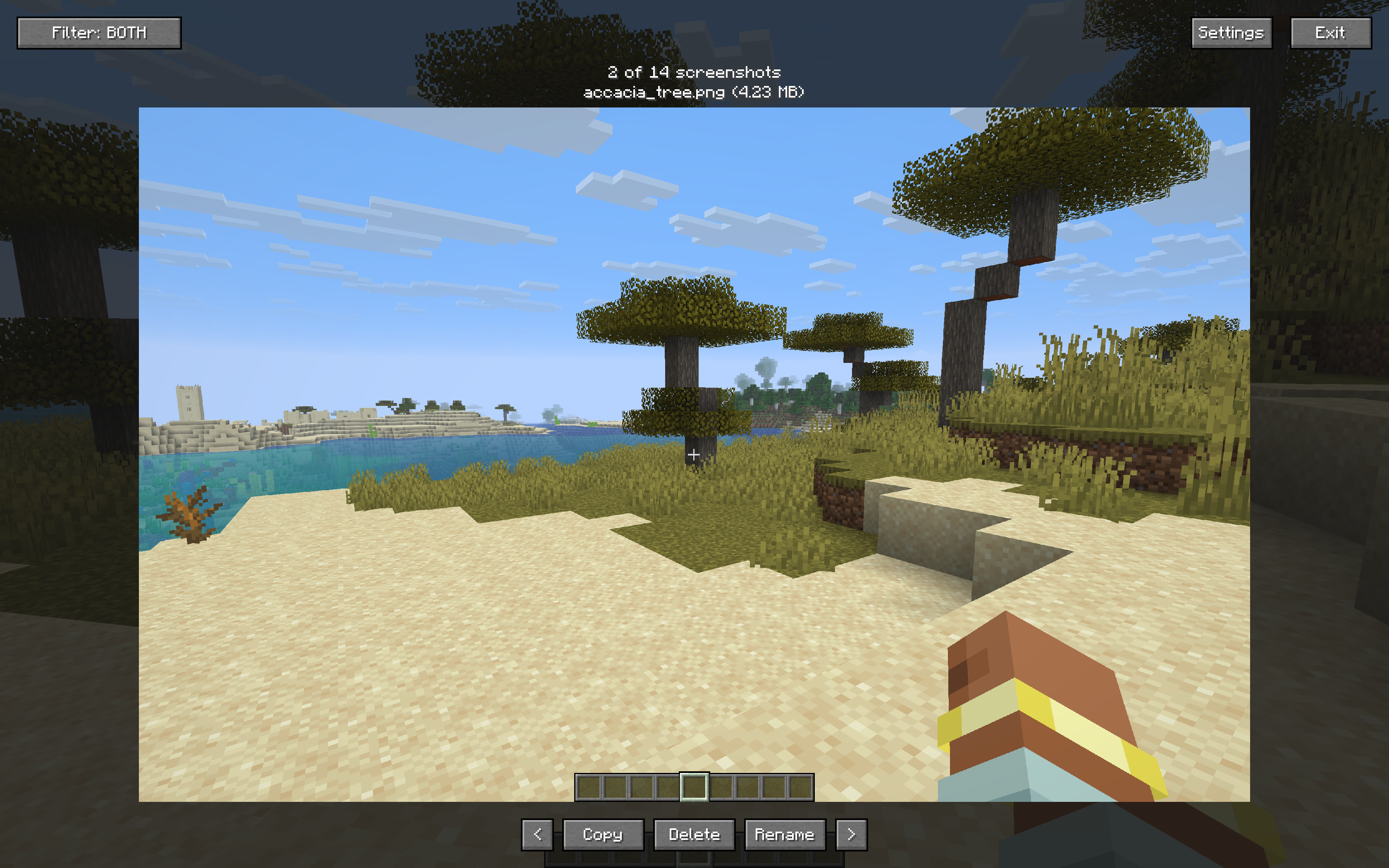 Screenshort screen
 -
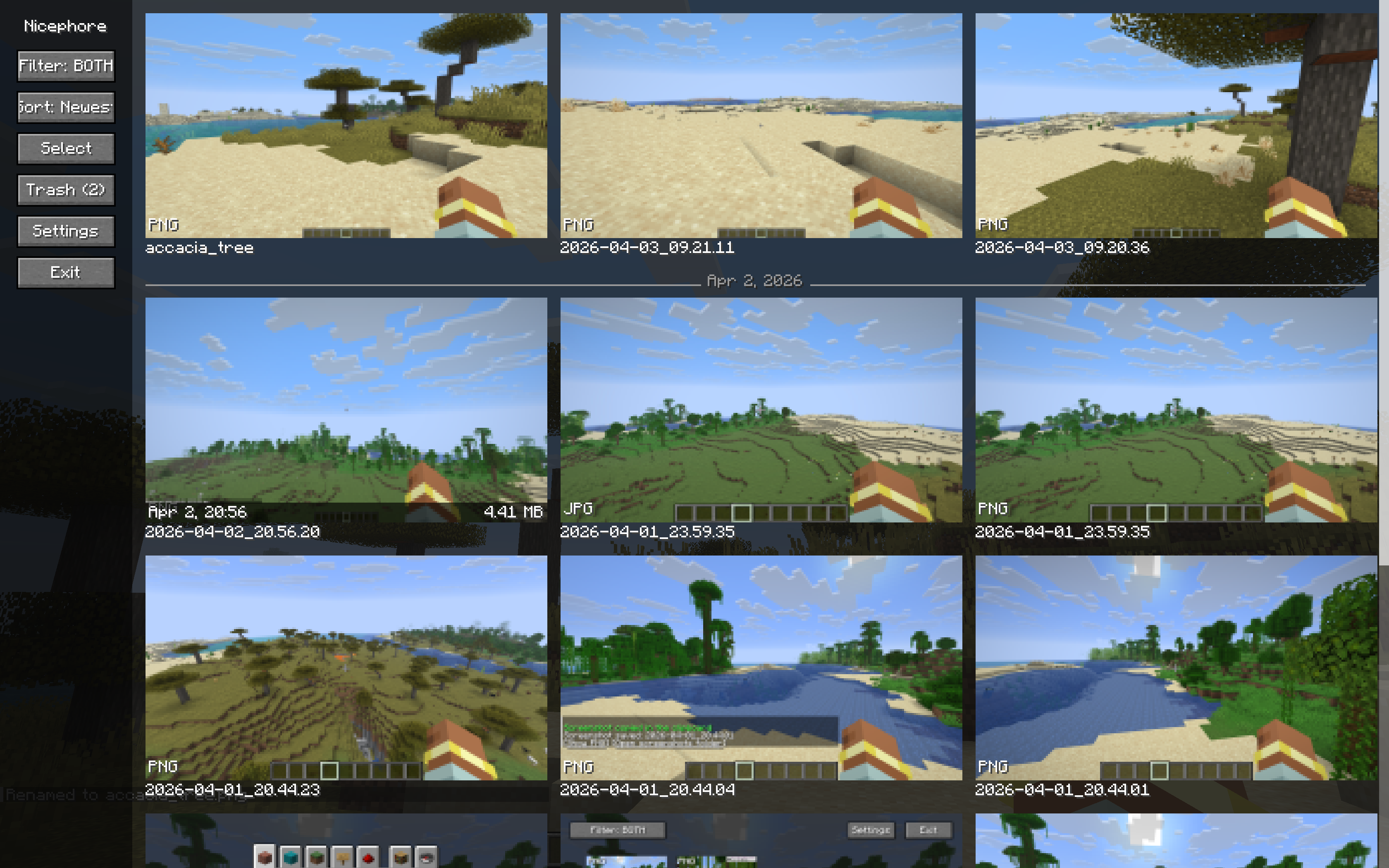 Gallery screen
Versions
Files
Relations
Project Relations
More like this
Similar Mods
Suggestions use data such as tags, dependencies, dependents, descriptions, titles, and more to rank how much they overlap with this mod.
On ModDex
Community snapshot
By the numbers
Statistics
 (opens in a new tab)
Get it on
Available Platforms
On ModDex
Community snapshot
By the numbers