Community listing page, reviews here may not be monitored by the author.
Non Immersive HUD

No reviews yet
Make your HUD(Hwyla/The One Probe) not immersive anymore. Access the HUD on a web page.
Community voices
Reviews
No reviews yet. Be the first to review this project!
Get it on
Available Platforms
About
Project Details
For authors
Embed Badge
If you're the author of this project, you can embed a live badge anywhere that supports HTML or Markdown. It updates automatically whenever ratings change.
Use HTML for any page that supports it, or Markdown for README files and Markdown-based descriptions.
Identifiers
Platform IDs
About
Description
Make your HUD(Hwyla/The One Probe) not immersive anymore. Access the HUD on a web page.
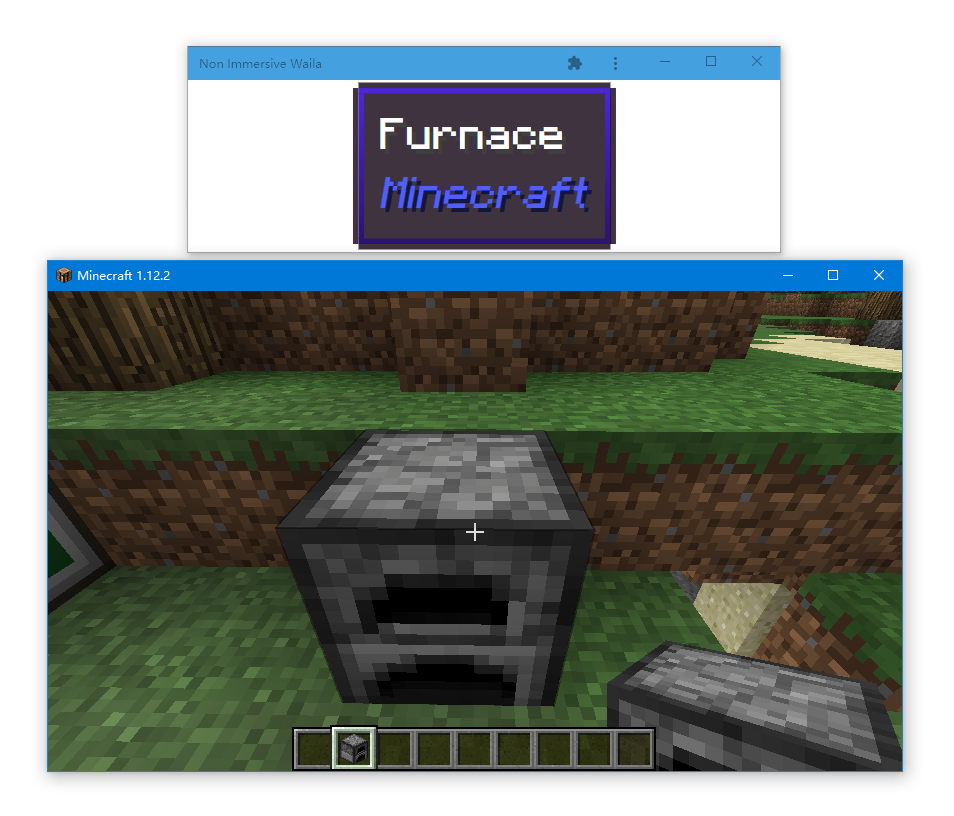
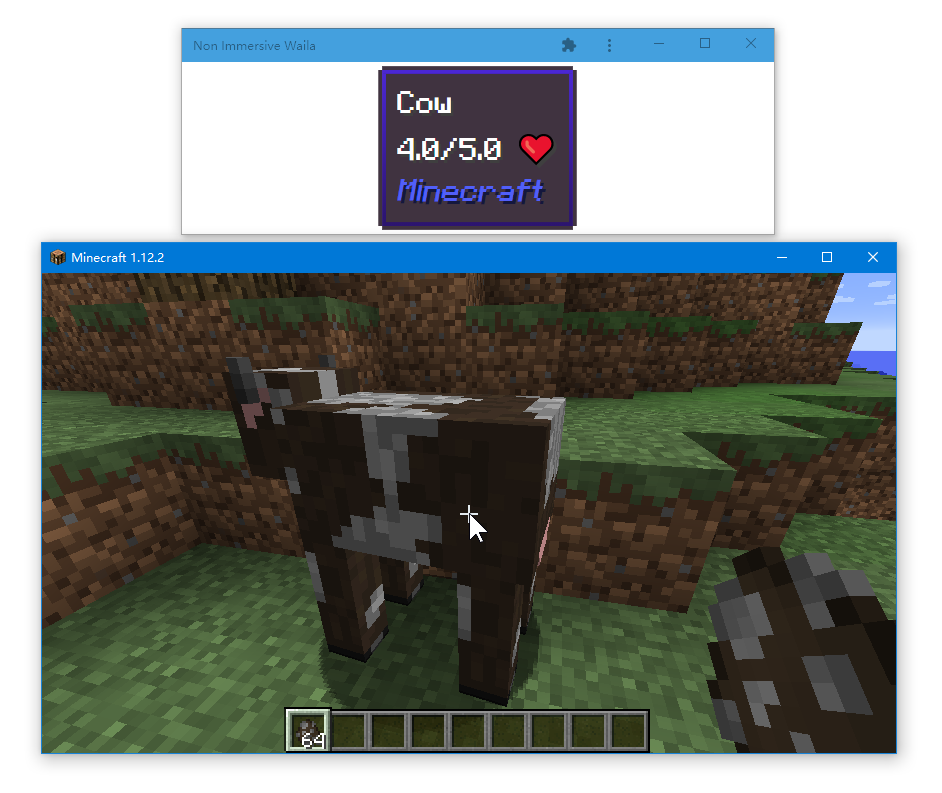
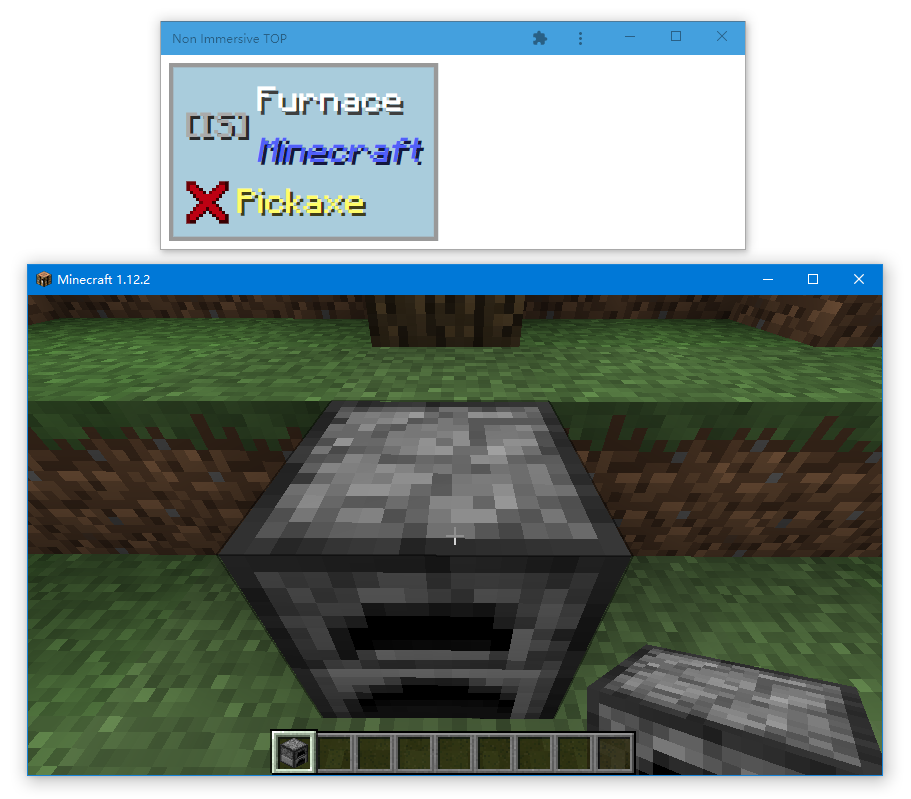
You may take advantage of another monitor or even your phone to see the HUD, making your gaming interface less obstructed, especially from a detailed long HUD.
Showcase
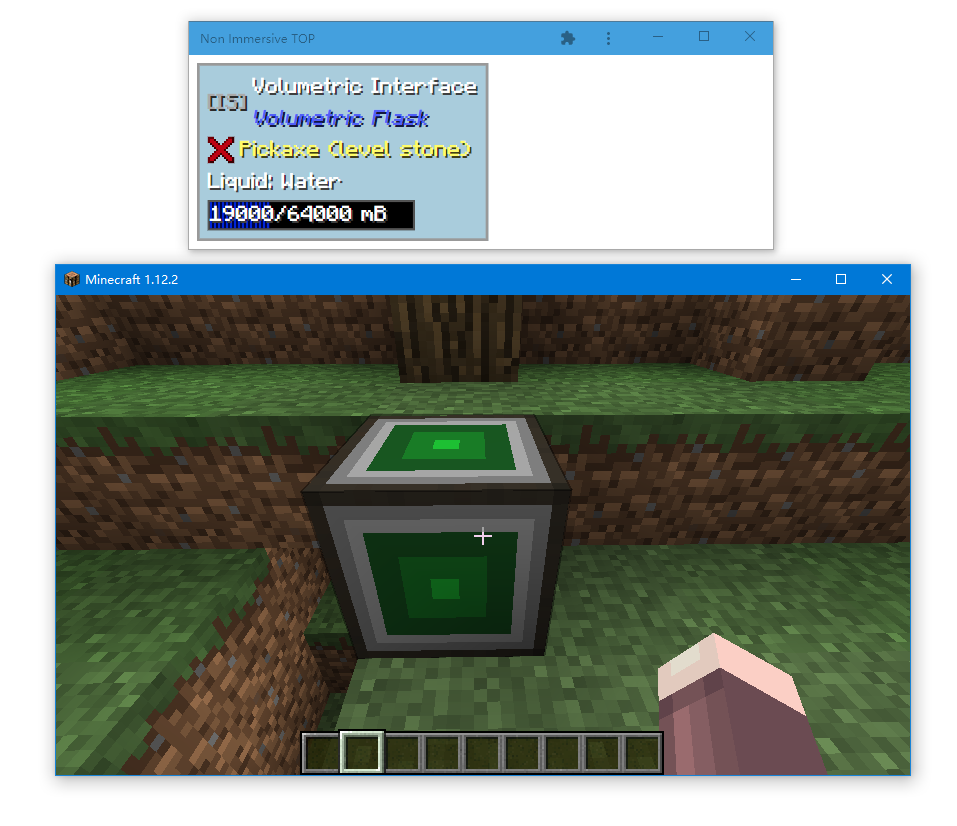
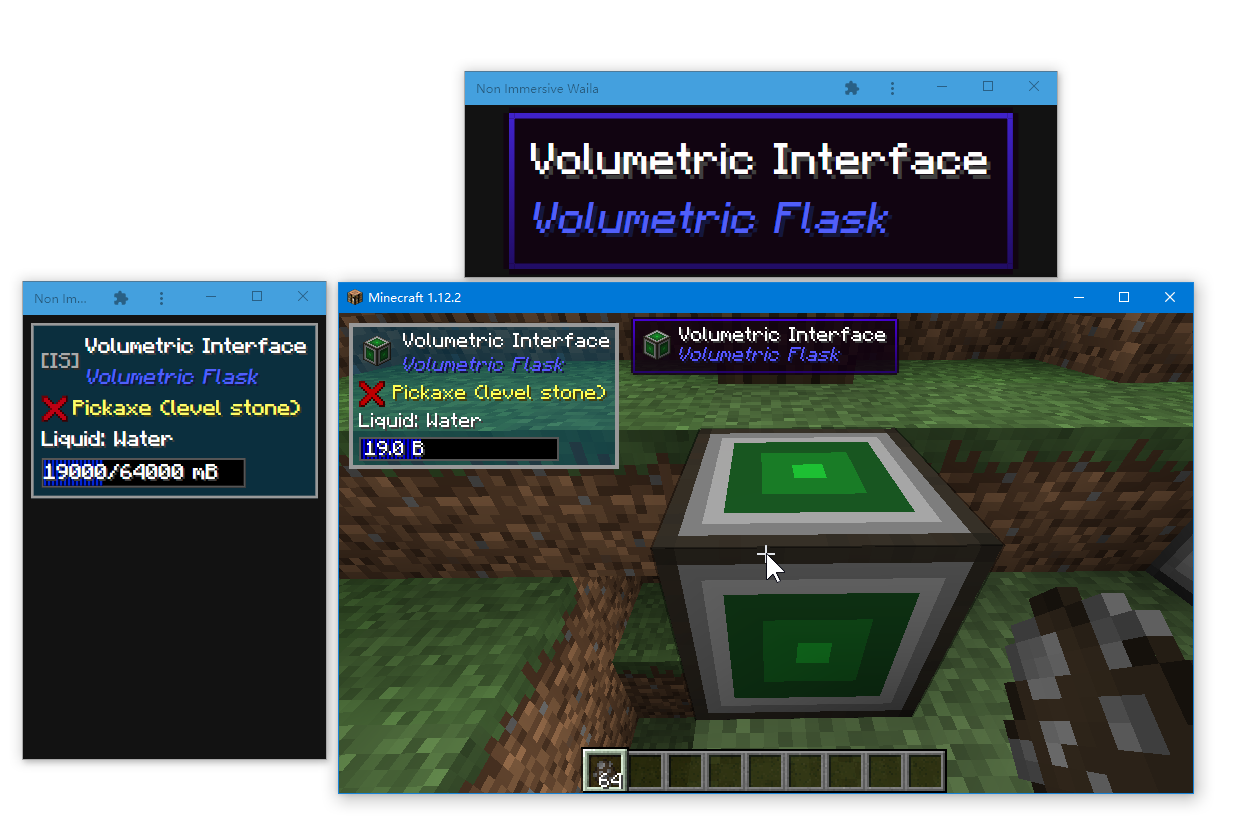
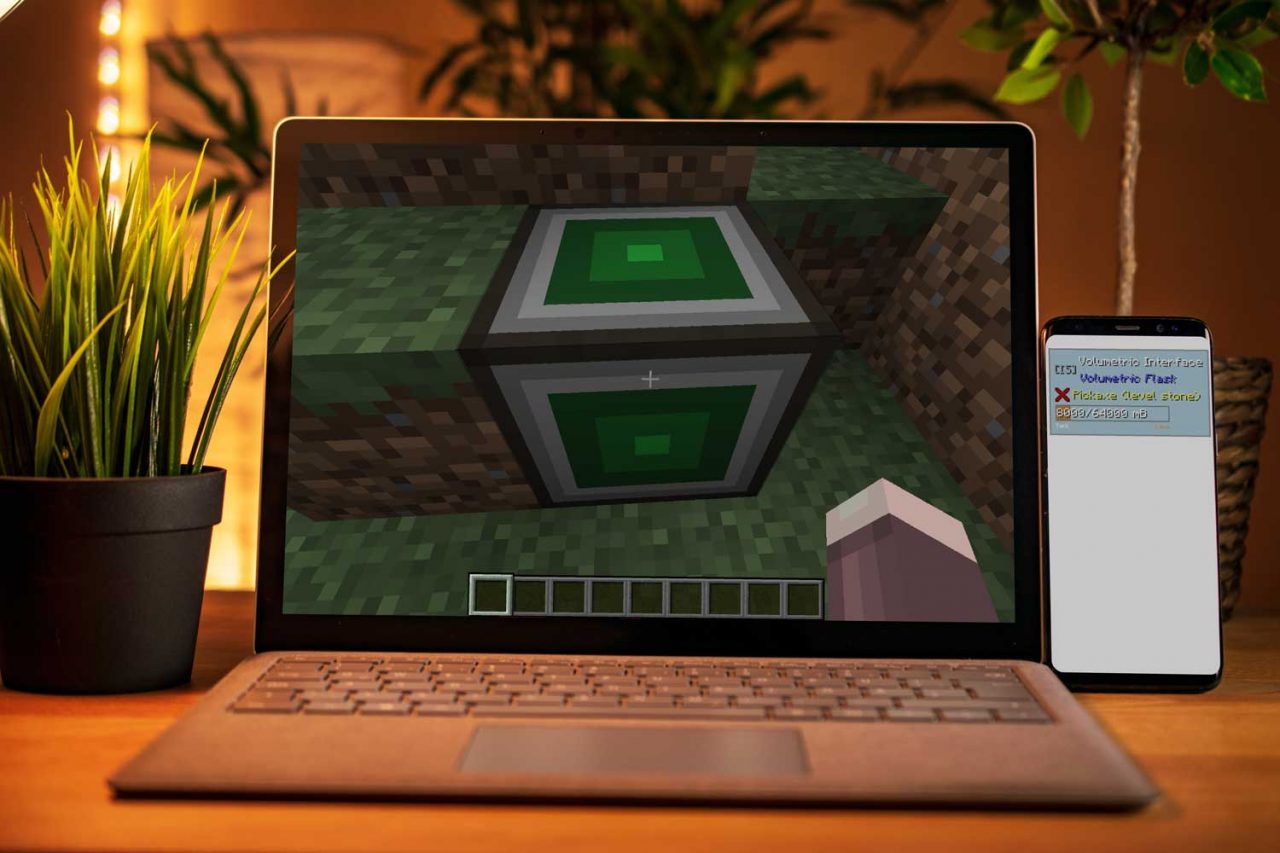
Usage
Installation
This is a client-side only mod. Download the JAR file to your mods folder and start the game. Do not install on the server-side. At least one of Waila(Hwyla) and The One Probe mod should be installed, or this mod will do nothing.
Open the web page.
When you joining a world (A singleplayer world or a multiplayer server), a message will show up accordingly.
The links are base on the best guess, choose one of them. Usually, if you want to use the browser on the very same computer running Minecraft, just use the link that starts with http://127.0.0.1.
To show the HUD on your phone, connect the phone and your computer to the same WiFi/LAN network. Then visit the link that contains the LAN address of your computer on your phone. It usually starts with http://192.168. or http://10.. If you are not sure which one to use, try links one by one, or look up “How to find my LAN address? on Google.
To show the HUD on a remote computer or phone that does not connect to the LAN network, use port forwarding or proxy.
To minimize the browser border, you may add the page as an app. For example, click the menu button at the top right – More Tools – Create shortcut, and select open as window.
Point to something and benefit.
Control the HUD
Click/touch the HUD box to toggle fullscreen and keep the screen on. If the browser askes for fullscreen or video play permission, allow it. The page is pretending to play a video to keep the screen on.
Click/touch on the empty area around the HUD box to toggle the light/dark background of the page.
Configuration
This mod comes with a configuration file named “nonimmersivehud.cfg in the “configs folder. The configuration file is quite self-explanatory. There are two options to control which address the web page server should listen to.
There is an option to control whether the in-game HUD is disabled. If set to true(default), the Waila/TOP HUD is hidden in the game.
You must restart the game to make configuration changes take effect.
Limitations
Icon of Entity and Block/Item can not be shown. A placeholder is shown in TOP HUD but not in Waila HUD.
The option that disables in-game HUD might be unstable. In case it crashed the game, change the option to false in the config file, and follow the steps below:
The One Probe: change “boxLeftX” to 10000
Hywla(Waila): no way to hide completely, in waila options – aspect, set the scale to minimum and set x/y to a corner to minimize it.
Source Code
https://github.com/exzhawk/NonImmersiveHud
License and Permission
Source Code: MIT
For binary JAR file,
You can:
Use this mod in your modpack.
Post screenshots or videos of this mod.
Do whatever you want as long as you do not break rules below.
You must:
Keep author info and a link to this page for redistributing this mod in any form (modpack, repost in another website, etc.)
Screenshots
Gallery
Versions
Files
Relations
Project Relations
More like this
Similar Mods
Suggestions use data such as tags, dependencies, dependents, descriptions, titles, and more to rank how much they overlap with this mod.
On ModDex
Community snapshot
By the numbers
Statistics
Want to reach Minecraft players?
We're looking for a server hosting partner to feature here and other parts of the site. Interested? Send us a message!
Get in touchGet it on
Available Platforms
On ModDex
Community snapshot
By the numbers