Community listing page, reviews here may not be monitored by the author.
NoRenderPlus


No reviews yet
Allows you to stop rendering particles,overlays,world and entity
Community voices
Reviews
No reviews yet. Be the first to review this project!
Get it on
Available Platforms
Compatibility
Supported Environments
Runs entirely on the client. Works on vanilla servers.
About
Project Details
For authors
Embed Badge
If you're the author of this project, you can embed a live badge anywhere that supports HTML or Markdown. It updates automatically whenever ratings change.
Use HTML for any page that supports it, or Markdown for README files and Markdown-based descriptions.
Identifiers
Platform IDs
About
Description
if this doesn't get updated here check on
https://modrinth.com/mod/norender
NoRender
NoRender is a lightweight, optimization mod for Minecraft designed to give you control over what your game client renders. By disabling overlays, unnecessary entities and particles, which can significantly boost fps.
Key Features
* GUI: You can set a bind in the settings for the gui
* Entity : Hide dropped items, item frames, and armor stands
* Particle Control: You will be able to turn off particles including explosions, campfire smoke, block breaks, totem particles and animations which can help in pvp.
* Overlays: Remove annoying screen effects like fire, pumpkin blurs, portal shifts, and the "nausea" tilt.
Configuration Categories
* Overlays: Portals, Fire, Nausea, Darkness, Pumpkin, Vignette, Spyglass, Liquid, In-Wall, and HUD Potion Icons.
* World & Entities: Weather, Totem Pop animations, Dropped Items, Item Frames, and Armor Stands.
* Particles: Explosions, Fireworks, Campfire Smoke, Hearts, Eating, Blocks, Totems, Potions, Sonic Booms, Vibrations, and more.
☕ Support My Work
If you would like to support me and my projects, feel free to buy me a coffee!


NoRender
NoRender is a lightweight optimization mod for Minecraft that gives you full control over what your client renders. By disabling overlays, unnecessary entities, and particles, it can significantly improve FPS and reduce visual clutter.
Key Features
- GUI: Set a keybind to open the configuration GUI.
- Entity Control: Hide dropped items, item frames, armor stands, experience orbs, and more.
- Particle Control: Disable particles including explosions, campfire smoke, block breaks, totem particles, and others usefull for PvP and performance.
- Overlay Removal: Remove screen effects like fire, pumpkin blur, portal shifts, nausea tilt, darkness, and vignette.
Configuration Categories
- Overlays: portal, fire, nausea, darkness, pumpkin, vignette, spyglass, liquid, in-wall overlays, and HUD potion icons.
- World & Entities: Disable weather, totem pop animations, dropped items, item frames, armor stands, and other environmental effects.
- Particles:explosions, fireworks, campfire smoke, hearts, eating, block breaks, totems, potions, sonic booms, vibrations, sculk effects, and more.
Screenshots
Gallery
-
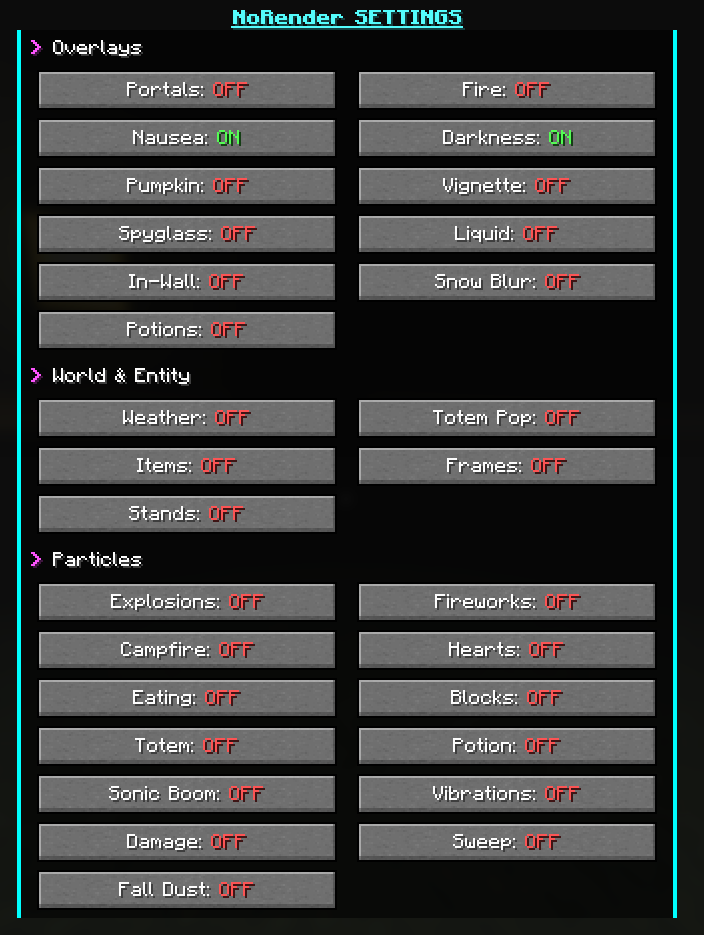 image.png image.png
-
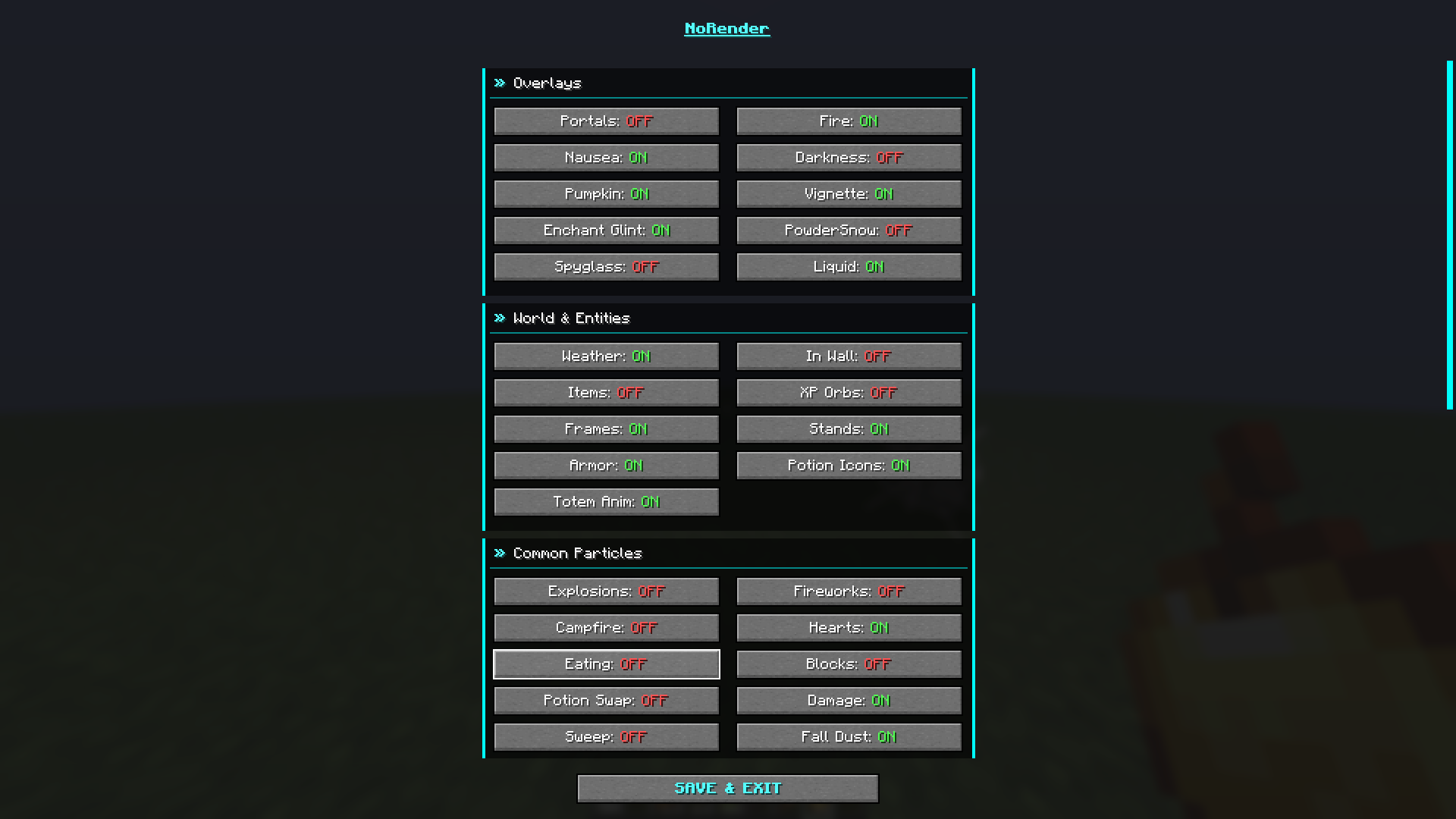 Gui
Gui
Versions
Files
Relations
Project Relations
More like this
Similar Mods
Suggestions use data such as tags, dependencies, dependents, descriptions, titles, and more to rank how much they overlap with this mod.
On ModDex
Community snapshot
By the numbers
Statistics
Want to reach Minecraft players?
We're looking for a server hosting partner to feature here and other parts of the site. Interested? Send us a message!
Get in touchGet it on
Available Platforms
On ModDex
Community snapshot
By the numbers