
Community listing page, reviews here may not be monitored by the author.
OfflineSkins

No reviews yet
Offline Skins allows you to use custom Minecraft skins completely offline. Place a PNG file named after your username inside the config/offlineskins/ folder
Community voices
Reviews
No reviews yet. Be the first to review this project!
Get it on
Available Platforms
Compatibility
Supported Environments
Runs entirely on the client. Works on vanilla servers.
About
Project Details
For authors
Embed Badge
If you're the author of this project, you can embed a live badge anywhere that supports HTML or Markdown. It updates automatically whenever ratings change.
Use HTML for any page that supports it, or Markdown for README files and Markdown-based descriptions.
Identifiers
Platform IDs
Resources
External Links
About
Description
🧍♂️ Offline Skins 🎨 Use Custom Skins — Even Without Internet!
Offline Skins is a lightweight Fabric mod that lets you use local PNG skin files as your player skin — completely offline. No Mojang API, no authentication — just your own skins loaded straight from your game directory.
💡 Features
✅ Offline Support: Apply custom skins without an internet connection.
🖼️ Local Skin Folder: Place PNG files inside
.minecraft/config/offlineskins/
(the same directory where your mods folder is). Each file should be named after your username or any name you select with a command.
🧩 Command Controls:
/offlineskins list — Shows all available skin files.
/offlineskins change <skin_name> — Instantly switch to a chosen skin.
/offlineskins default <alex|steve> — Reset to the default model.
⚙️ Auto Loading: Automatically loads your selected skin when you start the game or join a world.
💾 Persistent Settings: Remembers your chosen skin and model in a simple config.json.
🧠 How It Works
The mod replaces the local player’s texture source to load skins from your config/offlineskins/ folder.
OfflineSkinsClient Initializes the mod, ensures the skin folder and config exist, and registers commands.
OfflineSkinsCommands Provides simple commands for managing your offline skins.
SkinStorage Loads and caches PNG skins, registers them as textures, and defaults to Steve/Alex if none are set.
ConfigManager Saves selectedSkinName and defaultModel preferences to config.json.
AbstractClientPlayerEntitySkinMixin Overrides the local player’s texture lookup to use offline skins safely.
📁 Folder Layout .minecraft/ ├── mods/ ├── config/ │ └── offlineskins/ │ ├── steve.png │ ├── alex.png │ ├── yourname.png │ └── config.json
🧱 Technical Details
Client-only Fabric mod
Entry point defined in fabric.mod.json
Uses Fabric Client Command API v2
Mixin config: mixins.offline_skins.json
No dependencies — simple drop-in functionality
🧍 Example
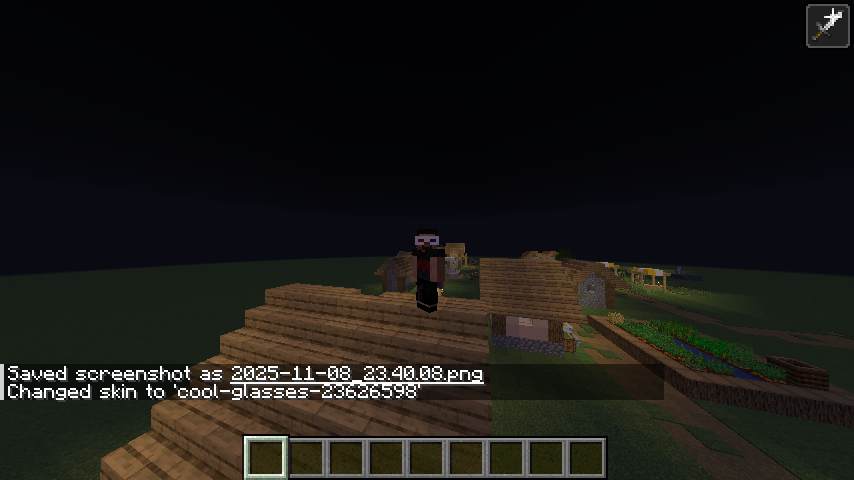
Want your custom skin offline? Drop your_skin_name.png into config/offlineskins/ and run:
/offlineskins change your_skin_name
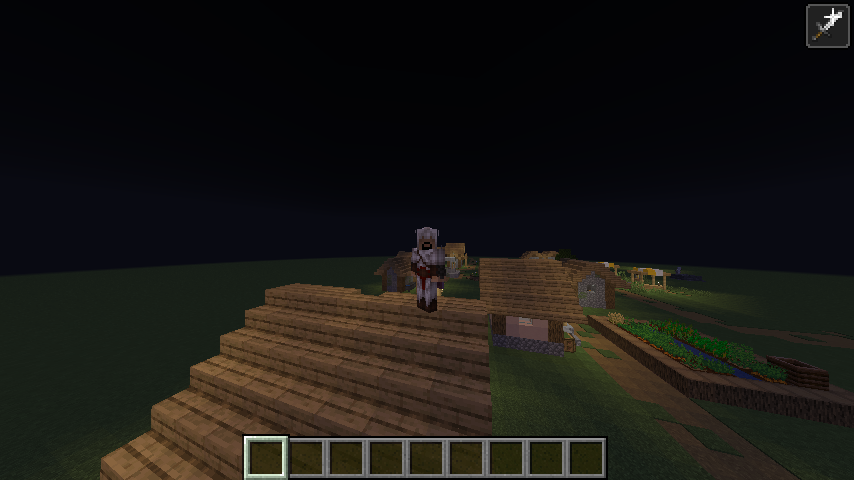
Your offline skin will instantly appear in-game — no internet required! 🎮
Screenshots
Gallery
Versions
Files
Relations
Project Relations
More like this
Similar Mods
Suggestions use data such as tags, dependencies, dependents, descriptions, titles, and more to rank how much they overlap with this mod.
On ModDex
Community snapshot
By the numbers
Statistics

Want to reach Minecraft players?
We're looking for a server hosting partner to feature here and other parts of the site. Interested? Send us a message!
Get in touchGet it on
Available Platforms
On ModDex
Community snapshot
By the numbers
Statistics
Resources