
Community listing page, reviews here may not be monitored by the author.
SkinMC: Custom Minecraft Capes


No reviews yet
Customise your skin with a custom minecraft cape — available for free and visible for anyone using the mod
Community voices
Reviews
No reviews yet. Be the first to review this project!
Get it on
Available Platforms
Compatibility
Supported Environments
Runs entirely on the client. Works on vanilla servers.
About
Project Details
For authors
Embed Badge
If you're the author of this project, you can embed a live badge anywhere that supports HTML or Markdown. It updates automatically whenever ratings change.
Use HTML for any page that supports it, or Markdown for README files and Markdown-based descriptions.
Identifiers
Platform IDs
About
Description

SkinMC-Mod
Create your cape on SkinMC. Wear it in-game with the SkinMC Mod.
Requirements
- Minecraft 1.21.5
- Fabric or NeoForge (choose one; use the matching mod build)
Features

- Displays your SkinMC cape in-game in singleplayer and multiplayer
- Choose how capes are shown: SkinMC overrides default capes, default only, or SkinMC only
- Shift + right-click a player to open their SkinMC profile (optional, can be turned off)
- Works on both Fabric and NeoForge
Configuration
Settings are in Mod Menu (Fabric) or the mod list config button (NeoForge), under SkinMC Cape Settings. You can also edit config/skinmc_mod.json:
| Option | Description |
|---|---|
| Cape display | SkinMC overrides (default) — SkinMC capes replace Mojang/OptiFine capes when set; Default only — only show Mojang/OF capes; SkinMC only — only show SkinMC capes (hide default when no SkinMC cape) |
| Shift + right-click player | When enabled, shift + right-clicking a player opens their SkinMC profile |
How to install it
The SkinMC Mod is available for Fabric and NeoForge. Pick the loader that matches your setup.
- Download the latest release from https://skinmc.net/p/mod (choose the Fabric or NeoForge version).
- Install a mod loader:
- Put the SkinMC mod
.jarfile into your Minecraftmodsfolder.
How to get a cape
- Go to https://skinmc.net
- Sign up / Sign in
- Link your Minecraft account via Microsoft
- Go to Account, then choose SkinMC Capes
- Select a cape .png file and hit upload and use
You can also create your own cape in the SkinMC Cape Editor.
Links
- Upload a cape: https://skinmc.net/account/capes
- Discord: https://skinmc.net/go/discord
Where to get capes from?
You can find a large selection of Minecraft capes on the following pages, or make your own:
- https://skinmc.net/capes/custom
- https://www.planetminecraft.com/mob-skins/?op2=8
- SkinMC Cape Editor — create your own custom cape
- Feel free to add more here!
What format does it support?
Currently capes must be
- .png, .jpg, .jpeg
- 64x32px
Contribute
Contribute code on GitHub or submit your ideas for future versions!
License
This project is licensed under the GNU Lesser General Public License v2.1 (LGPL-2.1).
Credits
This mod is built with Architectury, which enables a single codebase to run on both Fabric and NeoForge.
Do you need support?
Please open a support ticket
SkinMC-Mod: Free Minecraft Capes
Create your cape on SkinMC. Wear it in-game with the SkinMC Mod.
Requirements
- Minecraft 1.21.11, 1.21.4
- Fabric or NeoForge (choose one; use the matching mod build)
- https://modrinth.com/mod/architectury-api
Features
- Displays your SkinMC Minecraft Cape in-game in singleplayer and multiplayer
- Choose how capes are shown: SkinMC overrides default capes, default only, or SkinMC only
- Shift + right-click a player to open their SkinMC profile (optional, can be turned off)
- Works on both Fabric and NeoForge
Configuration
Settings are in Mod Menu (Fabric) or the mod list config button (NeoForge), under SkinMC Cape Settings. You can also edit config/skinmc_mod.json:
| Option | Description |
|---|---|
| Cape display | SkinMC overrides (default) — SkinMC capes replace Mojang/OptiFine capes when set; Default only — only show Mojang/OF capes; SkinMC only — only show SkinMC capes (hide default when no SkinMC cape) |
| Shift + right-click player | When enabled, shift + right-clicking a player opens their SkinMC profile |
How to install it
The SkinMC Mod is available for Fabric and NeoForge. Pick the loader that matches your setup.
- Download the latest release from https://skinmc.net/p/mod (choose the Fabric or NeoForge version).
- Install a mod loader:
- Put the SkinMC mod
.jarfile into your Minecraftmodsfolder.
How to get a cape
- Go to https://skinmc.net
- Sign up / Sign in
- Link your Minecraft account via Microsoft
- Go to Account, then choose SkinMC Capes
- Select a cape .png file and hit upload and use
You can also create your own cape in the SkinMC Cape Editor.
Links
- Upload a cape: https://skinmc.net/account/capes
- Discord: https://skinmc.net/go/discord
Where to get capes from?
You can find a large selection of Minecraft capes on the following pages, or make your own:
- https://skinmc.net/capes/custom
- https://www.planetminecraft.com/mob-skins/?op2=8
- SkinMC Cape Editor — create your own custom cape
- Feel free to add more here!
What format does it support?
Currently capes must be
- .png, .jpg, .jpeg
- 64x32px
Contribute
Contribute code on GitHub or submit your ideas for future versions!
License
This project is licensed under the GNU Lesser General Public License v2.1 (LGPL-2.1).
Credits
This mod is built with Architectury, which enables a single codebase to run on both Fabric and NeoForge.
Do you need support?
Please open a support ticket
Screenshots
Gallery
-
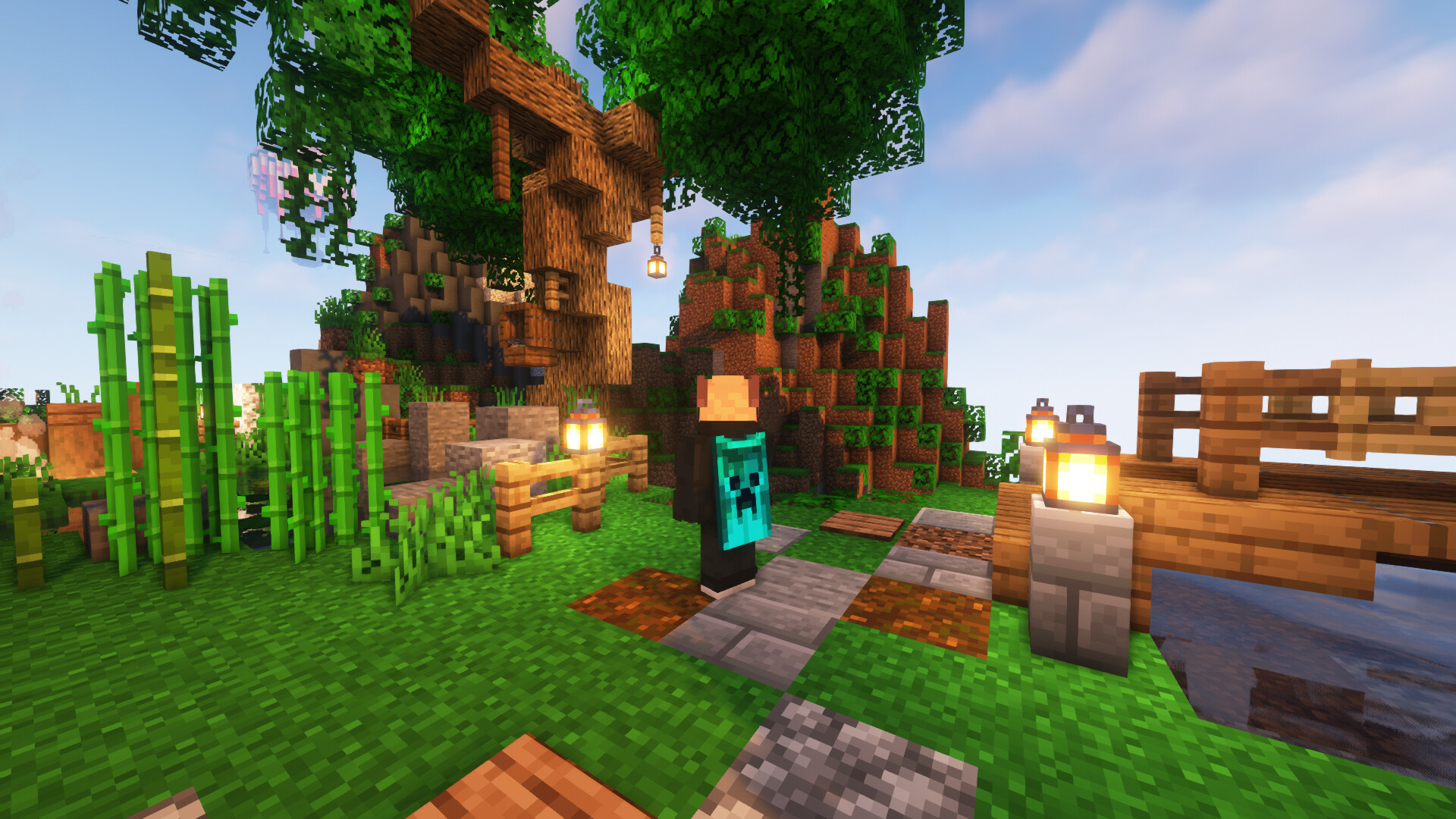 Cape in game This is how your custom cape can look in game!
-
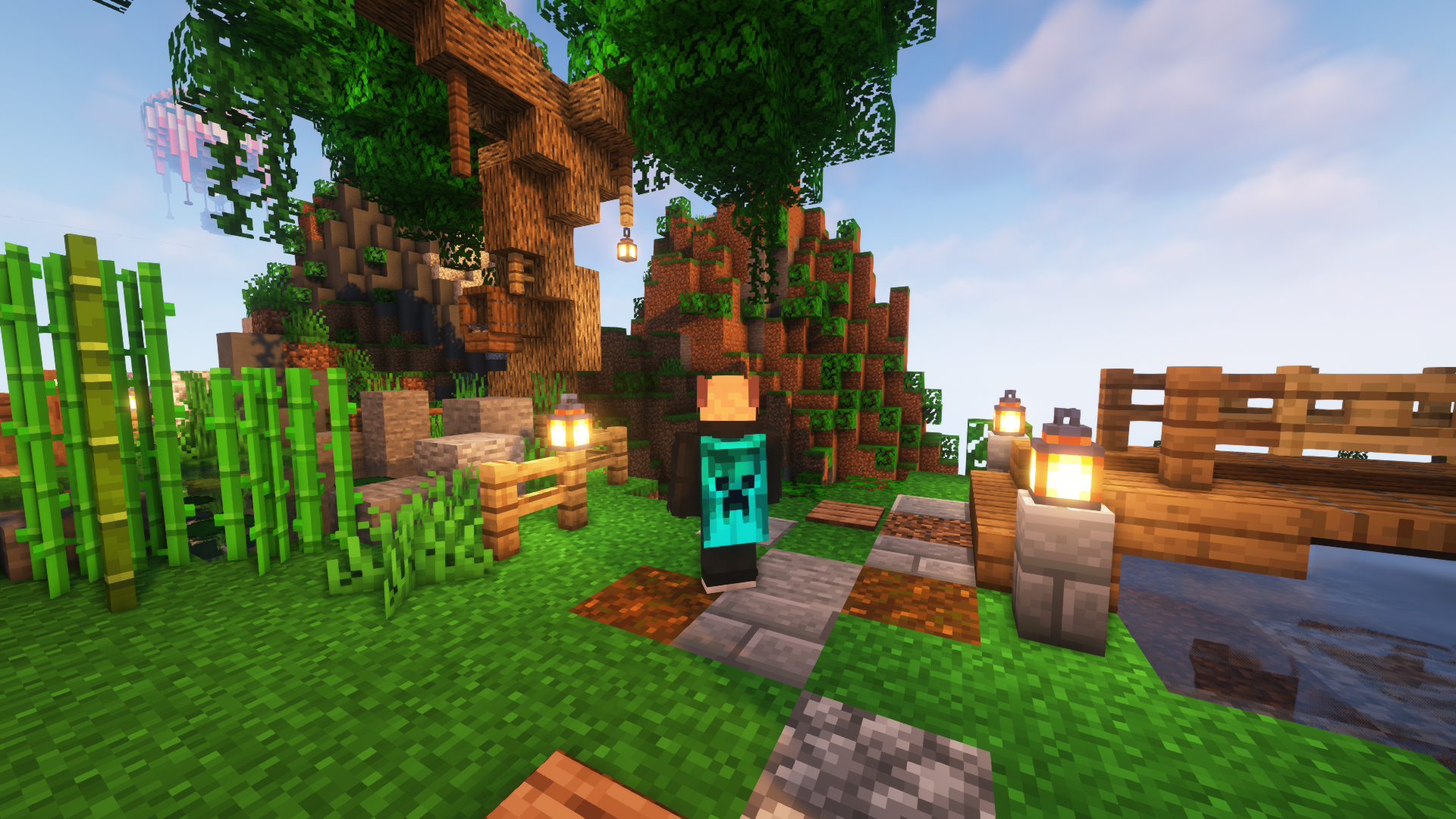 Custom Minecraft Cape This is how your custom cape can look in game!
Versions
Files
Relations
Project Relations
More like this
Similar Mods
Suggestions use data such as tags, dependencies, dependents, descriptions, titles, and more to rank how much they overlap with this mod.
On ModDex
Community snapshot
By the numbers
Statistics
Want to reach Minecraft players?
We're looking for a server hosting partner to feature here and other parts of the site. Interested? Send us a message!
Get in touchGet it on
Available Platforms
On ModDex
Community snapshot
By the numbers