
Community listing page, reviews here may not be monitored by the author.
OmniBuild Wand

No reviews yet
Large-scale building wand, Five Modes (Load/Fill/Copy/Replace/Move). Collect bricks and automatically build from litematica! | 全能建造杖 — 填充/复制/替换/移动四模式 + 工地系统,为大规模建造而生
Community voices
Reviews
No reviews yet. Be the first to review this project!
Get it on
Available Platforms
Compatibility
Supported Environments
Must be installed on both the client and the server.
About
Project Details
For authors
Embed Badge
If you're the author of this project, you can embed a live badge anywhere that supports HTML or Markdown. It updates automatically whenever ratings change.
Use HTML for any page that supports it, or Markdown for README files and Markdown-based descriptions.
Identifiers
Platform IDs
About
Description
OmniBuild Wand · 全能建造杖
为大规模建造而生的 Fabric 建筑手杖 · A Fabric building wand built for large-scale construction
Minecraft 26.1.2 · Fabric | 必需 / Required: Fabric API · Litematica · MaLiLib
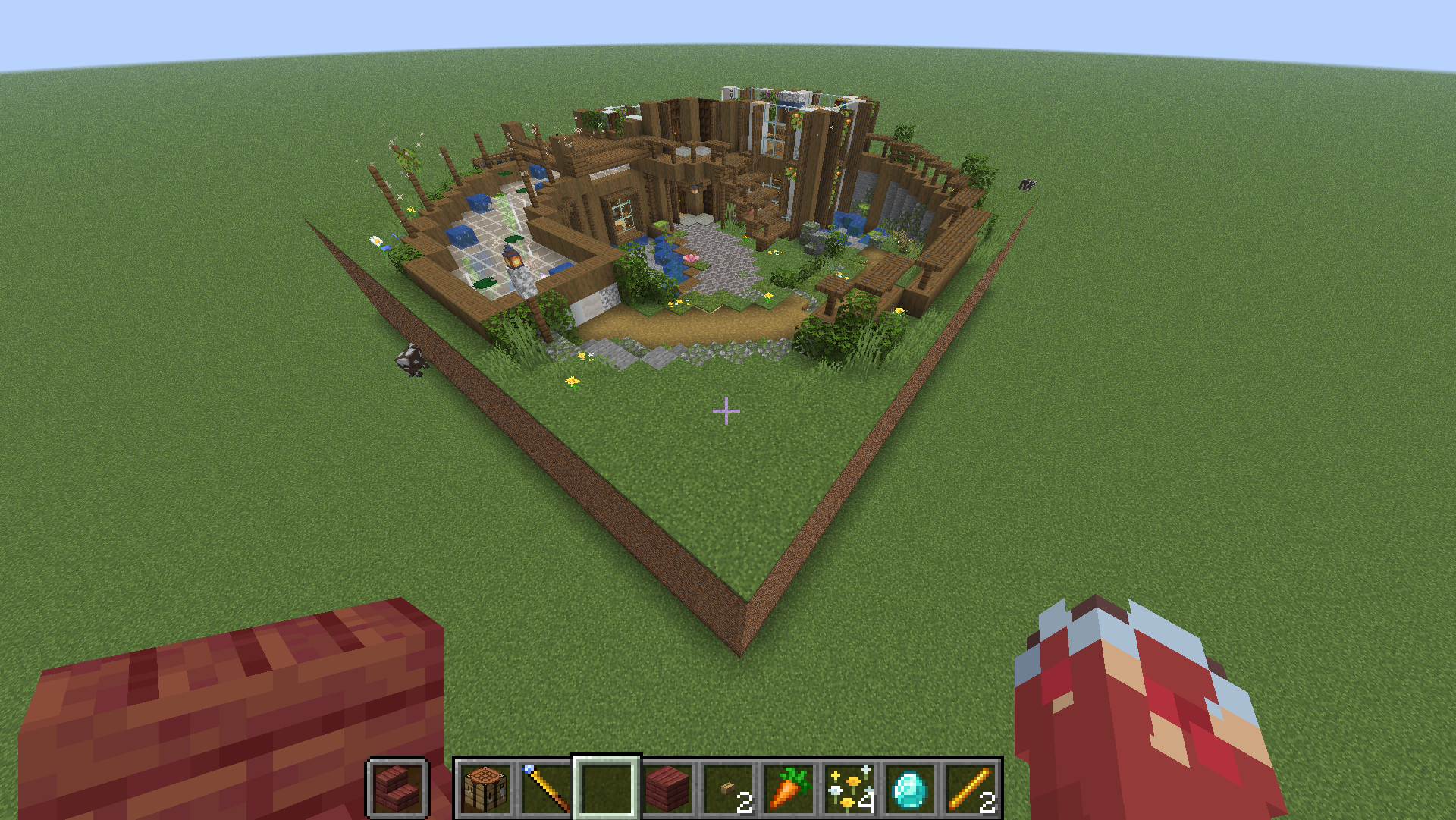
🌐 中文教程在上半部分,English guide is in the second half below. · GitHub
🇨🇳 中文教程
📦 安装
- 安装 Fabric Loader 与 Fabric API。
- 安装 Litematica + MaLiLib(蓝图与幽灵预览所需,必需)。
- 把
omnibuild-wand-x.x.x.jar放进.minecraft/mods/。
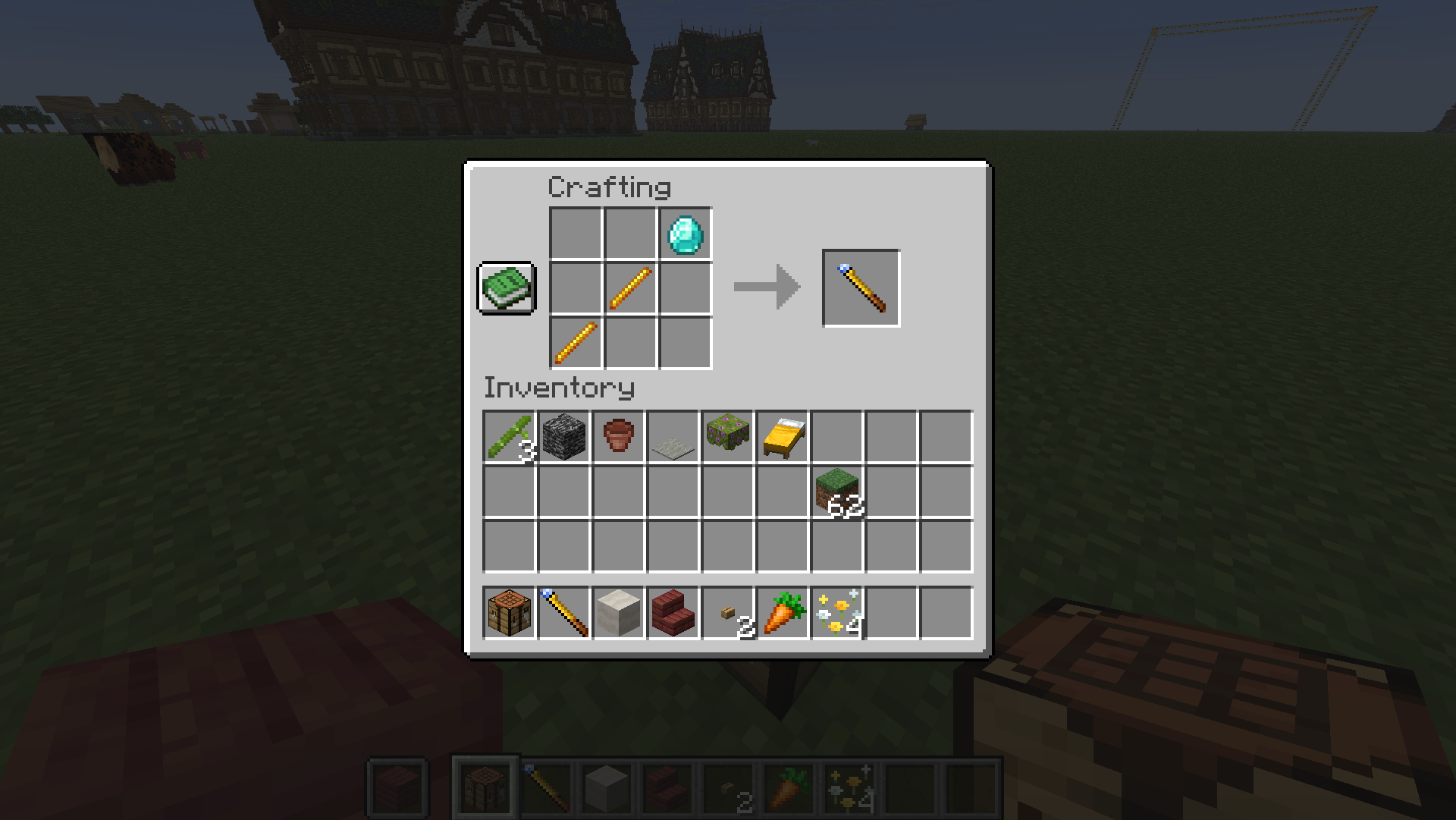
🛠️ 合成
钻石 ×1 + 烈焰棒 ×2,斜向排布(D=钻石,B=烈焰棒):
· · D
· B ·
B · ·
🎮 基础概念
- 手持手杖右键 = 选角 / 执行。多数操作是「右键选第一个角 → 再右键选对角 → 完成」。
- 按
N在五种模式间循环:填充 → 复制/粘贴 → 替换 → 移动 → 供料链接。 - 按
V在 方形选区 ↔ 智能选区 间切换。 Shift+ 右键 = 重置当前选区。- 生存模式会真实扣除背包材料(含潜影盒);材料不够时可改用「工地」慢慢囤料建造。
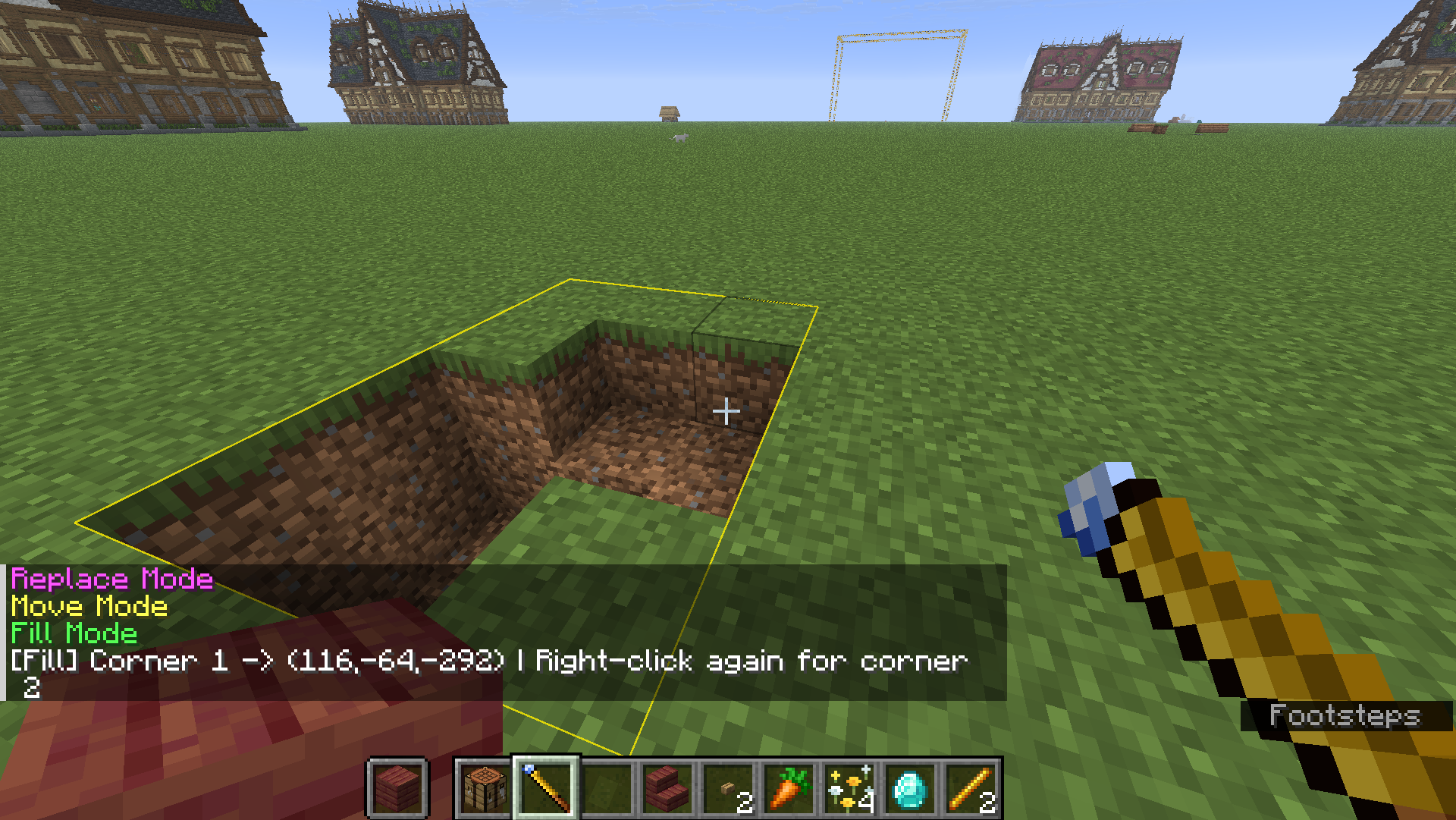
🟦 填充模式
框选两角,把范围内的空气填成手里的方块。
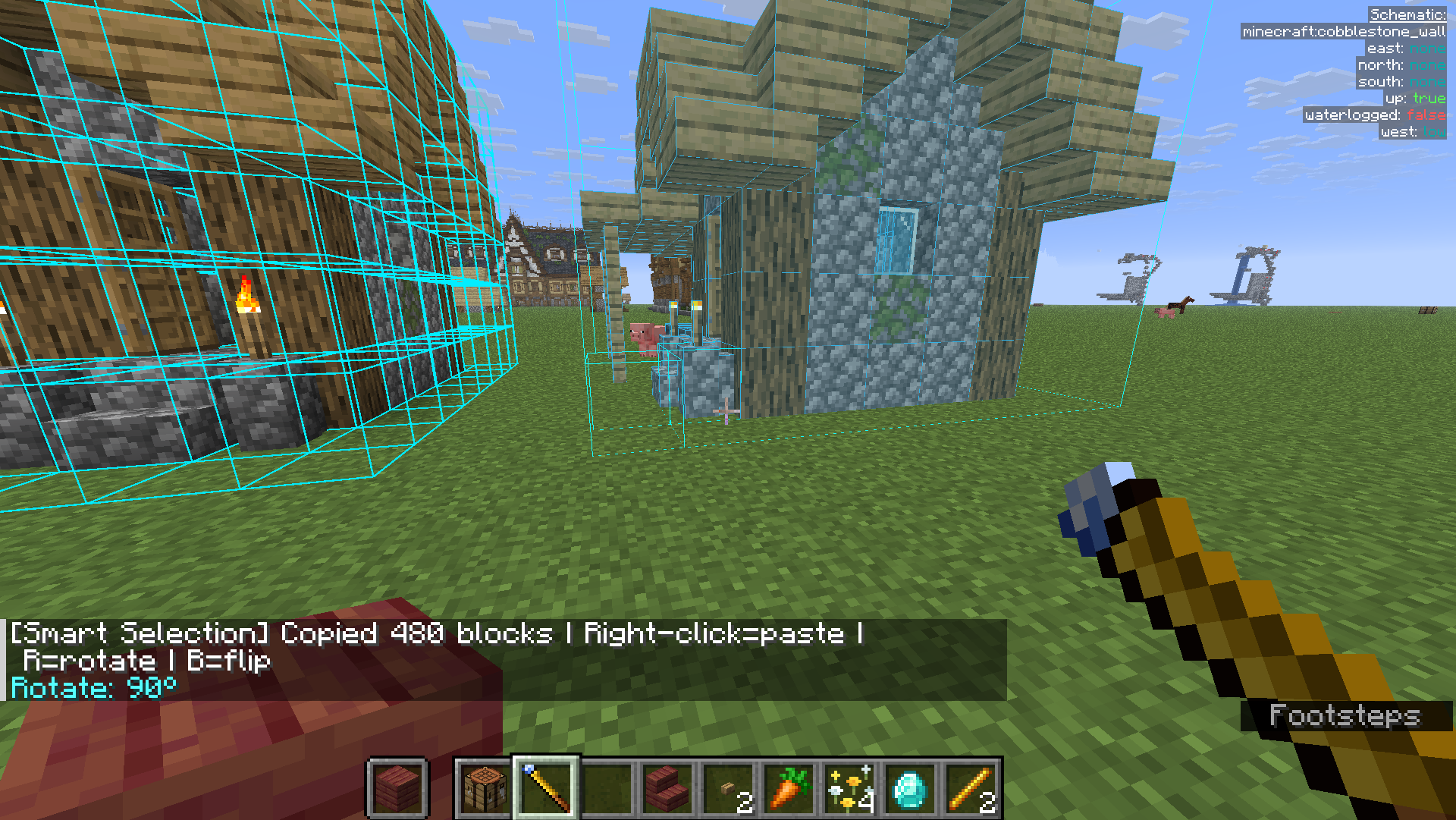
📋 复制 / 粘贴模式
右键选两个角框住结构(记录到剪贴板),到别处右键粘贴;粘贴前可按 R 旋转、B 镜像。
♻️ 替换模式
把要替换成的方块放手里 → 右键选两角 → 第三次右键点要被替换掉的方块,范围内同类全部替换。
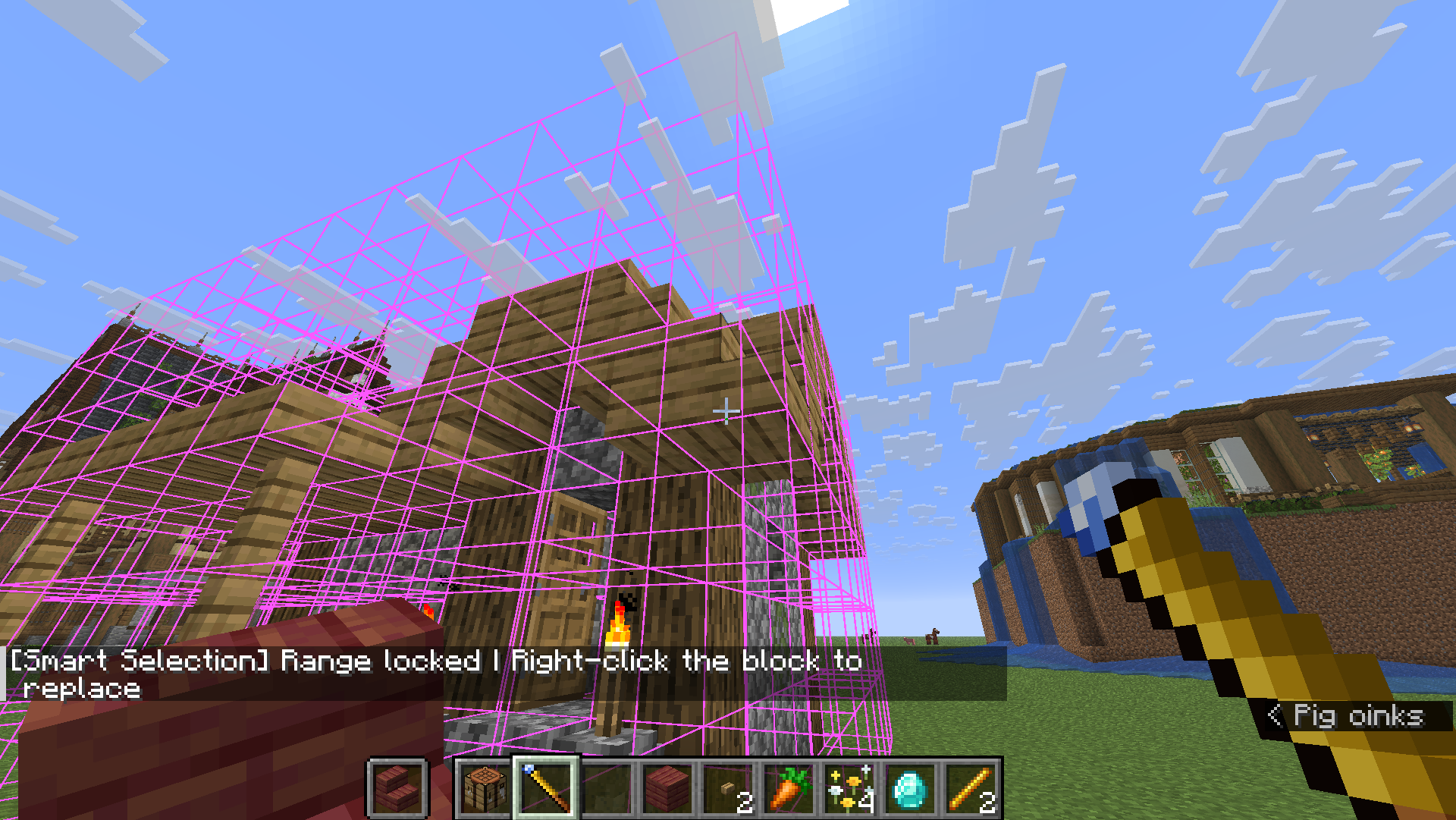
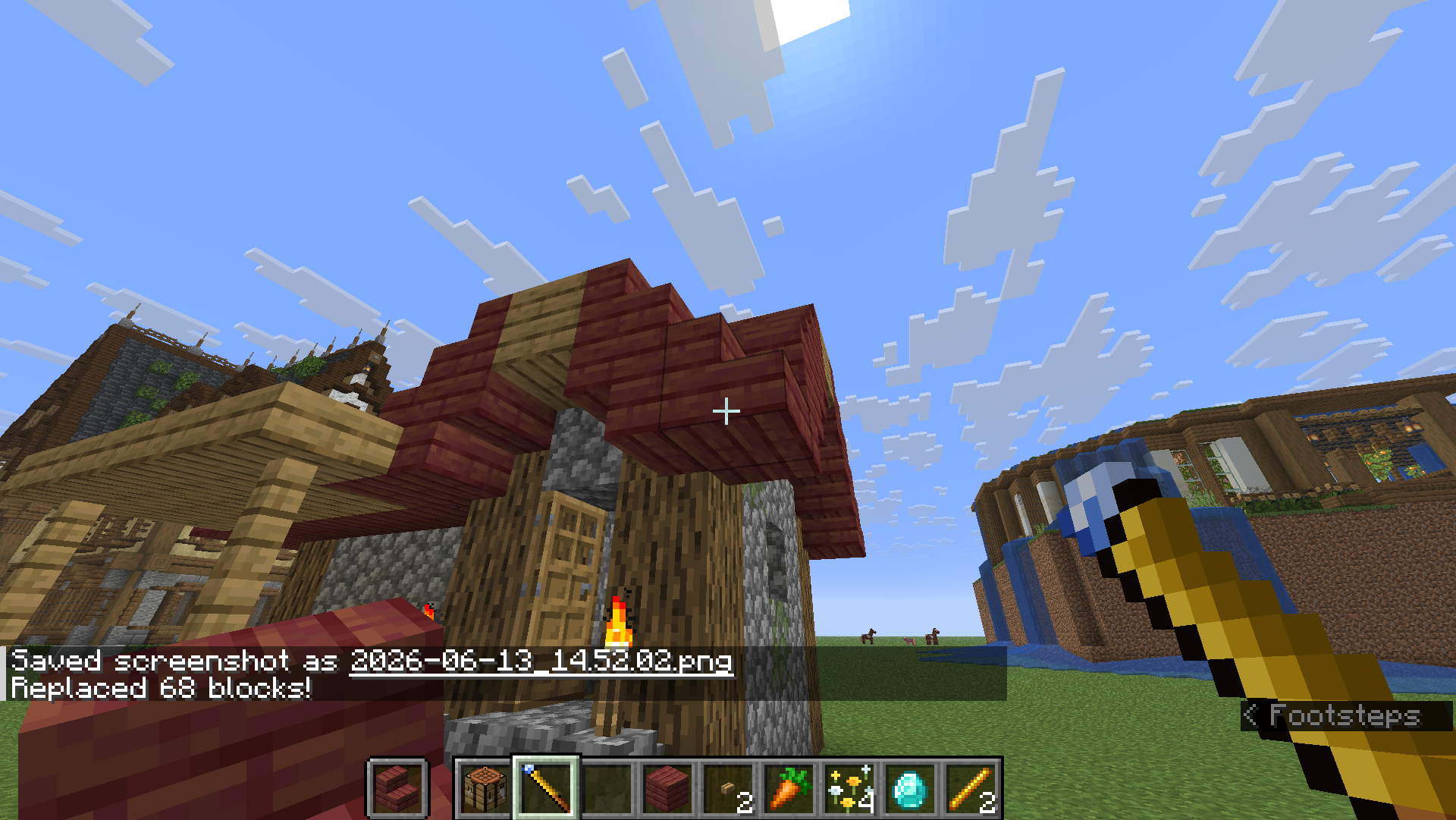
🚚 移动模式
右键选两角框住建筑 → 右键目标位置整体移动(原地清空),支持 R / B。
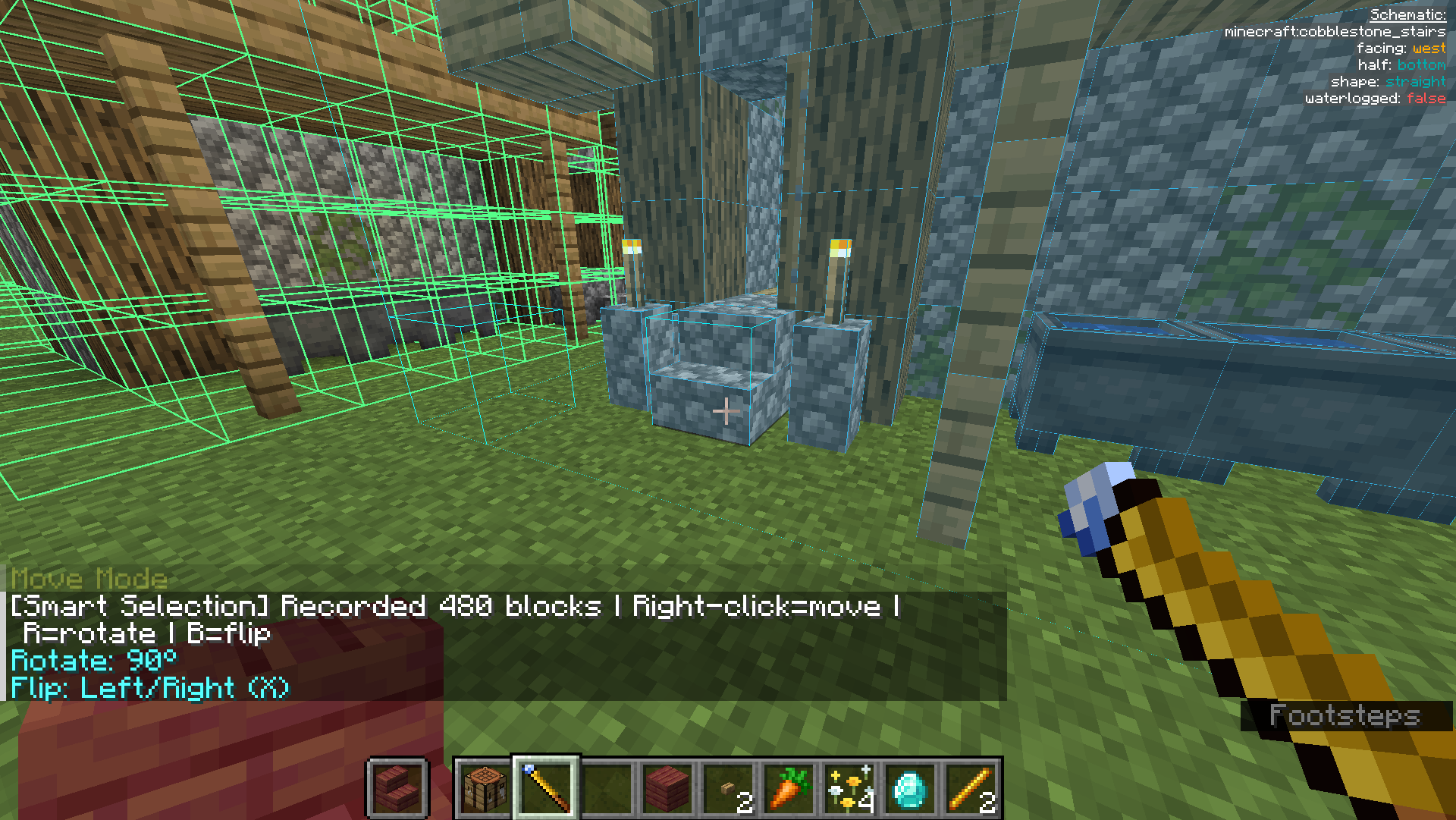
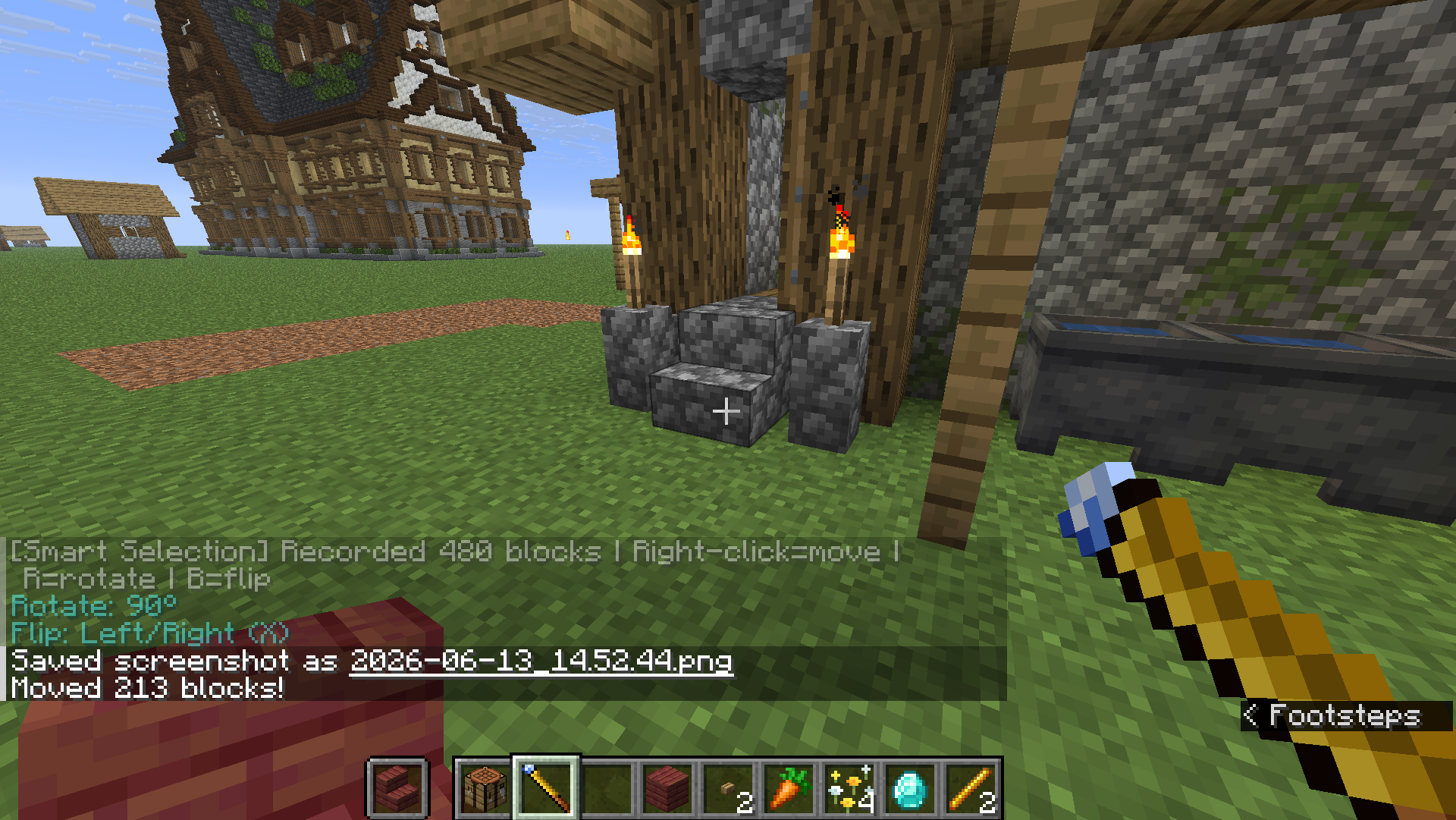
🧠 智能选区
按 V 切到智能选区,右键一个方块自动识别整片连续建筑并锁定,再次右键确认执行(复制 / 替换 / 移动 都能用)。上限可在 /wand settings 调。
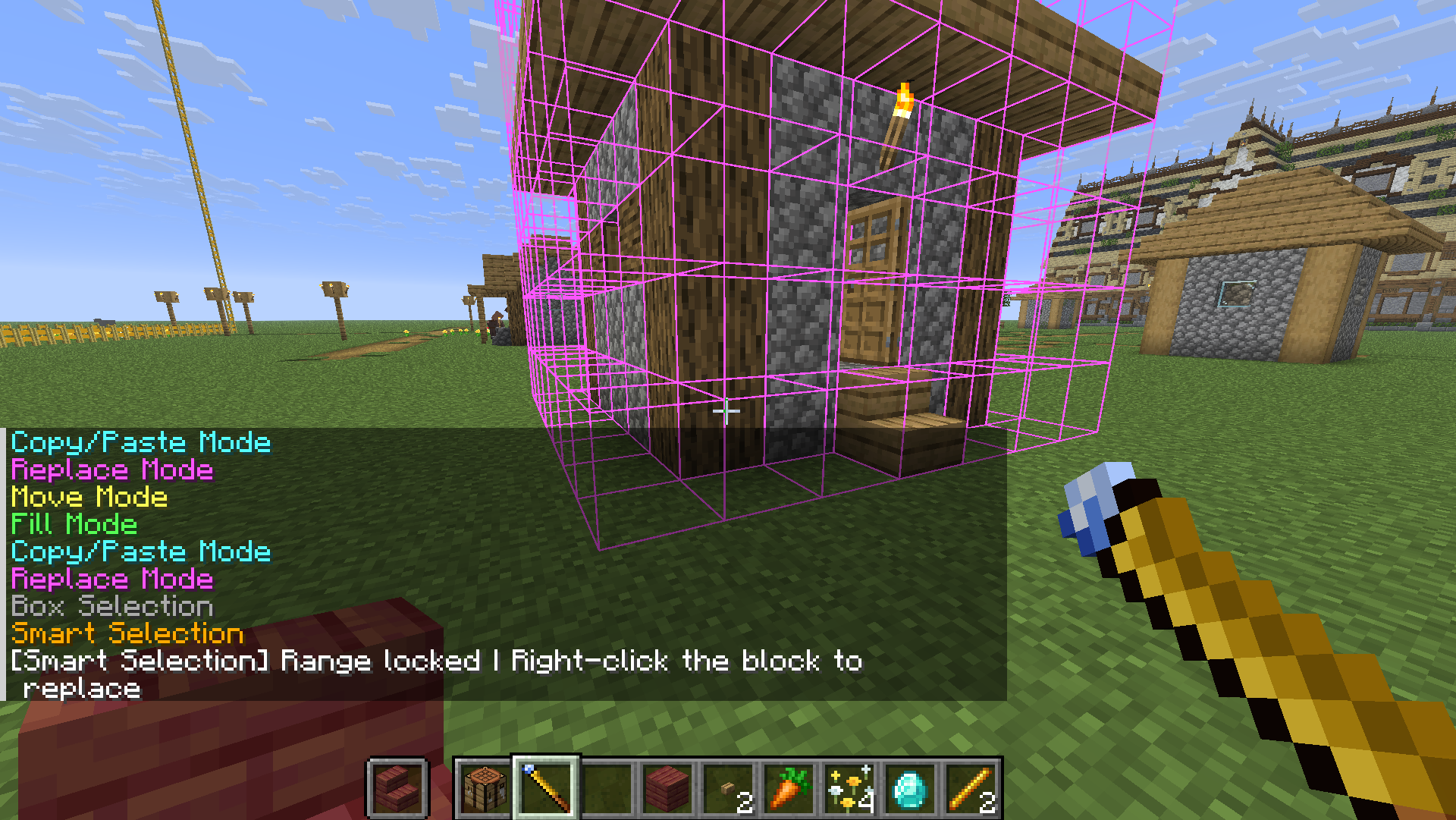
🏗️ 工地系统(招牌功能)
大型工程不想一次掏空仓库?把它变成「工地」,慢慢囤料、自动施工。
- 材料不足会自动转为工地,地面立起工地牌。
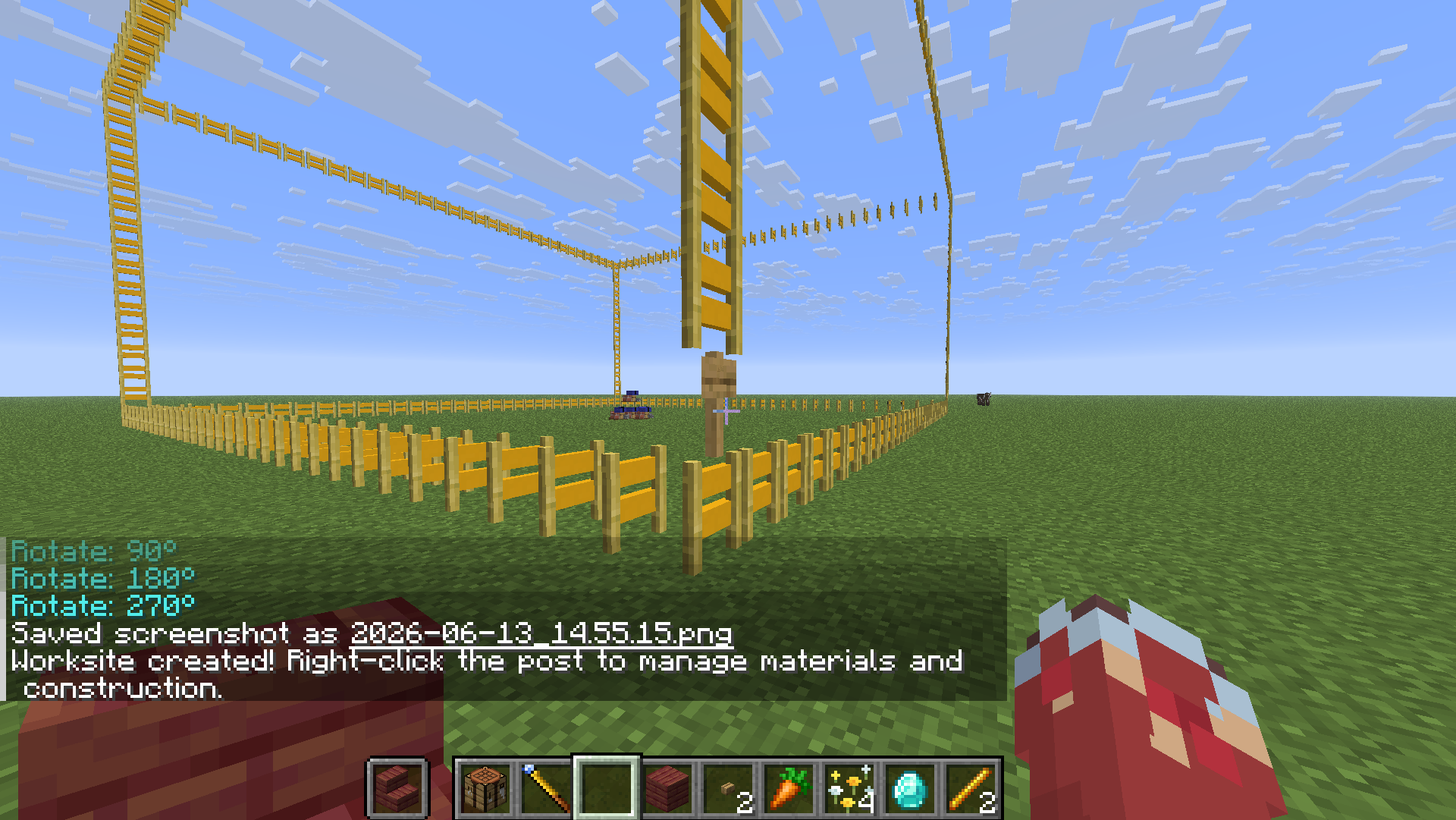
- 右键工地牌打开管理站,把材料丢进去「存入材料」。管理站还有「取回材料」(退回背包)与「从箱子补料」两个按钮。
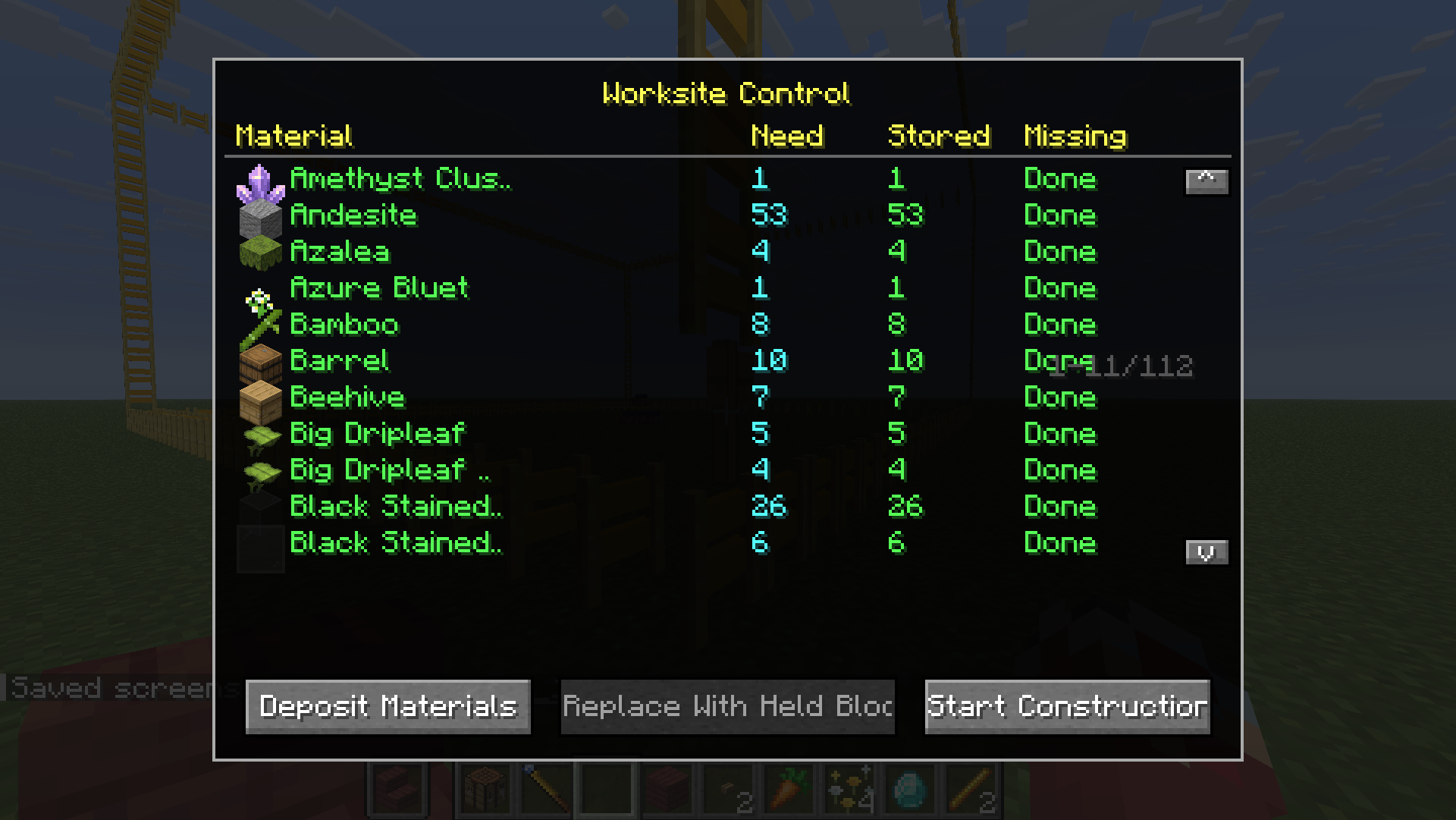
- 点「开始施工」,工地自动逐块建造直到完工。
🔗 供料链接(接箱子自动供料)★ 1.1.0 新增
懒得手动搬料?把附近的箱子接上,工地施工时自动取料。
- 按
N切到 供料链接 模式。 - 右键框选两个角,把装材料的箱子 / 木桶 / 潜影盒圈进去(箱子里的潜影盒也算)。
- 再右键工地牌完成链接(提示「已链接 N 个容器」)。
- 点「从箱子补料」或直接开始施工——施工时每秒自动从这些容器取料。
🛡️ 安全机制:每个容器、每种材料至少保留 1 个,绝不抽空箱子。
📐 Litematica 蓝图导入
手持手杖输入 /wand load <蓝图文件路径>,右键地面生成对应工地,之后流程同上。
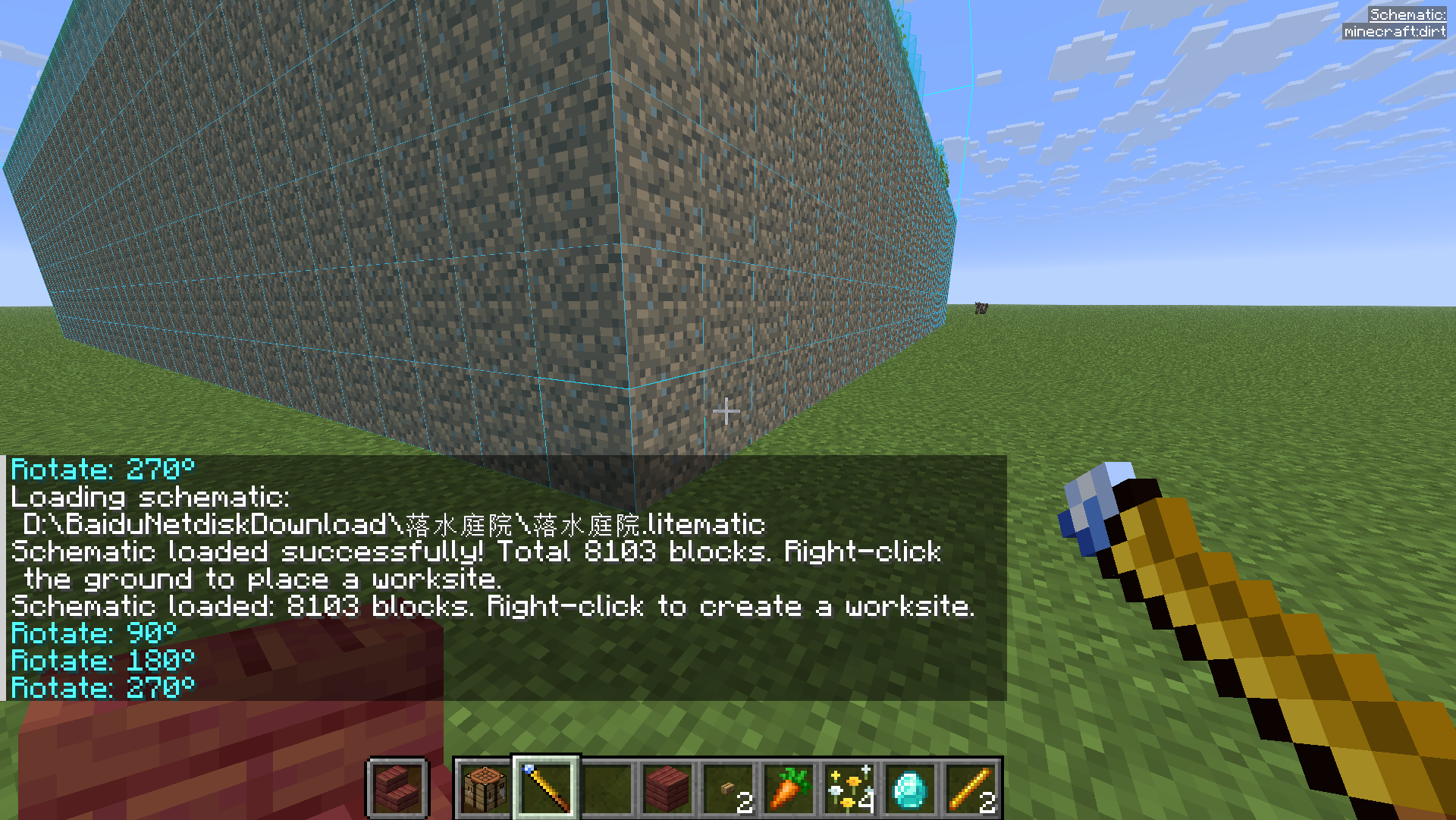
⌨️ 按键速查
| 按键 | 作用 |
|---|---|
| 右键 | 选角 / 执行 |
Shift + 右键 |
重置选区 |
R / B |
旋转 / 镜像 |
N |
切换模式(填充/复制/替换/移动/供料链接) |
V |
方形 / 智能选区 切换 |
/wand settings |
打开设置 |
/wand load <path> |
加载蓝图 |
🇬🇧 English Guide
📦 Installation
- Install Fabric Loader and Fabric API.
- Install Litematica + MaLiLib (required — blueprints & ghost preview).
- Drop
omnibuild-wand-x.x.x.jarinto.minecraft/mods/.
🛠️ Crafting
1× Diamond + 2× Blaze Rod, diagonal (D=Diamond, B=Blaze Rod):
· · D
· B ·
B · ·
🎮 Core concepts
- Right-click = pick a corner / execute (corner 1 → opposite corner → done).
- Press
Nto cycle five modes: Fill → Copy/Paste → Replace → Move → Supply Link. - Press
Vto toggle Box ↔ Smart Selection.Shift+ Right-click resets. - In Survival it consumes real materials (including shulker boxes). Short on materials? Use a worksite.
🟦 Fill Mode
Right-click two corners; the air in the box fills with the block in your hand.
📋 Copy / Paste Mode
Right-click two corners around a structure, then right-click elsewhere to paste. R rotate / B flip before pasting.
♻️ Replace Mode
Hold the replacement block → two corners → third right-click on the block to replace. All matching blocks swap.
🚚 Move Mode
Two corners around a build → right-click target to relocate it (source cleared). R / B supported.
🧠 Smart Selection
Press V, right-click one block and it auto-detects the whole contiguous structure; right-click again to confirm. Works with Copy / Replace / Move.
🏗️ Worksite System (headline feature)
Turn a big build into a worksite: a post appears, right-click it to open the dashboard, Deposit materials, then Start Construction — it builds itself block by block. The dashboard also has Withdraw Materials and Pull from Chests buttons.
🔗 Supply Link (auto-feed from chests) ★ New in 1.1.0
Don't want to haul materials by hand? Link nearby chests and the worksite pulls materials automatically while building.
- Press
Nto switch to Supply Link mode. - Right-click two corners around your chests / barrels / shulker boxes (shulkers inside chests count too).
- Right-click the worksite post to link ("Linked N containers").
- Click Pull from Chests, or just Start Construction — it pulls every second as it builds.
🛡️ Safety: each container always keeps at least one of every material — chests are never fully emptied.
📐 Litematica Blueprint Import
Hold the wand, run /wand load <path to .litematic>, then right-click the ground to spawn the matching worksite.
⌨️ Controls
| Key | Action |
|---|---|
| Right-click | Pick corner / execute |
Shift + Right-click |
Reset selection |
R / B |
Rotate / Flip |
N |
Switch mode (Fill/Copy/Replace/Move/Supply Link) |
V |
Toggle Box / Smart Selection |
/wand settings |
Open settings |
/wand load <path> |
Load a Litematica schematic |
License: MIT · Source & full README: https://github.com/binyxu/omnibuild-wand
Screenshots
Gallery
-
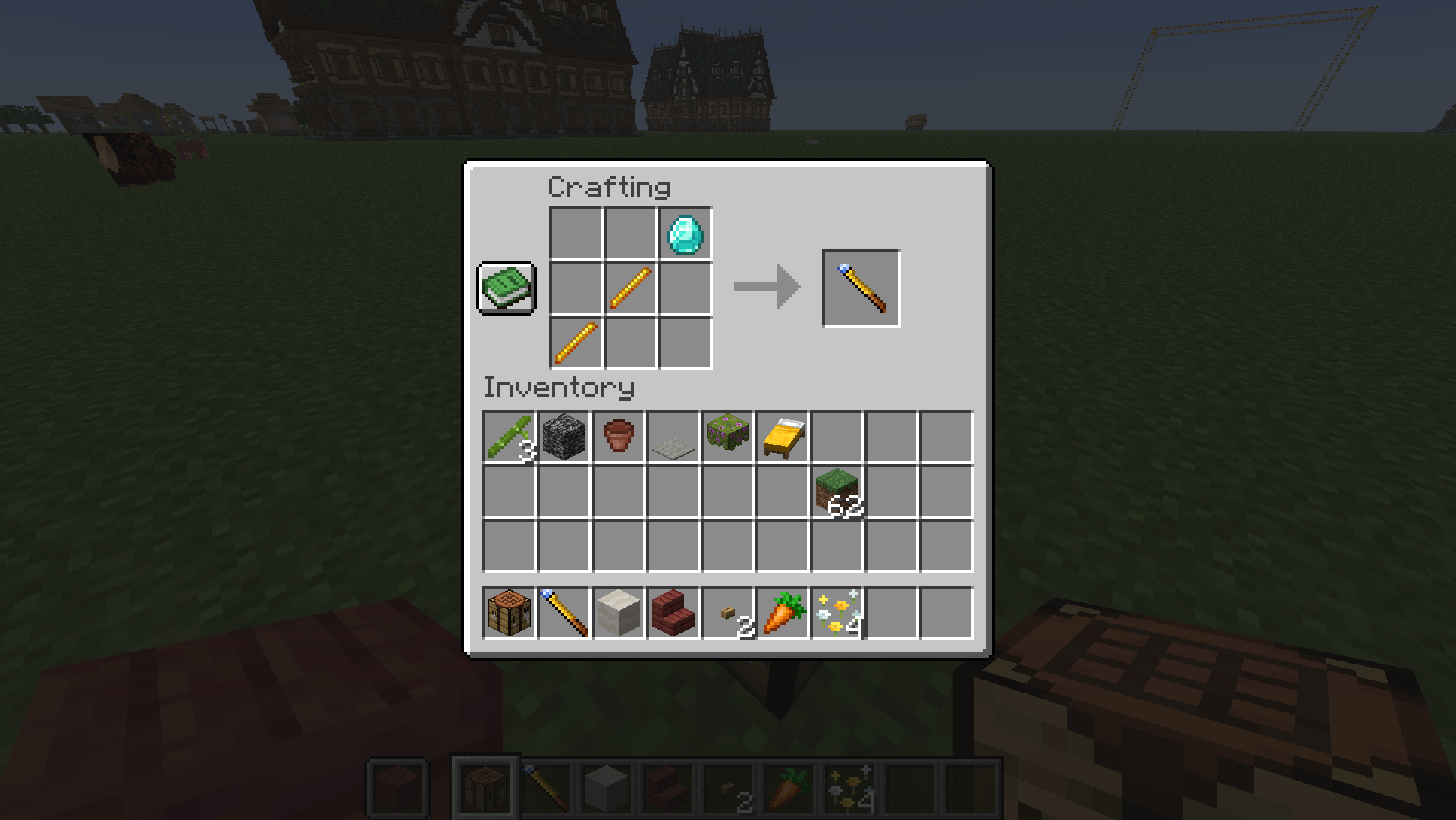 合成配方 / Crafting recipe
 -
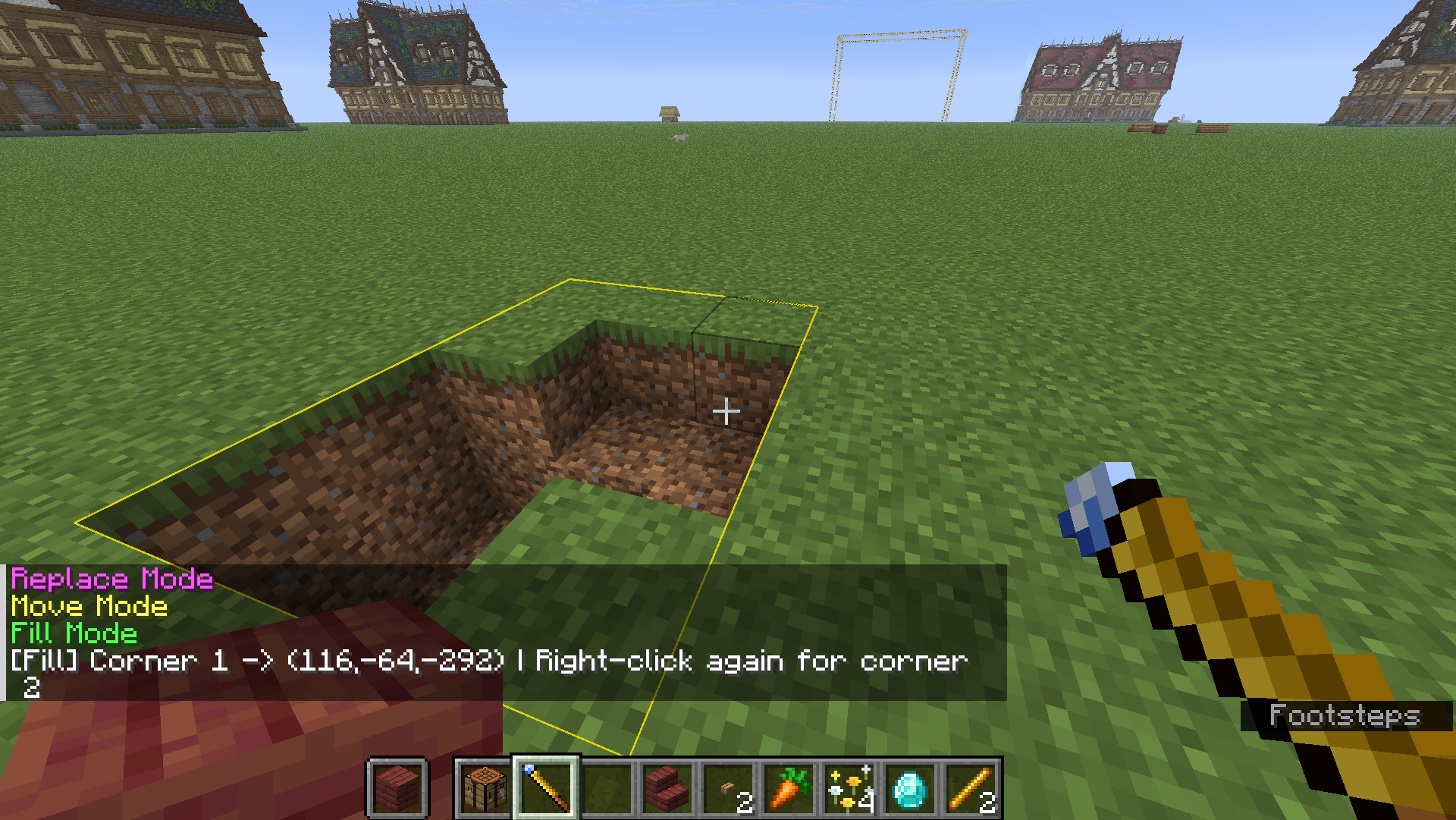 填充模式 / Fill mode
 -
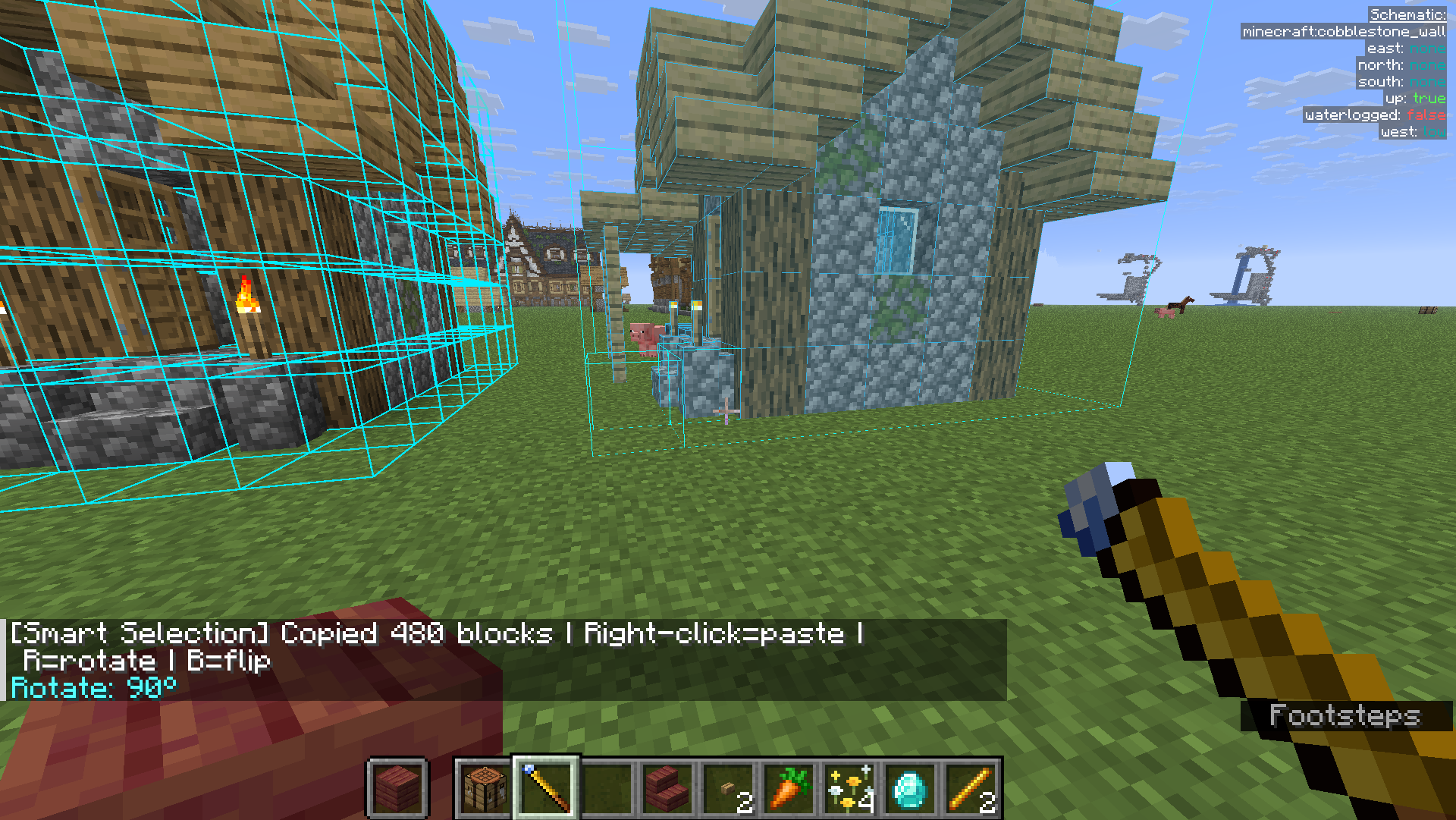 复制·粘贴模式 / Copy & Paste
 -
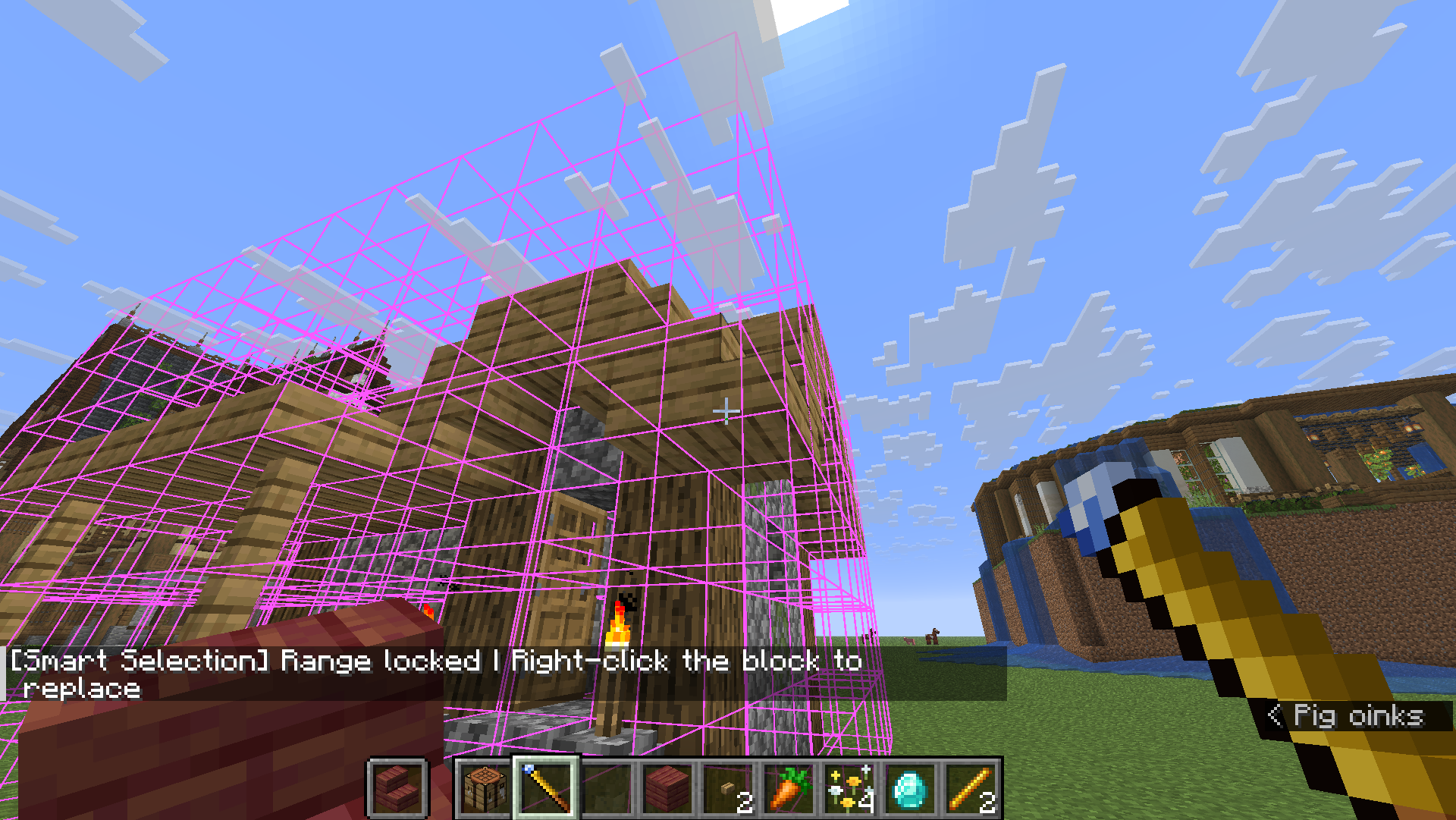 替换模式·替换前 / Replace (before)
 -
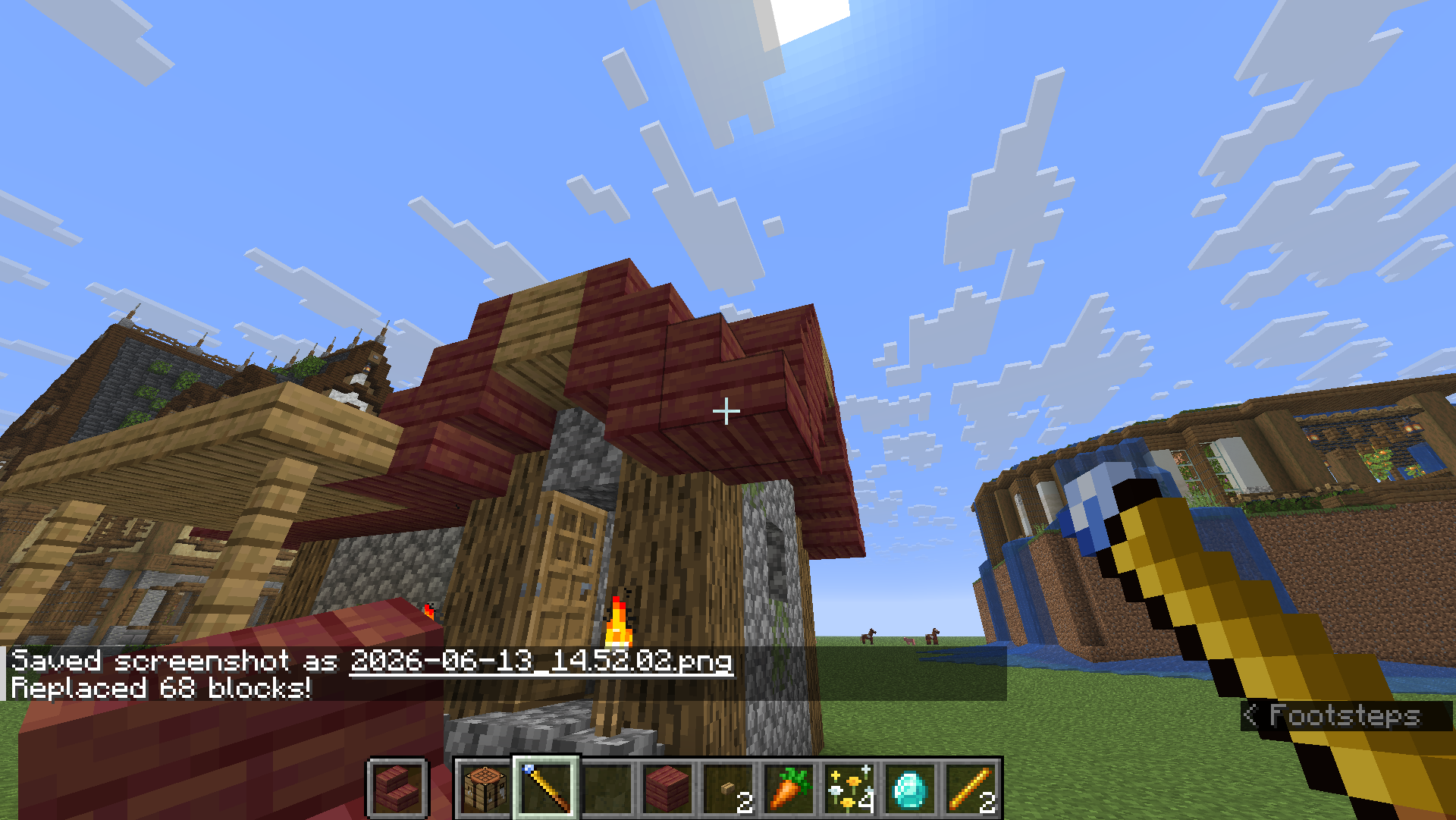 替换模式·替换后 / Replace (after)
 -
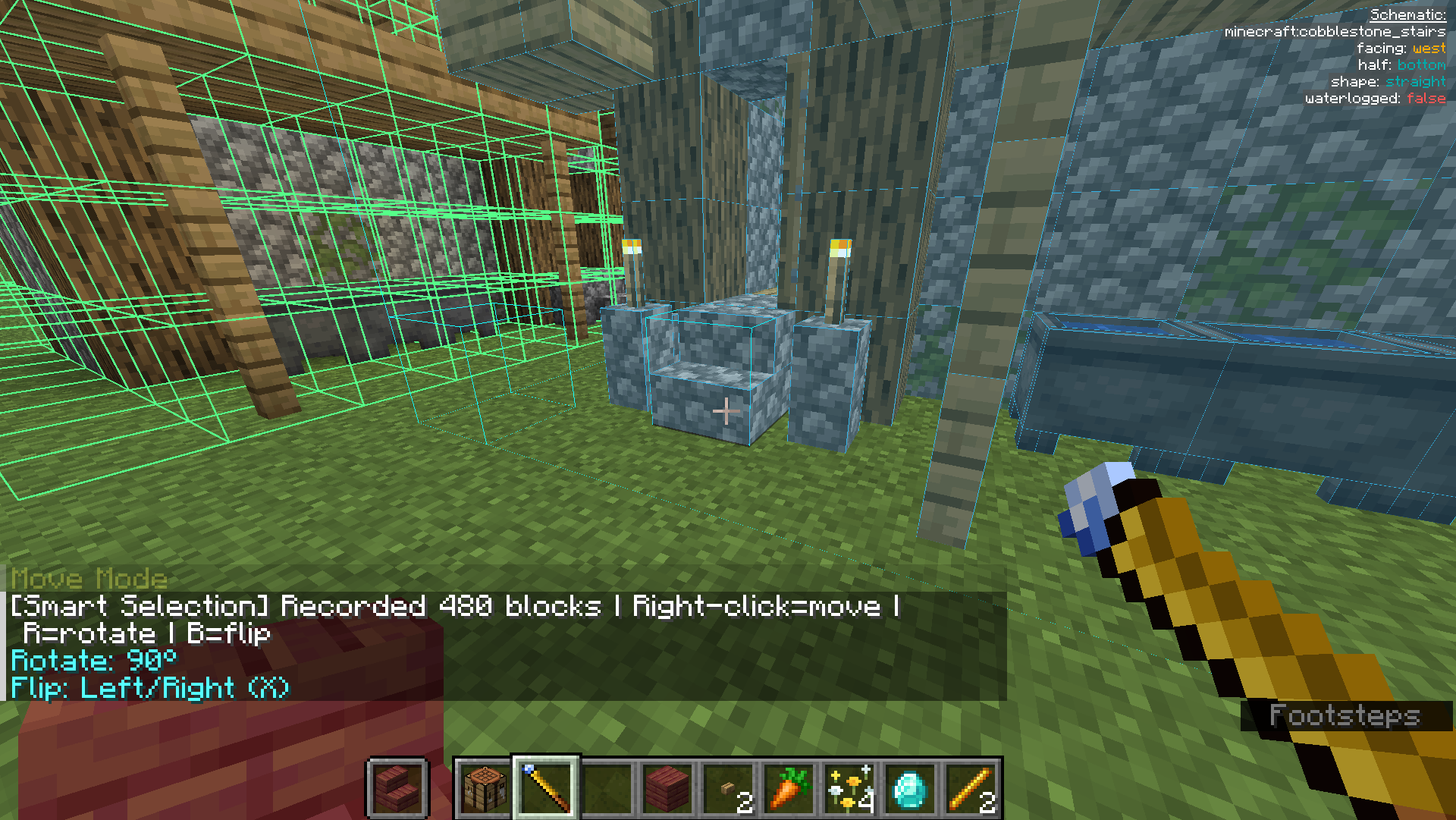 移动模式·移动前 / Move (before)
 -
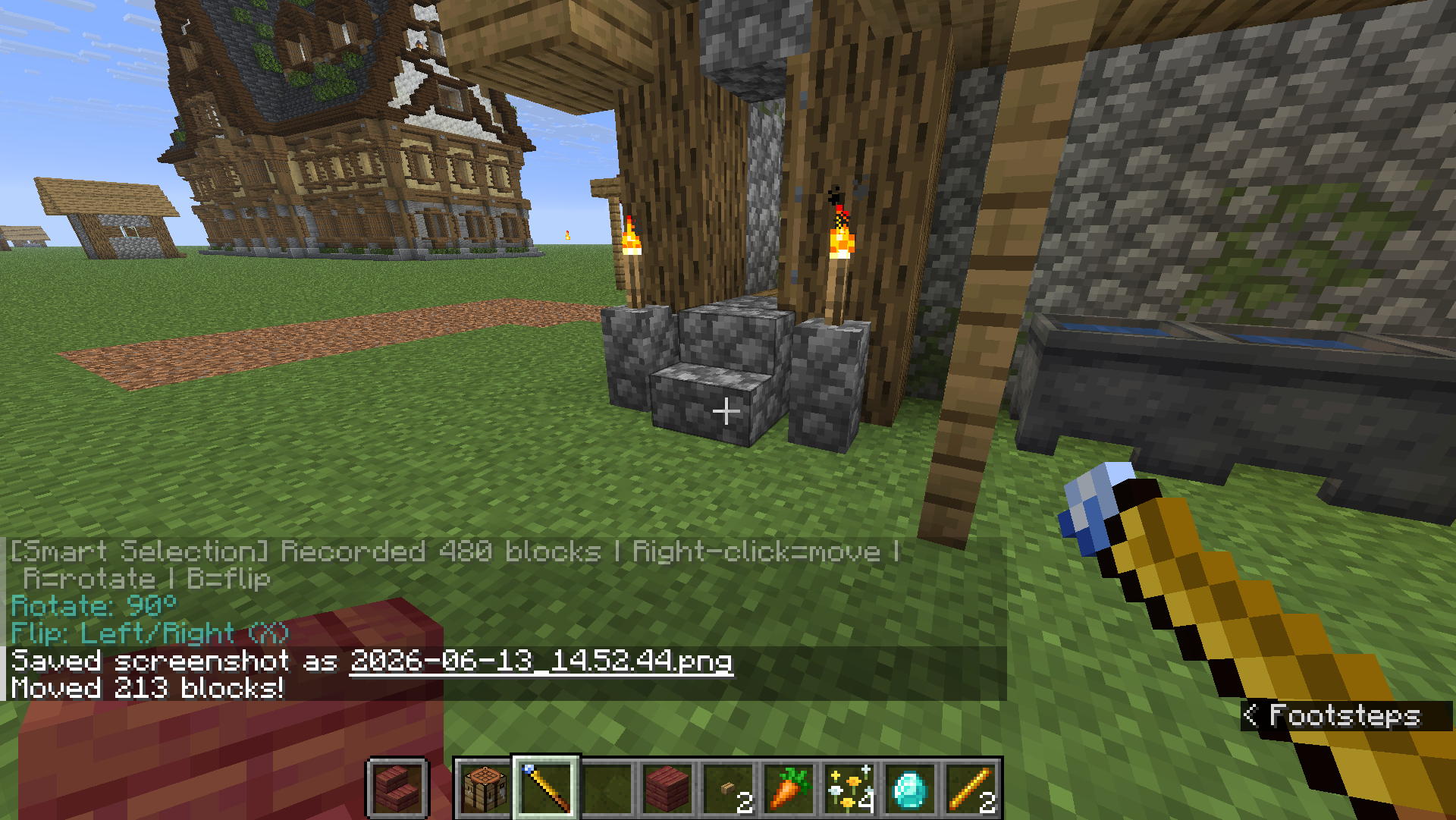 移动模式·移动后 / Move (after)
 -
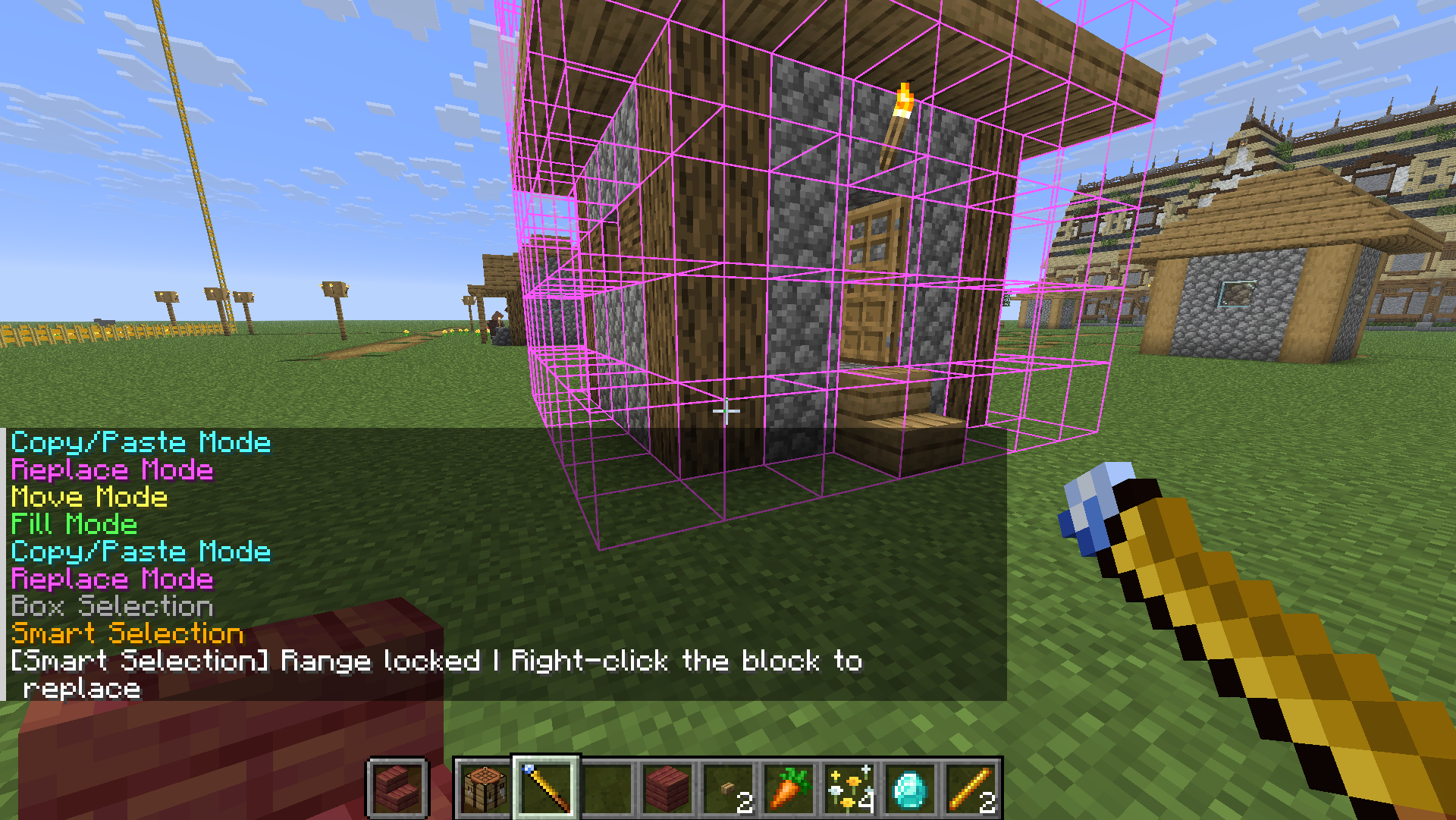 智能选区 / Smart Selection
 -
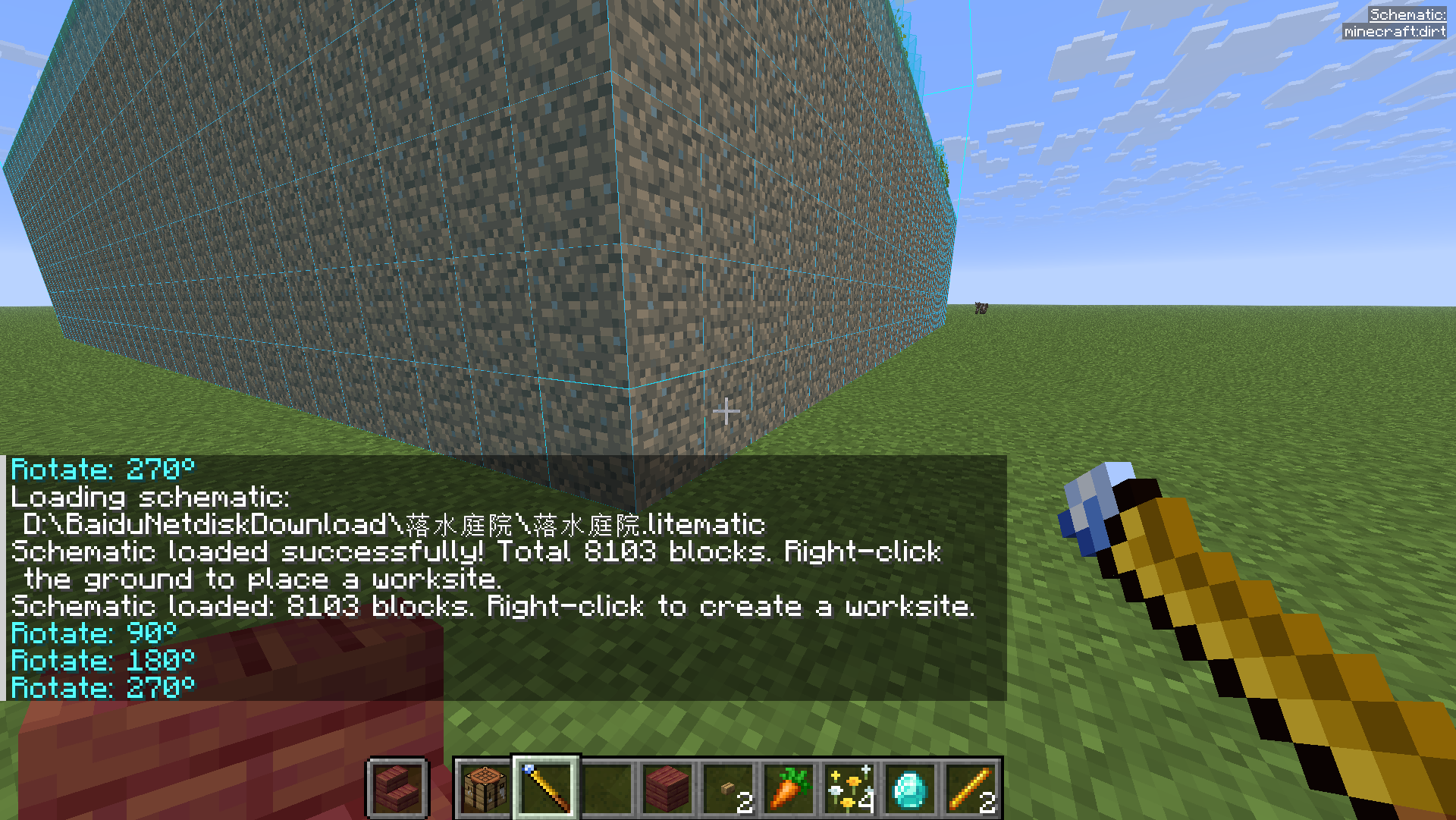 加载 Litematica 蓝图 / Load blueprint
 -
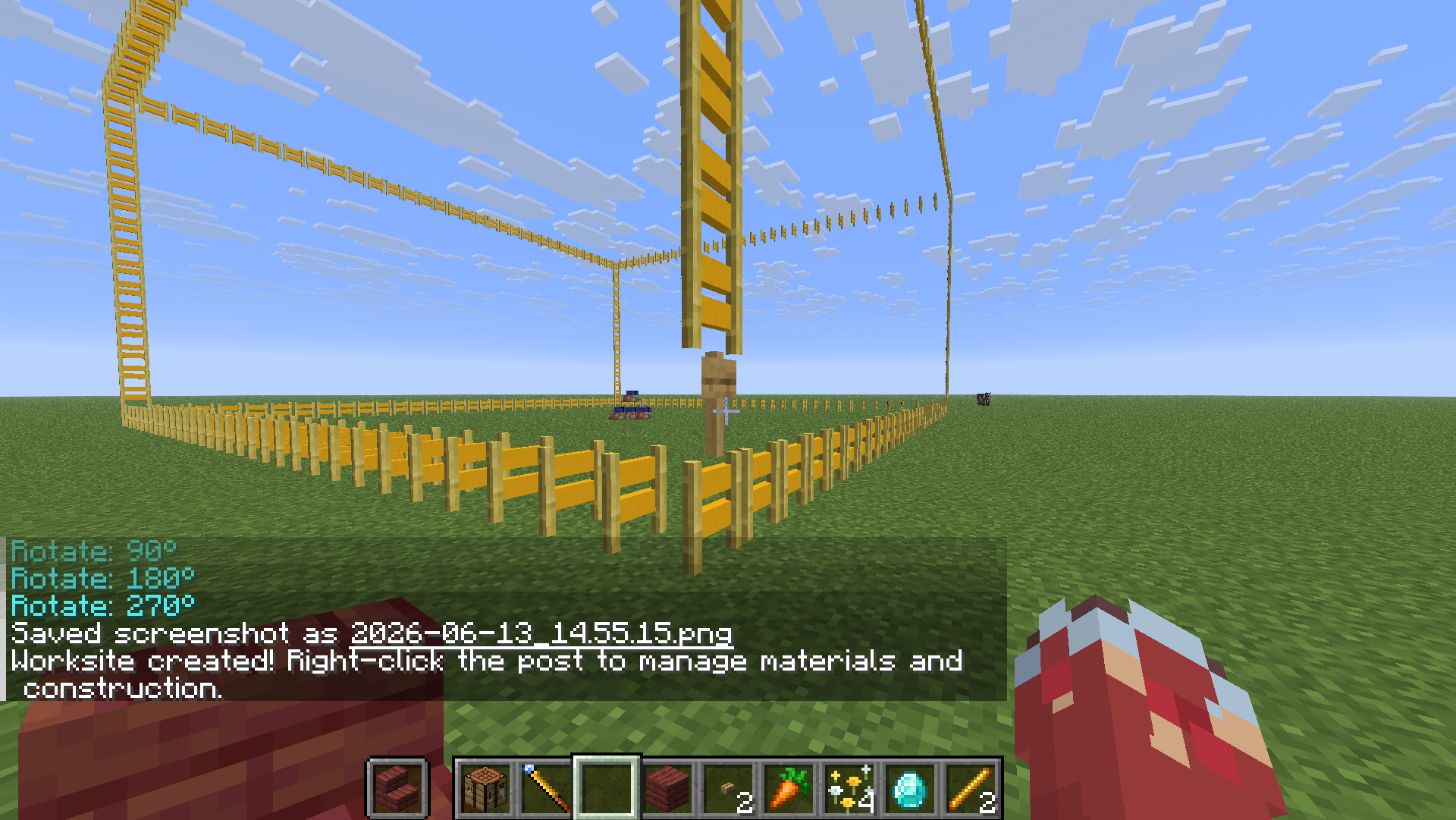 生成工地 / Worksite created
 -
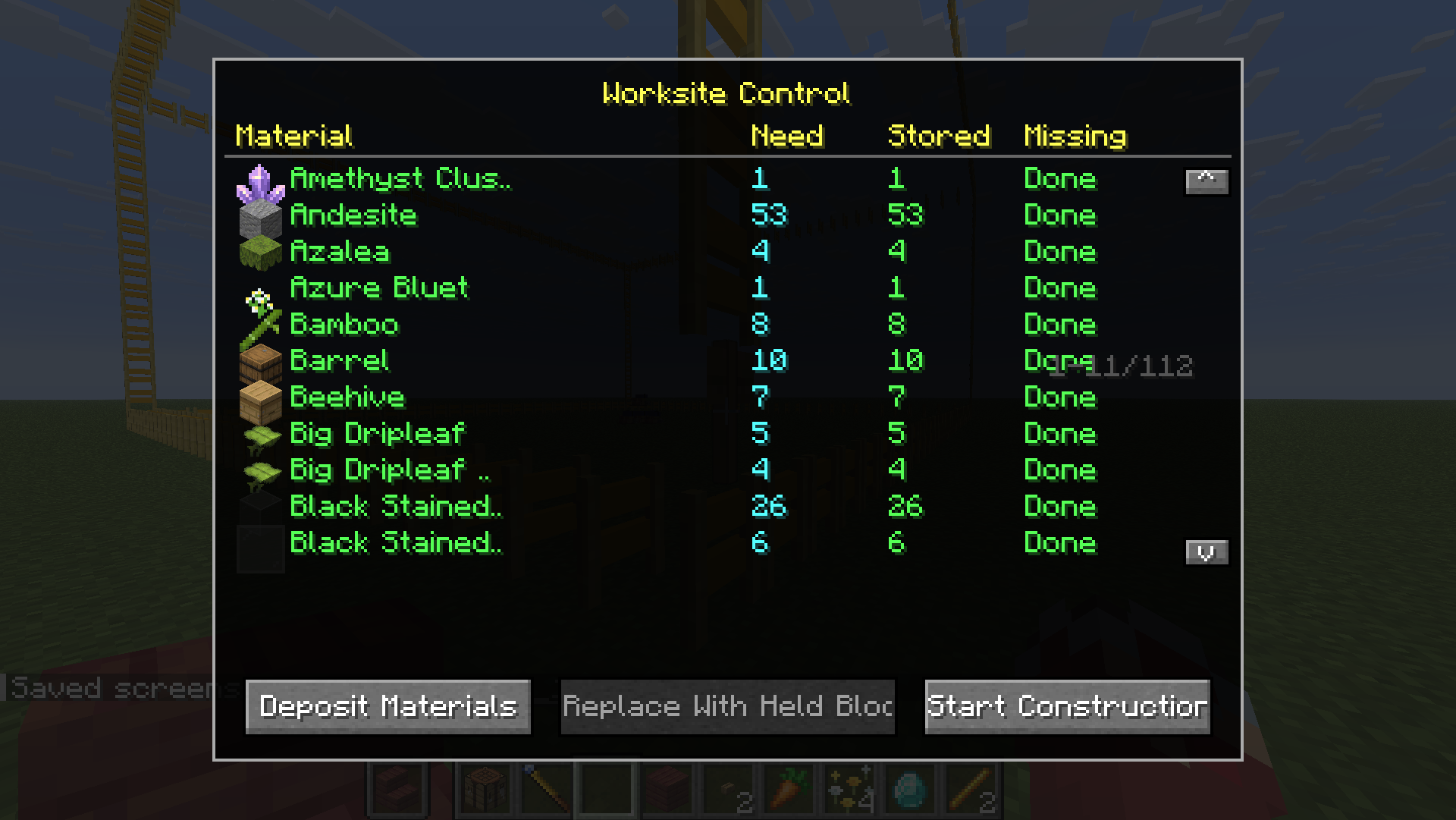 工地管理站 / Worksite dashboard
 -
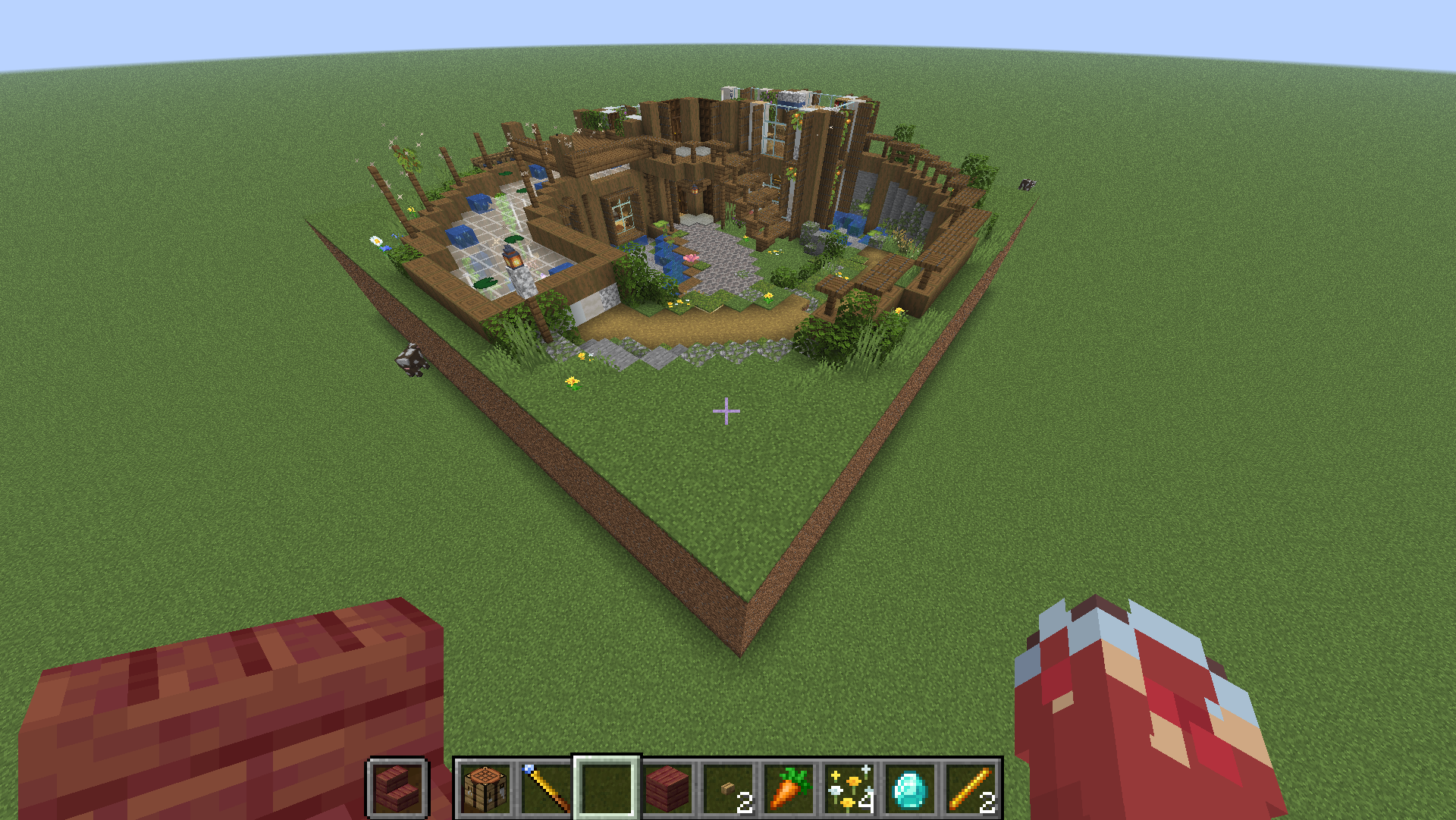 工地自动建造中 / Auto-building
Versions
Files
Relations
Project Relations
More like this
Similar Mods
Suggestions use data such as tags, dependencies, dependents, descriptions, titles, and more to rank how much they overlap with this mod.
On ModDex
Community snapshot
By the numbers
Statistics

Want to reach Minecraft players?
We're looking for a server hosting partner to feature here and other parts of the site. Interested? Send us a message!
Get in touchGet it on
Available Platforms
On ModDex
Community snapshot
By the numbers