
Community listing page, reviews here may not be monitored by the author.
Optiscale


No reviews yet
Fine-tune your GUI scale in both vanilla and optifine
Community voices
Reviews
No reviews yet. Be the first to review this project!
Get it on
Available Platforms
Compatibility
Supported Environments
Runs entirely on the client. Works on vanilla servers.
About
Project Details
For authors
Embed Badge
If you're the author of this project, you can embed a live badge anywhere that supports HTML or Markdown. It updates automatically whenever ratings change.
Use HTML for any page that supports it, or Markdown for README files and Markdown-based descriptions.
Identifiers
Platform IDs
Resources
External Links
About
Description
Requires Forge
Client-side mod
New to 1.03 version:
Add new config option 'Override List':
Allows you to override specific screens with custom scaling.

E.g., Make chest screens bigger:
net.minecraft.client.gui.screens.inventory.ContainerScreen=500
Above sets Chest screen to use 500% scaling
To help with setting the above, there is a new DEBUG level log that the mod prints whenever you open a new screen with the screen name:
[Optiscale] Detected new screen=net.minecraft.client.gui.screens.inventory.InventoryScreen
Use this to set a custom scale or set this to 0 to blacklist Optiscale from scaling this screen
You can also give the name of the package instead of the screen, e.g., net.minecraft.client.gui.screens.inventory.*=200 to rescale all screens that are in that specific package

1.04:
Add the ability to override screens based on their "menu name" or the title of the screen.
e.g., To enlarge the 'Modern Life' mod Printer screen, you can write Printer=600
-------------------------
Note: Mod is totally resigned for 1.20.1.
Instead of integrating with the video screen, the scaling is now only configurable with a hotkey (default: F7, change in Key Bindings menu).
This is so that it can work even with custom video screen UIs such as Iris/Oculus.
-------------------------
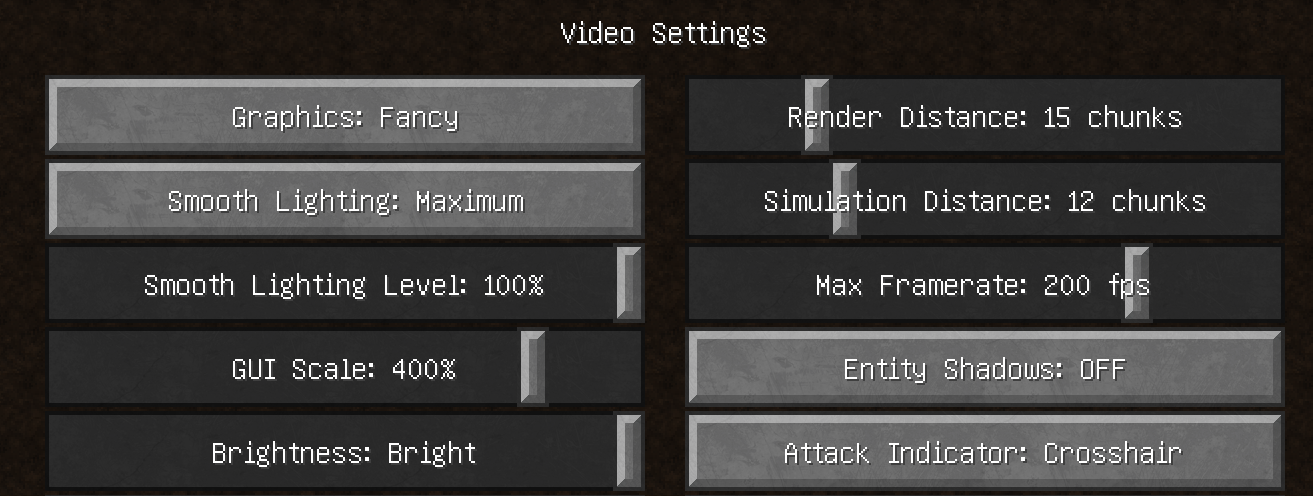
This mod will change your Video Settings "GUI Scale" option into a slider that allows for a wider range of configurations.
Other mods exist with this functionality but this mod is compatible with both vanilla and optifine.
In vanilla the scaling options are [1, 2, 3] but with this mod you can choose between 150% to 450% using a slider.
The vanilla scaling options correspond to the following percentages:
1: 200%
2: 300%
3: 400%
Requires Forge
Client-side mod
New to version 1.03
Add new config option 'Override List':
Allows you to override specific screens with custom scaling.

E.g., Make chest screens bigger:
net.minecraft.client.gui.screens.inventory.ContainerScreen=500
Above sets Chest screen to use 500% scaling
To help with setting the above, there is a new DEBUG level log that the mod prints whenever you open a new screen with the screen name:
[Optiscale] Detected new screen=net.minecraft.client.gui.screens.inventory.InventoryScreen
Use this to set a custom scale or set this to 0 to blacklist Optiscale from scaling this screen
You can also give the name of the package instead of the screen, e.g., net.minecraft.client.gui.screens.inventory.*=200 to rescale all screens that are in that specific package

1.04:
Add the ability to override screens based on their "menu name" or the title of the screen.
e.g., To enlarge the 'Modern Life' mod Printer screen, you can write Printer=600
Note: Mod is totally resigned for 1.20.1.
Instead of integrating with the video screen, the scaling is now only configurable with a hotkey (default: F7, change in Key Bindings menu).
This is so that it can work even with custom video screen UIs such as Iris/Oculus.
This mod will change your Video Settings "GUI Scale" option into a slider that allows for a wider range of configurations.
Other mods exist with this functionality but this mod is compatible with both vanilla and optifine. This mod also allows a much more fine-grained tuning than others which only give integer values like 0, 1, 2, 3, whereas this offers any value you want like 1.7x for example.
In vanilla the scaling options are [1, 2, 3] but with this mod you can choose between 150% to 450% using a slider.
The vanilla scaling options correspond to the following percentages:
1: 200%
2: 300%
3: 400%
Screenshots
Gallery
-
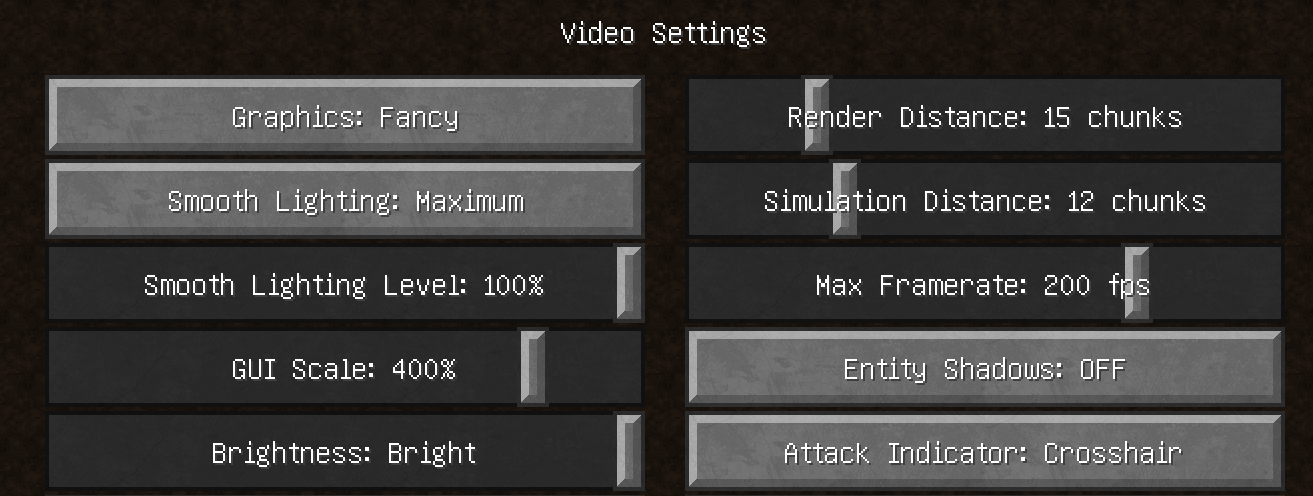 Adjust scaling from optifine Video Settings screen
Versions
Files
Relations
Project Relations
More like this
Similar Mods
Suggestions use data such as tags, dependencies, dependents, descriptions, titles, and more to rank how much they overlap with this mod.
On ModDex
Community snapshot
By the numbers
Statistics
Want to reach Minecraft players?
We're looking for a server hosting partner to feature here and other parts of the site. Interested? Send us a message!
Get in touchGet it on
Available Platforms
On ModDex
Community snapshot
By the numbers
Statistics
Resources