Community listing page, reviews here may not be monitored by the author.
Personal Digital Assistant (PDA)


No reviews yet
A port of Terraria's informational accessories, goblin armies, and reforges to Minecraft. Highly customizable. Supports datapack modifications and modded additions. Also includes some original content.
Community voices
Reviews
No reviews yet. Be the first to review this project!
Get it on
Available Platforms
Compatibility
Supported Environments
Must be installed on both the client and the server.
About
Project Details
For authors
Embed Badge
If you're the author of this project, you can embed a live badge anywhere that supports HTML or Markdown. It updates automatically whenever ratings change.
Use HTML for any page that supports it, or Markdown for README files and Markdown-based descriptions.
Identifiers
Platform IDs
About
Description
Personal Digital Assistant
PDA is a mod for NeoForge that ports many features from Terraria to Minecraft.
Release versions 1.1.0 and above are compatibile with Curios 15.0.0 and above
Release versions 1.3.0 and above are compatibile with Apothic Attributes 3.0.1 and above.
Informational Items
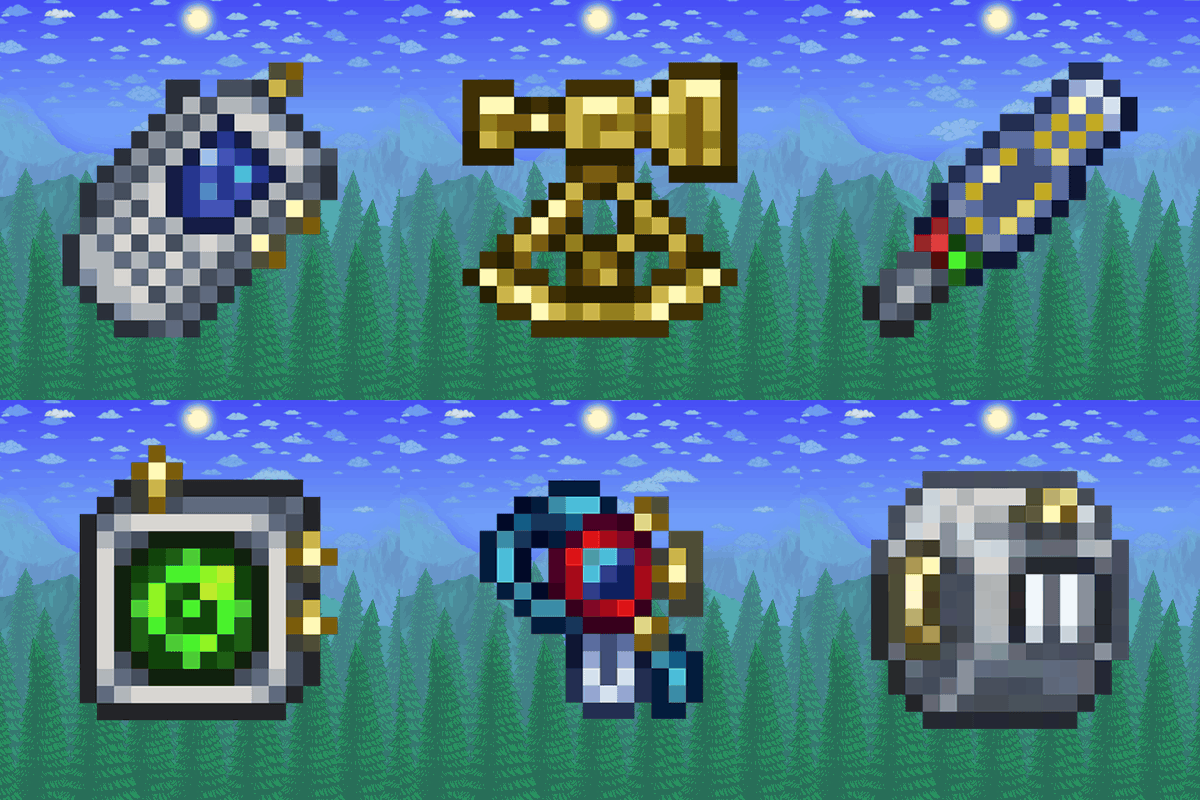
Informational Items are accessories that display various information on the HUD:
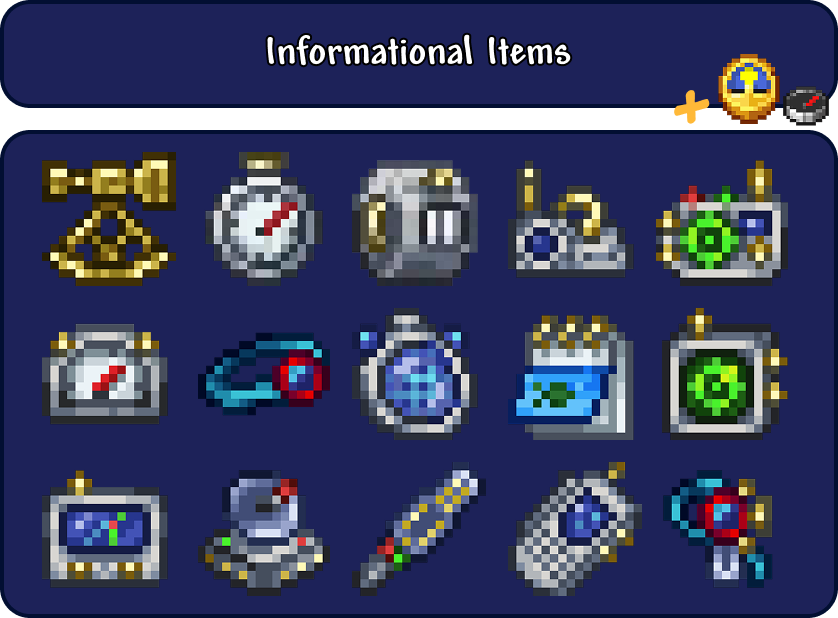
Usage
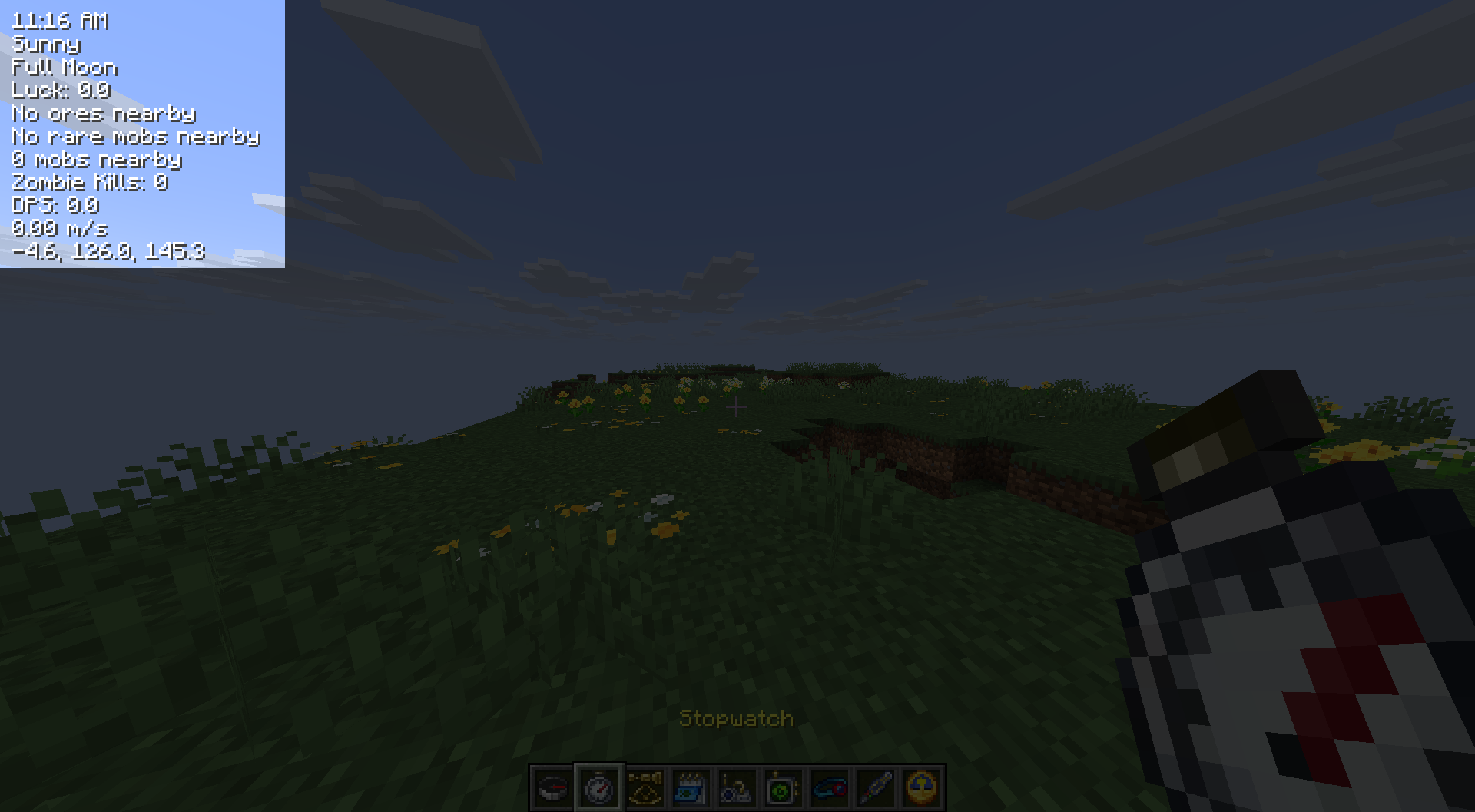
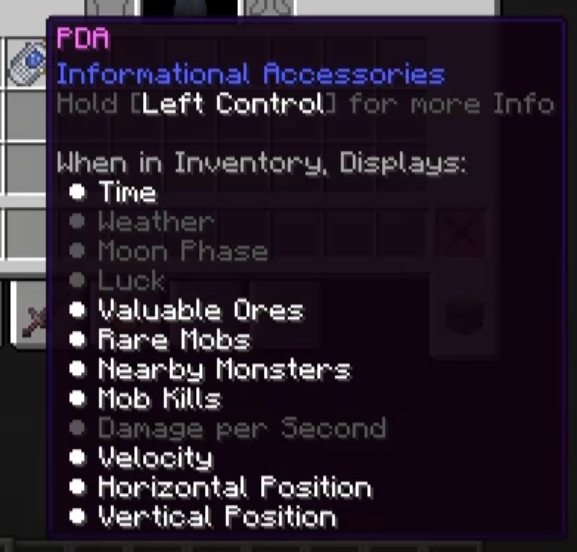
- When an accessory is in your inventory, it will display information on your screen.
- The appearance of the list can be configured and updates live.
- Server admins can limit the abilities of every eligible accessory.
Obtaining Accessories
- Informational accessories can be found in Pillager Outposts, Abandoned Mineshafts, Dungeons, and Buried Treasure.
- They also drop from Raiders, the Minecraft equivalent of Terraria's Goblin Armies. See more below
Raider Armies
Raider Armies spawn (on average) every week in-game:

Raiders
- PDA adds many new raiders by modifying the attributes of vanilla entities.
- Raiders have custom health, armor, scale, weapons, and more.
- Every raider has a custom loot pool that they will drop on death.
- Stronger raiders have a chance of dropping a random Informational Accessories.
Spawning Armies
- As stated above, armies spawn around every 7 days in-game.
- Armies can only spawn after at least one player has obtained iron.
- The difficulty of the spawned army scales with progression:
- Obtain Iron: Super Easy
- Obtain Diamond: Easy
- Obtain Blaze Rods: Normal
- Obtain Netherite: Hard
- Ominous Battle Standard: Impossible (Doesn't spawn naturally)
- Armies can also be controlled using Battle Standards
- The Warding Battle Standard can stop the current army event
- The Ominous Battle Standard can spawn an army or increase the difficulty of the current army
- This is how you can reach the Impossible difficulty
- Server admins can use the
/armiescommand to manage raider armies.
Reforges
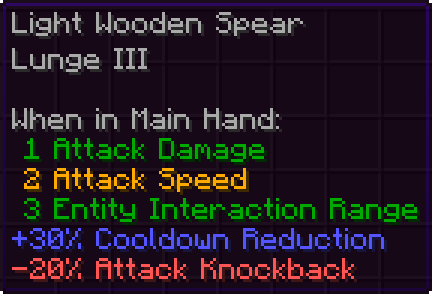
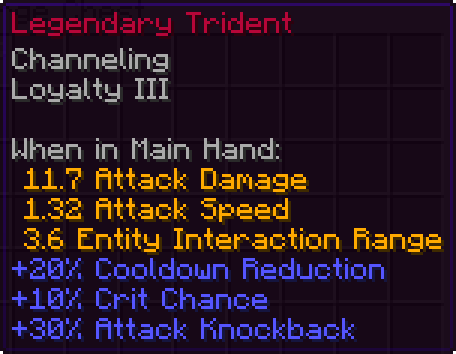
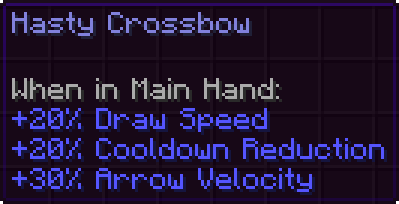
Reforges are directly ported from Terraria:
Modifiers
- Every reforge has a set of modifiers that increase or decrease the effectiveness of your item.
- By default, every modifier is 3 times stronger than the Terraria default.
- This is because Terraria's weapons are a lot stronger than vanilla Minecraft's and every modifier is a multiplication operation on the total.
- The strength of every modifier can be configured by admins globally or individually.
Reforging
- Currently, the only way to obtain reforges is through crafting or looting. THIS WILL CHANGE IN THE NEXT UPDATE
- The chance an item has a random reforge is configurable by admins.
- Server admins can use the
/reforgecommand to manage reforges.
Other Info
- Every rarity was ported from Terraria and is applied to reforged items to change their name colors.
- Apothic Attributes is recommended for more Terraria-accurate attributes, but it is not required.
Miscellaneous
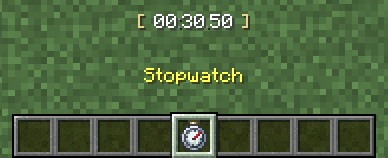
Interactable Items
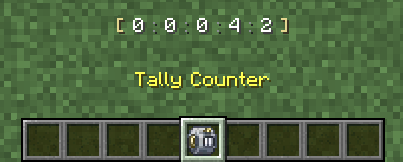
Animations


Built-In Resource Pack

Datapack Support
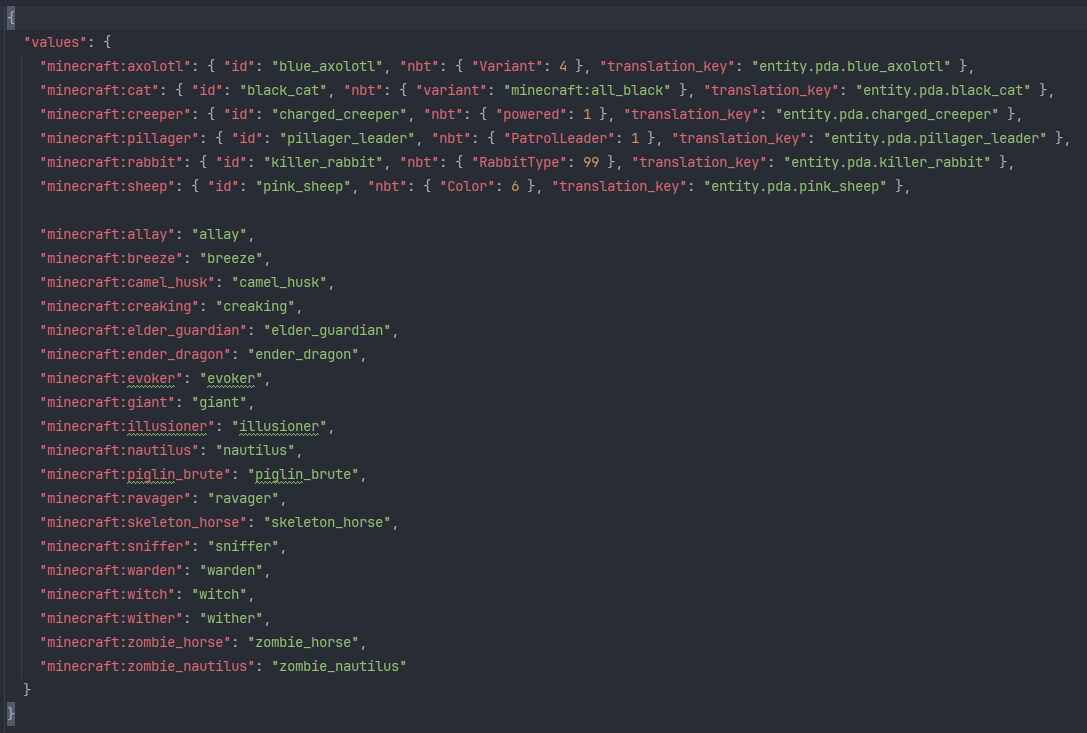
Rare Mobs
Rare mobs are defined in rare_mobs.json which can be modified by data packs.
Informational Accessories
Information is mapped to items in display_handlers.json which can be modified by data packs.
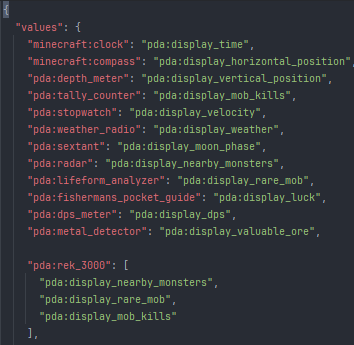
Display Handlers
Display Handlers are Java classes that determine what information is shown. For more information, see the Github page below:

Personal Digital Assistant
PDA is a mod for NeoForge that ports many features from Terraria to Minecraft.
See the gallery for some in-game examples.
Release versions 1.1.0 and above are compatibile with Curios 15.0.0 and above.
Release versions 1.3.0 and above are compatibile with Apothic Attributes 3.0.1 and above.
*These dependencies aren't required but they improve user experience greatly
Additions
Informational Items
Informational Items are accessories that display various information on the HUD:
Usage
- When an accessory is in your inventory, it will display information on your screen.
- The appearance of the list can be configured and updates live.
- Server admins can limit the abilities of every eligible accessory.
Obtaining Accessories
- Informational accessories can be found in Pillager Outposts, Abandoned Mineshafts, Dungeons, and Buried Treasure.
- They also drop from Raiders, the Minecraft equivalent of Terraria's Goblin Armies. See more below
Raider Armies
Raider Armies spawn (on average) every week in-game:
Raiders
- PDA adds many new raiders by modifying the attributes of vanilla entities.
- Raiders have custom health, armor, scale, weapons, and more.
- Every raider has a custom loot pool that they will drop on death.
- Stronger raiders have a chance of dropping a random Informational Accessory.
Spawning Armies
- As stated above, armies spawn around every 7 days in-game.
- Armies can only spawn after at least one player has obtained iron.
- The difficulty of the spawned army scales with progression:
- Obtain Iron: Super Easy
- Obtain Diamond: Easy
- Obtain Blaze Rods: Normal
- Obtain Netherite: Hard
- Ominous Battle Standard: Impossible (Doesn't spawn naturally)
- Armies can also be controlled using Battle Standards
- The Warding Battle Standard can stop the current army event
- The Ominous Battle Standard can spawn an army or increase the difficulty of the current army
- This is how you can reach the Impossible difficulty
- Server admins can use the
/armiescommand to manage raider armies.
Reforges
Reforges are directly ported from Terraria:
Modifiers
- Every reforge has a set of modifiers that increase or decrease the effectiveness of your item.
- By default, every modifier is 3 times stronger than the Terraria default.
- This is because Terraria's weapons are a lot stronger than vanilla Minecraft's and every modifier is a multiplication operation on the total.
- The strength of every modifier can be configured by admins globally or individually.
Reforging
- Currently, the only way to obtain reforges is through crafting or looting.
- The chance an item has a random reforge is configurable by admins.
- Server admins can use the
/reforgecommand to manage reforges.
Other Info
- Every rarity was ported from Terraria and is applied to reforged items to change their name colors.
- Apothic Attributes is recommended for more Terraria-accurate attributes, but it is not required.
Miscellaneous
Interactable Items
Animations
Built-In Resource Pack
Datapack Support
Rare Mobs
Rare mobs are defined in rare_mobs.json which can be modified by data packs.
Informational Accessories
Information is mapped to items in display_handlers.json which can be modified by data packs.
Display Handlers
Display Handlers are Java classes that determine what information is shown. For more information, see the Github page below:

See Datapack Support on the Github page for more info.
Screenshots
Gallery
-
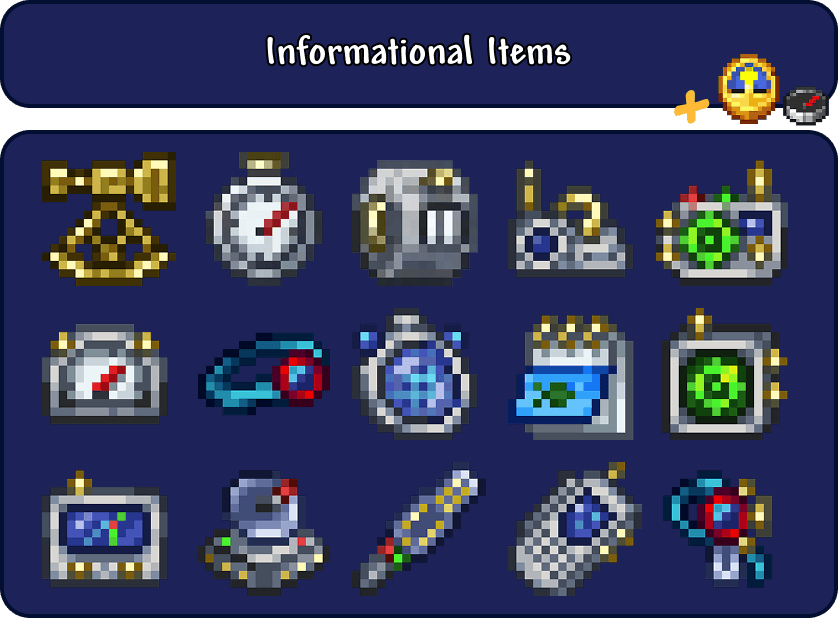 items.png Every modded item as of v1
 -
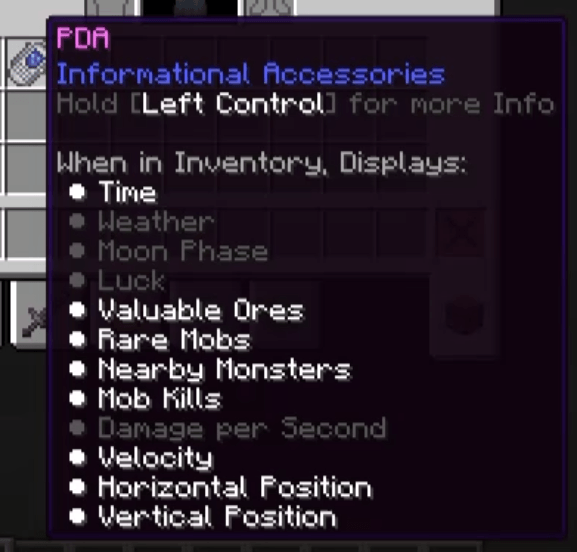 tooltip.png In-Game Information Accessory Item Tooltips
 -
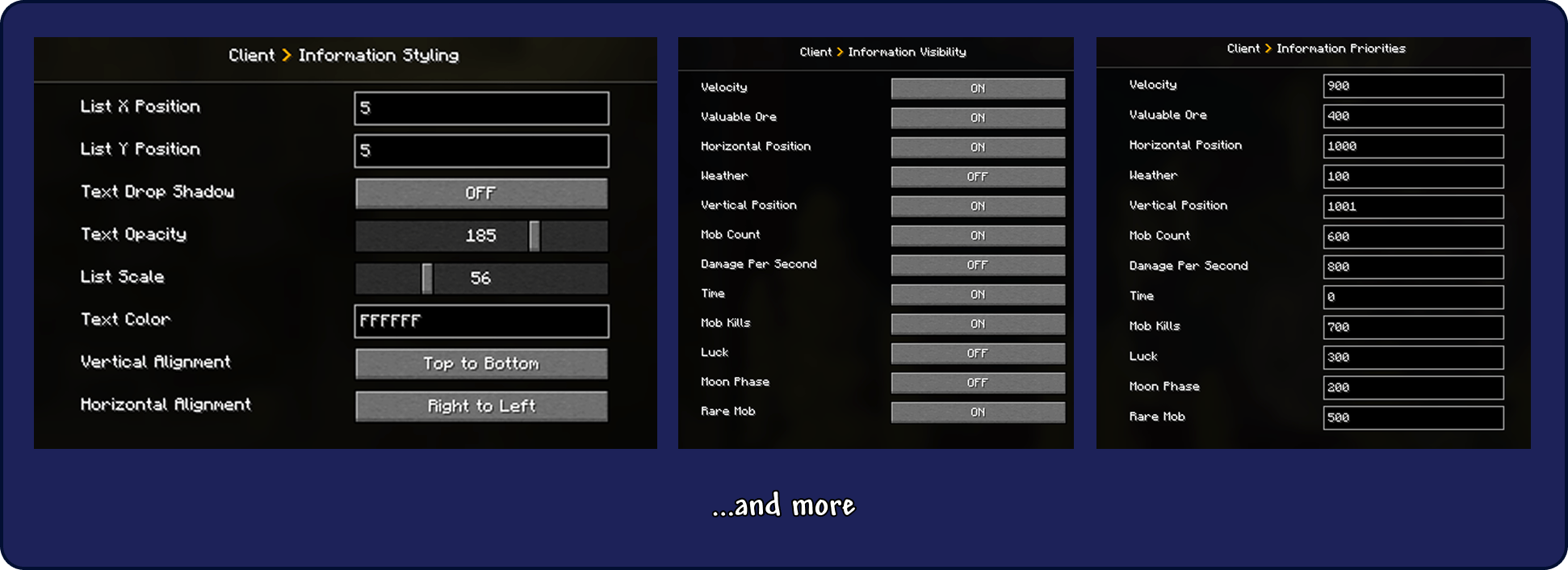 config.png In-Game Configuration
 -
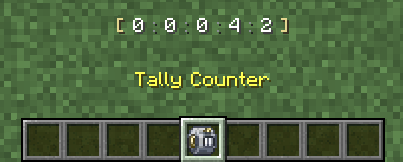 interaction1.png Tally Counter In-Game Interaction
 -
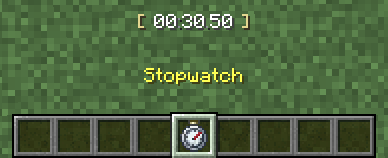 interaction2.png Stopwatch In-Game Interaction
 -
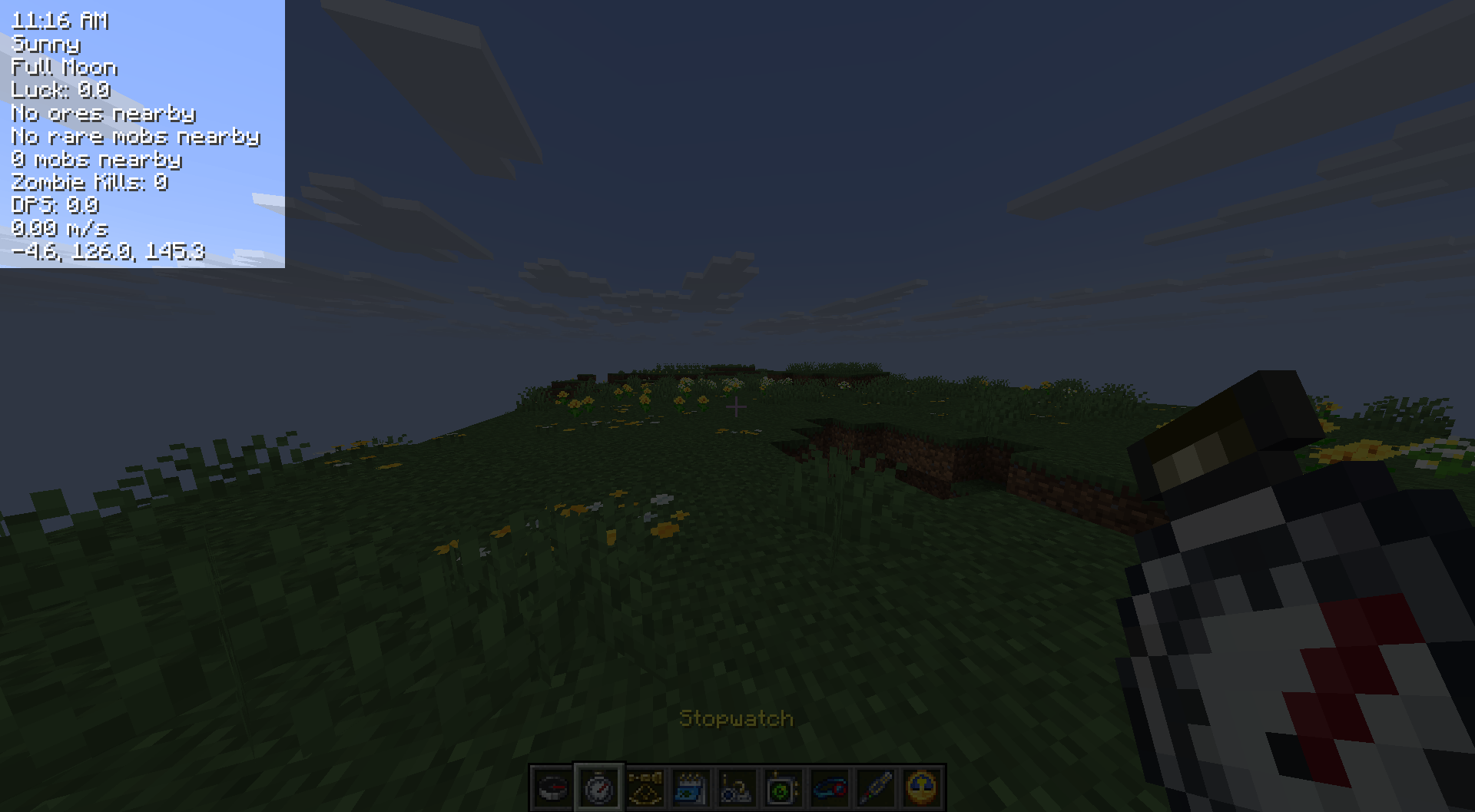 var3.png In-Game Customization
 -
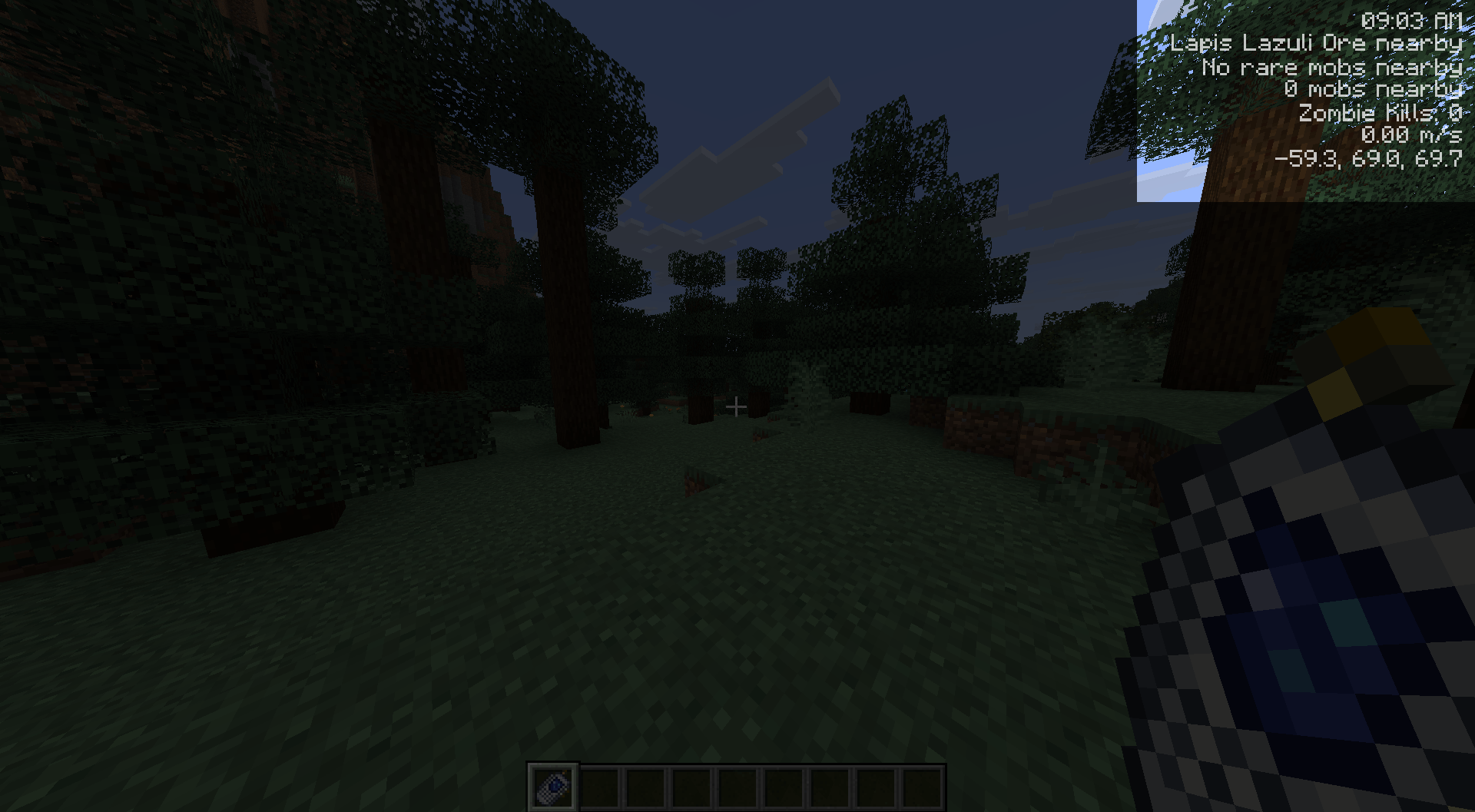 var1.png In-Game Customization
 -
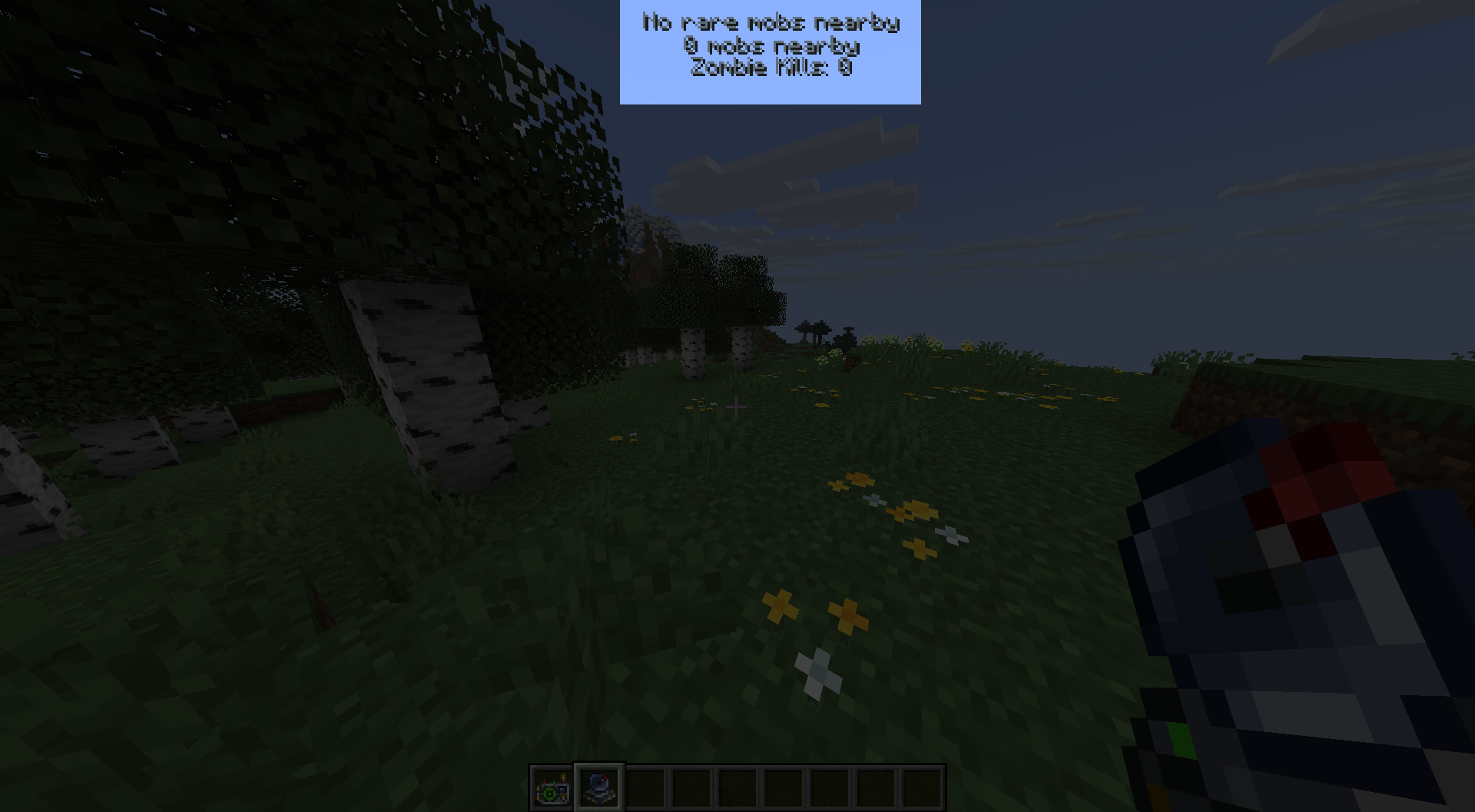 var2.png In-Game Customization
 -
 title.png PDA Title Banner
 -
 stopwatch_anim.gif stopwatch_anim.gif
 -
 Hard Raider Army Event The bossbar for the hard raider army event
-
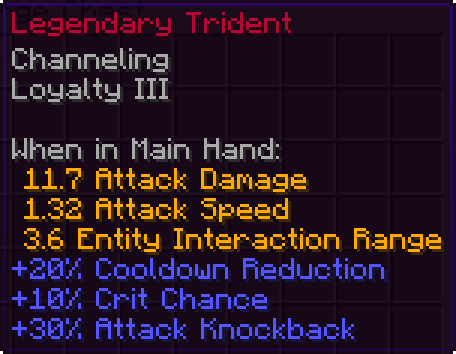 Legendary Trident In-Game screenshot of a trident with the legendary reforged added in version 1.3.0.
 -
Informational Accessory Tooltip Holding the bound key shows all information it displays. Gray entries are set to be invisible in the client config.
-
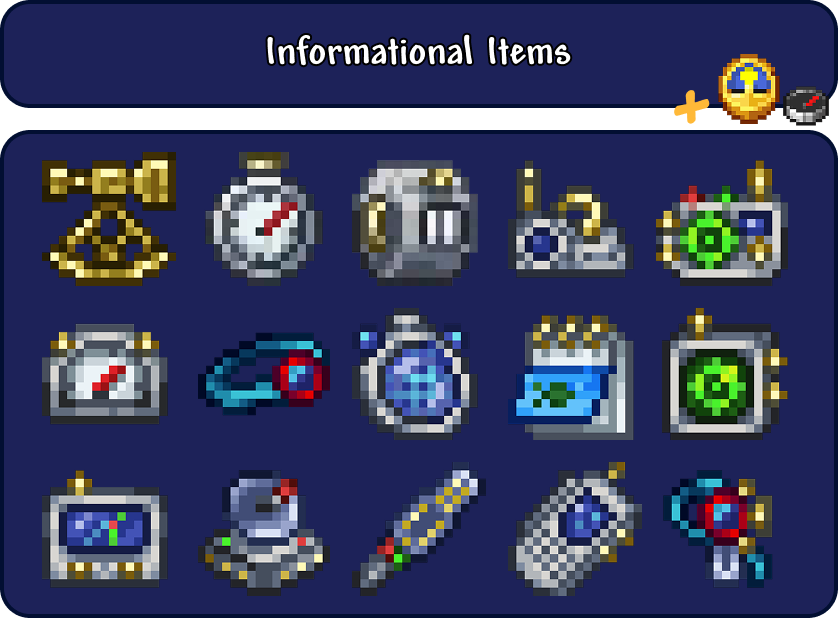 All Custom Items The clock and compass have information added to them as well
 -
 Title Card
 -
Hard Raider Army Event The bossbar for the hard raider army event
-
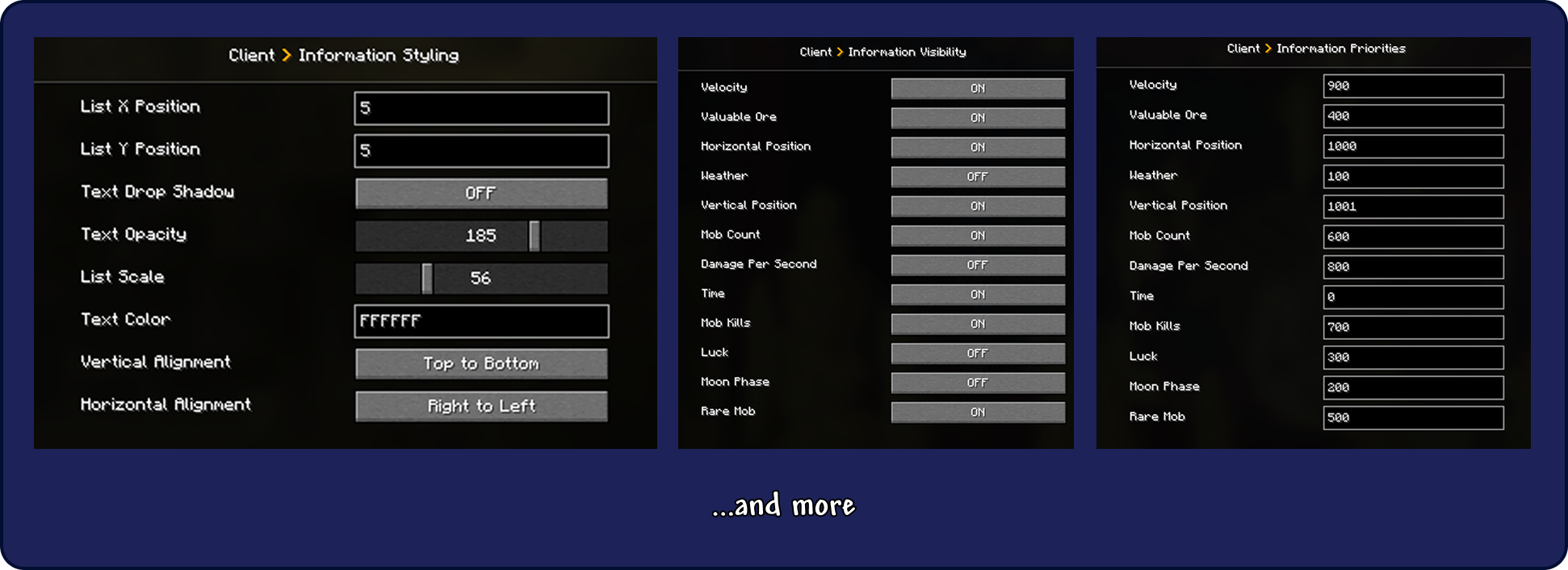 Client Config
 -
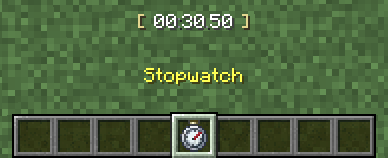 Stopwatch Stopwatch's custom interaction in the action bar
 -
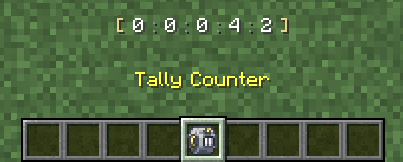 Tally Counter Tally Counter's custom interaction in the action bar
 -
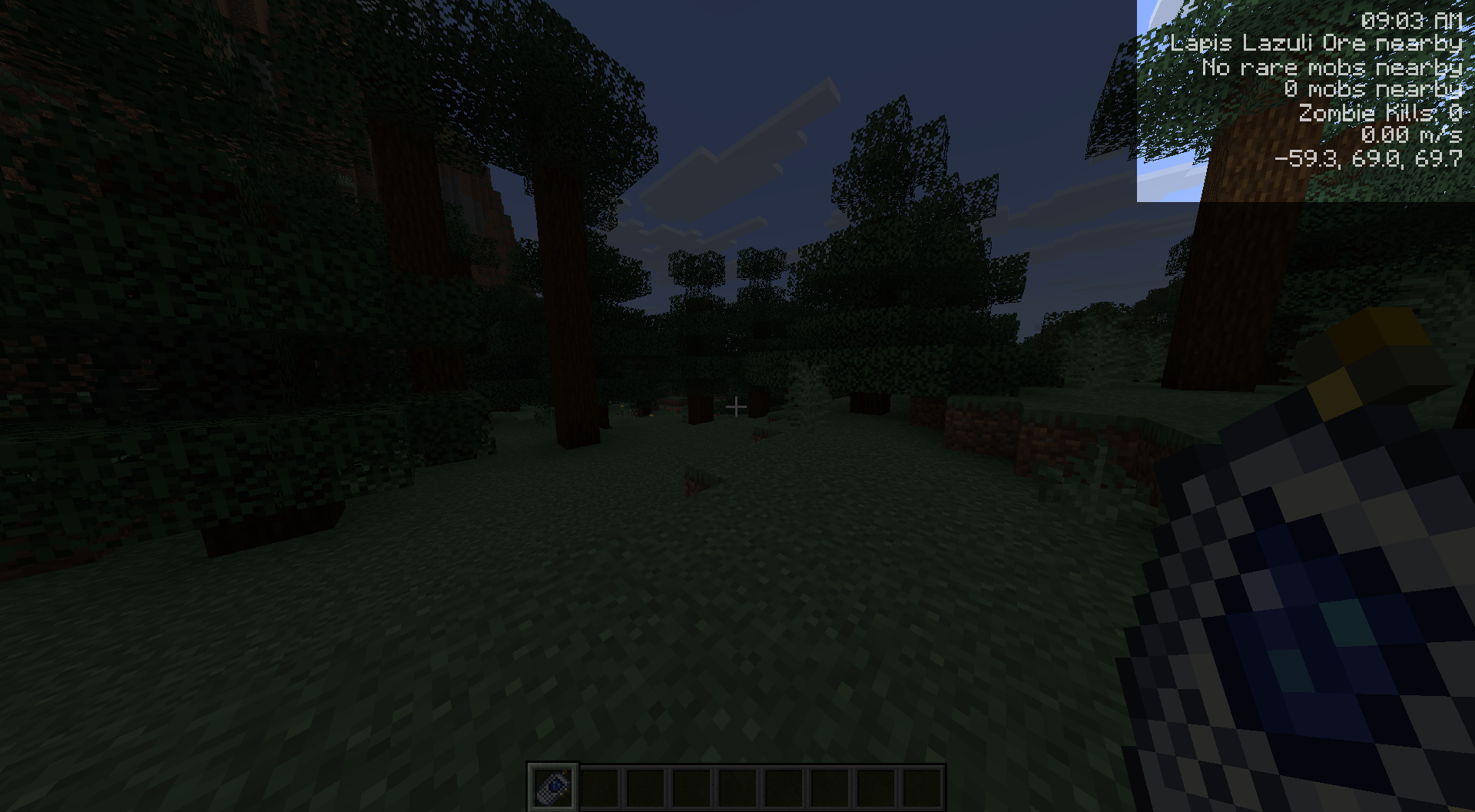 Example Config Preset
 -
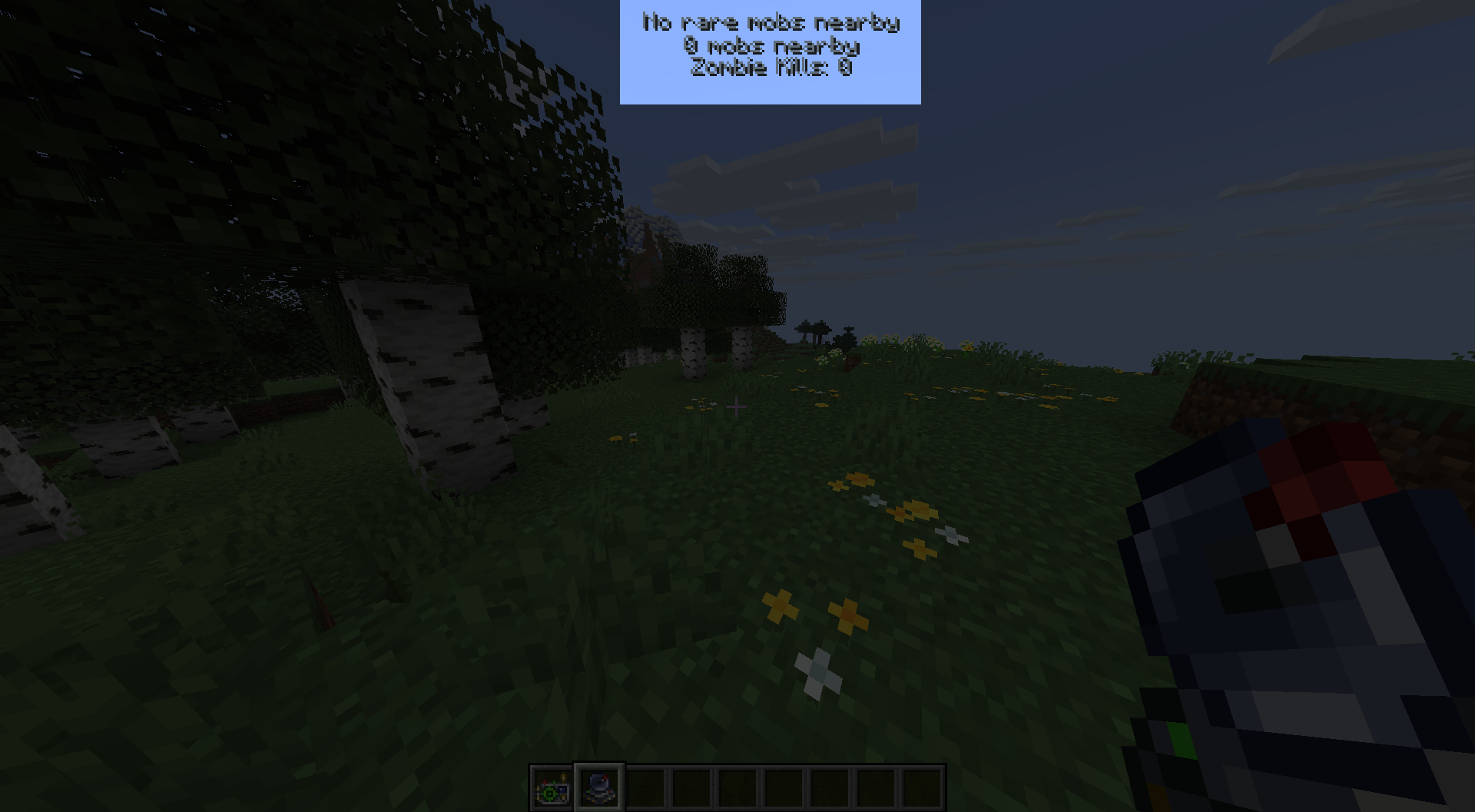 Example Config Preset
 -
Example Config Preset
Versions
Files
Relations
Project Relations
More like this
Similar Mods
Suggestions use data such as tags, dependencies, dependents, descriptions, titles, and more to rank how much they overlap with this mod.
On ModDex
Community snapshot
By the numbers
Statistics
Want to reach Minecraft players?
We're looking for a server hosting partner to feature here and other parts of the site. Interested? Send us a message!
Get in touchGet it on
Available Platforms
On ModDex
Community snapshot
By the numbers