
Community listing page, reviews here may not be monitored by the author.
Personal Cloud Storage


No reviews yet
Create your own personal cloud storage with endless expansion and seamless item management
Community voices
Reviews
No reviews yet. Be the first to review this project!
Get it on
Available Platforms
Compatibility
Supported Environments
Must be installed on both the client and the server.
About
Project Details
For authors
Embed Badge
If you're the author of this project, you can embed a live badge anywhere that supports HTML or Markdown. It updates automatically whenever ratings change.
Use HTML for any page that supports it, or Markdown for README files and Markdown-based descriptions.
Identifiers
Platform IDs
Resources
External Links
About
Description
Introduction
Each player will have an independent cloud storage space, which can be expanded using special items. Theoretically, there is no capacity limit.
Features
- Automatic Replenishment: Automatically withdraw items from the cloud storage space to ensure that the items in the inventory are always sufficient.
- Automatic Storage When Inventory is Full: When the inventory is full, items will be automatically stored in the cloud storage space.
- Prioritize storing into cloud storage: When items are added into the inventory, they will be prioritized for storage in the cloud storage space.
How to open
- Click the personal cloud storage button in the top right corner of the inventory.
- Use the hotkey (default is 'B').
Commands
/cloudstorage open [player/name/uuid]: Opens the cloud storage space for the specified target./cloudstorage rows [player/name/uuid] [rows]: Sets the number of rows in the cloud storage space for the specified target./cloudstorage pages [player/name/uuid] [pages]: Sets the number of pages in the cloud storage space for the specified target./cloudstorage reload: Reloads the configuration file.
About Configuration
When the Cloth Config API is installed, right-clicking the personal cloud storage button or the personal settings switch will open the configuration screen.
Recipes


Preview

Introduction
Each player will have an independent cloud storage space, which can be expanded using special items. Theoretically, there is no capacity limit.
Features
- Automatic Replenishment: Automatically withdraw items from the cloud storage space to ensure that the items in the inventory are always sufficient.
- Automatic Storage When Inventory is Full: When the inventory is full, items will be automatically stored in the cloud storage space.
- Prioritize storing into cloud storage: When items are added into the inventory, they will be prioritized for storage in the cloud storage space.
How to open
- Click the personal cloud storage button in the top right corner of the inventory.
- Use the hotkey (default is 'B').
Commands
/cloudstorage open [player/name/uuid]: Opens the cloud storage space for the specified target./cloudstorage rows [player/name/uuid] [rows]: Sets the number of rows in the cloud storage space for the specified target./cloudstorage pages [player/name/uuid] [pages]: Sets the number of pages in the cloud storage space for the specified target./cloudstorage reload: Reloads the configuration file.
About Configuration
When the Cloth Config API is installed, right-clicking the personal cloud storage button or the personal settings switch will open the configuration screen.
Recipes
Preview
Screenshots
Gallery
-
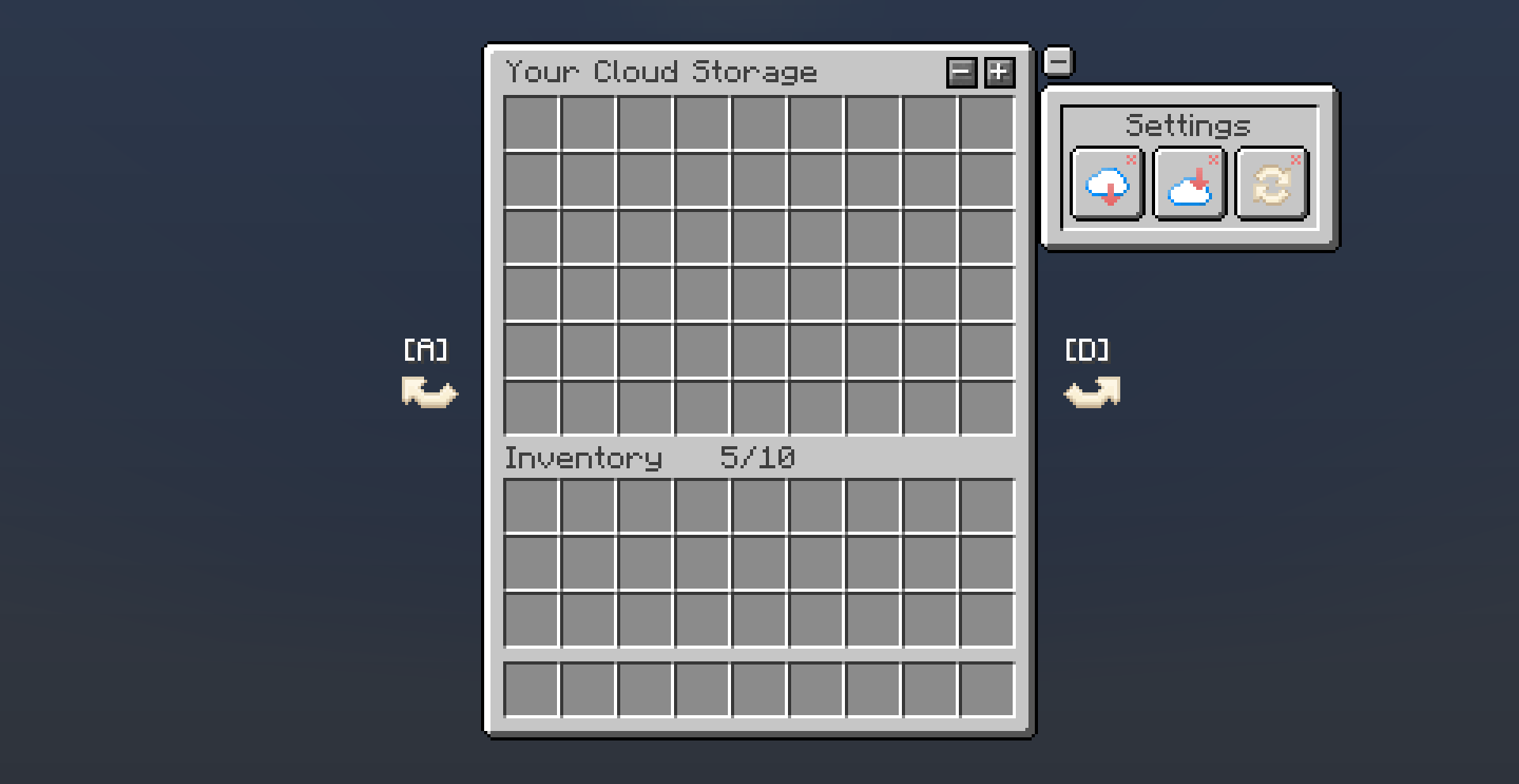 Preview
-
 Preview
Versions
Files
Relations
Project Relations
More like this
Similar Mods
Suggestions use data such as tags, dependencies, dependents, descriptions, titles, and more to rank how much they overlap with this mod.
On ModDex
Community snapshot
By the numbers
Statistics
Want to reach Minecraft players?
We're looking for a server hosting partner to feature here and other parts of the site. Interested? Send us a message!
Get in touchGet it on
Available Platforms
On ModDex
Community snapshot
By the numbers
Statistics
Resources