Community listing page, reviews may not be monitored by the author.
Endless Inventory


No reviews yet
Mod that provide infinite inventory of player

Community voices
Reviews
No reviews yet. Be the first to review this project!
Get it on
Available Platforms
Compatibility
Supported Environments
Must be installed on both the client and the server.
About
Project Details
For authors
Embed Badge
If you're the author of this project, you can embed a live badge anywhere that supports HTML or Markdown. It updates automatically whenever ratings change.
Use HTML for any page that supports it, or Markdown for README files and Markdown-based descriptions.
Identifiers
Platform IDs
About
Description
Endless Inventory*

Endless Inventory is a Minecraft mod providing an RPG like, infinite space inventory.
Versions
- In readme/repo
- + v 1.1.0-SNAPSHOTs-Sep25
- Forge
- + 1.20.1 1.1.0-Pre1
- Fabric
- + 1.20.1 1.1.0-SNAPSHOT2
- Neoforge
- + 1.21.1 1.0.4
Neoforge-1.21 is the version when I started this project.
Features
Dedicated Menu
- Open your endless inventory using a designated item (EndInv Accessor |
endless_inventory:test_endinv) or press specific keyI.
Togglable inner Crafting menu
Click Crafter button to toggle inner crafting menu and [FORGE] it supports Jei's recipe transfer.!
Click priority
shift-clickTo crafter>inventory>pagectrl-clickTo page>inventory>crafter
Attached Item Page
- Paginated GUI with category filters and advanced sorting and searching.
- ctrl-click to quick move items
Operations
With attached endInv page screen:
Iin gui: openEndlessInventoryMenuctrl+Left Clickin menu: quick move item from menu to endInv.Ain page area: add item to bookmarkAin bookmark page area: remove item from bookmark
Configurable
client and server config.toml to customize the behavior of EndInv to suit specific needs. See Configuration part.
Mod Instructions
Configuration
This mod provides both client and server-side configurations:
- config/endless_inventory-server.toml: Server behavior and inventory mode.
- config/endless_inventory-client.toml: UI layout, sorting preferences, and GUI toggles.
client config
Texture mode - Help to change the texture of attached screen
Mode Description FromResource Vanilla menu background texture clipped Transparent Render transparent background DedicatedLocation Allow to define dedicated texture. (See Texture config part) attachingMenuScreen, determine whether to attach endInv with menu screens.
rows, of Endless Inventory Screen and Attached Screen
columns, of attached screen
auto_suit_column, adjust column count if the gui size is too big to contain menu and AS.
enable_debug, open screen debug that shows gui info. (see screen debug)
max_page_bars, the max count showing side of page.
[Experimental] enable pages
server config
- [Experimental] autoPickUtility, auto send mob and mine loot or picked up dropped item to EndInv. This may cause bugs, typically with other mods.
- TransferMode, internal item transfer mode between server and client
- + ALL, transfer all items of an EndInv to client
- + PART, firstly compute items' filter and sort and send to client, low network pressure but may cause bugs (lack of test).
- creationMode, how to handle it when there is no EndInv
- + CREATE_PER_PLAYER, create EndInv for every player who has not an EndInv (no valid UUID).
- + USE_GLOBAL_SHARED, only create a new EndInv if no valid EndInv exists, players use a shared EndInv.
- + NONE, do not create a new EndInv, this can be used when you don't like players get EndInv without any conditions.
- convert_empty_tag: in some situations some item cannot be taken out of Page as the tags may be {} and same item in SourceInv which tag is null.
- itemCapacity [Experimental and lack of test]
- + maxStackSize: max count one item can stack to. Note that all item is same even it is a tool.
Commands
/endinv
backup: backupendless_inventories.datfilenew: create a new Endless Inventory- -
public/restricted/private: Accessibility of new EndInv default topublic ofIndex:- -
<no arg>: get player's current endInv index inlevelEndInvs - -
<index>: get endinv by index inlevelEndInvs - - -
open: open endinv, anyone can run this, but only the accessible players or ops can open. - - -
setDefault: set player's default endInv in opening menu. - - -
setOwner: set endinv's owner to executor player. - - -
addWhiteList: add executor player to endinv's allowlist. - - -
removeWhiteList: remove executor player from endinv's allowlist. - - -
setAccessibility <public/restricted/private>: set endinv's accessibility. - - -
remove: remove current endinv from level endinv data, before this a backup file will be created. - - - -
<forceRemove>: boolean: this will force remove endinv though backup failed.
Installation
- Make sure NeoForge is installed and compatible with your Minecraft version.
- Download the latest release of the Endless Inventory mod from the Releases page.
- Place the
.jarfile in yourmodsfolder. - Launch the game and enjoy your new inventory system!
DEDICATED_LOCATION
DEDICATED_LOCATION allows using custom texture in resource packs, to use refer such locations:
In assets/endless_inventory/textures/gui/*:
item_grid.pngfor common pages, derived from chest menu's generic54.pngtabs.pngfor page switch tabs, derived from achievements gui spritesitem_entry.pngfor item entry display (enchantment book classify page), derived from generic54 by removing vertical rules to form row strips- - the process is to fill each row of the grid with a long strip, in FromResource mode,
renderBgmethod ofItemEntryDisplay.classdoes it so X).
Endless Inventory
Endless Inventory is a Minecraft mod providing an RPG like, infinite space inventory.
Versions
- In readme/repo
-
- v 1.1.0-SNAPSHOTs-Sep25
- Forge
-
- 1.20.1 1.1.0-Pre1
- Fabric
-
- 1.20.1 1.1.0-SNAPSHOT2
- Neoforge
-
- 1.21.1 1.0.4
Neoforge-1.21 is the version when I started this project.
Features
Dedicated Menu
- Open your endless inventory using a designated item (EndInv Accessor |
endless_inventory:test_endinv) or press specific keyI.
Togglable inner Crafting menu
Click Crafter button to toggle inner crafting menu and [FORGE] it supports Jei's recipe transfer.!
Click priority
shift-clickTo crafter>inventory>pagectrl-clickTo page>inventory>crafter
Attached Item Page
- Paginated GUI with category filters and advanced sorting and searching.
- ctrl-click to quick move items
Operations
With attached endInv page screen:
Iin gui: openEndlessInventoryMenuctrl+Left Clickin menu: quick move item from menu to endInv.Ain page area: add item to bookmarkAin bookmark page area: remove item from bookmark
Configurable
client and server config.toml to customize the behavior of EndInv to suit specific needs. See Configuration part.
Mod Instructions
Configuration
This mod provides both client and server-side configurations:
- config/endless_inventory-server.toml: Server behavior and inventory mode.
- config/endless_inventory-client.toml: UI layout, sorting preferences, and GUI toggles.
client config
-
Texture mode - Help to change the texture of attached screen
Mode Description FromResource Vanilla menu background texture clipped Transparent Render transparent background DedicatedLocation Allow to define dedicated texture. (See Texture config part) -
attachingMenuScreen, determine whether to attach endInv with menu screens.
-
rows, of Endless Inventory Screen and Attached Screen
-
columns, of attached screen
-
auto_suit_column, adjust column count if the gui size is too big to contain menu and AS.
-
enable_debug, open screen debug that shows gui info. (see screen debug)
-
max_page_bars, the max count showing side of page.
-
[Experimental] enable pages
server config
- [Experimental] autoPickUtility, auto send mob and mine loot or picked up dropped item to EndInv. This may cause bugs, typically with other mods.
- TransferMode, internal item transfer mode between server and client
-
- ALL, transfer all items of an EndInv to client
-
- PART, firstly compute items' filter and sort and send to client, low network pressure but may cause bugs (lack of test).
- creationMode, how to handle it when there is no EndInv
-
- CREATE_PER_PLAYER, create EndInv for every player who has not an EndInv (no valid UUID).
-
- USE_GLOBAL_SHARED, only create a new EndInv if no valid EndInv exists, players use a shared EndInv.
-
- NONE, do not create a new EndInv, this can be used when you don't like players get EndInv without any conditions.
- convert_empty_tag: in some situations some item cannot be taken out of Page as the tags may be {} and same item in SourceInv which tag is null.
- itemCapacity [Experimental and lack of test]
-
- maxStackSize: max count one item can stack to. Note that all item is same even it is a tool.
Commands
/endinv
backup: backupendless_inventories.datfilenew: create a new Endless Inventory-
public/restricted/private: Accessibility of new EndInv default topublic
ofIndex:-
<no arg>: get player's current endInv index inlevelEndInvs
-
<index>: get endinv by index inlevelEndInvs
-
-
open: open endinv, anyone can run this, but only the accessible players or ops can open.
-
-
-
setDefault: set player's default endInv in opening menu.
-
-
-
setOwner: set endinv's owner to executor player.
-
-
-
addWhiteList: add executor player to endinv's allowlist.
-
-
-
removeWhiteList: remove executor player from endinv's allowlist.
-
-
-
setAccessibility <public/restricted/private>: set endinv's accessibility.
-
-
-
remove: remove current endinv from level endinv data, before this a backup file will be created.
-
-
-
-
<forceRemove>: boolean: this will force remove endinv though backup failed.
-
-
Installation
- Make sure NeoForge is installed and compatible with your Minecraft version.
- Download the latest release of the Endless Inventory mod from the Releases page.
- Place the
.jarfile in yourmodsfolder. - Launch the game and enjoy your new inventory system!
DEDICATED_LOCATION
DEDICATED_LOCATION allows using custom texture in resource packs, to use refer such locations:
In assets/endless_inventory/textures/gui/*:
item_grid.pngfor common pages, derived from chest menu's generic54.pngtabs.pngfor page switch tabs, derived from achievements gui spritesitem_entry.pngfor item entry display (enchantment book classify page), derived from generic54 by removing vertical rules to form row strips-
- the process is to fill each row of the grid with a long strip, in FromResource mode,
renderBgmethod ofItemEntryDisplay.classdoes it so X).
- the process is to fill each row of the grid with a long strip, in FromResource mode,
Screenshots
Gallery
-
 2025-04-26_23.03.13.png 2025-04-26_23.03.13.png
 -
 8b105b3cb62bd11c900710bd952dc958b707012a_350.png 8b105b3cb62bd11c900710bd952dc958b707012a_350.png
 -
 163f2bb64e4cb3834b376169ea917c425a2f99c4_350.png 163f2bb64e4cb3834b376169ea917c425a2f99c4_350.png
-
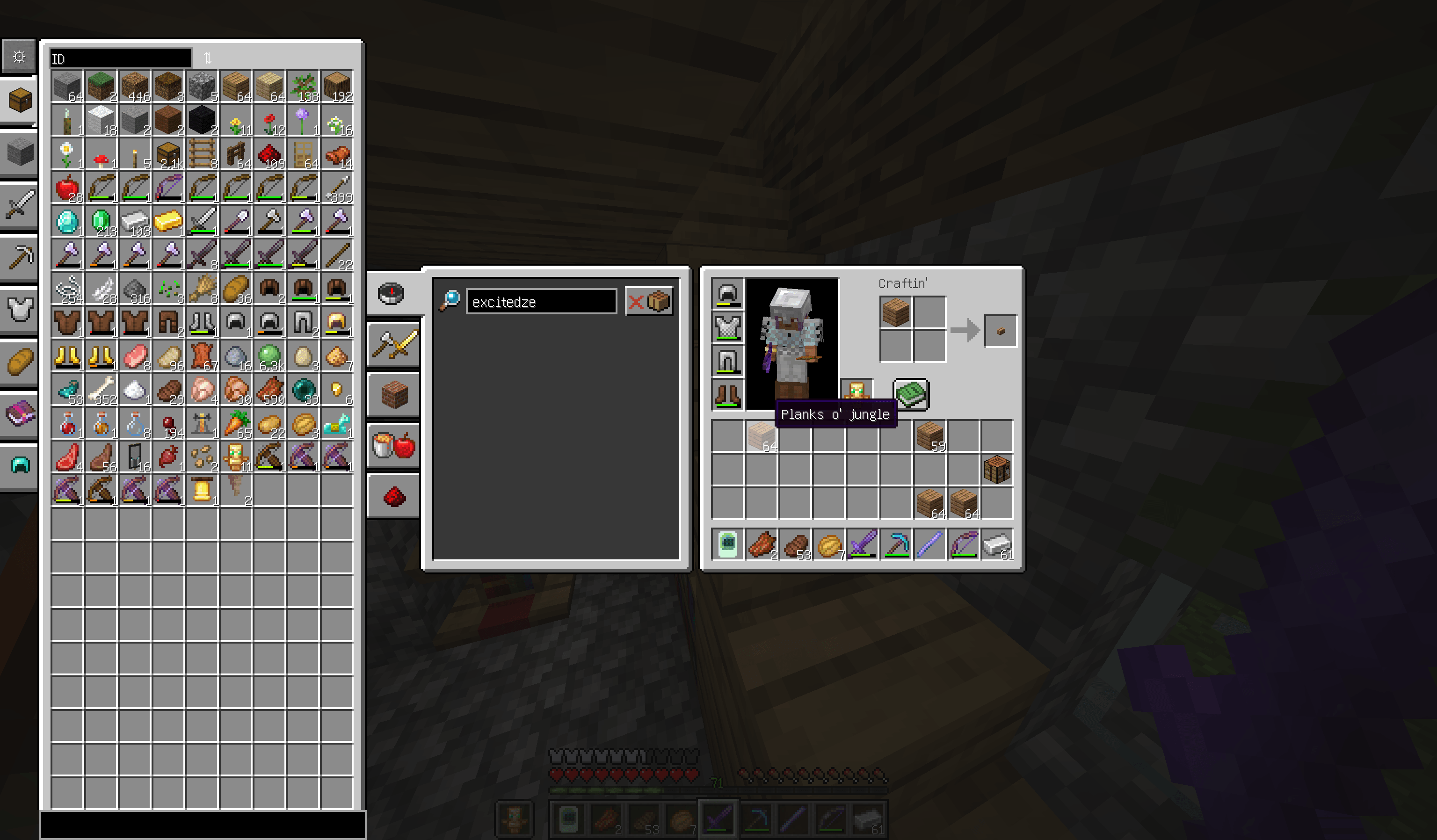
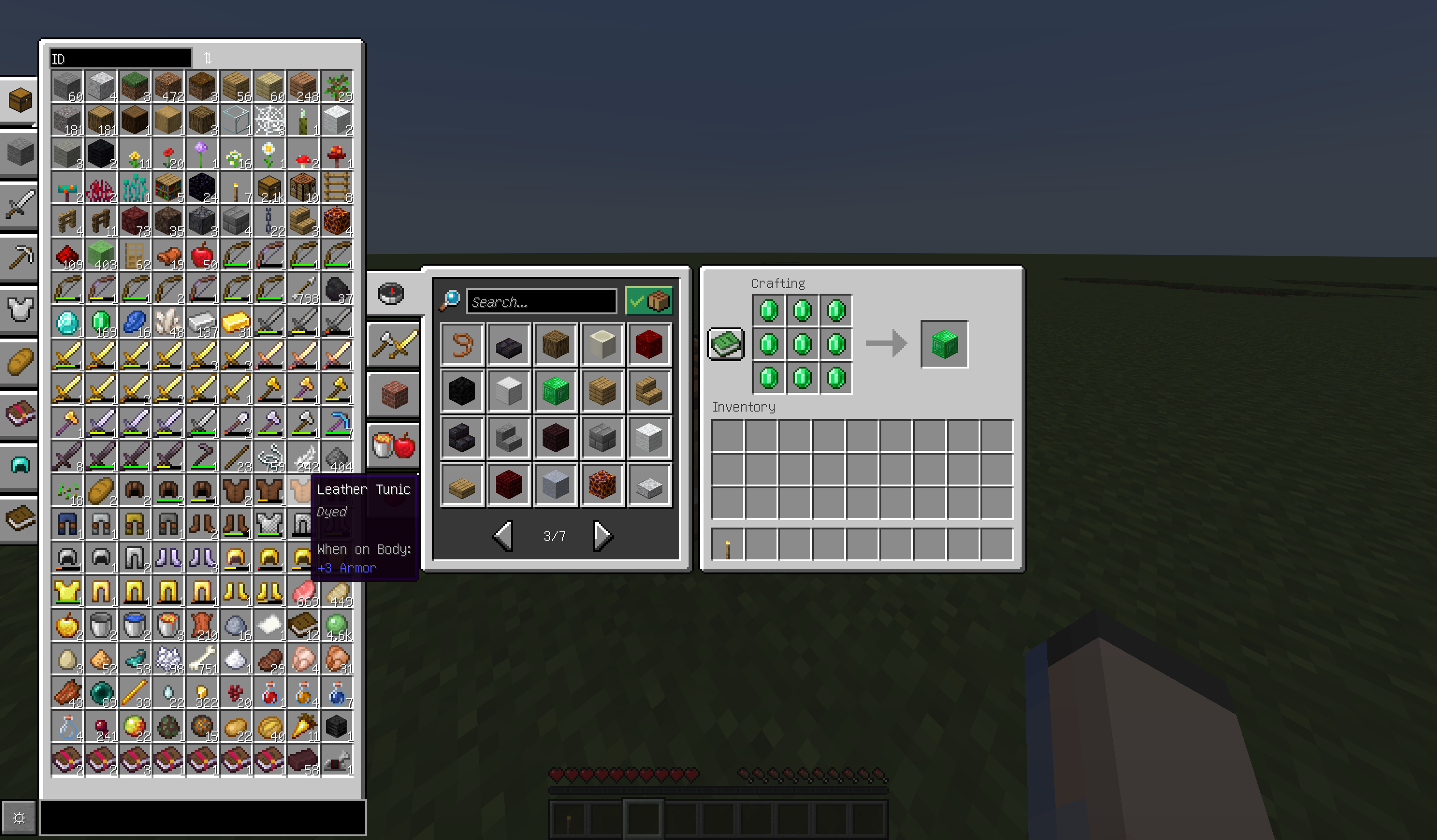 Endless Inventory item page Endless Inventory item page attached by crafting menu screen, and vanilla recipe tranfer is enabled.
 -
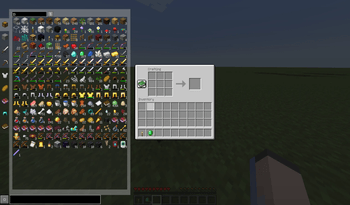
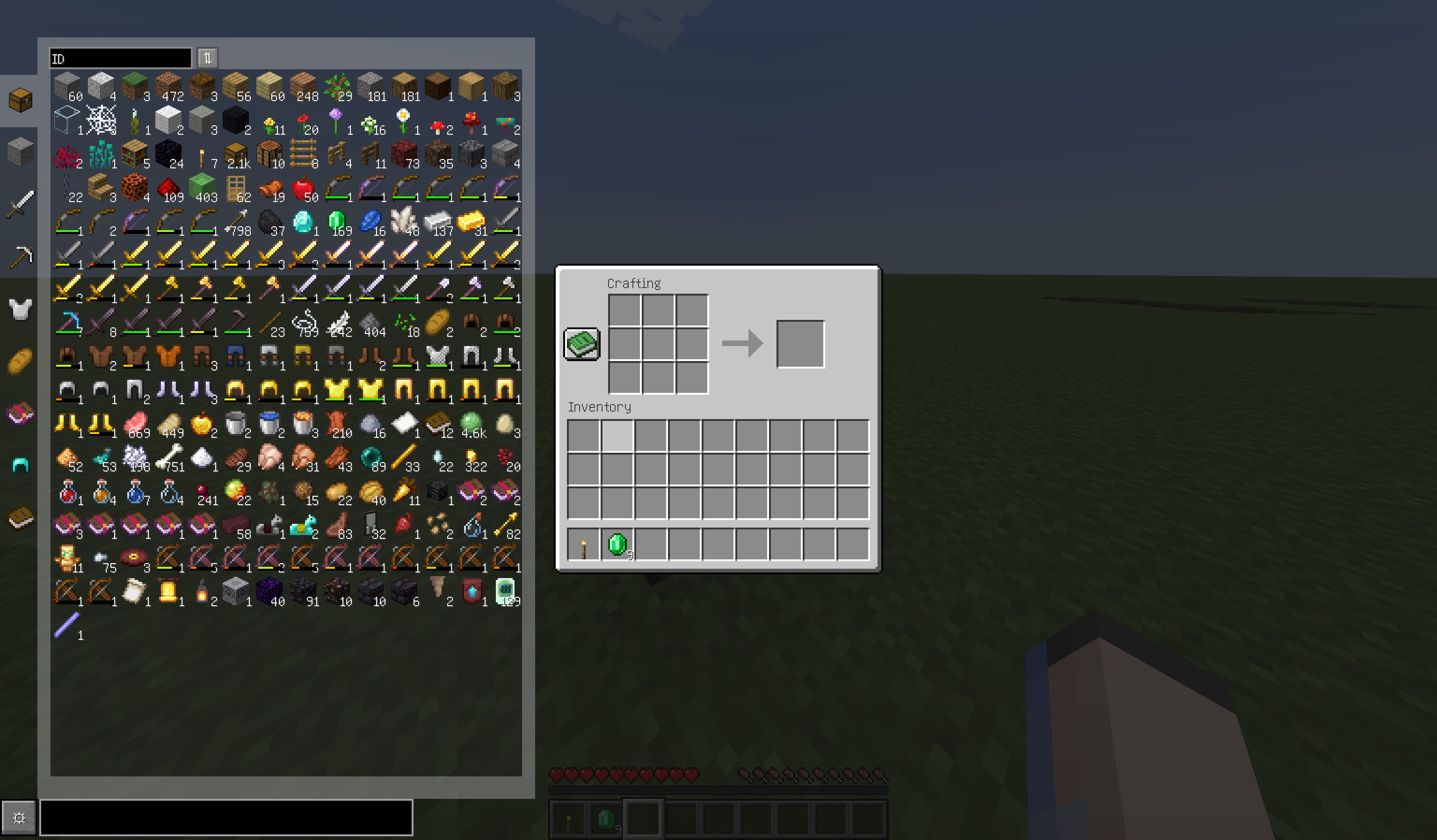 Tansparent texture mode Attached Endless Inventory item page with transparent mode, and columns are adjustable.
 -
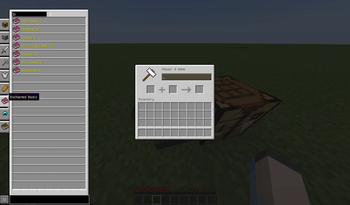
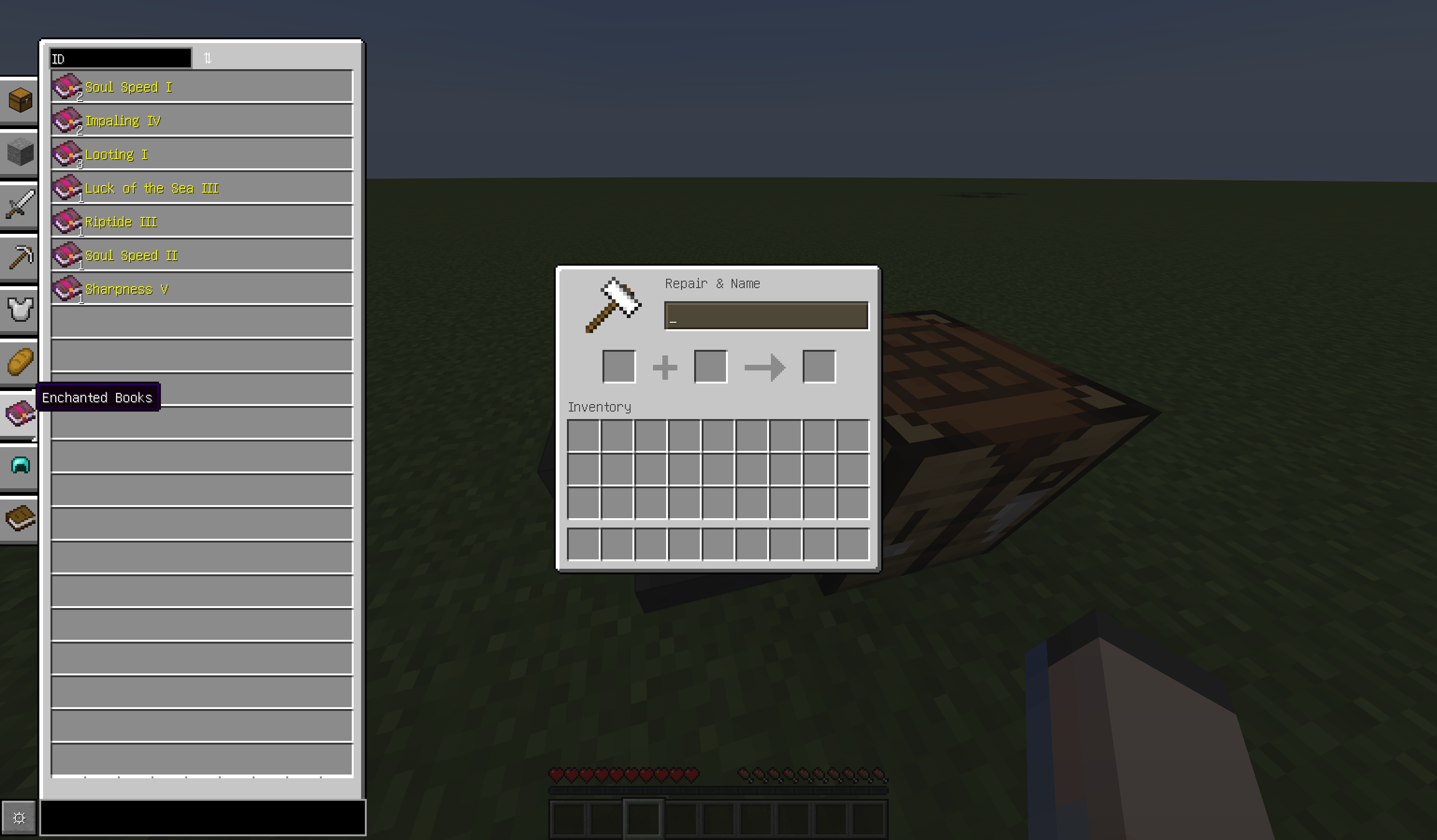 Item Entry display in Enchanted book page
 -
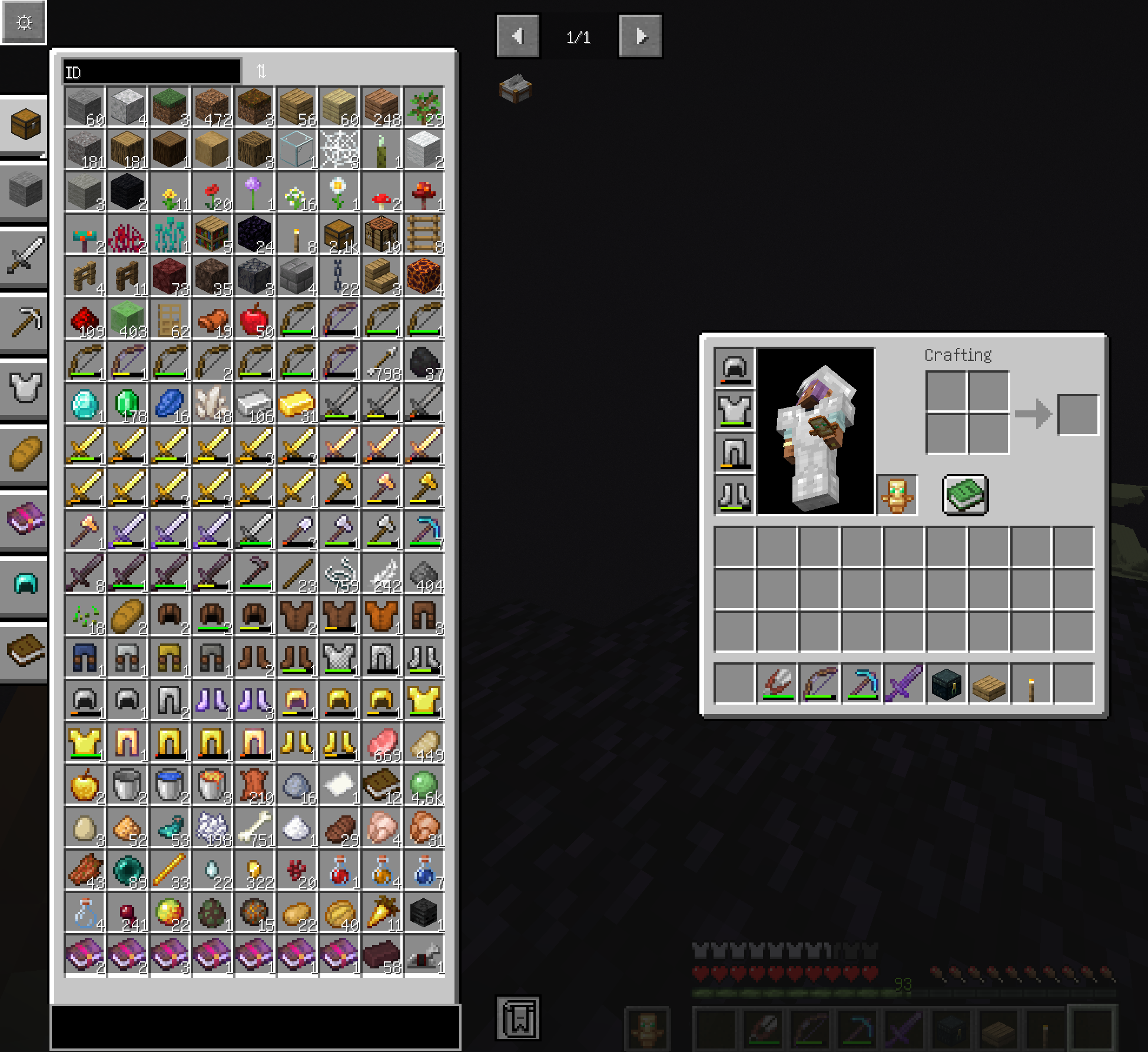 Endless Inventory item page with JEI layout We have made compatibilities for JustEnoughItems in the aspect of layout. And Jei recipe tranfer will be implemented soon.
Versions
Files
Relations
Project Relations
More like this
Similar Mods
Suggestions use data such as tags, dependencies, dependents, descriptions, titles, and more to rank how much they overlap with this mod.
On ModDex
Community snapshot
By the numbers
Statistics

Get it on
Available Platforms
On ModDex
Community snapshot
By the numbers