
Community listing page, reviews here may not be monitored by the author.
Pick Up Notifier


No reviews yet
Be notified about all the things you've just collected.
Community voices
Reviews
No reviews yet. Be the first to review this project!
Get it on
Available Platforms
Compatibility
Supported Environments
Runs entirely on the client. Works on vanilla servers.
Required on the client. Installing it on the server adds functionality.
Varies by version.
About
Project Details
For authors
Embed Badge
If you're the author of this project, you can embed a live badge anywhere that supports HTML or Markdown. It updates automatically whenever ratings change.
Use HTML for any page that supports it, or Markdown for README files and Markdown-based descriptions.
Identifiers
Platform IDs


About
Description









Pick Up Notifier keeps track of everything you collect and displays it in a clean on-screen list, making it easy to see exactly what you've picked up while mining, exploring, farming, or fighting mobs. ✨
Items, experience, and recovered arrows appear as compact notifications that update in real time as more resources are gathered. Entries smoothly fade away after a short time and can automatically combine with similar pickups to keep the display tidy. 📦
The appearance and behavior of the notification list are highly configurable, allowing you to customize its position, scale, styling, animations, display duration, and much more. 🎛️

- 📦 Track Every Pickup: See collected items, experience, and recovered arrows in a convenient on-screen list.
- 🔄 Smart Entry Updates: Similar pickups can merge together, while existing entries are refreshed whenever more of the same item is collected.
- ✨ Smooth Animations: Notifications fade away and slide off-screen naturally instead of disappearing abruptly.
- 🔢 Detailed Information: Optionally display pickup counts, item names, inventory totals, and item icons.
- 🎨 Fully Customizable Display: Adjust screen position, scale, colors, backgrounds, spacing, and more.
- ⏱️ Configurable Behavior: Control how long entries remain visible, how many can be shown, and how they are grouped.
- 🌐 Client-Side Friendly: Works in singleplayer, on modded servers, and even on vanilla servers without requiring installation.

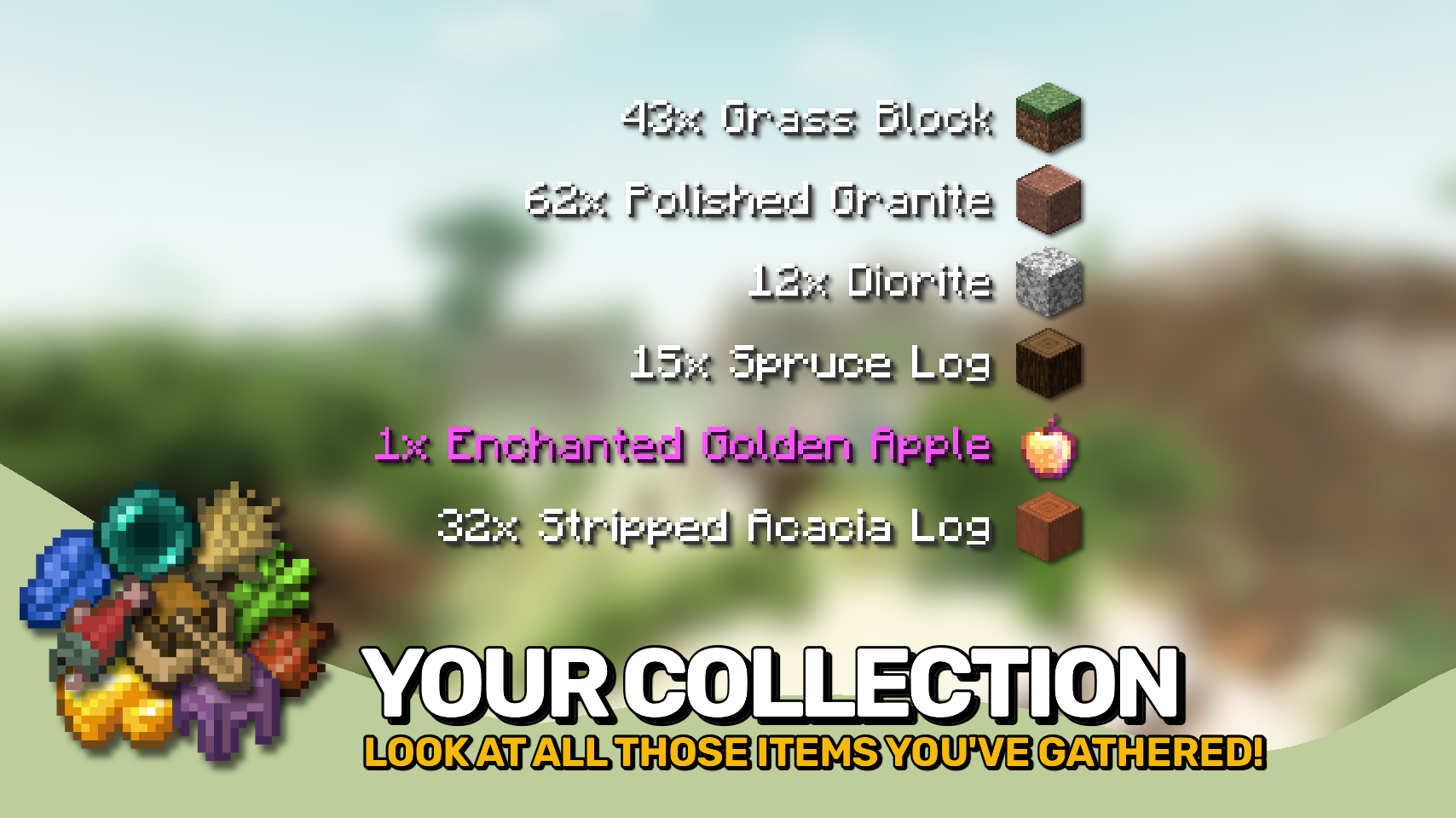

⏩ INSTALLATION REQUIRED ON CLIENT & OPTIONAL ON SERVER
⏩ REQUIRES PUZZLES LIB TO BE INSTALLED (FABRIC & NEOFORGE)
⏩ REQUIRES FABRIC API TO BE INSTALLED (FABRIC)
⏩ REQUIRES FORGE CONFIG API PORT TO BE INSTALLED (FABRIC)

If available for a mod, configuration is possible directly from in-game using the mod menu (requires Mod Menu by Prospector to be installed on Fabric).
For manual configuration using an external text editor all files are found at .minecraft/config, named as MOD_ID-client.toml, MOD_ID-common.toml, or MOD_ID-server.toml, depending on the type of config. Not all types might exist for a mod, if any at all.

🌟 Thanks to TeamCoFH for the original idea of this mod in a very old version of their CoFH Core mod from the 1.6 era of modded Minecraft!
 |
 |
|
 |
 |
|
 |
 |
|
 |
 |
|
 |
 |
|

© 2026 @heyitsfuzs. All rights reserved. This page was last edited on 11 September 2026, at 06:44 (UTC).
Download for 1.19+: https://www.curseforge.com/minecraft/mc-mods/pick-up-notifier





📖 About:
Pick Up Notifier adds a pick up log, a neat list shown in the corner of your screen. Including fancy little sprites!
📚 Contents:
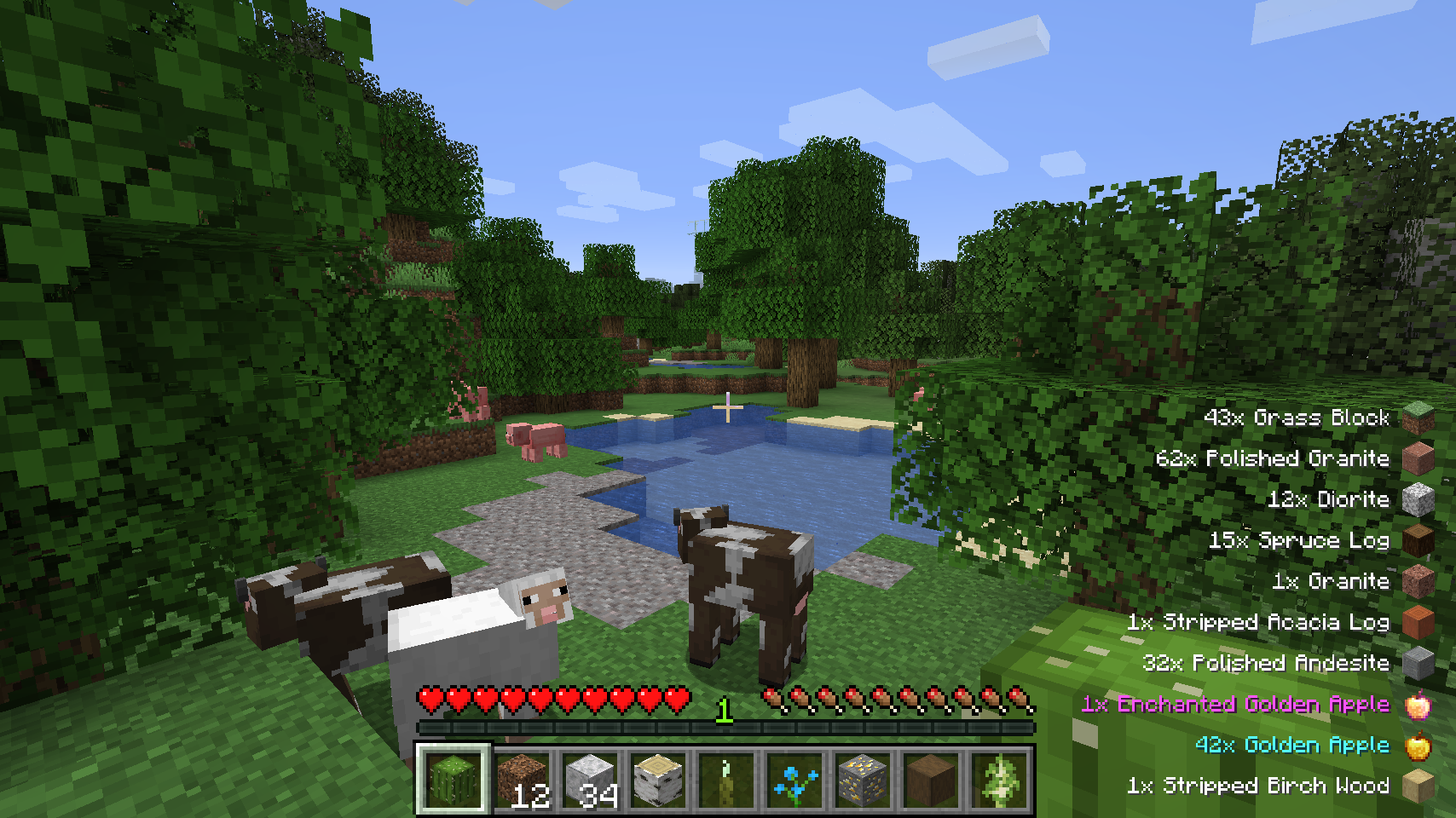
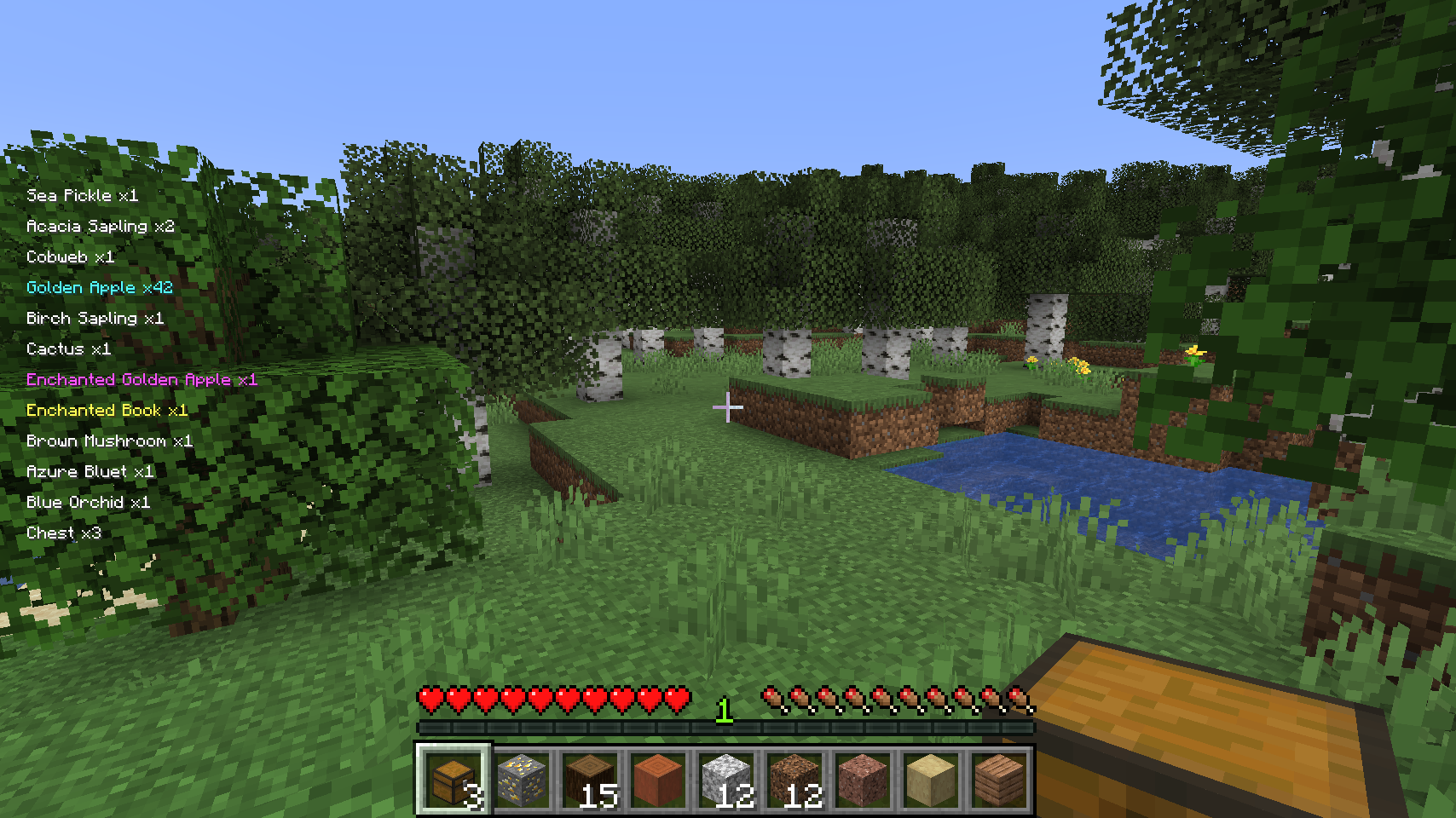
The log includes all the items and experience you've just picked up. Outdated entries will slowly move out of the screen. By default the display is shown in the bottom right corner of the screen.
Some customization options include: amount of ticks an entry will be shown for, amount of ticks it takes for an entry to move out of the screen, combining entries of equal type, whether item sprites should be drawn, and text color for item names.
The appearance of the display can be further customized: screen corner to show in, x and y offset from default position, height percentage the whole display is allowed to use, and a custom scale.
📷 Media:
 |
 |
|
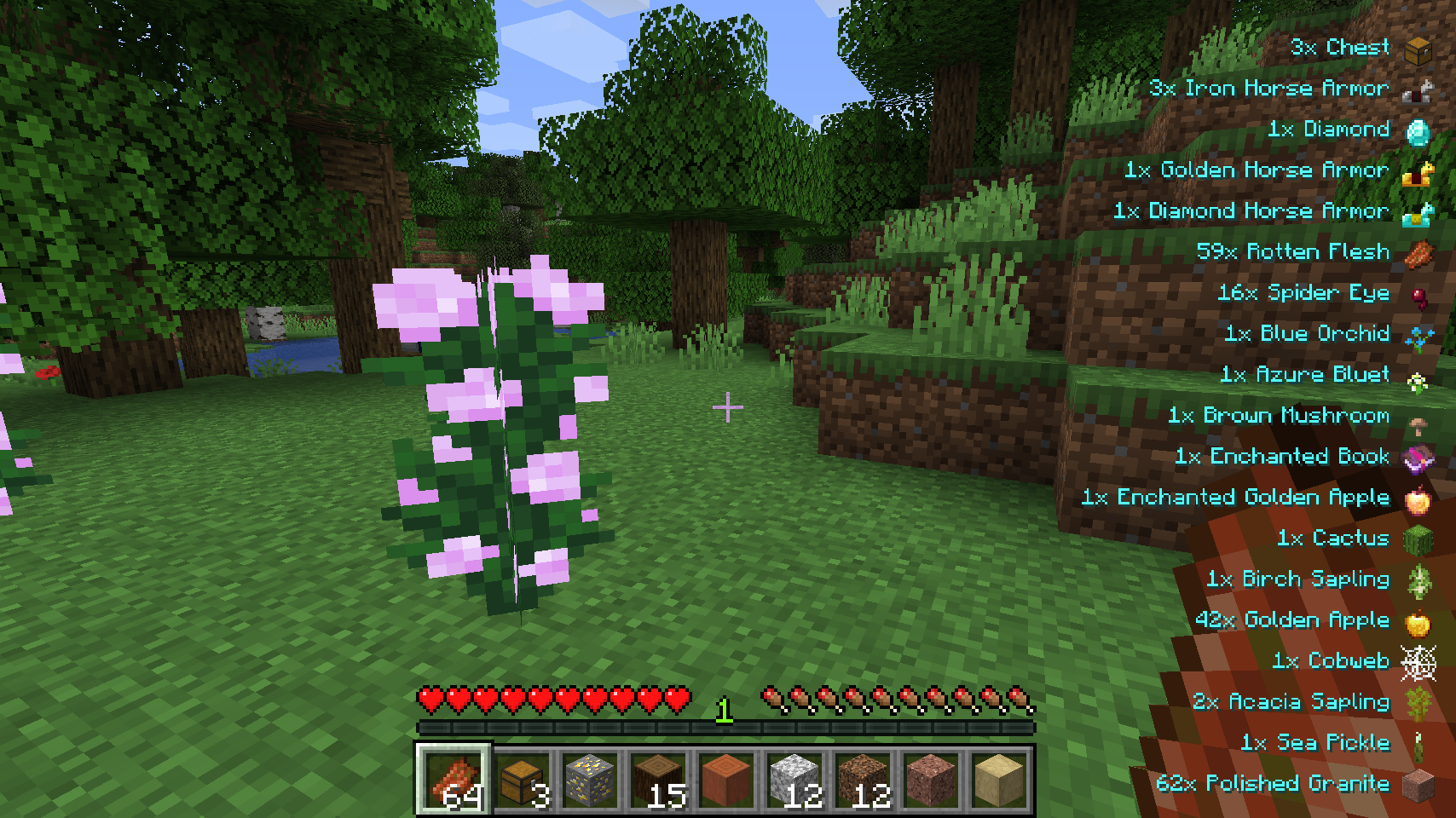
| A bunch of picked up items being displayed | Height as well as the text color can be fully configured | |
 |
 |
|
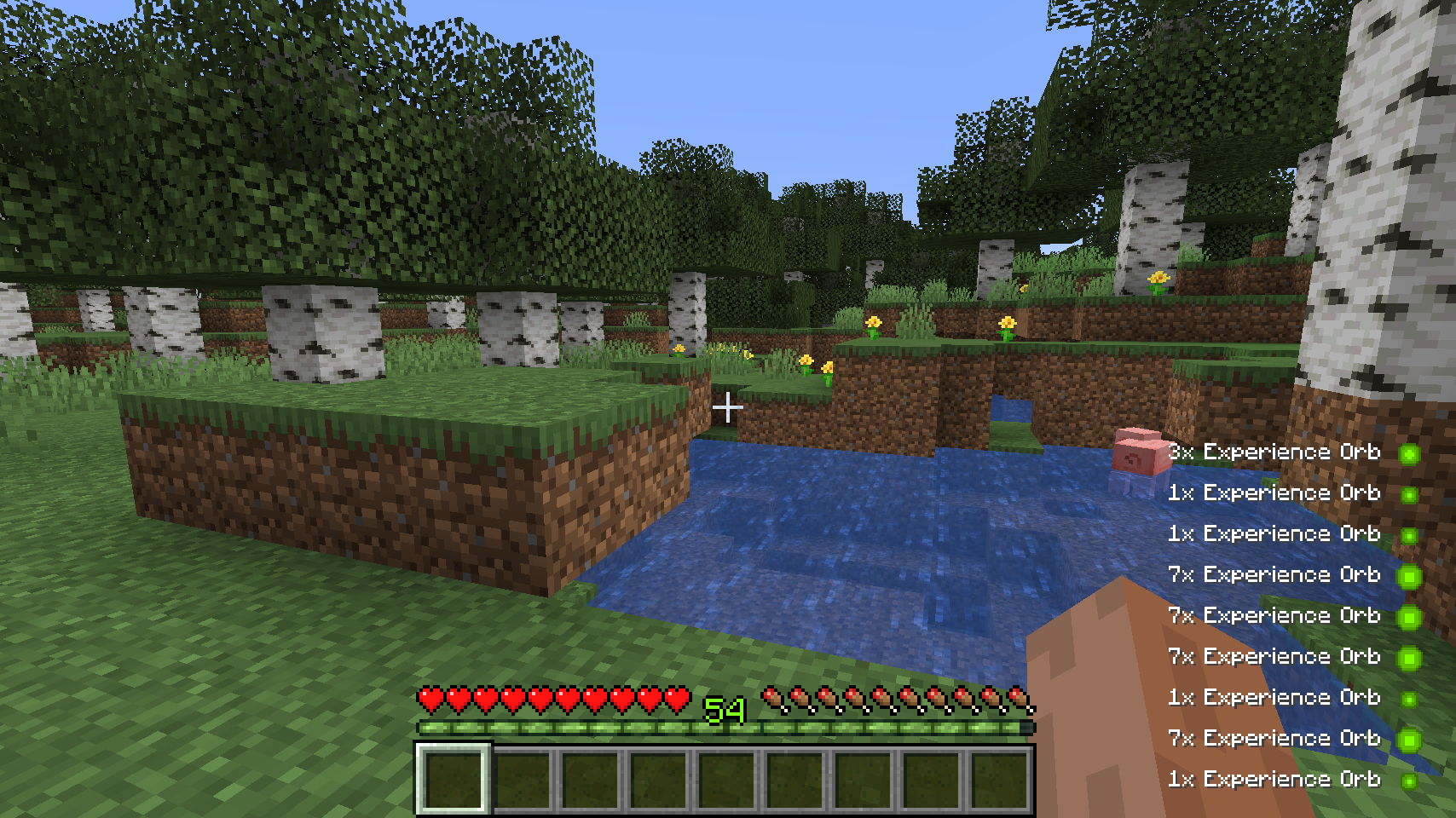
| Item sprites can be hidden, the whole display is freely movable | Collected experience appears in the display | |
| Review by Juri TV | ||
💡 FAQ:
Q: How do I configure this mod?
A: Editing configs directly in-game has not yet been implemented. Instead when in a world run the /config showfile <modid> command by choosing either CLIENT or SERVER (depending on the mod), then click the file name (ending with .toml) that appears in chat to be able to manually edit the config file in a separate editor.
🏆 Credits:
Developing Pick Up Notifier was helped and inspired by:







 |
 |
|
Pick Up Notifier keeps track of everything you collect and displays it in a clean on-screen list, making it easy to see exactly what you've picked up while mining, exploring, farming, or fighting mobs. ✨
Items, experience, and recovered arrows appear as compact notifications that update in real time as more resources are gathered. Entries smoothly fade away after a short time and can automatically combine with similar pickups to keep the display tidy. 📦
The appearance and behavior of the notification list are highly configurable, allowing you to customize its position, scale, styling, animations, display duration, and much more. 🎛️
- 📦 Track Every Pickup: See collected items, experience, and recovered arrows in a convenient on-screen list.
- 🔄 Smart Entry Updates: Similar pickups can merge together, while existing entries are refreshed whenever more of the same item is collected.
- ✨ Smooth Animations: Notifications fade away and slide off-screen naturally instead of disappearing abruptly.
- 🔢 Detailed Information: Optionally display pickup counts, item names, inventory totals, and item icons.
- 🎨 Fully Customizable Display: Adjust screen position, scale, colors, backgrounds, spacing, and more.
- ⏱️ Configurable Behavior: Control how long entries remain visible, how many can be shown, and how they are grouped.
- 🌐 Client-Side Friendly: Works in singleplayer, on modded servers, and even on vanilla servers without requiring installation.
⏩ INSTALLATION REQUIRED ON CLIENT & OPTIONAL ON SERVER
⏩ REQUIRES PUZZLES LIB TO BE INSTALLED (FABRIC & NEOFORGE)
⏩ REQUIRES FABRIC API TO BE INSTALLED (FABRIC)
⏩ REQUIRES FORGE CONFIG API PORT TO BE INSTALLED (FABRIC)
If available for a mod, configuration is possible directly from in-game using the mod menu (requires Mod Menu by Prospector to be installed on Fabric).
For manual configuration using an external text editor all files are found at .minecraft/config, named as MOD_ID-client.toml, MOD_ID-common.toml, or MOD_ID-server.toml, depending on the type of config. Not all types might exist for a mod, if any at all.
🌟 Thanks to TeamCoFH for the original idea of this mod in a very old version of their CoFH Core mod from the 1.6 era of modded Minecraft!
 |
 |
|
 |
 |
|
 |
 |
|
 |
 |
|
|
 |
© 2026 @heyitsfuzs. All rights reserved. This page was last edited on 11 September 2026, at 06:44 (UTC).
Screenshots
Gallery
-
Collected experience appears in the display
-
Height as well as the text color can be fully configured
-
Item sprites can be hidden, the whole display is freely movable
-
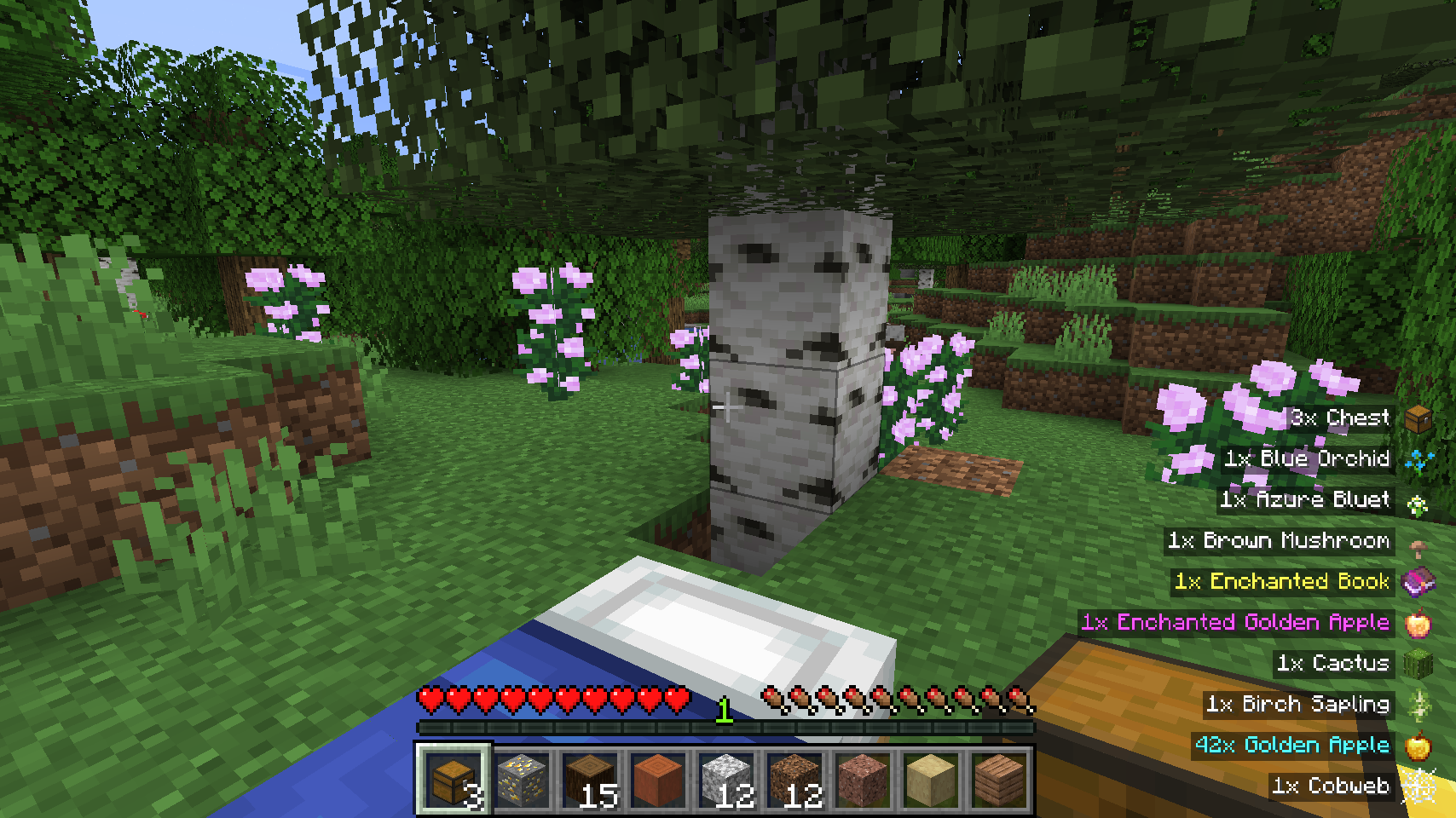 The pick up display respects the vanilla text backgrounds setting
 -
A bunch of picked up items being displayed

Versions
Files
Relations
Project Relations
More like this
Similar Mods
Suggestions use data such as tags, dependencies, dependents, descriptions, titles, and more to rank how much they overlap with this mod.
On ModDex
Community snapshot
By the numbers
Statistics
Want to reach Minecraft players?
We're looking for a server hosting partner to feature here and other parts of the site. Interested? Send us a message!
Get in touchGet it on
Available Platforms
On ModDex
Community snapshot
By the numbers