Community listing page, reviews here may not be monitored by the author.
Pickup Notifications


No reviews yet
Show notifications on item pickup.

Community voices
Reviews
No reviews yet. Be the first to review this project!
Get it on
Available Platforms
Compatibility
Supported Environments
Must be installed on both the client and the server.
About
Project Details
For authors
Embed Badge
If you're the author of this project, you can embed a live badge anywhere that supports HTML or Markdown. It updates automatically whenever ratings change.
Use HTML for any page that supports it, or Markdown for README files and Markdown-based descriptions.
Identifiers
Platform IDs
About
Description

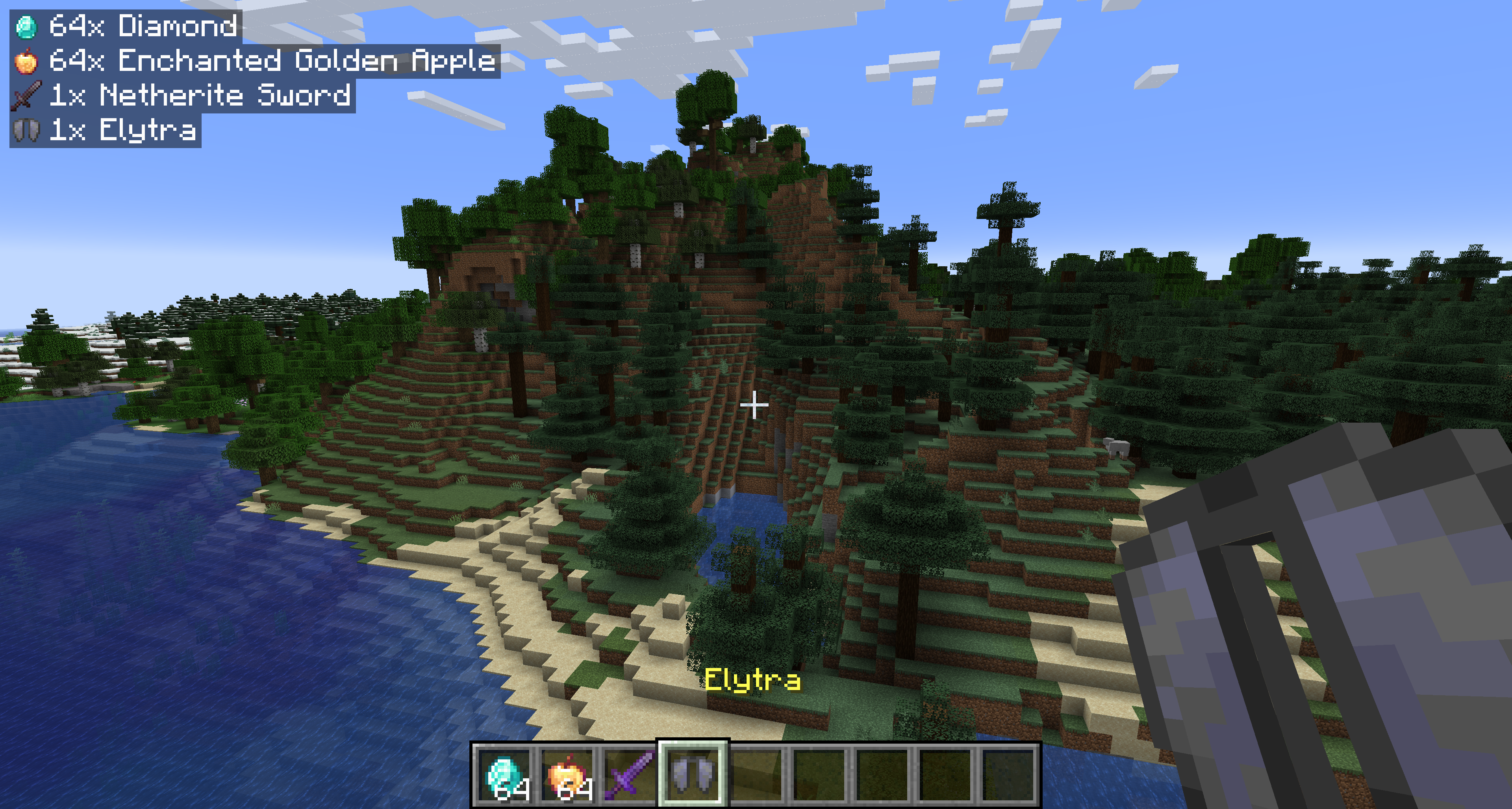
Show popup notifications when you pick up items. Shows the items stripped of all unique data (enchantments, name, condition) and shows the raw item icon and name. As of 2.0.0, notifications will also be shown for experience orbs!
Starting with 1.1.0, the mod is required on both the server and client for multiplayer servers.
Configuration — pickupnotifications.toml
You can configure the behavior of the mod from the pickupnotifications.toml file within your config folder. If you have ModMenu installed, you can also access the configuration through the UI in ModMenu's mod list!
modEnabled: true|false - Simple toggle for the mod! Set to false to disable.
trackExperience: true|false - Whether to show notifications for experience orb pickups. Set to false to disable. (2.0.0+ only)
guiAlignment: "top_left"|"top_right"|"bottom_left"|"bottom_right" - Where to position the notifications.
guiOffset: "(<Integer>,<Integer>)" - The amount to offset the notifications from the edge of the screen.
guiScale: Decimal - Scale to render notifications at.
maxNotifications: Integer - How many notifications can be on the screen at a time. Additional notifications will be queued up and shown once there is room.
iconAlignment: "outside"|"inside"|"left"|"right" - Whether the item icons should appear on the 'left' or 'right' of notifications, always on the 'outside' (left for left-aligned, right for right-aligned), or always on the 'inside' of notifications.
showUniqueInfo: true|false - Whether to show custom names, rarity, and enchantments in the notifications.
renderBackground: true|false - Whether to render the background behind notifications.
backgroundOpacity: Decimal - Opacity of the notification background color.
renderShadow: true|false - Whether to render text shadow in notifications.
Version 1.2.4
guiOffsetX: Integer - The amount to offset the notifications from the side of the screen.
guiOffsetY: Integer - The amount to offset the notifications from the top or bottom of the screen.
Links
Also on Modrinth · Source on GitHub · Report an issue

Show popup notifications when you pick up items. Shows the items stripped of all unique data (enchantments, name, condition) and shows the raw item icon and name. As of 2.0.0, notifications will also be shown for experience orbs!
Starting with 1.1.0, the mod is required on both the server and client for multiplayer servers.
Configuration — pickupnotifications.toml
You can configure the behavior of the mod from the pickupnotifications.toml file within your config folder. If you have ModMenu installed, you can also access the configuration through the UI in ModMenu's mod list!
modEnabled: true|false - Simple toggle for the mod! Set to false to disable.
trackExperience: true|false - Whether to show notifications for experience orb pickups. Set to false to disable. (2.0.0+ only)
guiAlignment: "top_left"|"top_right"|"bottom_left"|"bottom_right" - Where to position the notifications.
guiOffset: "(<Integer>,<Integer>)" - The amount to offset the notifications from the edge of the screen.
guiScale: Decimal - Scale to render notifications at.
maxNotifications: Integer - How many notifications can be on the screen at a time. Additional notifications will be queued up and shown once there is room.
iconAlignment: "outside"|"inside"|"left"|"right" - Whether the item icons should appear on the 'left' or 'right' of notifications, always on the 'outside' (left for left-aligned, right for right-aligned), or always on the 'inside' of notifications.
showUniqueInfo: true|false - Whether to show custom names, rarity, and enchantments in the notifications.
renderBackground: true|false - Whether to render the background behind notifications.
backgroundOpacity: Decimal - Opacity of the notification background color.
renderShadow: true|false - Whether to render text shadow in notifications.
Version 1.2.4
guiOffsetX: Integer - The amount to offset the notifications from the side of the screen.
guiOffsetY: Integer - The amount to offset the notifications from the top or bottom of the screen.
Links
Also on CurseForge · Source on GitHub · Report an issue

Screenshots
Gallery
-
Demonstration
Versions
Files
Relations
Project Relations
More like this
Similar Mods
Suggestions use data such as tags, dependencies, dependents, descriptions, titles, and more to rank how much they overlap with this mod.
On ModDex
Community snapshot
By the numbers
Statistics
 (opens in a new tab)
Get it on
Available Platforms
On ModDex
Community snapshot
By the numbers