
Community listing page, reviews here may not be monitored by the author.
Pipe Connector


No reviews yet
A tool that places pipes automatically along a selected route, with the option to set the depth. Useful for building organized networks without placing each pipe manually
Community voices
Reviews
No reviews yet. Be the first to review this project!
Get it on
Available Platforms
Compatibility
Supported Environments
Must be installed on both the client and the server.
About
Project Details
For authors
Embed Badge
If you're the author of this project, you can embed a live badge anywhere that supports HTML or Markdown. It updates automatically whenever ratings change.
Use HTML for any page that supports it, or Markdown for README files and Markdown-based descriptions.
Identifiers
Platform IDs
About
Description

What is the best part of modded Minecraft? Yes, that's objectively correct, it's to connect pipes between machines, whether it be Energy Pipes, Item Pipes or even Fluid Pipes. However, what is the worse part of modded Minecraft?
ITS TO DIG THE BLOCKS TO PLACE THOSE PIPES AND THEN FILL THEM BACK UP SO THE PIPES WON'T BE IN YOUR WAY.
This mod tries to rectify that.
How does it work?
- Hold the Pipe Connector in your hand and Shift + Mouse wheel to set the depth you want the Pipe to go to.
- Hold a pipe in your off-hand and the Pipe Connector in your main hand, and Shift + Right-Click a block to set node position (up to 8 by default)
- Shift + Right click the air to open the GUI to place the pipes or reset the positions.
- Shift + Right Click on a block to remove it's positions from the list of nodes
Supported Pipes:
- All pipes from Pipez
- All pipes from Mekanism
- Super Factory Manager Cable & Fancy Cable
- Refined Storage Cable
- Pipes from Pretty Pipes and Pretty Pipes: Fluids
- Create Pipe
- Simple Storage Network Cable
- Thermal Dynamics Ducts
- PneumaticCraft: Repressurized Ducts and Heat Pipe
- Inventory Cables and Framed Invenotry Cables from Tom's Simple Storage Mod
- All Applied Energistics 2 Cables
- Copper Pipes from Quark Oddities
- All Modern Dynamics Pipes (NeoForge)
- Item, Energy & Fluid Pipes from Cyclic
- Fluid Pipes from Immersive Engineering
- Soul Pipes from Industrial Forgoing: Souls
From Minecraft version 1.21.1 and above:
- All GregTechCEu Modern Pipes and Cables
- All Mekanism Extra Pipes
- All Xnet Cables and Connectors
- All Powah! (Rearchitected) Cables
- All Oritech Pipes
- Matter Network Pipe from Replication
- All Cables and Pipes from Modern Industrialization
From Minecraft version 26.1.2 and above:
- All Classic Pipes that can connect to one another
- All Ender IO conduits
Modpack makers can support additional pipes via tags.
- To support additional types, add them as tags in
placeable_items.jsonandpipe_block.json - To set blocks to be voided instead of broken, add them to
voidable_blocks.json) - Adding blocks to to this will also cause the connection path to go around those blocks, instead of a through them, when using the A* Pathfinding. - To set blocks that the Pipe Connector will not be able to break add them to
unbreakable_blocks.json
Credits:
- Texture by MarioLuigi7896
- Project Logo by ChosenArchitect

Introduces tool that connects pipes from one block to another.
What is the best part of modded Minecraft? Yes, that's objectively correct, it's to connect pipes between machines, whether it be Energy Pipes, Item Pipes or even Fluid Pipes. However, what is the worse part of modded Minecraft?
ITS TO DIG THE BLOCKS TO PLACE THOSE PIPES AND THEN FILL THEM BACK UP SO THE PIPES WON'T BE IN YOUR WAY.
This mod tries to rectify that.
How does it work?
- Hold the Pipe Connector in your hand and Shift + Mouse wheel to set the depth you want the Pipe to go to.
- Hold a pipe in your off-hand and the Pipe Connector in your main hand, and Shift + Right-Click a block to set the first position, the do it again on another block to set the second Position, to place the Pipes.
- Shift + Right click the air to reset positions.
- Shift + Right Click on the same block to reset positions.
Supported pipes can be added via tags. :)
Screenshots
Gallery
-
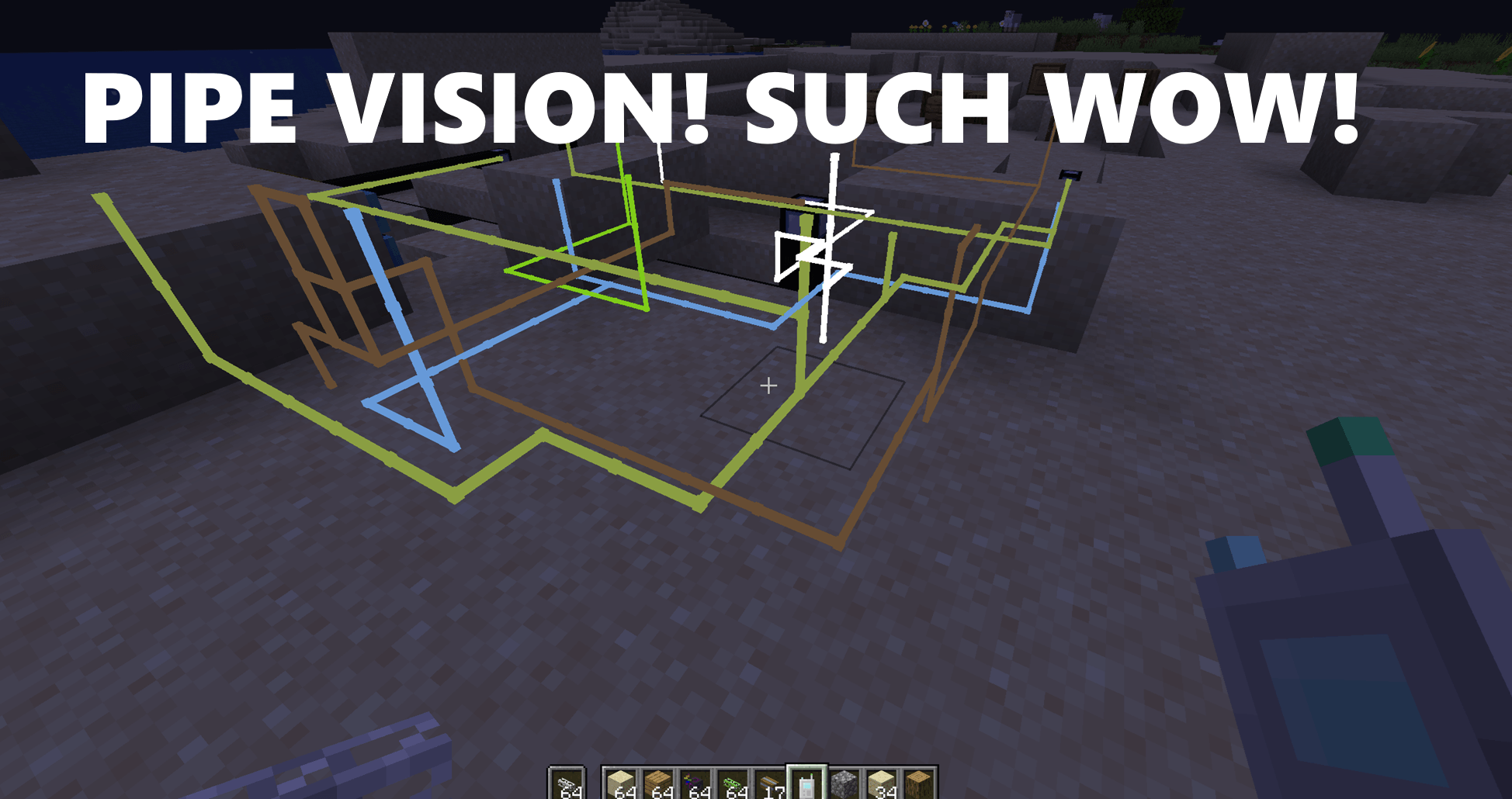 Pipe Vision Pipe Vision Showcase Image
Versions
Files
Relations
Project Relations
More like this
Similar Mods
Suggestions use data such as tags, dependencies, dependents, descriptions, titles, and more to rank how much they overlap with this mod.
On ModDex
Community snapshot
By the numbers
Statistics
Want to reach Minecraft players?
We're looking for a server hosting partner to feature here and other parts of the site. Interested? Send us a message!
Get in touchGet it on
Available Platforms
On ModDex
Community snapshot
By the numbers