
Community listing page, reviews here may not be monitored by the author.
Easy Whitelist


No reviews yet
A whitelist, op, ban manager of the Minecraft.
Community voices
Reviews
No reviews yet. Be the first to review this project!
Get it on
Available Platforms
Compatibility
Supported Environments
Runs entirely on the server. Also works in singleplayer.
Must be installed on both the client and the server.
Varies by version.
About
Project Details
For authors
Embed Badge
If you're the author of this project, you can embed a live badge anywhere that supports HTML or Markdown. It updates automatically whenever ratings change.
Use HTML for any page that supports it, or Markdown for README files and Markdown-based descriptions.
Identifiers
Platform IDs
About
Description
Easy Whitelist for Minecraft
Description
The mod provides an easy ways to manage the white list in Minecraft. The mod can be used in Server and Client.
But I recommend using the mod on the Server side.
Otherwise, after restarting the client, any newly added data will overwrite the original data.
You can use the name of the player to add or remove them from the white list, op list.
It provides some new commands to manage the white list:
Belows are the commands for
whitelist:/pc_easy whitelist add <targets>: Add thetargetsto the white list./pc_easy whitelist remove <targets>: Remove thetargetsfrom the white list.
Belows are the commands for
op:/pc_easy op add <targets>: Add thetargetsto the op list./pc_easy op remove <targets>: Remove thetargetsfrom the op list.
Belows are the commands for
ban:/pc_easy ban_name add <targets>: Add thetargetsto the ban list./pc_easy ban_name remove <targets>: Remove thetargetsfrom the ban list.
Belows are the
settingcommand for the mod:/pc_easy setting lang: Change or get the language of the mod./pc_easy setting lang get: Get the language of the mod./pc_easy setting lang set <lang>: Set the language of the mod.
Usages
Belows are the example usages of the commands in the mod:
/pc_easy whitelist add TestPlayer
/pc_easy whitelist remove TestPlayer
/pc_easy op add TestPlayer
/pc_easy op remove TestPlayer
/pc_easy ban_name add TestPlayer
/pc_easy ban_name remove TestPlayer
/pc_easy setting lang get
/pc_easy setting lang set en_us
/pc_easy setting lang set zh_cn
"PiscesCup Easy" Mod
Description
The mod provides an easy way to manage the white list in Minecraft.
The mod can be used in Server side and Client side.
But I recommend using the mod on the Server side.
Otherwise, after restarting the client, any newly added data will overwrite the original data.
You can use the name of the player to add or remove them from the white list, op list.
It provides some new commands to manage the players in the Minecraft Server:
-
Belows are the commands for
whitelist:/pc_easy whitelist add <targets>: Add thetargetsto the white list./pc_easy whitelist remove <targets>: Remove thetargetsfrom the white list.
-
Belows are the commands for
op:/pc_easy op add <targets>: Add thetargetsto the op list./pc_easy op remove <targets>: Remove thetargetsfrom the op list.
-
Belows are the commands for
ban:/pc_easy ban_name add <targets>: Add thetargetsto the ban list./pc_easy ban_name remove <targets>: Remove thetargetsfrom the ban list.
-
Belows are the
settingcommands for the mod:/pc_easy setting lang: Change or get the language of the mod./pc_easy setting lang get: Get the language of the mod./pc_easy setting lang set <lang>: Set the language of the mod.
Usages
You can use the command in the below figure:
Whitelist usages:
Add
The command in the figure is /pc_easy whitelist add TestPlayer1
If the Player is added successfully, the server will send a message: Added the player: [Player] to the white list. in the chat box:
If the Player is already in the white list, the server will send a message: The player: [ Player ] is existing in the white list. in the chat box:
Remove
The command in the figure is /pc_easy whitelist remove TestPlayer1
If the Player is removed successfully, the server will send a message: Removed the player: [ Player ] from the op list. in the chat box:
If the Player is not in the white list, the server will send a message: The player: [ Player ] is not existing in the op list. in the chat box:
Op Usages and Ban Usages:
The usages of the op and ban are similar as the whitelist.
But in Ban command, you should use ban_name to replace whitelist.
Summary
Belows are the example usages of the commands in the mod:
/pc_easy whitelist add TestPlayer
/pc_easy whitelist remove TestPlayer
/pc_easy op add TestPlayer
/pc_easy op remove TestPlayer
/pc_easy ban_name add TestPlayer
/pc_easy ban_name remove TestPlayer
/pc_easy setting lang get
/pc_easy setting lang set en_us
/pc_easy setting lang set zh_cn
Screenshots
Gallery
-
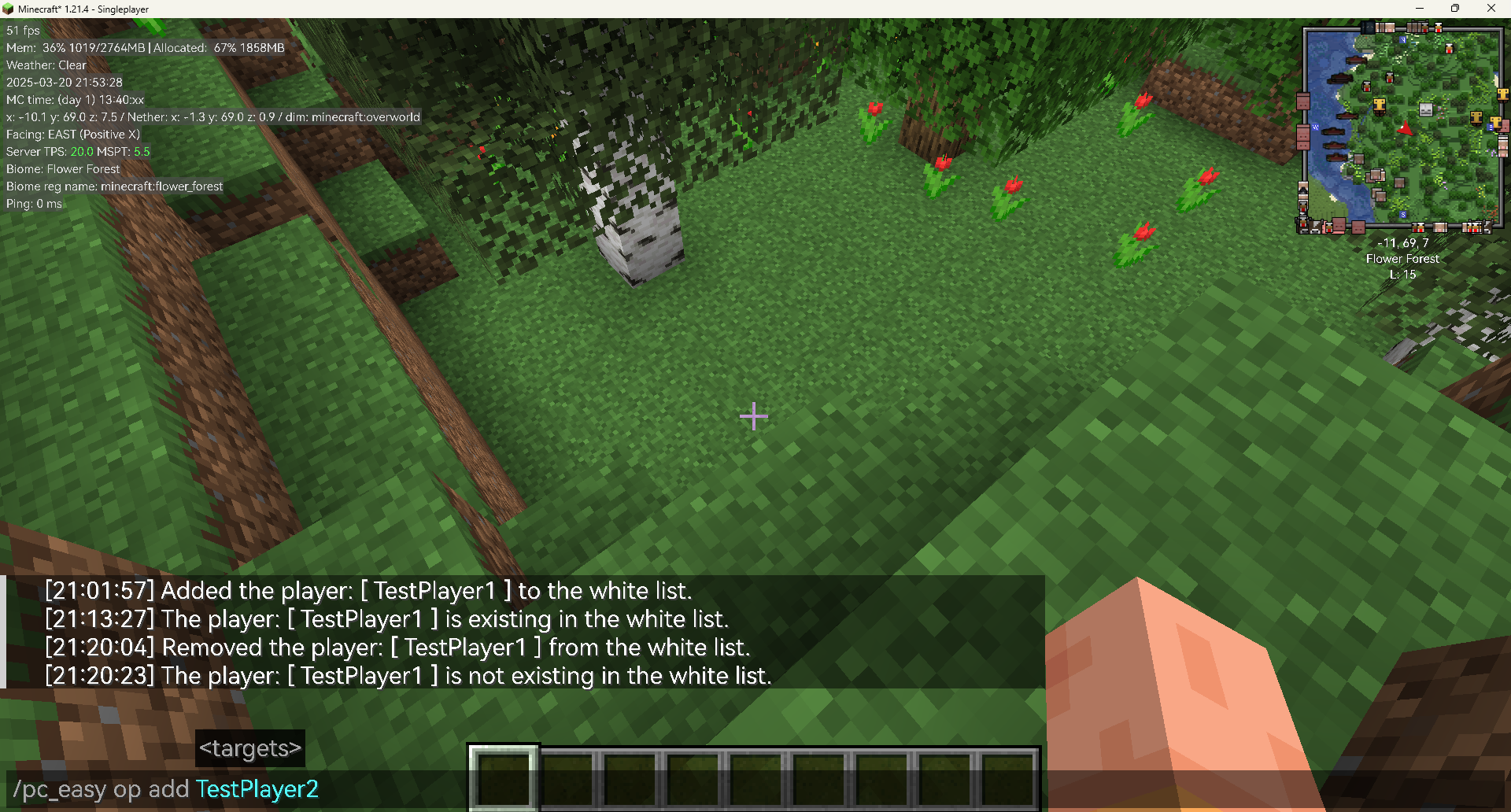 The op add command
 -
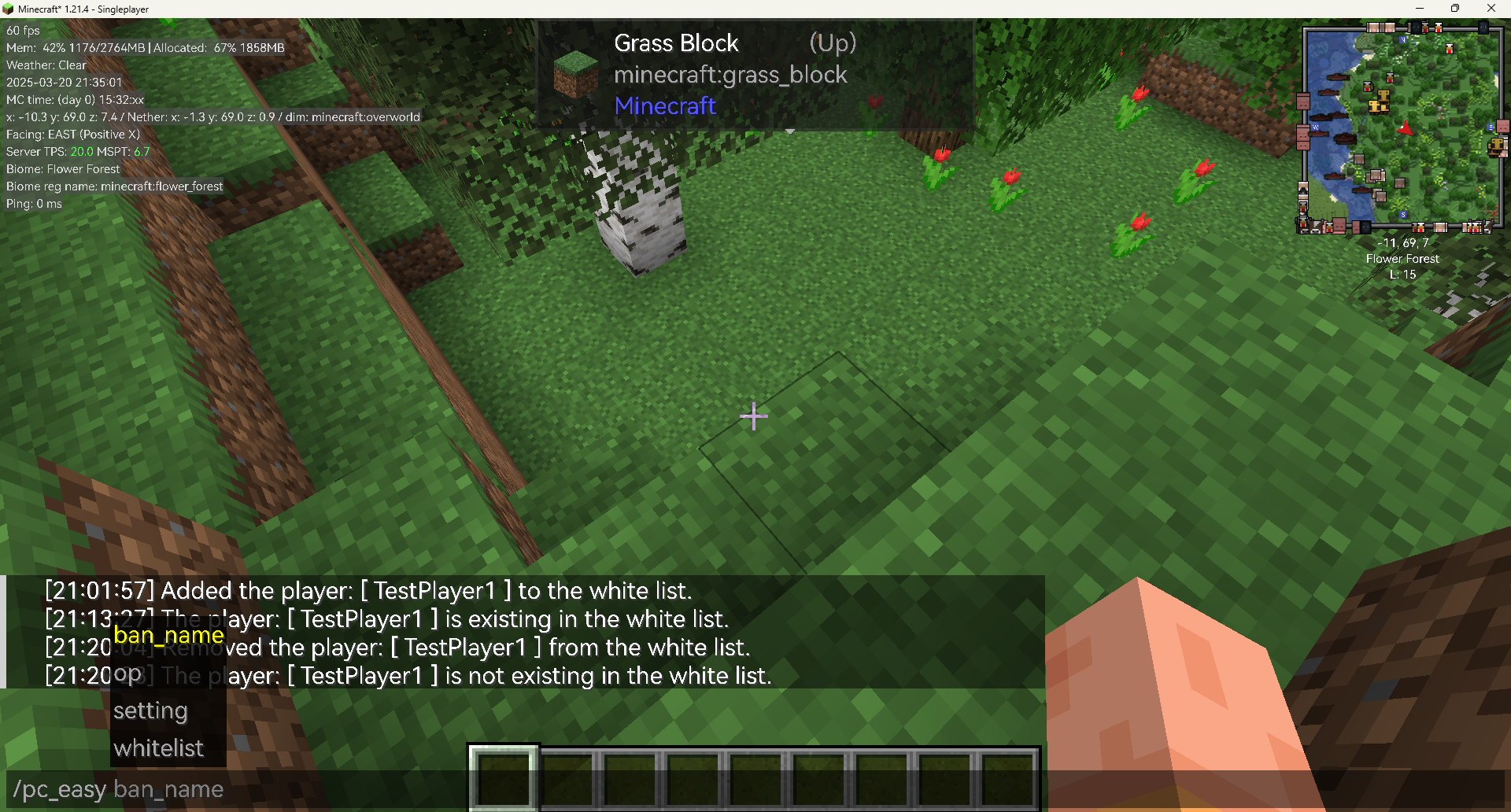 The tips for the commands
 -
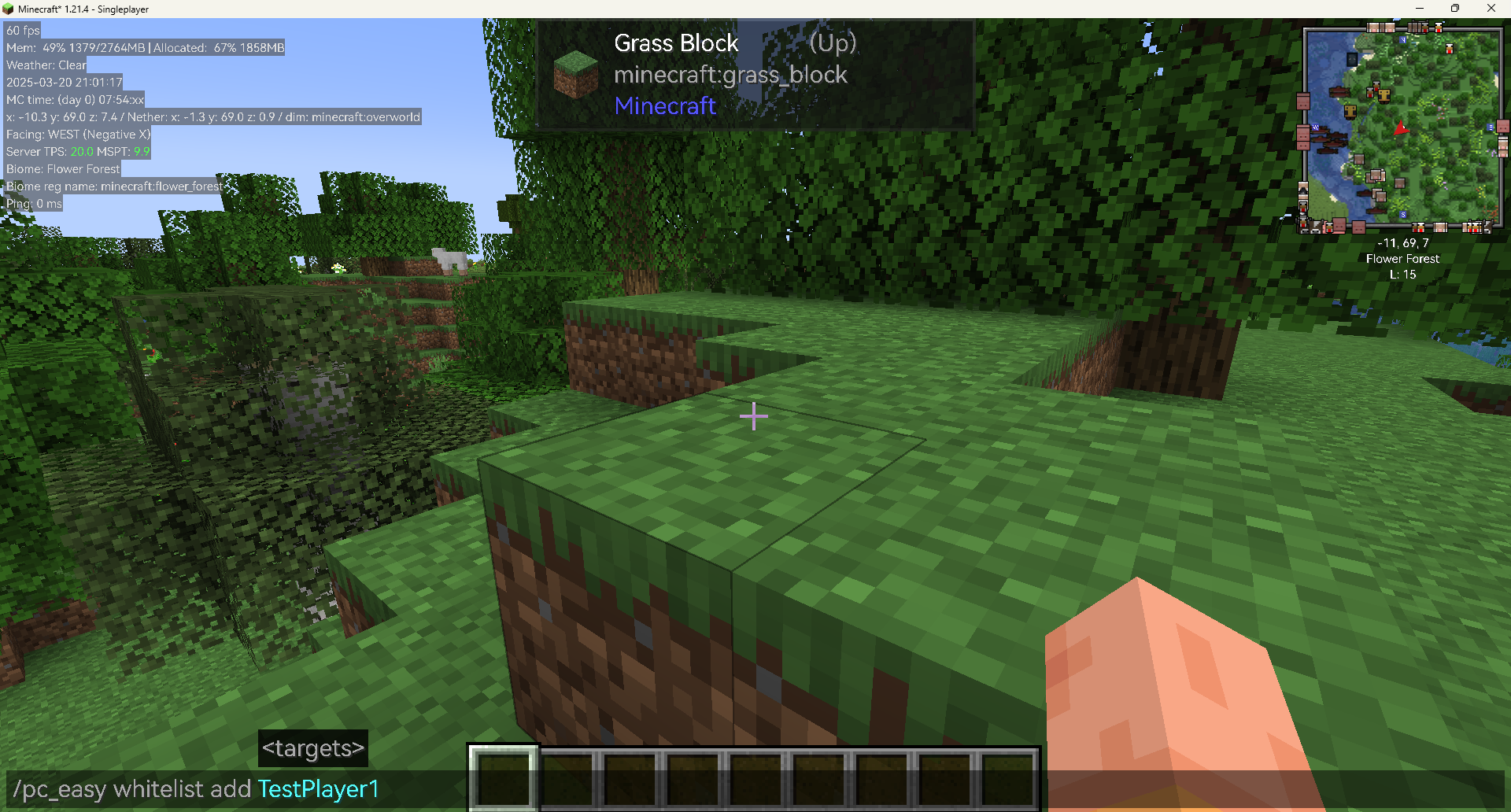 The whitelist add command
Versions
Files
Relations
Project Relations
More like this
Similar Mods
Suggestions use data such as tags, dependencies, dependents, descriptions, titles, and more to rank how much they overlap with this mod.
On ModDex
Community snapshot
By the numbers
Statistics
Want to reach Minecraft players?
We're looking for a server hosting partner to feature here and other parts of the site. Interested? Send us a message!
Get in touchGet it on
Available Platforms
On ModDex
Community snapshot
By the numbers