Community listing page, reviews here may not be monitored by the author.
Project HoverCraft | Portable Crafting, Furnaces & Inventory Workstations

No reviews yet
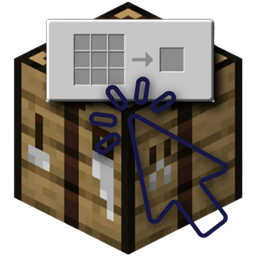
Use crafting tables, furnaces, blast furnaces, and smokers directly from your inventory! Open portable workstations with a single key, keep your items and crafting grids saved, and smelt items while on the move.

Community voices
Reviews
No reviews yet. Be the first to review this project!
Get it on
Available Platforms
About
Project Details
For authors
Embed Badge
If you're the author of this project, you can embed a live badge anywhere that supports HTML or Markdown. It updates automatically whenever ratings change.
Use HTML for any page that supports it, or Markdown for README files and Markdown-based descriptions.
Identifiers
Platform IDs
Resources
External Links
About
Description
Project HoverCraft
PORTABLE WORKSTATIONS
Your workstations, wherever you go.
Craft, smelt, and manage your workstations without ever placing them down.
By LuminaCherry
About Project HoverCraft
Ever been exploring, mining, or building something and realized you needed a crafting table or furnace, but didn't feel like placing one down?
Project HoverCraft makes workstations a little more convenient by letting you use them directly from your inventory.
Simply hover over a supported workstation and press V to open its interface.
No placing blocks, picking them back up, or carrying your entire setup around.
And unlike a temporary crafting menu, your workstations actually remember what you put inside them.
Crafting From Your Inventory
Crafting tables work pretty much how you'd expect, except you don't need to place them anywhere.
Hover over a crafting table in your inventory, press V, and you'll have access to a full 3x3 crafting grid.
The nice part is that the grid remembers its contents.
If you're halfway through crafting something and need to close your inventory, you can come back later without losing what you were working on.
- Portable Crafting - Open crafting tables directly from your inventory.
- Full 3x3 Grid - The normal crafting experience, just without placing the block.
- Persistent Contents - Items remain in the crafting grid when you close it.
Portable Furnaces & Smelting
Crafting tables aren't the only workstations that can be used on the go.
Project HoverCraft also supports Furnaces, Blast Furnaces, and Smokers.
Each one keeps track of its own inventory and processing progress, just like a normal placed furnace.
And yes, your furnaces can keep smelting while they're in your inventory.
So if you've got some ores to process while exploring, you can start smelting them and continue doing whatever you were doing.
- Furnaces - Smelt your usual items while on the move.
- Blast Furnaces - Process supported materials without placing a blast furnace.
- Smokers - Cook food directly from your inventory.
- Persistent Smelting - Input, fuel, output, and cooking progress are all preserved.
- Background Processing - Furnaces continue working while carried in your inventory.
Workstations That Remember
One of the main things I wanted to avoid was making portable workstations feel like temporary menus.
Instead, each workstation remembers its own contents.
You can put items into a furnace, close it, continue exploring, and come back to it later.
The same goes for crafting tables. Anything you've left in the crafting grid will still be there when you open it again.
You don't have to constantly empty and refill everything just because you closed an interface.
Furnace Tooltips
Having furnaces work from your inventory is useful, but being able to see what they're doing without constantly opening them is even nicer.
Project HoverCraft adds additional tooltip information to portable furnaces.
These tooltips can show:
- Stored Items - See what's currently inside the furnace.
- Fuel & Contents - Check the stored input, fuel, and output.
- Processing State - See whether the furnace is actively working.
It makes managing multiple portable furnaces a little easier, especially when you're busy doing other things.
Keeping Your Items Safe
Since workstations can contain items, Project HoverCraft also includes a few safeguards to prevent you from accidentally losing anything.
Closing a portable workstation doesn't drop or delete its contents.
Workstations also cannot be placed while they contain stored items or active processing data.
That way, you won't accidentally place a furnace that's halfway through smelting something and lose its stored progress.
Simple Controls
There's no complicated setup needed to use your portable workstations.
Just open your inventory, hover over a supported workstation item, and press V.
That's it.
The keybind can also be changed in Minecraft's controls menu under its own Project HoverCraft category.
Supported Workstations
Currently, Project HoverCraft supports:
- Crafting Tables
- Furnaces
- Blast Furnaces
- Smokers
Each workstation keeps its normal purpose, with the added convenience of being usable from your inventory.
A Small Change to Everyday Minecraft
Project HoverCraft isn't meant to completely replace normal workstations or turn your inventory into a giant machine.
It's just a way to make a few of those everyday Minecraft tasks less annoying.
Whether you're exploring caves, collecting resources, or building far away from your base, being able to craft and smelt without constantly placing blocks can be surprisingly useful.
And having your furnace finish processing items while you're busy doing something else is a pretty nice bonus.
Project HoverCraft
PORTABLE WORKSTATIONS
Keep crafting. Keep smelting. Keep moving.
Made by LuminaCherry
Screenshots
Gallery
Versions
Files
Relations
Project Relations
More like this
Similar Mods
Suggestions use data such as tags, dependencies, dependents, descriptions, titles, and more to rank how much they overlap with this mod.
On ModDex
Community snapshot
By the numbers
Statistics
 (opens in a new tab)
Get it on
Available Platforms
On ModDex
Community snapshot
By the numbers
Statistics
Resources