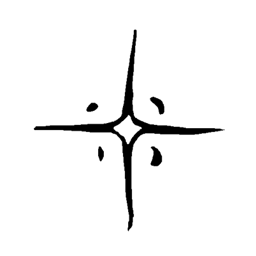
Community listing page, reviews here may not be monitored by the author.
PVP Impact Frames


No reviews yet
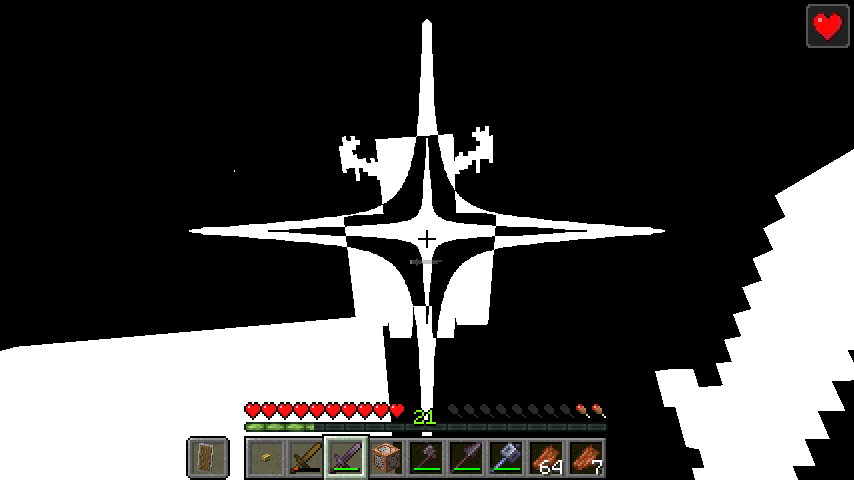
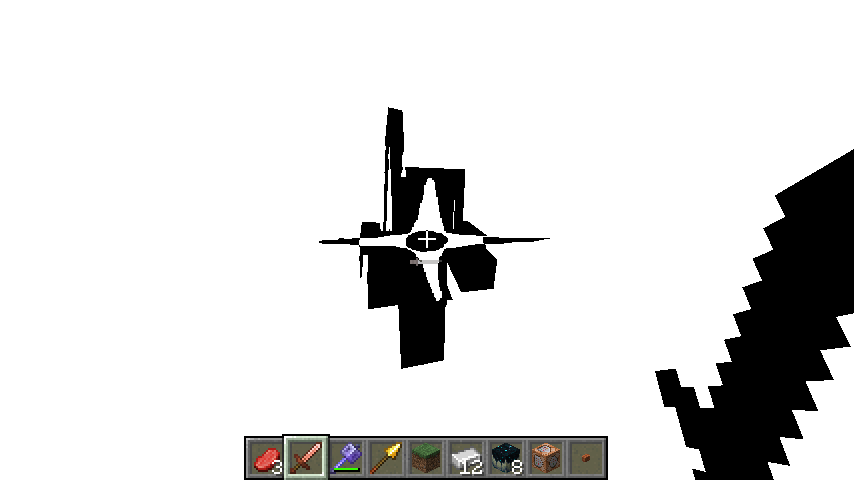
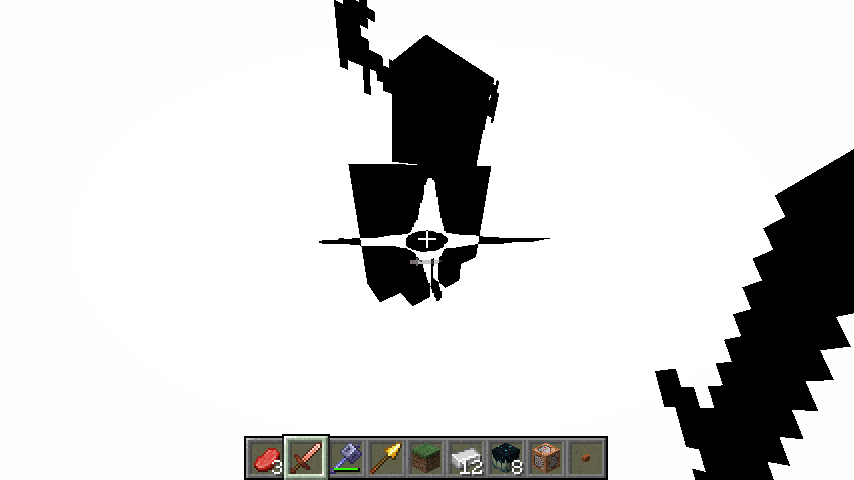
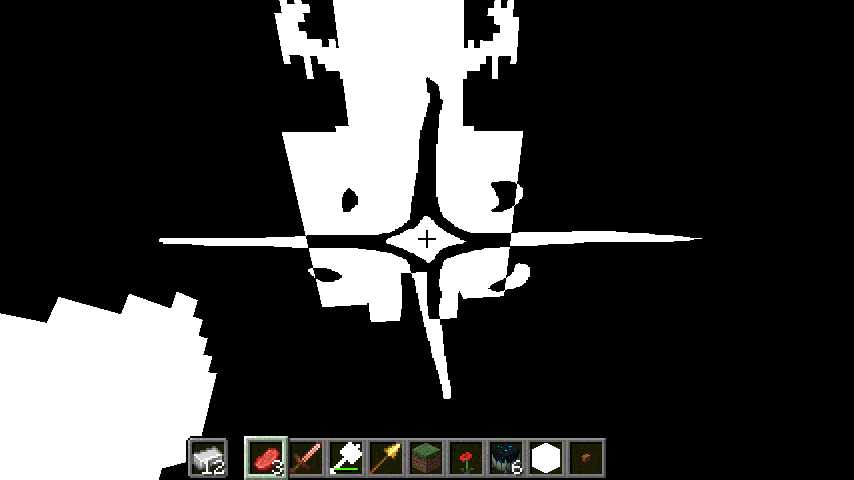
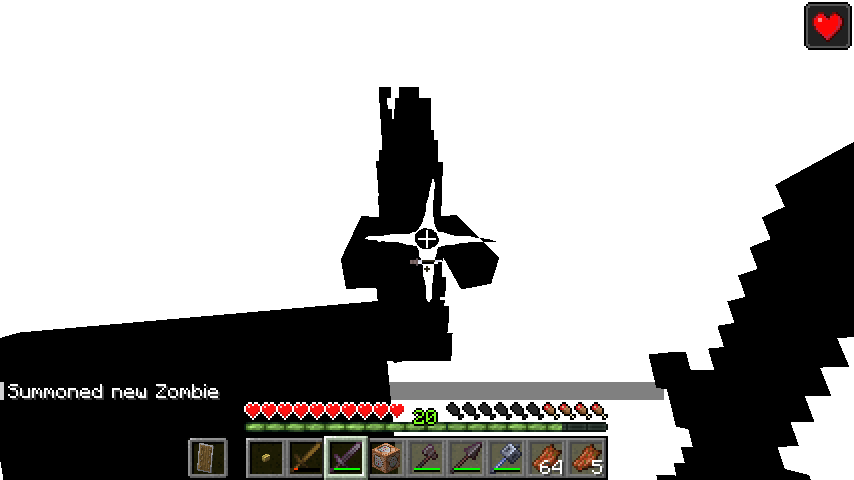
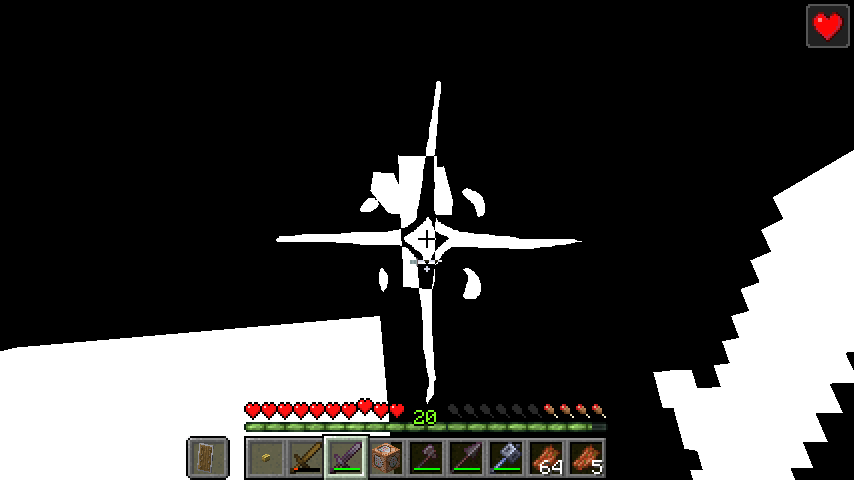
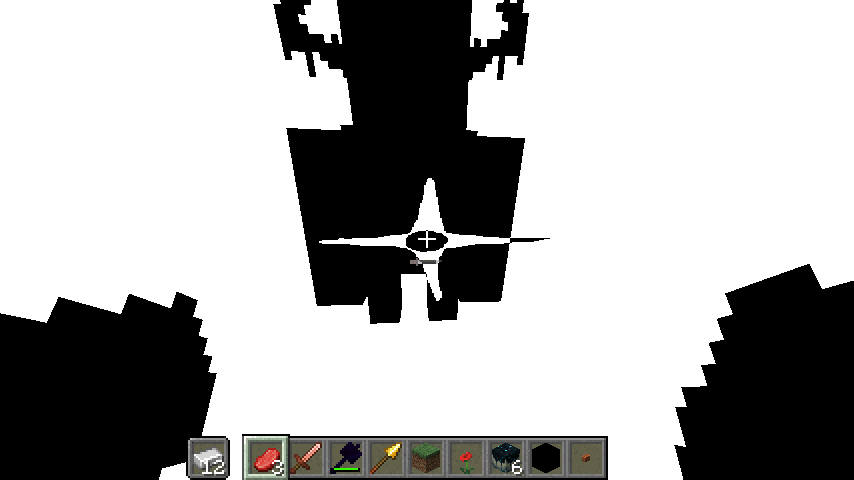
!!!EPILEPSY WARNING!!! Adds impact frames that plays on mace/spear hits, shield breaks, ... Or just any hits at all! Fully client-sided, configurable and customizable.
Community voices
Reviews
No reviews yet. Be the first to review this project!
Get it on
Available Platforms
Compatibility
Supported Environments
Runs entirely on the client. Works on vanilla servers.
About
Project Details
For authors
Embed Badge
If you're the author of this project, you can embed a live badge anywhere that supports HTML or Markdown. It updates automatically whenever ratings change.
Use HTML for any page that supports it, or Markdown for README files and Markdown-based descriptions.
Identifiers
Platform IDs
Resources
External Links
About
Description
If you are a content creator using this mod, make sure to put an epilepsy warning in the video title or on screen.
1.21.1 port coming soon! Follow the project to be notified when it drops.



Overview
- Adds fully configurable impact frames to Minecraft.
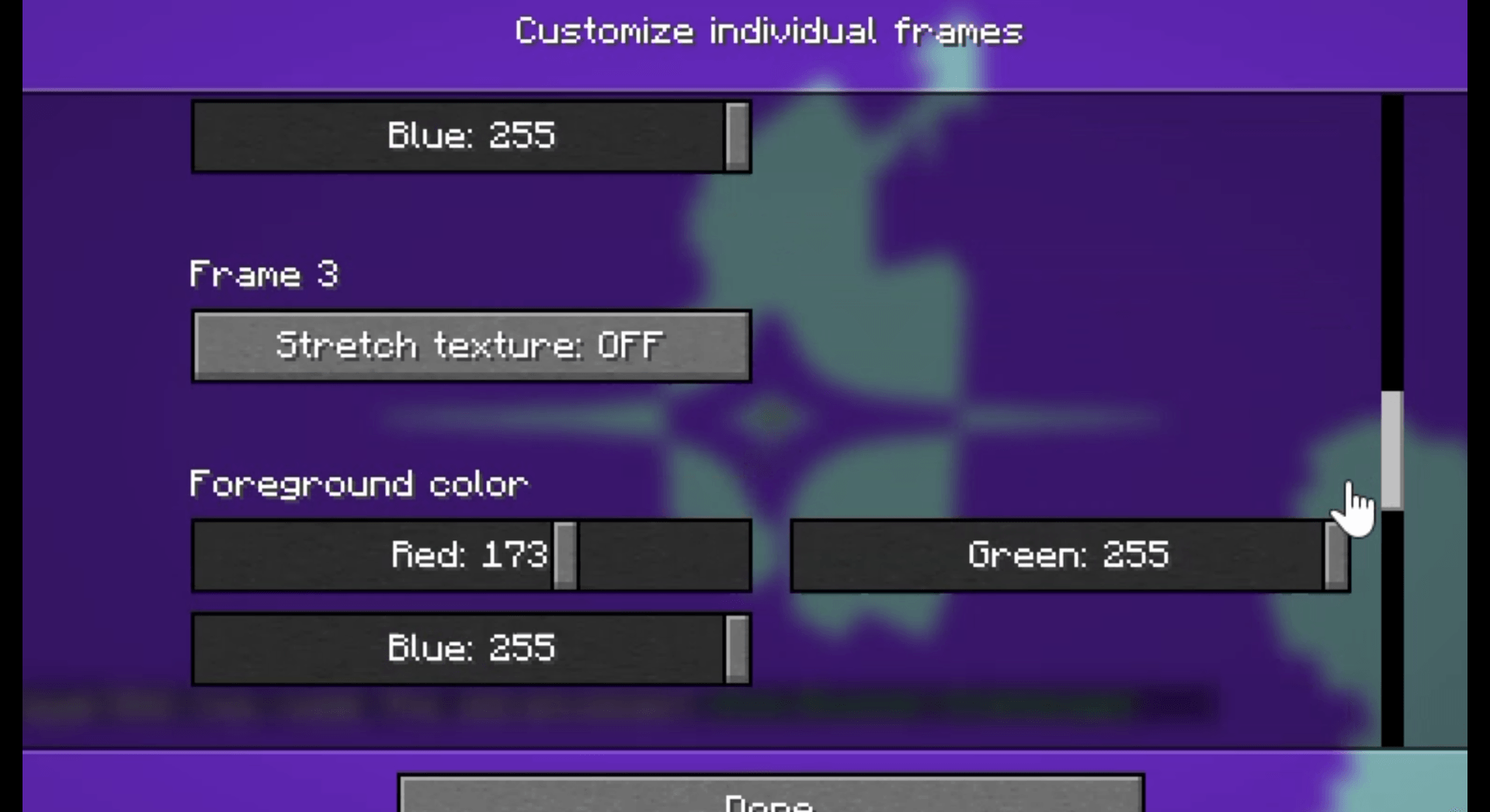
- You can customize how long they last, the delay between them, their sprites, their colors, what can trigger them,… right in the options.
- All settings can be found inside the
Accessibilitytab, under theImpact Framessubtab, edited via ModMenu, or accessed with an in-game hotkey. - This mod is still in active development and will be constantly receiving updates and ports! Join the discord server to be kept up to date on new releases.
- The newest releases come bundled with a few community-made resource packs. Credits goes to
jouci,draconivr2.0,aurahmanaandyounotgoth(4give) on discord for their wonderful creations. - You can make your own custom impact frames with this template.
Available settings
Keybinds
Toggle
- Toggle impact frames. Default: I
Menu
- Brings up the config menu for Impact Frames. Default: M
General
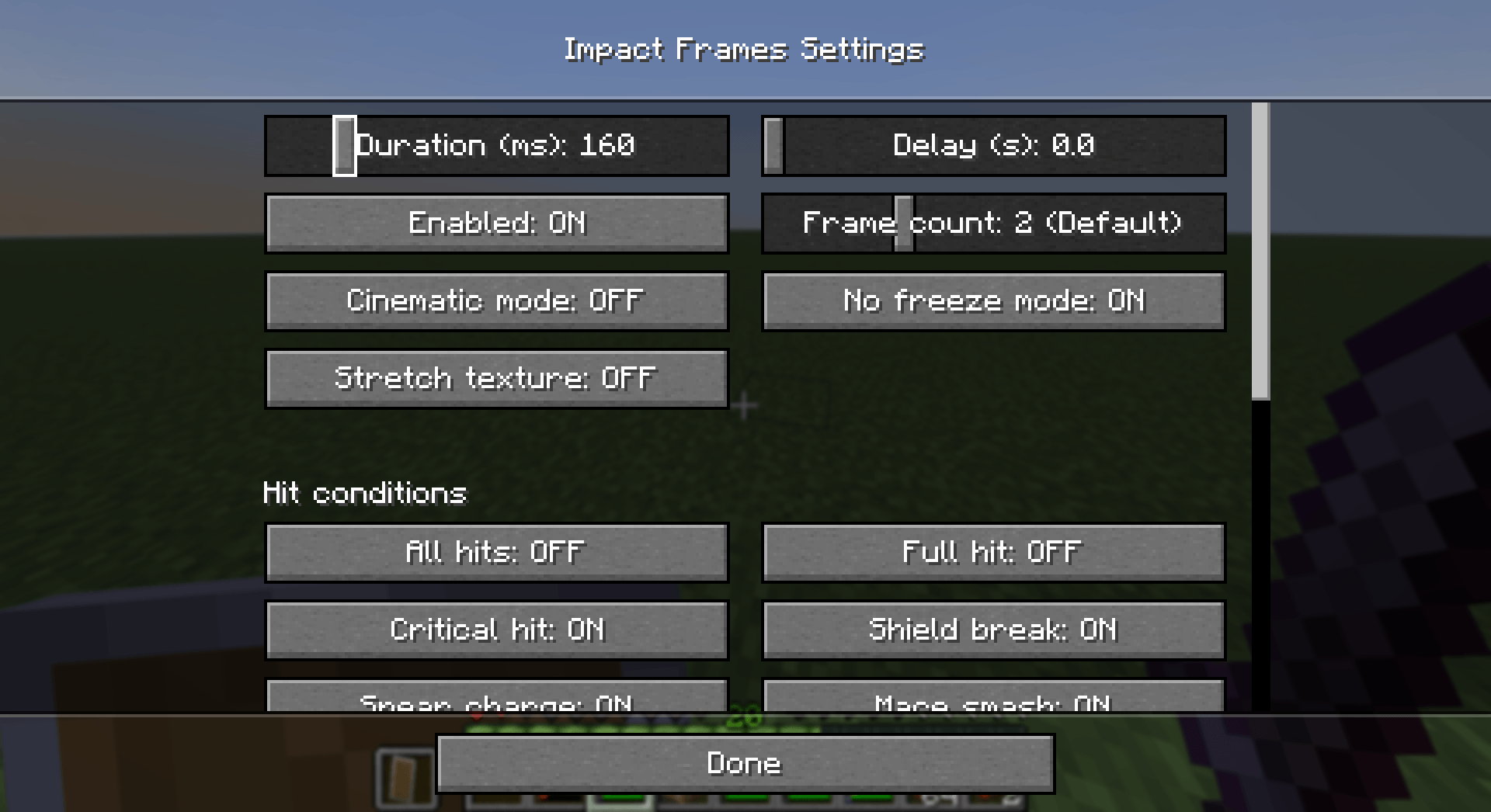
Duration (ms)
- How long the impact frames sequence last (in milliseconds), split evenly between all frames. Set to 0 to disable.
Delay (s)
- How long the game will wait after an impact frame before the next one can be triggered (in seconds).
Frame count
- How many frames is in a sequence (1-5). Default: 2
Cinematic mode
- Whether to render the GUI during impact frames (equivalent to F1).
No freeze mode
- Whether impact frames freeze the view.
Stretch texture
- Whether the impact frame texture is scaled and centered to preserve aspect ratio, or stretched across the entire screen.
Pitch
- The pitch of the sound. Also affects the length of the sound. Set to 0 to disable.
Chance
- The chance of the frame happening per hit.
Chance decay
- How much the chance decreases per impact frame trigger.
- If this setting is enabled, impact frames can trigger consecutively regardless of the delay. Instead, the chance will reset after the delay.
Hit conditions
All hits
- Impact frames will trigger on any hits.
Full hit
- Impact frames will trigger on a fully charged hit (strong attack).
Critical hit
- Impact frames will trigger on a critical hit.
Totem pop
- Impact frames will trigger on totem pops.
Kill
- Impact frames will trigger on kills.
Mace smash
- Impact frames will trigger on a mace smash.
Spear charge
- Impact frames will trigger on a spear charge hit.
Shield break
- Impact frames will trigger upon breaking someone's shield with an axe.
Eligible items
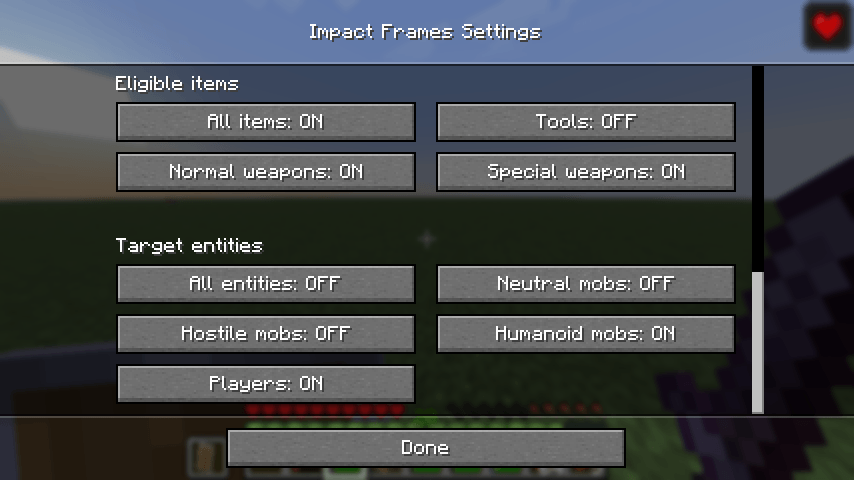
All items
- All items can trigger impact frames.
Special weapons
- Maces and spears can trigger impact frames.
Normal weapons
- Swords, axes and tridents can trigger impact frames.
Tools
- All tools can trigger impact frames.
Target entities
All entities
- Hitting all entities can trigger impact frames.
Neutral mobs
- Hitting all neutral mobs can trigger impact frames.
Hostile mobs
- Hitting all hostile mobs can trigger impact frames.
Humanoid mobs
- Hitting all humanoid can trigger impact frames.
Players
- Hitting players can trigger impact frames.
How to change impact frame texture
Make a resource pack that overrides the files
impact-frames/textures/effect/frame_<0-4>.pngJoin the discord server to get access to a template, along with community-created impact frames..
Final notes
- Join the discord server to be notified of updates, report bugs, or suggest new features.
If you are a content creator using this mod, make sure to put an epilepsy warning in the video title or on screen!
1.21.1 port coming soon! Follow the project to be notified when it drops.


Overview
- Adds fully configurable impact frames to Minecraft.
- You can customize how long they last, the delay between them, their sprites, their colors, what can trigger them,… right in the options.
- All settings can be found inside the
Accessibilitytab, under theImpact Framessubtab, edited via ModMenu, or accessed with an in-game hotkey.
- This mod is still in active development and will be constantly receiving updates and ports! Join the discord server to be kept up to date on new releases.
- The newest releases come bundled with a few community-made resource packs. Credits goes to
jouci,draconivr2.0,aurahmanaandyounotgoth(4give) on discord for their wonderful creations. - You can make your own custom impact frames with this template.
Available settings
Keybinds
Toggle
- Toggle impact frames. Default: I
Menu
- Brings up the config menu for Impact Frames. Default: M
General
Duration (ms)
- How long the impact frames sequence last (in milliseconds), split evenly between all frames. Set to 0 to disable.
Delay (s)
- How long the game will wait after an impact frame before the next one can be triggered (in seconds).
Frame count
- How many frames is in a sequence (1-5). Default: 2
Cinematic mode
- Whether to render the GUI during impact frames (equivalent to F1).
No freeze mode
- Whether impact frames freeze the view.
Stretch texture
- Whether the impact frame texture is scaled and centered to preserve aspect ratio, or stretched across the entire screen.
Pitch
- The pitch of the sound. Also affects the length of the sound. Set to 0 to disable.
Chance
- The chance of the frame happening per hit.
Chance decay
- How much the chance decreases per impact frame trigger.
- If this setting is enabled, impact frames can trigger consecutively regardless of the delay. Instead, the chance will reset after the delay.
Hit conditions
All hits
- Impact frames will trigger on any hits.
Full hit
- Impact frames will trigger on a fully charged hit (strong attack).
Critical hit
- Impact frames will trigger on a critical hit.
Totem pop
- Impact frames will trigger on totem pops.
Kill
- Impact frames will trigger on kills.
Mace smash
- Impact frames will trigger on a mace smash.
Spear charge
- Impact frames will trigger on a spear charge hit.
Shield break
- Impact frames will trigger upon breaking someone's shield with an axe.
Eligible items
All items
- All items can trigger impact frames.
Special weapons
- Maces and spears can trigger impact frames.
Normal weapons
- Swords, axes and tridents can trigger impact frames.
Tools
- All tools can trigger impact frames.
Target entities
All entities
- Hitting all entities can trigger impact frames.
Neutral mobs
- Hitting all neutral mobs can trigger impact frames.
Hostile mobs
- Hitting all hostile mobs can trigger impact frames.
Humanoid mobs
- Hitting all humanoid can trigger impact frames.
Players
- Hitting players can trigger impact frames.
How to change impact frame texture
-
Make a resource pack that overrides the files
impact-frames/textures/effect/frame_<0-4>.png -
Join the discord server to get access to a template, along with community-created impact frames..
Final notes
- Join the discord server to be notified of updates, report bugs, or suggest new features.
Screenshots
Gallery
-
 2026-04-24_16.10.38.png 2026-04-24_16.10.38.png
 -
 Screenshot 2026-04-28 104530.png Screenshot 2026-04-28 104530.png
 -
 2026-04-22_08.09.42.png 2026-04-22_08.09.42.png
 -
 2026-04-22_08.09.31.png 2026-04-22_08.09.31.png
 -
 2026-04-19_21.57.27.png 2026-04-19_21.57.27.png
 -
 2026-04-24_14.01.48.png 2026-04-24_14.01.48.png
 -
 2026-04-24_14.06.26.png 2026-04-24_14.06.26.png
 -
 2026-04-24_14.06.42.png 2026-04-24_14.06.42.png
 -
 2026-04-24_14.06.53.png 2026-04-24_14.06.53.png
-
 Example1
Versions
Files
Relations
Project Relations
More like this
Similar Mods
Suggestions use data such as tags, dependencies, dependents, descriptions, titles, and more to rank how much they overlap with this mod.
On ModDex
Community snapshot
By the numbers
Statistics
Want to reach Minecraft players?
We're looking for a server hosting partner to feature here and other parts of the site. Interested? Send us a message!
Get in touchGet it on
Available Platforms
On ModDex
Community snapshot
By the numbers
Statistics
Resources