
Community listing page, reviews may not be monitored by the author.
Quest Progress HUD

No reviews yet
A compact HUD showing your team's FTB Quests progress with completed and total quest counts, a completion percentage, and a progress bar.

Community voices
Reviews
No reviews yet. Be the first to review this project!
Get it on
Available Platforms
About
Project Details
For authors
Embed Badge
If you're the author of this project, you can embed a live badge anywhere that supports HTML or Markdown. It updates automatically whenever ratings change.
Use HTML for any page that supports it, or Markdown for README files and Markdown-based descriptions.
Identifiers
Platform IDs
About
Description
Quest Progress HUD
A compact client-side HUD that shows your team's FTB Quests progress without opening the quest book.
Features
- Completed / total quest counts, completion percentage, and a progress bar.
- Track all quests or a selected chapter.
- Progress refreshes once per second while the HUD is visible.
- Drag the HUD over the game view and preview size/background opacity changes in the layout editor.
- Configurable visibility, screen corner, position offsets, size, and background opacity.
- Optional visibility toggle key, unassigned by default.
- Settings persist between launches.
- English and Japanese configuration labels and help.
Requirements
- Minecraft 1.21.1
- NeoForge 21.1.251 or newer within Minecraft 1.21.1
- FTB Quests and its required dependencies
- Java 21
Install this mod on the client.
Built and tested with NeoForge 21.1.251 and FTB Quests 2101.1.36 in All the Mods 10 v8.2. Other modpacks and FTB Quests versions are not yet verified.
Installation and Settings
- Close Minecraft and place the JAR in your instance's
modsfolder. - Remove any older Quest Progress HUD JAR, keeping only one version.
- Start the game and enter a world.
Open Mods → Quest Progress HUD → Config:
- Edit HUD layout: drag to reposition and preview size/background opacity while in a world. Save applies changes; Cancel/Escape discards them. Reset previews the default layout.
- Numeric HUD settings: configure visibility, corner, exact offsets, size, and background opacity.
- Select chapter: choose All quests or one chapter, then Save.
To assign the visibility key, open Options → Controls → Key Binds → Quest Progress HUD → Toggle quest HUD.
Existing settings are retained when updating.
How Progress Is Counted
Progress uses the currently synced team's completion data, rather than a separate personal counter.
All quests is the default and includes every registered quest, including hidden, optional, repeatable, and internal quests.
When a chapter is selected, both completed and total counts are limited to that chapter. No additional filtering is applied.
The percentage is rounded to one decimal place. Repeatable quests are counted according to their current completion state, not the number of times repeated. An empty quest file or chapter displays 0 / 0 and 0.0%.
Chapter selection is saved per Minecraft instance. If the selected chapter is missing from another world's quest data, the HUD displays Chapter unavailable until you select another chapter or All quests.
Beta Status
This mod is currently in beta. The layout editor, visibility key, and chapter selection have been checked in-game by the author. Subsequent gameplay in the primary test environment was reported without observed issues.
Broader modpack compatibility and multiplayer/team transitions still need further in-game testing.
Source and Support
Screenshots
Gallery
-
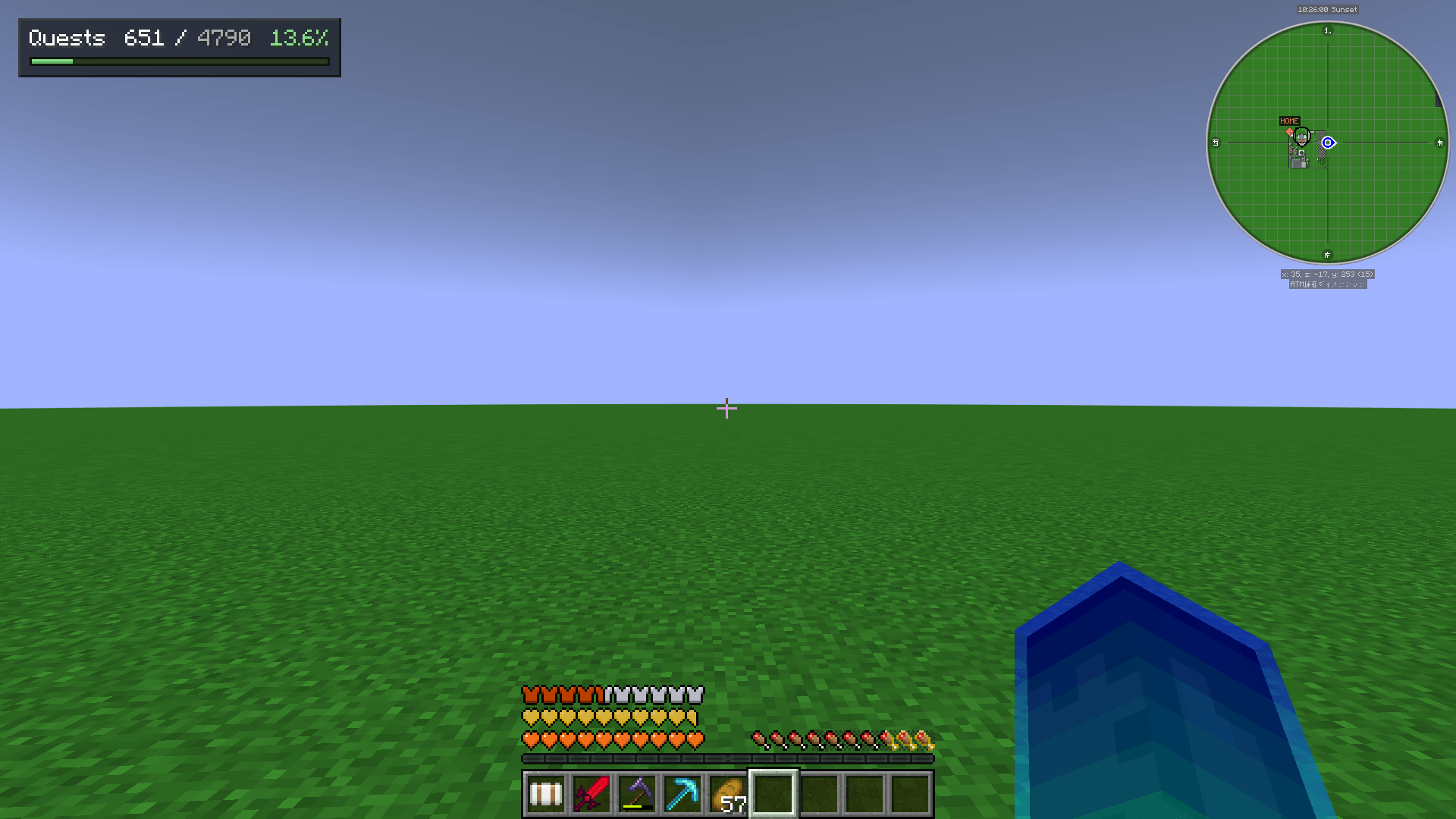 HUD in-game HUD in-game
 -
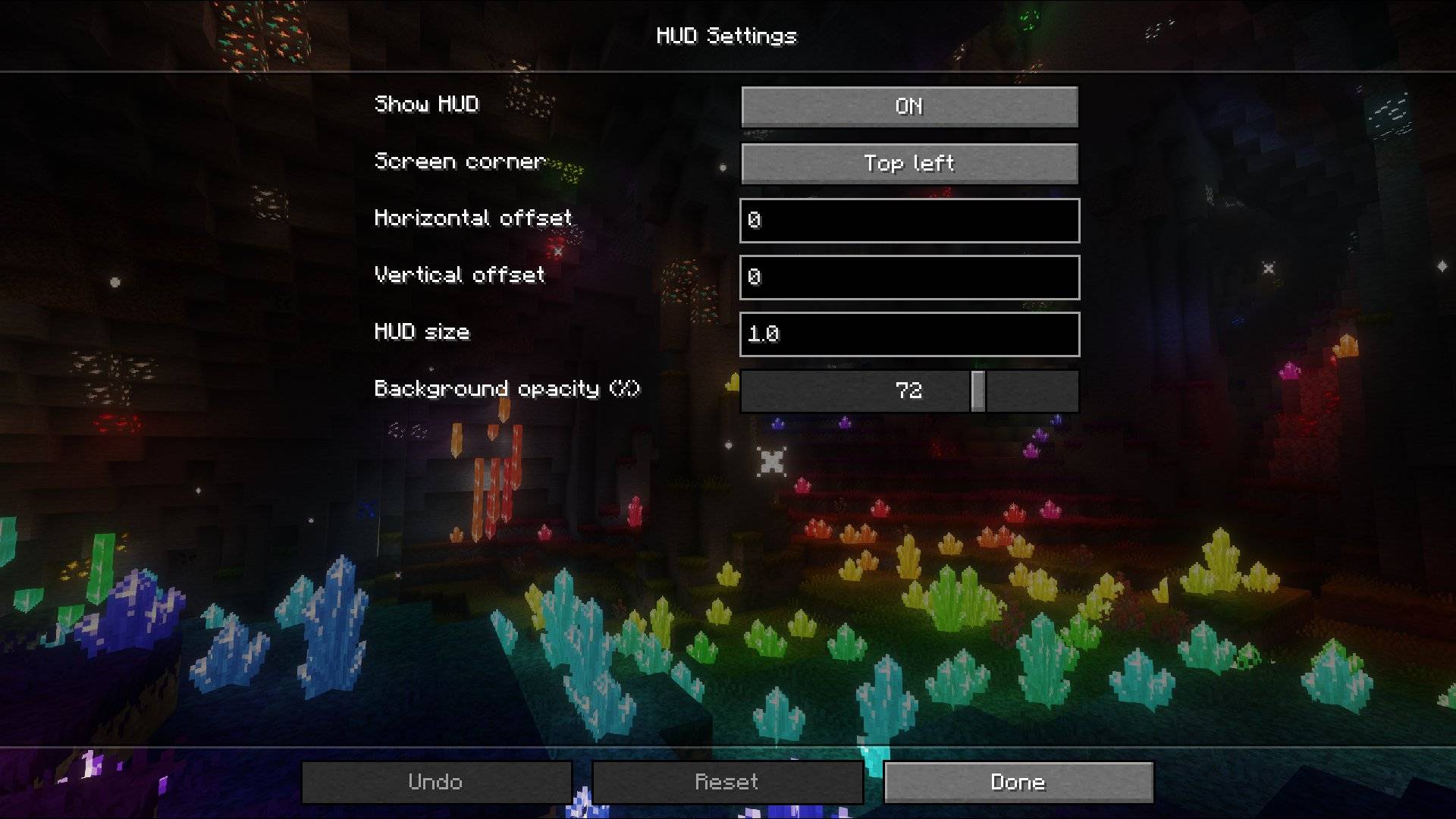 HUD settings (English) HUD settings (English)
 -
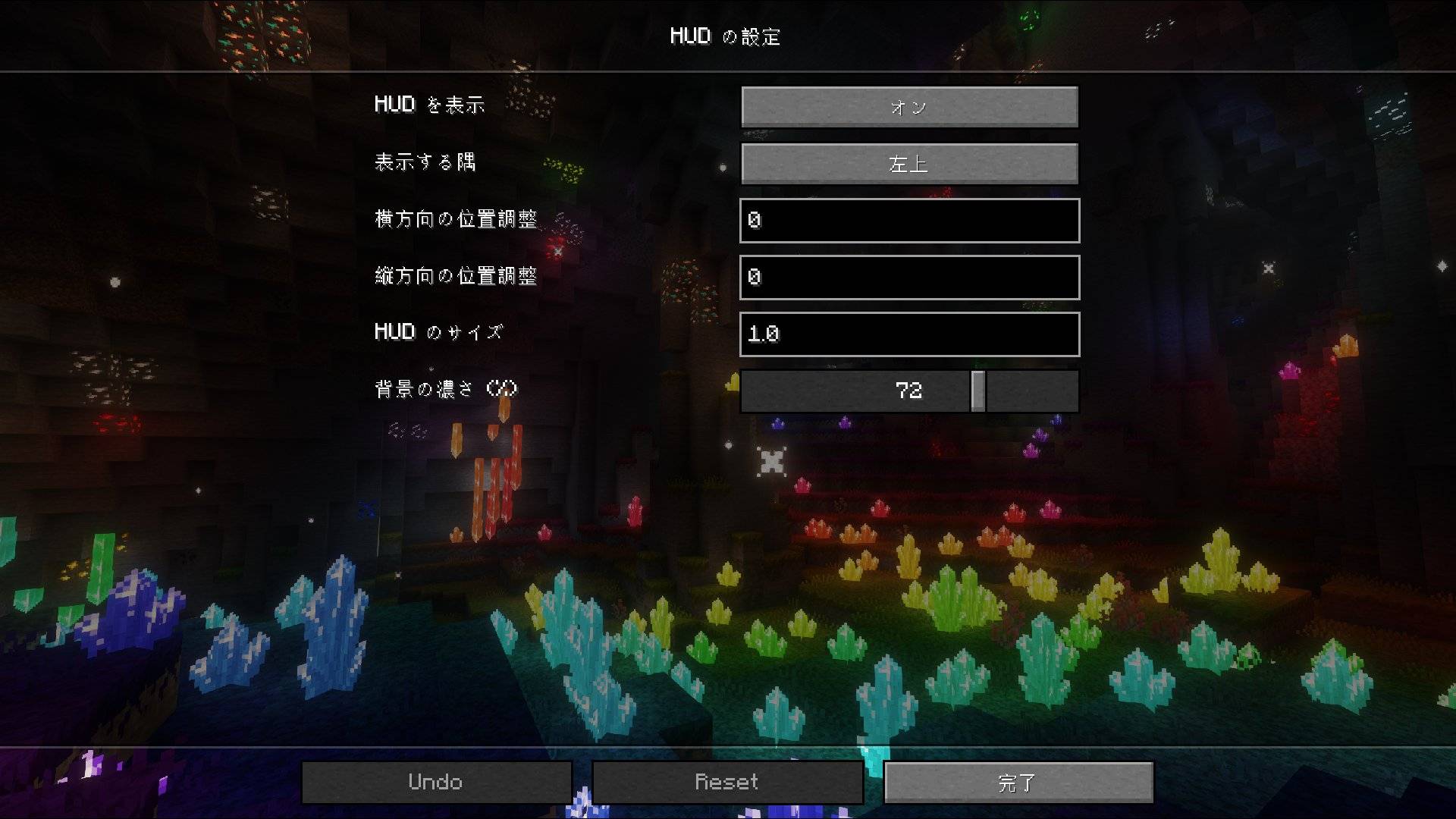 HUD settings (Japanese) HUD settings (Japanese)
Versions
Files
Relations
Project Relations
More like this
Similar Mods
Suggestions use data such as tags, dependencies, dependents, descriptions, titles, and more to rank how much they overlap with this mod.
On ModDex
Community snapshot
By the numbers
Statistics

Get it on
Available Platforms
On ModDex
Community snapshot
By the numbers