

Reputation ranks
Ranks only ever go up; points can drop but your rank stays.
About reputation ranksi was searching for a mod that adds /home for days. i found it.
Mod
QuickHearth is a reworked GUI based homes system with stronger home system and custom icons, teleport system , and more! /home /sethome /homes /tp /tpa /tpr
Adds new methods of transportation for players.
Fabric is a mod loader for versions 1.14+ of Minecraft, particularly popular for client side and optimization mods.
Community voices
Click once to include, again to exclude, again to clear
Reputation ranks
Ranks only ever go up; points can drop but your rank stays.
About reputation ranksi was searching for a mod that adds /home for days. i found it.
Reputation ranks
Ranks only ever go up; points can drop but your rank stays.
About reputation ranksGet it on
Compatibility
About
For authors
If you're the author of this project, you can embed a live badge anywhere that supports HTML or Markdown. It updates automatically whenever ratings change.
Use HTML for any page that supports it, or Markdown for README files and Markdown-based descriptions.
Identifiers
Resources
About
A new take on homes and tpa teleports! QuickHearth is a server-side homes and teleport mod for Minecraft 26.1.x Fabric. This will allow server players to save spots (as a home), return to them with a click, share teleports with friends, and snap back to spawn. Designed for survival servers that want a friendlier GUI than larger teleport command bundles, with rank-aware home limits that scale as players progress. LuckPerms friendly!
Works on dedicated servers and in single-player worlds. Vanilla clients connecting to a dedicated server need nothing extra installed.
This mod also uses SGUI by Patbox. This is already pre-bundled.
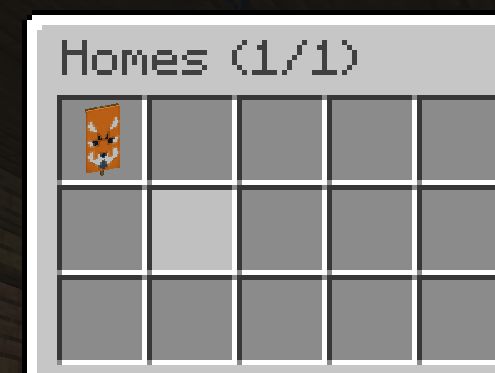
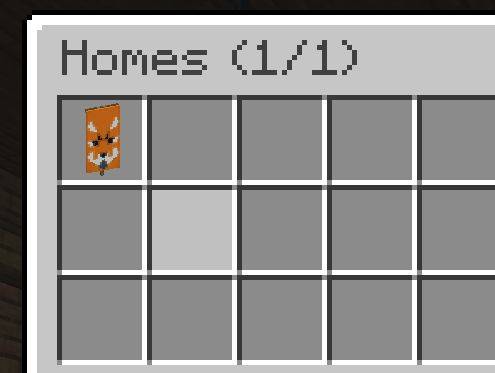
/home and click a slot to teleport. Shift-click a slot to delete the home./sethome becomes that home's slot icon. Use a custom-named banner with patterns, a player head, a flower, or anything else to label your homes visually. 
/spawn for instant return to world spawn./tpa, /tpahere (alias /tpr), /tpaccept, /tpdeny, and /tpatoggle for teleport requests between players./sethome saves your current location as "home" (the default name).
/sethome <name> saves with a custom name like "basecamp" or "iron-farm". Names accept letters, numbers, underscores, and hyphens, up to 24 characters.
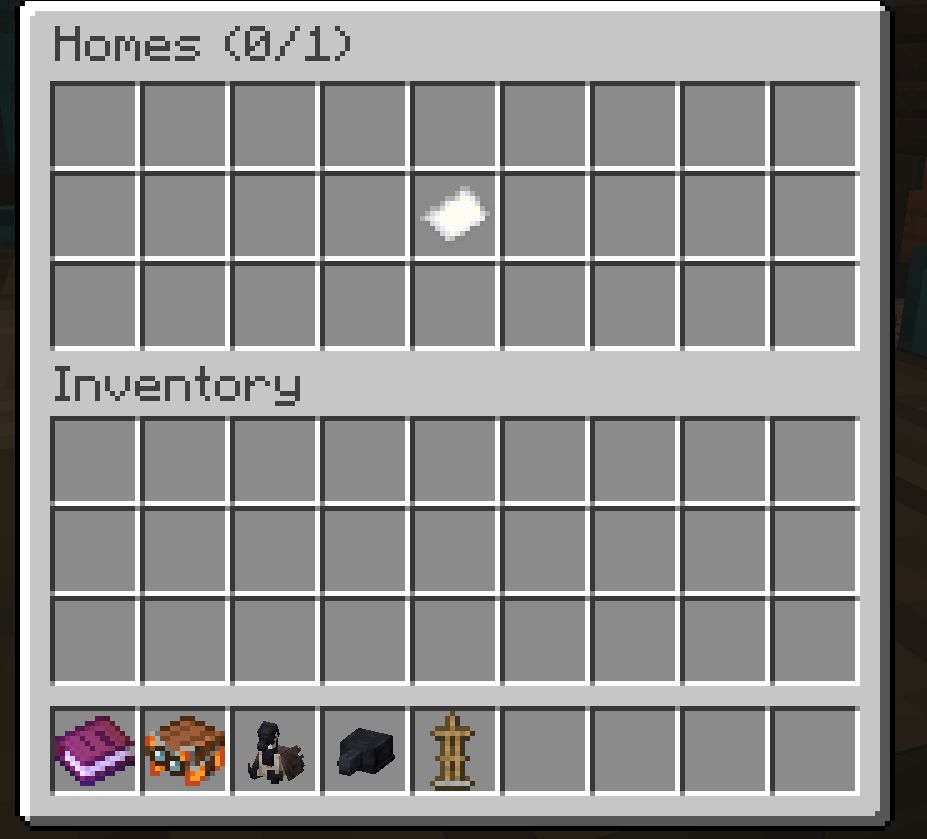
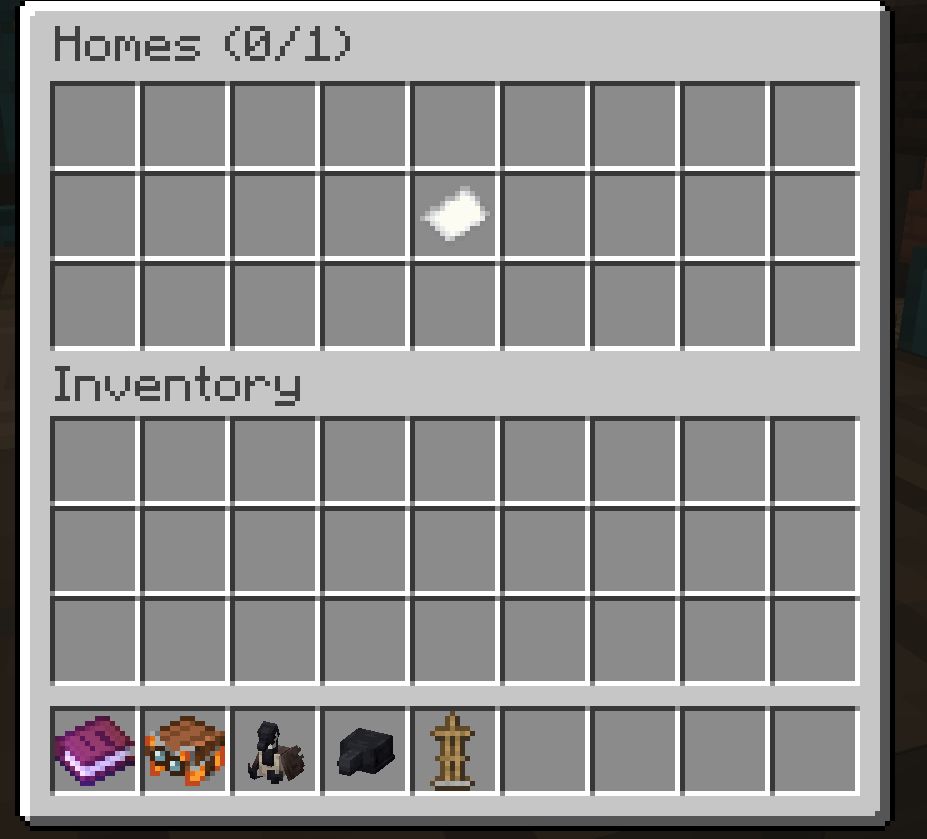
The item in your main hand when you run /sethome becomes that home's slot icon in the picker. Empty hand falls back to a plain white banner. Re-running /sethome with the same name overwrites both the location and the icon.
/home opens the home picker, a 27-slot chest GUI showing all your homes. Click a slot to teleport. Shift-click to delete.
/home <name> teleports directly to a home, with tab-completion.
/home help prints the command list in chat.
/homes is the same as /home (opens the picker).
/delhome <name> deletes a home, with tab-completion.
/spawn teleports you to world spawn.
/tpa <player> asks the target if you can teleport to them. They see a chat prompt to /tpaccept or /tpdeny.
/tpahere <player> (alias /tpr) asks the target to teleport to you instead.
/tpaccept accepts the most recent pending request directed at you.
/tpdeny declines it.
/tpatoggle blocks incoming teleport requests until you toggle it back on. Persists across server restarts.
Pending requests expire automatically after 60 seconds.
All teleports share these rules:
A player's maximum number of homes is calculated as:
max_homes = LuckPerms meta "homes-max" + scoreboard "homes_bonus"
The two layers are independent. Rank changes do not reset bonus grants, and bonus grants do not depend on LuckPerms at all.
Install LuckPerms-Fabric in your mods/ folder, then set the home count per group:
/lp group default meta set homes-max 2
/lp group member meta set homes-max 3
/lp group veteran meta set homes-max 5
Or per individual user, to override their group:
/lp user Steve meta set homes-max 4
If LuckPerms is not installed, or no homes-max value is set, the rank base falls back to 1.
QuickHearth auto-creates a dummy scoreboard objective named homes_bonus on first server start. Admins grant extra homes per player using the vanilla scoreboard command:
/scoreboard players add Steve homes_bonus 2
/scoreboard players set Steve homes_bonus 5
/scoreboard players reset Steve homes_bonus
The scoreboard value is added to the rank base. So a member (rank base 3) with homes_bonus = 2 can save up to 5 homes.
| Player | Rank | LP homes-max |
homes_bonus |
Total |
|---|---|---|---|---|
| Alice | newcomer | 2 | 0 | 2 |
| Bob | member | 3 | 1 (event prize) | 4 |
| Carol | veteran | 5 | 2 (gifted) | 7 |
| Dave | (no LP) | 1 (default) | 3 (granted) | 4 |
The picker GUI title shows usage as Homes (used/max) so players can see at a glance how many slots they have left.
Every command is allowed by default. To restrict a command for a group, set its node to false in LuckPerms.
quickhearth.command.homequickhearth.command.sethomequickhearth.command.delhomequickhearth.command.homesquickhearth.command.spawnquickhearth.command.tpaquickhearth.command.tpahere (covers /tpr too)quickhearth.command.tpacceptquickhearth.command.tpdenyquickhearth.command.tpatoggleExample, to revoke /tpa from the default group:
/lp group default permission set quickhearth.command.tpa false
If LuckPerms is not installed, permission gating falls back to vanilla OP level checks.
A new take on homes and tpa teleports! QuickHearth is a server-side homes and teleport mod for Minecraft 26.1.x Fabric. This will allow server players to save spots (as a home), return to them with a click, share teleports with friends, and snap back to spawn. Designed for survival servers that want a friendlier GUI than larger teleport command bundles, with rank-aware home limits that scale as players progress. LuckPerms friendly!

Works on dedicated servers and in single-player worlds. Vanilla clients connecting to a dedicated server need nothing extra installed.
This mod also uses SGUI by Patbox. This is already pre-bundled.
/home and click a slot to teleport. Shift-click a slot to delete the home./sethome becomes that home's slot icon. Use a custom-named banner with patterns, a player head, a flower, or anything else to label your homes visually.

/spawn for instant return to world spawn./tpa, /tpahere (alias /tpr), /tpaccept, /tpdeny, and /tpatoggle for teleport requests between players./sethome saves your current location as "home" (the default name).
/sethome <name> saves with a custom name like "basecamp" or "iron-farm". Names accept letters, numbers, underscores, and hyphens, up to 24 characters.
The item in your main hand when you run /sethome becomes that home's slot icon in the picker. Empty hand falls back to a plain white banner. Re-running /sethome with the same name overwrites both the location and the icon.
/home opens the home picker, a 27-slot chest GUI showing all your homes. Click a slot to teleport. Shift-click to delete.
/home <name> teleports directly to a home, with tab-completion.
/home help prints the command list in chat.
/homes is the same as /home (opens the picker).
/delhome <name> deletes a home, with tab-completion.
/spawn teleports you to world spawn.
/tpa <player> asks the target if you can teleport to them. They see a chat prompt to /tpaccept or /tpdeny.
/tpahere <player> (alias /tpr) asks the target to teleport to you instead.
/tpaccept accepts the most recent pending request directed at you.
/tpdeny declines it.
/tpatoggle blocks incoming teleport requests until you toggle it back on. Persists across server restarts.
Pending requests expire automatically after 60 seconds.
All teleports share these rules:
A player's maximum number of homes is calculated as:
max_homes = LuckPerms meta "homes-max" + scoreboard "homes_bonus"
The two layers are independent. Rank changes do not reset bonus grants, and bonus grants do not depend on LuckPerms at all.
Install LuckPerms-Fabric in your mods/ folder, then set the home count per group:
/lp group default meta set homes-max 2
/lp group member meta set homes-max 3
/lp group veteran meta set homes-max 5
Or per individual user, to override their group:
/lp user Steve meta set homes-max 4
If LuckPerms is not installed, or no homes-max value is set, the rank base falls back to 1.
QuickHearth auto-creates a dummy scoreboard objective named homes_bonus on first server start. Admins grant extra homes per player using the vanilla scoreboard command:
/scoreboard players add Steve homes_bonus 2
/scoreboard players set Steve homes_bonus 5
/scoreboard players reset Steve homes_bonus
The scoreboard value is added to the rank base. So a member (rank base 3) with homes_bonus = 2 can save up to 5 homes.
| Player | Rank | LP homes-max |
homes_bonus |
Total |
|---|---|---|---|---|
| Alice | newcomer | 2 | 0 | 2 |
| Bob | member | 3 | 1 (event prize) | 4 |
| Carol | veteran | 5 | 2 (gifted) | 7 |
| Dave | (no LP) | 1 (default) | 3 (granted) | 4 |
The picker GUI title shows usage as Homes (used/max) so players can see at a glance how many slots they have left.
Every command is allowed by default. To restrict a command for a group, set its node to false in LuckPerms.
quickhearth.command.homequickhearth.command.sethomequickhearth.command.delhomequickhearth.command.homesquickhearth.command.spawnquickhearth.command.tpaquickhearth.command.tpahere (covers /tpr too)quickhearth.command.tpacceptquickhearth.command.tpdenyquickhearth.command.tpatoggleExample, to revoke /tpa from the default group:
/lp group default permission set quickhearth.command.tpa false
If LuckPerms is not installed, permission gating falls back to vanilla OP level checks.
Versions
Relations
More like this
Suggestions use data such as tags, dependencies, dependents, descriptions, titles, and more to rank how much they overlap with this mod.
On ModDex
By the numbers
Want to reach Minecraft players?
We're looking for a server hosting partner to feature here and other parts of the site. Interested? Send us a message!
Get in touchGet it on
On ModDex
By the numbers
Resources
ModDex uses cookies that are strictly necessary for the site to work. With your consent we also use privacy-preserving analytics (no cookies, no cross-session tracking) to understand which features get used. We will never sell or share personal information.
Choose which categories of cookies you want to allow. You can change these anytime from the footer.
We will never sell or share personal information. Read the full privacy policy.
Strictly necessary
Required for login sessions, CSRF protection, and abuse prevention. These cannot be turned off.
Analytics
Privacy-preserving analytics (PostHog EU): no cookies or cross-session tracking. Still requires consent as it sends anonymous usage data to a third-party server. No advertising or profiling.