
Community listing page, reviews here may not be monitored by the author.
QuickQuit


No reviews yet
Adds hotkeys to instantly quit your world/server to the main menu (or close the game entirely), with an optional confirmation step and a client-side /quickquit command to schedule a quit after a delay.
Community voices
Reviews
No reviews yet. Be the first to review this project!
Get it on
Available Platforms
Compatibility
Supported Environments
Runs entirely on the client. Works on vanilla servers.
About
Project Details
For authors
Embed Badge
If you're the author of this project, you can embed a live badge anywhere that supports HTML or Markdown. It updates automatically whenever ratings change.
Use HTML for any page that supports it, or Markdown for README files and Markdown-based descriptions.
Identifiers
Platform IDs
Resources
External Links
About
Description
QuickQuit
QuickQuit is a client-side mod that lets you leave your world or server instantly with a single keypress, no more digging through the pause menu when you need to log off fast.FEATURESInstant Quit hotkey (default F8): press it while in a world or server and you are immediately back at the title screen (or the game closes entirely, depending on your settings).Mod menu hotkey (default P): opens QuickQuit's own settings screen from anywhere in-game.Optional confirmation: turn on "Confirm Before Quitting" in the settings if you would rather press the Quit key twice (within a few seconds) instead of quitting instantly. Off by default.Choose what "quit" means: pick whether the Quit key sends you to the Title Screen or fully closes the game.The /quickquit command: a client-side command that works on any server, even without operator permissions.
/quickquit (amount) seconds, minutes or hours: schedule a quit after a delay.
/quickquit cancel: cancel a scheduled quit.
/quickquit status: check whether a quit is currently scheduled.
Fully localized: available in English and Russian, following your game's language automatically.
100 percent client-side: safe to install on servers that do not have it, no server-side component required.
HOW TO USE
1. Change the keybinds (optional). Go to Options, Controls, Key Binds, QuickQuit, to rebind the Quit key (default F8) and the Menu key (default P) to whatever you like.
2. Open the settings screen. Press the Menu key (P by default) at any time, in a world or in a menu, to open QuickQuit's settings.
3. Configure your quit behavior.
Toggle "Confirm Before Quitting" on if you want a safety check before you leave.
Set "Quit Action" to either return to the Title Screen or Close the Game completely.
4. Quit instantly. While in a world or on a server, press the Quit key (F8 by default). If confirmation is off, you are out immediately. If confirmation is on, you will see a message in chat, press the key again within a few seconds to confirm.
5. Schedule a delayed quit. Type a command like:
/quickquit 5 minutes
/quickquit 30 seconds
/quickquit 2 hours
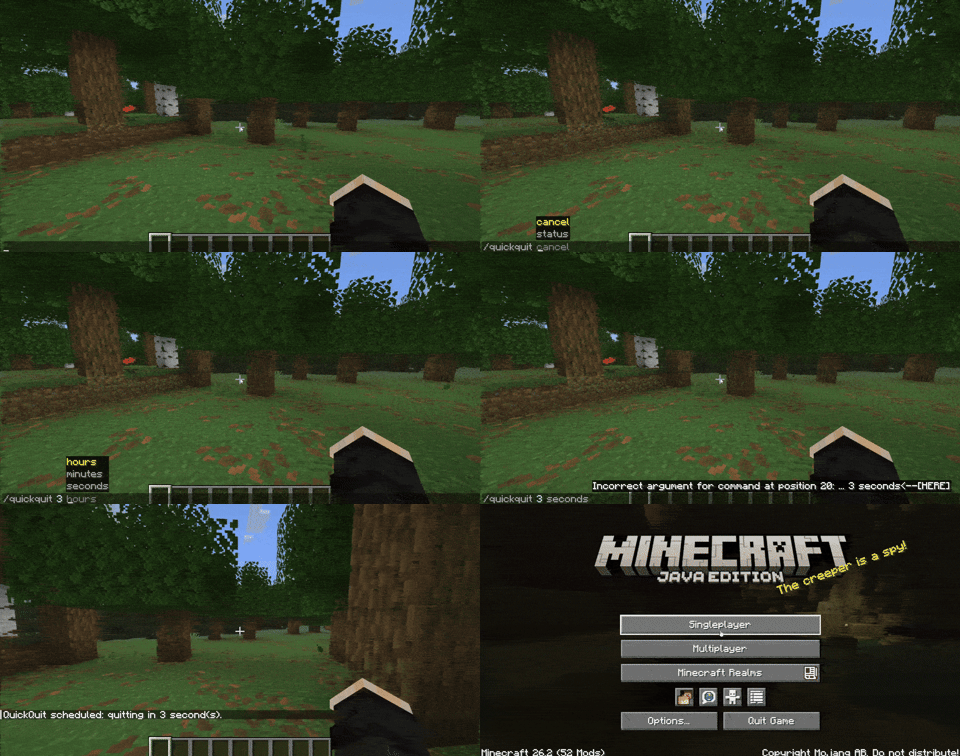
QuickQuit will automatically quit for you once the timer runs out. Use /quickquit status to check the countdown, or /quickquit cancel to call it off.
NOTES
QuickQuit does not save your progress any differently than a normal quit, it simply triggers the same disconnect/close flow Minecraft already uses, just instantly and on your terms.
No configuration file editing needed, everything is adjustable from the in-game settings screen.
QuickQuit
QuickQuit is a mod that lets you leave your world or server instantly with a single keypress — no more digging through the pause menu when you need to log off fast.
Found bugs or have questions? Join our Discord server!

✨ Features
- Instant Quit hotkey (default
F8) — press it while in a world/server and you're immediately back at the title screen (or the game closes entirely, depending on your settings). - Mod menu hotkey (default
P) — opens QuickQuit's own settings screen from anywhere in-game. - Optional confirmation — turn on "Confirm Before Quitting" in the settings if you'd rather press the Quit key twice (within a few seconds) instead of quitting instantly. Off by default.
- Choose what "quit" means — pick whether the Quit key sends you to the Title Screen or fully closes the game.
/quickquitcommand — a client-side command that works on any server, even without operator permissions:/quickquit <amount> seconds|minutes|hours— schedule a quit after a delay./quickquit cancel— cancel a scheduled quit./quickquit status— check whether a quit is currently scheduled.
- Fully localized — available in English and Russian, following your game's language automatically.
📖 How to use
- Change the keybinds (optional). Go to
Options > Controls > Key Binds > QuickQuitto rebind the Quit key (defaultF8) and the Menu key (defaultP) to whatever you like. - Open the settings screen. Press the Menu key (
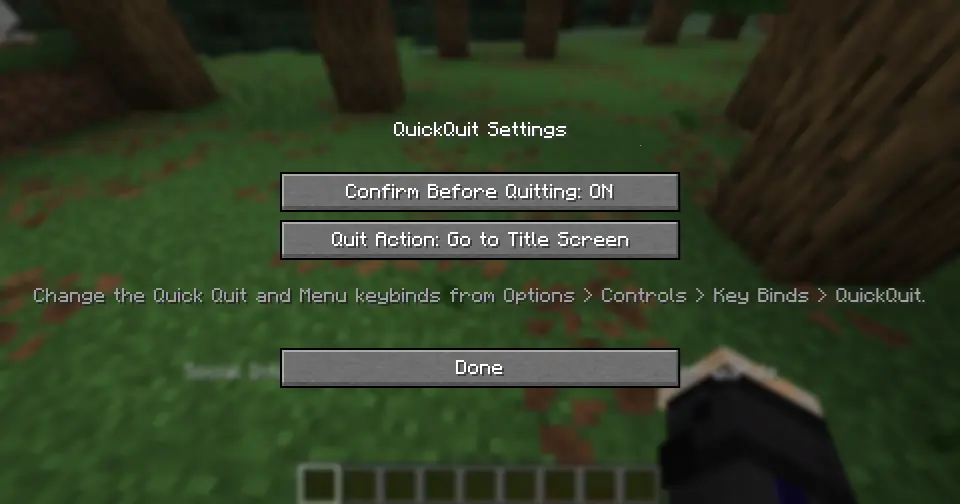
Pby default) at any time — in a world, in a menu, doesn't matter — to open QuickQuit's settings. - Configure your quit behavior.
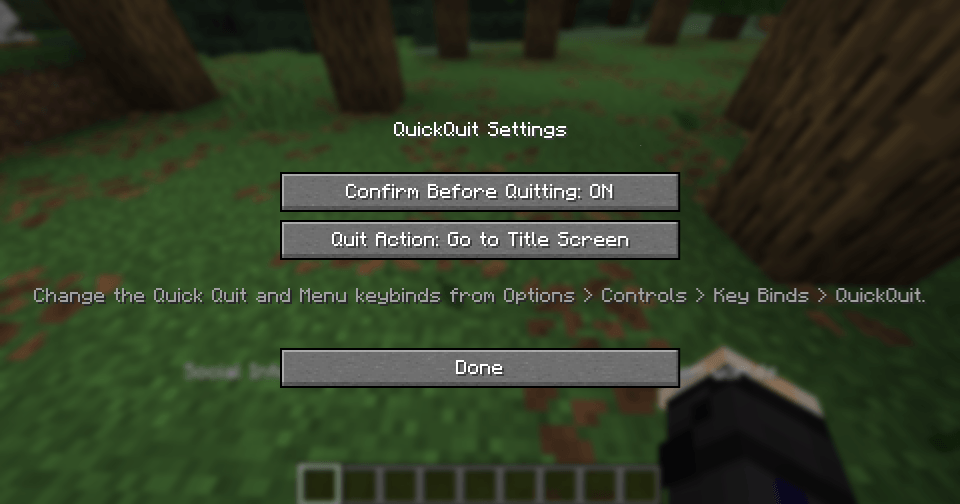
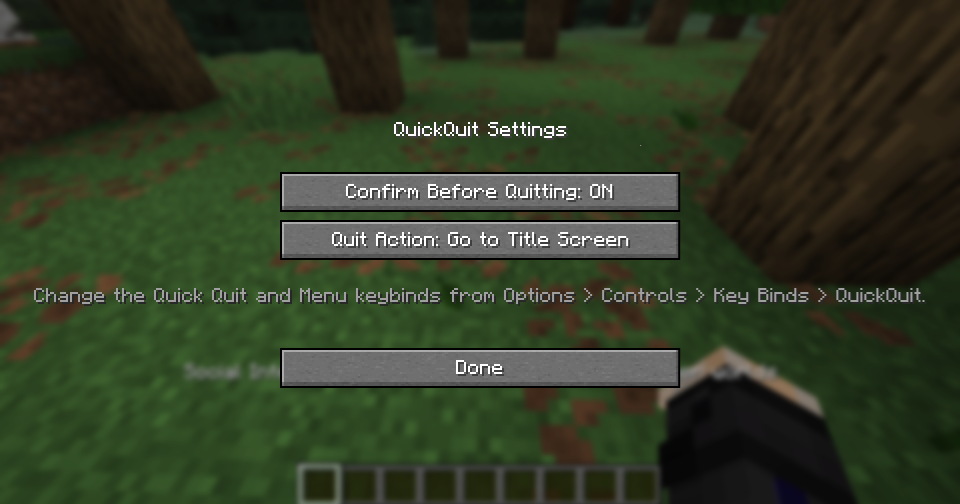
- Toggle Confirm Before Quitting on if you want a safety check before you leave.
- Set Quit Action to either return to the Title Screen or Close the Game completely.
- Quit instantly. While in a world or on a server, press the Quit key (
F8by default). If confirmation is off, you're out immediately. If confirmation is on, you'll see a message in chat — press the key again within a few seconds to confirm. - Schedule a delayed quit. Type a command like:
/quickquit 5 minutes /quickquit 30 seconds /quickquit 2 hours

QuickQuit will automatically quit for you once the timer runs out. Use /quickquit status to check the countdown, or /quickquit cancel to call it off.
ℹ️ Notes
- No configuration file editing needed — everything is adjustable from the in-game settings screen.
Screenshots
Gallery
-
 Mod Menu Mod Menu
-
 Mod Menu
Versions
Files
Relations
Project Relations
More like this
Similar Mods
Suggestions use data such as tags, dependencies, dependents, descriptions, titles, and more to rank how much they overlap with this mod.
On ModDex
Community snapshot
By the numbers
Statistics
Want to reach Minecraft players?
We're looking for a server hosting partner to feature here and other parts of the site. Interested? Send us a message!
Get in touchGet it on
Available Platforms
On ModDex
Community snapshot
By the numbers
Statistics
Resources