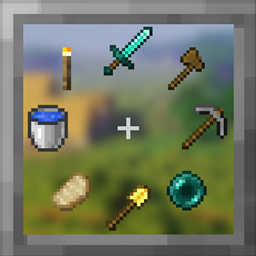
Community listing page, reviews here may not be monitored by the author.
Radial Hot Bar


No reviews yet
A faster way to access your items on hot bar
Community voices
Reviews
No reviews yet. Be the first to review this project!
Get it on
Available Platforms
Compatibility
Supported Environments
Runs entirely on the client. Works on vanilla servers.
About
Project Details
For authors
Embed Badge
If you're the author of this project, you can embed a live badge anywhere that supports HTML or Markdown. It updates automatically whenever ratings change.
Use HTML for any page that supports it, or Markdown for README files and Markdown-based descriptions.
Identifiers
Platform IDs
Resources
External Links
About
Description

Radial Hot Bar
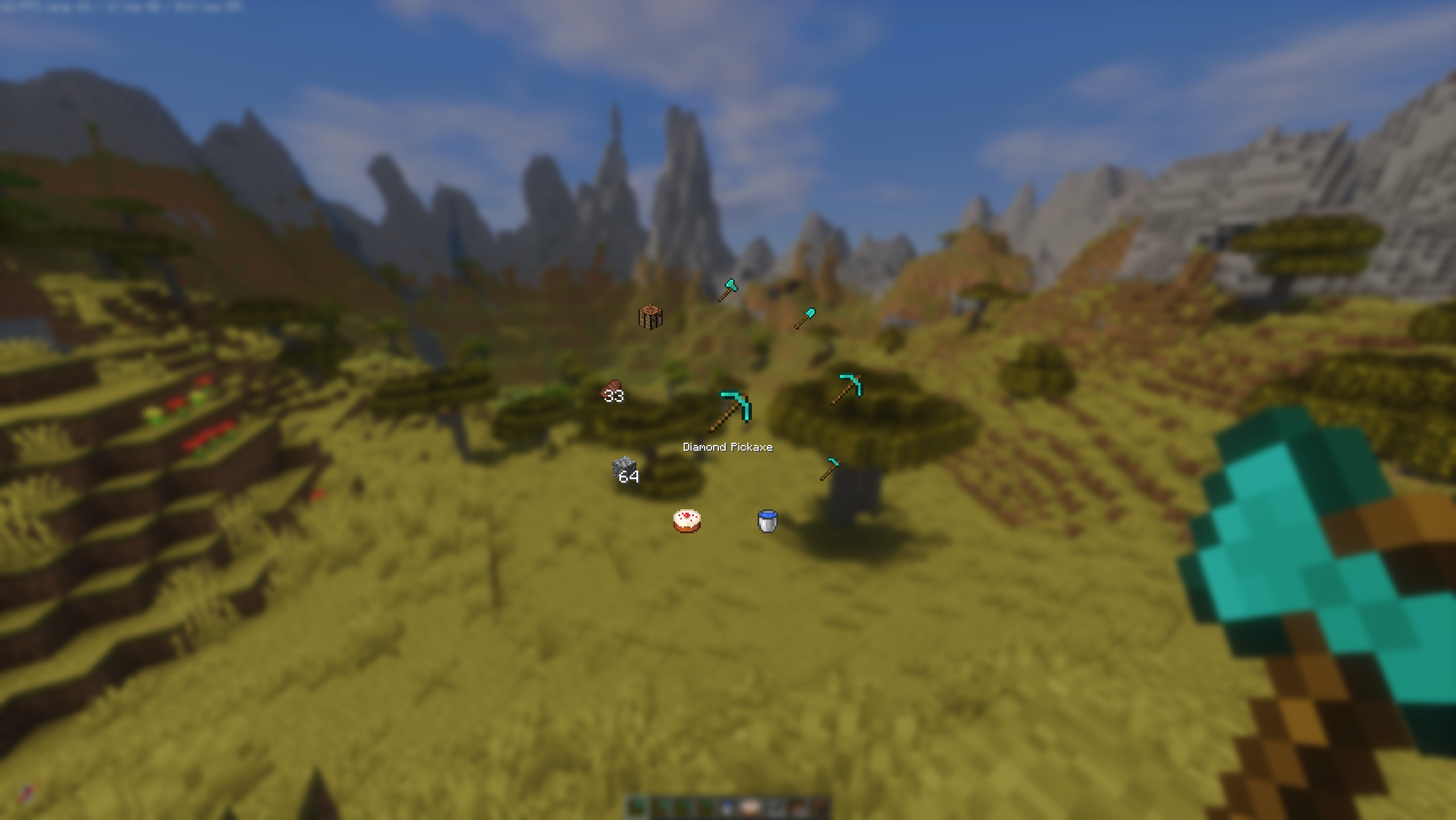
This simple mod adds an intuitive radial menu. Reaching for slots 7–9 or constantly scrolling the mouse wheel can be uncomfortable and slow, especially in fast-paced situations.
With the radial menu, you just hold the key (default R), move your mouse toward the item you want, and release. It’s quick and feels great during combat, building or any other gameplay.
IMPORTANT NOTE
If you are using Iris Shaders keep in mind that it uses R as the default key for reloading shaders. You’ll need to rebind one of the keys to avoid conflicts.
⚠ If you are using Kilt (a mod that allows loading Forge mods on Fabric), the "Allow Movement" feature of the radial hotbar may break. This happens because Kilt aggressively overrides hotkeys when a screen is open. As a temporary workaround, please use InvMove.
If you choose to download this mod from sources other than the Curseforge or Modrinth, please be aware that you do so at your own risk.
You may not reupload this mod to other websites, launchers, apps or place it behind ad links.
Config
You can easily configure all options to your liking using Fabric with Mod Menu, or via the Mods tab in Forge, NeoForge.
Configuration options:
- Scale Factor: Adjusts the size of the radial menu.
- Toggle Mode: The radial menu stays open after pressing the key and closes when pressed again or when an item is selected with the left mouse button.
- Hide Empty Slots: When enabled, empty hotbar slots won’t appear in the radial menu.
- Center Item Preview: Shows a preview of the highlighted item in the center of the circle.
- Show Item Description in Center Preview: Shows the selected item's description.
- Allow Movement: Lets you continue moving while the radial menu is open.
- Auto Sort: Automatically sorts items by category: Tools, Weapons, Food, Blocks, and Potions.
- Auto Equip Armor: Automatically equips armor when it is selected from the radial menu.
- Swap to Previously Used Slot: If no slot is selected in the radial menu, the radial menu swaps between the current and previously used slots.
- Show Previous Item in Center: Displays the previously used item in the center preview when no slot is selected.
Feedback & Suggestions
Feel free to open an issue or leave a suggestion on the Github.
Radial Hot Bar
This simple mod adds an intuitive radial menu. Reaching for slots 7–9 or constantly scrolling the mouse wheel can be uncomfortable and slow, especially in fast-paced situations.
With the radial menu, you just hold the key (default R), move your mouse toward the item you want, and release. It’s quick and feels great during combat, building or any other gameplay.
IMPORTANT NOTE
If you are using Fabric with Iris Shaders keep in mind that it uses R as the default key for reloading shaders. You’ll need to rebind one of the keys to avoid conflicts.
⚠ If you are using Kilt (a mod that allows loading Forge mods on Fabric), the "Allow Movement" feature of the radial hotbar may break. This happens because Kilt aggressively overrides hotkeys when a screen is open. As a temporary workaround, please use InvMove.
If you choose to download this mod from sources other than the ModRinth, please be aware that you do so at your own risk.
You may not reupload this mod to other websites, launchers, apps or place it behind ad links.
Config
You can easily configure all options to your liking using Fabric with Mod Menu, or via the Mods tab in Forge, NeoForge.
Configuration options:
- Scale Factor: Adjusts the size of the radial menu.
- Toggle Mode: The radial menu stays open after pressing the key and closes when pressed again or when an item is selected with the left mouse button.
- Hide Empty Slots: When enabled, empty hotbar slots won’t appear in the radial menu.
- Center Item Preview: Shows a preview of the highlighted item in the center of the circle.
- Show Item Description in Center Preview: Shows the selected item's description.
- Allow Movement: Lets you continue moving while the radial menu is open.
- Auto Sort: Automatically sorts items by category: Tools, Weapons, Food, Blocks, and Potions.
- Auto Equip Armor: Automatically equips armor when it is selected from the radial menu.
- Swap to Previously Used Slot: If no slot is selected in the radial menu, the radial menu swaps between the current and previously used slots.
- Show Previous Item in Center: Displays the previously used item in the center preview when no slot is selected.
Feedback & Suggestions
Feel free to open an issue or leave a suggestion on the Github.
Screenshots
Gallery
-
 Radial Hot Bar v0.5.0
 -
 Radial Hot Bar v0.1.0
Versions
Files
Relations
Project Relations
More like this
Similar Mods
Suggestions use data such as tags, dependencies, dependents, descriptions, titles, and more to rank how much they overlap with this mod.
On ModDex
Community snapshot
By the numbers
Statistics
Want to reach Minecraft players?
We're looking for a server hosting partner to feature here and other parts of the site. Interested? Send us a message!
Get in touchGet it on
Available Platforms
On ModDex
Community snapshot
By the numbers
Statistics
Resources