
Community listing page, reviews here may not be monitored by the author.
Raisy


No reviews yet
A powerful Forge 1.12.2 mod that shifts HUD elements using runtime bytecode injection
Community voices
Reviews
No reviews yet. Be the first to review this project!
Get it on
Available Platforms
Compatibility
Supported Environments
Runs entirely on the client. Works on vanilla servers.
About
Project Details
For authors
Embed Badge
If you're the author of this project, you can embed a live badge anywhere that supports HTML or Markdown. It updates automatically whenever ratings change.
Use HTML for any page that supports it, or Markdown for README files and Markdown-based descriptions.
Identifiers
Platform IDs
About
Description
Raisy
A powerful Forge 1.12.2 mod that shifts HUD elements using runtime bytecode injection

📖 About
Raisy allows you to offset HUD elements (hotbar, health, hunger, etc.) using ASM bytecode transformation. Unlike simple rendering hooks, this approach works with virtually any mod's HUD elements.
This mod was also designed to be more compatible and less destructive than Valkyrie's MC-67532-fix feature (and partly as an alternative to the Raised mod from newer versions)
✨ Features
- Global Offset — Shift all HUD elements at once
- Per-Element Control — Fine-tune each element individually
- Mod Support — Configure offsets for any mod's HUD elements via JSON
- MC-67532 Fix — Fixes broken hotbar selection texture
- Advanced Injection — Multiple injection point types (HEAD, RETURN, INVOKE, etc.)
- Hot Reload — Reload configuration without restarting the game
Default Supported Elements
- Hotbar
- Health Bar
- Armor Bar
- Food Bar
- Air Bubbles
- Mount Health
- Experience Bar
- Jump Bar
- Tool Highlight
⚙️ Configuration
Quick Setup
Access global settings via Mods → Raisy → Config or edit config/raisy.cfg
| Option | Default | Description |
|---|---|---|
| Enabled | true |
Enable HUD offset globally |
| Offset X | 0.0 |
Horizontal offset (pixels) |
| Offset Y | 5.0 |
Vertical offset (pixels) |
Advanced Configuration
Per-element settings are configured in config/raisy_elements.json
📚 Full Configuration Documentation
⚙️ Share your configurations or use ready-made ones from other users
🔧 Commands
| Command | Description |
|---|---|
/raisy reload |
Reload configuration from files |
💡 How It Works
Raisy uses ASM (bytecode manipulation) to inject GlStateManager.pushMatrix() / translate() / popMatrix() calls around HUD rendering methods. This approach:
- Works at the bytecode level, before rendering occurs
- Compatible with most mods without conflicts
- Allows precise control over injection points
Raisy in a nutshell

Raisy
A powerful Forge 1.12.2 mod that shifts HUD elements using runtime bytecode injection
📖 About
Raisy allows you to offset HUD elements (hotbar, health, hunger, etc.) using ASM bytecode transformation. Unlike simple rendering hooks, this approach works with virtually any mod's HUD elements.
This mod was also designed to be more compatible and less destructive than Valkyrie's MC-67532-fix feature (and partly as an alternative to the Raised mod from newer versions)
✨ Features
- Global Offset — Shift all HUD elements at once
- Per-Element Control — Fine-tune each element individually
- Mod Support — Configure offsets for any mod's HUD elements via JSON
- MC-67532 Fix — Fixes broken hotbar selection texture
- Advanced Injection — Multiple injection point types (HEAD, RETURN, INVOKE, etc.)
- Hot Reload — Reload configuration without restarting the game
Default Supported Elements
- Hotbar
- Health Bar
- Armor Bar
- Food Bar
- Air Bubbles
- Mount Health
- Experience Bar
- Jump Bar
- Tool Highlight
⚙️ Configuration
Quick Setup
Access global settings via Mods → Raisy → Config or edit config/raisy.cfg
| Option | Default | Description |
|---|---|---|
| Enabled | true |
Enable HUD offset globally |
| Offset X | 0.0 |
Horizontal offset (pixels) |
| Offset Y | 5.0 |
Vertical offset (pixels) |
Advanced Configuration
Per-element settings are configured in config/raisy_elements.json
📚 Full Configuration Documentation
⚙️ Share your configurations or use ready-made ones from other users
🔧 Commands
| Command | Description |
|---|---|
/raisy reload |
Reload configuration from files |
💡 How It Works
Raisy uses ASM (bytecode manipulation) to inject GlStateManager.pushMatrix() / translate() / popMatrix() calls around HUD rendering methods. This approach:
- Works at the bytecode level, before rendering occurs
- Compatible with most mods without conflicts
- Allows precise control over injection points
Raisy in a nutshell
Screenshots
Gallery
-
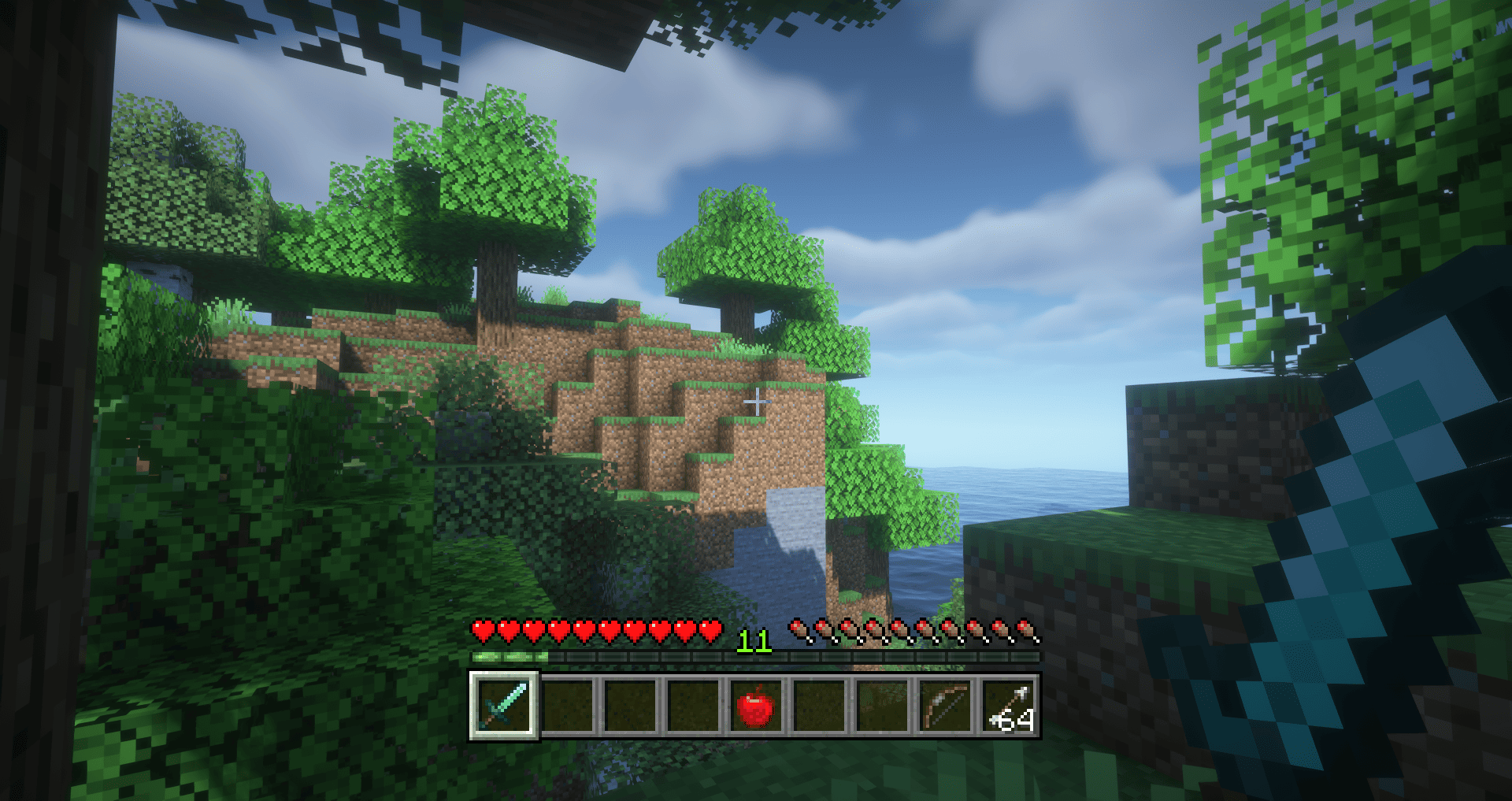 2026-02-01_22.16.50.png Demo
-
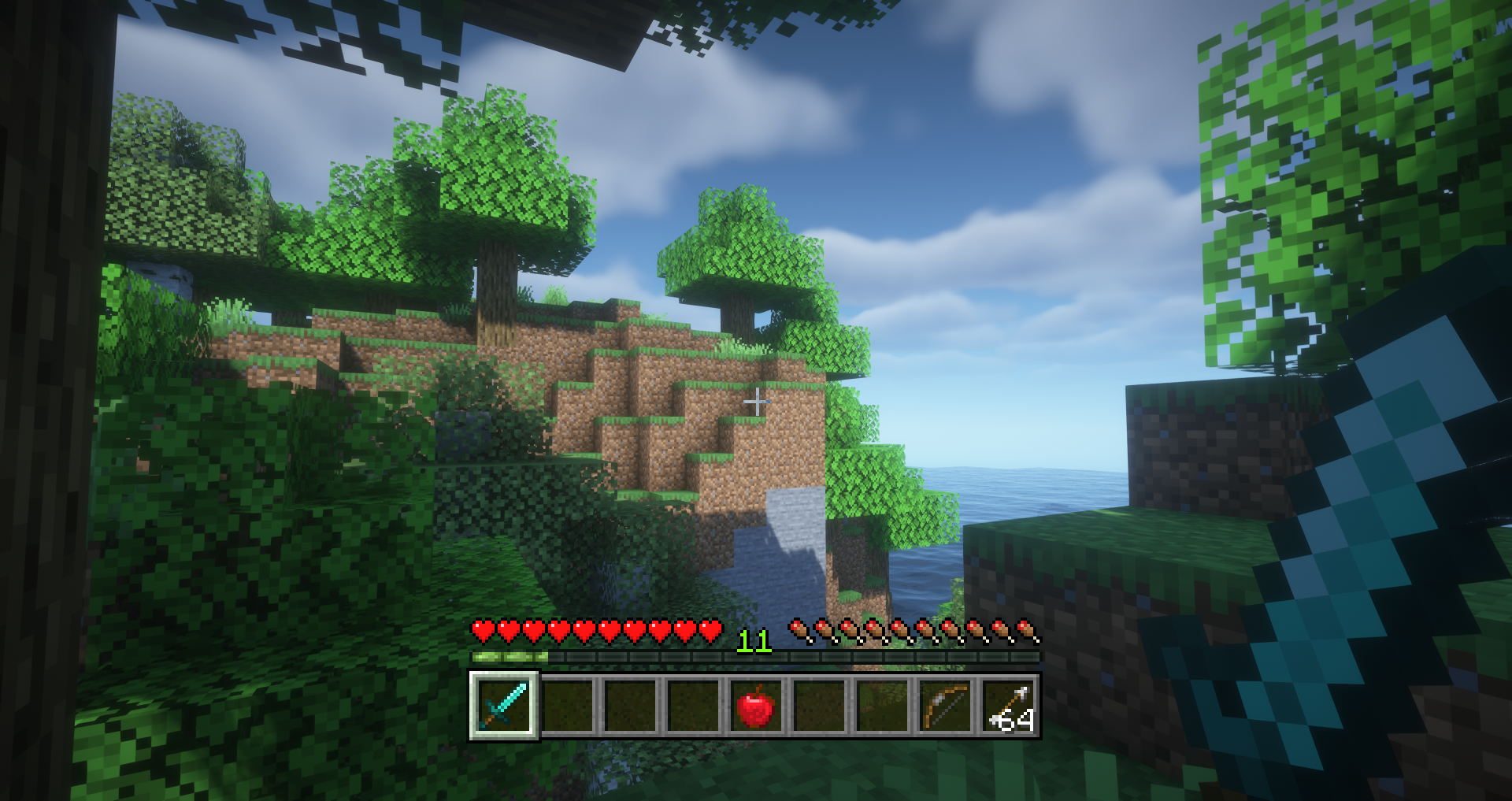 Demo
Demo
Versions
Files
Relations
Project Relations
More like this
Similar Mods
Suggestions use data such as tags, dependencies, dependents, descriptions, titles, and more to rank how much they overlap with this mod.
On ModDex
Community snapshot
By the numbers
Statistics
Want to reach Minecraft players?
We're looking for a server hosting partner to feature here and other parts of the site. Interested? Send us a message!
Get in touchGet it on
Available Platforms
On ModDex
Community snapshot
By the numbers