
Community listing page, reviews may not be monitored by the author.
Razorz Macros & Keybinds

No reviews yet
Powerful macro & keybinding mod for Minecraft 1.21+ & 26.1+. Bind macros to any key, automate tasks with scripts, track skill cooldowns with visual timers, and trigger actions from chat messages. Available for NeoForge and Fabric.

Community voices
Reviews
No reviews yet. Be the first to review this project!
Get it on
Available Platforms
About
Project Details
For authors
Embed Badge
If you're the author of this project, you can embed a live badge anywhere that supports HTML or Markdown. It updates automatically whenever ratings change.
Use HTML for any page that supports it, or Markdown for README files and Markdown-based descriptions.
Identifiers
Platform IDs
Resources
External Links
About
Description
Razorz Macros & Keybinds Mod
The Ultimate Macro & Keybind Solution for Minecraft 1.21+
Bind powerful macros to any key, automate repetitive tasks, and take your gameplay to the next level!
See the Wiki HERE
✨ Features
Full Keyboard Binding
Bind macros to any key on your keyboard. Create simple chat commands or complex multi-step scripts.
Powerful Scripting System
- Variables - SET, INC, DEC, TOGGLE
- Conditionals - IF/ELSE/ENDIF
- Loops - DO/LOOP for repeated actions
- Delays - WAIT to time actions
- Commands - Send any /command from scripts
Cooldown Timer Overlay
Visual on-screen cooldown timers for skills and abilities:
- Timers appear when abilities are used
- 6 customizable screen positions
- Adjustable transparency
- Auto-disappear when complete
Chat Triggers
Execute scripts automatically based on chat messages. Perfect for skill cooldowns and auto-responses!
External Script Files
Organize macros in .txt files for easy editing and sharing.
Perfect For
- MMO/RPG Servers - casting abilities, cooldown tracking
- Automation - Repetitive tasks, farming
- PvP - Quick commands, combos
- Accessibility - Reduce repetitive strain
Quick Start
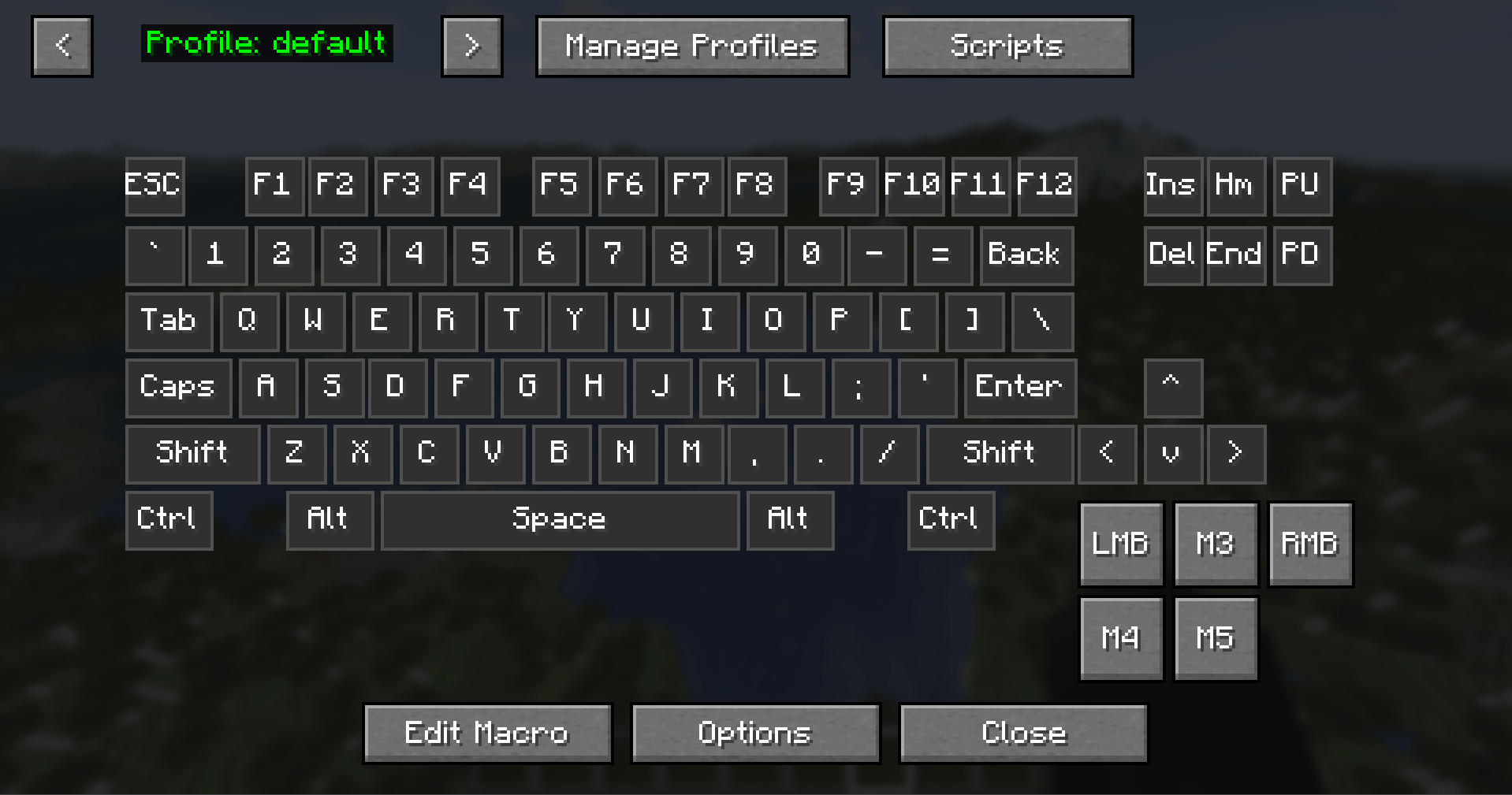
- Open the macro menu by pressing ` (backtick)
- Click on a key on the visual keyboard layout (the key will highlight)
- Click "Edit Macro" at the bottom of the screen
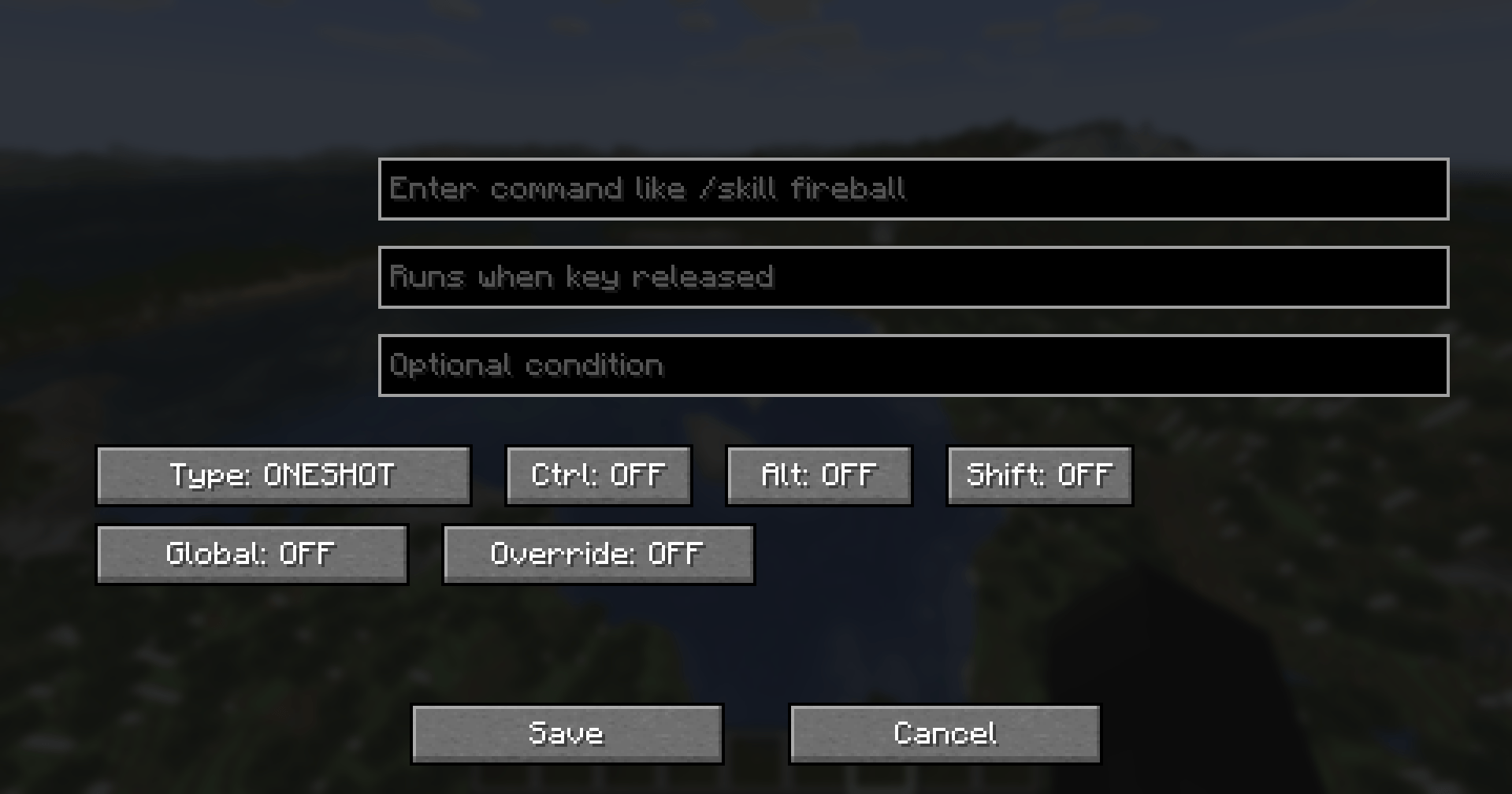
- In the edit screen, type your macro command in the "On Press" field
- Example:
/say Hello World!- sends a chat message when the key is pressed - Example:
/gamemode creative- switches to creative mode
- Example:
- Optionally, add a command to the "On Release" field for when you release the key
- Click "Save" to save your macro
Quick Tips:
- Green keys on the keyboard layout indicate keys that have macros bound
- Orange border indicates a global macro (persists across all profiles)
- Hover over a bound key to see a preview of the macro
Global Macros
Global macros persist across all profiles. To make a macro global:
- Select a key and click "Edit Macro"
- Toggle "Global: ON" in the edit screen
- Save the macro
Global macros display with an orange border on the keyboard layout, making them easy to identify.
Profile Management
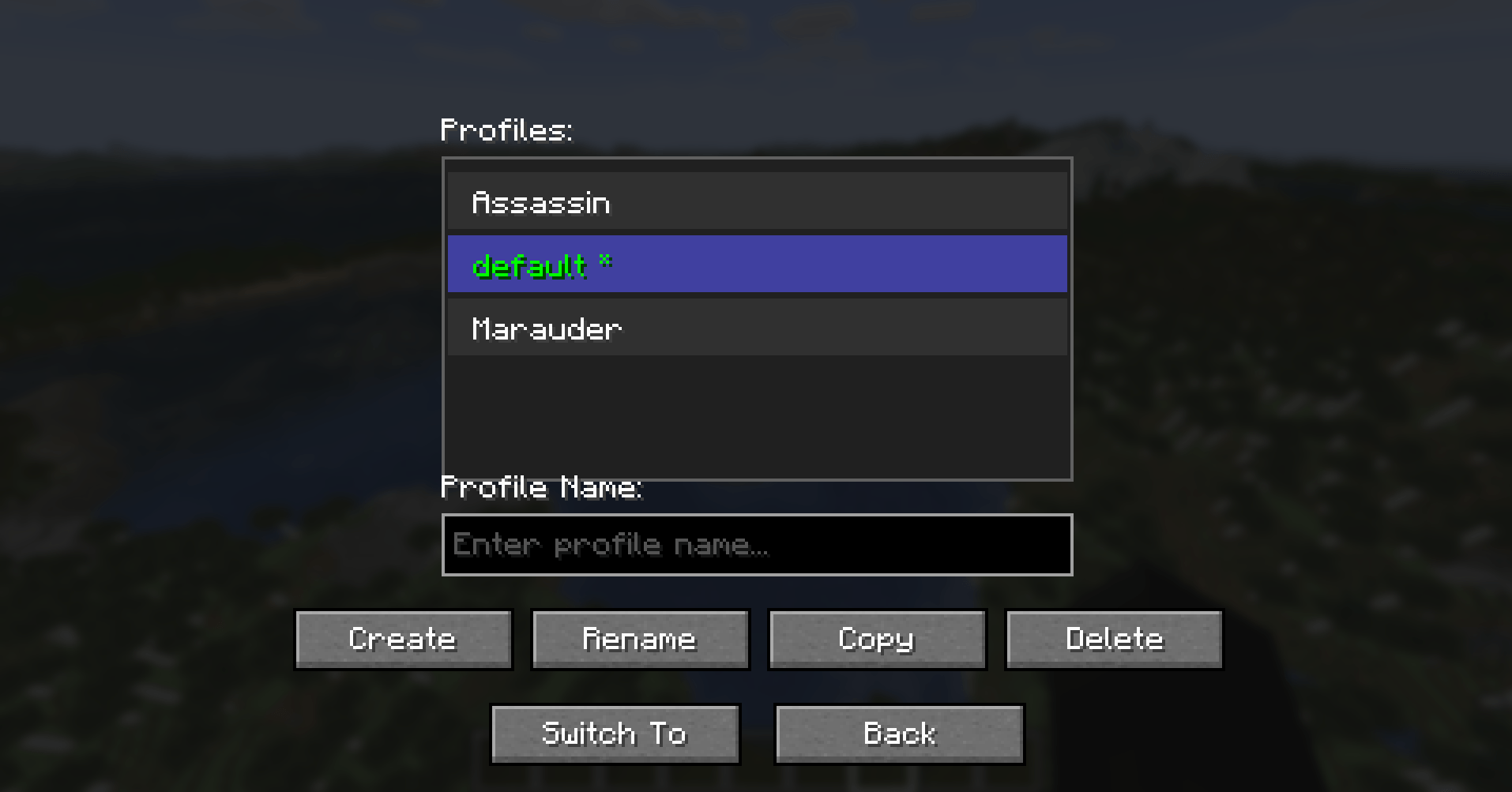
Profiles let you have different sets of macros for different situations (e.g., PvP, building, survival).
Switching Profiles
- Use the < > arrows at the top left of the macro menu to cycle through profiles
- The current profile name is displayed between the arrows
Managing Profiles
- Click "Manage Profiles" at the top of the macro menu
- From here you can:
- Create a new profile
- Rename an existing profile
- Delete a profile
- Switch to a different profile
Profile Tips:
- Each profile saves its own set of macros
- Global macros appear in ALL profiles
- Profiles are saved automatically when you close the macro menu
Script Editor
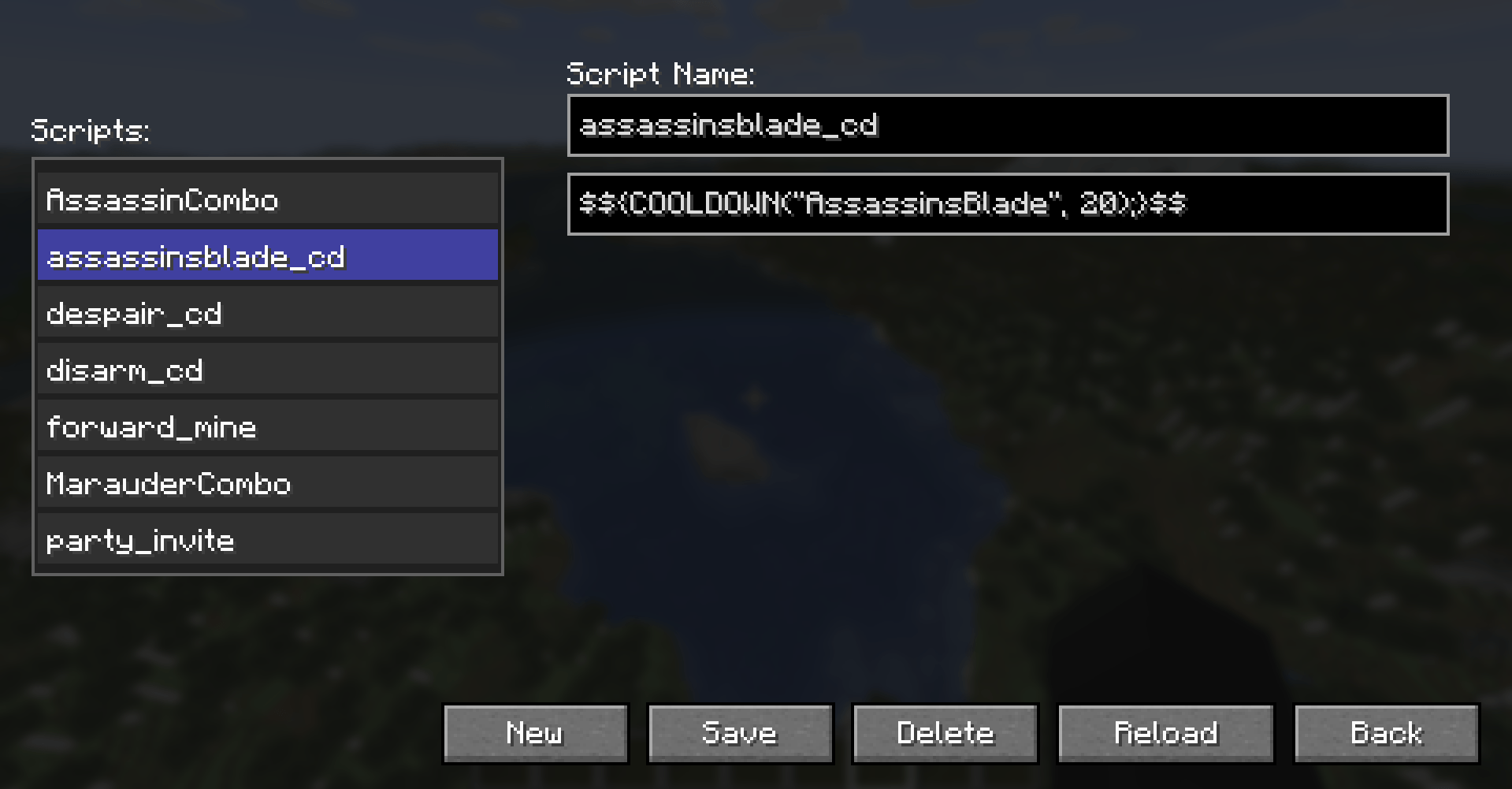
For advanced users, click "Scripts" to access the script editor where you can create reusable script files that can be called from your macros.
🔗 Links
- Issues & Suggestions: [GitHub]https://github.com/Razorz-dev/RazorzMacroMod
- Support Development: [Patreon]https://www.patreon.com/cw/RazorzDevelopment
- Official Wiki: [Fandom]https://minecraft-mods.fandom.com/wiki/Razorz_Macros_%26_Keybinds
Available for both NeoForge and Fabric!
Screenshots
Gallery
-
 Screenshot 2026-02-10 120532.png Screenshot 2026-02-10 120532.png
 -
 Screenshot 2026-02-10 120746.png Screenshot 2026-02-10 120746.png
 -
 Screenshot 2026-02-10 120628.png Screenshot 2026-02-10 120628.png
 -
 Screenshot 2026-02-10 120716.png Screenshot 2026-02-10 120716.png
Versions
Files
Relations
Project Relations
More like this
Similar Mods
Suggestions use data such as tags, dependencies, dependents, descriptions, titles, and more to rank how much they overlap with this mod.
On ModDex
Community snapshot
By the numbers
Statistics

Get it on
Available Platforms
On ModDex
Community snapshot
By the numbers
Statistics
Resources