Community listing page, reviews may not be monitored by the author.
Realtime 3D Chess, Multiplayer or bots and customisable ♟️

No reviews yet
A chess table with real 3D pieces. Play a friend or a bot (five levels), point at a piece to see its moves, and pick from seven boards and seven chess sets, including marble, gold, sci-fi and fantasy.

Community voices
Reviews
No reviews yet. Be the first to review this project!
Get it on
Available Platforms
About
Project Details
For authors
Embed Badge
If you're the author of this project, you can embed a live badge anywhere that supports HTML or Markdown. It updates automatically whenever ratings change.
Use HTML for any page that supports it, or Markdown for README files and Markdown-based descriptions.
Identifiers
Platform IDs
Resources
External Links
About
Description
3D Chess
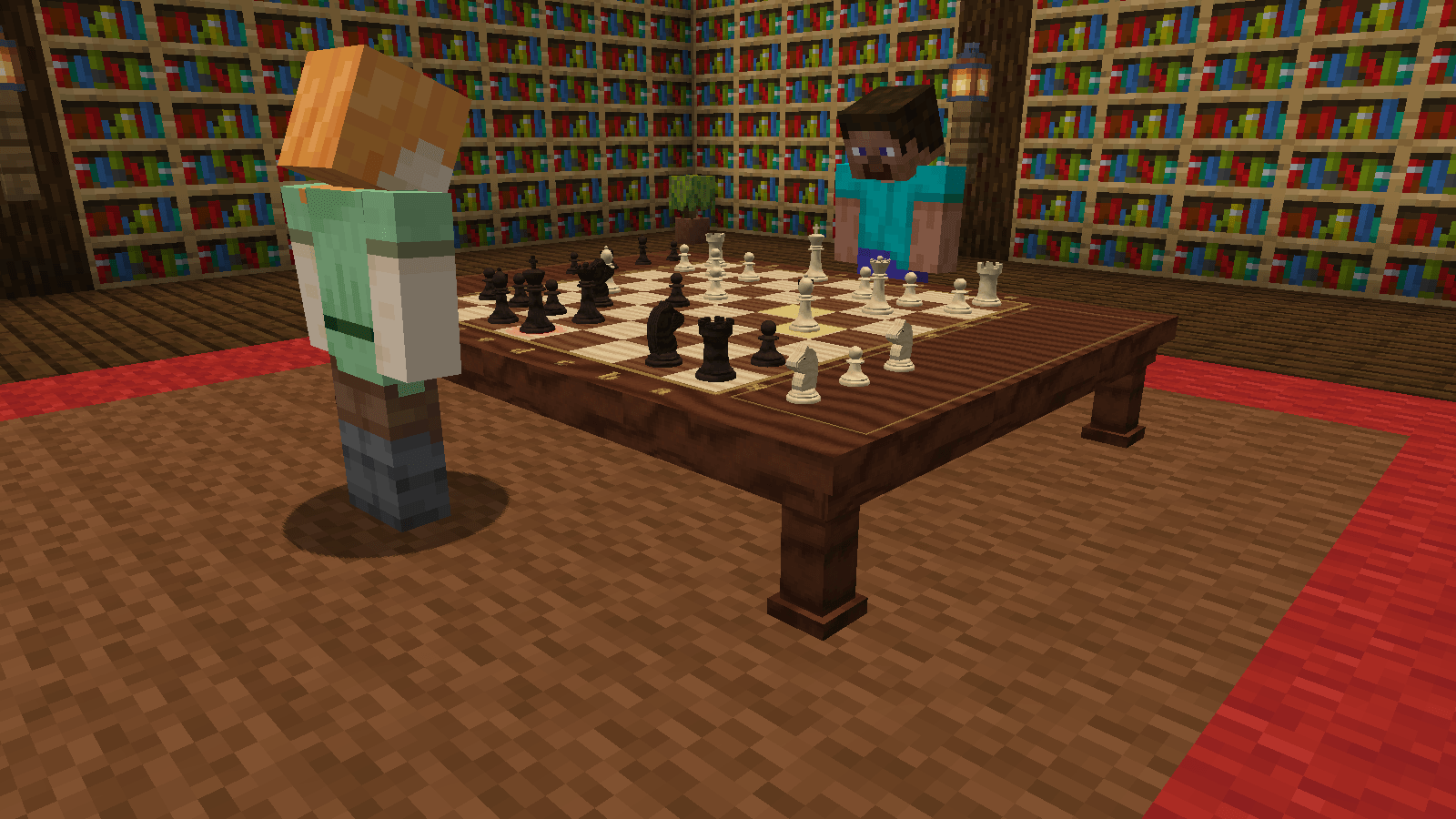
A chess table for Minecraft with real 3D pieces. Sit a friend down across the board, or play a bot if there's nobody about.
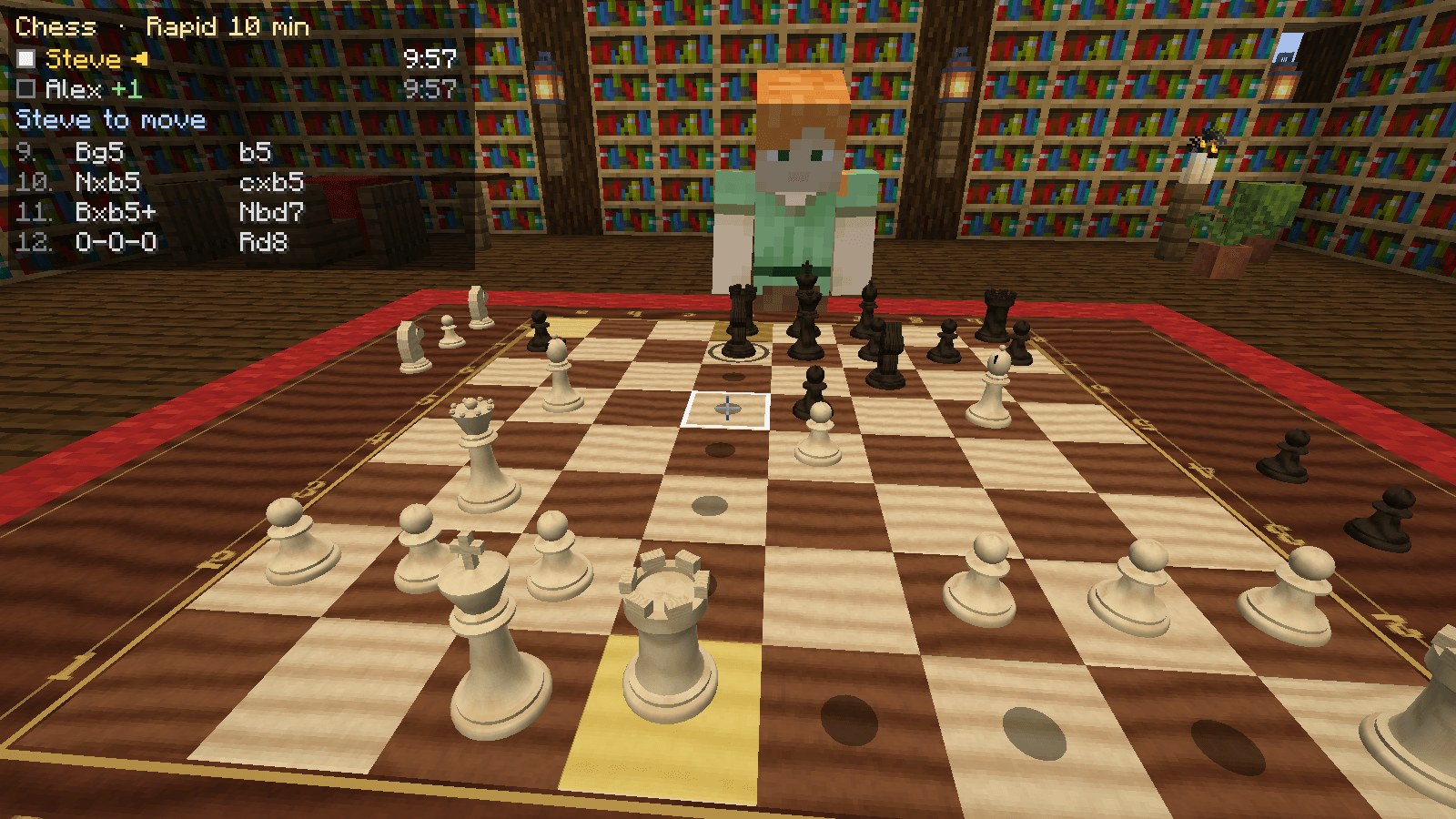
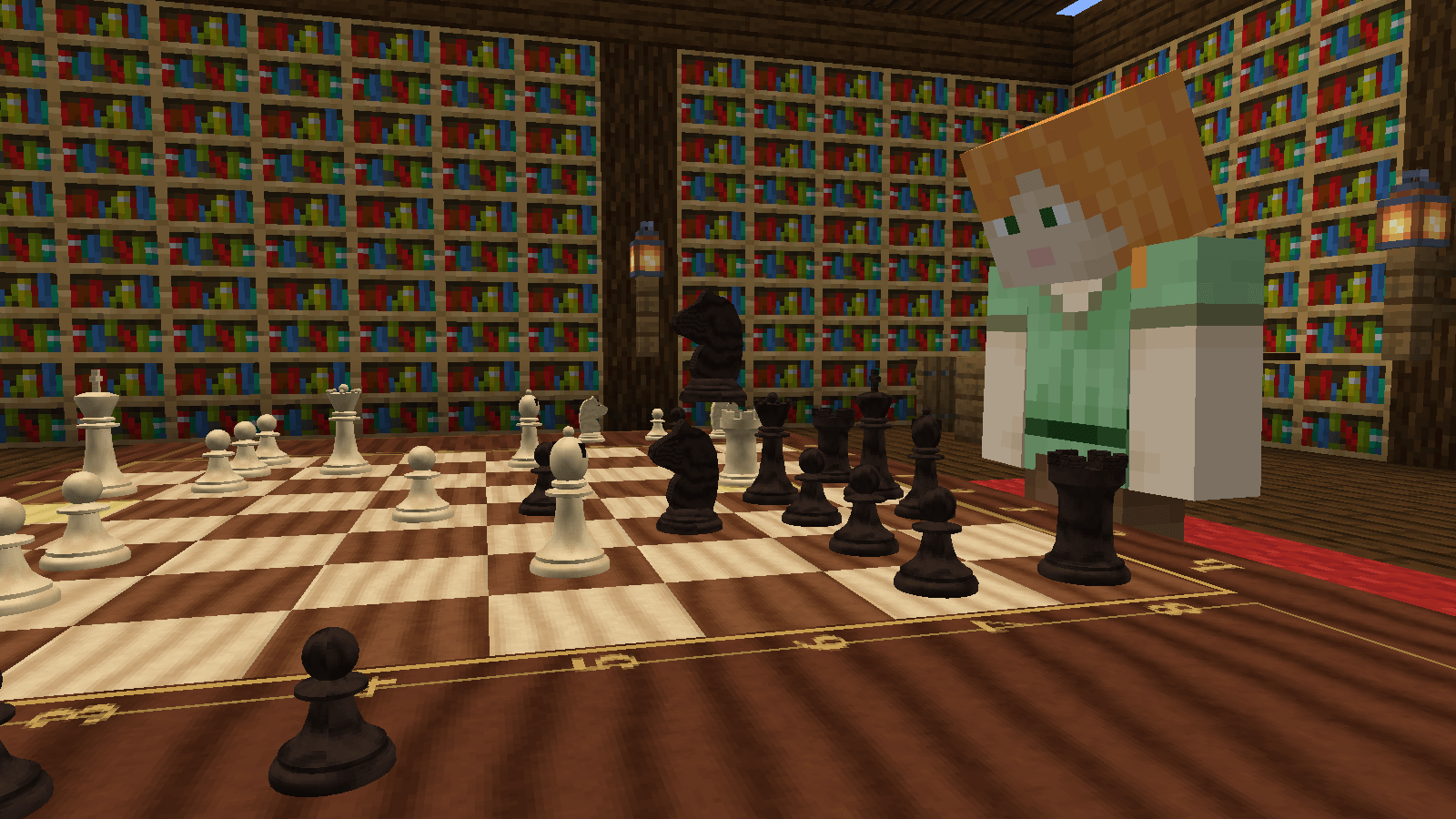
There are no menus to move pieces. You play on the board itself. Point at one of your pieces and the squares it can move to light up. Right-click to pick it up, then right-click where you want it to go. Pieces slide across the board, knights hop, and anything you take flies off and lines up beside the board.
Getting started
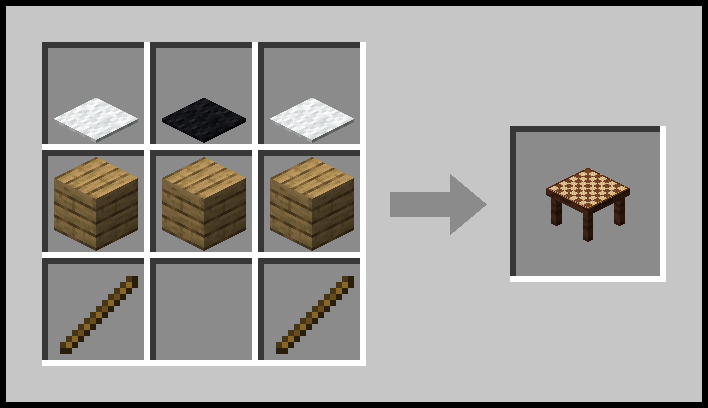
| Item | Recipe |
|---|---|
| Chess Table | White carpet, black carpet, white carpet along the top, three planks across the middle, and a stick in each bottom corner |
The table is 4 blocks wide and 3 deep. Place it from where you want to sit as White: the board runs away from you with your pieces nearest. It's in the creative menu too.
Setting up a game
Right-click the edge of the table to open its menu.
- Press Join to sit as White or Black.
- Want to play the computer? Pick a bot level in the other seat's list.
- Choose a board, a chess set and a clock from the drop-down lists. Hover over a set to see it in the preview.
- Press Start.
Playing
- On your turn, point at a piece. The squares it can reach light up faintly.
- Right-click to pick it up. Everyone at the table can see which piece you're holding.
- Right-click a lit square, or the piece you want to take, to move there.
- Changed your mind? Right-click the piece again, or left-click, to put it back down.
- When a pawn reaches the far end, you choose what it becomes.
All the rules are in: castling, en passant, promotion, check and checkmate, stalemate, draws by repetition, the fifty-move rule, and running out of time. The panel in the top left shows both players, the clocks, whose move it is and the last few moves.
You can also offer a draw, resign, or (against a bot) take your last move back.
The bots
| Bot | |
|---|---|
| Novice | Just learned how the pieces move. Leaves things hanging. |
| Easy | Thinks a couple of moves ahead. |
| Medium | Spots simple tricks and doesn't give much away. |
| Hard | Thinks for about a second and plays its best move. |
| Expert | Takes its time. Good luck. |
Bots take a moment over each move, so they never slap one down instantly. You can even sit two bots down and watch them play each other.
Boards and chess sets
Seven of each. Mix and match however you like.
| Boards | Chess sets |
|---|---|
| Classic Walnut | Classic Staunton |
| Rustic Planks | Carved Wood |
| Marble | Marble |
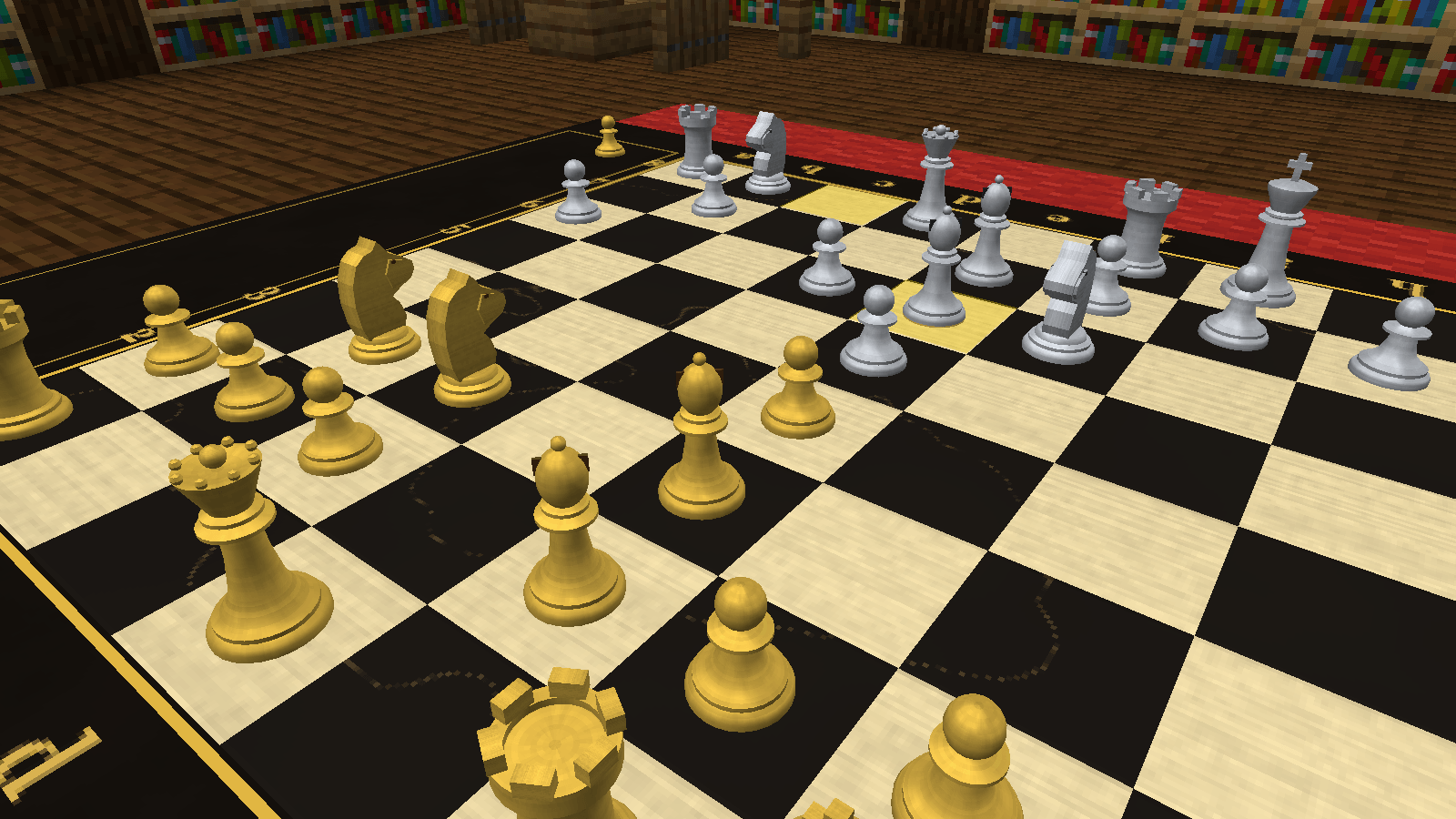
| Gold & Onyx | Gold & Silver |
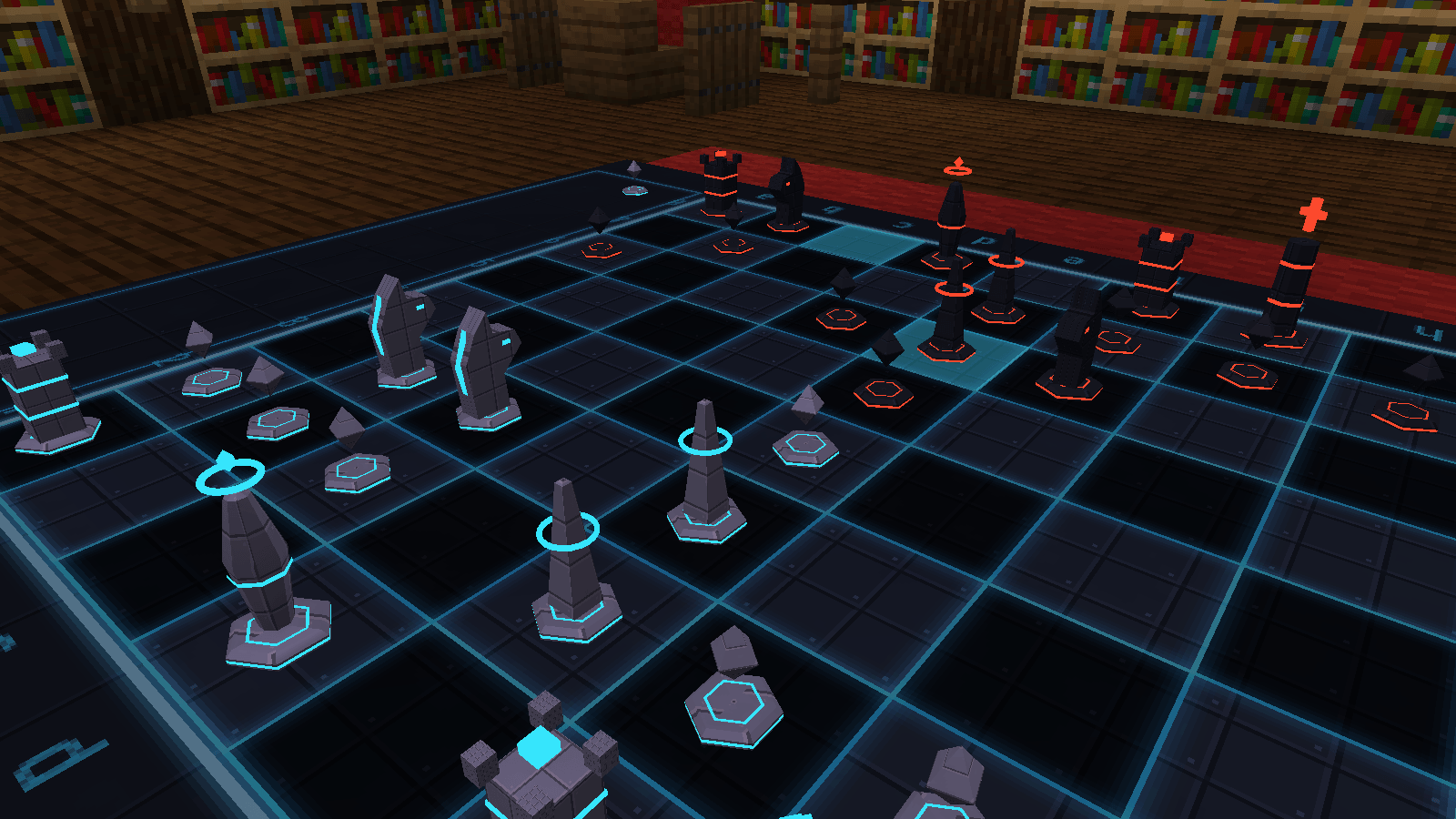
| Sci-Fi Grid | Sci-Fi Hover (glowing pieces that float) |
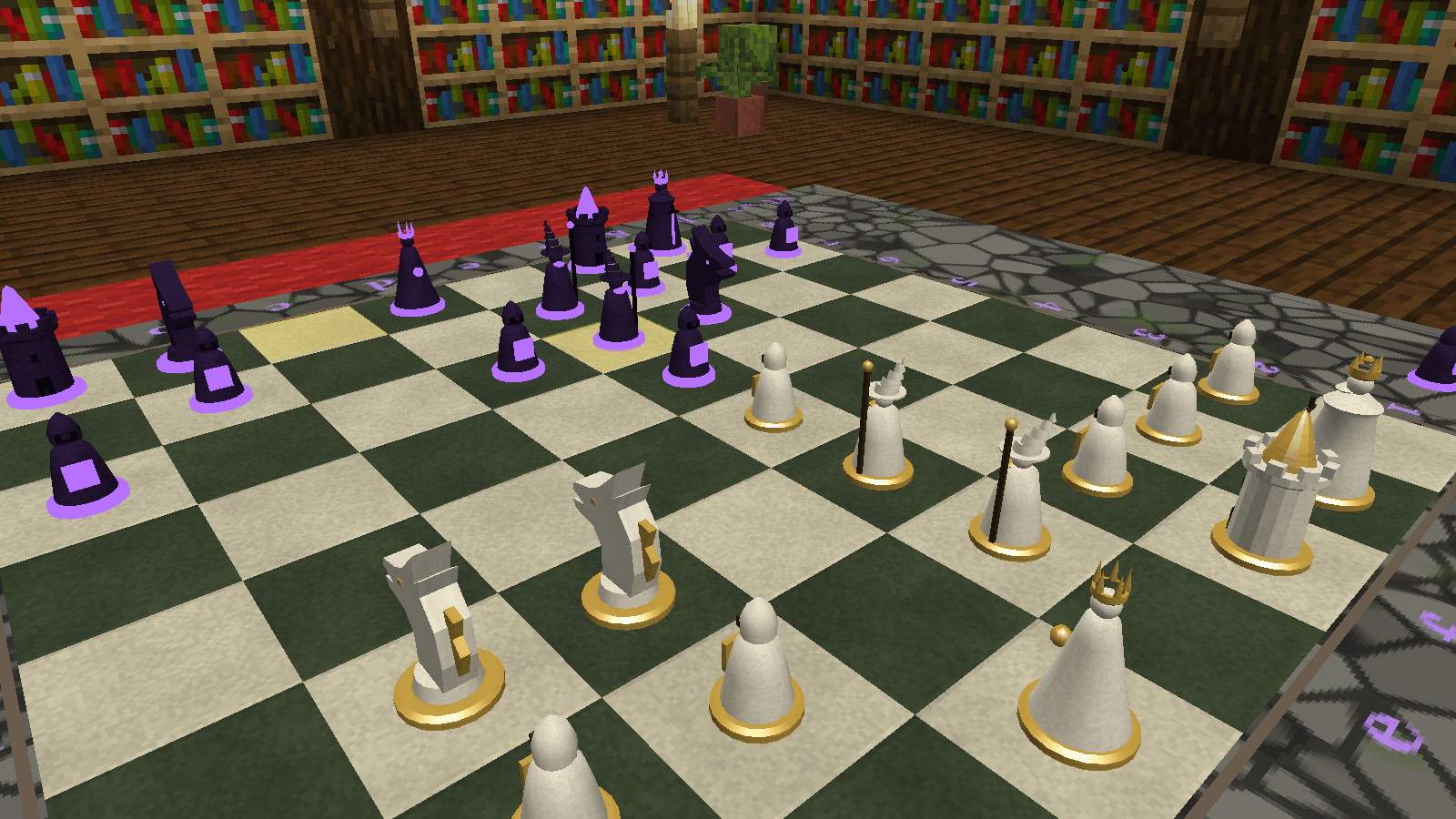
| Fantasy Ruins | Fantasy Figures (dragons, wizards, castle towers) |
| Tournament | Blocky |
Good to know
- For Minecraft 1.21.1 with NeoForge. You don't need any other mods.
- It needs to be installed on the server and on everyone's game.
- Works with Sodium and Iris.
- The bots think in the background, so they don't lag your server.
- You're welcome to use it in modpacks.
Screenshots
Gallery
-
 08_sci_fi.png 08_sci_fi.png
 -
 09_fantasy.png 09_fantasy.png
 -
 10_gold_and_silver.png 10_gold_and_silver.png
 -
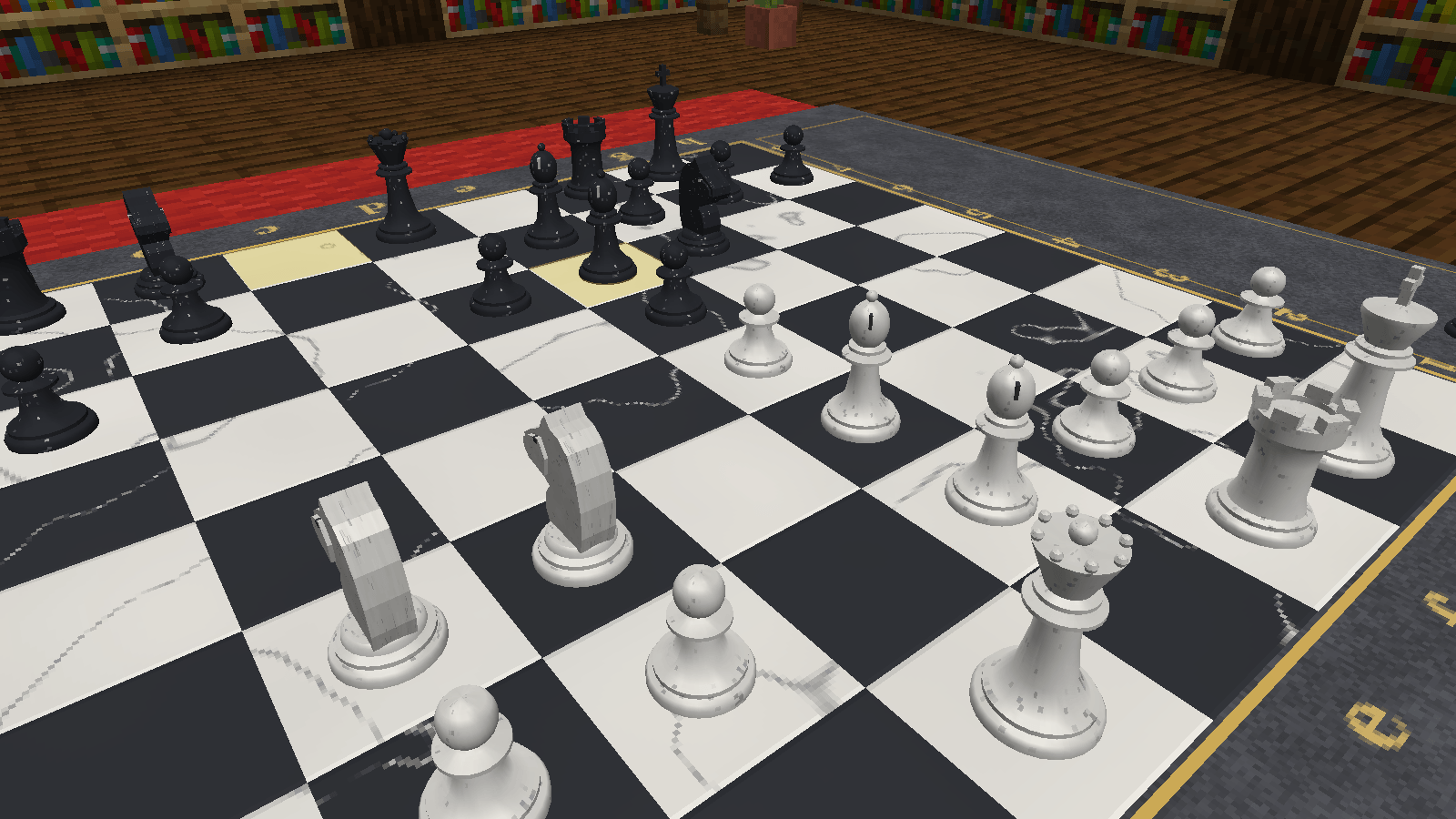 11_marble.png 11_marble.png
 -
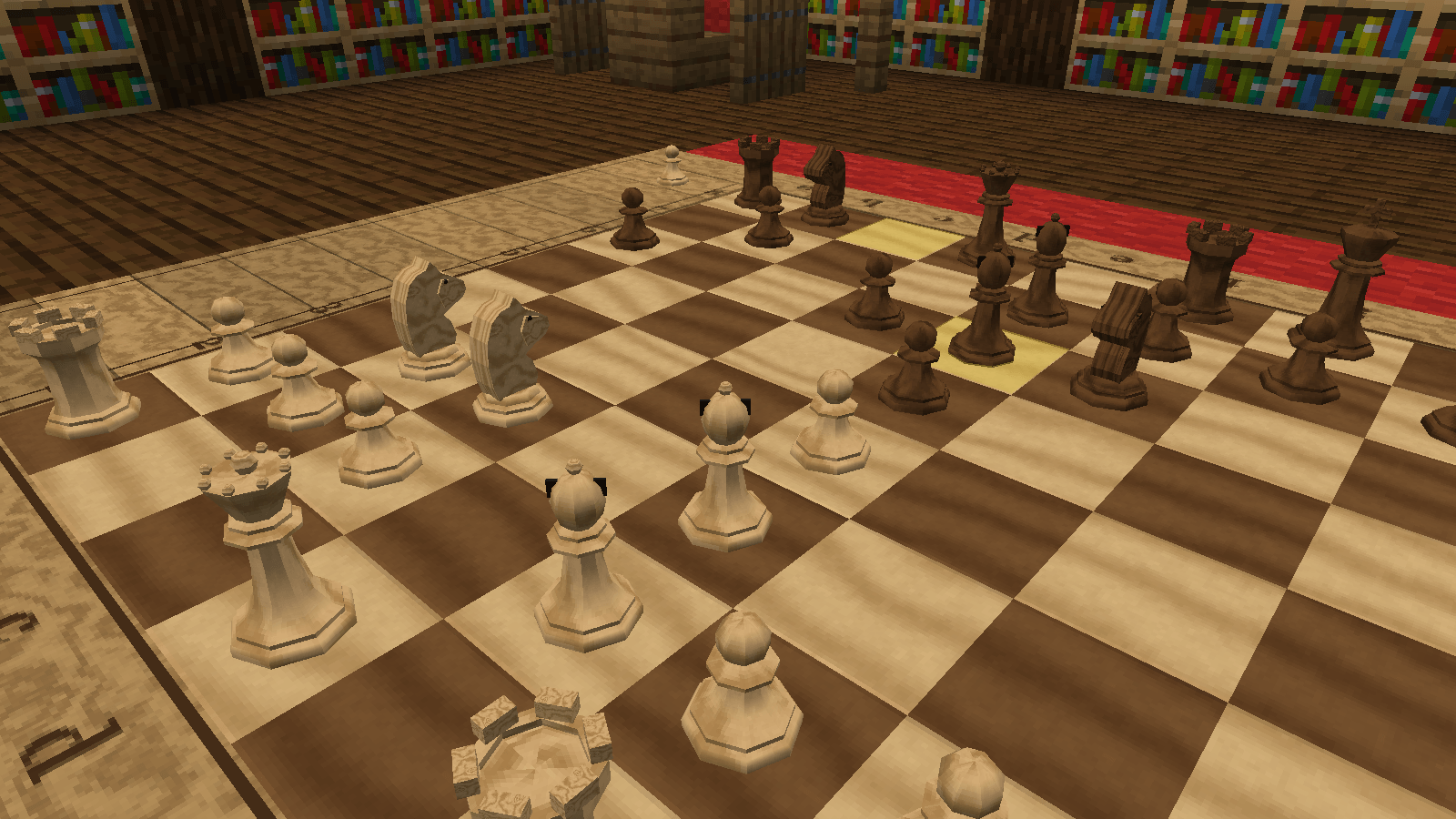 12_carved_wood.png 12_carved_wood.png
 -
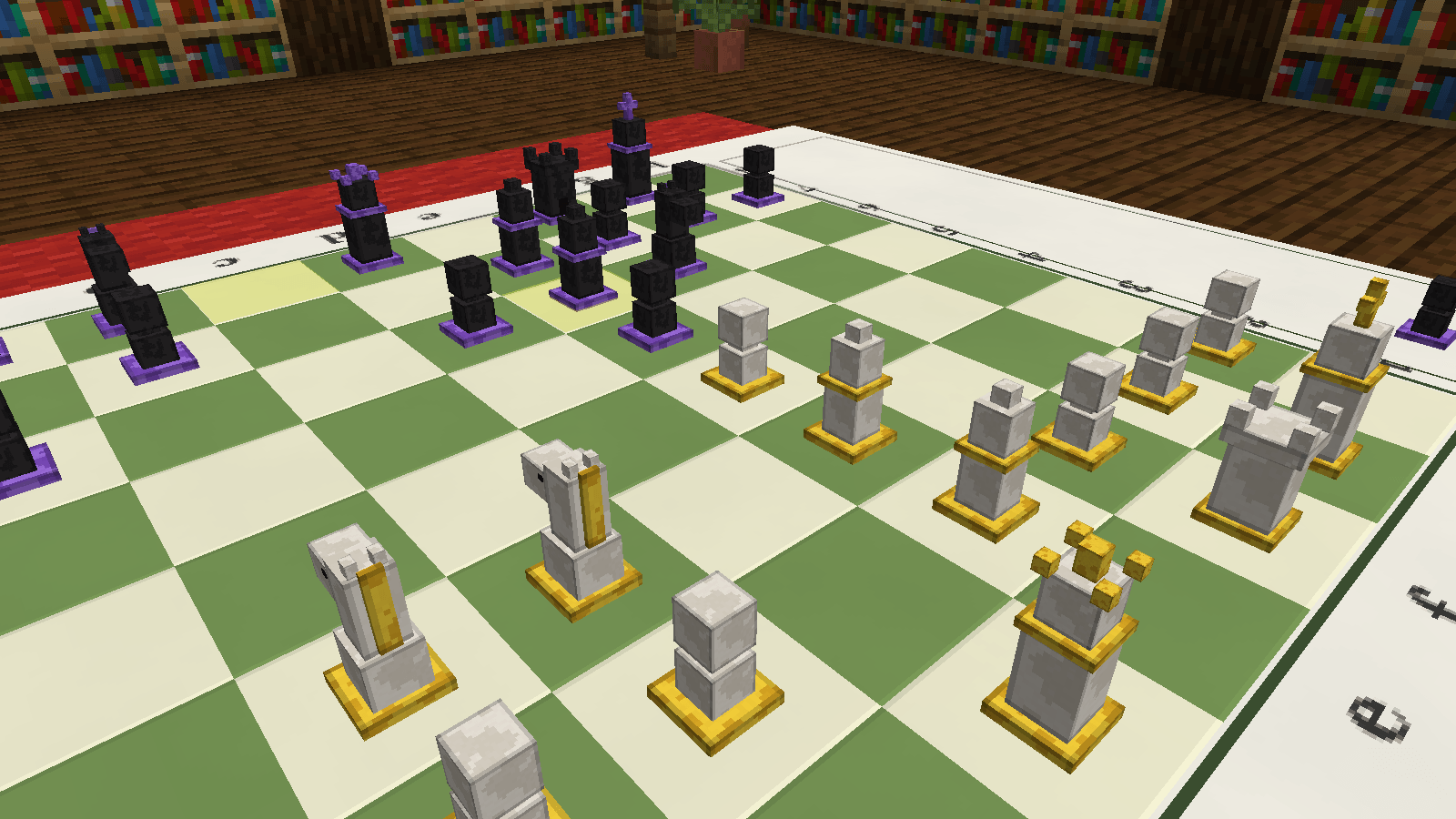 13_blocky.png 13_blocky.png
 -
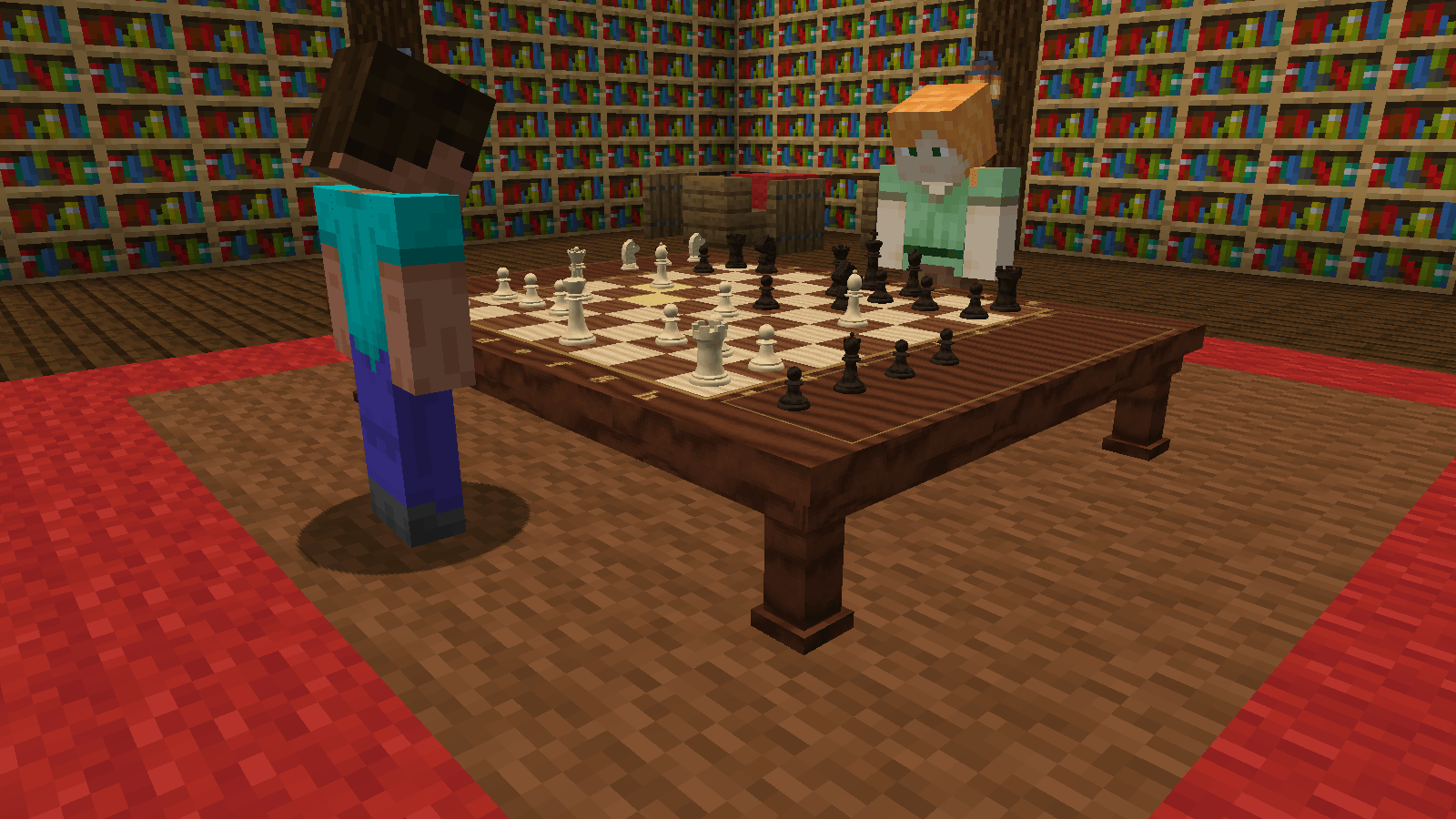 01_the_study.png 01_the_study.png
 -
 05_across_the_board.png 05_across_the_board.png
 -
 recipe_chess_table.png recipe_chess_table.png
 -
 02_pick_up_a_piece.png 02_pick_up_a_piece.png
 -
 03_taking_a_piece.png 03_taking_a_piece.png
 -
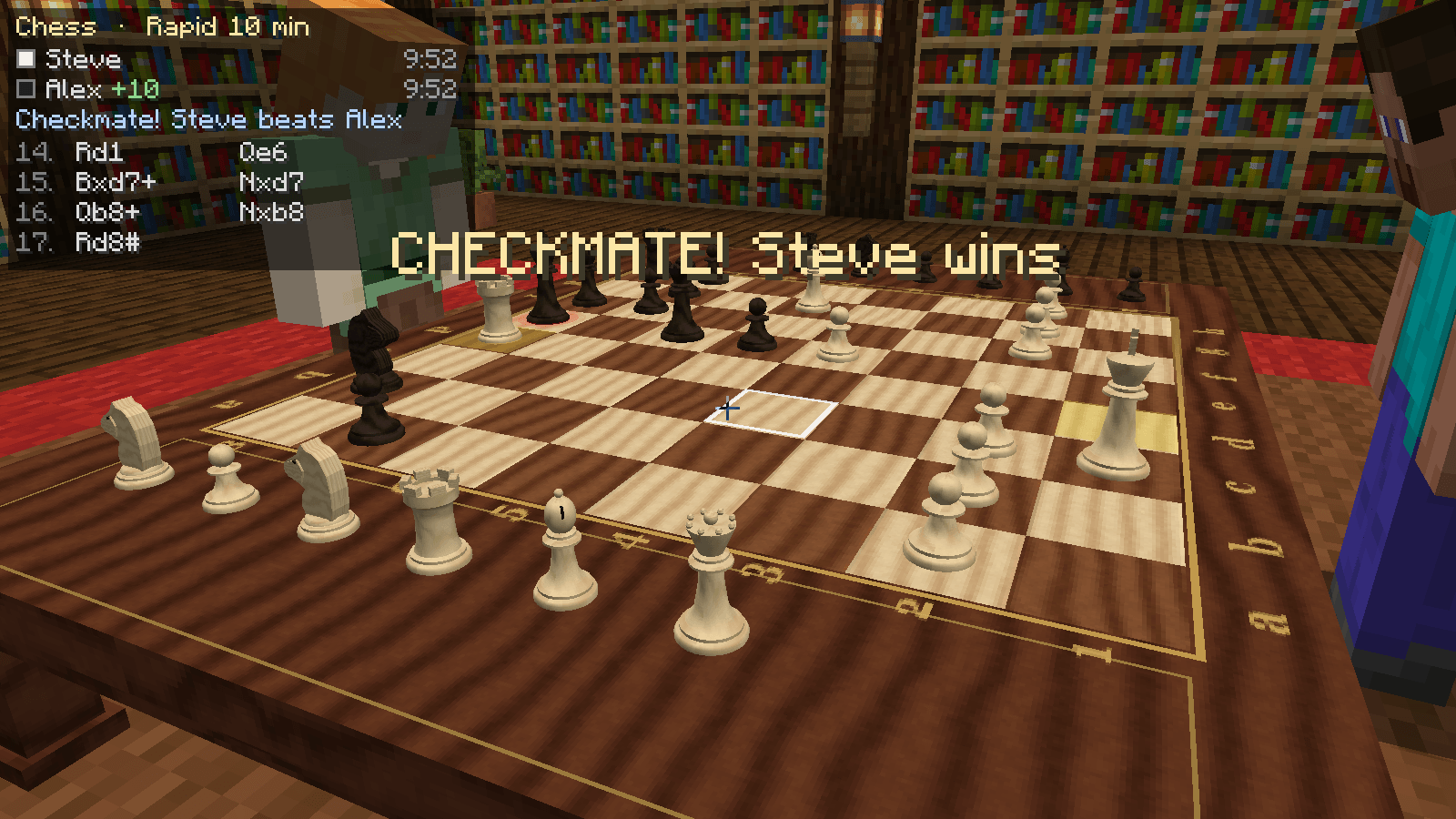 04_checkmate.png 04_checkmate.png
 -
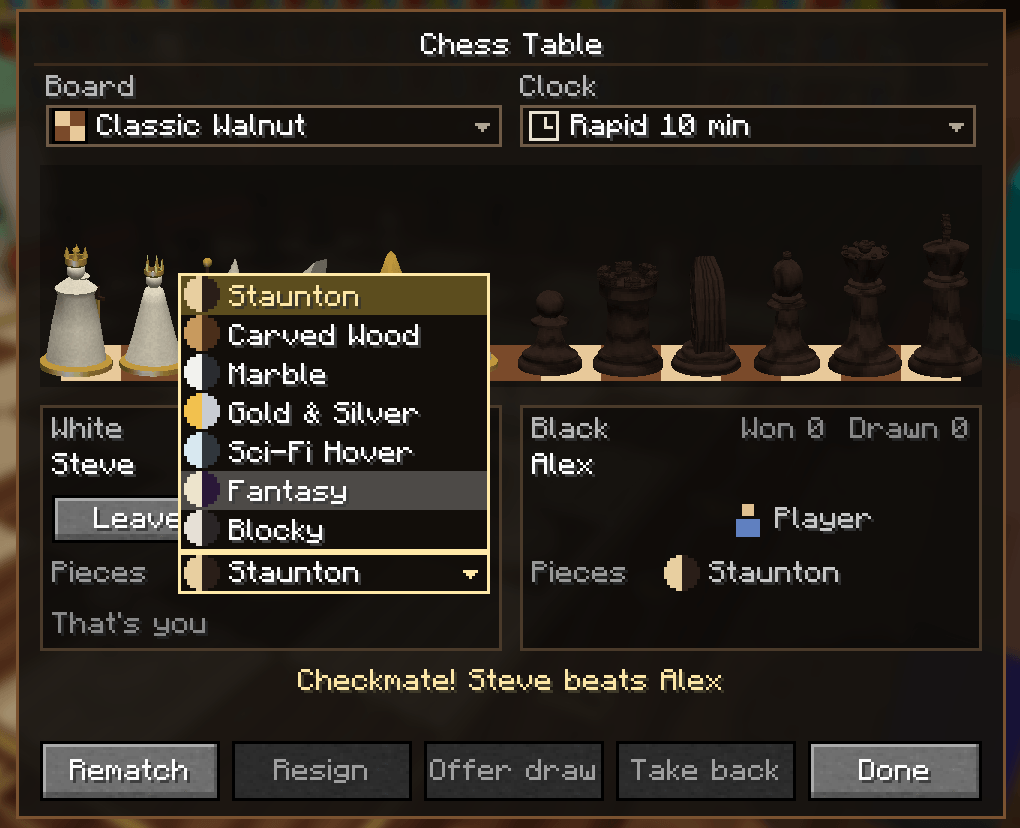 06_pick_a_chess_set.png 06_pick_a_chess_set.png
 -
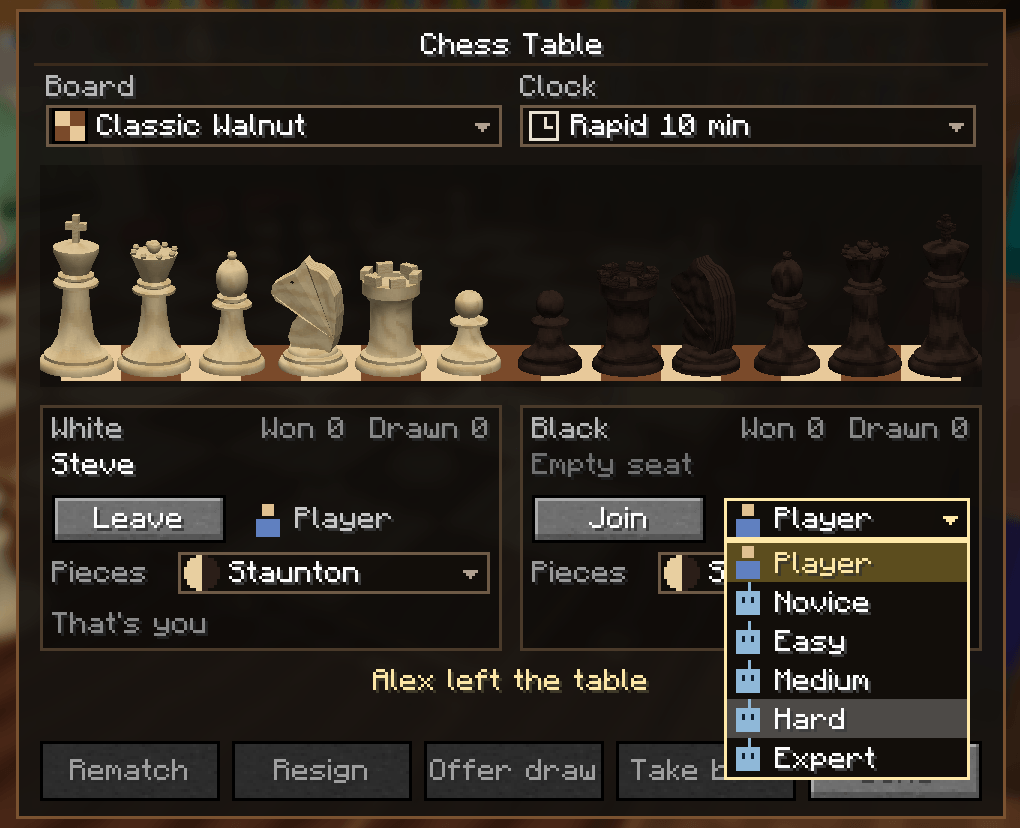 image-attachment_f627b6f2-0678-494b-81db-f8f0ee874cd6.png
Versions
Files
Relations
Project Relations
More like this
Similar Mods
Suggestions use data such as tags, dependencies, dependents, descriptions, titles, and more to rank how much they overlap with this mod.
On ModDex
Community snapshot
By the numbers
Statistics

Get it on
Available Platforms
On ModDex
Community snapshot
By the numbers
Statistics
Resources