
Community listing page, reviews here may not be monitored by the author.
Redstone Signal Bind Wand


No reviews yet
Wireless Redstone, But No Transmitter/Receiver Needed (Create's takes too much space!)
Community voices
Reviews
No reviews yet. Be the first to review this project!
Get it on
Available Platforms
Compatibility
Supported Environments
Must be installed on both the client and the server.
About
Project Details
For authors
Embed Badge
If you're the author of this project, you can embed a live badge anywhere that supports HTML or Markdown. It updates automatically whenever ratings change.
Use HTML for any page that supports it, or Markdown for README files and Markdown-based descriptions.
Identifiers
Platform IDs
About
Description
Redstone Bind Wand 🔗
Tired of cluttering your builds with complex transmitter–receiver setups just to wire redstone across distances?
Introducing the Redstone Bind Wand – a sleek, magical tool that lets you link redstone inputs and outputs remotely, with no extra blocks required.

✅ Simply right-click to bind two components
✅ Instantly synchronize redstone power across space
✅ No ugly redstone towers, no extra wiring
✅ Works seamlessly with vanilla redstone logic
❌ Does not work across dimensions
Whether you're building secret doors, remote traps, or synchronized multi-room contraptions, the Bind Wand keeps everything clean, compact, and connected.
Why place two blocks when you can wave one wand?
🛠 Usage
🔹 Step 1: Hold the Redstone Bind Wand
🔹 Step 2: Right-click a block that emits redstone (e.g., a lever or button) → this becomes the source
🔹 Step 3: Right-click another block that can receive redstone (e.g., redstone lamp, piston, door) → this becomes the output
🔍 While holding the wand and looking at a linked block, a green outline box will appear showing its connection.
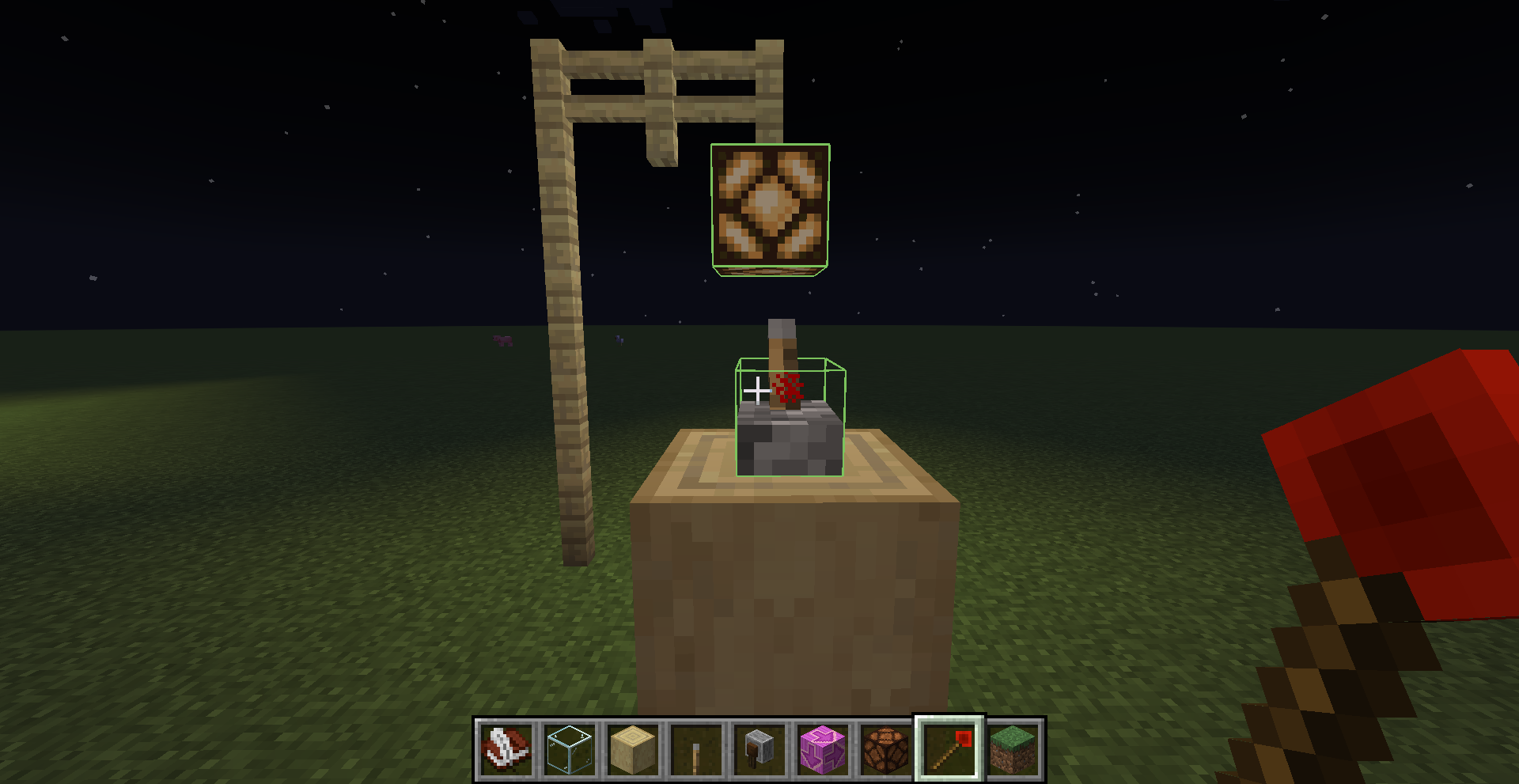
🗑 To remove a bind:
- Right-click the output again while holding the wand to unlink it
🧹 Binds are also automatically removed when either the source or output block is broken.
⚠️ Warnings
⚡ Redstone wire (dust) cannot be used as a source block.
You must use a redstone-emitting block like a lever, button, observer, etc.~~~~
🧪 Use Case Example
Ever wanted to:
- Use a lever on the wall to toggle ceiling lights without running redstone up the walls?
- Place a button on a glass that's next tp a door?
- Wire up hidden redstone traps that trigger from remote inputs?
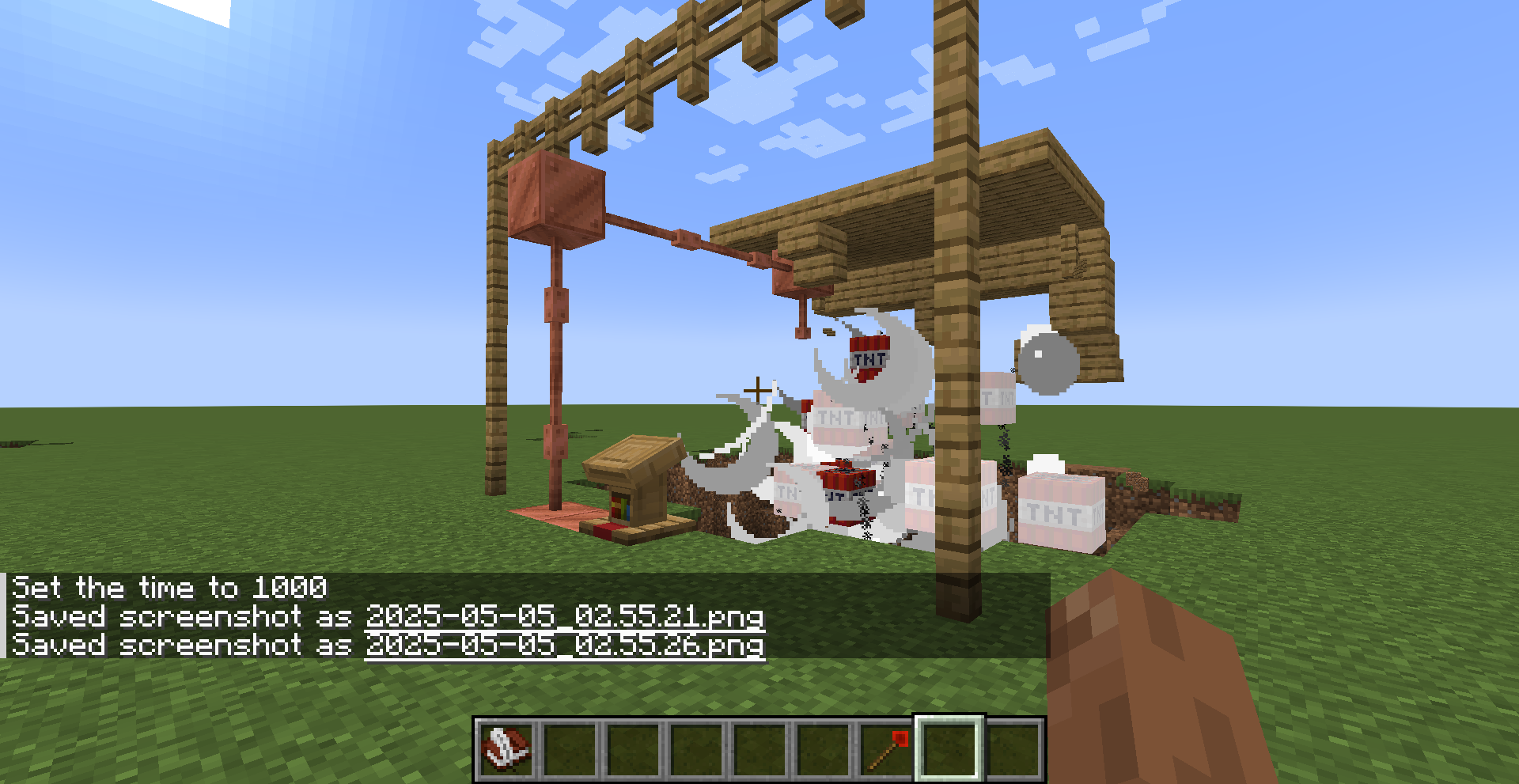
With the Redstone Bind Wand, all of this becomes effortless and invisible.
🧾 Crafting Recipe
To craft the Redstone Bind Wand, use the following recipe:


Redstone Bind Wand 🔗
Tired of cluttering your builds with complex transmitter–receiver setups just to wire redstone across distances?
Introducing the Redstone Bind Wand – a sleek, magical tool that lets you link redstone inputs and outputs remotely, with no extra blocks required.
✅ Simply right-click to bind two components
✅ Instantly synchronize redstone power across space
✅ No ugly redstone towers, no extra wiring
✅ Works seamlessly with vanilla redstone logic
❌ Does not work across dimensions
Whether you're building secret doors, remote traps, or synchronized multi-room contraptions, the Bind Wand keeps everything clean, compact, and connected.
Why place two blocks when you can wave one wand?
🛠 Usage
🔹 Step 1: Hold the Redstone Bind Wand
🔹 Step 2: Right-click a block that emits redstone (e.g., a lever or button) → this becomes the source
🔹 Step 3: Right-click another block that can receive redstone (e.g., redstone lamp, piston, door) → this becomes the output
🔍 While holding the wand and looking at a linked block, a green outline box will appear showing its connection.
🗑 To remove a bind:
- Right-click the output again while holding the wand to unlink it
🧹 Binds are also automatically removed when either the source or output block is broken.
⚠️ Warnings
-
❗ If the world is not saved properly (e.g. closing the game forcefully or without using the in-game pause menu),
all Redstone Bind Wand data will be lost.
Make sure to save and exit the world properly to ensure your bindings are preserved. -
⚡ Redstone wire (dust) cannot be used as a source block.
You must use a redstone-emitting block like a lever, button, observer, etc.~~~~
🧪 Use Case Example
Ever wanted to:
- Use a lever on the wall to toggle ceiling lights without running redstone up the walls?
- Place a button on a glass that's next tp a door?
- Wire up hidden redstone traps that trigger from remote inputs?
With the Redstone Bind Wand, all of this becomes effortless and invisible.
🧾 Crafting Recipe
To craft the Redstone Bind Wand, use the following recipe:
Screenshots
Gallery
-
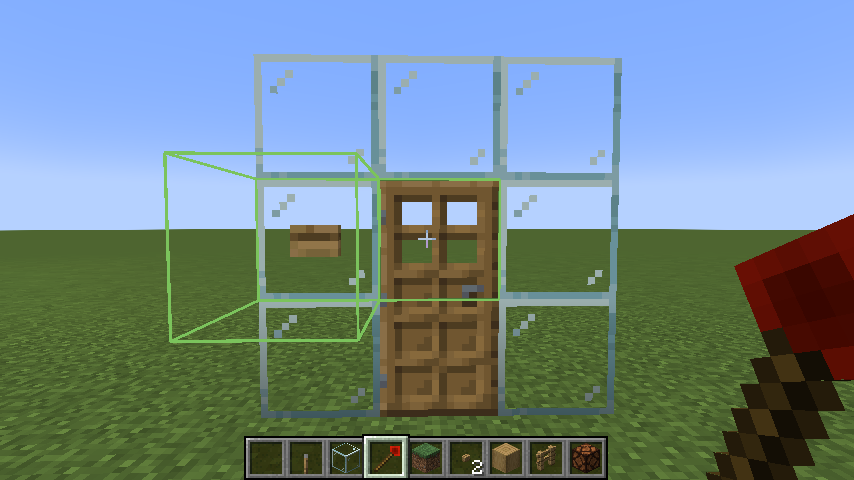 A typical situation
 -
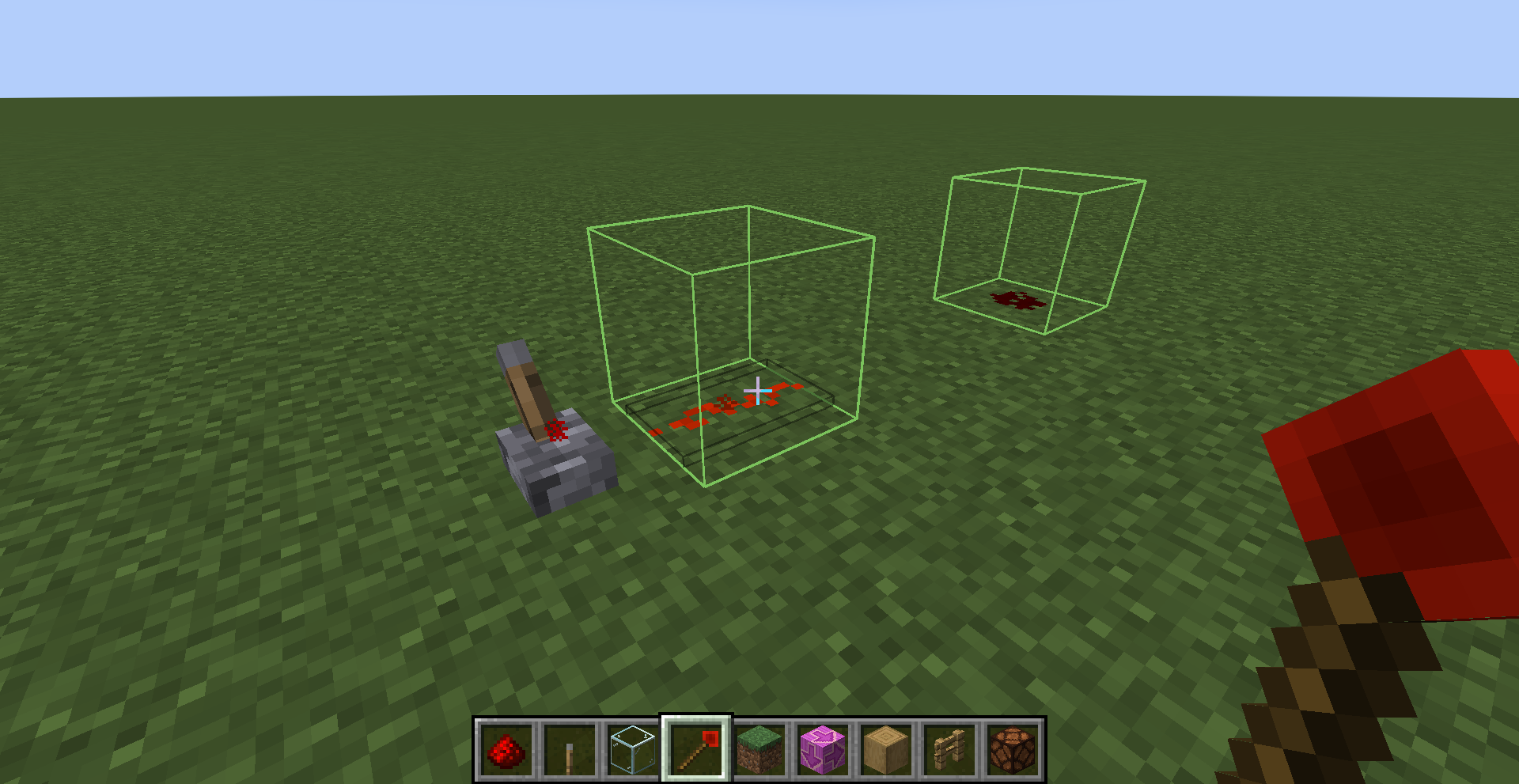 When redstone wire served as a source..... Doesn't work at all!
 -
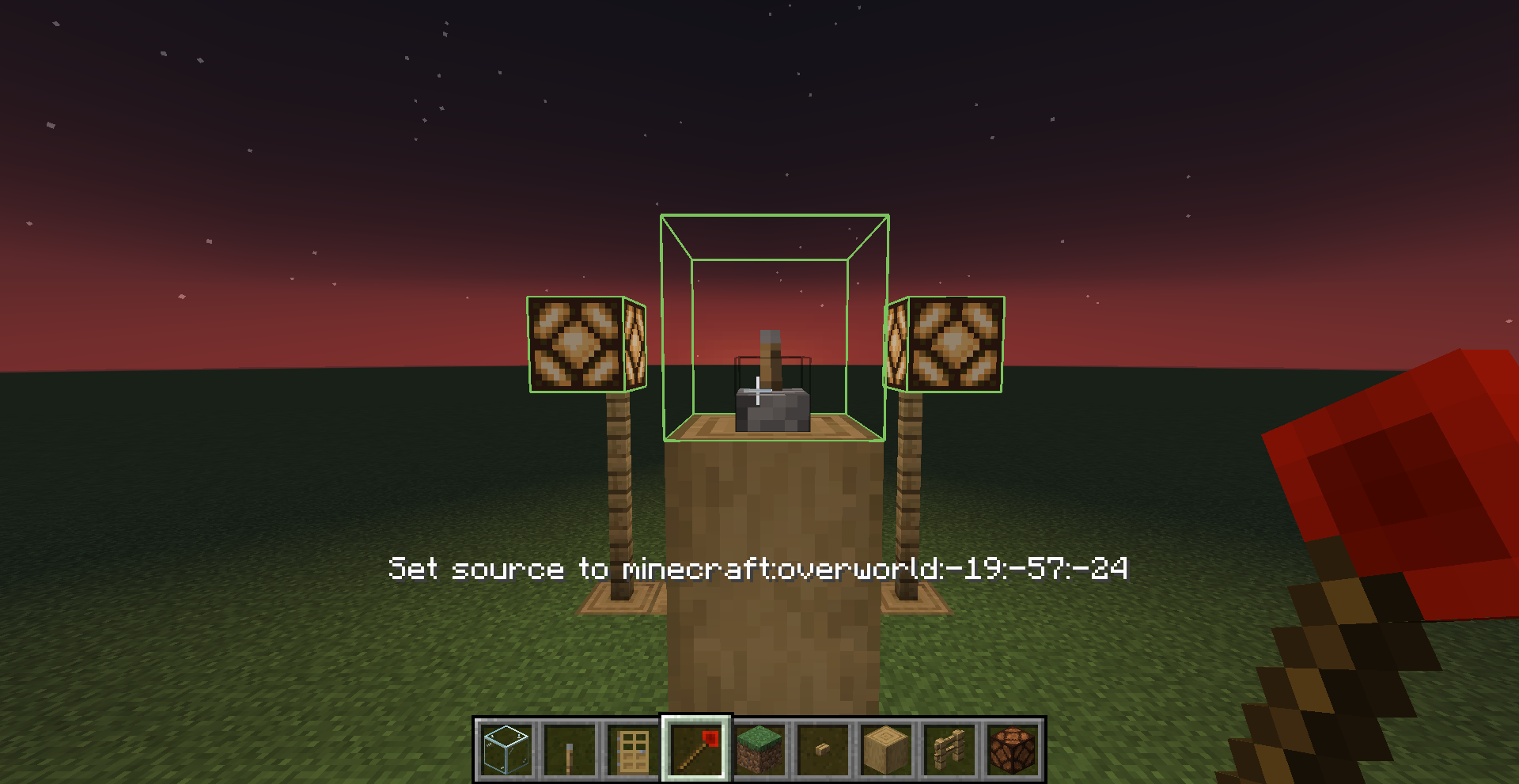 Green Boxes
 -
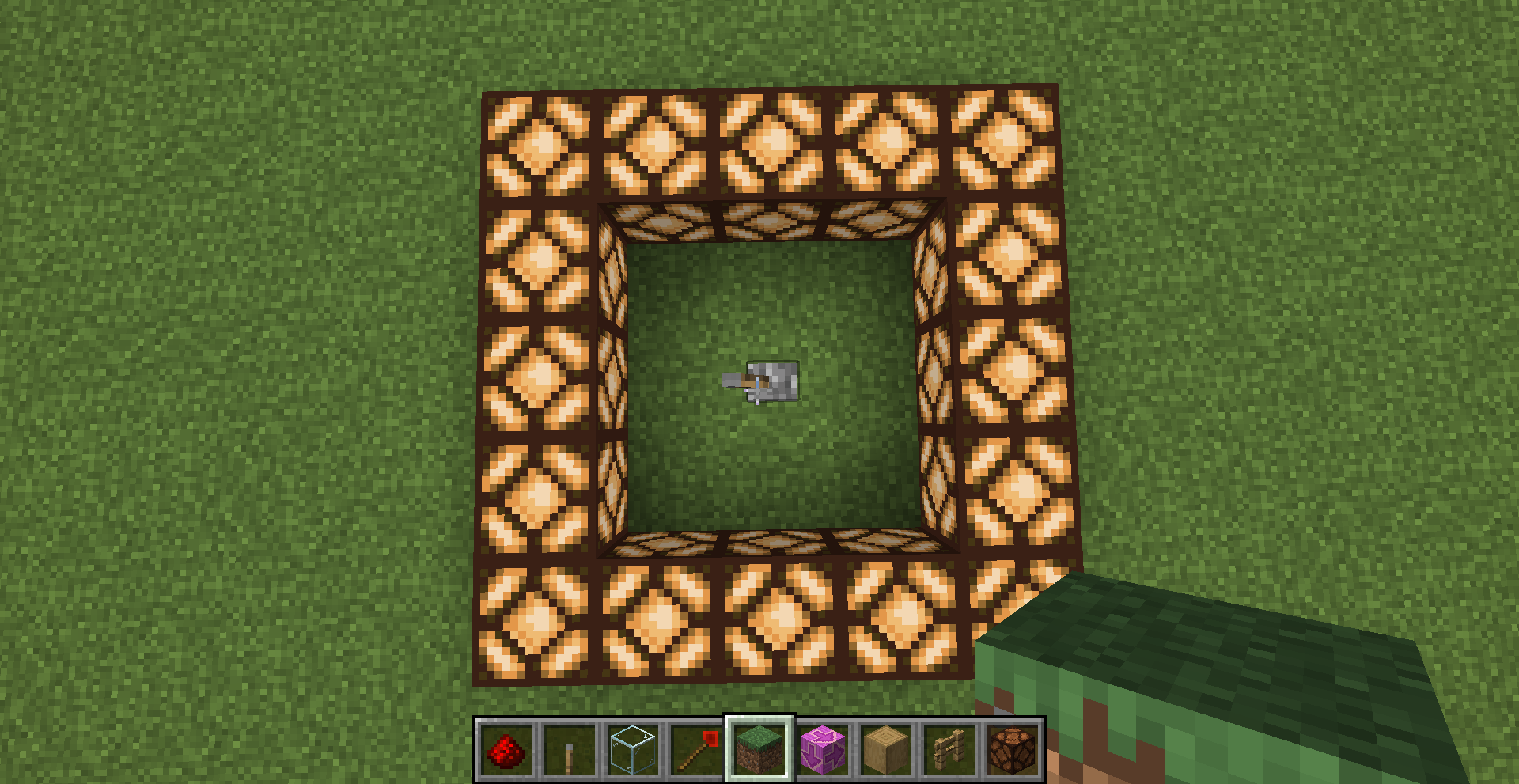 One links to Multiple
 -
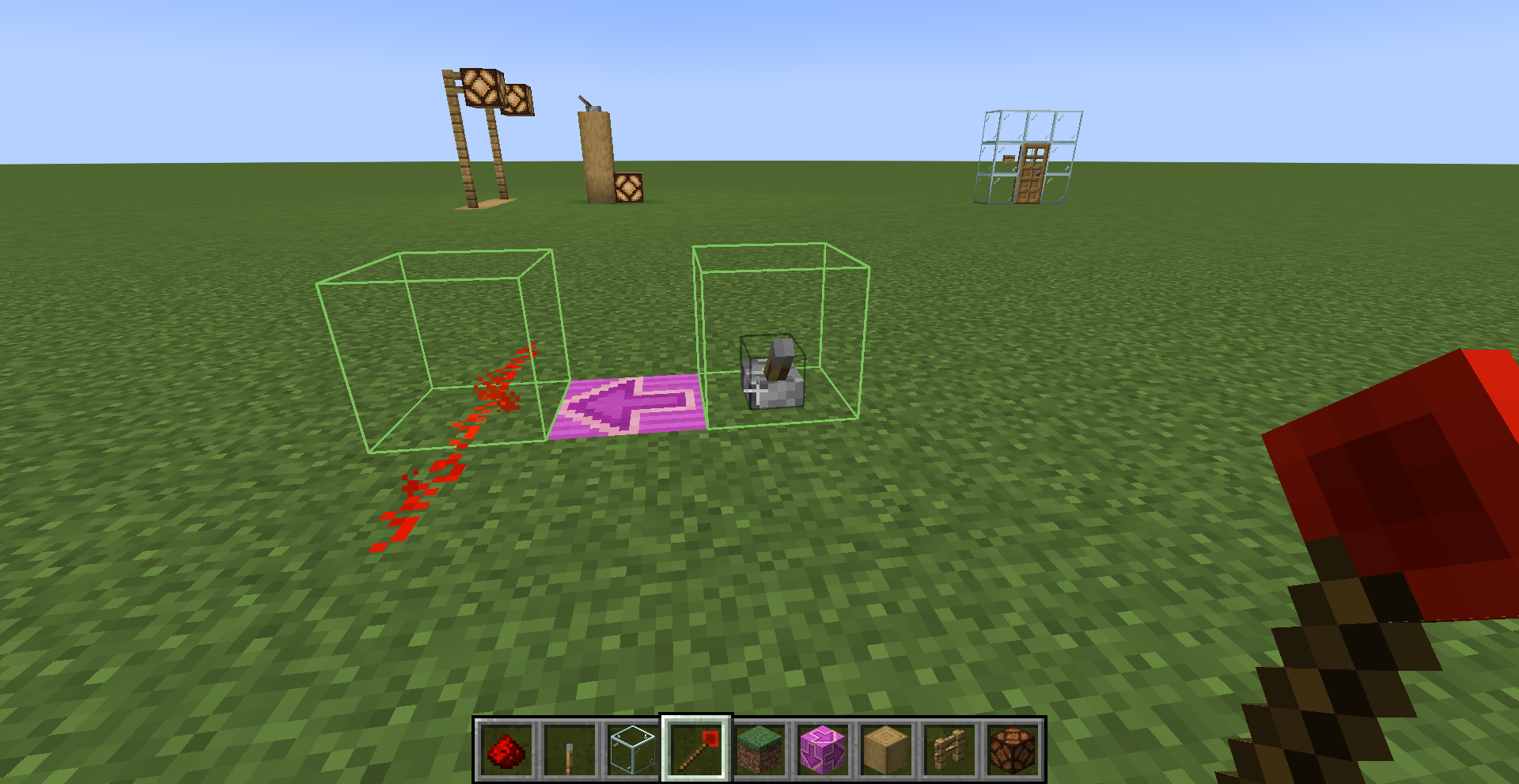 Redstone wire
Versions
Files
Relations
Project Relations
More like this
Similar Mods
Suggestions use data such as tags, dependencies, dependents, descriptions, titles, and more to rank how much they overlap with this mod.
On ModDex
Community snapshot
By the numbers
Statistics
Want to reach Minecraft players?
We're looking for a server hosting partner to feature here and other parts of the site. Interested? Send us a message!
Get in touchGet it on
Available Platforms
On ModDex
Community snapshot
By the numbers