
Community listing page, reviews may not be monitored by the author.
Reelbound

No reviews yet
Reelbound turns fishing into progression: catch rare fish and treasures, complete your encyclopedia, upgrade your rod, and trade catches for Pearls.

Community voices
Reviews
No reviews yet. Be the first to review this project!
Get it on
Available Platforms
About
Project Details
For authors
Embed Badge
If you're the author of this project, you can embed a live badge anywhere that supports HTML or Markdown. It updates automatically whenever ratings change.
Use HTML for any page that supports it, or Markdown for README files and Markdown-based descriptions.
Identifiers
Platform IDs
Resources
External Links
About
Description
Reelbound Wiki
Reelbound turns fishing into a progression activity: catch fish and treasures, fill out your encyclopedia, and trade your catches for Pearls.
How to Fish with the Reelbound Rod
- Equip your personal Signature Fishing Rod in your off-hand. Use
/rb equipor the Reelbound menu if you need to equip it. - Look directly at a water surface within 8 blocks. The water must be reachable, with no solid obstruction between you and the target.
- The water you target must be in a biome supported by Reelbound. Supported waters include rivers and lakes, cool rivers, swamps, and temperate, warm, cold, and deep oceans. The biome of the water matters; it can differ from the biome where you are standing.
- Use the rod to cast. Wait for a bite, then complete the fishing combat to secure your catch.
The cast cannot start if the rod is not your bound Reelbound rod in the off-hand, the water is too far away or blocked, you already have an active Reelbound session or an unreelled bobber, or you are a spectator, dead, or riding another entity. Reel in an existing fishing line and make sure you are in a supported biome before trying again.
Fishing
Fishing takes place in several stages:
- Cast your line into valid water.
- Wait for a bite. A roulette reveals the catch's rarity.
- Win the fishing combat to secure the catch.
- View the final reveal, which shows the fish or treasure, biome, rarity, and value.
Combat requires clicking the displayed targets before time runs out. Click each target separately; holding the button does not repeat clicks. Depending on the challenge, targets may appear alone, in sequence or pairs, move, or take more hits. Successful actions raise the tension gauge, while missed targets lower it. Reach the success end of the gauge before it drops to zero or time expires.
If you lose, you do not keep the catch, but you receive consolation Rod XP.
Rarities and catches
Catches have six rarities, from most common to most exceptional:
| Rarity | Examples |
|---|---|
| Seafoam | Cod, Salmon, Carp |
| Coral | Mackerel, Seabass, Eel |
| Pearl | Tuna, Swordfish, Arapaima |
| Abyssal | Coelacanth, Anglerfish, Drowned Compass |
| Mythic | Whale Shark, Moonveil Ray, Heart of the Reef |
| Leviathan | Abyssal Crownfish, Celestial Tidefish, Eye of the Deep |
The catalog contains 40 fish and 6 treasures. Available species depend on the biome. Check the encyclopedia for habitats and catch odds. A rarity reveal does not guarantee a catch; you still need to win the combat.
Rod and progression
A successful catch awards Rod XP. The rod has 50 levels. As you level up, you unlock room to raise three upgrades, also capped at level 50:
- Chance improves the odds of finding higher rarities.
- Expertise makes fishing combat easier.
- Appraisal increases catch sale prices by 0.5% per level.
Upgrades cost Pearls. An upgrade level cannot exceed your Rod Level.
Pearls, the Fisher, and the shop
Pearls are a balance saved to your profile, not an item you carry. Sell fish and treasures to the Fisher to earn them. You can select one or more catches, review the quoted amount, and confirm the sale. Appraisal increases the sale amount.
Use /rb summonfisher near suitable water to summon the Fisher. Then approach the Fisher to open the sale screen. Only genuine Reelbound catches can be sold there.
The shop spends Pearls on Minecraft items, arranged into resources, ores, blocks, enchantments, and miscellaneous goods. Purchases go to your inventory or Storage if your inventory has no room. The shop sells items; it does not buy your catches.
Storage
Reelbound Storage holds your catches and helps recover items that do not fit in your inventory. It is organized into pages. Move items between your inventory and Storage, process overflow items, and sort catches by rarity. You can purchase additional pages with Pearls.
Collection
The Reelbound Encyclopedia tracks discovered catches and lists the fish and treasures in the catalog. Select an entry to view its habitats, rarity, value, and fishing odds. Compare biomes to plan your next fishing trip.
Controls and commands
Controls can be changed in the keybind options. Default keys:
| Key | Action |
|---|---|
M |
Open the Reelbound menu |
K |
Open Storage |
J |
Go to the Fisher |
N |
Open the encyclopedia |
B |
Open the shop |
The menu also lets you view rod information and upgrades, and open the shop, Storage, and collection.
| Command | Action |
|---|---|
/rb |
Show help |
/rb menu |
Open the menu |
/rb equip - /rb store |
Equip or store the rod |
/rb summonfisher |
Summon the Fisher near suitable water |
/rb shop - /rb storage - /rb collection |
Open these screens |
/rb upgrades |
Show upgrade levels and costs |
/rb upgrade chance |
Buy the next Chance level |
/rb upgrade expertise |
Buy the next Expertise level |
/rb upgrade appraisal |
Buy the next Appraisal level |
Screenshots
Gallery
-
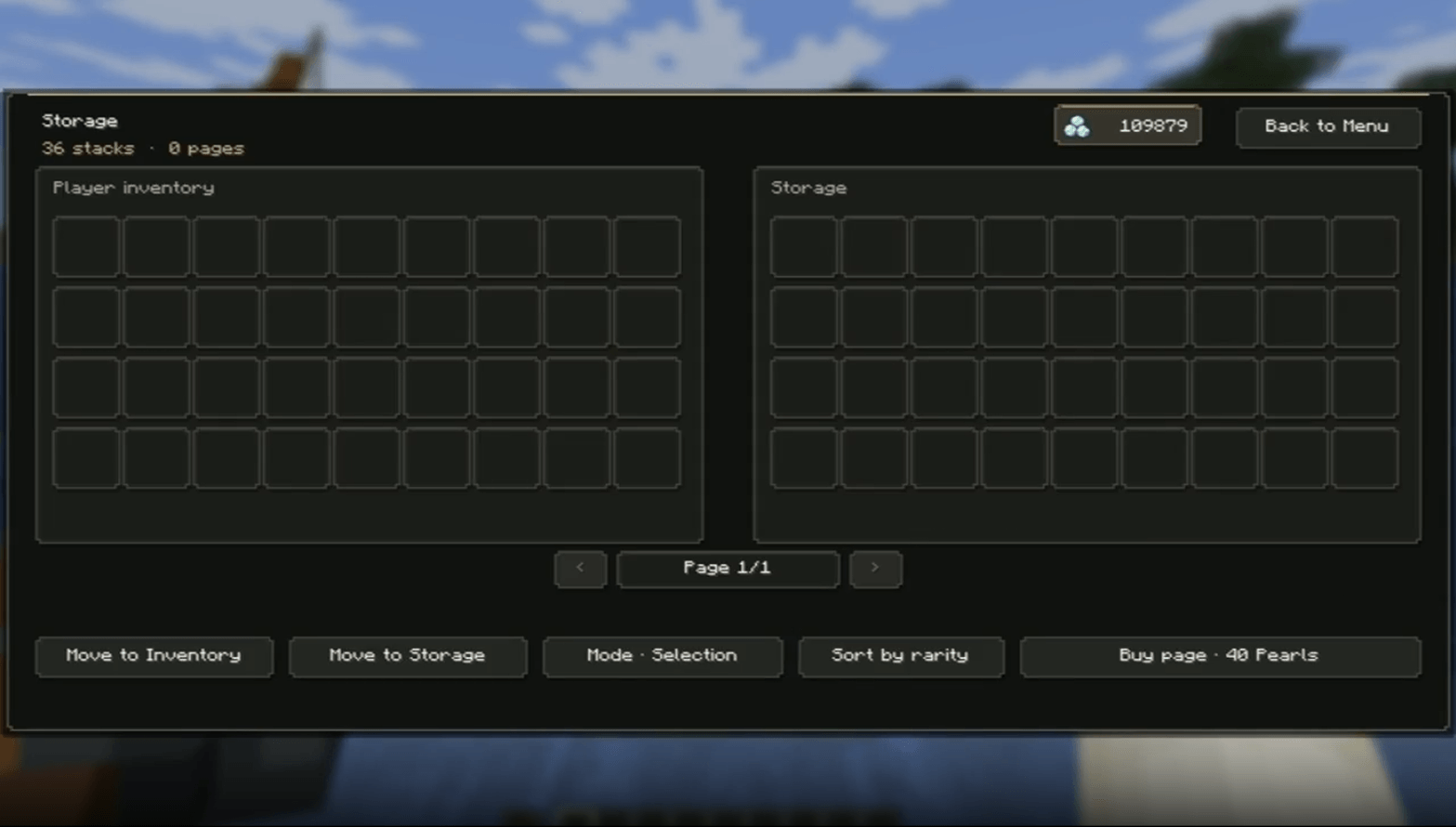 Storage
 -
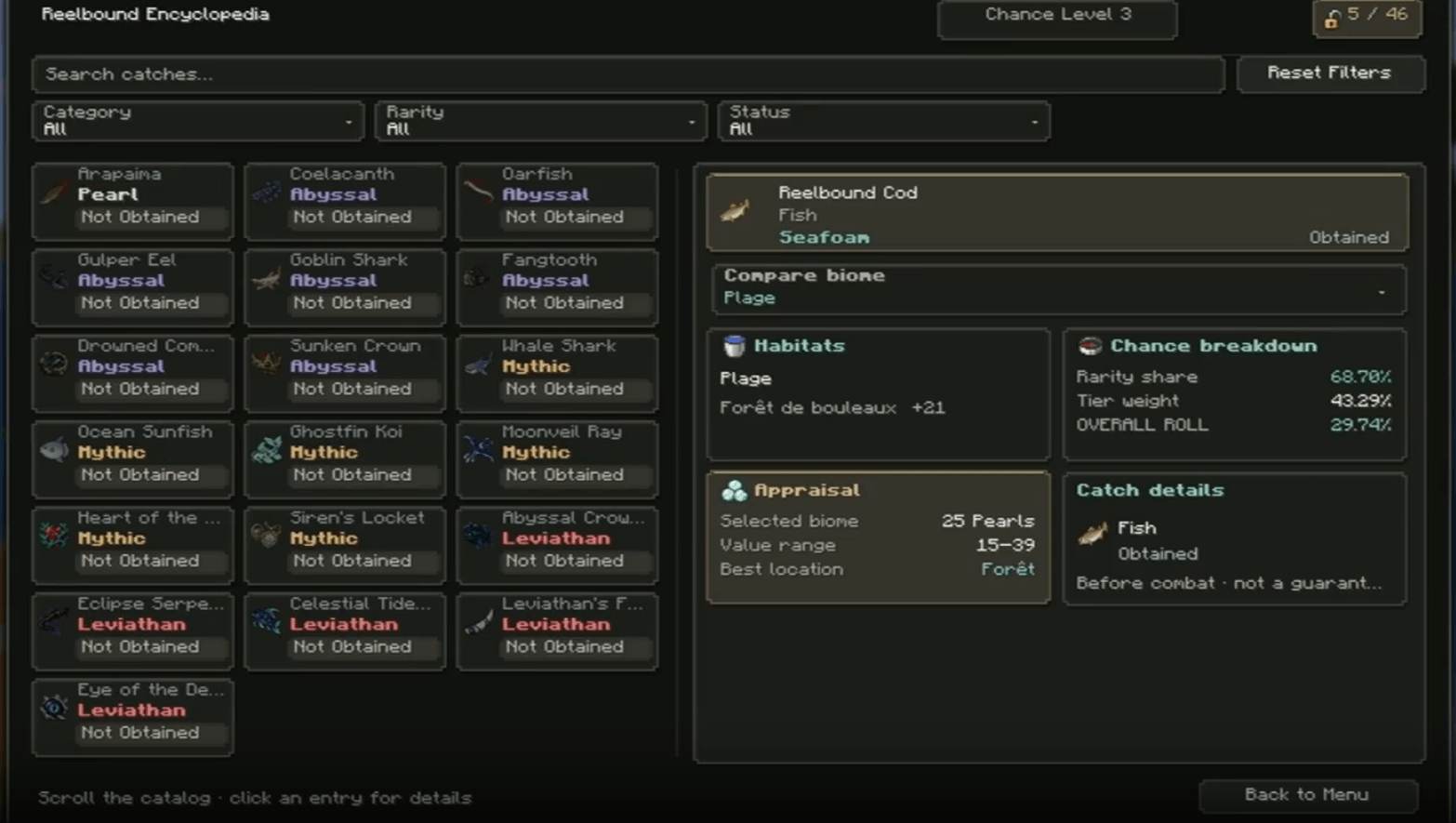 Collection
 -
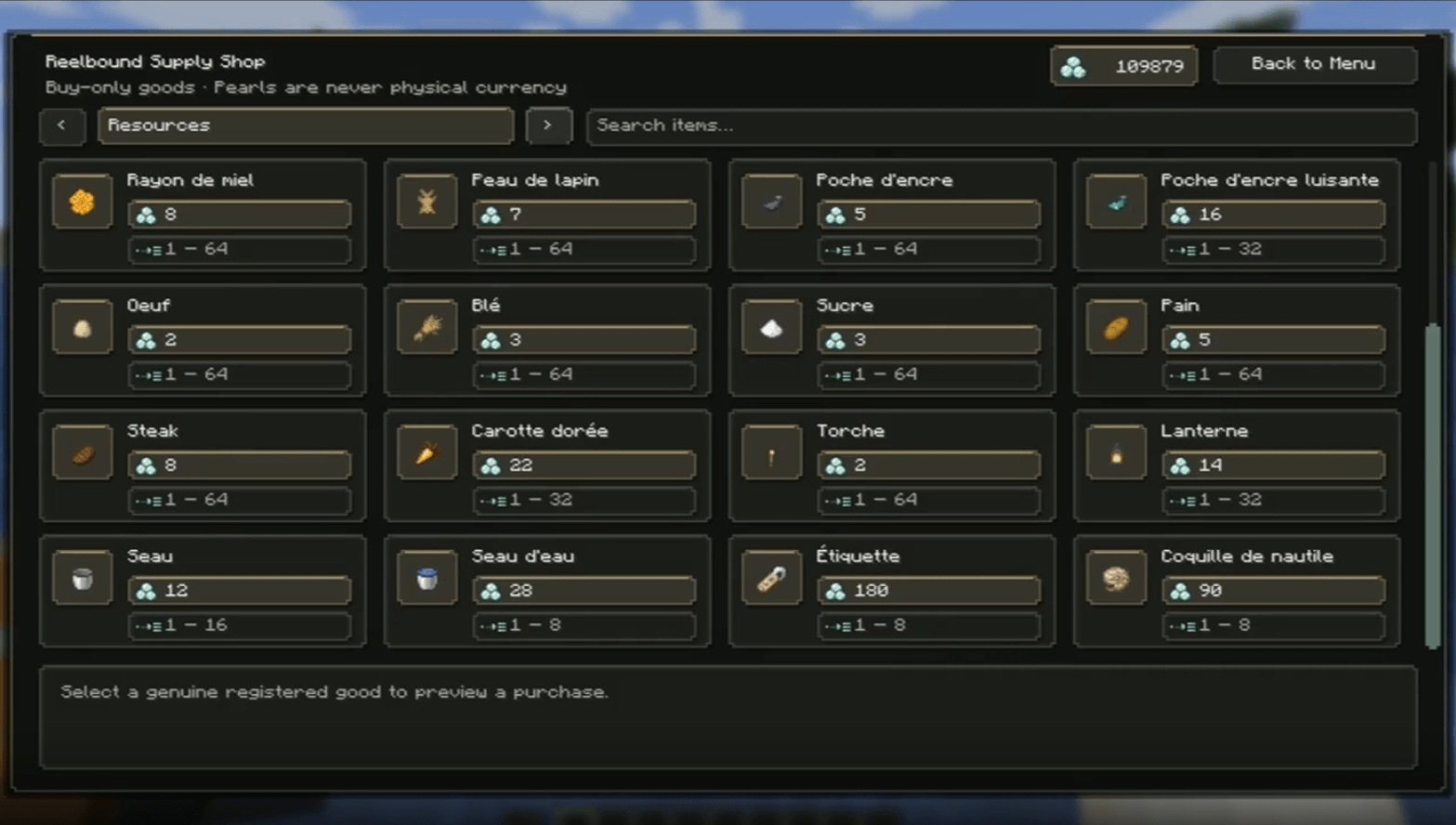 Shop
Shop -
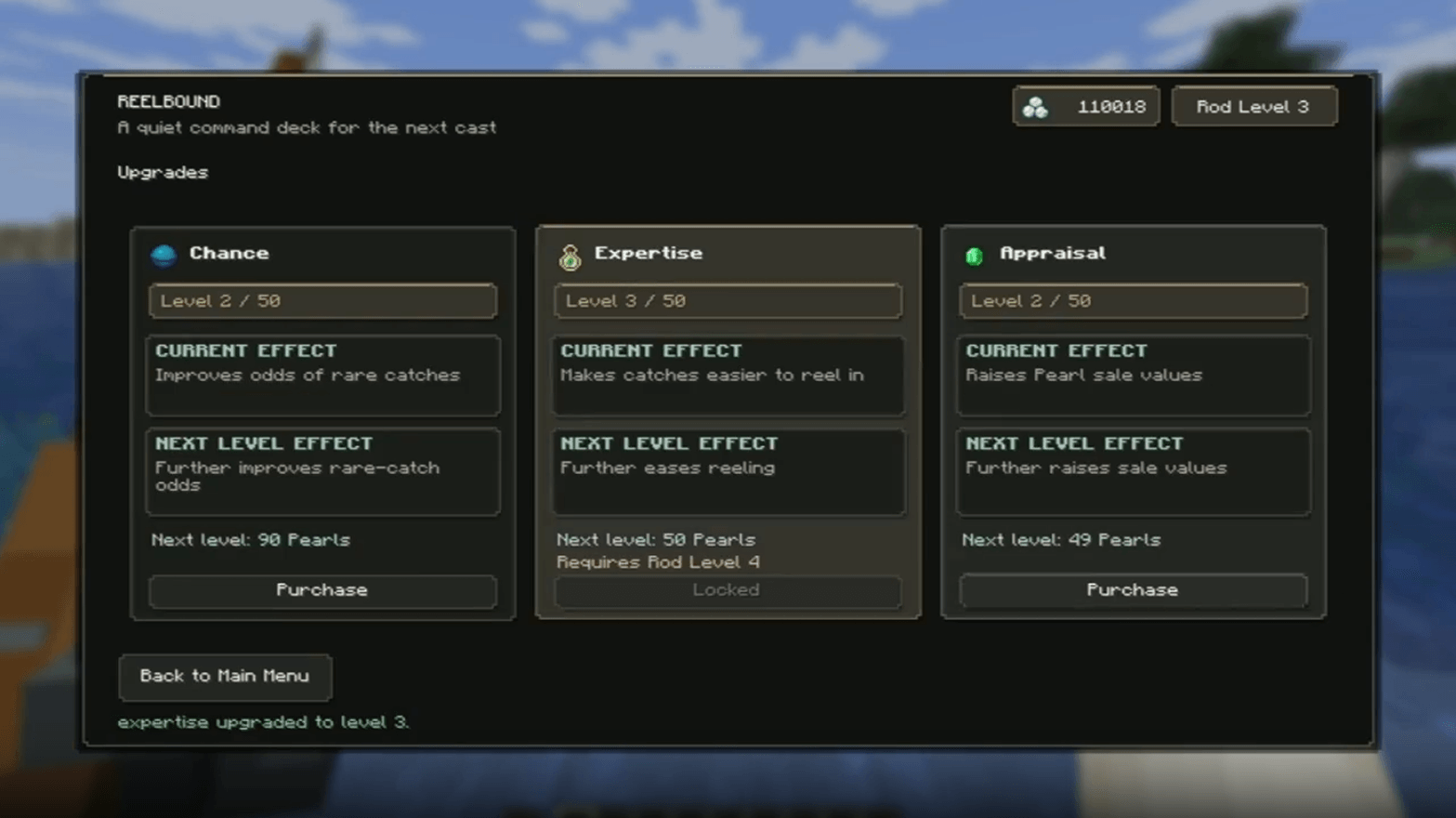 Upgrades
 -
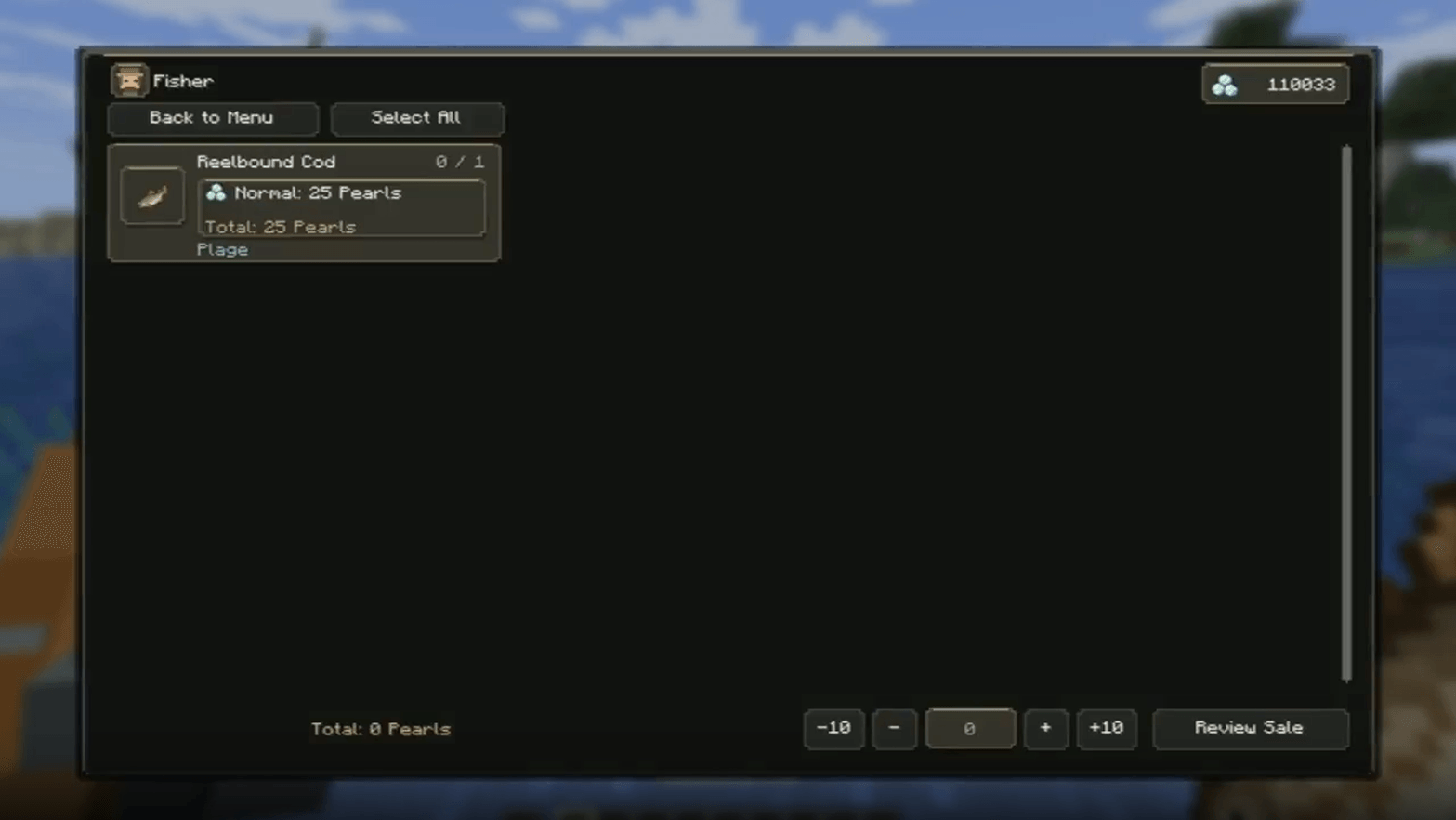 Fisher It's the one who buys your fish
 -
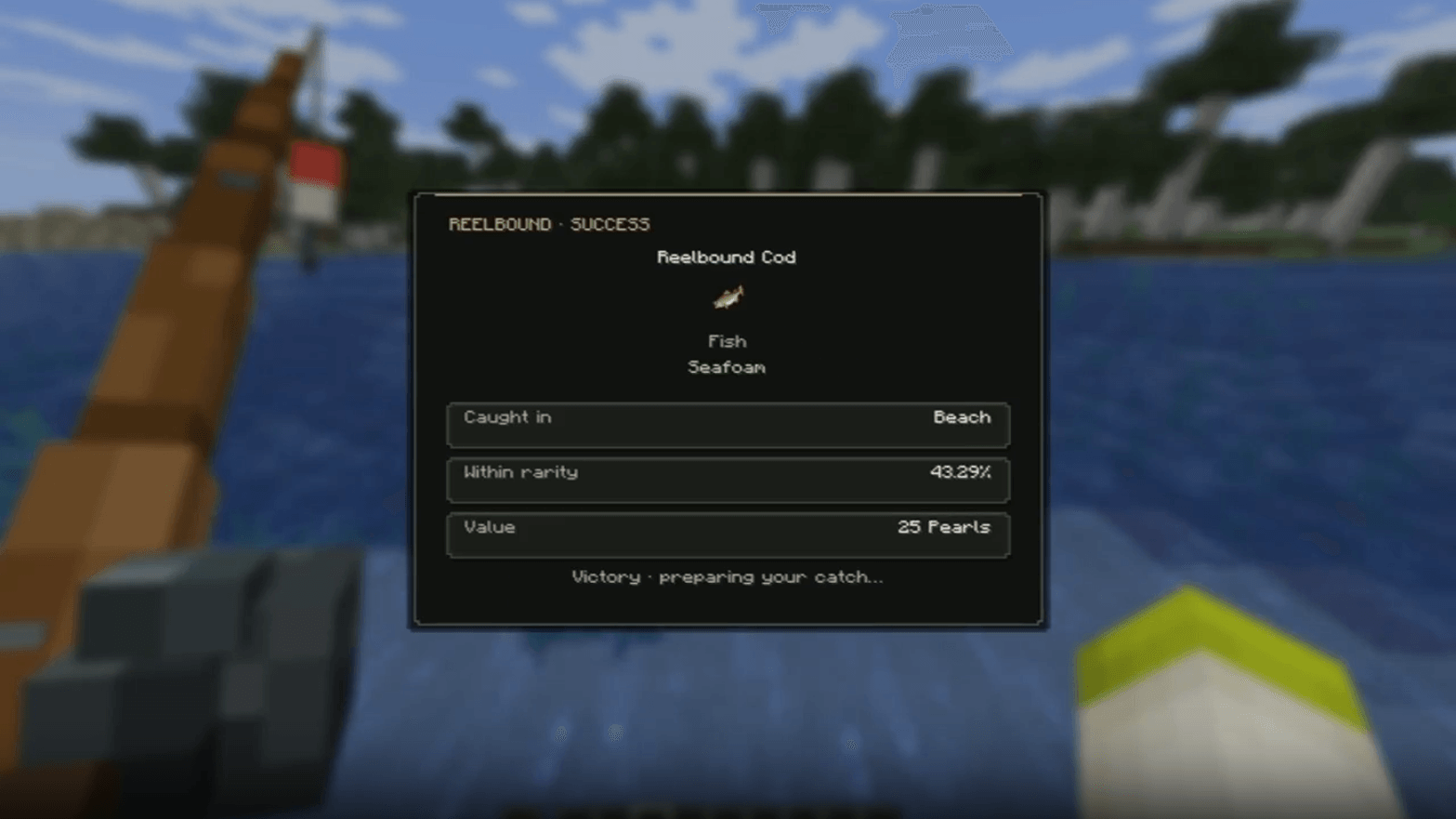 Caught fish
 -
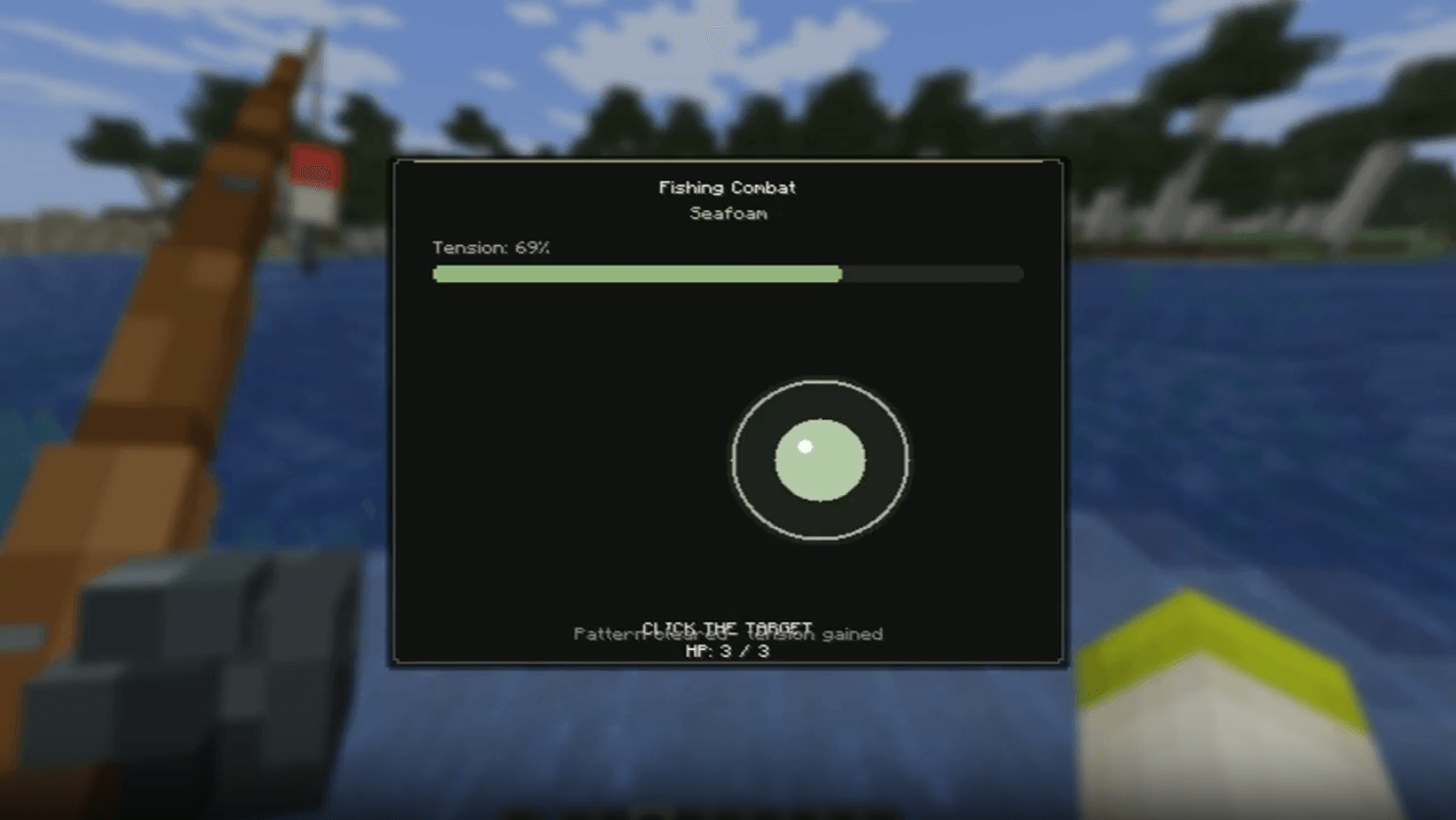 Mini-Game
 -
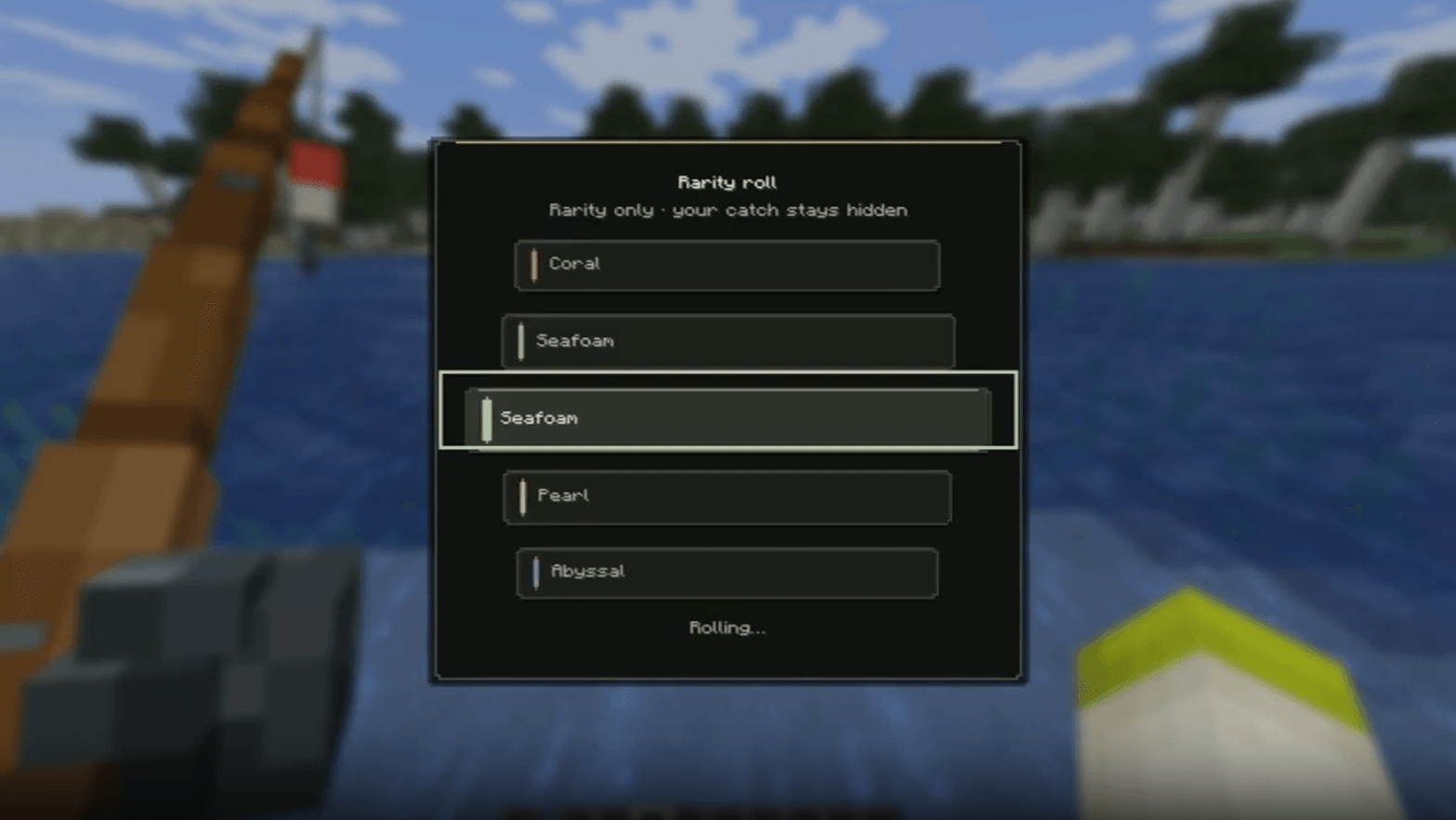 Roll
Roll -
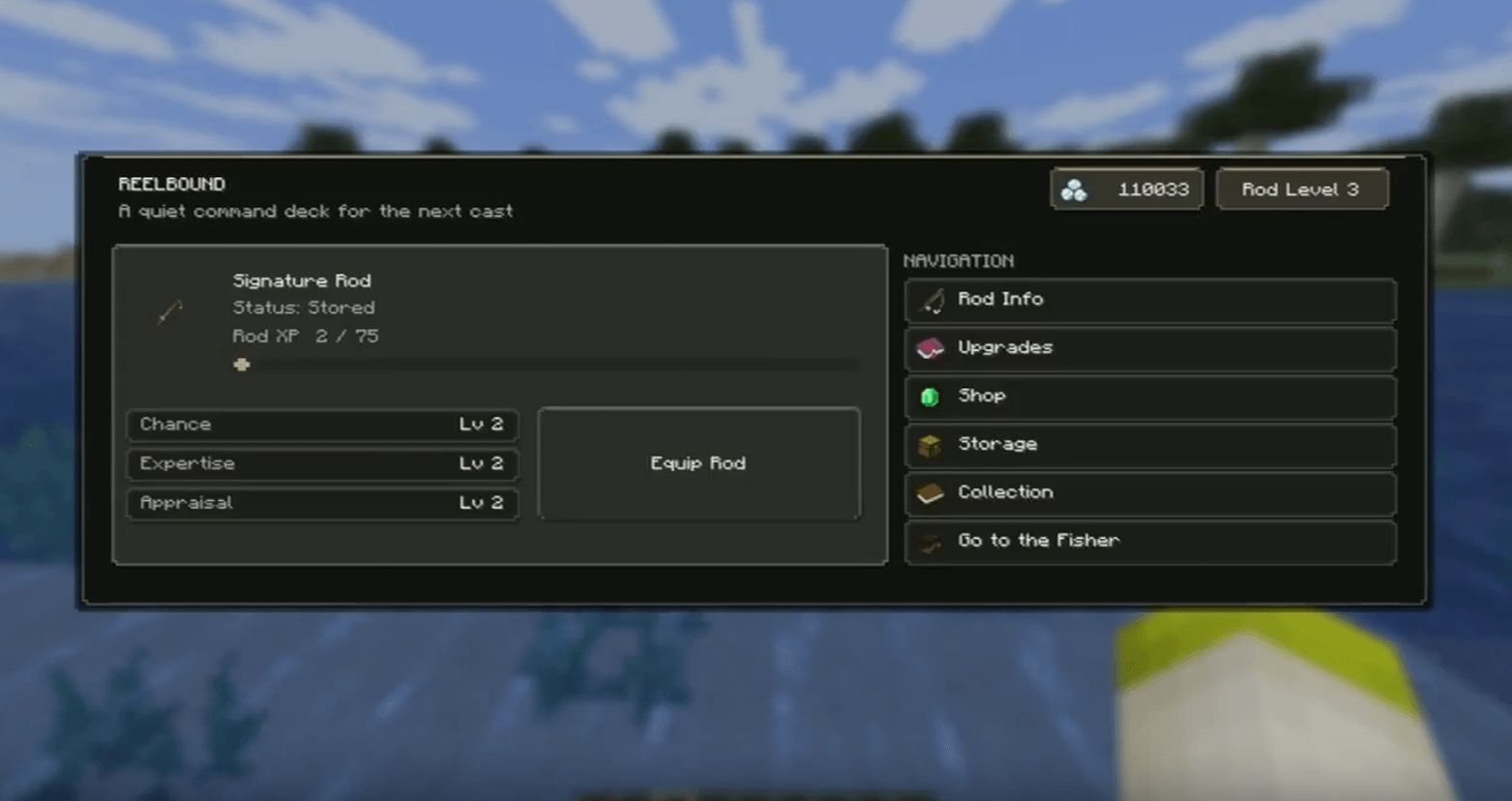 Menu
Menu
Versions
Files
Relations
Project Relations
More like this
Similar Mods
Suggestions use data such as tags, dependencies, dependents, descriptions, titles, and more to rank how much they overlap with this mod.
On ModDex
Community snapshot
By the numbers
Statistics

Get it on
Available Platforms
On ModDex
Community snapshot
By the numbers
Statistics
Resources